window Peugeot 508 2012 Owner's Manual
[x] Cancel search | Manufacturer: PEUGEOT, Model Year: 2012, Model line: 508, Model: Peugeot 508 2012Pages: 340, PDF Size: 11.11 MB
Page 4 of 340
.
Contents
Instrument panel 22
Indicator and warning lamps 23
Gauges and indicators 33
Tr ip computer 38
Instruments and controlsFamiliarisation
Remote control key 41
Alarm 50
Electric windows 52
Boot 54
Motorised tailgate (SW) 55
Sunroof 58
Panoramic sunroof (SW) 60
Fuel tank 61
Diesel misfuel prevention 62
Access
Front seats 64
Rear seats 69
Mirrors 71
Steering wheel adjustment 73
Interior fi ttings 74
Boot fi ttin
gs (Saloon) 77
Boot fi ttings (SW) 78
Heating and Ventilation 83
Manual air conditioning 85
Dual-zone digital air conditioning 87
Quad-zone digital air conditioning 90
Rear screen demist - defrost 95
Programmable Heating/Ventilation 96
Comfort
Starting-switching off the engine 97
Electric parking brake 99
Manual parking brake 106
Manual gearbox 107
Gear shift indicator 108
Automatic gearbox 109
6-speed electronic gear control gearbox 113
Stop & Star t 117
Hill start assist 120
Head-up display 121
Speed limiter 124
Cruise control 126
Parking sensors 128
Parking space sensors 130
Driving
Lighting controls 132
Automatic illumination of headlamps 137
Headlamp adjustment 140
Directional lighting 141
Wiper controls 143
Automatic rain sensitive wipers 145
Cour tesy lamps 147
Interior mood lighting 148
Visibility
Eco-driving 20
Page 12 of 340
10
Familiarisation
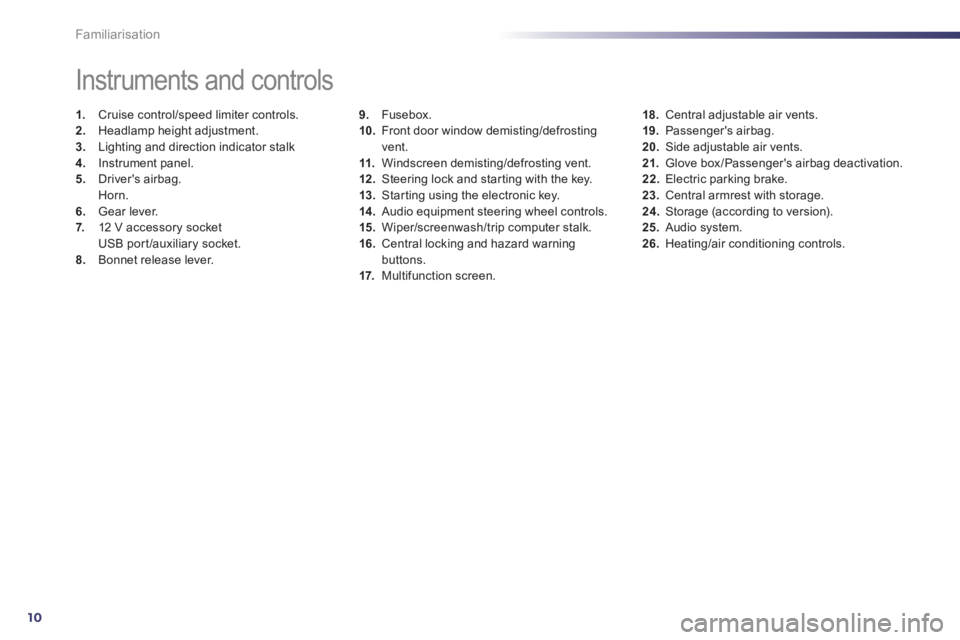
9.Fusebox.
10. Front door window demisting/defrostingvent.
11.Windscreen demisting/defrosting vent. 12 .Steering lock and star ting with the key.
13. Starting using the electronic key. 14 .
Audio equipment steering wheel controls.
15. Wiper/screenwash/trip computer stalk.
16.Central locking and hazard warningbuttons.
17. Multifunction screen.
Instruments and controls
1.
Cruise control/speed limiter controls. 2.
Headlamp height adjustment. 3.
Lighting and direction indicator stalk
4.
Instrument panel. 5.
Driver's airbag.Horn.
6.Gear lever.
7. 12 V accessory socket
USB por t/auxiliary socket.8.Bonnet release lever.
18.Central adjustable air vents.19. Passenger's airbag.20.
Side adjustable air vents.
21.Glove box/Passenger's airbag deactivation. 22.
Electric parking brake. 23.
Central armrest with storage. 24.
Storage (according to version).25.Audio system. 26.Heating/air conditioning controls.
Page 22 of 340
20
Optimise the use of your
gearbox
With a manual gearbox, move off gently,change up without waiting and drive by changing up quite soon. If your vehicle has the system, the gear shift indicator invites youto change up; it is displayed in the instrumentpanel, follow its instructions.
With an automatic or electronic gearbox, stay in Drive "D"or Auto "A" , according to the type of gearbox, without pressing theaccelerator pedal heavily or suddenly.
Drive smoothly
Maintain a safe distance between vehicles,use engine braking rather than thebrake pedal, and press the accelerator progressively. These practices contributetowards a reduction in fuel consumption andCO2emissions and also helps reduce thebackground traffic noise.
If your vehicle has cruise control, make useof the system at speeds above 25 mph (40 km/h) when the traffic is flowing well.
Control the use of your electrical equipment
Before moving off, if the passenger compartment is too warm, ventilate it byopening the windows and air vents before using the air conditioning.
Above 30 mph (50 km/h), close the windows and leave the air vents open.
Remember to make use of equipment that canhelp keep the temperature in the passenger compartment down (sun roof and windowblinds...).
Switch off the air conditioning, unless it has automatic digital regulation, as soon as thedesired temperature is attained. Switch off the demisting and defrostingcontrols, if not automatic. Switch off the heated seat as soon as possible.
Switch off the headlamps and front foglamps when the level of light does not require their use.
Avoid running the engine before moving off,
particularly in winter; your vehicle will warmup much faster while driving.
As a passenger, if you avoid connecting your multimedia devices (film, music, videogame...), you will contribute towards limitingthe consumption of electrical energy, and soof fuel.
Disconnect your por table devices beforeleaving the vehicle.
Eco-driving Eco-driving is a range of everyday practices that allow the motorist to optimise their fuel consumption and CO2emissions.
Page 43 of 340
2
41
i
Access
System which permits central unlocking or locking of the vehicle using the lock or from a distance. It is also used to locate and start the vehicle, as well
as providing protection against theft.
Remote control key
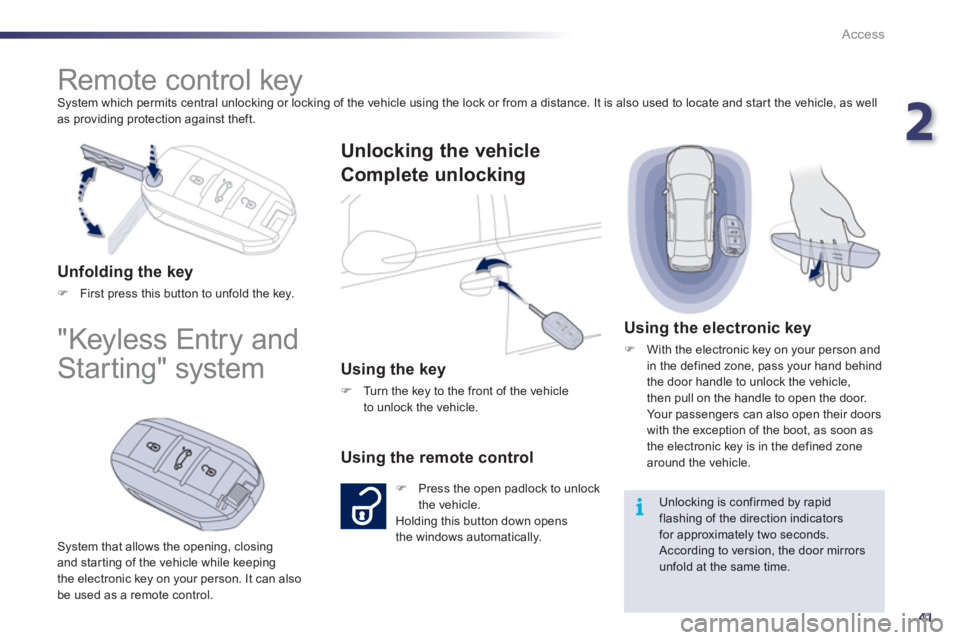
Unfolding the key
)First press this button to unfold the key.
"Keyless Entry and
Starting" system
System that allows the opening, closing
and star ting of the vehicle while keeping
the electronic key on your person. It can also be used as a remote control.
Unlocking the vehicle
Complete unlockin
g
Using the key
) Turn the key to the front of the vehicle
to unlock the vehicle.
Using the remote control
) Press the open padlock to unlock
the vehicle.
Holding this button down opens
the windows automatically.
Using the electronic key
)
With the electronic key on your person and
in the defined zone, pass your hand behind
the door handle to unlock the vehicle,
then pull on the handle to open the door.
Your passengers can also open their doors
with the exception of the boot, as soon as
the electronic key is in the defined zone around the vehicle.
Unlocking is confirmed by rapidflashing of the direction indicators
for approximately two seconds.
According to version, the door mirrorsunfold at the same time.
Page 46 of 340
44
i
i
!
i
Access
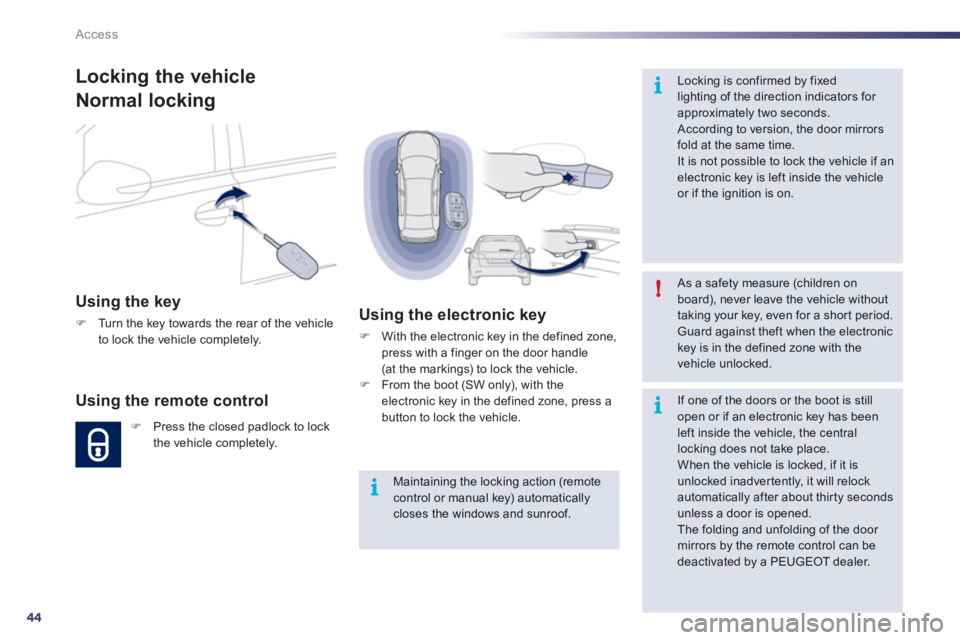
Locking the vehicle
Normal locking
Using the key
)Turn the key towards the rear of the vehicle
to lock the vehicle completely.
Using the remote control
)Press the closed padlock to lock
the vehicle completely.
Using the electronic key
)
With the electronic key in the defined zone,
press with a finger on the door handle(at the markings) to lock the vehicle.) From the boot (SW only), with the electronic key in the defined zone, press a button to lock the vehicle.
Maintaining the locking action (remotecontrol or manual key) automaticallycloses the windows and sunroof.
As a safety measure (children on board), never leave the vehicle without taking your key, even for a shor t period. Guard against theft when the electronickey is in the defined zone with thevehicle unlocked.
Locking is confirmed by fixedlighting of the direction indicators for approximately two seconds.
According to version, the door mirrors fold at the same time.
It is not possible to lock the vehicle if an electronic key is left inside the vehicleor if the ignition is on.
If one of the doors or the boot is stillopen or if an electronic key has been left inside the vehicle, the centrallocking does not take place.
When the vehicle is locked, if it isunlocked inadvertently, it will relock automatically after about thir ty seconds unless a door is opened.
The folding and unfolding of the door mirrors by the remote control can be deactivated by a PEUGEOT dealer.
Page 47 of 340
2
45
!
i
Access
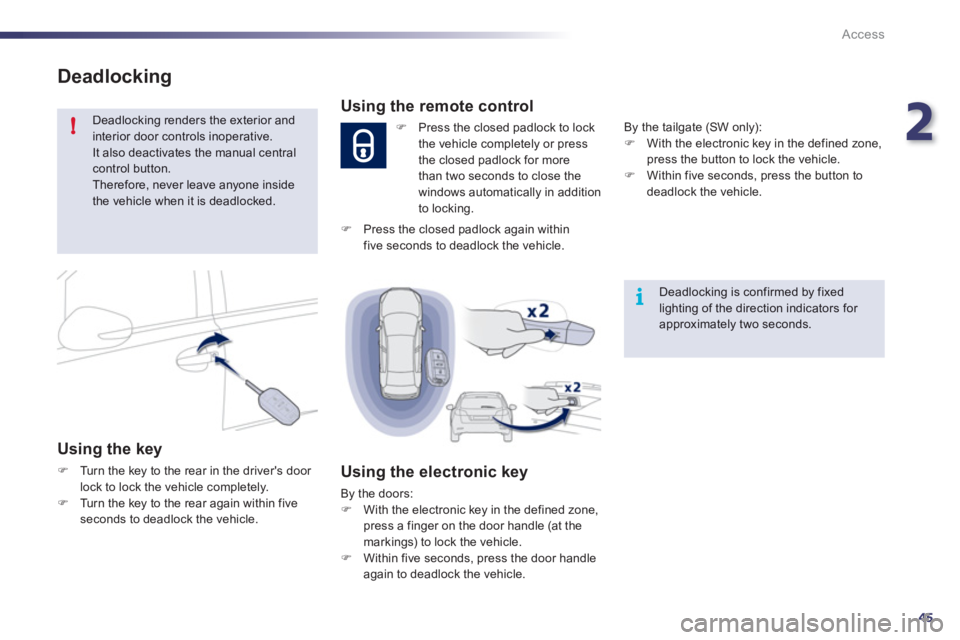
Deadlocking
Deadlocking renders the exterior andinterior door controls inoperative. It also deactivates the manual central control button.
Therefore, never leave anyone insidethe vehicle when it is deadlocked.
Using the key
)Turn the key to the rear in the driver's door
lock to lock the vehicle completely. )Turn the key to the rear again within fiveseconds to deadlock the vehicle.
Deadlocking is confirmed by fixedlighting of the direction indicators for approximately two seconds.
Using the remote control
)
Press the closed padlock to lock
the vehicle completely or press
the closed padlock for more
th
an two seconds to close thewindows automatically in addition
to locking.
Using the electronic key
By the doors: ) With the electronic key in the defined zone,
press a finger on the door handle (at the
markings) to lock the vehicle.) Within five seconds, press the door handle
again to deadlock the vehicle. B
y the tailgate (SW only):)
With the electronic key in the defined zone, press the button to lock the vehicle. )
Within five seconds, press the button todeadlock the vehicle.
)
Press the closed padlock again withinfive seconds to deadlock the vehicle.
Page 52 of 340
50
!
Access
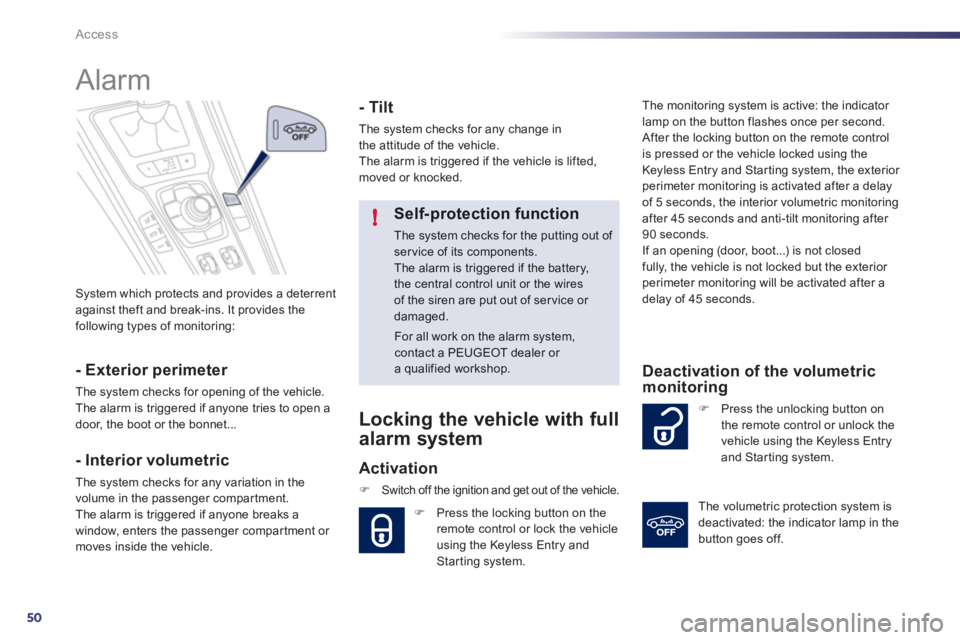
System which protects and provides a deterrentagainst theft and break-ins. It provides the
following types of monitoring:
Alarm
- Exterior perimeter
The system checks for opening of the vehicle.
The alarm is triggered if anyone tries to open a
door, the boot or the bonnet...
- Interior volumetric
The system checks for any variation in the
volume in the passenger compartment.
The alarm is triggered if anyone breaks a
window, enters the passenger compar tment or moves inside the vehicle.
- Tilt
The system checks for any change in
the attitude of the vehicle.
The alarm is triggered if the vehicle is lifted,
moved or knocked.
Self-protection function
The system checks for the putting out of ser vice of its components. The alarm is triggered if the battery,the central control unit or the wires of the siren are put out of ser vice or damaged.
For all work on the alarm system, contact a PEUGEOT dealer or a qualified workshop.
Locking the vehicle with full
alarm system
Activation
)Switch off the ignition and get out of the vehicle.
)
Press the locking button on theremote control or lock the vehicle
using the Keyless Entry and Starting system. The monitorin
g system is active: the indicator
lamp on the button flashes once per second.
After the locking button on the remote controlis pressed or the vehicle locked using the
Ke
yless Entry and Starting system, the exterior perimeter monitoring is activated after a delay
of 5 seconds, the interior volumetric monitoring
after 45 seconds and anti-tilt monitoring after 90 seconds.
If an opening (door, boot...) is not closed
fully, the vehicle is not locked but the exterior perimeter monitoring will be activated after a
delay of 45 seconds.
) Press the unlocking button on
the remote control or unlock the
vehicle using the Keyless Entryand Star ting system.
Deactivation of the volumetric monitoring
The volumetric protection system is
deactivated: the indicator lamp in the
button
goes off.
Page 53 of 340
2
51
Access
Locking the vehicle
w
ith exterior perimeter
monitoring only
Deactivate the interior volumetric and anti-liftmonitoring to avoid unwanted triggering of the alarm in certain cases such as:
- leaving a window par tially open,
- washing your vehicle,
- changing a wheel,
- having your vehicle towed,
- transportation by sea.
Deactivation of the interior volumetric and anti-tilt monitoring
)
Switch of the ignition and within
ten seconds, press this button
until the indicator lamp is on
continuously.) Get out of the vehicle.
)
Press the locking button on
the remote control immediatelyor lock the vehicle using the
Keyless Entry and Starting system.
The exterior perimeter monitorin
g alone is
activated: the indicator lamp in the button
flashes once per second.
To b e effective, this deactivation must be carried
out each time the ignition is switched off.
Reactivation of the interior volumetric and anti-tilt monitoring
Tr iggering of the alarm
This is indicated by sounding of the siren andflashing of the direction indicators for thirty seconds.
The monitoring functions remain active until
the alarm has been triggered eleven times insuccession.
) Press the unlocking button on
the remote control or unlock thevehicle using the Keyless Entry
and Star ting system to deactivate
the exterior perimeter monitoring.
) Press the locking button on the
remote control or lock the vehicleusing the Keyless Entry and Starting system to activate all the monitoring functions.
The indicator lamp in the button
again flashes once per second.
When the vehicle is unlocked usingthe remote control or unlocked
using the Keyless Entry and Starting
system, rapid flashing of the indicator lamp in the button informs you that the alarmwas triggered during your absence. When
the ignition is switched on, this flashing stopsimmediately.
Failure of the remote control
To deactivate the monitoring functions:
)
Unlock the vehicle using the key in thedriver's door lock. )
Open the door; the alarm is triggered. )
Switch on the ignition; the alarm stops.
The indicator lamp in the button switches off.
Locking the vehicle without
activating the alarm
)
Lock or deadlock the vehicle using the key
in the driver's door lock.
Operating fault
When the ignition is switched on, fixed
illumination of the indicator lamp in the button
indicates a fault in the system.
Have it checked by a PEUGEOT dealer or a qualified workshop.
* Accordin
g to country.
Automatic activation *
2 minutes after the last door or the boot is closed, the system is activated automatically. )
To avoid triggering the alarm on enteringthe vehicle, first press the unlocking button on the remote control or unlock the vehicleusing the Keyless Entry and Star ting system.
Page 54 of 340
52
Access
Electric windows
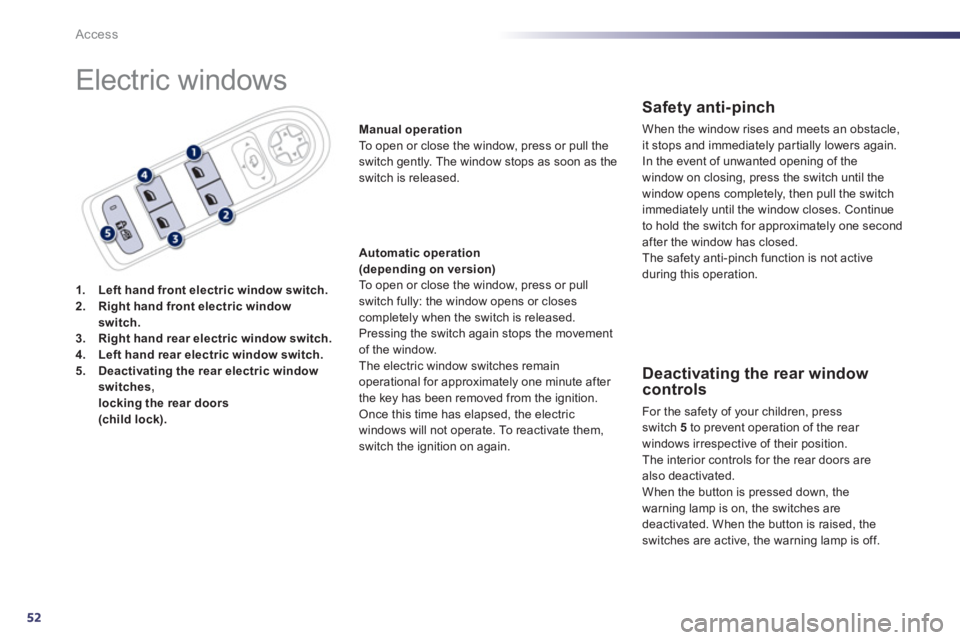
1.Left hand front electric window switch.2.Right hand front electric windowswitch.3.Right hand rear electric window switch.4.Left hand rear electric window switch.5.Deactivating the rear electric window
switches, locking the rear doors (child lock).
Manual operation
To open or close the window, press or pull the
switch gently. The window stops as soon as the
switch is released.
Automatic operation(depending on version) To open or close the window, press or pull
switch fully: the window opens or closescompletely when the switch is released. Pressing the switch again stops the movementof the window.
The electric window switches remain
operational for approximately one minute after
the key has been removed from the ignition.
Once this time has elapsed, the electric
windows will not o
perate. To reactivate them,
switch the ignition on again.
Safety anti-pinch
When the window rises and meets an obstacle, it stops and immediately partially lowers again.
In the event o
f unwanted opening of the
window on closing, press the switch until the
window opens completely, then pull the switch
immediatel
y until the window closes. Continue
to hold the switch for approximately one secondafter the window has closed.
The safety anti-pinch function is not active
during this operation.
Deactivating the rear window controls
For the safety of your children, press switch 5
to prevent operation of the rear
windows irrespective of their position.
Th
e interior controls for the rear doors arealso deactivated.
When the button is pressed down, the
warning lamp is on, the switches are deactivated. When the button is raised, theswitches are active, the warning lamp is off.
Page 55 of 340
2
53
!
Access
Reinitialisation of the
electric windows
Always remove the key from the ignitionwhen leaving the vehicle, even for ashort time. In the event of contact during operation
of the windows, you must reverse themovement of the window. To do this, press the switch concerned.When operating the passenger electric window switches, the driver must ensure that no one is preventing correctclosing of the windows. The driver must ensure that thepassengers use the electric windowscorrectly.Be aware of children when operating the windows.
Followin
g reconnection of the battery, thesafety anti-pinch function must be reinitialised.
The safety anti-pinch function is not active
during these operations:
- lower the window completely, then raise
it, it will rise in steps of a few centimetres
each time the switch is pressed. Repeat
the operation until the window closes
completely,
- continue to press the switch for at least onesecond after reaching this position, window closed.