change time Peugeot 508 2016 User Guide
[x] Cancel search | Manufacturer: PEUGEOT, Model Year: 2016, Model line: 508, Model: Peugeot 508 2016Pages: 371, PDF Size: 12.12 MB
Page 293 of 371
291
508_en_Chap10c_SMegplus_ed01-2016
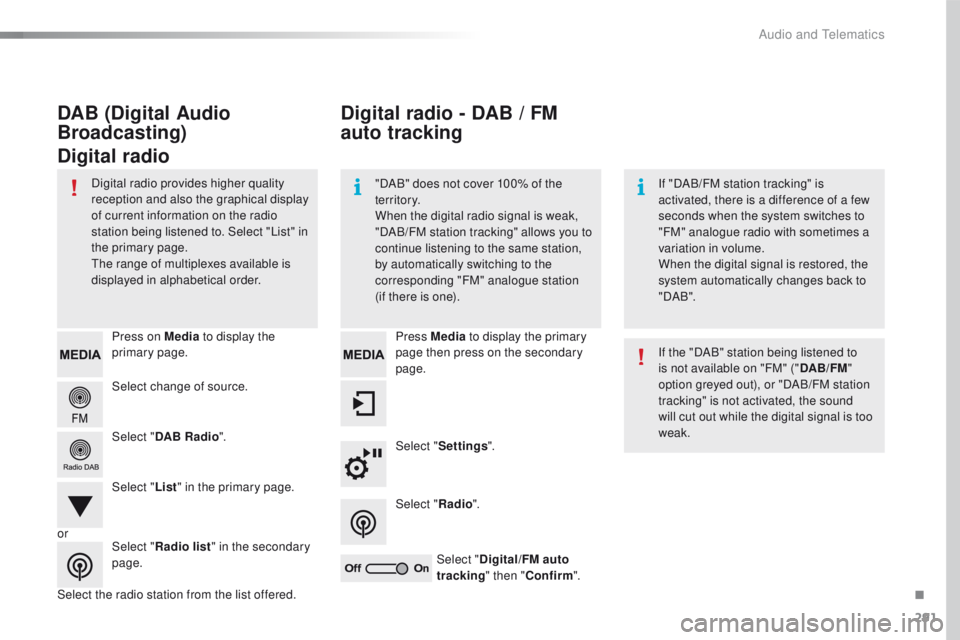
Select change of source. Press on Media to display the
primary page.
Select " DAB Radio ".
Select " List" in the primary page.
Select the radio station from the list offered. Press Media
to display the primary
page then press on the secondary
page.
Select " Settings ".
Select " Radio".
Select " Digital/FM auto
tracking " then "Confirm ".
Digital radio - DAB / FM
au to tracking
DAB (Digital Audio
Broadcasting)
Digital radio
"DAB" does not cover 100% of the
te r r i to r y.
When the digital radio signal is weak,
"DAB/FM station tracking" allows you to
continue listening to the same station,
by automatically switching to the
corresponding "FM" analogue station
(if there is one). If "DAB/FM station tracking" is
activated, there is a difference of a few
seconds when the system switches to
"FM" analogue radio with sometimes a
variation in volume.
When the digital signal is restored, the
system automatically changes back to
" DA B ".
Digital radio provides higher quality
reception and also the graphical display
of current information on the radio
station being listened to. Select "List" in
the primary page.
th
e range of multiplexes available is
displayed in alphabetical order.
If the "DAB" station being listened to
is not available on "FM" ("DAB/FM"
option greyed out), or "DAB/FM station
tracking" is not activated, the sound
will cut out while the digital signal is too
weak.
or Select "Radio list " in the secondary
page.
.
Audio and telematics
Page 294 of 371
292
508_en_Chap10c_SMegplus_ed01-2016
Music
USB playerSelecting the source
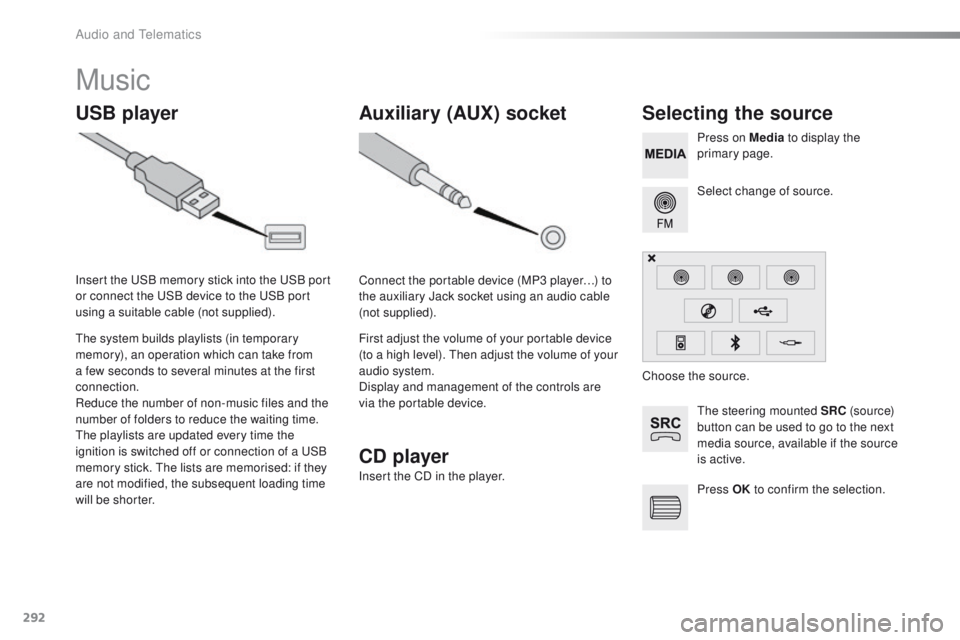
the steering mounted SRC (s o u r c e)
button can be used to go to the next
media source, available if the source
is active. Select change of source. Press on Media to display the
primary page.
th
e system builds playlists (in temporary
memory), an operation which can take from
a few seconds to several minutes at the first
connection.
Reduce the number of non-music files and the
number of folders to reduce the waiting time.
th
e playlists are updated every time the
ignition is switched off or connection of a
u
S
B
memory stick.
t
h
e lists are memorised: if they
are not modified, the subsequent loading time
will be shorter. Insert the
u
S
B memory stick into the
u
S
B port
or connect the
u
S
B device to the
u
S
B port
using a suitable cable (not supplied).
Auxiliary (AUX) socket
Connect the portable device (MP3 player…) to
the auxiliary Jack socket using an audio cable
(not supplied).
First adjust the volume of your portable device
(to a high level).
t
h
en adjust the volume of your
audio system.
Display and management of the controls are
via the portable device. Choose the source.
Press OK to confirm the selection.
CD player
Insert the CD in the player.
Audio and telematics
Page 319 of 371
317
508_en_Chap10c_SMegplus_ed01-2016
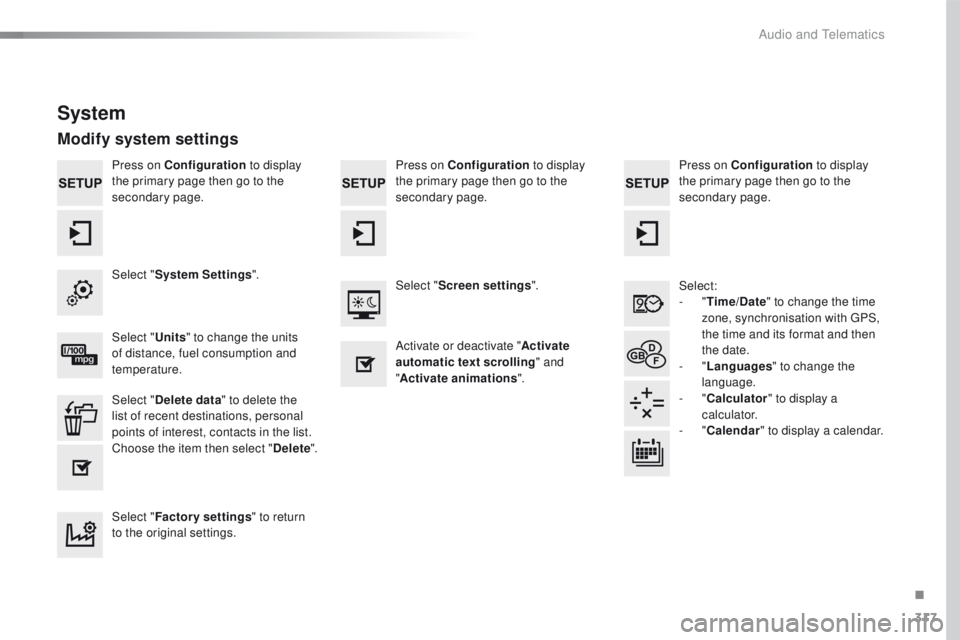
Press on Configuration to display
the primary page then go to the
secondary page. Press on Configuration
to display
the primary page then go to the
secondary page.
Press on Configuration
to display
the primary page then go to the
secondary page.
Select:
-
"Time/Date " to change the time
zone, synchronisation with
g
P
S,
the time and its format and then
the date.
-
"Languages " to change the
language.
-
"Calculator " to display a
calculator.
-
"Calendar " to display a calendar.
Select "
System Settings ".
Select "Screen settings ".
Select " Units" to change the units
of distance, fuel consumption and
temperature. Activate or deactivate "
Activate
automatic text scrolling " and
" Activate animations ".
Select " Delete data " to delete the
list of recent destinations, personal
points of interest, contacts in the list.
Choose the item then select " Delete".
Select " Factory settings " to return
to the original settings.
System
Modify system settings
.
Audio and telematics
Page 342 of 371
340
508_en_Chap10d_RD5_ed01-2016
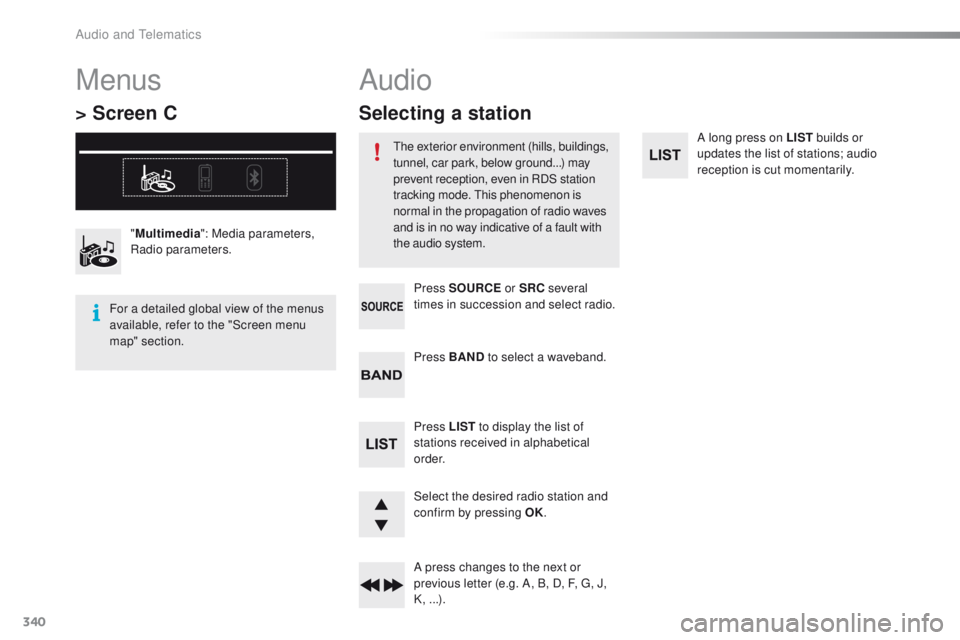
A long press on LIST builds or
updates the list of stations; audio
reception is cut momentarily.
Select the desired radio station and
confirm by pressing OK.
A press changes to the next or
previous letter (e.g. A, B, D, F,
g
, J
,
K, ...). Press BAND to select a waveband.
Press LIST to display the list of
stations received in alphabetical
o r d e r. Press SOURCE or SRC several
times in succession and select radio.
"
Multimedia ": Media parameters,
Radio parameters.
Menus
> Screen C
For a detailed global view of the menus
available, refer to the "Screen menu
map" section.
Audio
the exterior environment (hills, buildings,
tunnel, car park, below ground...) may
prevent reception, even in RDS station
tracking mode.
t
h
is phenomenon is
normal in the propagation of radio waves
and is in no way indicative of a fault with
the audio system.
Selecting a station
Audio and telematics