ABS Peugeot 508 2018 User Guide
[x] Cancel search | Manufacturer: PEUGEOT, Model Year: 2018, Model line: 508, Model: Peugeot 508 2018Pages: 320, PDF Size: 10.09 MB
Page 180 of 320
178
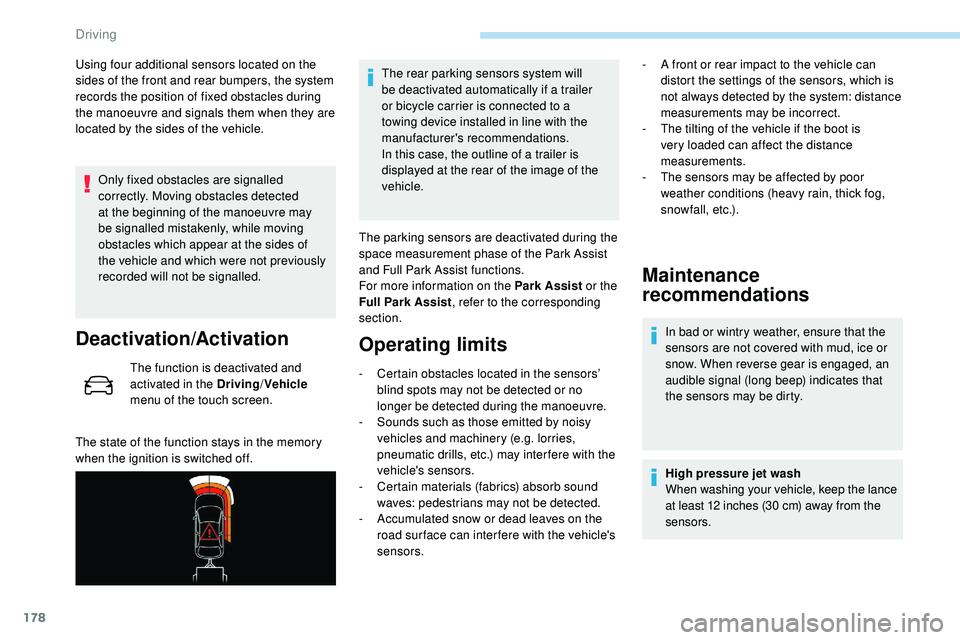
Using four additional sensors located on the
sides of the front and rear bumpers, the system
records the position of fixed obstacles during
the manoeuvre and signals them when they are
located by the sides of the vehicle.Only fixed obstacles are signalled
correctly. Moving obstacles detected
at the beginning of the manoeuvre may
be signalled mistakenly, while moving
obstacles which appear at the sides of
the vehicle and which were not previously
recorded will not be signalled.
Deactivation/Activation
The function is deactivated and
activated in the Driving /Vehicle
menu of the touch screen.
The state of the function stays in the memory
when the ignition is switched off. The rear parking sensors system will
be deactivated automatically if a trailer
or bicycle carrier is connected to a
towing device installed in line with the
manufacturer's recommendations.
In this case, the outline of a trailer is
displayed at the rear of the image of the
vehicle.
The parking sensors are deactivated during the
space measurement phase of the Park Assist
and Full Park Assist functions.
For more information on the Park Assist or the
Full Park Assist , refer to the corresponding
section.
Operating limits
- Certain obstacles located in the sensors’ blind spots may not be detected or no
longer be detected during the manoeuvre.
-
S
ounds such as those emitted by noisy
vehicles and machinery (e.g. lorries,
pneumatic drills, etc.) may inter fere with the
vehicle's sensors.
-
C
ertain materials (fabrics) absorb sound
waves: pedestrians may not be detected.
-
A
ccumulated snow or dead leaves on the
road sur face can inter fere with the vehicle's
sensors.
Maintenance
recommendations
In bad or wintry weather, ensure that the
sensors are not covered with mud, ice or
snow. When reverse gear is engaged, an
audible signal (long beep) indicates that
the sensors may be dirty.
High pressure jet wash
When washing your vehicle, keep the lance
at least 12 inches (30 cm) away from the
sensors.
-
A f
ront or rear impact to the vehicle can
distort the settings of the sensors, which is
not always detected by the system: distance
measurements may be incorrect.
-
T
he tilting of the vehicle if the boot is
very loaded can affect the distance
measurements.
-
T
he sensors may be affected by poor
weather conditions (heavy rain, thick fog,
snowfall, etc.).
Driving
Page 189 of 320
187
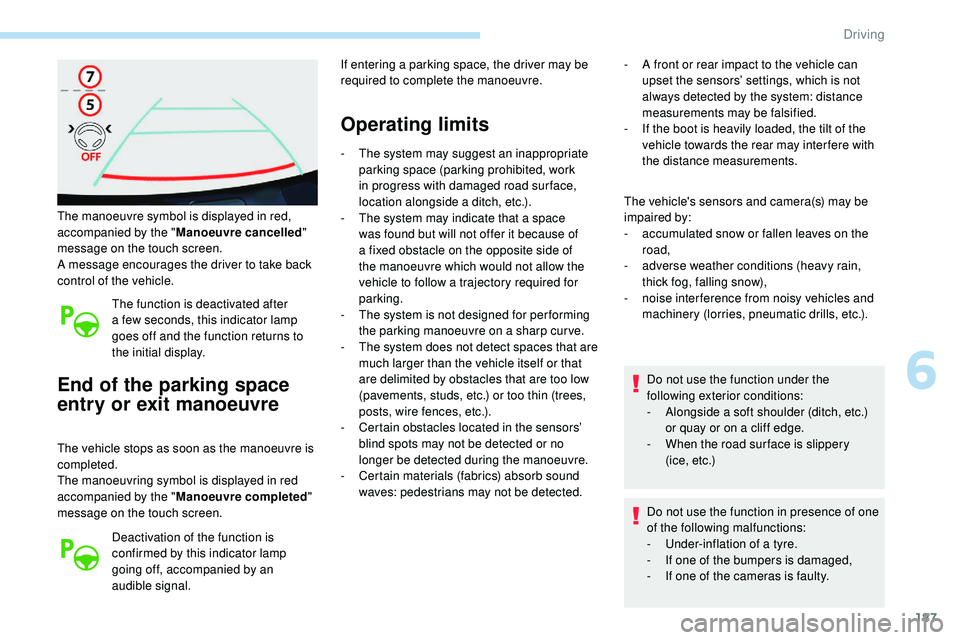
The manoeuvre symbol is displayed in red,
accompanied by the "Manoeuvre cancelled "
message on the touch screen.
A message encourages the driver to take back
control of the vehicle.
The function is deactivated after
a few seconds, this indicator lamp
goes off and the function returns to
the initial display.
End of the parking space
entry or exit manoeuvre
The vehicle stops as soon as the manoeuvre is
completed.
The manoeuvring symbol is displayed in red
accompanied by the " Manoeuvre completed "
message on the touch screen.
Deactivation of the function is
confirmed by this indicator lamp
going off, accompanied by an
audible signal. If entering a parking space, the driver may be
required to complete the manoeuvre.
Operating limits
- The system may suggest an inappropriate
parking space (parking prohibited, work
in progress with damaged road sur face,
location alongside a ditch, etc.).
-
T
he system may indicate that a space
was found but will not offer it because of
a fixed obstacle on the opposite side of
the manoeuvre which would not allow the
vehicle to follow a trajectory required for
parking.
-
T
he system is not designed for per forming
the parking manoeuvre on a sharp curve.
-
T
he system does not detect spaces that are
much larger than the vehicle itself or that
are delimited by obstacles that are too low
(pavements, studs, etc.) or too thin (trees,
posts, wire fences, etc.).
-
C
ertain obstacles located in the sensors’
blind spots may not be detected or no
longer be detected during the manoeuvre.
-
C
ertain materials (fabrics) absorb sound
waves: pedestrians may not be detected. -
A f
ront or rear impact to the vehicle can
upset the sensors’ settings, which is not
always detected by the system: distance
measurements may be falsified.
-
I
f the boot is heavily loaded, the tilt of the
vehicle towards the rear may inter fere with
the distance measurements.
The vehicle's sensors and camera(s) may be
impaired by:
-
a
ccumulated snow or fallen leaves on the
road,
-
a
dverse weather conditions (heavy rain,
thick fog, falling snow),
-
nois
e interference from noisy vehicles and
machinery (lorries, pneumatic drills, etc.).
Do not use the function under the
following exterior conditions:
-
A
longside a soft shoulder (ditch, etc.)
or quay or on a cliff edge.
-
W
hen the road sur face is slippery
( i c e ,
e t c .)
Do not use the function in presence of one
of the following malfunctions:
-
U
nder-inflation of a tyre.
-
I
f one of the bumpers is damaged,
-
I
f one of the cameras is faulty.
6
Driving
Page 196 of 320
194
Operating limits
- The system may suggest an inappropriate parking space (parking prohibited, work
in progress with damaged road sur face,
location alongside a ditch, etc.).
-
T
he system may indicate that a space
was found but will not offer it because of
a fixed obstacle on the opposite side of
the manoeuvre which does not allow the
vehicle to follow a trajectory required for the
parking.
-
T
he system is not designed for per forming
the parking manoeuvre on a steep slope or
on a sharp cur ve.
-
T
he system does not detect spaces that are
much larger than the vehicle itself or that
are delimited by obstacles that are too low
(pavements, studs, etc.) or too thin (trees,
posts, wire fences, etc.).
-
C
ertain obstacles located in the sensors’
blind spots may not be detected or no
longer be detected during the manoeuvre.
-
S
ounds such as those emitted by noisy
vehicles and machinery (e.g. lorries,
pneumatic drills, etc.) can inter fere with the
vehicles’ sensors.
-
C
ertain materials (fabrics) absorb sound
waves: pedestrians may not be detected.
-
A
ccumulated snow or dead leaves on the
road sur face can inter fere with the vehicle's
sensors.
-
T
he system can be disrupted by faulty
inflation of the vehicle’s tyres. -
A f
ront or rear impact to the vehicle can
upset the sensors’ settings, which may not
always be detected by the system: distance
measurements may be falsified.
-
T
he tilting of the vehicle if the boot is
very loaded can affect the distance
measurements.
-
T
he sensors and camera or cameras can
be disrupted by adverse weather conditions
(heavy rain, thick fog, falling snow).
-
T
he Visiopark 1 or Visiopark 2 display is a
manoeuvring aid that does not replace the
vigilance of the driver.
Do not use the function under the
following exterior conditions:
-
A
longside a soft shoulder (ditch, etc.)
or quay or on a cliff edge.
-
W
hen the road sur face is slippery
( i c e ,
e t c .) .Do not use the function in presence of one
of the following modifications:
-
W
hen carrying an object extending
beyond the vehicle size (ladder on
the roof bars, bicycle carrier on the
tailgate, etc.).
-
W
ith a non-approved towball in place.
-
W
ith snow chains fitted.
-
W
hen driving on a small-diameter or
"space-saver" type spare wheel.
-
W
hen the wheels fitted are a different
size from the original ones.
-
A
fter modifying one or both bumpers
(added protection, etc.).
-
I
f the sensors have been repainted
outside the dealer network.
-
W
ith sensors not approved for your
vehicle.
Do not use the function in presence of one
of the following malfunctions:
-
U nder-inflation of a tyre.
-
I
f one of the bumpers is damaged.
-
I
f one of the cameras is faulty.
-
I
f the brake lamps are not working.
Driving
Page 238 of 320
236
Referring to the corresponding section, you
must yourself reinitialise certain systems,
such
as:
-
t
he electronic key,
-
t
he sunroof and its electric blind,
-
t
he electric windows,
-
t
he date and time,
-
t
he preset radio stations.The Stop & Start system may not be
operational during the trip following the
next engine start.
In this case, the system will only be
available again after a continuous
period of immobilisation of the vehicle,
a period which depends on the exterior
temperature and the state of charge of the
battery (up to about 8 hours).
Towing the vehicle
Procedure for having your vehicle towed or
for towing another vehicle using a removable
towing device.
Access to the tools
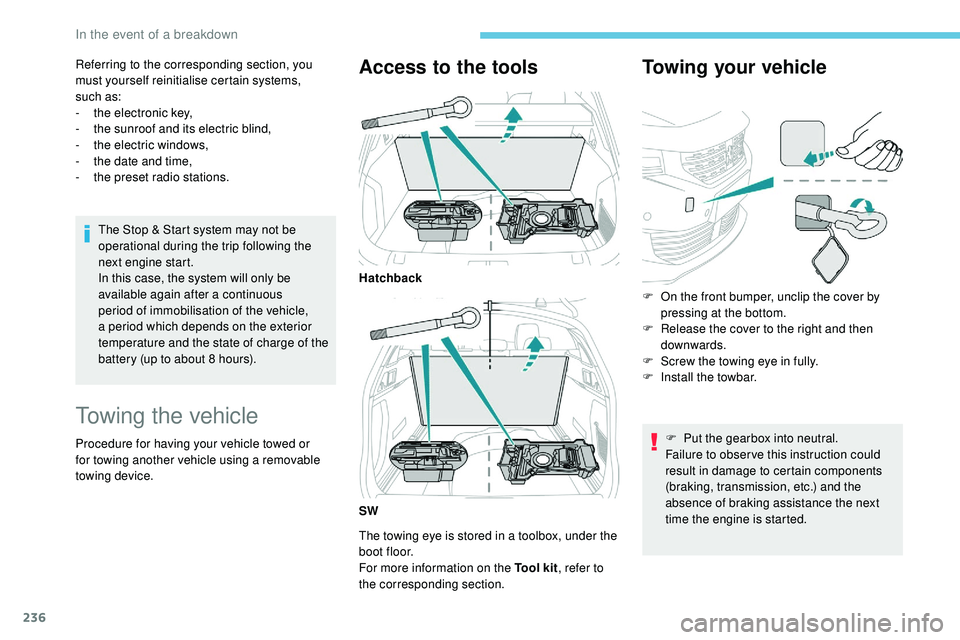
The towing eye is stored in a toolbox, under the
boot floor.
For more information on the Tool kit , refer to
the corresponding section.
Towing your vehicle
Hatchback
SW F
O
n the front bumper, unclip the cover by
pressing at the bottom.
F
R
elease the cover to the right and then
downwards.
F
S
crew the towing eye in fully.
F
I
nstall the towbar.F
P
ut the gearbox into neutral.
Failure to obser ve this instruction could
result in damage to certain components
(braking, transmission, etc.) and the
absence of braking assistance the next
time the engine is started.
In the event of a breakdown
Page 248 of 320
2
First steps
With the engine running, a press
mutes the sound.
With the ignition off, a press turns
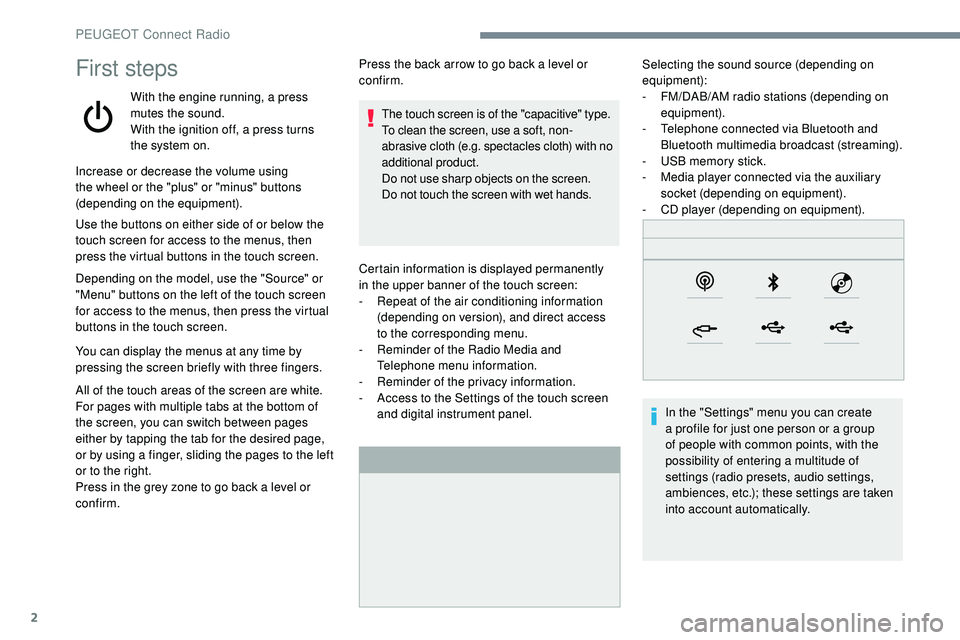
the system on.Certain information is displayed permanently
in
the upper banner of the touch screen:
-
R
epeat of the air conditioning information
(depending on version), and direct access
to
the corresponding menu.
-
R
eminder of the Radio Media and
Telephone menu information.
-
R
eminder of the privacy information.
-
A
ccess to the Settings of the touch screen
and digital instrument panel. Selecting the sound source (depending on
equipment):
-
F M/DAB/AM radio stations (depending on
equipment).
-
T
elephone connected via Bluetooth and
Bluetooth multimedia broadcast (streaming).
-
U
SB memory stick.
-
M
edia player connected via the auxiliary
socket (depending on equipment).
-
C
D player (depending on equipment).
In the "Settings" menu you can create
a profile for just one person or a group
of people with common points, with the
possibility of entering a multitude of
settings (radio presets, audio settings,
ambiences, etc.); these settings are taken
into account automatically.
Increase or decrease the volume using
the wheel or the "plus" or "minus" buttons
(depending on the equipment).
Use the buttons on either side of or below the
touch screen for access to the menus, then
press the virtual buttons in the touch screen.
Depending on the model, use the "Source" or
"Menu" buttons on the left of the touch screen
for access to the menus, then press the virtual
buttons in the touch screen.
You can display the menus at any time by
pressing the screen briefly with three fingers.
All of the touch areas of the screen are white.
For pages with multiple tabs at the bottom of
the screen, you can switch between pages
either by tapping the tab for the desired page,
or by using a finger, sliding the pages to the left
or to the right.
Press in the grey zone to go back a level or
confirm. Press the back arrow to go back a level or
confirm.
The touch screen is of the "capacitive" type.
To clean the screen, use a soft, non-
abrasive cloth (e.g. spectacles cloth) with no
additional product.
Do not use sharp objects on the screen.
Do not touch the screen with wet hands.
PEUGEOT Connect Radio
Page 265 of 320
19
Radio
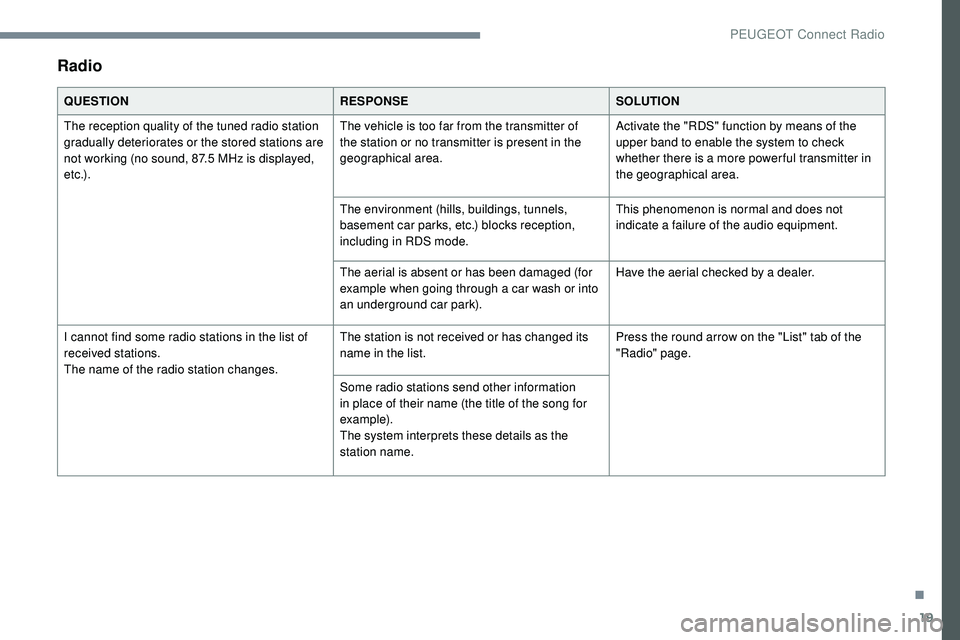
QUESTIONRESPONSESOLUTION
The reception quality of the tuned radio station
gradually deteriorates or the stored stations are
not working (no sound, 87.5 MHz is displayed,
e t c .) . The vehicle is too far from the transmitter of
the station or no transmitter is present in the
geographical area.
Activate the "RDS" function by means of the
upper band to enable the system to check
whether there is a more power ful transmitter in
the geographical area.
The environment (hills, buildings, tunnels,
basement car parks, etc.) blocks reception,
including in RDS mode. This phenomenon is normal and does not
indicate a failure of the audio equipment.
The aerial is absent or has been damaged (for
example when going through a car wash or into
an underground car park). Have the aerial checked by a dealer.
I cannot find some radio stations in the list of
received stations.
The name of the radio station changes. The station is not received or has changed its
name in the list.
Press the round arrow on the "List" tab of the
"Radio" page.
Some radio stations send other information
in place of their name (the title of the song for
example).
The system interprets these details as the
station name.
.
PEUGEOT Connect Radio
Page 303 of 320
35
Radio
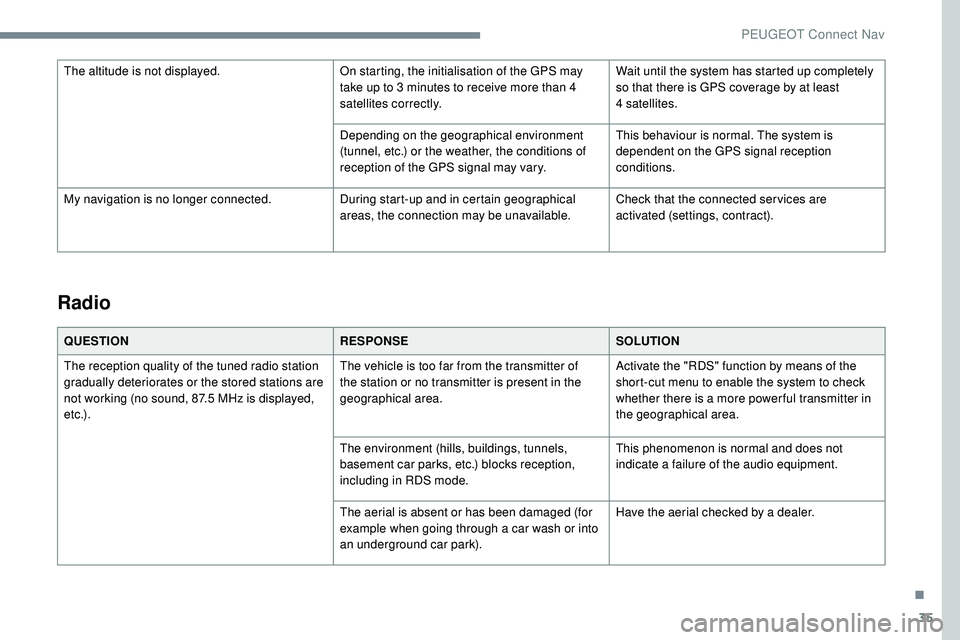
QUESTIONRESPONSESOLUTION
The reception quality of the tuned radio station
gradually deteriorates or the stored stations are
not working (no sound, 87.5 MHz is displayed,
e t c .) . The vehicle is too far from the transmitter of
the station or no transmitter is present in the
geographical area.
Activate the "RDS" function by means of the
short-cut menu to enable the system to check
whether there is a more power ful transmitter in
the geographical area.
The environment (hills, buildings, tunnels,
basement car parks, etc.) blocks reception,
including in RDS mode. This phenomenon is normal and does not
indicate a failure of the audio equipment.
The aerial is absent or has been damaged (for
example when going through a car wash or into
an underground car park). Have the aerial checked by a dealer.
The altitude is not displayed.
On starting, the initialisation of the GPS may
take up to 3 minutes to receive more than 4
satellites correctly.Wait until the system has started up completely
so that there is GPS coverage by at least
4
satellites.
Depending on the geographical environment
(tunnel, etc.) or the weather, the conditions of
reception of the GPS signal may vary. This behaviour is normal. The system is
dependent on the GPS signal reception
conditions.
My navigation is no longer connected. During start-up and in certain geographical
areas, the connection may be unavailable.Check that the connected ser vices are
activated (settings, contract).
.
PEUGEOT Connect Nav
Page 309 of 320
245
180° rear vision .............................................18 2
A
ABS ...............................................................101
Accessories .................................... 98, 127, 204
Access to rear seats
....................................... 57
Active Lane Keeping Assistance
.....19, 170 -171
Active Safety Brake................. 18, 165 -166, 168
Active Suspension Control
...........................13 6
Adaptive LED Technology
..............................36
AdBlue
® ....................................... 16 , 24 -25, 210
AdBlue® tank ................................................. 2 11
Additive, Diesel ............................................. 208
Adjusting head restraints
................................ 57
Adjusting seats
.......................................... 57- 5 9
Adjusting the air distribution
.....................68 -70
Adjusting the air flow
................................. 6
8 -70
Adjusting the date
............................... 34, 17, 32
Adjusting the height and reach of the steering wheel
.............................................. 61
Adjusting the lumbar support
.......................... 58
A
djusting the seat belt height
....................... 10
3
Adjusting the temperature
.............................. 68
Adjusting the time
............................... 34, 17, 33
Advice on care and maintenance
.................210
Advice on driving
................................... 124 -125
Airbags
............................. 2
0, 105 -10 6, 108, 112
Airbags, curtain
...................................... 107-108
Airbags, front ......................................... 10 6 -108
Airbags, lateral
....................................... 107-108
Air conditioning
......................................... 66, 69
Air conditioning, automatic
.............................70
Air conditioning, dual-zone automatic
............67
Air intake
................................................... 68, 70
Air vents
.......................................................... 65
Alarm
......................................................... 44, 46
Amplifier, audio
...............................
................76
Anti-lock braking system (ABS)
.............10 0 -101 Central locking
..........................................
3
8, 43
Changing the remote control battery
..............
42
Charger, induction
...........................................
77
Charger, wireless
............................................ 77
C
HECK
................
............................................
26
Checking the engine oil level
..........................
24
Checking the levels
...............................
205-207
Checks
..........................................
205, 208-209
Checks, routine
.....................................
208-209
Child lock
................................................
12 2-123
Children
..................................................
117-12 0
Children (safety)
.....................................
12 2-123
Child seats
......................
1
0 4 , 11 0 -112 , 11 6 -117
Child seats, conventional .......................
11 6 -117
Child seats, i-Size ..................................
121-12 2
Child seats, ISOFIX ...............................11 8 -12 0
Cigarette lighter
..............................................75
Cleaning (advice)
..........................................210
Closing the boot
.................................36, 39, 48
Closing the doors
..........................36, 38 -39, 46
Comfort mode
............................................... 13
6
Configuration, vehicle
............................... 29
-33
Connection, Bluetooth
........13 -15, 21-22, 27-28
Connection, MirrorLink
........................11 -12 , 1 9
Connection, Wi-Fi network
.............................22
Connectivity
....................................................76
Container, AdBlue
® ....................................... 2 11
Control, back-up boot release ........................ 48
Control, back-up door release
........................ 41
Control, heated seats
................................ 59-60
Controls, steering mounted
................... 131-13 5
Courtesy lamps
............................................... 79
Cover, load space
..................................... 81- 82
Cruise control
................. 145, 148 -155, 159, 161
Cruise control, adaptive
........................ 151, 15 3
Cruise control by speed limit recognition
.....145
Cruise control, adaptive with Stop & Go function
...... 1
45, 152-15 5, 159, 161
Cup holder
....................................................... 74
Anti-slip regulation (ASR) .....................10 0 -101
Anti-theft / Immobiliser ............................ 4
0, 125
Apple CarPlay connection
........................12, 18
Armrest, front
.................................................. 78
Armrest, rear
...............................
....................80
Assistance call
...............................
.........9 9 -10 0
Assistance, emergency braking
....10 0 -101, 168
Audio streaming (Bluetooth)
.................9, 25 -26
B
Battery .................................................. 202, 208
Battery, remote control .......................40, 42, 73
Bicycle carrier
...............................
................204
Blind
..............................
............................53-55
Blind spot detection
.......................170, 174 -176
Blind spot monitoring system, active
............170
BlueHDi
............................................. 24 -26, 210
Bluetooth (hands-free)
.................... 1
3 -14, 27-2 8
Bluetooth (telephone)
...................... 1
3 -15 , 27-2 8
Bonnet
........................................................... 204
Bonnet, active
............................................... 109
Boot
............................................... 47- 48, 50, 85
Brake discs
.................................................... 209
Brakes
............................................... 12, 17, 209
Braking assistance system
....................10 0 -101
Braking, automatic emergency
............................ 18, 165 -166, 168
Braking, emergency
...................................... 13
1
Brightness
....................................................... 16
C
Cable, audio .................................................... 25
Cable, Jack ..................................................... 25
Capacity, fuel tank
........................................ 198
Cap, fuel filler
...............................
.................198
CD
............................................................... 9, 25
CD, MP3
...................................................... 9, 25
.
Alphabetical index