driving mode Peugeot 508 2019 Owner's Manual
[x] Cancel search | Manufacturer: PEUGEOT, Model Year: 2019, Model line: 508, Model: Peugeot 508 2019Pages: 320, PDF Size: 10.09 MB
Page 5 of 320
3
.
bit.ly/helpPSA
.
Driving recommendations 124
Anti-theft protection 1 25
Starting/Switching off the engine
1
25
Electric parking brake
1
28
Manual gearbox
1
31
Automatic gearbox
1
31
Hill start assist
1
35
Active Suspension Control
1
36
Driving modes
1
36
Gear shift indicator
1
38
Stop & Start
1
38
Tyre under-inflation detection
1
40
Speed Limit recognition and
recommendation
1
42
Speed limiter
1
46
Programmable cruise control
1
48
Memorising speeds
1
51
Drive Assist Plus
1
51
Adaptive cruise control
1
52
Lane Positioning Assist
1
61
Active Safety Brake with Distance Alert
and Intelligent emergency braking
assistance
165
Fatigue detection system
1
69
Active Blind Spot Monitoring System
1
70
Active Lane Keeping Assistance
1
71
Blind Spot Detection
1
74
Parking sensors
1
76
Visiopark 1 – Visiopark 2
1
79
Park Assist
1
84
Full Park Assist
1
88Compatibility of fuels
1 97
Refuelling 1 98
Misfuel prevention (Diesel)
1
99
Towing device
1
99
Towing device with retractable towball
2
00
Load reduction mode
2
01
Energy economy mode
202
S
now chains
2
02
Fitting roof bars
2
03
Bonnet
204
Engine compartment
2
05
Checking levels
20
5
Checks
20
8
Advice on care and maintenance
2
10
AdBlue
® (BlueHDi engines) 2 10
Warning triangle
2
13
Running out of fuel (Diesel)
2
13
Tool kit
2
14
Temporary puncture repair kit
2
16
Spare wheel
2
19
Changing a bulb
2
23
Changing a fuse
2
27
12 V battery
2
33
Towing the vehicle
2
36Engine technical data and towed loads
2
38
Engines and towed loads – Petrol
2
39
Engines and towed loads – Diesel
2
40
Dimensions
2
42
Identification markings
2
43
Driving
Practical information
In the event of a breakdown Technical data
Alphabetical index
Access to additional videos
Audio equipment and telematics
PEUGEOT Connect Radio
PEUGEOT Connect Nav
.
Contents
Page 8 of 320
6
As a passenger, if you avoid connecting your
multimedia devices (film, music, video game,
etc.), you will contribute towards limiting the
consumption of electrical energy, and so of fuel.
Disconnect your portable devices before leaving
the vehicle.
Eco- driving
Optimise the use of your
gearbox
With a manual gearbox, move off gently
and change up without waiting. During
acceleration, change up early.
With an automatic gearbox, give preference
to automatic mode and avoid pressing the
accelerator pedal heavily or suddenly.
The gear shift indicator invites you to engage
the most suitable gear: as soon as the
indication is displayed in the instrument panel,
follow it straight away.
For vehicles fitted with an automatic gearbox,
this indicator appears only in manual mode.
Drive smoothly
Maintain a safe distance between vehicles,
use engine braking rather than the
brake pedal, and press the accelerator
progressively. These practices contribute
towards a reduction in fuel consumption and
CO
2 emissions and also help reduce the
background traffic noise.
If your vehicle has cruise control, make use of
the system at speeds above 25 mph (40 km/h)
when the traffic is flowing well.
Control the use of your electrical
equipment
Before moving off, if the passenger
compartment is too warm, ventilate it by
opening the windows and air vents before
using the air conditioning.
Above 31 mph (50 km/h), close the windows
and leave the air vents open.
Consider using equipment that can help
keep the temperature in the passenger
compartment down (sunroof blind and window
blinds, etc.). Switch off the headlamps and front foglamps
when the ambient light level does not require
their use.
Avoid running the engine before moving off,
particularly in winter; your vehicle will warm up
much faster while driving. Unless it has automatic regulation, switch off
the air conditioning as soon as the desired
temperature has been reached.
Switch off the demisting and defrosting
controls, if these are not automatically
managed.
Switch off the heated seat as soon as
possible.
Eco-driving is a range of everyday practices that allow the motorist to optimise their fuel consumption and CO
2 emissions.
Eco-driving
Page 10 of 320
8
Head-up digital screen
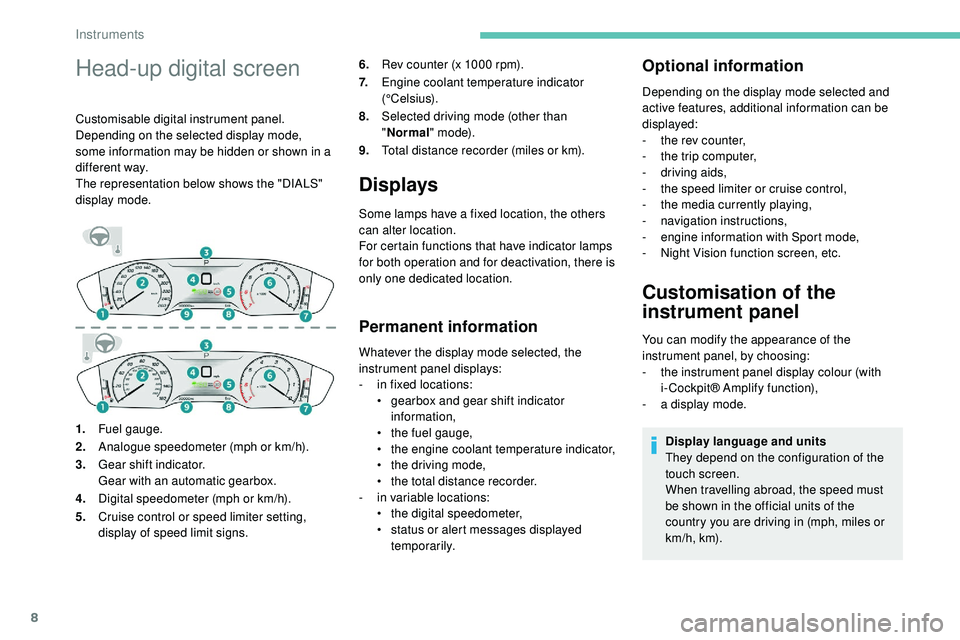
Customisable digital instrument panel.
Depending on the selected display mode,
some information may be hidden or shown in a
different way.
The representation below shows the "DIALS"
display mode.6.
Rev counter (x 1000 rpm).
7. Engine coolant temperature indicator
(°Celsius).
8. Selected driving mode (other than
"Normal " m o d e).
9. Total distance recorder (miles or km).
Displays
Some lamps have a fixed location, the others
can alter location.
For certain functions that have indicator lamps
for both operation and for deactivation, there is
only one dedicated location.
Permanent information
Whatever the display mode selected, the
instrument panel displays:
-
i
n fixed locations:
•
g
earbox and gear shift indicator
information,
•
t
he fuel gauge,
•
t
he engine coolant temperature indicator,
•
t
he driving mode,
•
t
he total distance recorder.
-
i
n variable locations:
•
t
he digital speedometer,
•
s
tatus or alert messages displayed
temporarily.
Optional information
Depending on the display mode selected and
active features, additional information can be
displayed:
-
t
he rev counter,
-
t
he trip computer,
-
d
riving aids,
-
t
he speed limiter or cruise control,
-
t
he media currently playing,
-
n
avigation instructions,
-
e
ngine information with Sport mode,
-
Nig
ht Vision function screen, etc.
Customisation of the
instrument panel
You can modify the appearance of the
instrument panel, by choosing:
-
t
he instrument panel display colour (with
i- Cockpit® Amplify function),
-
a d
isplay mode.
Display language and units
They depend on the configuration of the
touch screen.
When travelling abroad, the speed must
be shown in the official units of the
country you are driving in (mph, miles or
km/h, km).
1.
Fuel gauge.
2. Analogue speedometer (mph or km/h).
3. Gear shift indicator.
Gear with an automatic gearbox.
4. Digital speedometer (mph or km/h).
5. Cruise control or speed limiter setting,
display of speed limit signs.
Instruments
Page 11 of 320
9
As a safety measure, these adjustments
must be carried out with the vehicle
stationary.
Choosing a display colour
This depends on the ambience activated by the
i- Cockpit® Amplify function.
Depending on version, it can be selected in the
setting of a profile in the Settings menu of the
touch screen.
The possible choices are:
F
"Relax ": grey,
F
"Boost ": red,
F
"Normal " (no ambience activated): blue.
For more information on the i-Cockpit®
Amplify function , refer to the corresponding
section.
Choice of display mode
To modify the display mode of the instrument
panel:
F
T
urn the knob located to the left of the
steering wheel to display and scroll through
the different modes on the right-hand side
of the instrument panel.
F
O
nce the selected display mode appears,
press on the knob to validate.
If the knob is not moved, the selected display
mode is automatically applied after a few
moments.
Each mode corresponds to the type of
information displayed in the instrument panel.
-
"
DIALS": standard display of the analogue
and digital speedometers, the rev counter,
the fuel gauge, the engine coolant
temperature indicator and the total distance
recorder.
-
"
NAVIGATION": standard display,
additionally showing the current navigation
information (map and navigation
instructions).
-
"
DRIVING": standard display, additionally
showing the current driving aid systems
information.
-
"
NIGHT VISION": standard display,
additionally showing the display of the
infrared camera image (associated with the
Night Vision function). - "
MINIMAL": minimal display with digital
speedometer and the total distance
recorder and, in the event of a warning
only, the fuel gauge and the engine coolant
temperature indicator.
-
"
PERSONAL": minimal display and
possibility of selecting optional information
to be displayed in the customisable areas
on the left and right.
To enter settings for the "PERSONAL"
display mode and select the information to
be displayed in the customisable areas of the
instrument panel:
With 8" touch screen F
Press Settings in the upper
banner of the touch screen.
F
Sel
ect "Configuration ".
F
Sel
ect "Instrument panel
personalisation ".
1
Instruments
Page 12 of 320
10
Warning and indicator
lamps
Associated warnings
The illumination of a lamp can be accompanied
by an audible signal and/or a message
displayed in a screen.
Relating the type of alert to the operating status
of the vehicle allows you to determine whether
the situation is normal or a fault has occurred:
refer to the description of each lamp for further
information.
When the ignition is switched on
Certain red or orange warning lamps come on
for a few seconds when the ignition is switched
on. These warning lamps should go off as soon
as the engine is started.
Persistent warning lamp
When the engine is running or the vehicle is
being driven, the illumination of a red or orange
warning lamp indicates a fault that needs
further investigation, using any associated
message and the description of the warning
lamp in the documentation.
Where a lamp remains lit
The references (1), (2) and (3) in the warning
and indicator lamp description indicate whether
you should contact a qualified professional
in addition to the immediate recommended
actions.
(1) : You must stop as soon as it is safe to do
so and switch off the ignition.
(2): Contact a PEUGEOT dealer or a qualified
workshop.
(3) : Go to a PEUGEOT dealer or a qualified
workshop.
As a safety measure, these adjustments
must be carried out with the vehicle
stationary. Displayed as symbols, visual indicators
which inform the driver of the occurrence of a
malfunction (warning lamps) or of the operating
status of a system (operation or deactivation
indicator lamps). Certain lamps light up in
two ways (fixed or flashing) and/or in several
colours.
For more information on equipment or a
function, refer to the corresponding section.
F
Sel
ect "
Instrument panel
personalisation ".
F
F
or each customised displayed area, left
and right, select a type of information using
the corresponding scroll arrows in the touch
screen:
•
" Driving aids ".
•
" Empty "
•
" Engine info " (Sport mode),
•
" G-metres " (Sport mode),
•
" Temperatures " (engine oil).
•
" Media ".
•
" Navigation ".
•
" Trip computer ",
•
" Rev counter ".
•
" Night vision "
F
C
onfirm to save and quit.
If the current display mode is "PERSONAL", the
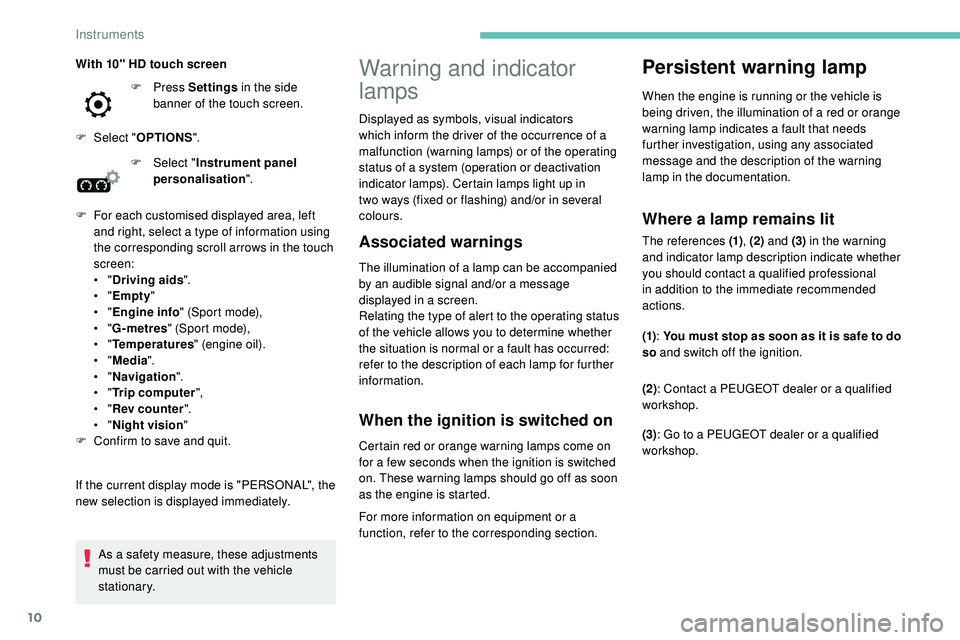
new selection is displayed immediately. With 10" HD touch screen F
Press
Settings in the side
banner of the touch screen.
F
Sel
ect "
OPTIONS ".
Instruments
Page 20 of 320
18
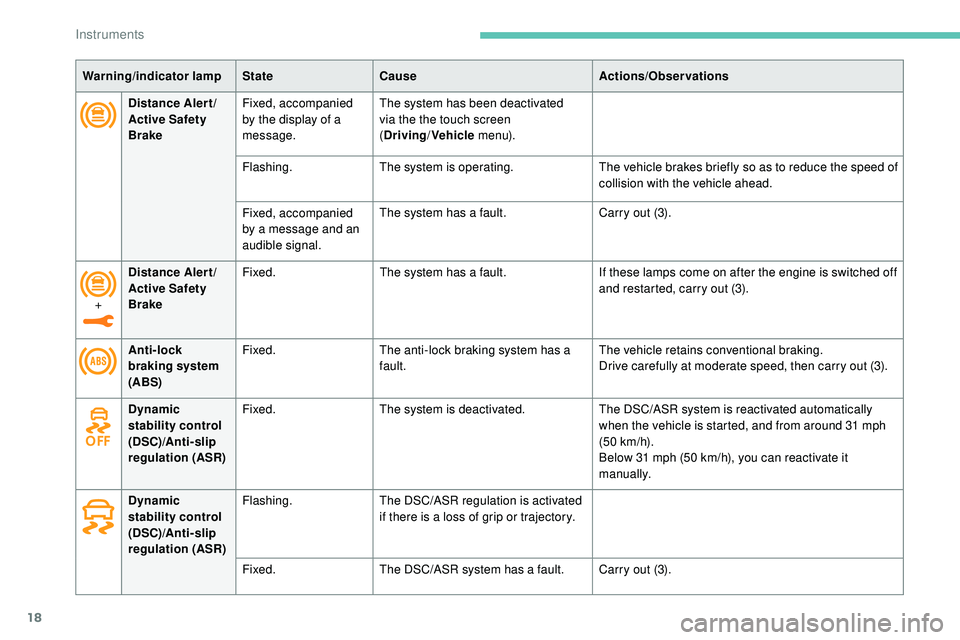
Distance Alert/
Active Safety
BrakeFixed, accompanied
by the display of a
message. The system has been deactivated
via the the touch screen
(
Driving /Vehicle m e n u).
Flashing. The system is operating. The vehicle brakes briefly so as to reduce the speed of
collision with the vehicle ahead.
Fixed, accompanied
by a message and an
audible signal. The system has a fault.
Carry out (3).
Anti-lock
braking system
(ABS) Fixed.
The anti-lock braking system has a
fault. The vehicle retains conventional braking.
Drive carefully at moderate speed, then carry out (3).
Warning/indicator lamp
StateCause Actions/Observations
Dynamic
stability control
(DSC)/Anti- slip
regulation (ASR) Fixed.
The system is deactivated. The DSC/ASR system is reactivated automatically
when the vehicle is started, and from around 31 mph
(50
km/h).
Below 31 mph (50
km/h), you can reactivate it
manually.
Dynamic
stability control
(DSC)/Anti- slip
regulation (ASR) Flashing.
The DSC/ASR regulation is activated
if there is a loss of grip or trajectory.
Fixed. The DSC/ASR system has a fault. Carry out (3).
+
Distance Alert/
Active Safety
Brake Fixed.
The system has a fault. If these lamps come on after the engine is switched off
and restarted, carry out (3).
Instruments
Page 30 of 320
28
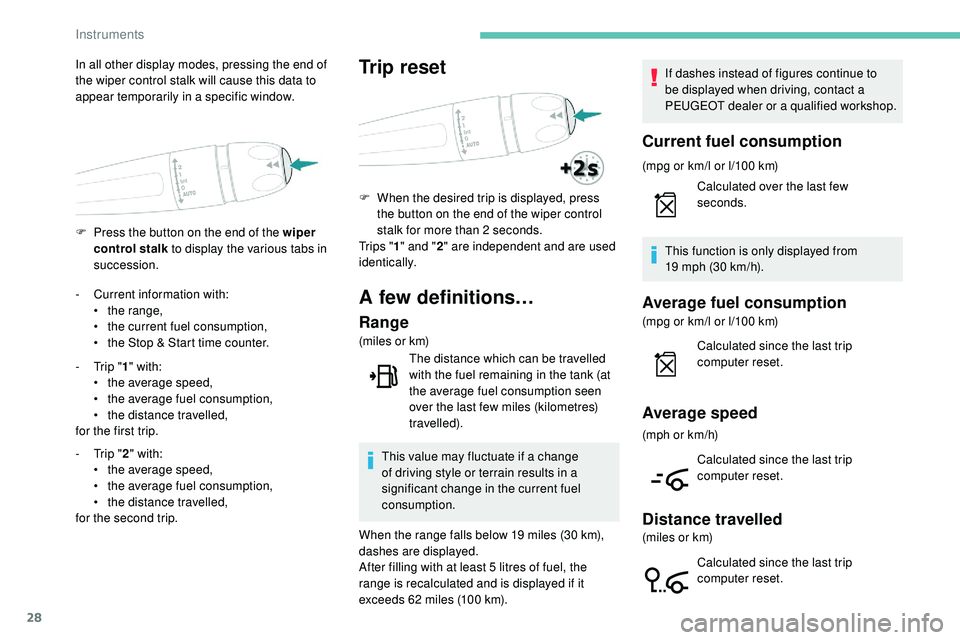
F Press the button on the end of the wiper control stalk to display the various tabs in
succession.
In all other display modes, pressing the end of
the wiper control stalk will cause this data to
appear temporarily in a specific window.
-
C
urrent information with:
•
t
he range,
•
t
he current fuel consumption,
•
t
he Stop & Start time counter.
-
T
rip "1" with:
•
t
he average speed,
•
t
he average fuel consumption,
•
t
he distance travelled,
for the first trip.
-
T
rip "2" with:
•
t
he average speed,
•
t
he average fuel consumption,
•
t
he distance travelled,
for the second trip.
Trip reset
F When the desired trip is displayed, press the button on the end of the wiper control
stalk for more than 2 seconds.
Tr i p s " 1" and " 2" are independent and are used
identically.
A few definitions…
Range
(miles or km)
The distance which can be travelled
with the fuel remaining in the tank (at
the average fuel consumption seen
over the last few miles (kilometres)
travelled).
This value may fluctuate if a change
of driving style or terrain results in a
significant change in the current fuel
consumption.
When the range falls below 19 miles (30 km),
dashes are displayed.
After filling with at least 5 litres of fuel, the
range is recalculated and is displayed if it
exceeds 62 miles (100 km). If dashes instead of figures continue to
be displayed when driving, contact a
PEUGEOT dealer or a qualified workshop.
Current fuel consumption
(mpg or km/l or l/100 km)
Calculated over the last few
seconds.
This function is only displayed from
19
mph (30 km/h).
Average fuel consumption
(mpg or km/l or l/100 km) Calculated since the last trip
computer reset.
Average speed
(mph or km/h)
Calculated since the last trip
computer reset.
Distance travelled
(miles or km)Calculated since the last trip
computer reset.
Instruments
Page 31 of 320
29
Touch screen
For safety reasons, the vehicle must
always be stationar y for the driver to
perform operations that require close
attention.
Some functions are not accessible when
driving.
Recommendations
This screen is of the capacitive type.
Use is possible in all temperatures.
Do not use pointed objects on the touch screen.
Do not touch the touch screen with wet hands.
Use a soft clean cloth to clean the touch screen.
Stop & Start time counter
(minutes/seconds or hours/minutes)
If your vehicle is fitted with Stop & Start, a time
counter adds up the time spent in STOP mode
during a journey.
It resets to zero every time the ignition is
switched on.
This system gives access to:
-
t
he permanent display of the time and
the exterior temperature (a blue symbol
appears when there is a risk of ice),
-
t
he heating/air conditioning controls,
-
m
enus for adjusting settings for vehicle
functions and systems,
-
a
udio system and telephone controls and
the display of associated information,
-
t
he display of visual manoeuvring aids
(visual parking sensor information, Park
A s s i s t , e t c .),
-
I
nternet ser vices and the display of
associated information.
and, depending on equipment, allows:
-
a
ccess to the navigation system controls
and the display of associated information.
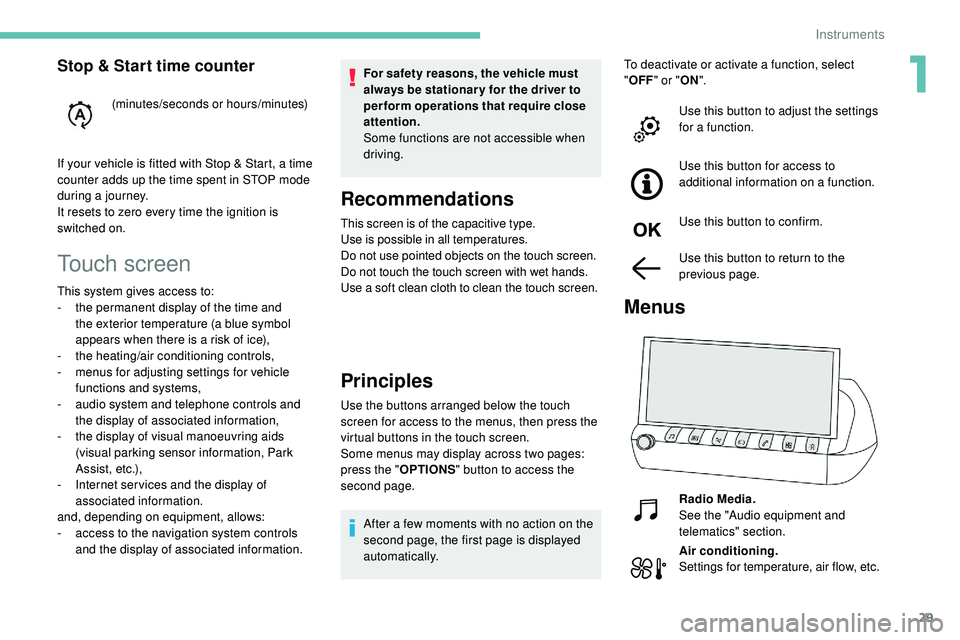
Principles
Use the buttons arranged below the touch
screen for access to the menus, then press the
virtual buttons in the touch screen.
Some menus may display across two pages:
press the " OPTIONS" button to access the
second page.
After a few moments with no action on the
second page, the first page is displayed
automatically. To deactivate or activate a function, select
"
OFF " or " ON".
Use this button to adjust the settings
for a function.
Use this button for access to
additional information on a function.
Use this button to confirm.
Use this button to return to the
previous page.
Menus
Radio Media.
See the "Audio equipment and
telematics" section.
Air conditioning.
Settings for temperature, air flow, etc.
1
Instruments
Page 45 of 320
43
F With a manual gearbox, place the gear
lever in neutral then fully depress the clutch
pedal.
F
W
ith an automatic gearbox , from mode P,
fully depress the brake pedal.
F
S
witch on the ignition by pressing the
" START/STOP " button.
The electronic key is now fully operational
again.
If the fault persists after reinitialisation, contact
a PEUGEOT dealer or a qualified workshop
without delay.
Central locking
This function allows the doors and boot to be
locked or unlocked simultaneously from inside
the vehicle.
Manual mode
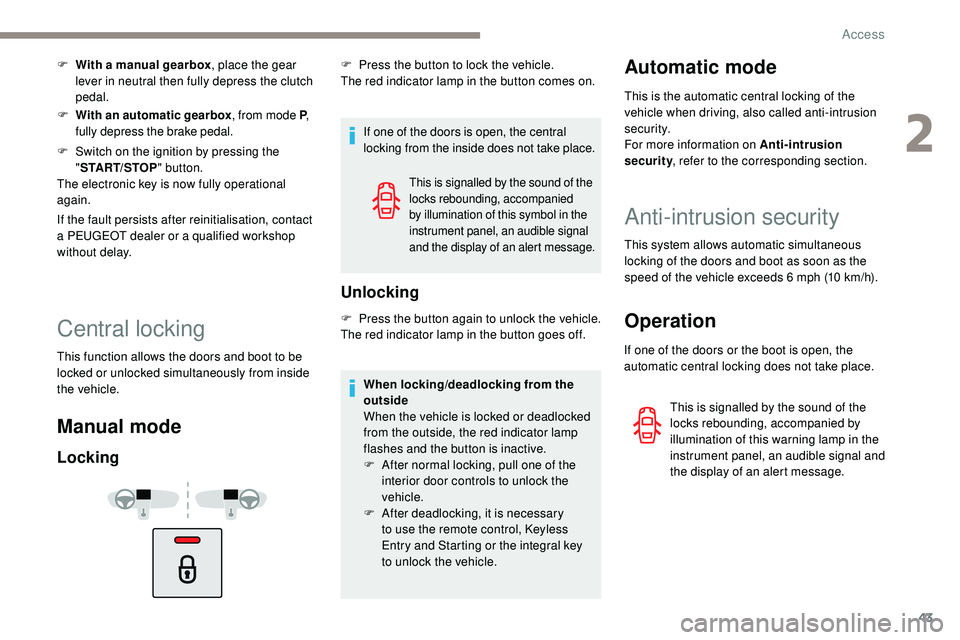
Locking
If one of the doors is open, the central
locking from the inside does not take place.
Unlocking
F Press the button again to unlock the vehicle.
The red indicator lamp in the button goes off.
This is signalled by the sound of the
locks rebounding, accompanied
by illumination of this symbol in the
instrument panel, an audible signal
and the display of an alert message.
F Press the button to lock the vehicle.
The red indicator lamp in the button comes on.
When locking/deadlocking from the
outside
When the vehicle is locked or deadlocked
from the outside, the red indicator lamp
flashes and the button is inactive.
F
A
fter normal locking, pull one of the
interior door controls to unlock the
vehicle.
F
A
fter deadlocking, it is necessary
to
use the remote control, Keyless
Entry and Starting or the integral key
to
unlock the vehicle.Automatic mode
This is the automatic central locking of the
vehicle when driving, also called anti-intrusion
s e c u r i t y.
For more information on Anti-intrusion
security, refer to the corresponding section.
Anti-intrusion security
This system allows automatic simultaneous
locking of the doors and boot as soon as the
speed of the vehicle exceeds 6 mph (10 km/h).
Operation
If one of the doors or the boot is open, the
automatic central locking does not take place.
This is signalled by the sound of the
locks rebounding, accompanied by
illumination of this warning lamp in the
instrument panel, an audible signal and
the display of an alert message.
2
Access
Page 64 of 320
62
Folding
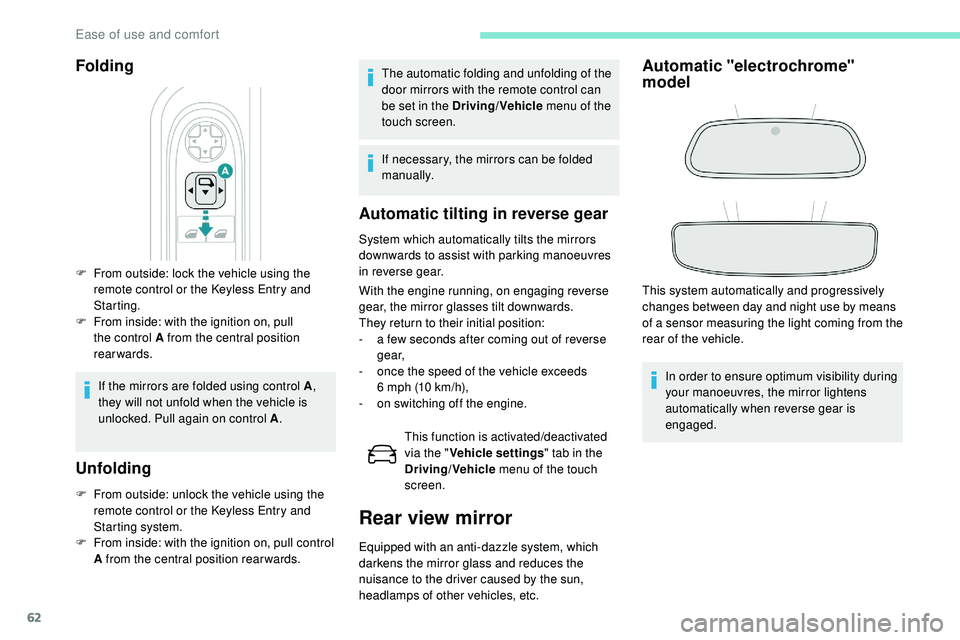
F From outside: lock the vehicle using the remote control or the Keyless Entry and
Starting.
F
F
rom inside: with the ignition on, pull
the control A from the central position
rearwards.
If the mirrors are folded using control A ,
they will not unfold when the vehicle is
unlocked. Pull again on control A .
Unfolding
F From outside: unlock the vehicle using the
remote control or the Keyless Entry and
Starting system.
F
F
rom inside: with the ignition on, pull control
A from the central position rear wards.
Automatic tilting in reverse gear
System which automatically tilts the mirrors
downwards to assist with parking manoeuvres
in reverse gear.
With the engine running, on engaging reverse
gear, the mirror glasses tilt downwards.
They return to their initial position:
-
a f
ew seconds after coming out of reverse
g e a r,
-
o
nce the speed of the vehicle exceeds
6
mph (10 km/h),
-
o
n switching off the engine.This function is activated/deactivated
via the " Vehicle settings " tab in the
Driving/Vehicle menu of the touch
screen.
Rear view mirror
Equipped with an anti-dazzle system, which
darkens the mirror glass and reduces the
nuisance to the driver caused by the sun,
headlamps of other vehicles, etc.
Automatic "electrochrome"
model
This system automatically and progressively
changes between day and night use by means
of a sensor measuring the light coming from the
rear of the vehicle.
In order to ensure optimum visibility during
your manoeuvres, the mirror lightens
automatically when reverse gear is
engaged.
The automatic folding and unfolding of the
door mirrors with the remote control can
be set in the Driving/Vehicle
menu of the
touch screen.
If necessary, the mirrors can be folded
manually.
Ease of use and comfort