Mph display Peugeot 508 2020 Service Manual
[x] Cancel search | Manufacturer: PEUGEOT, Model Year: 2020, Model line: 508, Model: Peugeot 508 2020Pages: 276, PDF Size: 8.43 MB
Page 145 of 276
143
Driving
6
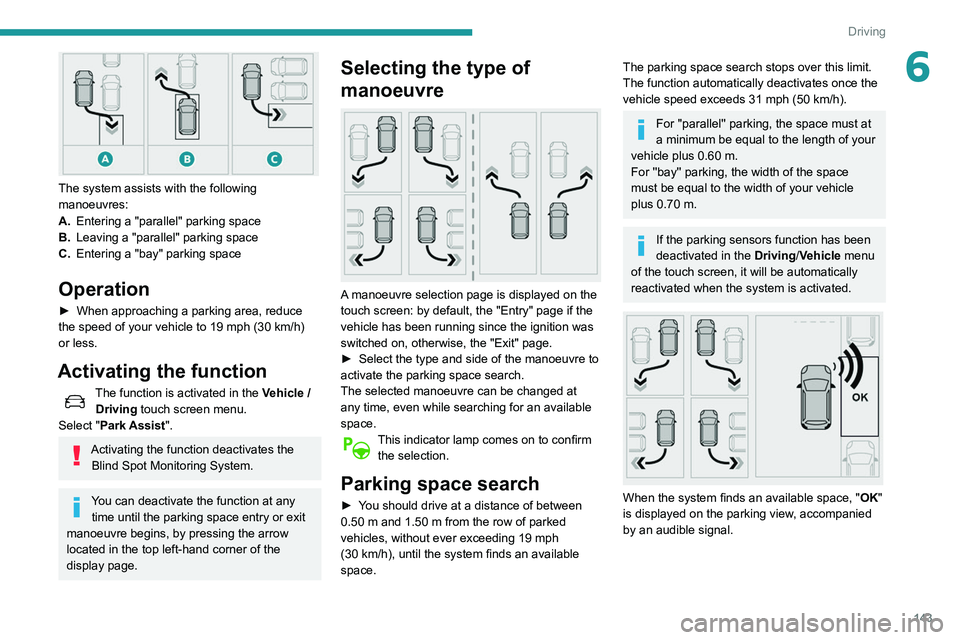
The system assists with the following
manoeuvres:
A.Entering a "parallel" parking space
B. Leaving a "parallel" parking space
C. Entering a "bay" parking space
Operation
► When approaching a parking area, reduce
the speed of your vehicle to 19 mph (30 km/h)
or less.
Activating the function
The function is activated in the Vehicle /
Driving touch screen menu.
Select "Park Assist".
Activating the function deactivates the Blind Spot Monitoring System.
You can deactivate the function at any time until the parking space entry or exit
manoeuvre begins, by pressing the arrow
located in the top left-hand corner of the
display page.
Selecting the type of
manoeuvre
A manoeuvre selection page is displayed on the
touch screen: by default, the "Entry" page if the
vehicle has been running since the ignition was
switched on, otherwise, the "Exit" page.
►
Select the type and side of the manoeuvre to
activate the parking space search.
The selected manoeuvre can be changed at
any time, even while searching for an available
space.
This indicator lamp comes on to confirm the selection.
Parking space search
► You should drive at a distance of between
0.50 m and 1.50 m from the row of parked
vehicles, without ever exceeding 19
mph
(30
km/h), until the system finds an available
space.
The parking space search stops over this limit.
The function automatically deactivates once the
vehicle speed exceeds 31 mph (50
km/h).
For ''parallel'' parking, the space must at
a minimum be equal to the length of your
vehicle plus 0.60 m.
For ''bay'' parking, the width of the space
must be equal to the width of your vehicle
plus 0.70 m.
If the parking sensors function has been
deactivated in the Driving/Vehicle menu
of the touch screen, it will be automatically
reactivated when the system is activated.
When the system finds an available space, " OK"
is displayed on the parking view, accompanied
by an audible signal.
Page 146 of 276
144
Driving
Preparing for the
manoeuvre
► Move very slowly until the request to stop
the vehicle is displayed: " Stop the vehicle“,
accompanied by the “ ST
OP” sign and an audible
signal.
Once the vehicle has stopped, an instructions
page is displayed on the screen.
►
T
o prepare for the manoeuvre, follow the
instructions.
The start of the manoeuvre is indicated by the
"Manoeuvre under way" onscreen message
and an accompanying audible signal.
Reversing is indicated by this message:
“Release the steering wheel, reverse ”.
The Visiopark 1 or Visiopark 2 and the parking
sensors are automatically activated to help you
monitor the area immediately surrounding your
vehicle during the manoeuvre.
During the manoeuvre
The system controls the vehicle’s steering. It
gives instructions on the manoeuvring direction
when starting "parallel" entry and exit parking
manoeuvres, and for all "bay" entry manoeuvres.
There instructions are displayed as a symbol
accompanied by a message:
"Reverse".
“Go forwards".
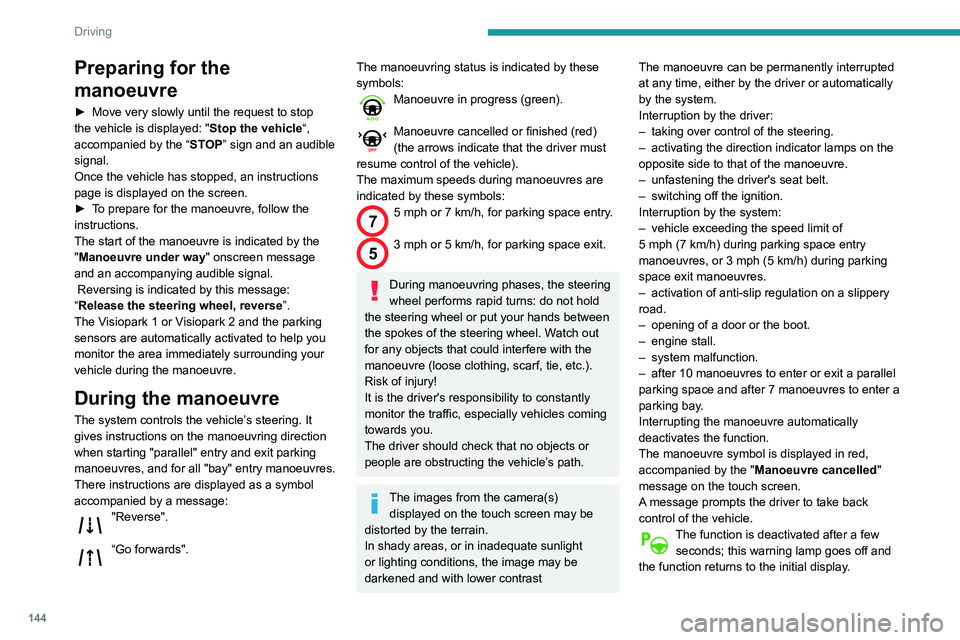
The manoeuvring status is indicated by these
symbols:
Manoeuvre in progress (green).
Manoeuvre cancelled or finished (red)
(the arrows indicate that the driver must
resume control of the vehicle).
The maximum speeds during manoeuvres are
indicated by these symbols:
75 mph or 7 km/h, for parking space entry.
53 mph or 5 km/h, for parking space exit.
During manoeuvring phases, the steering
wheel performs rapid turns: do not hold
the steering wheel or put your hands between
the spokes of the steering wheel. Watch out
for any objects that could interfere with the
manoeuvre (loose clothing, scarf, tie, etc.).
Risk of injury!
It is the driver's responsibility to constantly
monitor the traffic, especially vehicles coming
towards you.
The driver should check that no objects or
people are obstructing the vehicle’s path.
The images from the camera(s) displayed on the touch screen may be
distorted by the terrain.
In shady areas, or in inadequate sunlight
or lighting conditions, the image may be
darkened and with lower contrast The manoeuvre can be permanently interrupted
at any time, either by the driver or automatically
by the system.
Interruption by the driver:
–
taking over control of the steering.
–
activating the direction indicator lamps on the
opposite side to that of the manoeuvre.
–
unfastening the driver's seat belt.
–
switching off the ignition.
Interruption by the system:
–
vehicle exceeding the speed limit of
5
mph (7 km/h) during parking space entry
manoeuvres, or 3 mph (5 km/h) during parking
space exit manoeuvres.
–
activation of anti-slip regulation on a slippery
road.
–
opening of a door or the boot.
–
engine stall.
–
system malfunction.
–
after 10 manoeuvres to enter or exit a parallel
parking space and after 7 manoeuvres to enter a
parking bay
.
Interrupting the manoeuvre automatically
deactivates the function.
The manoeuvre symbol is displayed in red,
accompanied by the " Manoeuvre cancelled"
message on the touch screen.
A message prompts the driver to take back
control of the vehicle.
The function is deactivated after a few seconds; this warning lamp goes off and
the function returns to the initial display.
End of the parking space
entry or exit manoeuvre
The vehicle stops as soon as the manoeuvre is
completed.
The manoeuvring symbol is displayed in red
accompanied by the message “ Manoeuvre
completed” on the touch screen.
Deactivation of the function is confirmed
by this indicator lamp going off,
accompanied by an audible signal.
If entering a parking space, the driver may be
required to complete the manoeuvre.
Operating limits
– The system may suggest an inappropriate
parking space (parking prohibited, work in
progress with damaged road surface, location
alongside a ditch, etc.).
– The system may indicate that a space has
been found but will not offer it because of a fixed
obstacle on the opposite side of the manoeuvre,
which would not allow the vehicle to follow a
trajectory required for parking.
– The system may indicate that a space has
been found but the manoeuvre will not be
triggered, because the width of the lane is
insufficient.
– The system is not designed for performing the
parking manoeuvre on a sharp bend.
– The system does not detect spaces that
are much larger than the vehicle itself or that
are delimited by obstacles that are too low
Page 148 of 276
146
Driving
parking space and then operates the vehicle,
parking it with no need for driver intervention. It
also allows you to drive out of a "parallel parking"
space automatically.
The system controls the steering, direction,
acceleration and braking. The system measures
the available parking spaces and calculates
the distances to obstacles using 12 ultrasonic
sensors built into the front and rear bumpers of
the vehicle.
To help the driver monitor the successful
completion of the manoeuvre, the system
automatically displays the Visiopark 1 or
Visiopark 2 and activates the parking sensors.
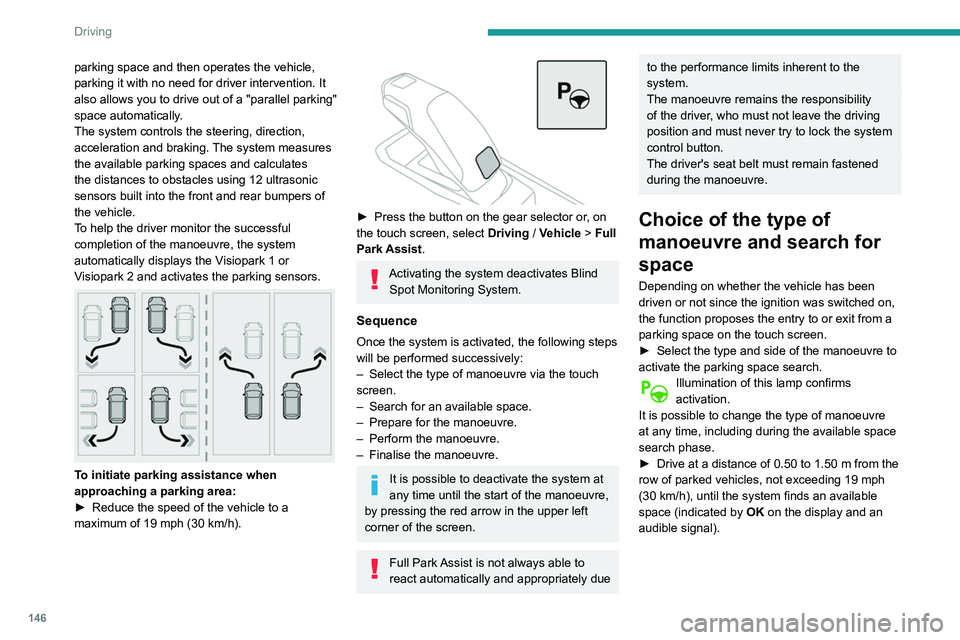
To initiate parking assistance when
approaching a parking area:
►
Reduce the speed of the vehicle to a
maximum of 19
mph (30 km/h).
► Press the button on the gear selector or , on
the touch screen, select Driving / Vehicle > Full
Park Assist.
Activating the system deactivates Blind Spot Monitoring System.
Sequence
Once the system is activated, the following steps
will be performed successively:
–
Select the type of manoeuvre via the touch
screen.
–
Search for an available space.
–
Prepare for the manoeuvre.
–
Perform the manoeuvre.
–
Finalise the manoeuvre.
It is possible to deactivate the system at
any time until the start of the manoeuvre,
by pressing the red arrow in the upper left
corner of the screen.
Full Park Assist is not always able to
react automatically and appropriately due
to the performance limits inherent to the
system.
The manoeuvre remains the responsibility
of the driver, who must not leave the driving
position and must never try to lock the system
control button.
The driver's seat belt must remain fastened
during the manoeuvre.
Choice of the type of
manoeuvre and search for
space
Depending on whether the vehicle has been
driven or not since the ignition was switched on,
the function proposes the entry to or exit from a
parking space on the touch screen.
►
Select the type and side of the manoeuvre to
activate the parking space search.
Illumination of this lamp confirms
activation.
It is possible to change the type of manoeuvre
at any time, including during the available space
search phase.
►
Drive at a distance of 0.50 to 1.50
m from the
row of parked vehicles, not exceeding 19
mph
(30
km/h), until the system finds an available
space (indicated by OK on the display and an
audible signal).
For "parallel" parking, the space must at
least equal to the length of your vehicle
plus 1 m.
For "bay" parking, the space must at least
equal to the width of your vehicle plus 0.70 m.
Preparing for the
manoeuvre
► Move very slowly until the request to stop
the vehicle and the " STOP" sign are displayed,
accompanied by an audible signal.
Once the vehicle has stopped, an instructions
page is displayed on the screen.
► To prepare for the manoeuvre, you must fulfil
all of these instructions.
This symbol will be displayed automatically when the instruction has
been applied.
When all instructions have been validated, a
new screen is displayed, indicating that you can
undertake the manoeuvre.
► To undertake the manoeuvre, press
this button.
► While holding down the button, gradually
release the brake pedal.
The button must be held down
throughout the manoeuvre.
The start of the manoeuvre is indicated by
the display of a screen with the message
Page 164 of 276
162
Practical information
Original tyre size Maximum link size235/40 R19 Not suitable for
chains
(with standard chains)
For more information on snow chains, contact a
PEUGEOT dealer or a qualified workshop.
Installation tips
► To fit the chains during a journey, stop the
vehicle on a flat surface on the side of the road.
►
Apply the parking brake and position any
wheel chocks under the wheels to prevent
movement of the vehicle.
►
Fit the chains following the instructions
provided by the manufacturer
.
►
Move off gently and drive for a few moments,
without exceeding 31
mph (50 km/h).
►
Stop the vehicle and check that the snow
chains are correctly tightened.
It is strongly recommended that before
you leave, you practise fitting the snow
chains on a level and dry surface.
Avoid driving with snow chains on roads that have been cleared of snow to avoid
damaging the vehicle's tyres and the road
surface. If the vehicle is fitted with alloy
wheels, check that no part of the chain or its
fixings is in contact with the wheel rim.
Hybrid vehicles
The use of snow chains is only
authorised on the front wheels.
Energy economy mode
This system manages the duration of use of
certain functions, in order to conserve a sufficient
level of charge in the battery with the ignition off.
After switching off the engine, you can still
use functions such as the audio and telematic
system, the wipers and the dipped beam
headlamps or courtesy lamps, for a combined
duration of approximately 40 minutes.
Selecting the mode
A confirmation message is displayed when
energy economy mode is entered, and the active
functions are placed on standby.
If a telephone call is in progress at the
time, it will be maintained for around 10
minutes via the audio system’s hands-free
system.
Exiting the mode
These functions are automatically reactivated the
next time the vehicle is used.
To restore the use of these functions
immediately, start the engine and let it run:
–
For less than 10 minutes, to use the
equipment for approximately 5 minutes.
– For more than 10 minutes, to use the
equipment for approximately 30 minutes.
Let the engine run for the specified duration to
ensure that the battery charge is sufficient.
T
o recharge the battery, avoid repeatedly or
continuously restarting the engine.
A flat battery prevents the engine from starting.
For more information on the 12
V battery,
refer to the corresponding section.
Load reduction mode
This system manages the use of certain
functions according to the level of charge
remaining in the battery.
When the vehicle is being driven, the load
reduction function temporarily deactivates certain
functions, such as the air conditioning and the
heated rear screen.
The deactivated functions are reactivated
automatically as soon as conditions permit.
Bonnet
For more information about the Active bonnet,
refer to the corresponding section.
Stop & Start
Before doing anything under the bonnet,
you must switch off the ignition to avoid any
risk of injury resulting from an automatic
change to START mode.
Hybrid vehicles
Before any work is carried out under the
bonnet, it is essential to switch off the ignition
and check that the READY indicator lamp is
off in the instrument panel - risk of serious
injury!
The location of the interior bonnet release lever prevents the bonnet being
opened when the left-hand front door is
closed.
When the engine is hot, handle the
exterior safety catch with care (risk of
burns), using the protected area.
When the bonnet is open, take care not to
damage the safety catch.
Do not open the bonnet under very windy
conditions.
Cooling of the engine when stopped
The engine cooling fan may start after
the engine has been switched off.
Take care with objects or clothing that
could be caught in the blades of the fan!