navigation PEUGEOT 607 2003 User Guide
[x] Cancel search | Manufacturer: PEUGEOT, Model Year: 2003, Model line: 607, Model: PEUGEOT 607 2003Pages: 183, PDF Size: 2.66 MB
Page 84 of 183
10-02-2003
Satellite navigation system with colour screen Updating the software When you receive the system update CD-ROMs:
Ð start the engine to avoid any risk ofswitching to energy economy mode during the operation,
Ð eject the mapping CD-ROM from the drive located in the boot,
Ð insert the software update CD- ROM in the drive (the indicatorlight on the drive comes on perma-nently); after a few seconds thescreen 'management of softwareconfiguration of the systemappears,
YOUR 607 IN DETAIL
86
Ð compare the "System" versionsinstalled (Multi-function display-D or Navigation-D) with those of theCD-Rom in the drive; if a softwareversion of the CD-ROM (or both) islater than the version installed,load the CD-ROM by confirming"YES" ; the red indicator light on
the drive flashes while the data isbeing loaded (a few minutes),
Ð when the message "Software Loading End - Eject CD" appears,remove the software CD-ROM andinsert the mapping CD-ROM in itsplace (the indicator light on thedrive comes on permanently aftergoing out briefly).
General remarks regarding the display When using context menus, the functions are presented in variousways:
Ð function selected (text on coloured background),
Ð function accesible (black text),
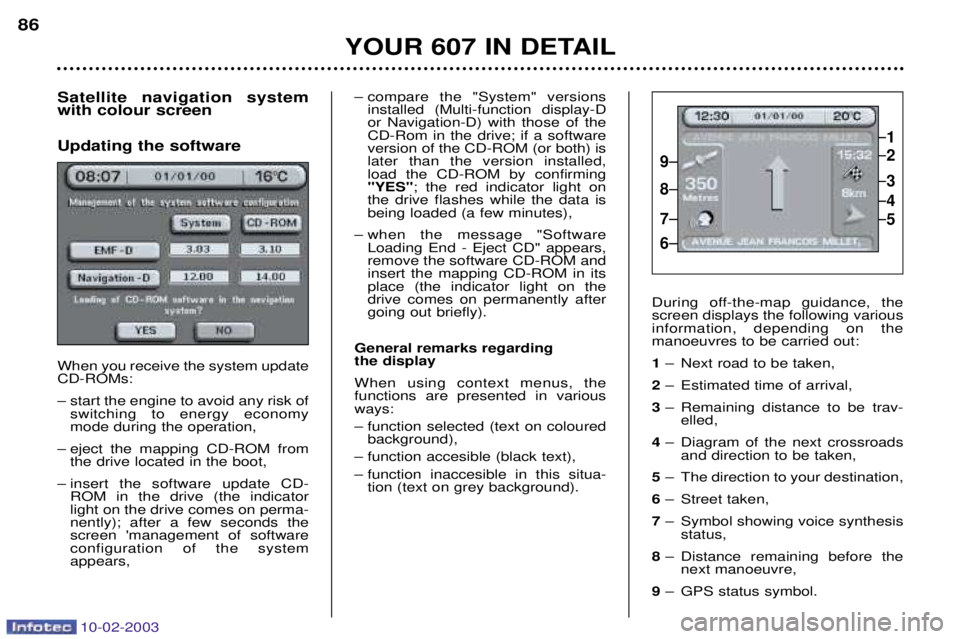
Ð function inaccesible in this situa- tion (text on grey background). During off-the-map guidance, the screen displays the following variousinformation, depending on themanoeuvres to be carried out: 1
Ð Next road to be taken,
2 Ð Estimated time of arrival,
3 Ð Remaining distance to be trav-
elled,
4 Ð Diagram of the next crossroads
and direction to be taken,
5 Ð The direction to your destination,
6 Ð Street taken,
7 Ð Symbol showing voice synthesis
status,
8 Ð Distance remaining before the
next manoeuvre,
9 Ð GPS status symbol.
1
2
3
5
4
9
8
7
6
Page 85 of 183
10-02-2003
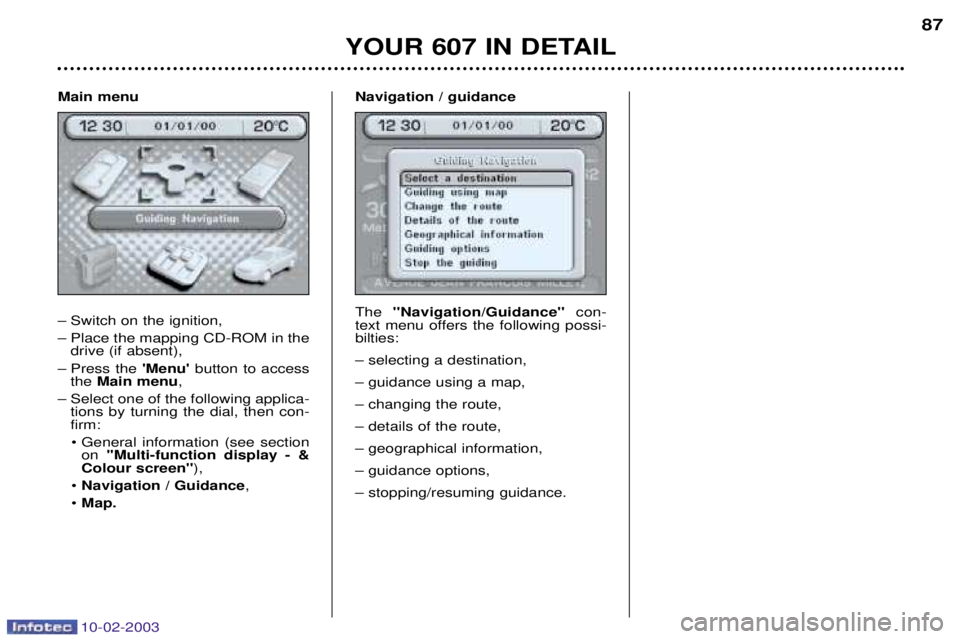
Main menu
Ð Switch on the ignition,
Ð Place the mapping CD-ROM in thedrive (if absent),
Ð Press the 'Menu'button to access
the Main menu ,
Ð Select one of the following applica- tions by turning the dial, then con- firm:
¥ General information (see section on ''Multi-function display - &
Colour screen'' ),
¥ Navigation / Guidance ,
¥ Map. Navigation / guidance The
''Navigation/Guidance'' con-
text menu offers the following possi- bilties: Ð selecting a destination,Ð guidance using a map,Ð changing the route,Ð details of the route,Ð geographical information,Ð guidance options,Ð stopping/resuming guidance.
YOUR 607 IN DETAIL 87
Page 88 of 183
10-02-2003
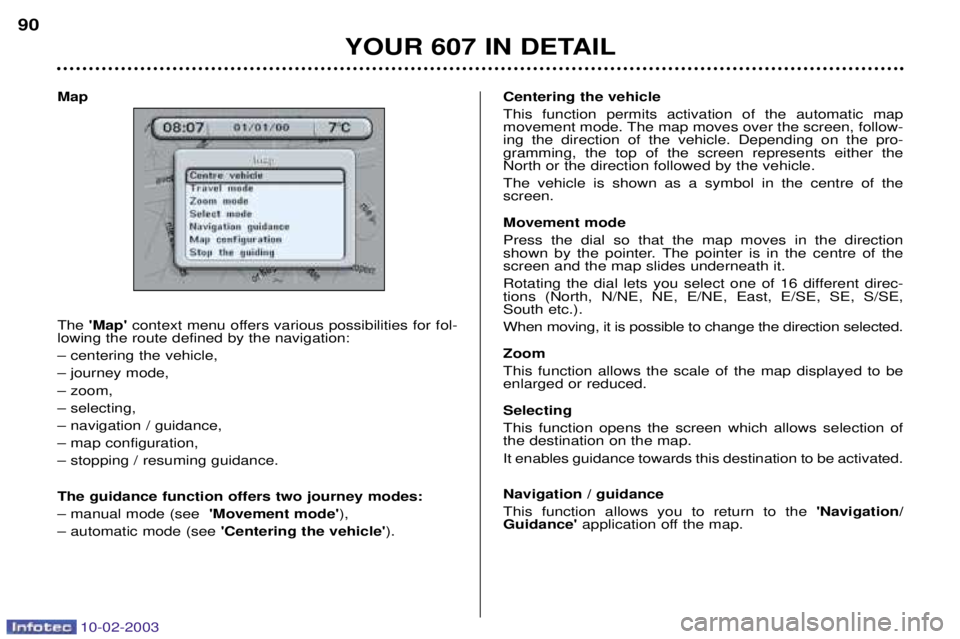
Map The 'Map' context menu offers various possibilities for fol-
lowing the route defined by the navigation: Ð centering the vehicle,Ð journey mode,Ð zoom,Ð selecting,Ð navigation / guidance,Ð map configuration,Ð stopping / resuming guidance. The guidance function offers two journey modes: Ð manual mode (see 'Movement mode'),
Ð automatic mode (see 'Centering the vehicle' ).Centering the vehicleThis function permits activation of the automatic map
movement mode. The map moves over the screen, follow-ing the direction of the vehicle. Depending on the pro-gramming, the top of the screen represents either theNorth or the direction followed by the vehicle. The vehicle is shown as a symbol in the centre of the screen. Movement mode Press the dial so that the map moves in the direction
shown by the pointer. The pointer is in the centre of thescreen and the map slides underneath it.
Rotating the dial lets you select one of 16 different direc- tions (North, N/NE, NE, E/NE, East, E/SE, SE, S/SE,South etc.). When moving, it is possible to change the direction selected. Zoom This function allows the scale of the map displayed to be enlarged or reduced. Selecting This function opens the screen which allows selection of the destination on the map. It enables guidance towards this destination to be activated. Navigation / guidance This function allows you to return to the
'Navigation/
Guidance' application off the map.
YOUR 607 IN DETAIL
90
Page 89 of 183

10-02-2003
Map configuration
This function offers various possibilities to optimise and enhance the display of the route:
Ð map orientation,
Ð type of services displayed,
Ð selection of scale. Map orientation This function allows orientation of the map to be selected: North or according to the direction of the vehicle. Note:the "vehicle orientation" option is only active if the
display scale is less than or equal to 1km.
Types of services displayed This function allows the required service to be displayed.From the list presented, select the service(s) required (for insertion), the service(s) not required (for deletion), orchoose 'Any'(parking, hotel, restaurant, service station,
cinema...). Changing the route This function allows you, for example, to avoid a tail-back on the route which has been worked out. Using the 'Navigation/Guidance' context menu, or by
holding down the last voice message recall control, you can introduce a change to the route that had been workedout, at any time during guidance. This change occurs on the stretch between your present position and a point located at a distance which has to beinput, using the initial route. Enter a distance between 1 and 10 km, using the alphanu- meric keypad, then confirm. The system takes this change into account and suggests new guidance, having invalidated the section selected. Details of the route At all times during guidance, the sub-menu
'Details of the
route' gives you access to the following functions:
Ð destination selected,
Ð see the places to be travelled through (display of roads, streets and towns to be passed),
Ð see the route on the map (change to map display).
A pointer located on the side indicates your position in rela- tion to the route. Geographical information The sub-menu 'Geographical information' presents the
GPS information regarding the position of the vehicle.
YOUR 607 IN DETAIL 91
Page 132 of 183
10-02-2003
Specific features of the colour screen
'Trip computer' context menu Briefly press the 'MODE' button to
select one of the following functions:Ð Route 1,Ð Route 2,
Ð Enter the distance to the destina- tion (when guidance is not activat- ed; otherwise the information isgiven by the navigation),
Ð Change the units (¡C or ¡F, km andlitres or miles and gallons).
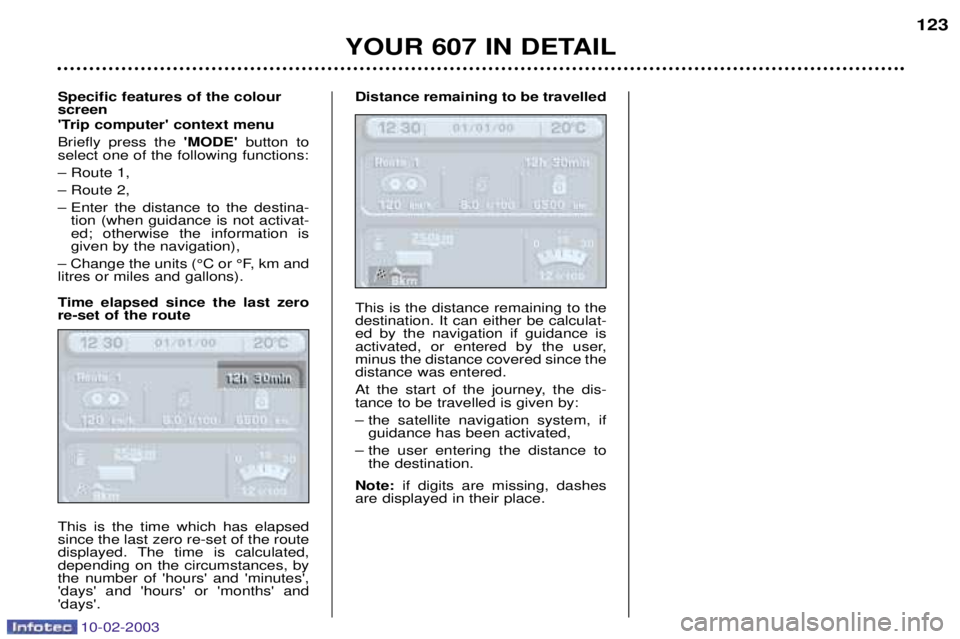
Time elapsed since the last zero re-set of the route This is the time which has elapsed since the last zero re-set of the route
displayed. The time is calculated,depending on the circumstances, bythe number of 'hours' and 'minutes','days' and 'hours' or 'months' and'days'. Distance remaining to be travelled This is the distance remaining to the destination. It can either be calculat-ed by the navigation if guidance is
activated, or entered by the user,minus the distance covered since thedistance was entered.
At the start of the journey, the dis- tance to be travelled is given by:
Ð the satellite navigation system, if
guidance has been activated,
Ð the user entering the distance to the destination.
Note: if digits are missing, dashes
are displayed in their place.
YOUR 607 IN DETAIL 123
Page 171 of 183
10-02-2003
PRACTICAL INFORMATION
156
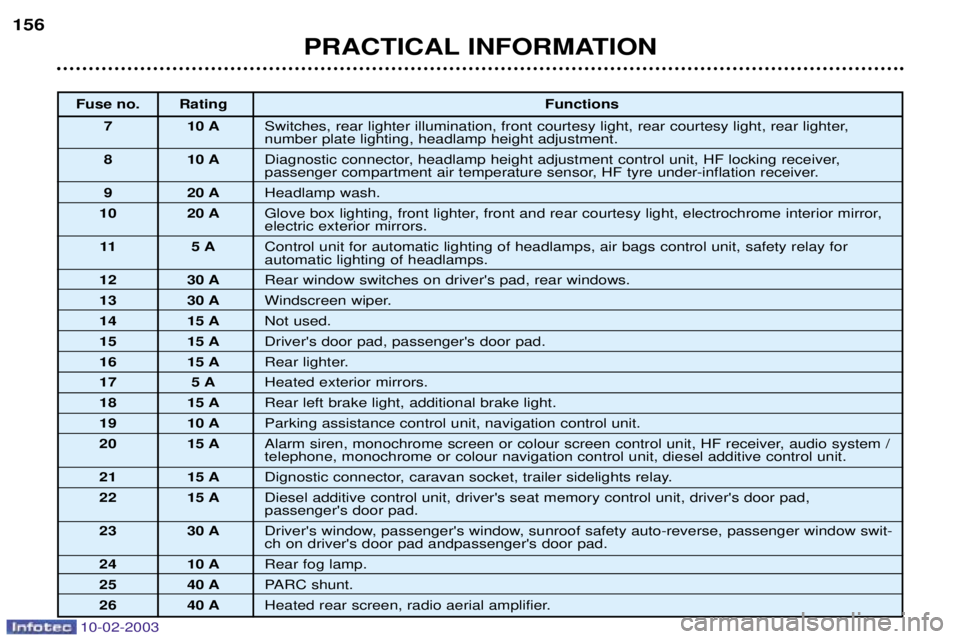
Fuse no. Rating Functions
7 10 A Switches, rear lighter illumination, front courtesy light, rear courtesy light, rear lighter, number plate lighting, headlamp height adjustment.
8 10 A Diagnostic connector, headlamp height adjustment control unit, HF locking receiver,
passenger compartment air temperature sensor, HF tyre under-inflation receiver.
9 20 A Headlamp wash.
10 20 A Glove box lighting, front lighter, front and rear courtesy light, electrochrome interior mirror,electric exterior mirrors.
11 5 A Control unit for automatic lighting of headlamps, air bags control unit, safety relay for automatic lighting of headlamps.
12 30 A Rear window switches on driver's pad, rear windows.
13 30 A Windscreen wiper.
14 15 A Not used.
15 15 A Driver's door pad, passenger's door pad.
16 15 A Rear lighter.
17 5 A Heated exterior mirrors.
18 15 A Rear left brake light, additional brake light.
19 10 A Parking assistance control unit, navigation control unit.
20 15 A Alarm siren, monochrome screen or colour screen control unit, HF receiver, audio system /telephone, monochrome or colour navigation control unit, diesel additive control unit.
21 15 A Dignostic connector, caravan socket, trailer sidelights relay.
22 15 A Diesel additive control unit, driver's seat memory control unit, driver's door pad, passenger's door pad.
23 30 A Driver's window, passenger's window, sunroof safety auto-reverse, passenger window swit-ch on driver's door pad andpassenger's door pad.
24 10 A Rear fog lamp.
25 40 A PARC shunt.
26 40 A Heated rear screen, radio aerial amplifier.
Page 177 of 183
PRACTICAL INFORMATION
164
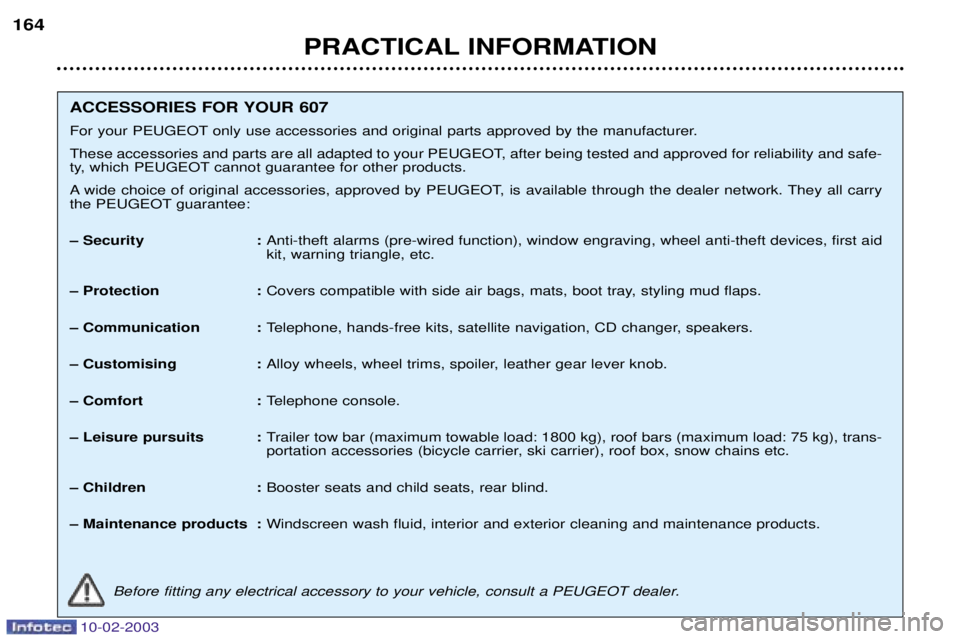
ACCESSORIES FOR YOUR 607
For your PEUGEOT only use accessories and original parts approved by the manufacturer.
These accessories and parts are all adapted to your PEUGEOT, after being tested and approved for reliability and safe-
ty, which PEUGEOT cannot guarantee for other products.
A wide choice of original accessories, approved by PEUGEOT, is available through the dealer network. They all carry
the PEUGEOT guarantee:
Ð Security :
Anti-theft alarms (pre-wired function), window engraving, wheel anti-theft devices, first aid kit, warning triangle, etc.
Ð Protection : Covers compatible with side air bags, mats, boot tray, styling mud flaps.
Ð Communication : Telephone, hands-free kits, satellite navigation, CD changer, speakers.
Ð Customising : Alloy wheels, wheel trims, spoiler, leather gear lever knob.
Ð Comfort : Telephone console.
Ð Leisure pursuits : Trailer tow bar (maximum towable load: 1800 kg), roof bars (maximum load: 75 kg), trans-
portation accessories (bicycle carrier, ski carrier), roof box, snow chains etc.
Ð Children : Booster seats and child seats, rear blind.
Ð Maintenance products : Windscreen wash fluid, interior and exterior cleaning and maintenance products.
Before fitting any electrical accessory to your vehicle, consult a PEUGEOT dealer.
10-02-2003