display PEUGEOT 607 2003 Owner's Manual
[x] Cancel search | Manufacturer: PEUGEOT, Model Year: 2003, Model line: 607, Model: PEUGEOT 607 2003Pages: 183, PDF Size: 2.66 MB
Page 42 of 183
10-02-2003
INSTRUMENTS AND CONTROLS
44
General information The
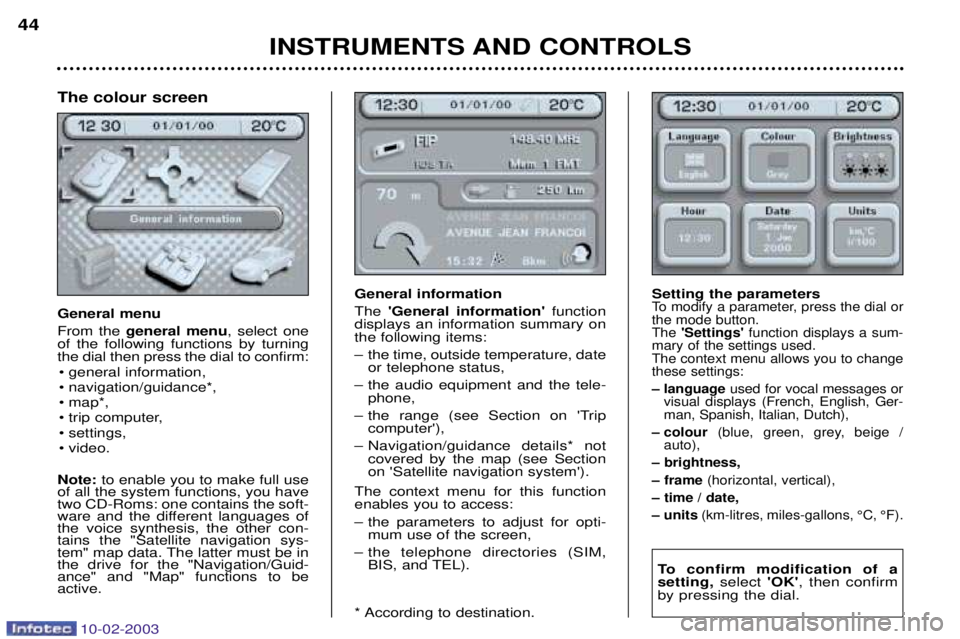
'General information' function
displays an information summary on the following items:
Ð the time, outside temperature, date or telephone status,
Ð the audio equipment and the tele- phone,
Ð the range (see Section on 'Trip computer'),
Ð Navigation/guidance details* not covered by the map (see Section on 'Satellite navigation system').
The context menu for this functionenables you to access:
Ð the parameters to adjust for opti- mum use of the screen,
Ð the telephone directories (SIM, BIS, and TEL).
* According to destination. Setting the parametersTo modify a parameter, press the dial or the mode button.The
'Settings' function displays a sum-
mary of the settings used.The context menu allows you to changethese settings:
Ð language used for vocal messages or
visual displays (French, English, Ger- man, Spanish, Italian, Dutch),
Ð colour (blue, green, grey, beige /
auto),
Ð brightness,
Ð frame (horizontal, vertical),
Ð time / date,
Ð units (km-litres, miles-gallons, ¡C, ¡F).
To confirm modification of a setting, select 'OK', then confirm
by pressing the dial.
The colour screen General menu From the general menu , select one
of the following functions by turning the dial then press the dial to confirm:
¥ general information,
¥ navigation/guidance*,
¥ map*,
¥ trip computer,
¥ settings,
¥ video.
Note: to enable you to make full use
of all the system functions, you have two CD-Roms: one contains the soft-
ware and the different languages ofthe voice synthesis, the other con-tains the "Satellite navigation sys-
tem" map data. The latter must be inthe drive for the "Navigation/Guid-ance" and "Map" functions to beactive.
Page 48 of 183

10-02-2003
GENERAL FUNCTIONSOn/off With the ignition key in the accessories position (1st notch) or with the ignition on (2nd notch), press button Ato switch the set on or off.
The set can operate for 30 minutes without the vehicle ignition being switched on.
Anti-theft system The audio system is coded in such a way that it can operate only on your vehicle. It would not function if fitted to another vehicle. This system is automatic and requires no action on your part. ADJUSTING THE SOUND Turn buttonAto increase or decrease the volume.
Note: the automatic volume correction function "CAV", which depends on the speed of the vehicle, is acces-
sible using the audio menu on the multi-function display.
AUDIO SETTINGS Press the 'AUDIO' button several times in succession to access the bass (BASS), treble (TREB), loudness
(LOUD), fader (FAD) , balance (BAL)and automatic volume correction (CAV).
Exit from audio mode is automatic after a few seconds without pressing any button, or by pressing the 'AUDIO' button after adjusting the balance.
Note: bass and treble settings are specific to each source. It is possible to set them differently for radio, cassette (RM2 audio) or CD changer.
YOUR 607 IN DETAIL
52
Page 49 of 183
10-02-2003
YOUR 607 IN DETAIL53
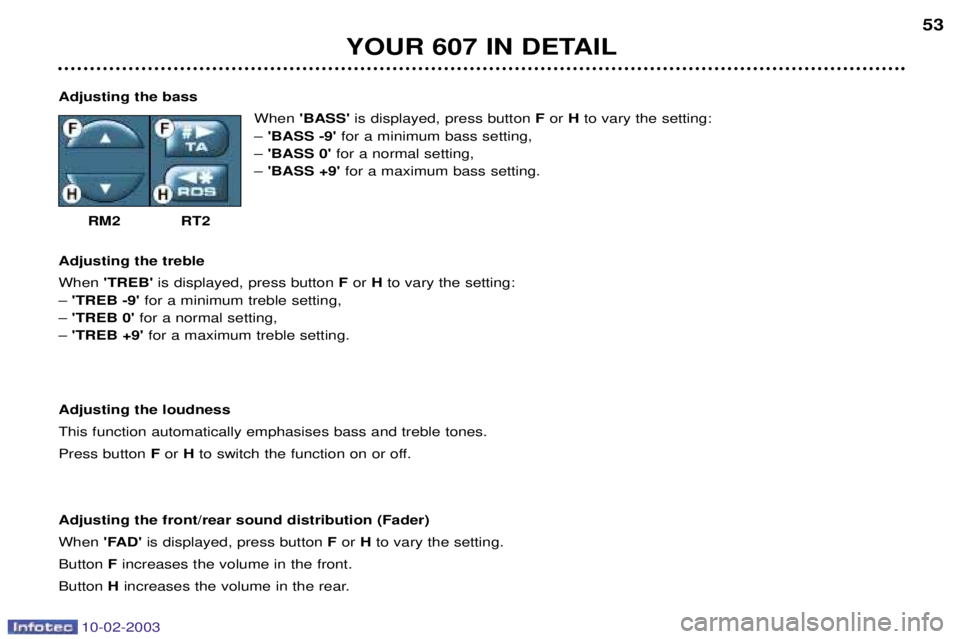
Adjusting the bass When 'BASS' is displayed, press button F or H to vary the setting:
Ð 'BASS -9' for a minimum bass setting,
Ð 'BASS 0' for a normal setting,
Ð 'BASS +9' for a maximum bass setting.
RM2 RT2
Adjusting the treble When 'TREB' is displayed, press button F or H to vary the setting:
Ð 'TREB -9' for a minimum treble setting,
Ð 'TREB 0' for a normal setting,
Ð 'TREB +9' for a maximum treble setting.
Adjusting the loudnessThis function automatically emphasises bass and treble tones.Press button For H to switch the function on or off.
Adjusting the front/rear sound distribution (Fader)When 'FAD'is displayed, press button For Hto vary the setting.
Button Fincreases the volume in the front.
Button Hincreases the volume in the rear.
Page 50 of 183

10-02-2003
YOUR 607 IN DETAIL
54
Adjusting the left/right sound distribution (Balance) When 'BAL'is displayed, press button For Hto vary the setting.
Button Fincreases the volume on the right-hand side.
Button Hincreases the volume on the left-hand side.
Automatic volume correction "CAV"This function allows the volume to be adjusted automatically depending on the level of noise produced by the speed of the vehicle. Press buttons For H to switch the function on or off.
Note: this function is only operational from 35 mph (60 km/h).
RADIO Notes on radio reception
Your radio is subject to phenomena which do not affect domestic radio sets. Both MW/LW and FM reception are subject to
various forms of interference. This is no reflection on the quality of the equipment, but is due to the nature of the signals a nd
the way in which they are transmitted.
On MW/LW, interference may be noticed when passing under high voltage power lines or bridges, or in tunnels.
On FM, interference may be the result of increasing distance from the transmitter, deflection of the signals by obstacles
(mountains, hills, buildings, etc.) or of being in an area which is not covered by a transmitter.
Selecting radio mode / Selecting a waveband Press button B.
Briefly press button Bto select the FM1, FM2, FMast and AM wavebands.
Automatic station searchBriefly press button Mor Lto search for the station immediately above or below. By continuing to press the
button in the direction selected, you will obtain continuous scrolling of the frequency.The scrolling stops at the first station found as soon as the button is released.
Page 51 of 183

10-02-2003
YOUR 607 IN DETAIL
54
Adjusting the left/right sound distribution (Balance) When 'BAL'is displayed, press button For Hto vary the setting.
Button Fincreases the volume on the right-hand side.
Button Hincreases the volume on the left-hand side.
Automatic volume correction "CAV"This function allows the volume to be adjusted automatically depending on the level of noise produced by the speed of the vehicle. Press buttons For H to switch the function on or off.
Note: this function is only operational from 35 mph (60 km/h).
RADIO Notes on radio reception
Your radio is subject to phenomena which do not affect domestic radio sets. Both MW/LW and FM reception are subject to
various forms of interference. This is no reflection on the quality of the equipment, but is due to the nature of the signals a nd
the way in which they are transmitted.
On MW/LW, interference may be noticed when passing under high voltage power lines or bridges, or in tunnels.
On FM, interference may be the result of increasing distance from the transmitter, deflection of the signals by obstacles
(mountains, hills, buildings, etc.) or of being in an area which is not covered by a transmitter.
Selecting radio mode / Selecting a waveband Press button B.
Briefly press button Bto select the FM1, FM2, FMast and AM wavebands.
Automatic station searchBriefly press button Mor Lto search for the station immediately above or below. By continuing to press the
button in the direction selected, you will obtain continuous scrolling of the frequency.The scrolling stops at the first station found as soon as the button is released.
Page 52 of 183
YOUR 607 IN DETAIL55
If the TA traffic programme is selected, only stations broadcasting this type of programme are selected. Searching for a station occurs first in 'LO' sensitivity (selection of the most powerful transmitters) during scanning of the
waveband, then in 'DX' sensitivity (selection of the weakest and most distant transmitters).
To make a direct search in 'DX'sensitivity, briefly press button M or Ltwice.
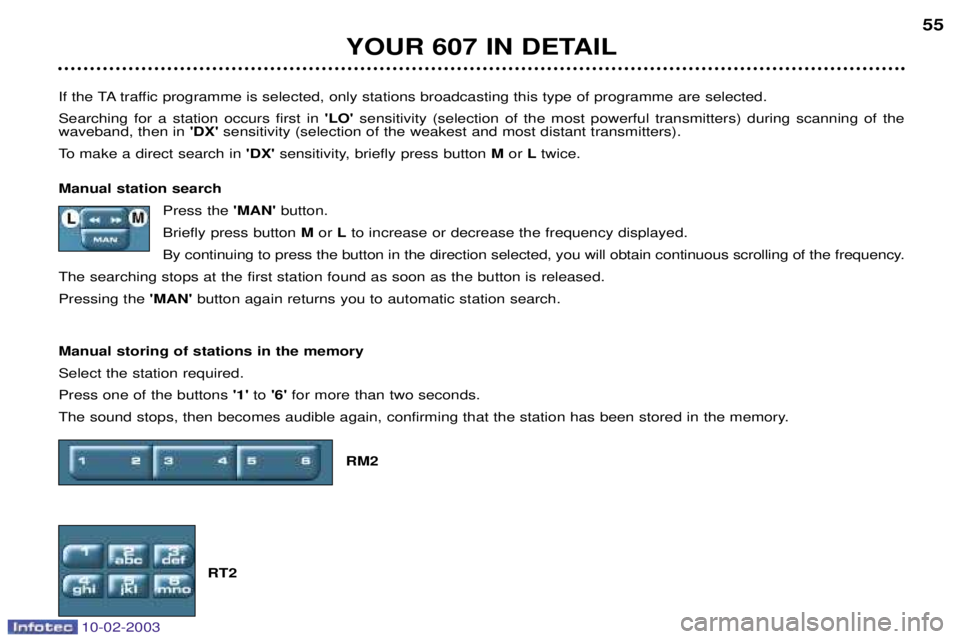
Manual station search Press the 'MAN'button.
Briefly press button Mor Lto increase or decrease the frequency displayed.
By continuing to press the button in the direction selected, you will obtain continuous scrolling of the frequency.
The searching stops at the first station found as soon as the button is released.Pressing the 'MAN' button again returns you to automatic station search.
Manual storing of stations in the memorySelect the station required. Press one of the buttons '1'to '6' for more than two seconds.
The sound stops, then becomes audible again, confirming that the station has been stored in the memory.
RM2
RT2
10-02-2003
Page 53 of 183
10-02-2003
YOUR 607 IN DETAIL
56
Automatic storing of FM stations in the memory (autostore) Press button Bfor more than two seconds, to automatically store the 6 stations with the strongest signal in
FM. These stations are stored in the FMast waveband.
If it is not possible to find 6 stations, the remaining memories are empty.
Recalling stations stored in the memoryFor each waveband, briefly press buttons '1'to '6' to recall the corresponding station.
The list of the 6 stations stored on the waveband is displayed each time one of the buttons '1'to '6' is pressed.
RDS SYSTEM Using the RDS (Radio Data System) function on FM Radio Data System allows you to continue listening to the same station, whatever frequency it is using for the region you are going through.
RM2 audio: Press the 'RDS' button to switch the function on or off.
RT2 audio: Press the 'j
j
✱ RDS' button to switch the function on or off.
The display will show: Ð 'RDS' if the function is selected.
Ð '(RDS)' or'RDS
' if the function is selected but not available.
RDS station following
The display indicates the name of the station selected. The radio is continually searching for the station which has the best reception and which is transmitting the same programme.
Page 54 of 183
10-02-2003
YOUR 607 IN DETAIL57
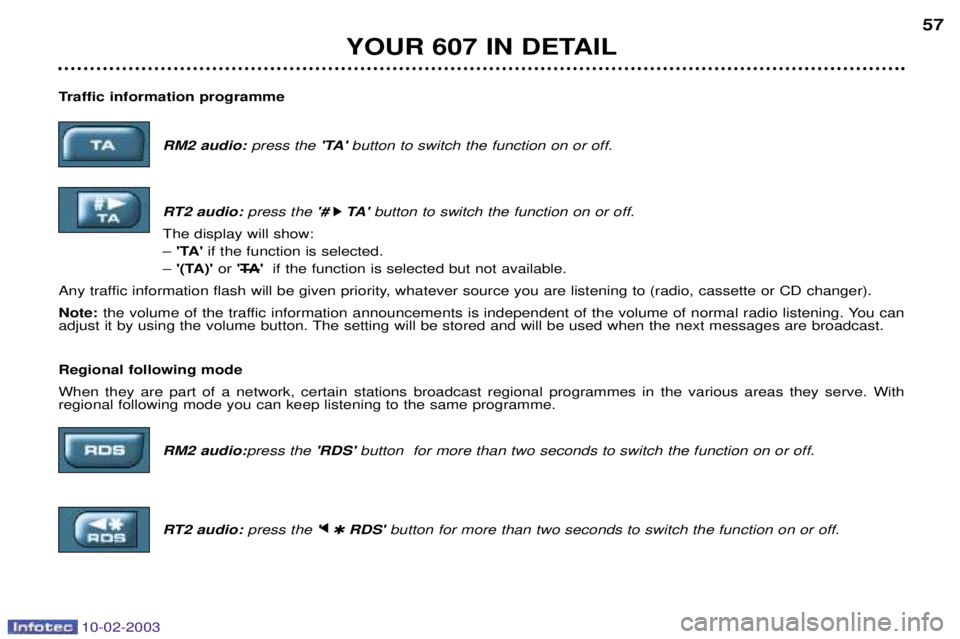
Traffic information programme RM2 audio:press the 'TA'button to switch the function on or off.
RT2 audio: press the '#
k
k TA '
button to switch the function on or off.
The display will show: Ð 'TA' if the function is selected.
Ð '(TA)' or'T
A' if the function is selected but not available.
Any traffic information flash will be given priority, whatever source you are listening to (radio, cassette or CD changer). Note: the volume of the traffic information announcements is independent of the volume of normal radio listening. You can
adjust it by using the volume button. The setting will be stored and will be used when the next messages are broadcast. Regional following mode When they are part of a network, certain stations broadcast regional programmes in the various areas they serve. With regional following mode you can keep listening to the same programme.
RM2 audio:press the 'RDS'button for more than two seconds to switch the function on or off.
RT2 audio: press the 'j
j
✱ RDS' button for more than two seconds to switch the function on or off.
Page 55 of 183
10-02-2003
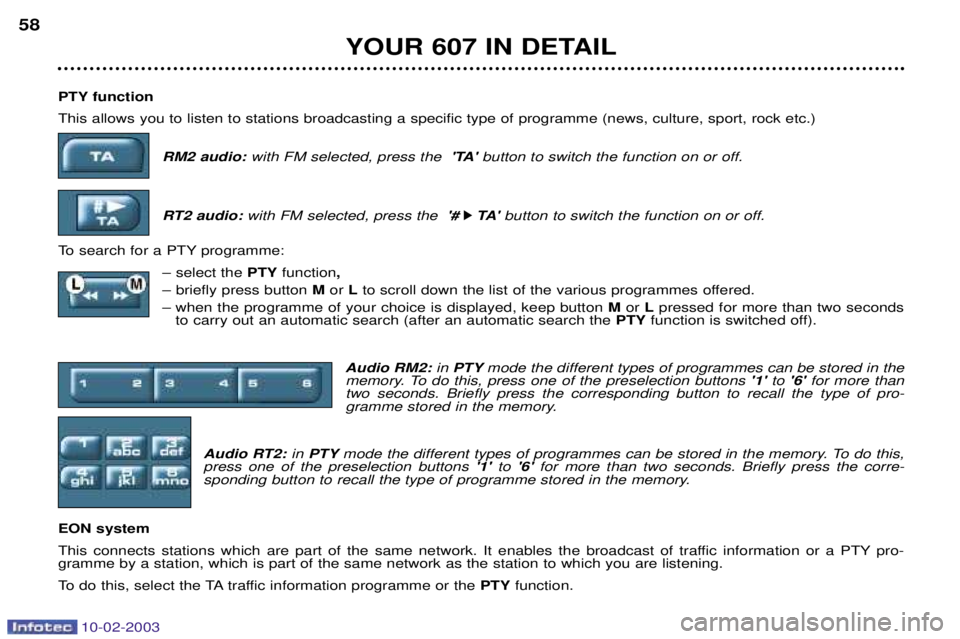
PTY function This allows you to listen to stations broadcasting a specific type of programme (news, culture, sport, rock etc.)RM2 audio: with FM selected, press the 'TA'button to switch the function on or off.
RT2 audio: with FM selected, press the '#
k
k TA '
button to switch the function on or off.
To search for a PTY programme: Ð select the PTYfunction ,
Ð briefly press button Mor Lto scroll down the list of the various programmes offered.
Ð when the programme of your choice is displayed, keep button Mor Lpressed for more than two seconds
to carry out an automatic search (after an automatic search the PTYfunction is switched off).
Audio RM2: in PTY mode the different types of programmes can be stored in the
memory. To do this, press one of the preselection buttons '1'to '6' for more than
two seconds. Briefly press the corresponding button to recall the type of pro-
gramme stored in the memory.
Audio RT2: in PTY mode the different types of programmes can be stored in the memory. To do this,
press one of the preselection buttons '1'to '6' for more than two seconds. Briefly press the corre-
sponding button to recall the type of programme stored in the memory.
EON system
This connects stations which are part of the same network. It enables the broadcast of traffic information or a PTY pro- gramme by a station, which is part of the same network as the station to which you are listening.
To do this, select the TA traffic information programme or the PTYfunction.
YOUR 607 IN DETAIL
58
Page 61 of 183
10-02-2003
TELEPHONE: Audio/Telephone RT2 This function is a GSM 900 MHZ telephone incorporated in the audio system. It possesses a 'hands free'function, provided by a microphone located in the front courtesy light and a steering column
remote control which allows access to most of the functions. It also possesses a 'confidential' function, provided by the instrument panel located in the upper casing of the centre front
armrest. Note: An echo may be heard for a few seconds at the beginning of the call.
The principal "mobile"type functions are shown on the display incorporated in the audio system; the menu lists can be
referrred to on the multi-function display.This function is active when the ignition key is in the accessories position (1st notch), the ignition is switched on (2nd notch),
the engine is running or the vehicle is being driven. Note: when the ignition key is in the accessories position (1st notch) or the ignition is switched on (2nd notch), this function
will be interrupted after thirty minutes, when the message 'Economy mode active'appears on the multi-function display. If
you are using the telephone at that time, you will be able to finish your call.
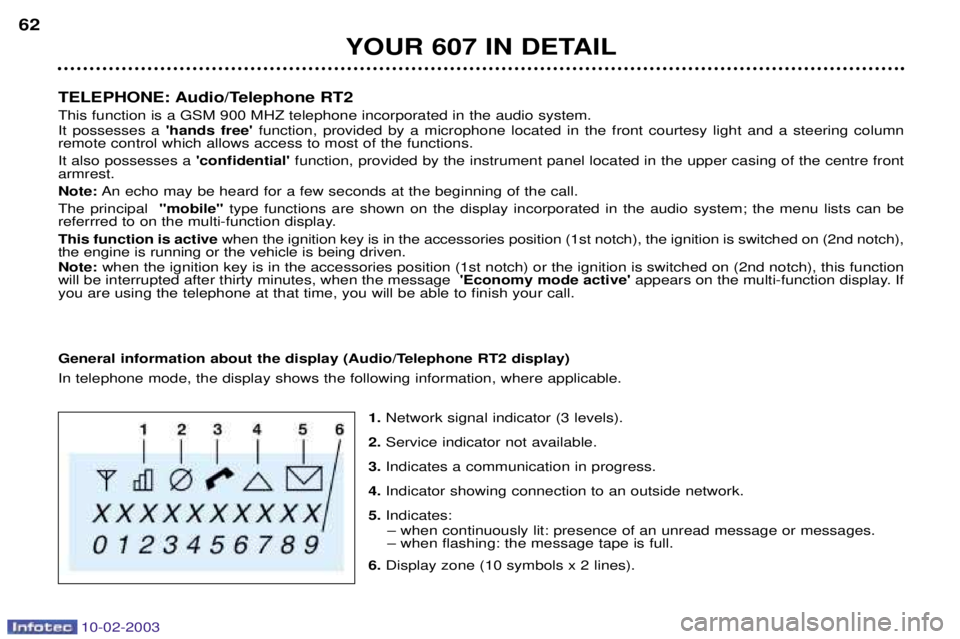
General information about the display (Audio/Telephone RT2 display) In telephone mode, the display shows the following information, where applicable.
1.Network signal indicator (3 levels).
2. Service indicator not available.
3. Indicates a communication in progress.
4. Indicator showing connection to an outside network.
5. Indicates:
Ð when continuously lit: presence of an unread message or messages. Ð when flashing: the message tape is full.
6. Display zone (10 symbols x 2 lines).
YOUR 607 IN DETAIL
62