phone PEUGEOT 607 2003 Owners Manual
[x] Cancel search | Manufacturer: PEUGEOT, Model Year: 2003, Model line: 607, Model: PEUGEOT 607 2003Pages: 183, PDF Size: 2.66 MB
Page 3 of 183
10-02-2003
3YOUR AT A GLANCE
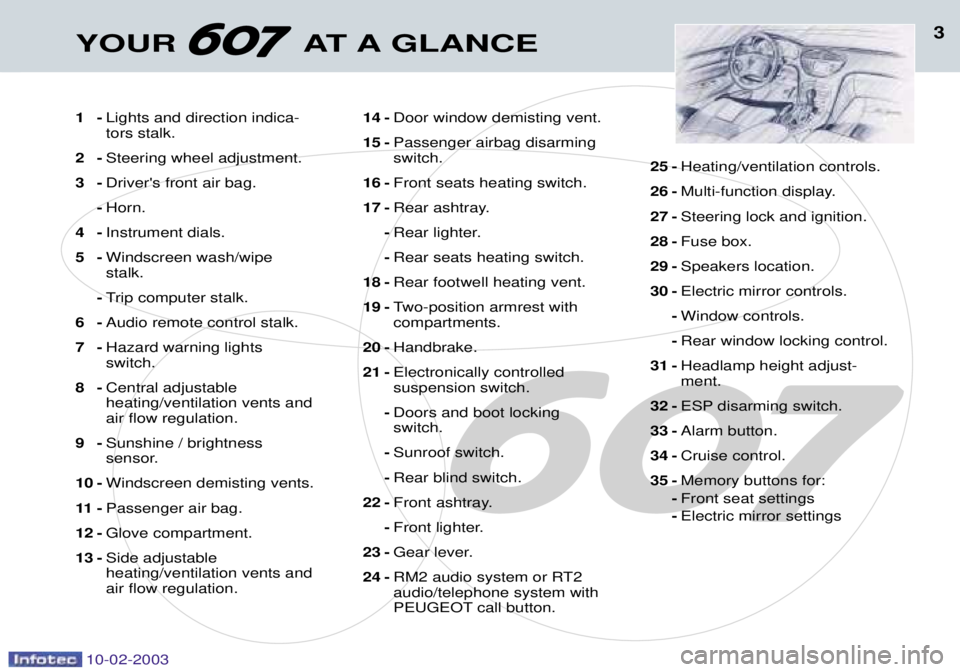
1-Lights and direction indica- tors stalk.
2- Steering wheel adjustment.
3- Driver's front air bag.
- Horn.
4- Instrument dials.
5- Windscreen wash/wipestalk.
- Trip computer stalk.
6- Audio remote control stalk.
7- Hazard warning lightsswitch.
8- Central adjustableheating/ventilation vents andair flow regulation.
9- Sunshine / brightness
sensor.
10 - Windscreen demisting vents.
11 - Passenger air bag.
12 - Glove compartment.
13 - Side adjustableheating/ventilation vents andair flow regulation. 14 -
Door window demisting vent.
15 - Passenger airbag disarmingswitch.
16 - Front seats heating switch.
17 - Rear ashtray.
- Rear lighter.
- Rear seats heating switch.
18 - Rear footwell heating vent.
19 - Two-position armrest withcompartments.
20 - Handbrake.
21 - Electronically controlledsuspension switch.
- Doors and boot lockingswitch.
- Sunroof switch.
- Rear blind switch.
22 - Front ashtray.
- Front lighter.
23 - Gear lever.
24 - RM2 audio system or RT2audio/telephone system with
PEUGEOT call button. 25 -
Heating/ventilation controls.
26 - Multi-function display.
27 - Steering lock and ignition.
28 - Fuse box.
29 - Speakers location.
30 - Electric mirror controls.
- Window controls.
- Rear window locking control.
31 - Headlamp height adjust-ment.
32 - ESP disarming switch.
33 - Alarm button.
34 - Cruise control.
35 - Memory buttons for:
- Front seat settings
- Electric mirror settings
Page 14 of 183
13YOUR AT A GLANCE
10-02-2003
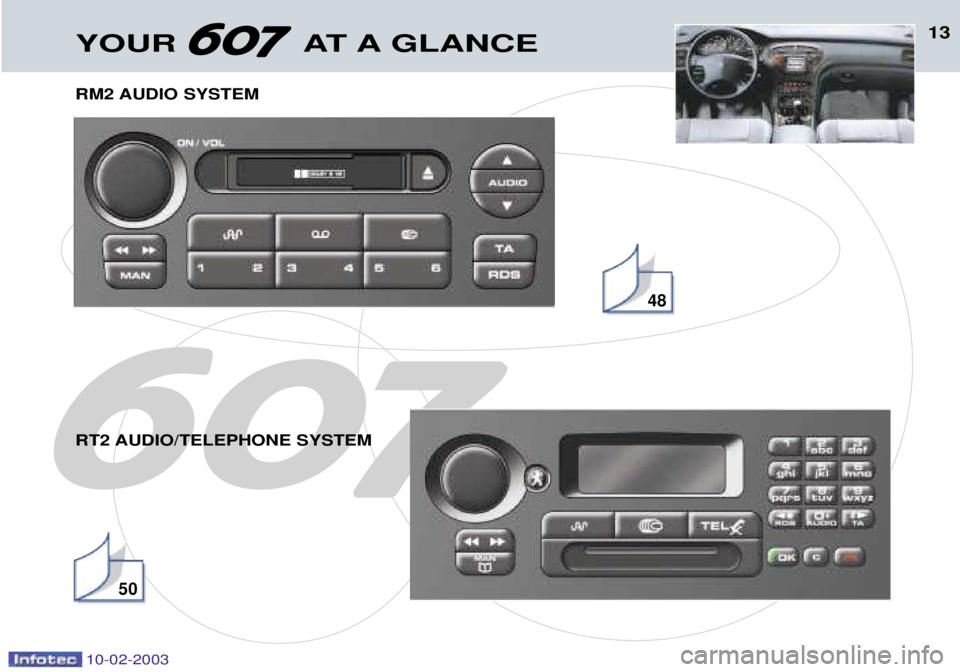
RM2 AUDIO SYSTEM
RT2 AUDIO/TELEPHONE SYSTEM
48
50
Page 38 of 183
10-02-2003
INSTRUMENTS AND CONTROLS
42
THE MULTI-FUNCTION DISPLAY
General The multifunction, monochrome C or colour display shows the following:
Ð the time,
Ð the date,
Ð the outside temperature (symbol
¡C flashes if there is a risk of ice),
Ð the audio system displays,
Ð the telephone displays,
Ð the name of the road along which the vehicle is travelling (permanent locating),
Ð status of the openings,
Ð warning messages (e.g. 'Fuel level low') and vehicle function status
messages, displayed temporarily,
Ð trip computer display (see corre- sponding section),
Ð satellite navigation system dis- plays* (see corresponding sec-tion),
Ð video images. It is controlled by a keypad. Superimposed display When the status of a function (audio
system, telephone, trip computer,satellite navigation system,....)changes while the display has been
showing a different function, a win-dow opens to announce the modifi-cation (information / warning mes-sage), then disappears.
* According to country The control pad This enables the functions, controls and parameters displayed to be selected
and validated. It is located next to the display.
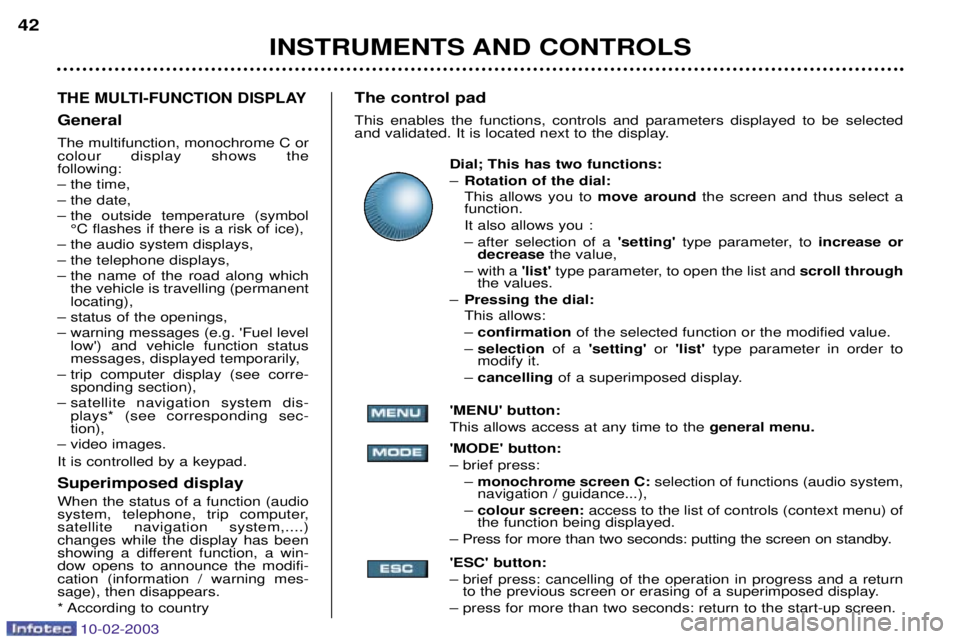
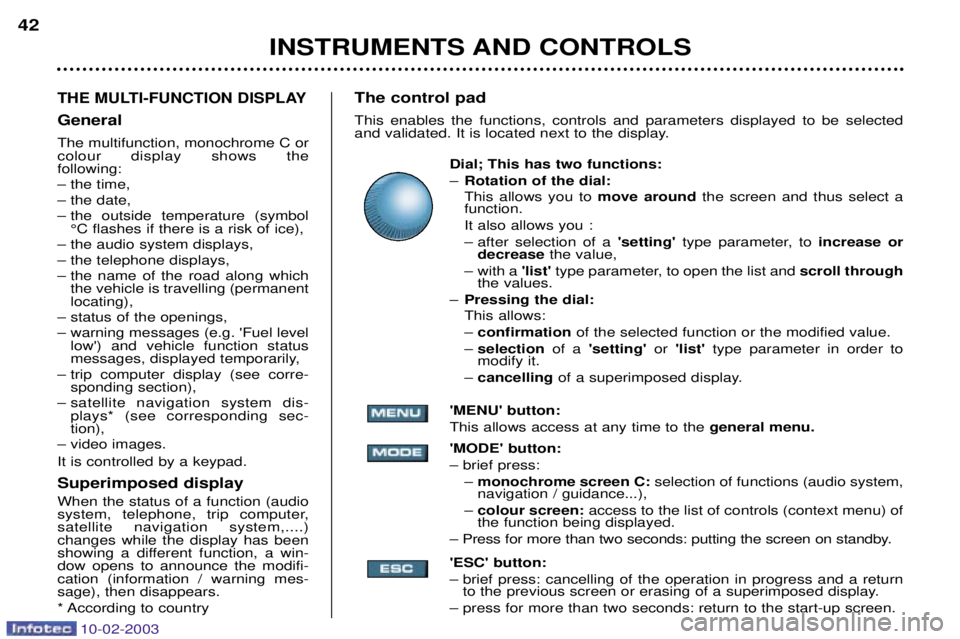
Dial; This has two functions: ÐRotation of the dial: This allows you to move around the screen and thus select a
function.
It also allows you :
Ð after selection of a 'setting' type parameter, to increase or
decrease the value,
Ð with a 'list'type parameter, to open the list and scroll through
the values.
Ð Pressing the dial: This allows: Ð confirmation of the selected function or the modified value.
Ð selection of a 'setting' or 'list' type parameter in order to
modify it.
Ð cancelling of a superimposed display.
'MENU' button:This allows access at any time to the general menu.
'MODE' button:Ð brief press: Ð monochrome screen C: selection of functions (audio system,
navigation / guidance...),
Ð colour screen: access to the list of controls (context menu) of
the function being displayed.
Ð Press for more than two seconds: putting the screen on standby. 'ESC' button:
Ð brief press: cancelling of the operation in progress and a return to the previous screen or erasing of a superimposed display.
Ð press for more than two seconds: return to the start-up screen.
Page 39 of 183
10-02-2003
INSTRUMENTS AND CONTROLS43
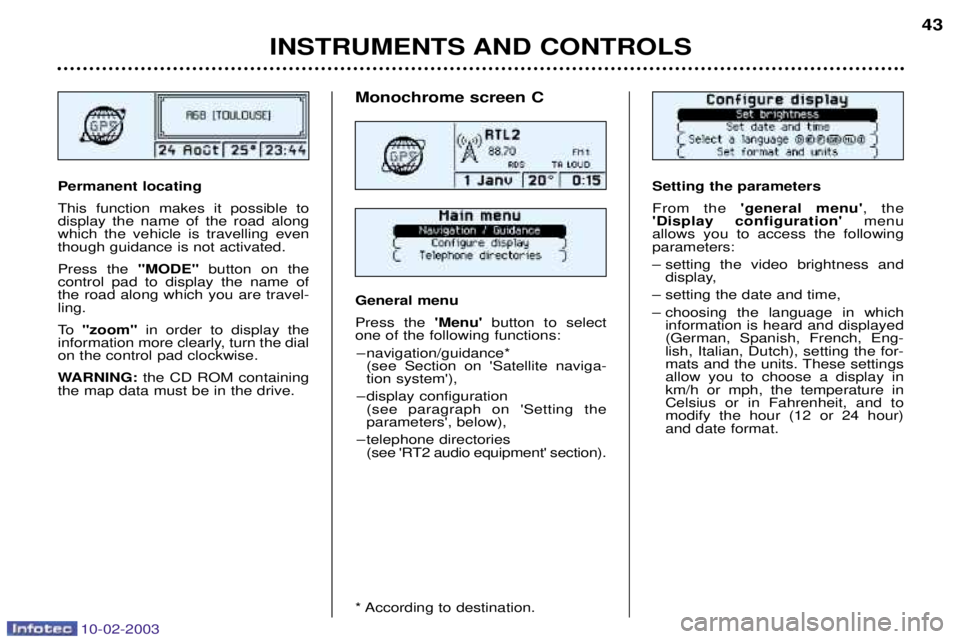
Setting the parameters From the
'general menu' , the
'Display configuration' menu
allows you to access the following parameters:
Ð setting the video brightness and display,
Ð setting the date and time,
Ð choosing the language in which information is heard and displayed (German, Spanish, French, Eng-lish, Italian, Dutch), setting the for-
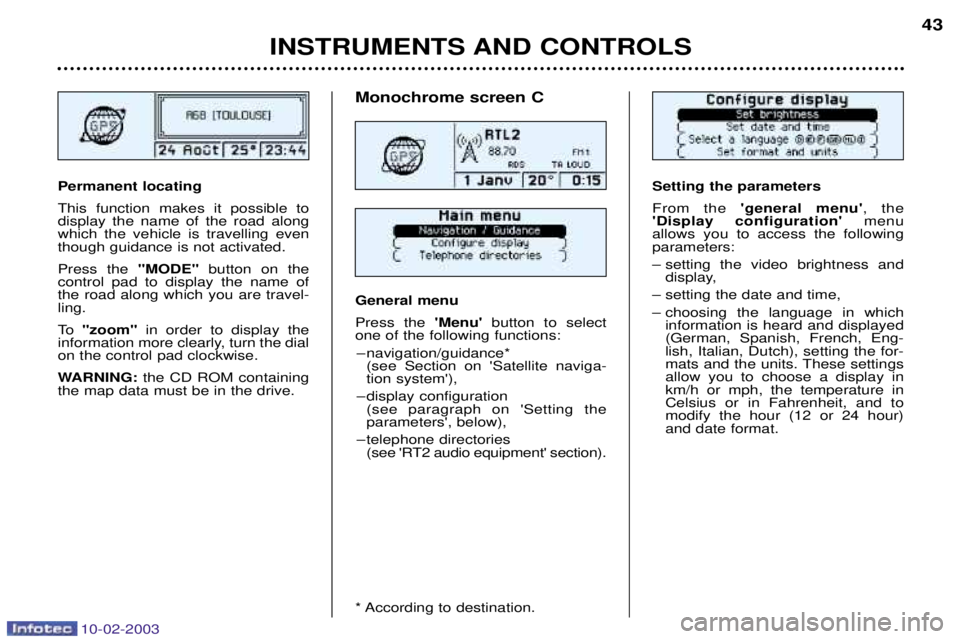
mats and the units. These settingsallow you to choose a display inkm/h or mph, the temperature inCelsius or in Fahrenheit, and tomodify the hour (12 or 24 hour)and date format.Permanent locating This function makes it possible to display the name of the road alongwhich the vehicle is travelling eventhough guidance is not activated. Press the "MODE"button on the
control pad to display the name of the road along which you are travel-ling.
To "zoom" in order to display the
information more clearly, turn the dial on the control pad clockwise.
WARNING: the CD ROM containing
the map data must be in the drive.
Monochrome screen C General menu Press the 'Menu' button to select
one of the following functions:
Ð navigation/guidance* (see Section on 'Satellite naviga- tion system'),
Ð display configuration (see paragraph on 'Setting theparameters', below),
Ð telephone directories (see 'RT2 audio equipment' section).
* According to destination.
Page 40 of 183
10-02-2003
INSTRUMENTS AND CONTROLS
42
THE MULTI-FUNCTION DISPLAY
General The multifunction, monochrome C or colour display shows the following:
Ð the time,
Ð the date,
Ð the outside temperature (symbol
¡C flashes if there is a risk of ice),
Ð the audio system displays,
Ð the telephone displays,
Ð the name of the road along which the vehicle is travelling (permanent locating),
Ð status of the openings,
Ð warning messages (e.g. 'Fuel level low') and vehicle function status
messages, displayed temporarily,
Ð trip computer display (see corre- sponding section),
Ð satellite navigation system dis- plays* (see corresponding sec-tion),
Ð video images. It is controlled by a keypad. Superimposed display When the status of a function (audio
system, telephone, trip computer,satellite navigation system,....)changes while the display has been
showing a different function, a win-dow opens to announce the modifi-cation (information / warning mes-sage), then disappears.
* According to country The control pad This enables the functions, controls and parameters displayed to be selected
and validated. It is located next to the display.
Dial; This has two functions: ÐRotation of the dial: This allows you to move around the screen and thus select a
function.
It also allows you :
Ð after selection of a 'setting' type parameter, to increase or
decrease the value,
Ð with a 'list'type parameter, to open the list and scroll through
the values.
Ð Pressing the dial: This allows: Ð confirmation of the selected function or the modified value.
Ð selection of a 'setting' or 'list' type parameter in order to
modify it.
Ð cancelling of a superimposed display.
'MENU' button:This allows access at any time to the general menu.
'MODE' button:Ð brief press: Ð monochrome screen C: selection of functions (audio system,
navigation / guidance...),
Ð colour screen: access to the list of controls (context menu) of
the function being displayed.
Ð Press for more than two seconds: putting the screen on standby. 'ESC' button:
Ð brief press: cancelling of the operation in progress and a return to the previous screen or erasing of a superimposed display.
Ð press for more than two seconds: return to the start-up screen.
Page 41 of 183
10-02-2003
INSTRUMENTS AND CONTROLS43
Setting the parameters From the
'general menu' , the
'Display configuration' menu
allows you to access the following parameters:
Ð setting the video brightness and display,
Ð setting the date and time,
Ð choosing the language in which information is heard and displayed (German, Spanish, French, Eng-lish, Italian, Dutch), setting the for-
mats and the units. These settingsallow you to choose a display inkm/h or mph, the temperature inCelsius or in Fahrenheit, and tomodify the hour (12 or 24 hour)and date format.Permanent locating This function makes it possible to display the name of the road alongwhich the vehicle is travelling eventhough guidance is not activated. Press the "MODE"button on the
control pad to display the name of the road along which you are travel-ling.
To "zoom" in order to display the
information more clearly, turn the dial on the control pad clockwise.
WARNING: the CD ROM containing
the map data must be in the drive.
Monochrome screen C General menu Press the 'Menu' button to select
one of the following functions:
Ð navigation/guidance* (see Section on 'Satellite naviga- tion system'),
Ð display configuration (see paragraph on 'Setting theparameters', below),
Ð telephone directories (see 'RT2 audio equipment' section).
* According to destination.
Page 42 of 183
10-02-2003
INSTRUMENTS AND CONTROLS
44
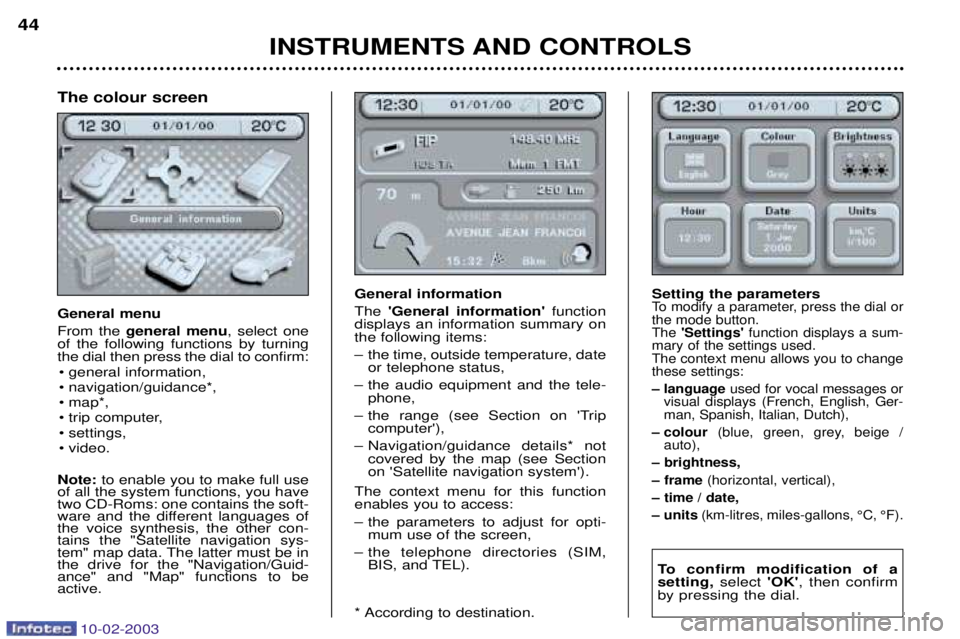
General information The
'General information' function
displays an information summary on the following items:
Ð the time, outside temperature, date or telephone status,
Ð the audio equipment and the tele- phone,
Ð the range (see Section on 'Trip computer'),
Ð Navigation/guidance details* not covered by the map (see Section on 'Satellite navigation system').
The context menu for this functionenables you to access:
Ð the parameters to adjust for opti- mum use of the screen,
Ð the telephone directories (SIM, BIS, and TEL).
* According to destination. Setting the parametersTo modify a parameter, press the dial or the mode button.The
'Settings' function displays a sum-
mary of the settings used.The context menu allows you to changethese settings:
Ð language used for vocal messages or
visual displays (French, English, Ger- man, Spanish, Italian, Dutch),
Ð colour (blue, green, grey, beige /
auto),
Ð brightness,
Ð frame (horizontal, vertical),
Ð time / date,
Ð units (km-litres, miles-gallons, ¡C, ¡F).
To confirm modification of a setting, select 'OK', then confirm
by pressing the dial.
The colour screen General menu From the general menu , select one
of the following functions by turning the dial then press the dial to confirm:
¥ general information,
¥ navigation/guidance*,
¥ map*,
¥ trip computer,
¥ settings,
¥ video.
Note: to enable you to make full use
of all the system functions, you have two CD-Roms: one contains the soft-
ware and the different languages ofthe voice synthesis, the other con-tains the "Satellite navigation sys-
tem" map data. The latter must be inthe drive for the "Navigation/Guid-ance" and "Map" functions to beactive.
Page 59 of 183
10-02-2003
50
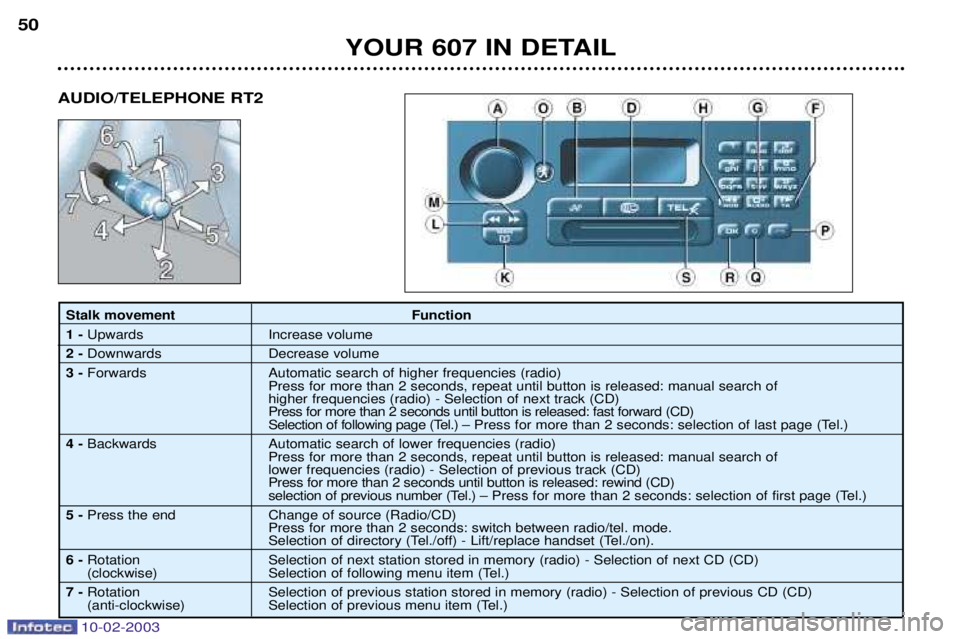
Stalk movementFunction
1 - Upwards Increase volume
2 - Downwards Decrease volume
3 - Forwards Automatic search of higher frequencies (radio)
Press for more than 2 seconds, repeat until button is released: manual search of higher frequencies (radio) - Selection of next track (CD) Press for more than 2 seconds until button is released: fast forward (CD)
Selection of following page (Tel.) Ð Press for more than 2 seconds: selection of last page (Tel.)
4 - Backwards Automatic search of lower frequencies (radio)
Press for more than 2 seconds, repeat until button is released: manual search oflower frequencies (radio) - Selection of previous track (CD) Press for more than 2 seconds until button is released: rewind (CD)
selection of previous number (Tel.) Ð Press for more than 2 seconds: selection of first page (Tel.)
5 - Press the end Change of source (Radio/CD)
Press for more than 2 seconds: switch between radio/tel. mode.
Selection of directory (Tel./off) - Lift/replace handset (Tel./on).
6 - Rotation Selection of next station stored in memory (radio) - Selection of next CD (CD)
(clockwise) Selection of following menu item (Tel.)
7 - Rotation Selection of previous station stored in memory (radio) - Selection of previous CD (CD)
(anti-clockwise) Selection of previous menu item (Tel.)
YOUR 607 IN DETAIL
AUDIO/TELEPHONE RT2
Page 60 of 183
10-02-2003
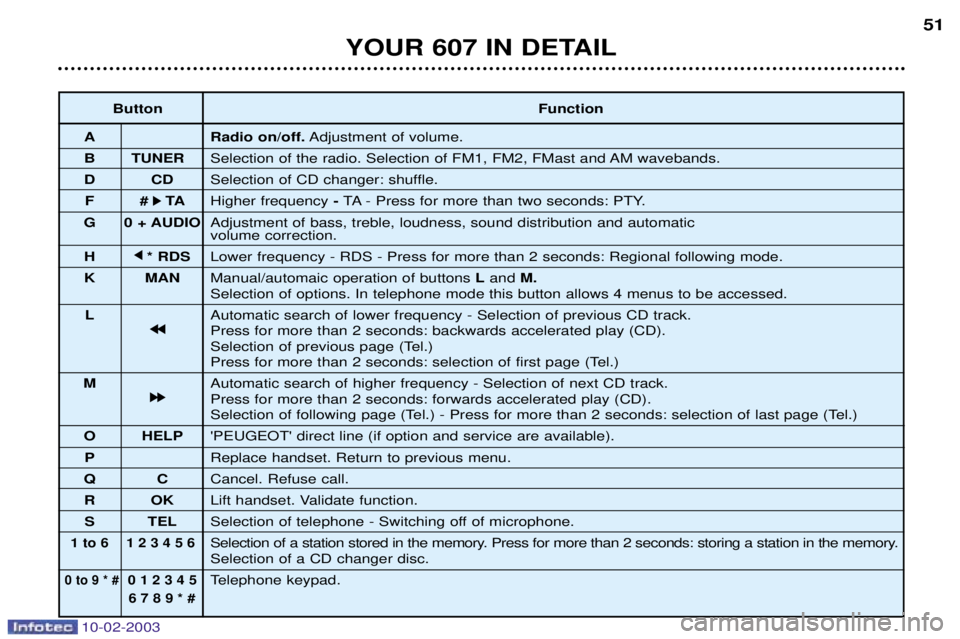
Button Function
A Radio on/off. Adjustment of volume.
B TUNER Selection of the radio. Selection of FM1, FM2, FMast and AM wavebands.
D CD Selection of CD changer: shuffle.
F # k
k TA
Higher frequency - TA - Press for more than two seconds: PTY.
G 0 + AUDIO Adjustment of bass, treble, loudness, sound distribution and automatic volume correction.
H j
j
* RDS Lower frequency - RDS - Press for more than 2 seconds: Regional following mode.
K MAN Manual/automaic operation of buttons Land M.
Selection of options. In telephone mode this button allows 4 menus to be accessed.
L Automatic search of lower frequency - Selection of previous CD track.
j
j j
j
Press for more than 2 seconds: backwards accelerated play (CD).
Selection of previous page (Tel.)
Press for more than 2 seconds: selection of first page (Tel.)
M Automatic search of higher frequency - Selection of next CD track.
k
k k
k
Press for more than 2 seconds: forwards accelerated play (CD).
Selection of following page (Tel.) - Press for more than 2 seconds: selection of last page (Tel.)
O HELP 'PEUGEOT' direct line (if option and service are available).
P Replace handset. Return to previous menu.
Q C Cancel. Refuse call.
R OK Lift handset. Validate function.
S TEL Selection of telephone - Switching off of microphone.
1 to 6 1 2 3 4 5 6Selection of a station stored in the memory. Press for more than 2 seconds: storing a station in the memory.Selection of a CD changer disc.
0 to 9 * #0 1 2 3 4 5Telephone keypad.
6 7 8 9 * #
51
YOUR 607 IN DETAIL
Page 61 of 183
10-02-2003
TELEPHONE: Audio/Telephone RT2 This function is a GSM 900 MHZ telephone incorporated in the audio system. It possesses a 'hands free'function, provided by a microphone located in the front courtesy light and a steering column
remote control which allows access to most of the functions. It also possesses a 'confidential' function, provided by the instrument panel located in the upper casing of the centre front
armrest. Note: An echo may be heard for a few seconds at the beginning of the call.
The principal "mobile"type functions are shown on the display incorporated in the audio system; the menu lists can be
referrred to on the multi-function display.This function is active when the ignition key is in the accessories position (1st notch), the ignition is switched on (2nd notch),
the engine is running or the vehicle is being driven. Note: when the ignition key is in the accessories position (1st notch) or the ignition is switched on (2nd notch), this function
will be interrupted after thirty minutes, when the message 'Economy mode active'appears on the multi-function display. If
you are using the telephone at that time, you will be able to finish your call.
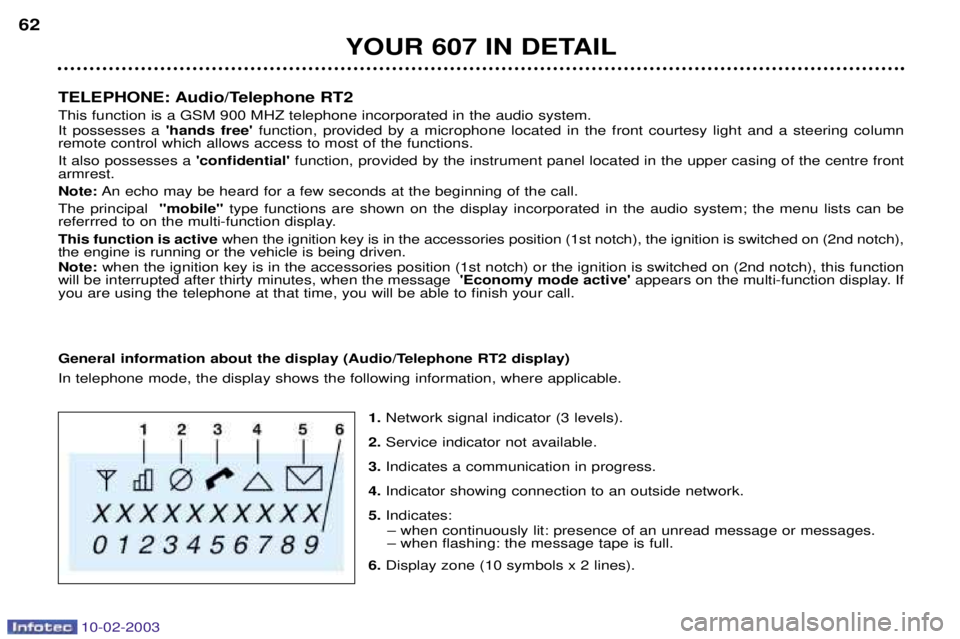
General information about the display (Audio/Telephone RT2 display) In telephone mode, the display shows the following information, where applicable.
1.Network signal indicator (3 levels).
2. Service indicator not available.
3. Indicates a communication in progress.
4. Indicator showing connection to an outside network.
5. Indicates:
Ð when continuously lit: presence of an unread message or messages. Ð when flashing: the message tape is full.
6. Display zone (10 symbols x 2 lines).
YOUR 607 IN DETAIL
62