audio PEUGEOT 607 2004 User Guide
[x] Cancel search | Manufacturer: PEUGEOT, Model Year: 2004, Model line: 607, Model: PEUGEOT 607 2004Pages: 173, PDF Size: 1.99 MB
Page 43 of 173
02-02-2004
YOUR 607 IN DETAIL
48
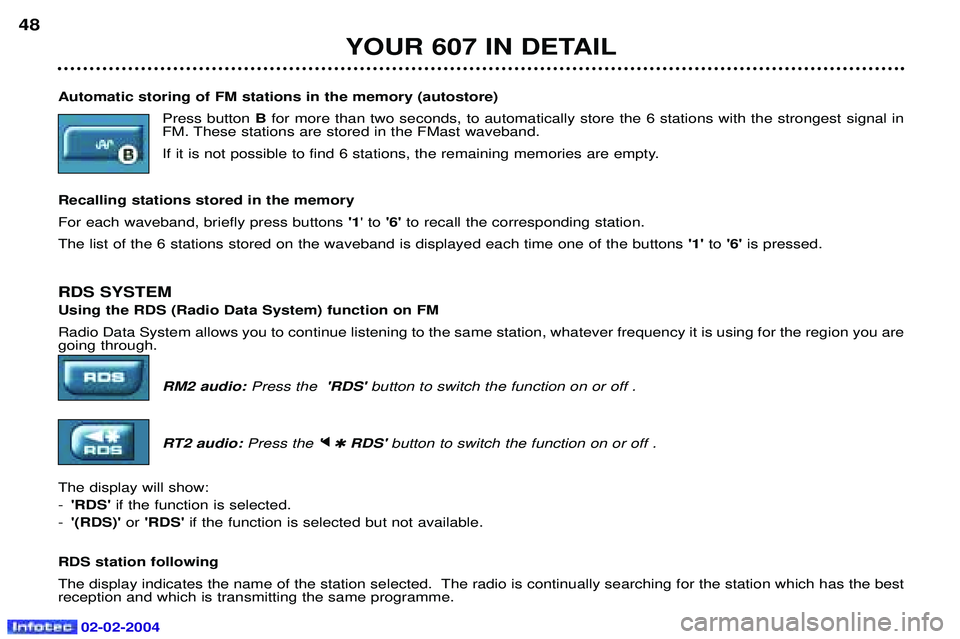
Automatic storing of FM stations in the memory (autostore) Press button Bfor more than two seconds, to automatically store the 6 stations with the strongest signal in
FM. These stations are stored in the FMast waveband.
If it is not possible to find 6 stations, the remaining memories are empty.
Recalling stations stored in the memoryFor each waveband, briefly press buttons '1' to '6'to recall the corresponding station.
The list of the 6 stations stored on the waveband is displayed each time one of the buttons '1'to'6' is pressed.
RDS SYSTEM Using the RDS (Radio Data System) function on FM Radio Data System allows you to continue listening to the same station, whatever frequency it is using for the region you are going through. RM2 audio:Press the 'RDS' button to switch the function on or off .
RT2 audio: Press the 'j
j
✱ RDS' button to switch the function on or off .
The display will show: - 'RDS' if the function is selected.
- '(RDS)' or 'RDS' if the function is selected but not available.
RDS station following
The display indicates the name of the station selected. The radio is continually searching for the station which has the best reception and which is transmitting the same programme.
Page 44 of 173
02-02-2004
YOUR 607 IN DETAIL49
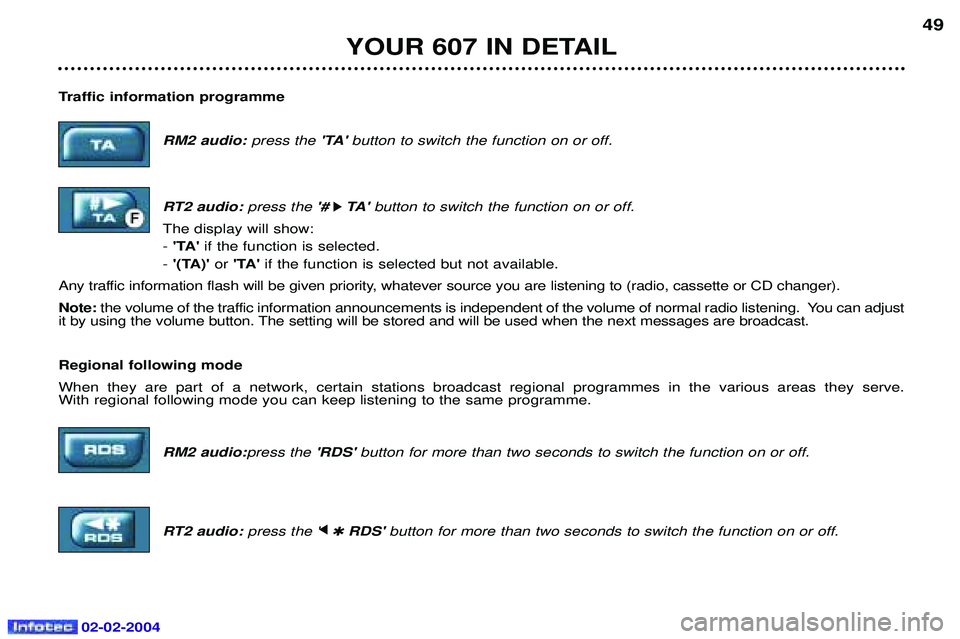
Traffic information programme RM2 audio: press the 'TA' button to switch the function on or off.
RT2 audio: press the '#
k
k TA '
button to switch the function on or off.
The display will show: - 'TA' if the function is selected.
- '(TA)' or 'TA' if the function is selected but not available.
Any traffic information flash will be given priority, whatever source you are listening to (radio, cassette or CD changer). Note: the volume of the traffic information announcements is independent of the volume of normal radio listening. You can adjust
it by using the volume button. The setting will be stored and will be used when the next messages are broadcast. Regional following mode When they are part of a network, certain stations broadcast regional programmes in the various areas they serve. With regional following mode you can keep listening to the same programme.
RM2 audio:press the'RDS' button for more than two seconds to switch the function on or off.
RT2 audio: press the 'j
j
✱ RDS' button for more than two seconds to switch the function on or off.
Page 45 of 173
02-02-2004
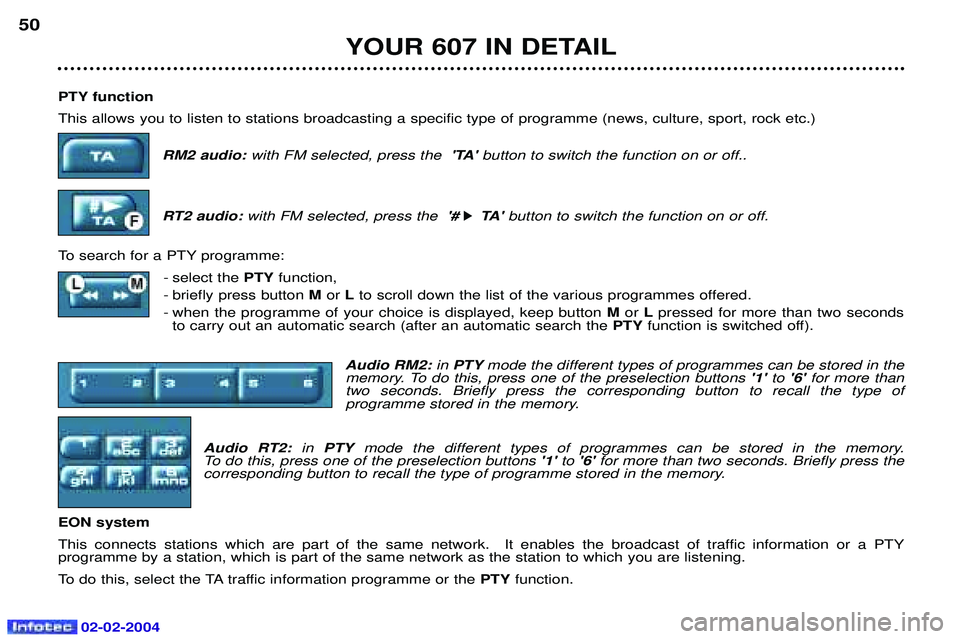
PTY function This allows you to listen to stations broadcasting a specific type of programme (news, culture, sport, rock etc.)RM2 audio: with FM selected, press the 'TA' button to switch the function on or off..
RT2 audio: with FM selected, press the '#
k
k TA '
button to switch the function on or off.
To search for a PTY programme: - select the PTYfunction,
- briefly press button Mor Lto scroll down the list of the various programmes offered.
- when the programme of your choice is displayed, keep button Mor Lpressed for more than two seconds
to carry out an automatic search (after an automatic search the PTYfunction is switched off).
Audio RM2: in PTY mode the different types of programmes can be stored in the
memory. To do this, press one of the preselection buttons '1' to'6' for more than
two seconds. Briefly press the corresponding button to recall the type of
programme stored in the memory.
Audio RT2: in PTY mode the different types of programmes can be stored in the memory.
To do this, press one of the preselection buttons '1' to'6' for more than two seconds. Briefly press the
corresponding button to recall the type of programme stored in the memory.
EON system
This connects stations which are part of the same network. It enables the broadcast of traffic information or a PTY programme by a station, which is part of the same network as the station to which you are listening.
To do this, select the TA traffic information programme or the PTYfunction.
YOUR 607 IN DETAIL
50
Page 46 of 173
YOUR 607 IN DETAIL51
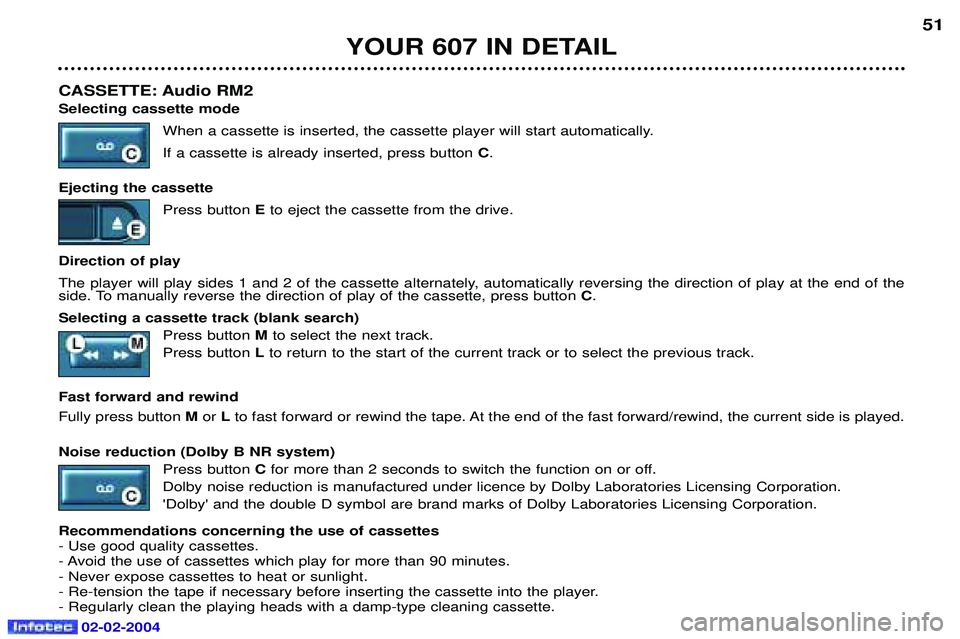
CASSETTE: Audio RM2 Selecting cassette mode When a cassette is inserted, the cassette player will start automatically. If a cassette is already inserted, press button C.
Ejecting the cassette Press button Eto eject the cassette from the drive.
Direction of play
The player will play sides 1 and 2 of the cassette alternately, automatically reversing the direction of play at the end of the
side. To manually reverse the direction of play of the cassette, press button C.
Selecting a cassette track (blank search) Press button Mto select the next track.
Press button Lto return to the start of the current track or to select the previous track.
Fast forward and rewind Fully press button Mor Lto fast forward or rewind the tape. At the end of the fast forward/rewind, the current side is played.
Noise reduction (Dolby B NR system) Press button Cfor more than 2 seconds to switch the function on or off.
Dolby noise reduction is manufactured under licence by Dolby Laboratories Licensing Corporation. 'Dolby' and the double D symbol are brand marks of Dolby Laboratories Licensing Corporation.
Recommendations concerning the use of cassettes - Use good quality cassettes.
- Avoid the use of cassettes which play for more than 90 minutes.- Never expose cassettes to heat or sunlight.
- Re-tension the tape if necessary before inserting the cassette into the player.- Regularly clean the playing heads with a damp-type cleaning cassette.
02-02-2004
Page 47 of 173
02-02-2004
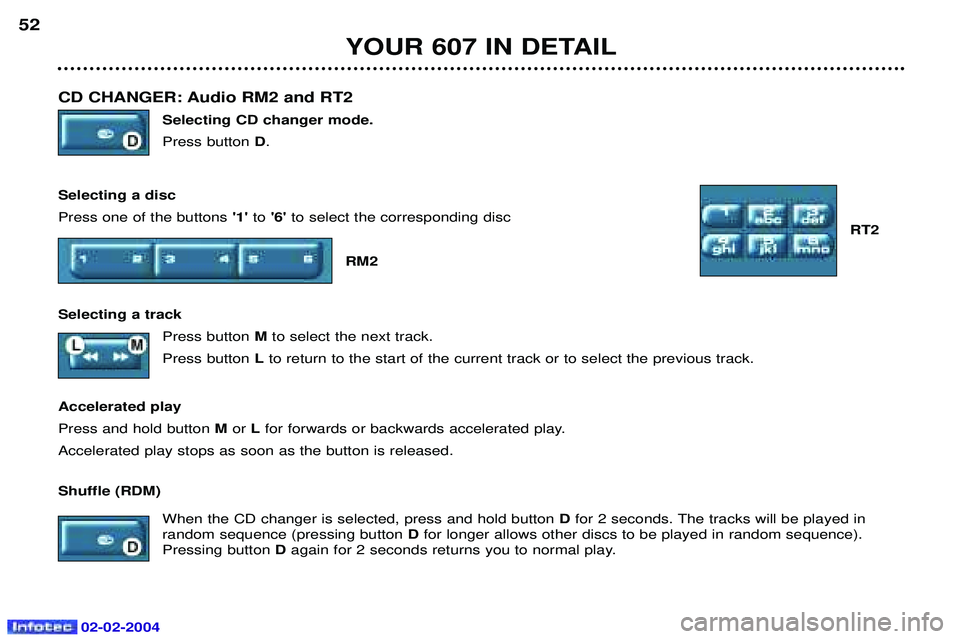
CD CHANGER: Audio RM2 and RT2 Selecting CD changer mode. Press button D.
Selecting a discPress one of the buttons '1'to'6' to select the corresponding disc
RT2
RM2
Selecting a track Press button Mto select the next track.
Press button Lto return to the start of the current track or to select the previous track.
Accelerated playPress and hold button M or Lfor forwards or backwards accelerated play.
Accelerated play stops as soon as the button is released. Shuffle (RDM)
When the CD changer is selected, press and hold button Dfor 2 seconds. The tracks will be played in
random sequence (pressing button Dfor longer allows other discs to be played in random sequence).
Pressing button Dagain for 2 seconds returns you to normal play.
YOUR 607 IN DETAIL
52
Page 48 of 173
02-02-2004
YOUR 607 IN DETAIL53
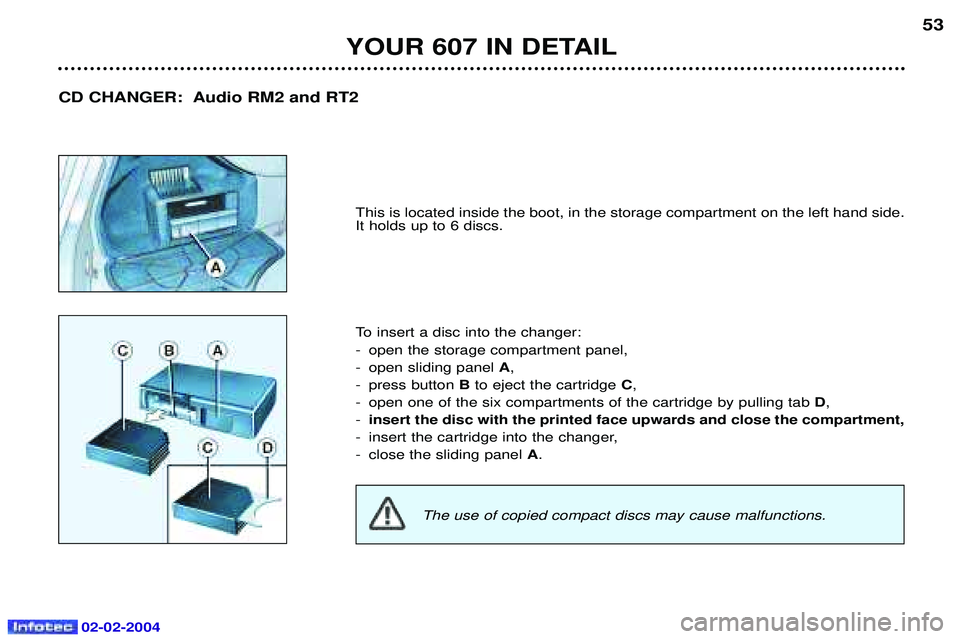
This is located inside the boot, in the storage compartment on the left hand side. It holds up to 6 discs.
To insert a disc into the changer:
- open the storage compartment panel,
- open sliding panel
A,
- press button Bto eject the cartridge C,
- open one of the six compartments of the cartridge by pulling tab D,
- insert the disc with the printed face upwards and close the compartment,
- insert the cartridge into the changer,
- close the sliding panel A.
CD CHANGER: Audio RM2 and RT2
The use of copied compact discs may cause malfunctions.
Page 49 of 173
02-02-2004
42
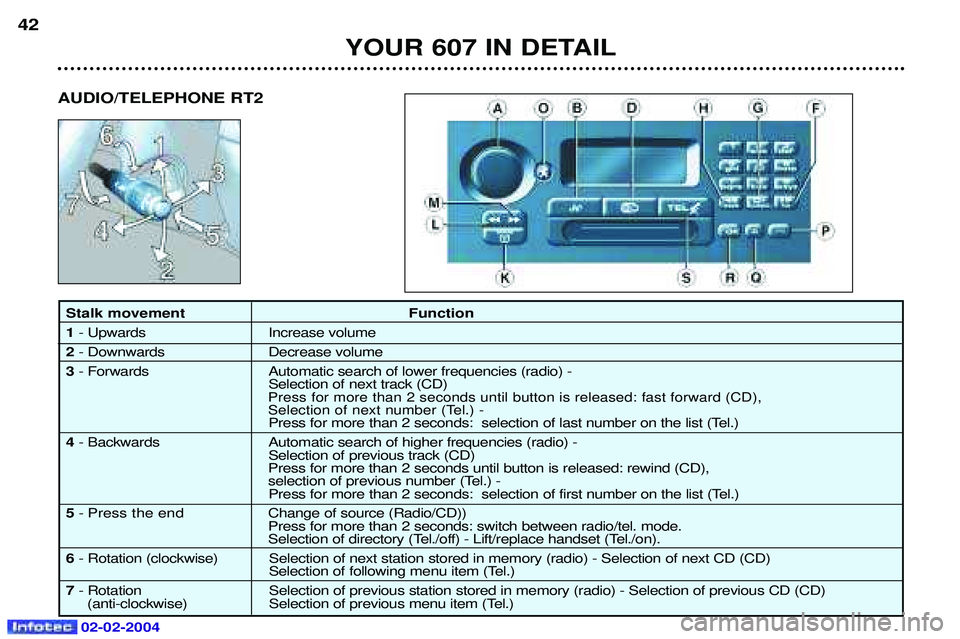
Stalk movement Function 1- Upwards Increase volume
2 - Downwards Decrease volume
3 - Forwards Automatic search of lower frequencies (radio) -
Selection of next track (CD)
Press for more than 2 seconds until button is released: fast forward (CD),
Selection of next number (Tel.) -
Press for more than 2 seconds: selection of last number on the list (Tel.)
4 - Backwards Automatic search of higher frequencies (radio) -
Selection of previous track (CD)
Press for more than 2 seconds until button is released: rewind (CD),
selection of previous number (Tel.) - Press for more than 2 seconds: selection of first number on the list (Tel.)
5 - Press the end C hange of source (Radio/CD))
Press for more than 2 seconds: switch between radio/tel. mode.
Selection of directory (Tel./off) - Lift/replace handset (Tel./on).
6 - Rotation (clockwise) Selection of next station stored in memory (radio) - Selection of next CD (CD)
Selection of following menu item (Tel.)
7 - Rotation Selection of previous station stored in memory (radio) - Selection of previous CD (CD)
(anti-clockwise) Selection of previous menu item (Tel.) YOUR 607 IN DETAIL
AUDIO/TELEPHONE RT2
Page 50 of 173
02-02-2004
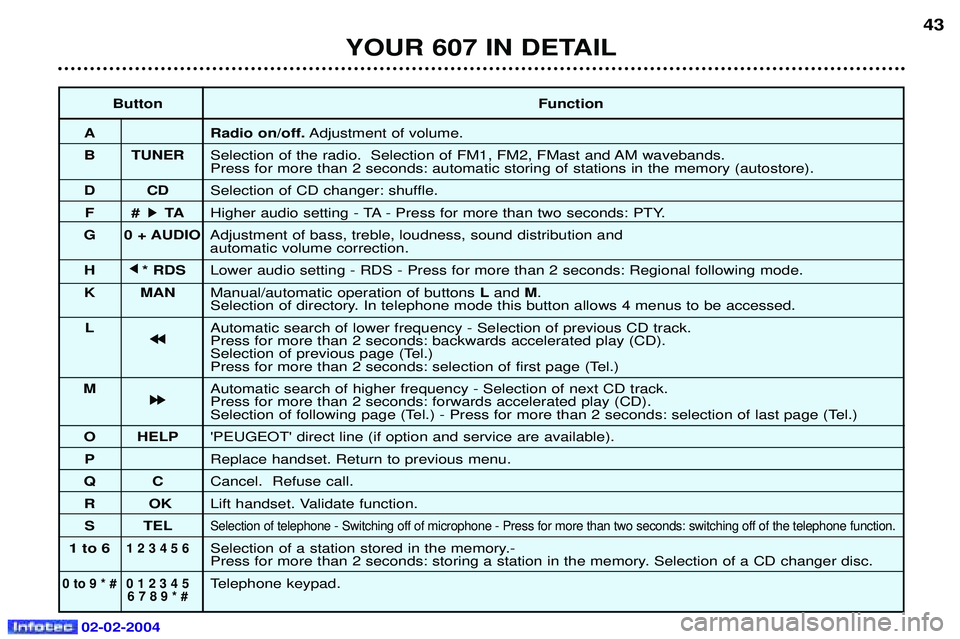
ButtonFunction
A Radio on/off. Adjustment of volume.
B TUNER Selection of the radio. Selection of FM1, FM2, FMast and AM wavebands. Press for more than 2 seconds: automatic storing of stations in the memory (autostore).
DC DSelection of CD changer: shuffle.
F# k
k TA
Higher audio setting - TA - Press for more than two seconds: PTY.
G 0 + AUDIO Adjustment of bass, treble, loudness, sound distribution and automatic volume correction.
H j
j
* RDS Lower audio setting - RDS - Press for more than 2 seconds: Regional following mode.
K MAN Manual/automatic operation of buttons Land M.
Selection of directory. In telephone mode this button allows 4 menus to be accessed.
L Automatic search of lower frequency - Selection of previous CD track.
j
j j
j
Press for more than 2 seconds: backwards accelerated play (CD).
Selection of previous page (Tel.)
Press for more than 2 seconds: selection of first page (Tel.)
M Automatic search of higher frequency - Selection of next CD track.
k
k k
k
Press for more than 2 seconds: forwards accelerated play (CD).
Selection of following page (Tel.) - Press for more than 2 seconds: selection of last page (Tel.)
O HELP 'PEUGEOT' direct line (if option and service are available).
P Replace handset. Return to previous menu.
QC Cancel. Refuse call.
RO KLift handset. Validate function.
S TEL
Selection of telephone - Switching off of microphone - Press for more than two seconds: switching off of the telephone function .
1 to 61 2 3 4 5 6Selection of a station stored in the memory.-
Press for more than 2 seconds: storing a station in the memory. Selection of a CD changer disc.
0 to 9 * # 0 1 2 3 4 5Telephone keypad.6 7 8 9 * #
43
YOUR 607 IN DETAIL
Page 51 of 173
02-02-2004
TELEPHONE: Audio/Telephone RT2 This function is a GSM 900 MHZ telephone incorporated in the audio system. It possesses a'hands free'function, provided by a microphone located in the front courtesy light and a steering column
remote control which allows access to most of the functions.It also possesses a 'confidential'function, provided by the instrument panel located in the upper casing of the centre front
armrest. Note: An echo may be heard for a few seconds at the beginning of the call.
The principal 'mobile'type functions are shown on the display incorporated in the audio system; the menu lists can be referr-
red to on the multi-function display.This function is active when the ignition key is in the accessories position (1st notch), the ignition is switched on (2nd
notch), the engine is running or the vehicle is being driven.Note: when the ignition key is in the accessories position (1st notch) or the ignition is switched on (2nd notch), this function
will be interrupted after thirty minutes, when the message 'Economy mode active' appears on the multi-function display. If
you are using the telephone at that time, you will be able to finish your call.
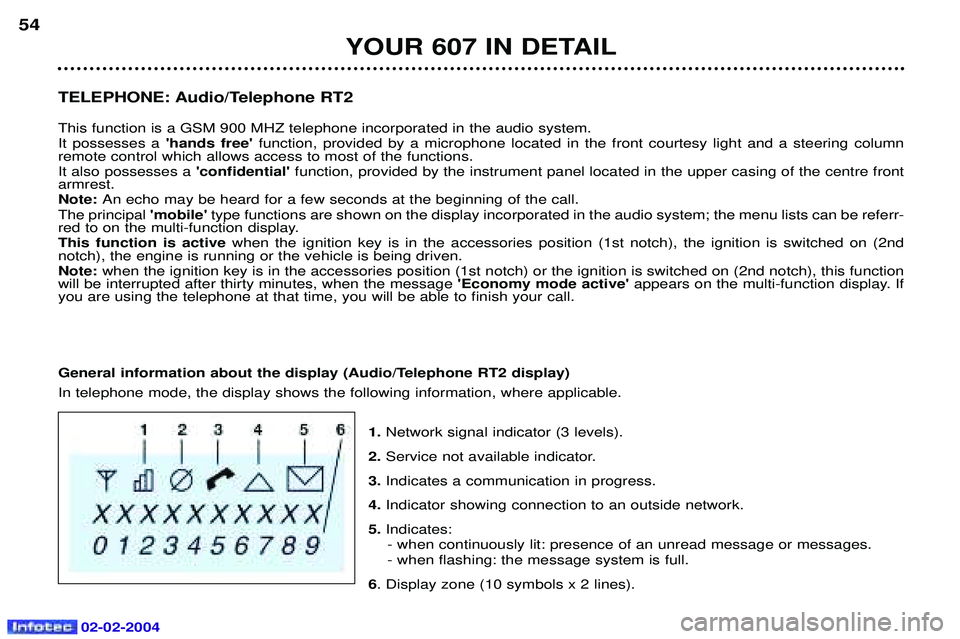
General information about the display (Audio/Telephone RT2 display) In telephone mode, the display shows the following information, where applicable.
1.Network signal indicator (3 levels).
2. Service not available indicator.
3. Indicates a communication in progress.
4. Indicator showing connection to an outside network.
5. Indicates:
- when continuously lit: presence of an unread message or messages. - when flashing: the message system is full.
6 . Display zone (10 symbols x 2 lines).
YOUR 607 IN DETAIL
54
Page 52 of 173
02-02-2004
Selecting telephone mode / Entering a number / Switching off the microphoneTo change to telephone mode, press the 'TEL'button or for more than 2 seconds on the steering column
remote control. Insert your bank card format SIM card fully into the slot at the front (use the 2nd generation SIM card only).
Note: the SIM card must not be taken out while the audio/telephone system is still in use. If you forget this, an audible signal
will sound for a few seconds after the ignition is switched off.
Enter your PIN number and confirm with the 'OK' button in order to access the network. The welcome screen is
displayed.Note: the PIN code is erased each time the ignition is switched off, but the ''PIN code protection'' function may be
cancelled.
Enter the number of the person you wish to speak to on the digital keypad and press the 'OK' button to make the call.
To switch off the microphone mid-communication, press the 'TEL' button.
Cancelling the PIN code request
To cancel the PIN code request, select 'PIN code protection' in the 'Telephone parameters' menu and confirm; select 'OFF' and confirm, then input your PIN code and confirm. Receiving / Ending a call When a ringing sounds to let you know that a call is waiting, you can choose either to accept it by pressing the 'OK' button or not to accept it by pressing button Por by selecting 'Refuse call'using the steering
column remote control, pressing the end to confirm. If you do not accept it, the call is diverted to your voice mail (if this service is available and active).
To end the call, press button Por the end of the steering wheel remote control.
Note: Not accepting or ending a call by means of the steering wheel control returns the system to radio mode.
Receiving two incoming calls
During a call, when there is another incoming call, you are informed of this by a ring and a message. You may choose:
- to accept the call by pressing button 2then "OK" ; the first caller is put on hold and you are in contact with the second.
However, pressing button 2again allows you to return to the first caller,
- to finish the call you are on and talk to the second caller by pressing button 1then "OK" ,
- not to accept the new call by pressing button "C".
YOUR 607 IN DETAIL 55