display PEUGEOT 607 2004 Owner's Guide
[x] Cancel search | Manufacturer: PEUGEOT, Model Year: 2004, Model line: 607, Model: PEUGEOT 607 2004Pages: 173, PDF Size: 1.99 MB
Page 53 of 173
02-02-2004
Handset
To change to the 'confidential' function during a call, lift the handset located in the front armrest; the 'hands free'function
is then neutralised.
To return to the 'hands free'function during the call, replace the handset on its support.
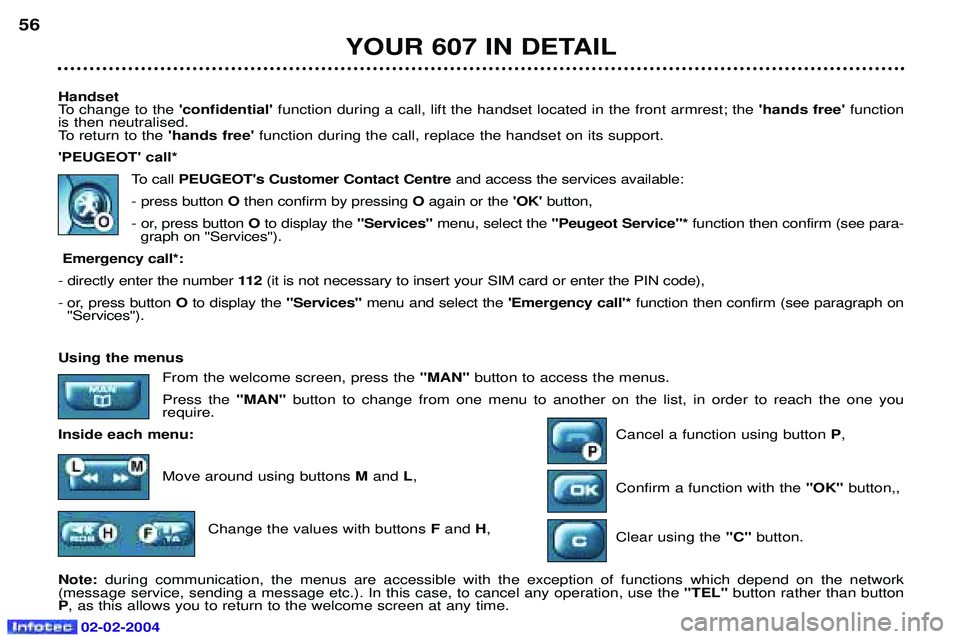
'PEUGEOT' call*
To callPEUGEOT's Customer Contact Centre and access the services available:
- press button Othen confirm by pressing Oagain or the 'OK'button,
- or, press button Oto display the "Services"menu, select the ''Peugeot Service"* function then confirm (see para-
graph on ''Services'').
Emergency call*:
- directly enter the number 11 2(it is not necessary to insert your SIM card or enter the PIN code),
- or, press button O to display the "Services" menu and select the 'Emergency call'*function then confirm (see paragraph on
''Services'').
YOUR 607 IN DETAIL
56
Using the menus
From the welcome screen, press the "MAN" button to access the menus.
Press the "MAN" button to change from one menu to another on the list, in order to reach the one you
require.
Inside each menu: Cancel a function using button P,
Move around using buttons M and L,
Confirm a function with the "OK" button,,
Change the values with buttons Fand H,
Clear using the "C" button.
Note: during communication, the menus are accessible with the exception of functions which depend on the network
(message service, sending a message etc.). In this case, to cancel any operation, use the "TEL" button rather than button
P , as this allows you to return to the welcome screen at any time.
Page 54 of 173
02-02-2004
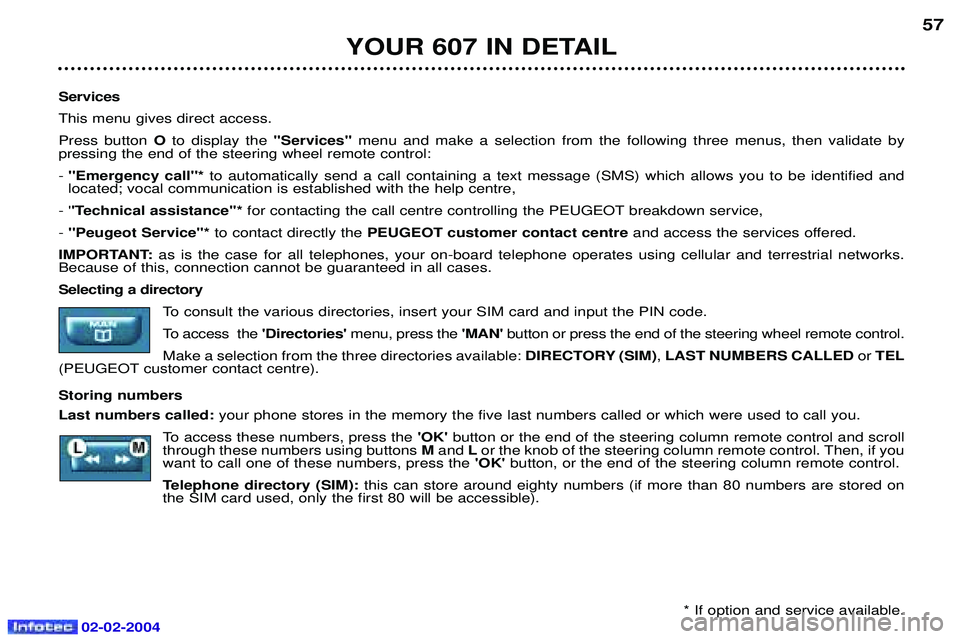
Services This menu gives direct access.Press button Oto display the "Services" menu and make a selection from the following three menus, then validate by
pressing the end of the steering wheel remote control:- ''Emergency call''* to automatically send a call containing a text message (SMS) which allows you to be identified and
located; vocal communication is established with the help centre,
- ' 'Technical assistance''* for contacting the call centre controlling the PEUGEOT breakdown service,
- ''Peugeot Service"* to contact directly the PEUGEOT customer contact centre and access the services offered.
IMPORTANT: as is the case for all telephones, your on-board telephone operates using cellular and terrestrial networks.
Because of this, connection cannot be guaranteed in all cases.Selecting a directory
To consult the various directories, insert your SIM card and input the PIN code.
To access the'Directories'menu, press the 'MAN'button or press the end of the steering wheel remote control.
Make a selection from the three directories available: DIRECTORY (SIM), LAST NUMBERS CALLED or TEL
(PEUGEOT customer contact centre). Storing numbers Last numbers called: your phone stores in the memory the five last numbers called or which were used to call you.
To access these numbers, press the 'OK' button or the end of the steering column remote control and scroll
through these numbers using buttons Mand Lor the knob of the steering column remote control. Then, if you
want to call one of these numbers, press the 'OK'button, or the end of the steering column remote control.
Telephone directory (SIM): this can store around eighty numbers (if more than 80 numbers are stored on
the SIM card used, only the first 80 will be accessible).
YOUR 607 IN DETAIL 57
* If option and service available.
Page 55 of 173
YOUR 607 IN DETAIL
58
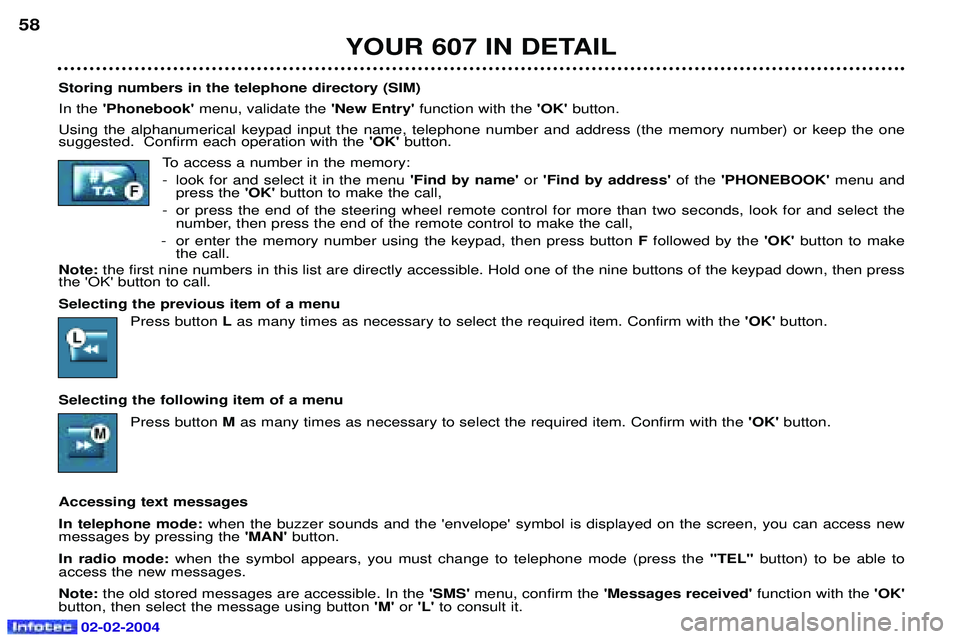
Storing numbers in the telephone directory (SIM) In the 'Phonebook' menu, validate the 'New Entry' function with the 'OK' button.
Using the alphanumerical keypad input the name, telephone number and address (the memory number) or keep the one suggested. Confirm each operation with the 'OK' button.
To access a number in the memory:
- look for and select it in the menu 'Find by name'or 'Find by address' of the'PHONEBOOK' menu and
press the 'OK' button to make the call,
- or press the end of the steering wheel remote control for more than two seconds, look for and select the number, then press the end of the remote control to make the call,
- or enter the memory number using the keypad, then press button Ffollowed by the 'OK' button to make
the call.
Note: the first nine numbers in this list are directly accessible. Hold one of the nine buttons of the keypad down, then press
the 'OK' button to call. Selecting the previous item of a menu
Press button Las many times as necessary to select the required item. Confirm with the 'OK' button.
Selecting the following item of a menu Press button Mas many times as necessary to select the required item. Confirm with the 'OK'button.
Accessing text messagesIn telephone mode: when the buzzer sounds and the 'envelope' symbol is displayed on the screen, you can access new
messages by pressing the 'MAN'button.
In radio mode: when the symbol appears, you must change to telephone mode (press the "TEL"button) to be able to
access the new messages.Note: the old stored messages are accessible. In the 'SMS' menu, confirm the 'Messages received' function with the 'OK'
button, then select the message using button 'M'or 'L' to consult it.
02-02-2004
Page 57 of 173
YOUR 607 IN DETAIL
60
'CALL SETTINGS' Network search: if automatic mode is active, your telephone will automatically select the cellular network available which
is compatible with your SIM card. In manual mode, you must choose from the list of networks the one which matches the operator who supplied you with your SIM card.
Voice mail: allows you to call your voice mail to listen to the latest messages received.
Call broadcast: activates the receipt of information issued by your network (depending on subscription agreement).
Call waiting: in the case of two simultaneous calls, you can go from one to the other.
Call diverting: allows incoming calls to be diverted to your voice mail or to another telephone number.
My phone number: allows three telephone numbers to be stored.
Barring: allows calls from the telephone to be restricted (it is necessary to use PIN 2 code).
Call ID display: allows your number to be disclosed to or withheld from the person being called (depending on subscription
agreement). 'TELEPHONE SETTINGS' Cumulative time: tells you the total duration of incoming and outgoing calls.
Ring tone: allows you to select a ring tone from the six options.
Ring volume: allows you to adjust the ring volume of the incoming call.
Operating tone: allows you to activate or disarm the sound signal (bleep) emitted each time a button is pressed, and to
adjust the volume.
TEL position: allows you to select the monitor speakers (left side/right side/both).
Automatic answer: allows you to programme the automatic reply (after five seconds) to an incoming call.
Automatic redial: when your call is not successful, automatic redial (ten times maximum) of the same number.
PIN request: protects your SIM card against any unauthorised use.
PIN change: lets you change your pin code.
Language select: lets you select the displayed language (French/English/German/Spanish/Italian/Dutch).
Master reset: lets you restore the initial parameters of your telephone, without erasing the information in the memory.
02-02-2004
Page 60 of 173
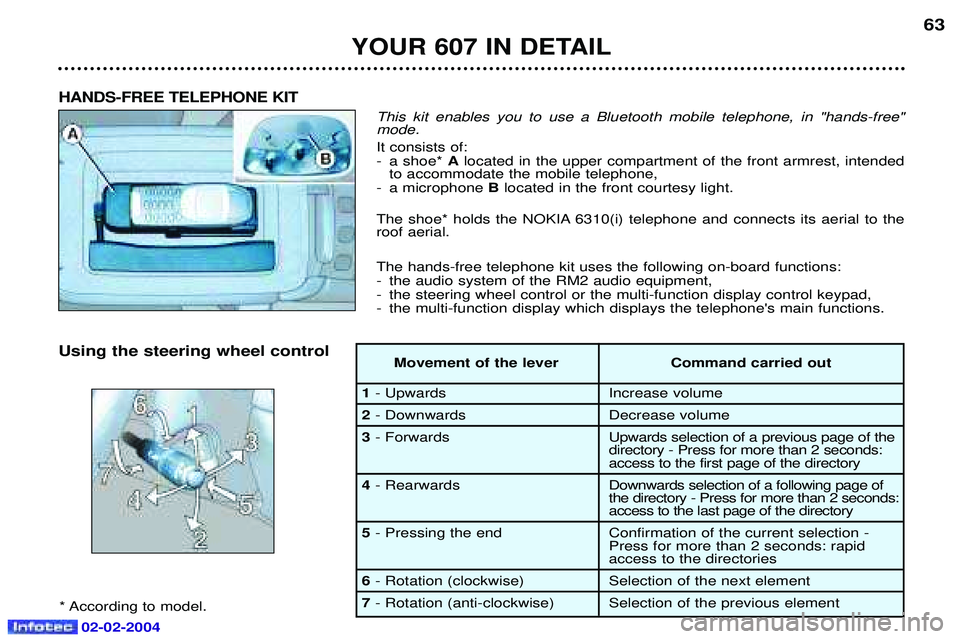
This kit enables you to use a Bluetooth mobile telephone, in "hands-free" mode. It consists of:
- a shoe* Alocated in the upper compartment of the front armrest, intended
to accommodate the mobile telephone,
- a microphone Blocated in the front courtesy light.
The shoe* holds the NOKIA 6310(i) telephone and connects its aerial to the roof aerial. The hands-free telephone kit uses the following on-board functions:
- the audio system of the RM2 audio equipment,
- the steering wheel control or the multi-function display control keypad,
- the multi-function display which displays the telephone's main functions.
HANDS-FREE TELEPHONE KIT
Using the steering wheel control
* According to model. Movement of the lever Command carried out
1
- Upwards Increase volume
2- Downwards Decrease volume
3 - Forwards Upwards selection of a previous page of the
directory - Press for more than 2 seconds:
access to the first page of the directory
4 - Rearwards Downw ards selection of a following page of
the directory - Press for more than 2 seconds:
access to the last page of the directory
5 - Pressing the end Confirmation of the current selection -
Press for more than 2 seconds: rapid
access to the directories
6- Rotation (clockwise) Selection of the next element
7 - Rotation (anti-clockwise) Selection of the previous element
YOUR 607 IN DETAIL
63
02-02-2004
Page 61 of 173
02-02-2004
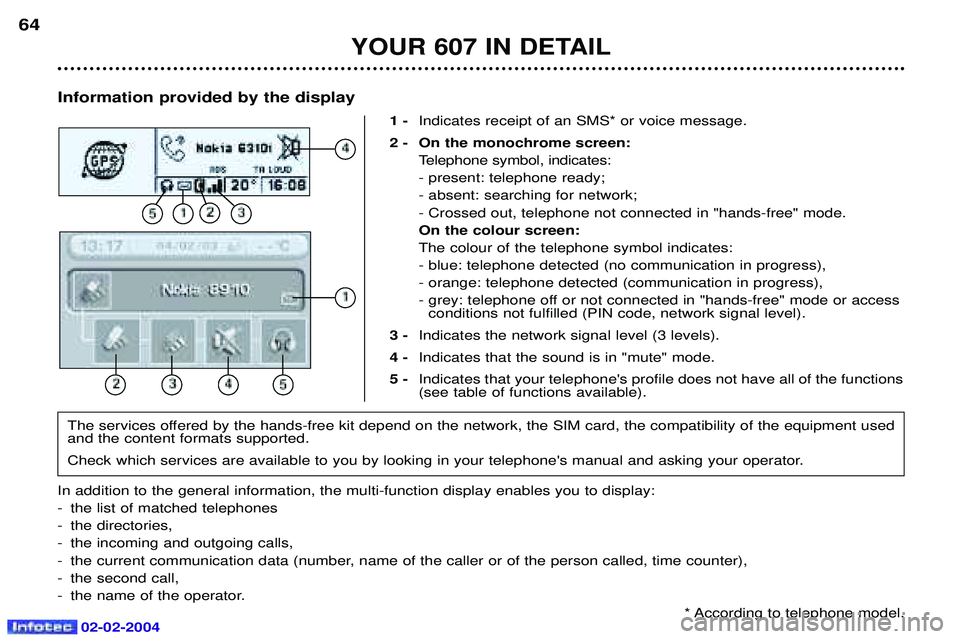
Information provided by the display1 -Indicates receipt of an SMS* or voice message.
2 - On the monochrome screen: Telephone symbol, indicates: - present: telephone ready;- absent: searching for network;- Crossed out, telephone not connected in "hands-free" mode.On the colour screen:The colour of the telephone symbol indicates:- blue: telephone detected (no communication in progress),- orange: telephone detected (communication in progress),
- grey: telephone off or not connected in "hands-free" mode or accessconditions not fulfilled (PIN code, network signal level).
3 - Indicates the network signal level (3 levels).
4 - Indicates that the sound is in "mute" mode.
5 - Indicates that your telephone's profile does not have all of the functions (see table of functions available).
YOUR 607 IN DETAIL
64
The services offered by the hands-free kit depend on the network, the SIM card, the compatibility of the equipment used and the content formats supported.
Check which services are available to you by looking in your telephone's manual and asking your operator.
In addition to the general information, the multi-function display enables you to display:
- the list of matched telephones
- the directories,
- the incoming and outgoing calls,
- the current communication data (number, name of the caller or of the person called, time counter),
- the second call,
- the name of the operator. * According to telephone model.
Page 62 of 173
02-02-2004
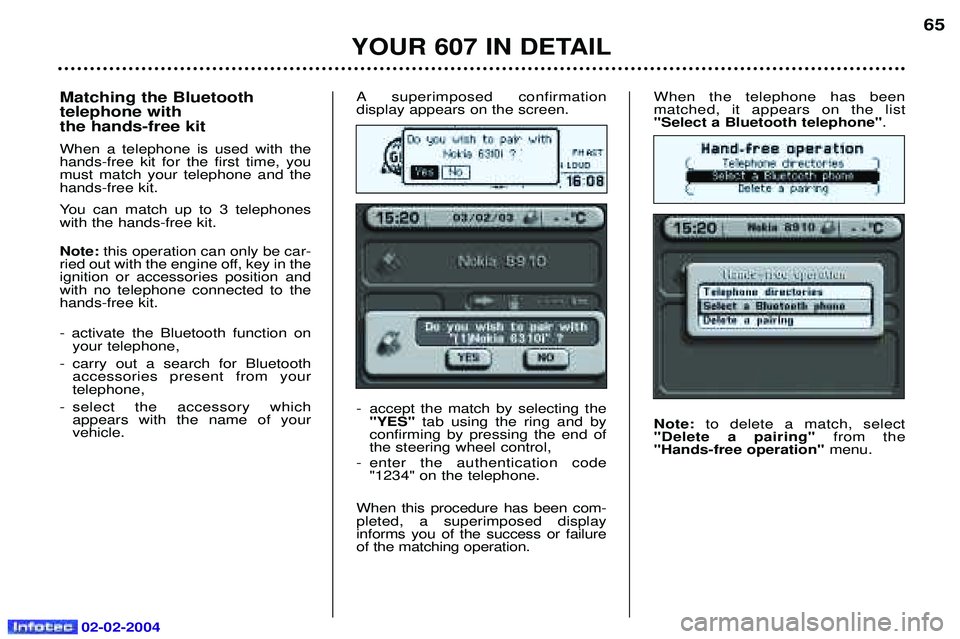
When the telephone has been matched, it appears on the list"Select a Bluetooth telephone".
Note: to delete a match, select
"Delete a pairing" from the
"Hands-free operation" menu.
YOUR 607 IN DETAIL
65
Matching the Bluetooth telephone with the hands-free kit When a telephone is used with the hands-free kit for the first time, youmust match your telephone and thehands-free kit.
You can match up to 3 telephones with the hands-free kit. Note: this operation can only be car-
ried out with the engine off, key in the ignition or accessories position andwith no telephone connected to thehands-free kit. - activate the Bluetooth function on your telephone,
- carry out a search for Bluetooth accessories present from your telephone,
- select the accessory which appears with the name of yourvehicle. A superimposed confirmation display appears on the screen.
- accept the match by selecting the
"YES" tab using the ring and by
confirming by pressing the end of the steering wheel control,
- enter the authentication code "1234" on the telephone.
When this procedure has been com-pleted, a superimposed displayinforms you of the success or failureof the matching operation.
Page 63 of 173
02-02-2004
Using the telephone directories Note: the commands sent using the
steering wheel control can also be sent using the multi-function displaycontrol keypad dial (refer to the"satellite navigation system" sec-tion).
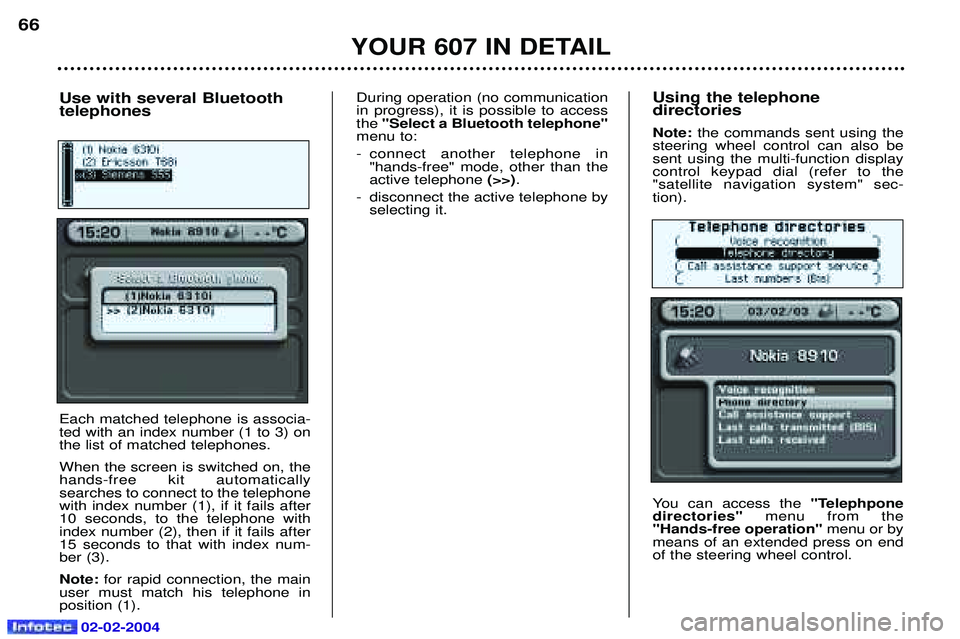
You can access the "Telephpone
directories" menu from the
"Hands-free operation" menu or by
means of an extended press on end of the steering wheel control.
YOUR 607 IN DETAIL
66
Use with several Bluetooth telephones Each matched telephone is associa- ted with an index number (1 to 3) onthe list of matched telephones. When the screen is switched on, the hands-free kit automaticallysearches to connect to the telephonewith index number (1), if it fails after10 seconds, to the telephone withindex number (2), then if it fails after15 seconds to that with index num-ber (3). Note: for rapid connection, the main
user must match his telephone in position (1). During operation (no communicationin progress), it is possible to accessthe
"Select a Bluetooth telephone"
menu to:
- connect another telephone in "hands-free" mode, other than the active telephone (>>).
- disconnect the active telephone by selecting it.
Page 64 of 173
02-02-2004
YOUR 607 IN DETAIL
67
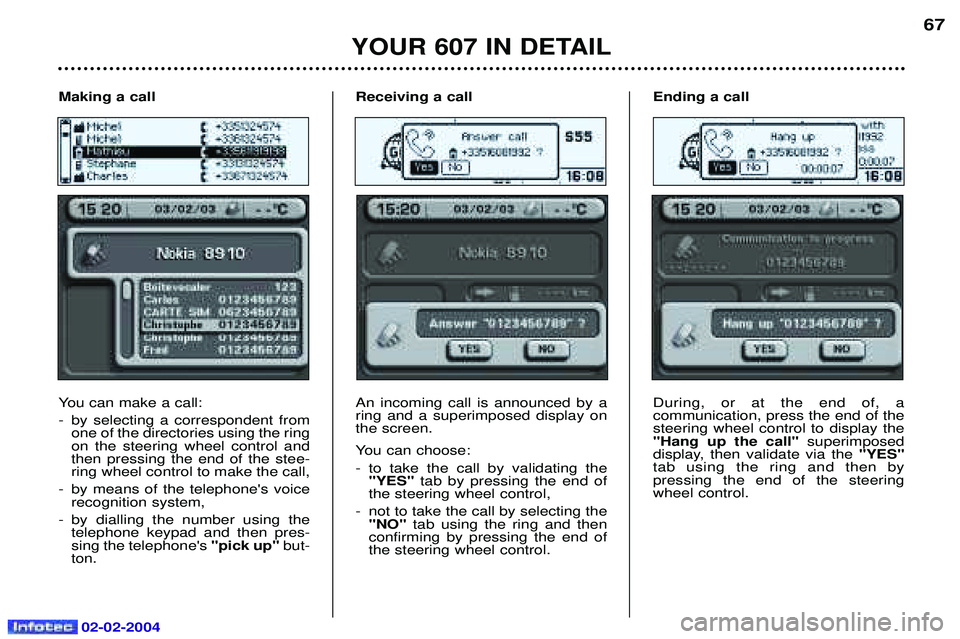
Receiving a call An incoming call is announced by a ring and a superimposed display onthe screen.
You can choose:
- to take the call by validating the "YES" tab by pressing the end of
the steering wheel control,
- not to take the call by selecting the "NO" tab using the ring and then
confirming by pressing the end of the steering wheel control. Ending a call During, or at the end of, a communication, press the end of thesteering wheel control to display the"Hang up the call"
superimposed
display, then validate via the "YES"
tab using the ring and then bypressing the end of the steeringwheel control.
Making a call
You can make a call:
- by selecting a correspondent from
one of the directories using the ring on the steering wheel control andthen pressing the end of the stee-ring wheel control to make the call,
- by means of the telephone's voice recognition system,
- by dialling the number using the telephone keypad and then pres-sing the telephone's "pick up"but-
ton.
Page 65 of 173
02-02-2004
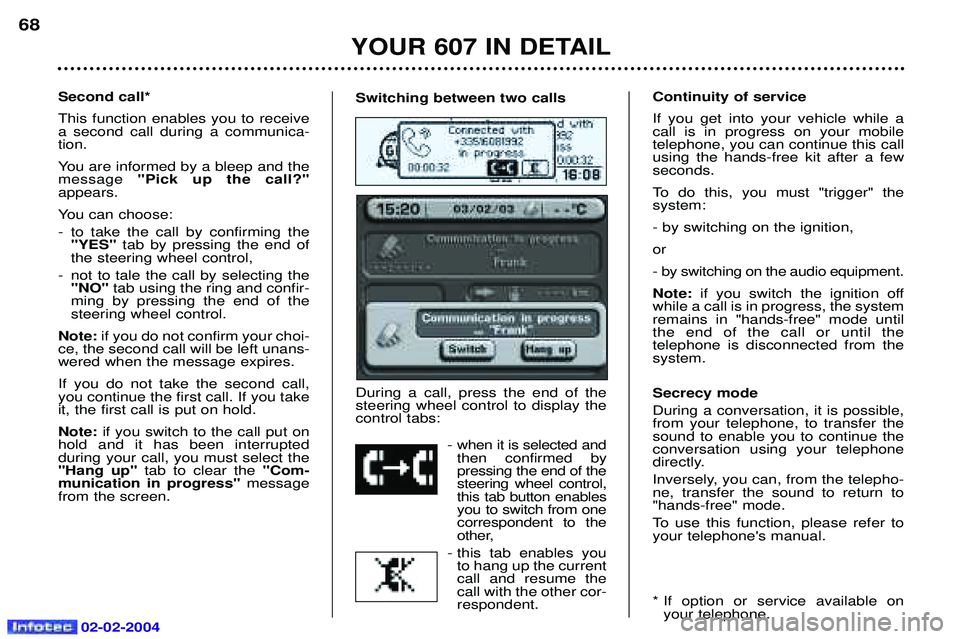
Switching between two calls During a call, press the end of the steering wheel control to display thecontrol tabs:- when it is selected andthen confirmed bypressing the end of thesteering wheel control,this tab button enablesyou to switch from onecorrespondent to the
other,
- this tab enables you to hang up the currentcall and resume thecall with the other cor-respondent.Second call* This function enables you to receive a second call during a communica-tion.
You are informed by a bleep and the message "Pick up the call?"
appears.
You can choose:
- to take the call by confirming the "YES" tab by pressing the end of
the steering wheel control,
- not to tale the call by selecting the "NO" tab using the ring and confir-
ming by pressing the end of the steering wheel control.
Note: if you do not confirm your choi-
ce, the second call will be left unans-wered when the message expires. If you do not take the second call, you continue the first call. If you takeit, the first call is put on hold. Note: if you switch to the call put on
hold and it has been interrupted during your call, you must select the"Hang up" tab to clear the "Com-
munication in progress" message
from the screen. Continuity of service If you get into your vehicle while a call is in progress on your mobiletelephone, you can continue this callusing the hands-free kit after a fewseconds.
To do this, you must "trigger" the system: - by switching on the ignition,or
- by switching on the audio equipment.Note:
if you switch the ignition off
while a call is in progress, the system remains in "hands-free" mode untilthe end of the call or until the telephone is disconnected from thesystem. Secrecy mode During a conversation, it is possible, from your telephone, to transfer thesound to enable you to continue theconversation using your telephone
directly.
Inversely, you can, from the telepho- ne, transfer the sound to return to"hands-free" mode.
To use this function, please refer to your telephone's manual.
* If option or service available on your telephone.
YOUR 607 IN DETAIL
68