CD changer PEUGEOT 607 2004 Owners Manual
[x] Cancel search | Manufacturer: PEUGEOT, Model Year: 2004, Model line: 607, Model: PEUGEOT 607 2004Pages: 173, PDF Size: 1.99 MB
Page 37 of 173
02-02-2004
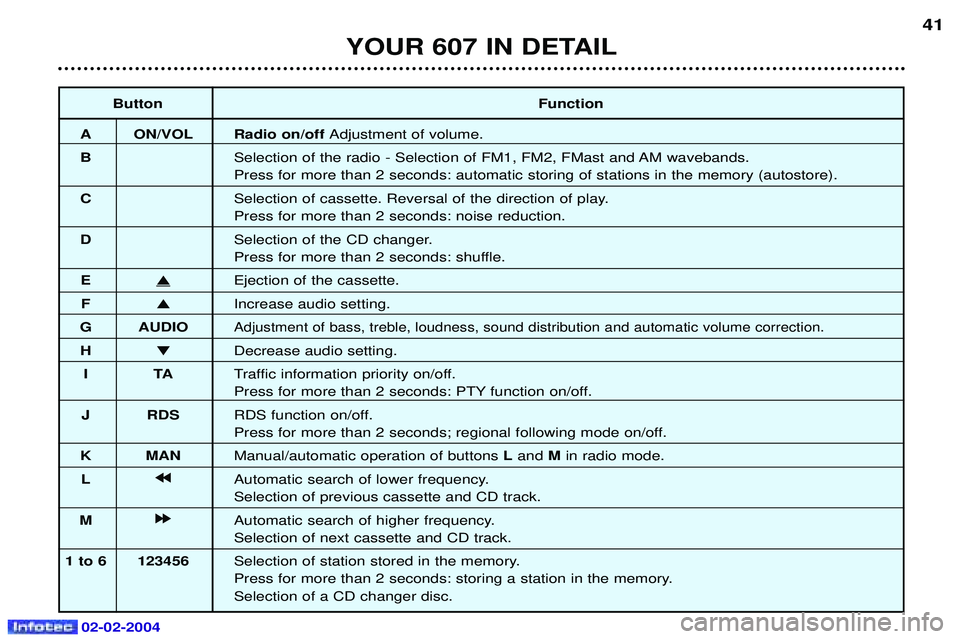
ButtonFunction
A ON/VOL Radio on/off Adjustment of volume.
B Selection of the radio - Selection of FM1, FM2, FMast and AM wavebands. Press for more than 2 seconds: automatic storing of stations in the memory (autostore).
C Selection of cassette. Reversal of the direction of play.Press for more than 2 seconds: noise reduction.
D Selection of the CD changer.
Press for more than 2 seconds: shuffle.
E
Ejection of the cassette.
F Increase audio setting.
G AUDIO
Adjustment of bass, treble, loudness, sound distribution and automatic volume correction.
H Decrease audio setting.
IT ATraffic information priority on/off.
Press for more than 2 seconds: PTY function on/off.
J RDS RDS function on/off.
Press for more than 2 seconds; regional following mode on/off.
K MAN Manual/automatic operation of buttons Land Min radio mode.
L j
j j
j
Automatic search of lower frequency.Selection of previous cassette and CD track.
M k
k k
k
Automatic search of higher frequency.Selection of next cassette and CD track.
1 to 6 123456 Selection of station stored in the memory.
Press for more than 2 seconds: storing a station in the memory.Selection of a CD changer disc.
YOUR 607 IN DETAIL 41
Page 38 of 173
02-02-2004
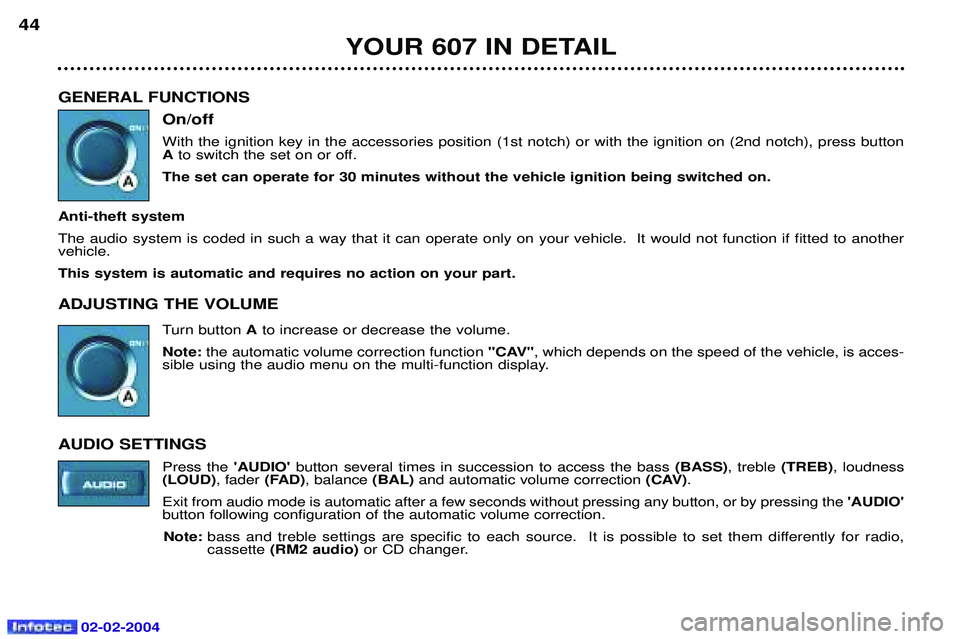
GENERAL FUNCTIONSOn/off With the ignition key in the accessories position (1st notch) or with the ignition on (2nd notch), press button Ato switch the set on or off.
The set can operate for 30 minutes without the vehicle ignition being switched on.
Anti-theft system The audio system is coded in such a way that it can operate only on your vehicle. It would not function if fitted to another vehicle. This system is automatic and requires no action on your part. ADJUSTING THE VOLUME Turn button Ato increase or decrease the volume.
Note: the automatic volume correction function "CAV", which depends on the speed of the vehicle, is acces-
sible using the audio menu on the multi-function display.
AUDIO SETTINGS Press the 'AUDIO'button several times in succession to access the bass (BASS), treble (TREB), loudness
(LOUD) , fader(FAD), balance (BAL)and automatic volume correction (CAV).
Exit from audio mode is automatic after a few seconds without pressing any button, or by pressing the 'AUDIO'
button following configuration of the automatic volume correction.
Note: bass and treble settings are specific to each source. It is possible to set them differently for radio, cassette (RM2 audio) or CD changer.
YOUR 607 IN DETAIL
44
Page 44 of 173
02-02-2004
YOUR 607 IN DETAIL49
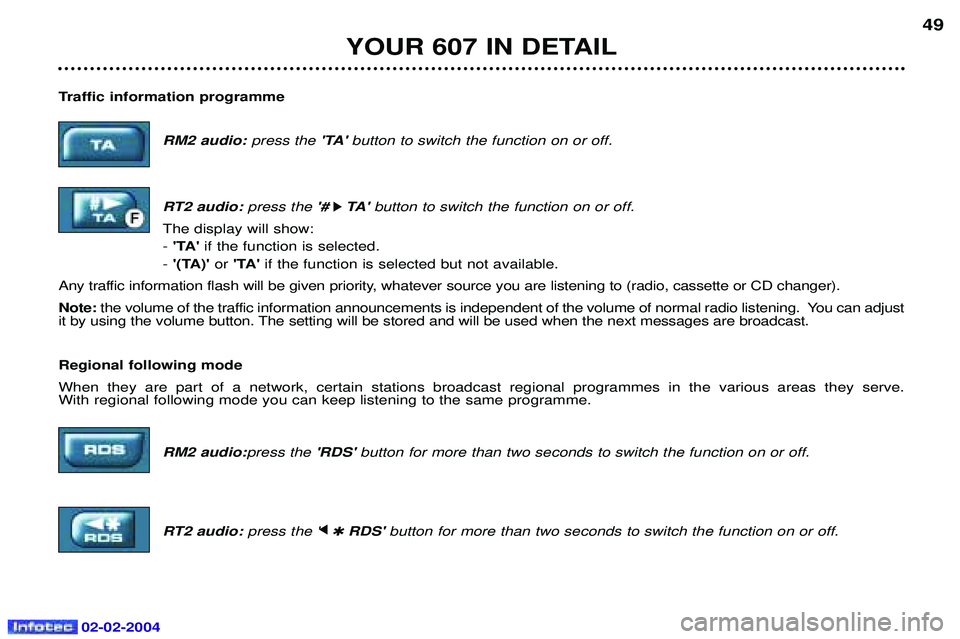
Traffic information programme RM2 audio: press the 'TA' button to switch the function on or off.
RT2 audio: press the '#
k
k TA '
button to switch the function on or off.
The display will show: - 'TA' if the function is selected.
- '(TA)' or 'TA' if the function is selected but not available.
Any traffic information flash will be given priority, whatever source you are listening to (radio, cassette or CD changer). Note: the volume of the traffic information announcements is independent of the volume of normal radio listening. You can adjust
it by using the volume button. The setting will be stored and will be used when the next messages are broadcast. Regional following mode When they are part of a network, certain stations broadcast regional programmes in the various areas they serve. With regional following mode you can keep listening to the same programme.
RM2 audio:press the'RDS' button for more than two seconds to switch the function on or off.
RT2 audio: press the 'j
j
✱ RDS' button for more than two seconds to switch the function on or off.
Page 47 of 173
02-02-2004
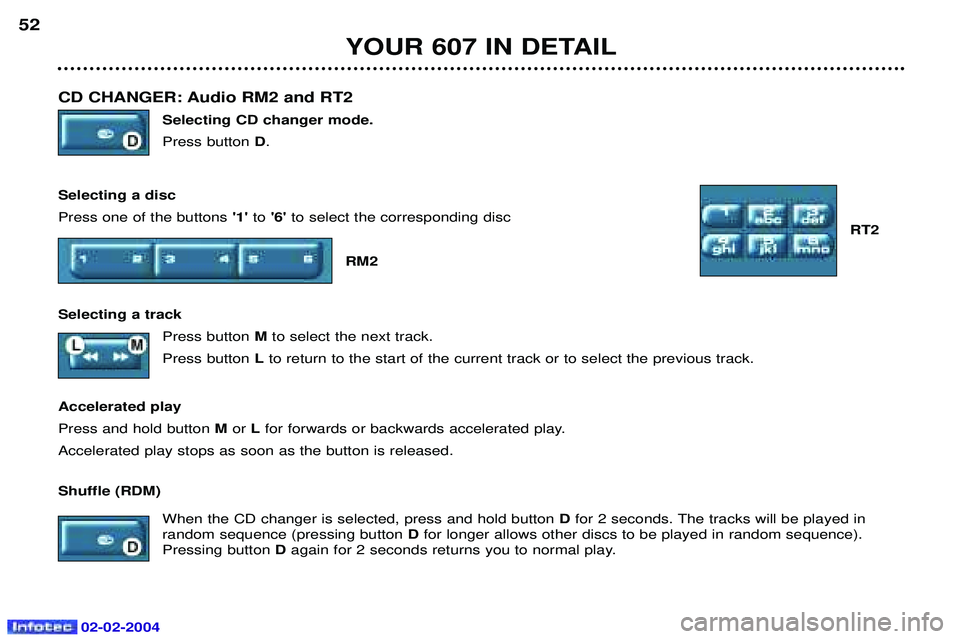
CD CHANGER: Audio RM2 and RT2 Selecting CD changer mode. Press button D.
Selecting a discPress one of the buttons '1'to'6' to select the corresponding disc
RT2
RM2
Selecting a track Press button Mto select the next track.
Press button Lto return to the start of the current track or to select the previous track.
Accelerated playPress and hold button M or Lfor forwards or backwards accelerated play.
Accelerated play stops as soon as the button is released. Shuffle (RDM)
When the CD changer is selected, press and hold button Dfor 2 seconds. The tracks will be played in
random sequence (pressing button Dfor longer allows other discs to be played in random sequence).
Pressing button Dagain for 2 seconds returns you to normal play.
YOUR 607 IN DETAIL
52
Page 48 of 173
02-02-2004
YOUR 607 IN DETAIL53
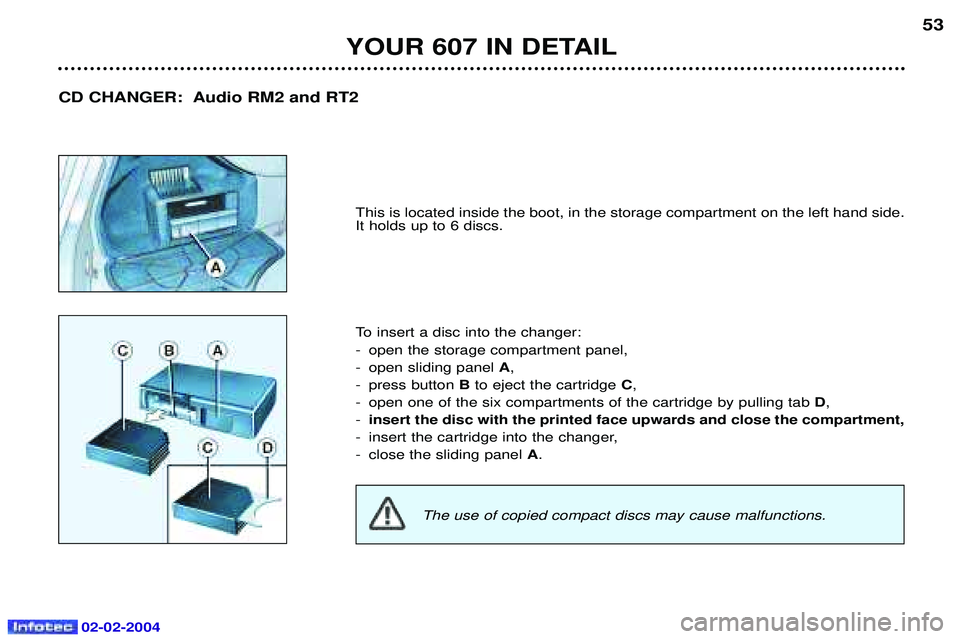
This is located inside the boot, in the storage compartment on the left hand side. It holds up to 6 discs.
To insert a disc into the changer:
- open the storage compartment panel,
- open sliding panel
A,
- press button Bto eject the cartridge C,
- open one of the six compartments of the cartridge by pulling tab D,
- insert the disc with the printed face upwards and close the compartment,
- insert the cartridge into the changer,
- close the sliding panel A.
CD CHANGER: Audio RM2 and RT2
The use of copied compact discs may cause malfunctions.
Page 50 of 173
02-02-2004
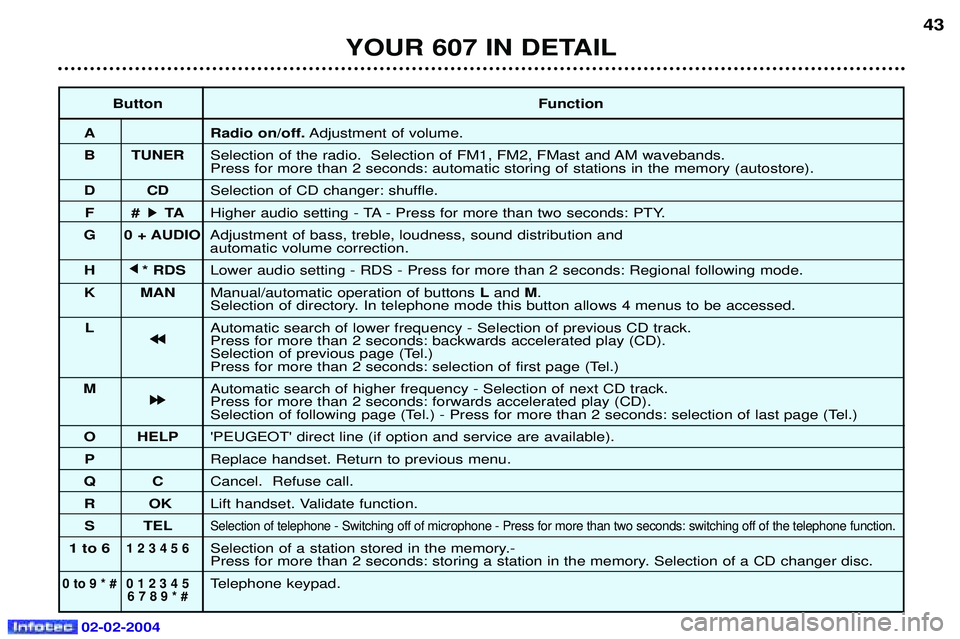
ButtonFunction
A Radio on/off. Adjustment of volume.
B TUNER Selection of the radio. Selection of FM1, FM2, FMast and AM wavebands. Press for more than 2 seconds: automatic storing of stations in the memory (autostore).
DC DSelection of CD changer: shuffle.
F# k
k TA
Higher audio setting - TA - Press for more than two seconds: PTY.
G 0 + AUDIO Adjustment of bass, treble, loudness, sound distribution and automatic volume correction.
H j
j
* RDS Lower audio setting - RDS - Press for more than 2 seconds: Regional following mode.
K MAN Manual/automatic operation of buttons Land M.
Selection of directory. In telephone mode this button allows 4 menus to be accessed.
L Automatic search of lower frequency - Selection of previous CD track.
j
j j
j
Press for more than 2 seconds: backwards accelerated play (CD).
Selection of previous page (Tel.)
Press for more than 2 seconds: selection of first page (Tel.)
M Automatic search of higher frequency - Selection of next CD track.
k
k k
k
Press for more than 2 seconds: forwards accelerated play (CD).
Selection of following page (Tel.) - Press for more than 2 seconds: selection of last page (Tel.)
O HELP 'PEUGEOT' direct line (if option and service are available).
P Replace handset. Return to previous menu.
QC Cancel. Refuse call.
RO KLift handset. Validate function.
S TEL
Selection of telephone - Switching off of microphone - Press for more than two seconds: switching off of the telephone function .
1 to 61 2 3 4 5 6Selection of a station stored in the memory.-
Press for more than 2 seconds: storing a station in the memory. Selection of a CD changer disc.
0 to 9 * # 0 1 2 3 4 5Telephone keypad.6 7 8 9 * #
43
YOUR 607 IN DETAIL
Page 167 of 173
PRACTICAL INFORMATION
158
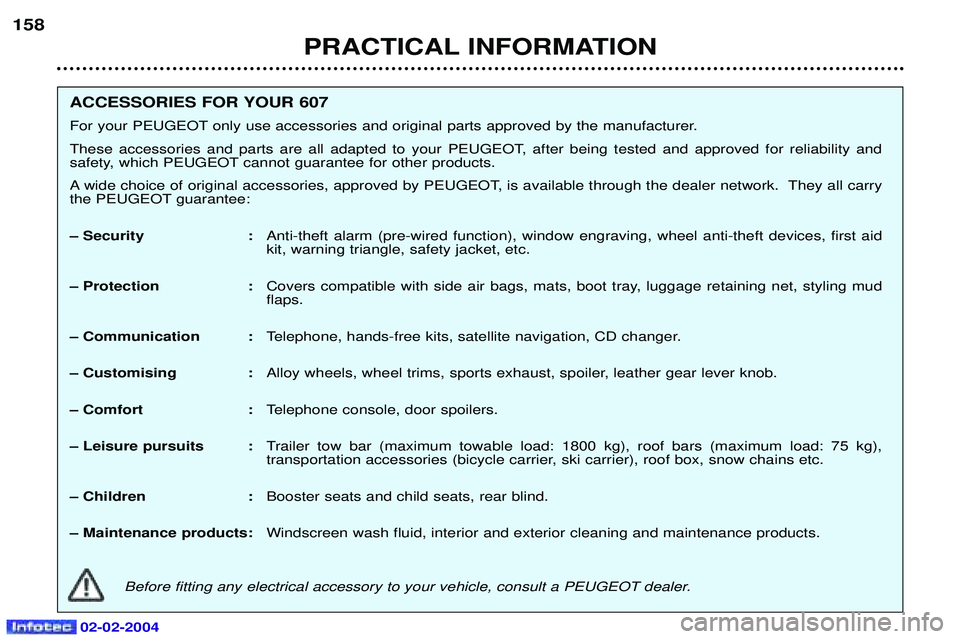
ACCESSORIES FOR YOUR 607
For your PEUGEOT only use accessories and original parts approved by the manufacturer.
These accessories and parts are all adapted to your PEUGEOT, after being tested and approved for reliability and
safety, which PEUGEOT cannot guarantee for other products.
A wide choice of original accessories, approved by PEUGEOT, is available through the dealer network. They all carry
the PEUGEOT guarantee:
Ð Security :
Anti-theft alarm (pre-wired function), window engraving, wheel anti-theft devices, first aid kit, warning triangle, safety jacket, etc.
Ð Protection : Covers compatible with side air bags, mats, boot tray, luggage retaining net, styling mudflaps.
Ð Communication : Telephone, hands-free kits, satellite navigation, CD changer.
Ð Customising : Alloy wheels, wheel trims, sports exhaust, spoiler, leather gear lever knob.
Ð Comfort : Telephone console, door spoilers.
Ð Leisure pursuits : Trailer tow bar (maximum towable load: 1800 kg), roof bars (maximum load: 75 kg),
transportation accessories (bicycle carrier, ski carrier), roof box, snow chains etc.
Ð Children : Booster seats and child seats, rear blind.
Ð Maintenance products: Windscreen wash fluid, interior and exterior cleaning and maintenance products.
Before fitting any electrical accessory to your vehicle, consult a PEUGEOT dealer.
02-02-2004