audio PEUGEOT 807 2002.5 Owner's Manual
[x] Cancel search | Manufacturer: PEUGEOT, Model Year: 2002.5, Model line: 807, Model: PEUGEOT 807 2002.5Pages: 181, PDF Size: 2.69 MB
Page 58 of 181
YOUR 807 IN DETAIL59
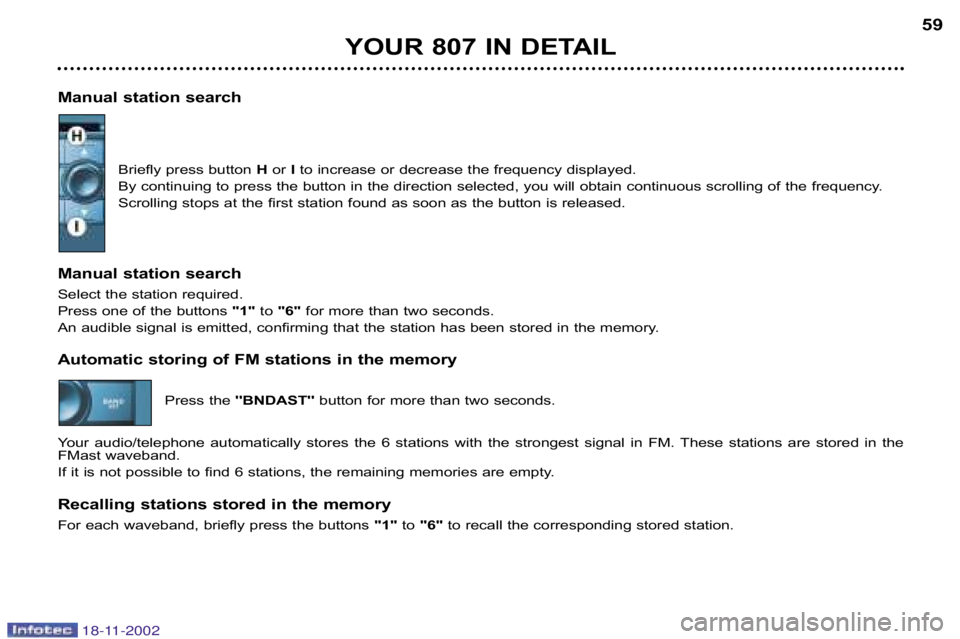
Manual station search Briefly press button Hor Ito increase or decrease the frequency displayed.
By continuing to press the button in the direction selected, you will obtain continuous scrolling of the frequency.
Scrolling stops at the first station found as soon as the butt on is released.
Manual station search
Select the station required.
Press one of the buttons "1"to "6" for more than two seconds.
An audible signal is emitted, confirming that the station h as been stored in the memory.
Automatic storing of FM stations in the memory
Press the''BNDAST'' button for more than two seconds.
Your audio/telephone automatically stores the 6 stations wit h the strongest signal in FM. These stations are stored in the
FMast waveband.
If it is not possible to find 6 stations, the remaining memo ries are empty.
Recalling stations stored in the memory
For each waveband, briefly press the buttons "1"to "6" to recall the corresponding stored station.
18-11-2002
Page 59 of 181

YOUR 807 IN DETAIL
60
RDS SYSTEM
Using the RDS (Radio Data System) function on FM
Radio Data System allows you to continue listening to the sa me station, whatever frequency it is using for the region you a re
going through.
Briefly press the "RDS"button to switch the function on or off.
The multifunction screen wil show:
RDS if the function is active
"(RDS )" if the function is active but not available.
RDS station following
This display indicates the name of the station selected. The audio/telephone is continuously searching for the station which
has the best reception and which is transmitting the same progra mme.
Traffic information pprogramme Press the''TA/PTY'' button to switch the function on or off.
The multifunction screen will show:
TA if the function is selected
"(TA)" if the function is selected but not available.
Any traffic information flash will be given priority, whatever source you are listening to (radio, CD or CD
changer).
If you wish to interrupt the broadcasting of a message, press th e ''TA/PTY'' button to switch the function off.
Note: the volume of traffic information is independent of the v olume of normal radio/telephone listening.You can
adjust it by using the volume button. The setting will be stored and will be used when the next messages are broadcast.
Regional following mode (REG)
When they are part of a network, certain stations broadcast regi onal programmes in the various areas they serve. With
regional following mode you can keep listening to the same programme.
Press the "RDS"button to switch the function on or off.
18-11-2002
Page 62 of 181
YOUR 807 IN DETAIL63
COMPACT DISC CHANGER
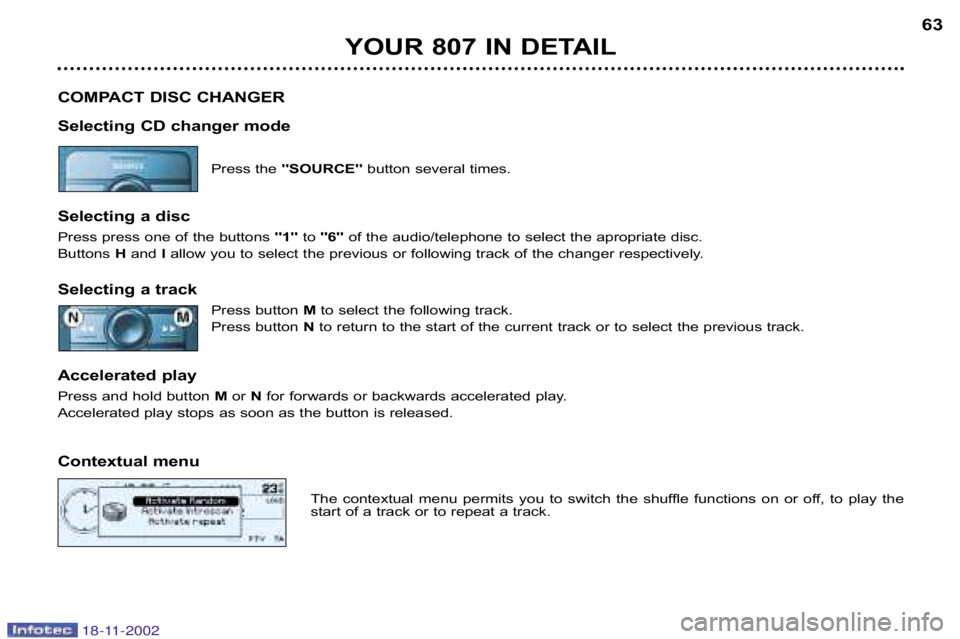
Selecting CD changer mode Press the ''SOURCE'' button several times.
Selecting a disc
Press press one of the buttons ''1''to''6'' of the audio/telephone to select the apropriate disc.
Buttons H and Iallow you to select the previous or following track of the cha nger respectively.
Selecting a track Press button Mto select the following track.
Press button Nto return to the start of the current track or to select the previ ous track.
Accelerated play
Press and hold button M or Nfor forwards or backwards accelerated play.
Accelerated play stops as soon as the button is released.
Contextual menu
The contextual menu permits you to switch the shuffle function s on or off, to play the
start of a track or to repeat a track.
18-11-2002
Page 63 of 181
YOUR 807 IN DETAIL
64
TELEPHONE MODE
This function is a GSM dualband telephone (800 and 1 800 MHz) incorporated in the RT3 audio system.
It is a ''hands free'' telephone. This function is provided by a microphone located next to the front courtesy light, the
speakers and a steering column control which allows access to most of the functions (because the audio/telephone control
panel buttons allow access to all the functions).
Display of the principal ''mobile'' type functions, as well as consultation of the indexes, is pro vided by the multi–function
display.
This function is active whatever position the ignition key is in.
Note: when the key is in the accessories position (1st notch), this funct ion will be interrupted after thirty minutes, when the
message ''Economy mode active'' appears on the multi–function display. If you are using the telephone at that time, you
will be able to finish your call.
Using the menus
Press the ''MENU'' button to display the general menu. Select thetelematicsapplication, validiate Telephone functions
to access the principal telephone functions, then the various menus, in order to reach the one required.
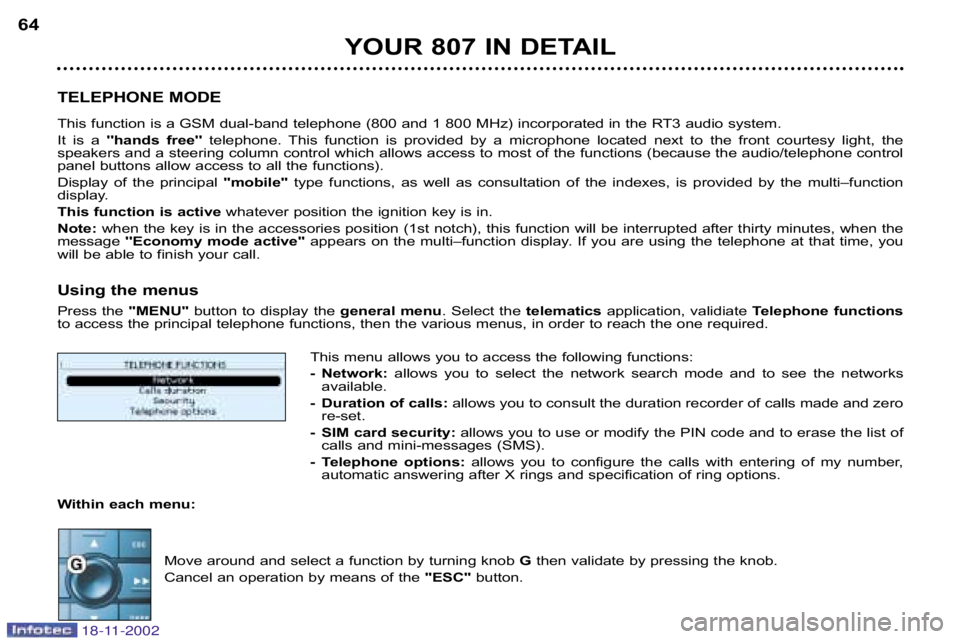
This menu allows you to access the following functions:
Network: allows you to select the network search mode and to see the ne tworks
available.
Duration of calls: allows you to consult the duration recorder of calls made and ze ro
reset.
SIM card security: allows you to use or modify the PIN code and to erase the list of
calls and minimessages (SMS).
Telephone options: allows you to configure the calls with entering of my number,
automatic answering after X rings and specification of ring opt ions.
Within each menu:
Move around and select a function by turning knob Gthen validate by pressing the knob.
Cancel an operation by means of the ''ESC''button.
18-11-2002
Page 64 of 181

YOUR 807 IN DETAIL65
Using the alphanumeric keypad
For a given button, to input a character in the second or sub sequent rows press until you obtain the character required.
Installing the SIM card Open flap Lby pressing the point of a pencil on the circular opening ab ove the flap.
Insert your MicroSIM card as indicated in the graphics, then close th e flap.
Note: removal or insertion of the SIM card must only be carried out after the RT3 audio/telephone has been
switched off. Buttons Associated characters
[1] 1 or space
[2] 2 or A B C 2 or a b c 2
[3] 3 or D E F 3 or d e f 3
[4] 4 or G H I 4 or g h i 4
[5] 5 or J K L 5 or j k l 5
[6] 6 or M N O 6 or m n o 6
[7] 7 or P Q R S 7 or p q r s 7
[8] 8 or T U V 8 or t u v 8
[9] 9 or W X Y Z 9 or w x y z 9
[0] 0 or + (long press)
[#] # or P (long press)
[*] * or erasing of last character input (long press)
18-11-2002
Page 66 of 181
YOUR 807 IN DETAIL67
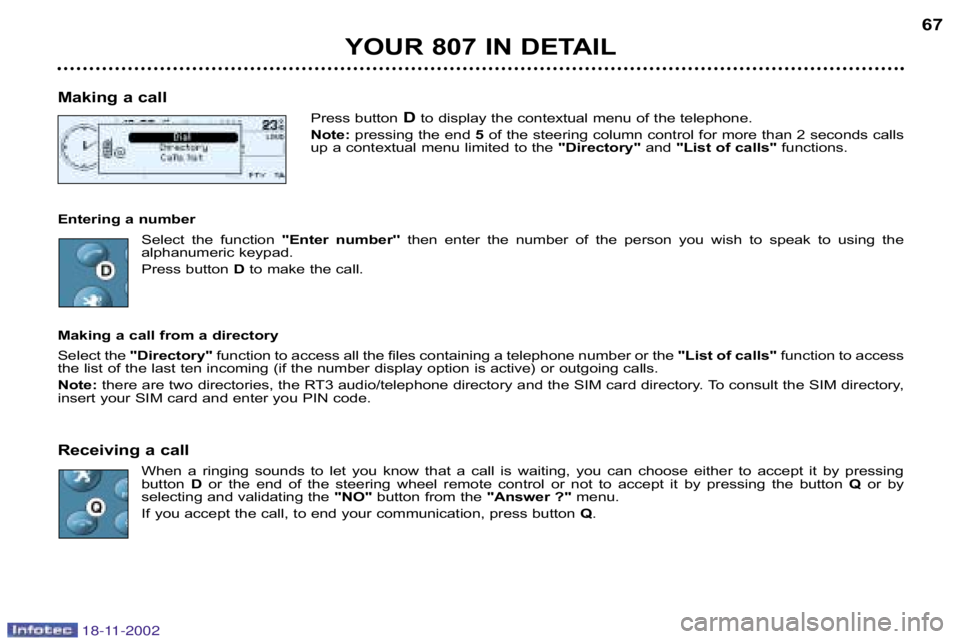
Making a call Press buttonDto display the contextual menu of the telephone.
Note: pressing the end 5of the steering column control for more than 2 seconds calls
up a contextual menu limited to the "Directory" and "List of calls" functions.
Entering a number Select the function ''Enter number''then enter the number of the person you wish to speak to usin g the
alphanumeric keypad.
Press button Dto make the call.
Making a call from a directory
Select the "Directory" function to access all the files containing a telephone nu mber or the "List of calls" function to access
the list of the last ten incoming (if the number display opt ion is active) or outgoing calls.
Note: there are two directories, the RT3 audio/telephone directory and the SIM card directory. To consult the SIM directory,
insert your SIM card and enter you PIN code.
Receiving a call
When a ringing sounds to let you know that a call is waiti ng, you can choose either to accept it by pressing
button Dor the end of the steering wheel remote control or not to a ccept it by pressing the button Qor by
selecting and validating the "NO"button from the "Answer ?"menu.
If you accept the call, to end your communication, press button Q.
18-11-2002
Page 69 of 181

YOUR 807 IN DETAIL
70
Services* Press button Eto display the "Services"menu and select one of the following services:
• "Customer Contact Centre" which enables you to contact the PEUGEOT Customer Contact Centre direct
ly and access the services offered (this type of call is suspended if an energency or breakown call is made).
• "Peugeot Assistance" which enables you to contact the call centre which controls the PEUGEOT breakdown
service directly and receive rapid assistance (you have 6 seconds within which to cancel the call when it is
made). During the breakdown call phase it is not possible to make any other calls with the exception of
emergency calls.
• "Operator services" which gives access to the list of services specific to the operator (e .g.: customer service,
consumption monitoring, news, stock market, weather, travel, games, etc) if they are available.
Note: during connection to a service, it is not possible to receive cal ls or SMS mini messages; they will be diverted to your
voice message service. Contrarily, it is possible to send a call wh ich results in automatic disconnection.
Emergency call*
In an emergency, press button Vuntil a signal is heard and a call validation / deletion screen is displayed (delay
of 6 seconds) or enter 11 2directly.
Note: in this case, a green diode flashes on the RT3 audio/tele phone panel when the emergency call procedure begins, then
lights permanently when the call is taken by the emergency services.
In the absence of a specific service contract, the parameters of th e SOS button are set so that a call is made to 11 2 unique
number made available by the worldwide GSM network, reserved for e mergency calls.
Before making a call of this kind, the audio/telephone must detect a cellular network. No security mode is required and,
depending on the network, you do not need to insert your SI M card or enter your PIN.
If you have signed the specific contract, refer to its general co nditions.
* If option and service available.
18-11-2002
Page 70 of 181

YOUR 807 IN DETAIL71
Voice commands
The voice commands make it possible to use prerecorded words or phrases to control a certain number of functions of the
RT3 audio/telephone.
Activation of the voice commands
Press the button on the end of the lights stalk to activate this function.
Example: to recall the radio station stored on button 3, the key words are: "Radio" "Memory" "3" .
To use these key words, you must say the word "Radio", wait for the audible confirmation signal, then say the w ord "Mem
ory" , wait for the audible confirmation signal, then end wit h the word"3", wait for the audible confirmation signal which will
carry out the action requested.
Notes:
in the absence of any voice commands, this function will be sw itched off after approximately ten seconds,
if a command is not understood, a double audible signal i s emitted.
Saying the word "Help"displays all of the commands available on the screen.
List of
commands available
To change the source (Radio, CD, CD changer, telephone): "RADIO" / "CD" / "CHANGER" / "CALL" For the radio:
"LISTEN" / "PREVIOUS" / "FOLLOWING" / "MEMORY" + N° / "AUTOSTORE"
For the CD: "LISTEN" / "PLAY" / "PREVIOUS TRACK" / "FOLLOWING TRACK" / "TRACK NUMBER" + N° / "SHUFFLE" / "SCAN" /
"LOOP"
for the CD changer: "LISTEN"/ "PLAY" / "PREVIOUS TRACK" / "FOLLOWING TRACK" / "TRACK NUMBER" + N° / "PREVIOUS DISC" /
"FOLLOWING DISC" /
"DISC NUMBER" + N° / "SHUFFLE" / "SCAN" / "LOOP"
For the telephone: "CALL" / "REPEAT" / "PEUGEOT SERVICE"
For the navigation/card: "STOP GUIDANCE" / "RESTART GUIDANCE" / "REDUCE ZOOM" / "INCREASE ZOOM"
Various: "CANCEL" / "HELP"
18-11-2002
Page 74 of 181
YOUR 807 IN DETAIL75
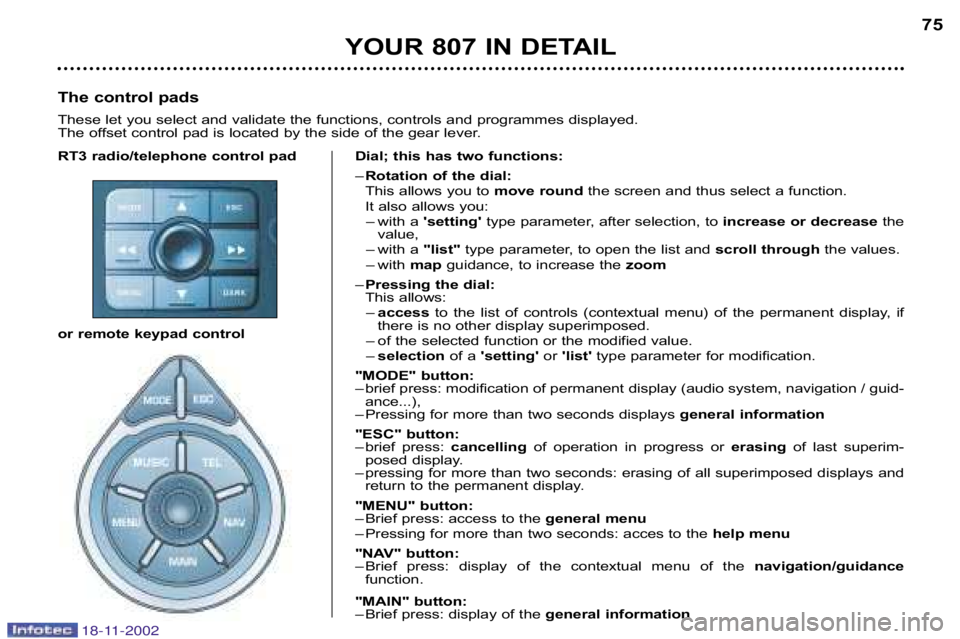
RT3 radio/telephone control pad
or remote keypad controlDial; this has two functions:
–
Rotation of the dial:
This allows you to move roundthe screen and thus select a function.
It also allows you: – with a 'setting' type parameter, after selection, to increase or decreasethe
value,
– with a "list"type parameter, to open the list and scroll throughthe values.
– with map guidance, to increase the zoom
– Pressing the dial:
This allows:
– access to the list of controls (contextual menu) of the permanent disp lay, if
there is no other display superimposed.
– of the selected function or the modified value.
– selection of a 'setting' or 'list' type parameter for modification.
"MODE" button:
– brief press: modification of permanent display (audio system, navi gation / guid
ance...),
– Pressing for more than two seconds displays general information
"ESC" button:
– brief press: cancellingof operation in progress or erasingof last superim
posed display.
– pressing for more than two seconds: erasing of all superimposed d isplays and
return to the permanent display.
"MENU" button:
– Brief press: access to the general menu
– Pressing for more than two seconds: acces to the help menu
"NAV" button:
– Brief press: display of the contextual menu of the navigation/guidance
function.
"MAIN" button:
– Brief press: display of the general information
The control pads
These let you select and validate the functions, controls and
programmes displayed.
The offset control pad is located by the side of the gear l ever.
18-11-2002
Page 75 of 181
YOUR 807 IN DETAIL
76
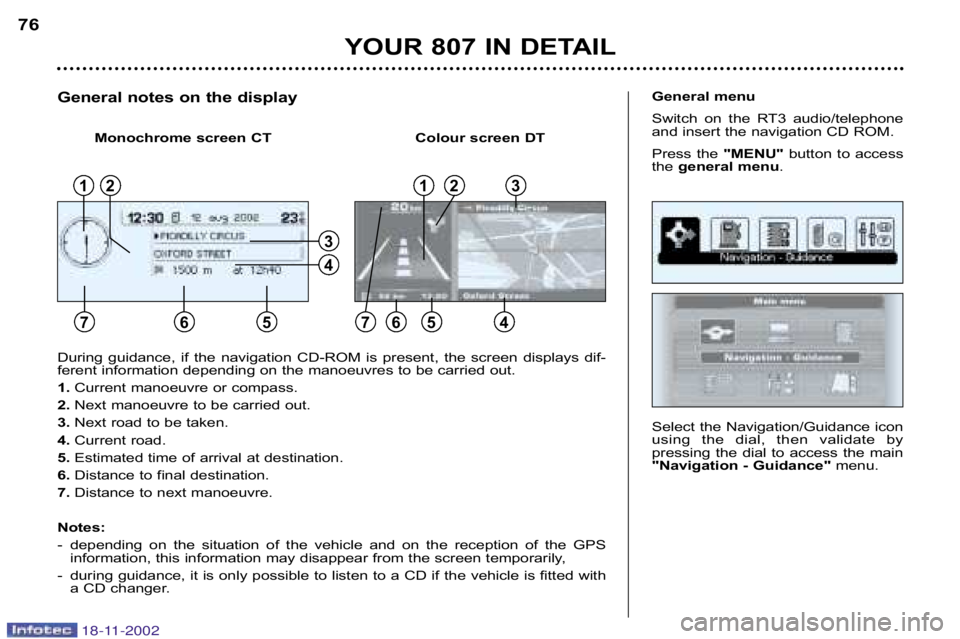
Select the Navigation/Guidance icon
using the dial, then validate by
pressing the dial to access the main
"Navigation Guidance"menu.
General menu
Switch on the RT3 audio/telephone
and insert the navigation CD ROM.
Press the "MENU"button to access
the general menu .
During guidance, if the navigation CDROM is present, the scre en displays dif
ferent information depending on the manoeuvres to be carried out.
1. Current manoeuvre or compass.
2. Next manoeuvre to be carried out.
3. Next road to be taken.
4. Current road.
5. Estimated time of arrival at destination.
6. Distance to final destination.
7. Distance to next manoeuvre.
Notes:
depending on the situation of the vehicle and on the reception of the GPS
information, this information may disappear from the screen tempora rily,
during guidance, it is only possible to listen to a CD if the vehicle is fitted with
a CD changer.
General notes on the display
12
765
13
654
4
3
Monochrome screen CT Colour screen DT
2
7
18-11-2002