engine PEUGEOT BOXER 2015 Owner's Manual
[x] Cancel search | Manufacturer: PEUGEOT, Model Year: 2015, Model line: BOXER, Model: PEUGEOT BOXER 2015Pages: 276, PDF Size: 8.99 MB
Page 43 of 276
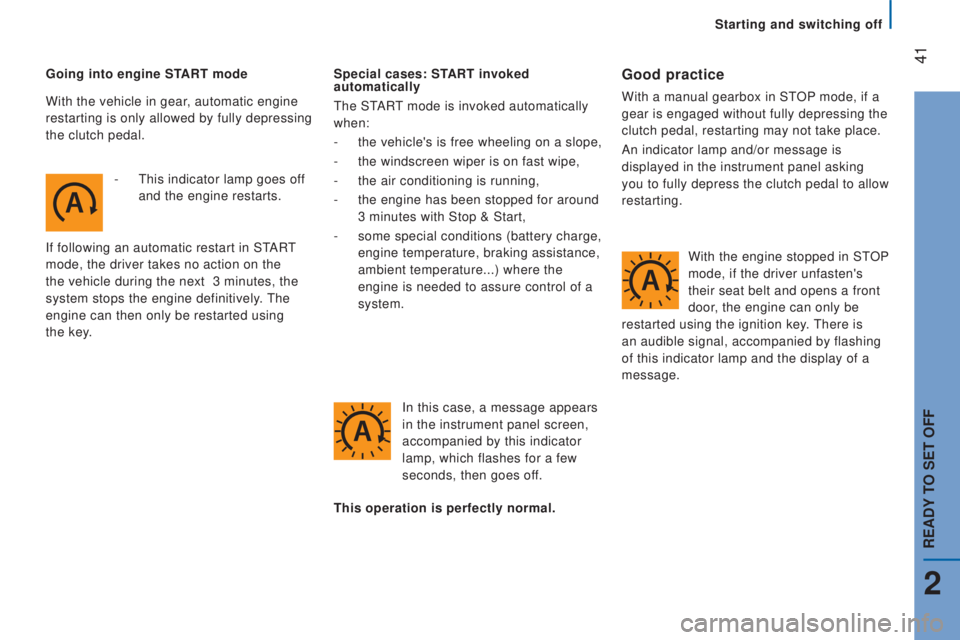
41Going into engine StArt mode
-
t
his indicator lamp goes of
f
and the engine restarts.
If following an automatic restart in S
tARt
mode, the driver takes no action on the
the vehicle during the next
3 minutes, the
system stops the engine definitively.
the
engine can then only be restarted using
the
key
. Special cases: StArt invoked
automatically
the StARt mode is invoked automatically
when:
-
the vehicle's is free wheeling on a slope,
-
the windscreen wiper is on fast wipe,
-
the air conditioning is running,
-
the engine has been stopped for around
3 minutes with Stop & Start,
-
some special conditions (battery charge,
engine temperature, braking assistance,
ambient temperature...) where the
engine is needed to assure control of a
system.
In this case, a message appears
in the instrument panel screen,
accompanied by this indicator
lamp, which flashes for a few
seconds, then goes off.Good practice
With a manual gearbox in StOP mode, if a
gear is engaged without fully depressing the
clutch pedal, restarting may not take place.
An indicator lamp and/or message is
displayed in the instrument panel asking
you to fully depress the clutch pedal to allow
restarting.
this operation is perfectly normal.
With the vehicle in gear
, automatic engine
restarting is only allowed by fully depressing
the clutch pedal.
With the engine stopped in S
tOP
mode, if the driver unfasten's
their seat belt and opens a front
door, the engine can only be
restarted using the ignition key.
there is
an audible signal, accompanied by flashing
of this indicator lamp and the display of a
message.
2
rEAdY to SEt oFF
Starting and switching off
Page 44 of 276
42
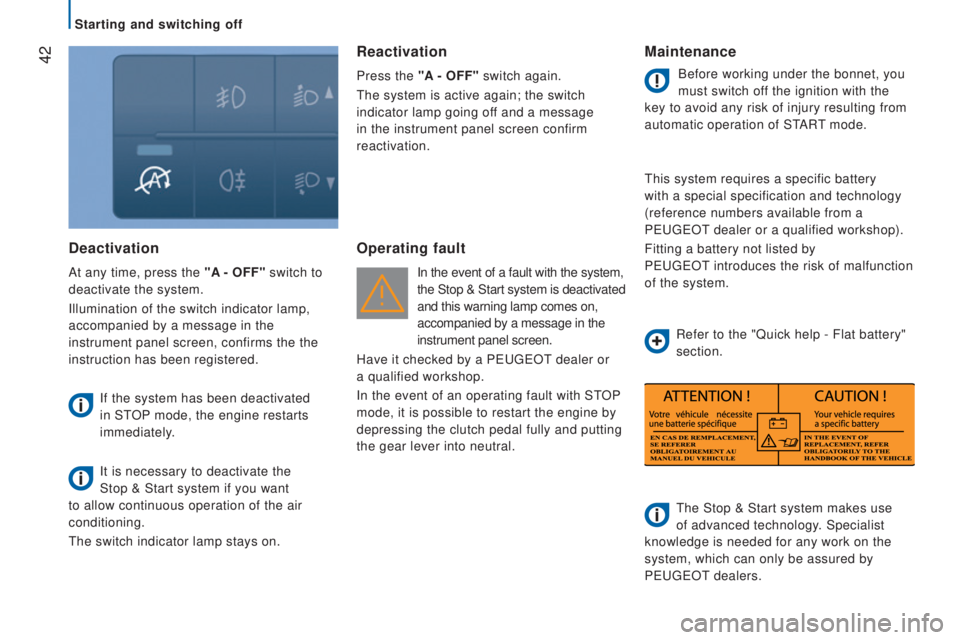
deactivation
At any time, press the "A - oFF" switch to
deactivate the system.
Illumination of the switch indicator lamp,
accompanied by a message in the
instrument panel screen, confirms the the
instruction has been registered.
If the system has been deactivated
in S
tOP mode, the engine restarts
immediately.
It is necessary to deactivate the
Stop
& Start system if you want
to allow continuous operation of the air
conditioning.
the switch indicator lamp stays on.
reactivation
Press the "A - oFF" switch again.
the system is active again; the switch
indicator lamp going off and a message
in the instrument panel screen confirm
reactivation.
operating fault
In the event of a fault with the system,
the Stop & Start system is deactivated
and this warning lamp comes on,
accompanied by a message in the
instrument panel screen.
Have it checked by a P
eugeOt dealer or
a
qualified workshop.
In the event of an operating fault with S
tOP
mode, it is possible to restart the engine by
depressing the clutch pedal fully and putting
the gear lever into neutral.
Maintenance
Before working under the bonnet, you
must switch off the ignition with the
key to avoid any risk of injury resulting from
automatic operation of S
tARt mode.
this system requires a specific battery
with a special specification and technology
(reference numbers available from a
P
eugeOt dealer or a qualified workshop).
Fitting a battery not listed by
P
eugeOt
introduces the risk of malfunction
of the system.
the Stop & Start system makes use
of advanced technology. Specialist
knowledge is needed for any work on the
system, which can only be assured by
P
eugeOt dealers.
Refer to the "Quick help - Flat battery"
section.
Starting and switching off
Page 45 of 276
43drIVInG rEcoMMEndAtIonS
Observe the driving regulations and remain
vigilant whatever the traffic conditions.
Pay close attention to the traffic and keep
your hands on the wheel so that you are
ready to react at any time to any eventuality.
On a long journey, a break every two hours
is strongly recommended.
In difficult weather, drive smoothly, anticipate
the need to brake and increase the distance
from other vehicles.
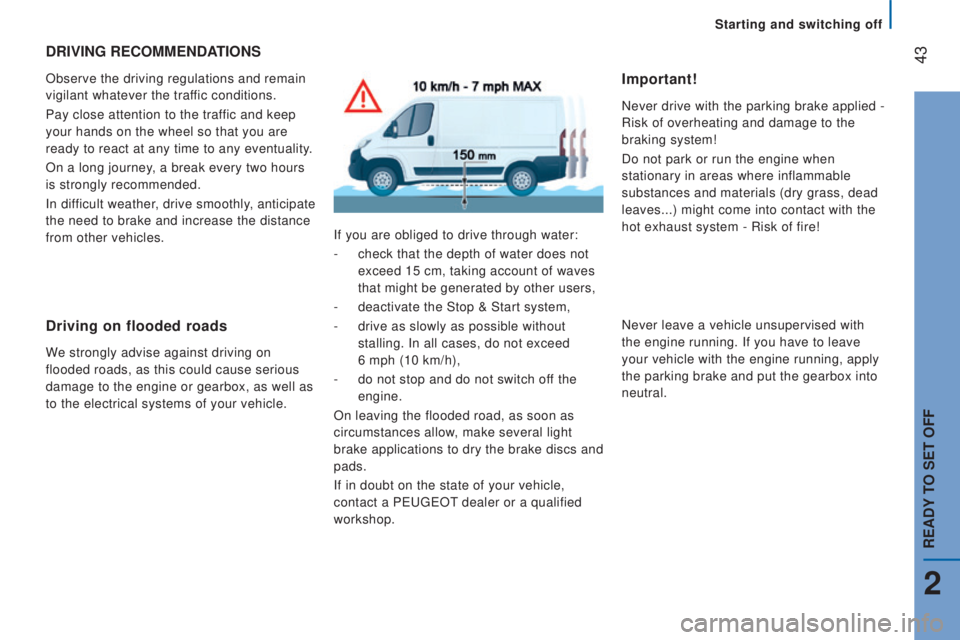
driving on flooded roads
We strongly advise against driving on
flooded roads, as this could cause serious
damage to the engine or gearbox, as well as
to the electrical systems of your vehicle.If you are obliged to drive through water:
-
check that the depth of water does not
exceed 15 cm, taking account of waves
that might be generated by other users,
-
deactivate the Stop & Start system,
-
drive as slowly as possible without
stalling. In all cases, do not exceed
6 mph (10 km/h),
-
do not stop and do not switch off the
engine.
On leaving the flooded road, as soon as
circumstances allow, make several light
brake applications to dry the brake discs and
pads.
If in doubt on the state of your vehicle,
contact a P
eugeOt dealer or a qualified
workshop.
Important!
Never drive with the parking brake applied -
Risk of overheating and damage to the
braking system!
Do not park or run the engine when
stationary in areas where inflammable
substances and materials (dry grass, dead
leaves...) might come into contact with the
hot exhaust system - Risk of fire!
Never leave a vehicle unsupervised with
the engine running. If you have to leave
your vehicle with the engine running, apply
the parking brake and put the gearbox into
neutral.
2
rEAdY to SEt oFF
Starting and switching off
Page 48 of 276
46AutoMAtIc ILLuMInAtIon
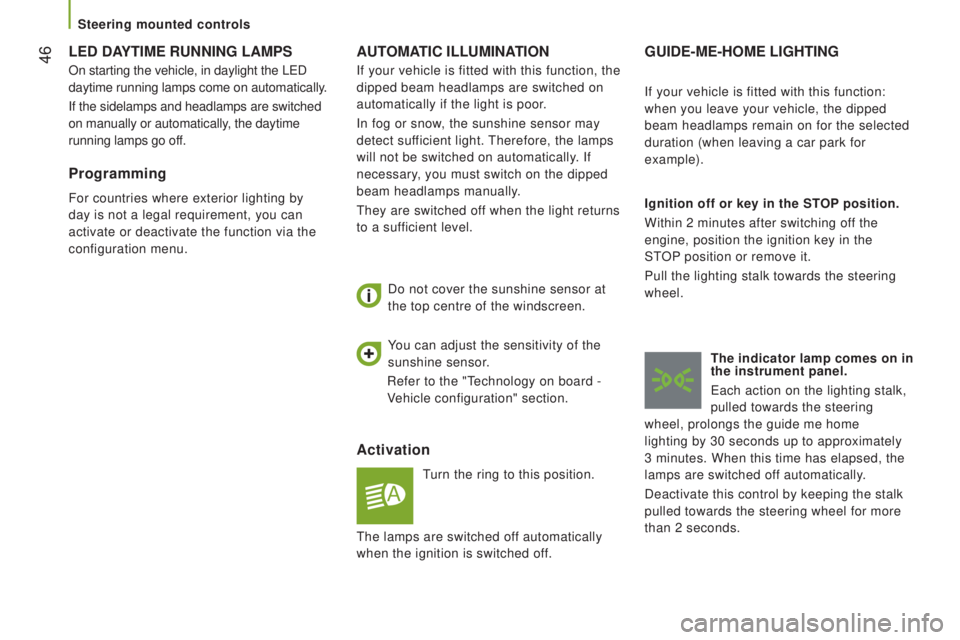
Activation
turn the ring to this position.
Do not cover the sunshine sensor at
the top centre of the windscreen.
GuIdE-ME-HoME LIGHtInG
Ignition off or key in the StoP position.
Within 2 minutes after switching off the
engine, position the ignition key in the
S
tOP position or remove it.
Pull the lighting stalk towards the steering
wheel.
the indicator lamp comes on in
the instrument panel.
each action on the lighting stalk,
pulled towards the steering
wheel, prolongs the guide me home
lighting by 30 seconds up to approximately
3
minutes. When this time has elapsed, the
lamps are switched off automatically.
Deactivate this control by keeping the stalk
pulled towards the steering wheel for more
than 2 seconds. If your vehicle is fitted with this function:
when you leave your vehicle, the dipped
beam headlamps remain on for the selected
duration (when leaving a car park for
example).
You can adjust the sensitivity of the
sunshine sensor.
Refer to the "
technology on board -
V
ehicle configuration" section.
If your vehicle is fitted with this function, the
dipped beam headlamps are switched on
automatically if the light is poor.
In fog or snow, the sunshine sensor may
detect sufficient light.
therefore, the lamps
will not be switched on automatically. If
necessary, you must switch on the dipped
beam headlamps manually.they are switched of
f when the light returns
to a sufficient level.
LEd dAYtIME runnInG LAMPS
On starting the vehicle, in daylight the LeD
daytime running lamps come on automatically.
If the sidelamps and headlamps are switched
on manually or automatically, the daytime
running lamps go off.
Programming
For countries where exterior lighting by
day is not a legal requirement, you can
activate or deactivate the function via the
configuration menu.
the lamps are switched of
f automatically
when the ignition is switched off.
Steering mounted controls
Page 51 of 276
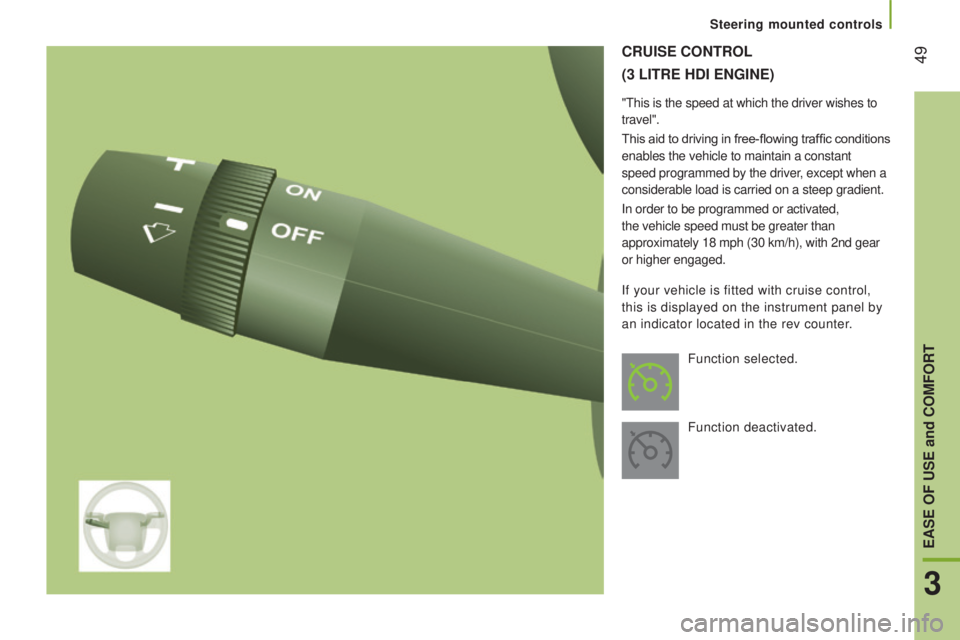
49cruISE controL
(3 LItrE HdI EnGInE)
"this is the speed at which the driver wishes to
travel".
This aid to driving in free-flowing traffic conditions
enables the vehicle to maintain a constant
speed programmed by the driver, except when a
considerable load is carried on a steep gradient.
In order to be programmed or activated,
the vehicle speed must be greater than
approximately 18 mph (30 km/h), with 2nd gear
or higher engaged.
Function selected.
Function deactivated.
If your vehicle is fitted with cruise control,
this is displayed on the instrument panel by
an indicator located in the rev counter.
3
EASE oF uSE and coMFort
Steering mounted controls
Page 57 of 276
55
SPEEd LIMItEr
"this is the selected speed which the driver
does not wish to exceed".
this selection is made with the vehicle
stationary and the engine running or with the
vehicle moving and 2
nd gear or higher engaged.
the lowest speed that can be programmed
is 20 mph (30 km/h).
the speed of the vehicle responds to the
pressure of the driver's foot as far as the
accelerator pedal point of resistance which
indicates that the programmed speed has been
reached. However
, pressing the pedal beyond this
point of resistance to the floor permits
exceeding of the programmed speed.
to
resume use of the limiter
, simply reduce
the pressure on the accelerator pedal
gradually and return to a speed below that
programmed.
the operating actions may be carried out
with the vehicle stationary and the engine
running, or with the vehicle moving.
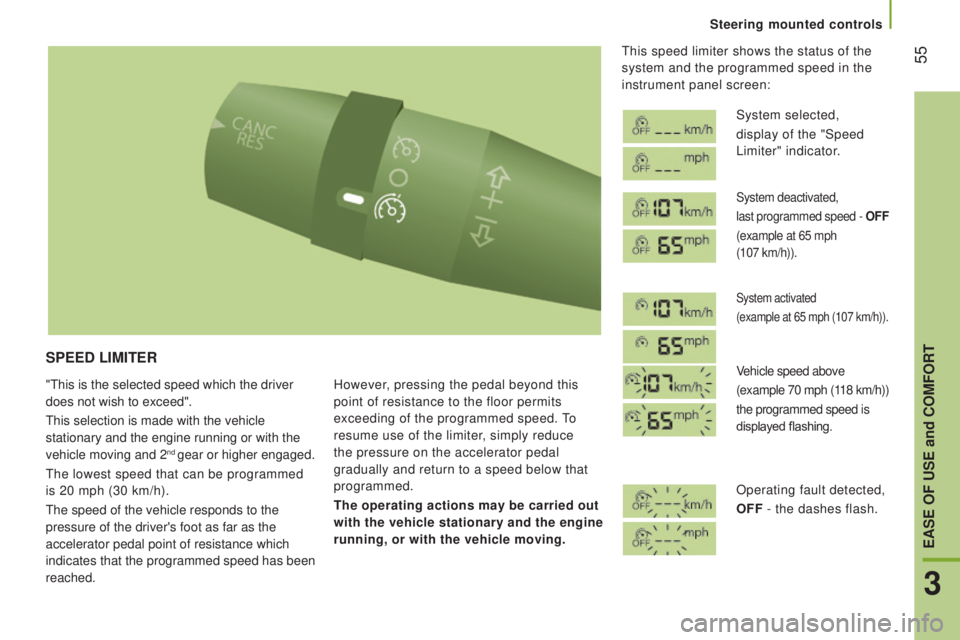
this speed limiter shows the status of the
system and the programmed speed in the
instrument panel screen:
System selected,
display of the "Speed
Limiter" indicator.
System deactivated,
last programmed speed -
oFF
(example at 65 mph
(107 km/h)).
System activated
(example at 65 mph (107 km/h)).
Vehicle speed above
(example 70 mph (118 km/h))
the programmed speed is
displayed flashing.
Operating fault detected,
oFF
- the dashes flash.
3
EASE oF uSE and coMFort
Steering mounted controls
Page 58 of 276
56
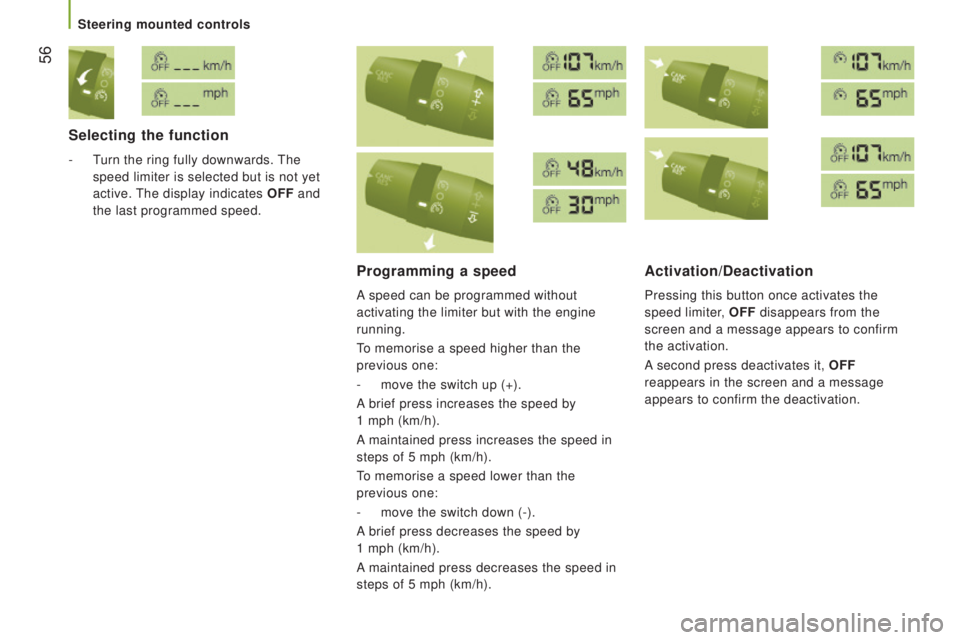
Selecting the function
- turn the ring fully downwards. the
speed limiter is selected but is not yet
active.
the display indicates oFF
and
the last programmed speed.
Programming a speed
A speed can be programmed without
activating the limiter but with the engine
running.
to memorise a speed higher than the
previous one:
-
move the switch up (+).
A brief press increases the speed by
1
mph (km/h).
A
maintained press increases the speed in
steps of 5 mph (km/h).
to memorise a speed lower than the
previous one:
-
move the switch down (-).
A brief press decreases the speed by
1 mph (km/h).
A maintained press decreases the speed in
steps of 5 mph (km/h).
Activation/deactivation
Pressing this button once activates the
speed limiter,
oFF
disappears from the
screen and a message appears to confirm
the activation.
A second press deactivates it,
oFF
reappears in the screen and a message
appears to confirm the deactivation.
Steering mounted controls
Page 61 of 276
59
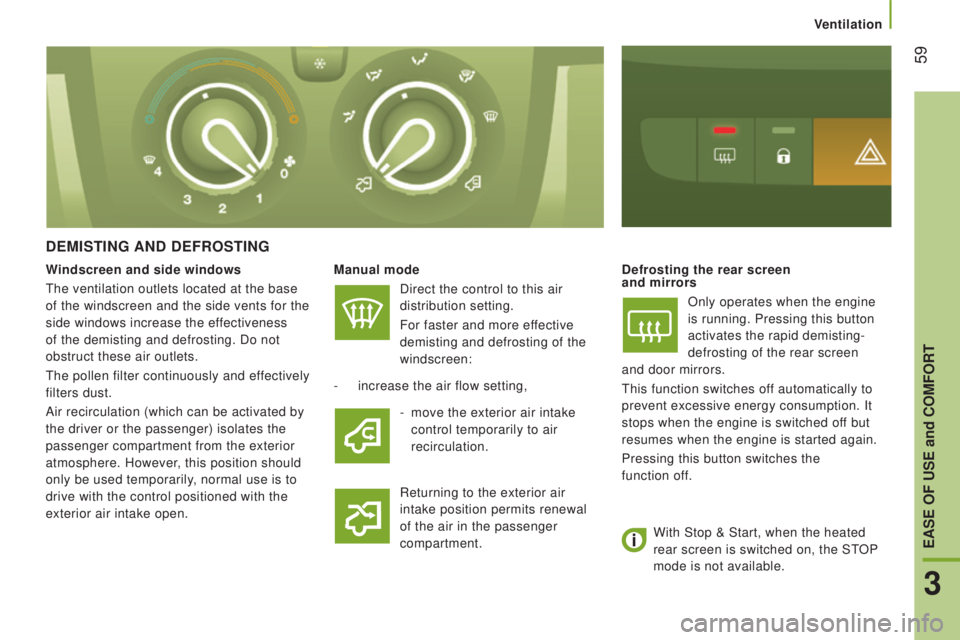
dEMIStInG And dEFroStInG
Manual modeDirect the control to this air
distribution setting.
For faster and more effective
demisting and defrosting of the
windscreen:defrosting the rear screen
and mirrors
Only operates when the engine
is running. Pressing this button
activates the rapid demisting-
defrosting of the rear screen
and
door mirrors.
this function switches of
f automatically to
prevent excessive energy consumption. It
stops when the engine is switched off but
resumes when the engine is started again.
Pressing this button switches the
function
of
f.
-
increase the air flow setting,
Returning to the exterior air
intake position permits renewal
of the air in the passenger
compartment.
Windscreen and side windows
the ventilation outlets located at the base
of the windscreen and the side vents for the
side windows increase the effectiveness
of the demisting and defrosting. Do not
obstruct these air outlets.
the pollen filter continuously and ef
fectively
filters dust.
Air recirculation (which can be activated by
the driver or the passenger) isolates the
passenger compartment from the exterior
atmosphere. However, this position should
only be used temporarily, normal use is to
drive with the control positioned with the
exterior air intake open. -
move the exterior air intake
control temporarily to air
recirculation.
With Stop & Start, when the heated
rear screen is switched on, the S
tOP
mode is not available.
3
EASE oF uSE and coMFort
Ventilation
Page 63 of 276
61
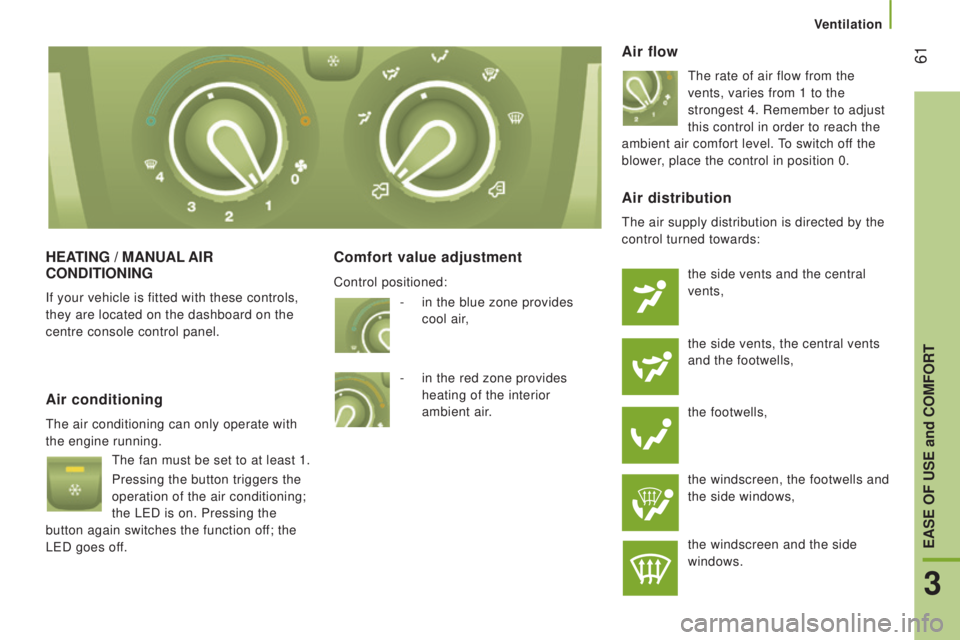
HEAtInG / MAnuAL AIr
condItIonInG
If your vehicle is fitted with these controls,
they are located on the dashboard on the
centre console control panel.
comfort value adjustment Air flow
the rate of air flow from the
vents, varies from 1 to the
strongest 4. Remember to adjust
this control in order to reach the
ambient air comfort level.
to switch off the
blower, place the control in position 0.
Air conditioning
the air conditioning can only operate with
the engine running.
the fan must be set to at least 1.
Pressing the button triggers the
operation of the air conditioning;
the L
eD is on. Pressing the
button again switches the function off; the
L
eD goes of
f.
Air distribution
the air supply distribution is directed by the
control turned towards:
the side vents and the central
vents,
the side vents, the central vents
and the footwells,
the footwells,
the windscreen, the footwells and
the side windows,
the windscreen and the side
windows.
-
in the blue zone provides
cool
air
,
-
in the red zone provides
heating of the interior
ambient
air
.
Control positioned:
3
EASE oF uSE and coMFort
Ventilation
Page 65 of 276
63
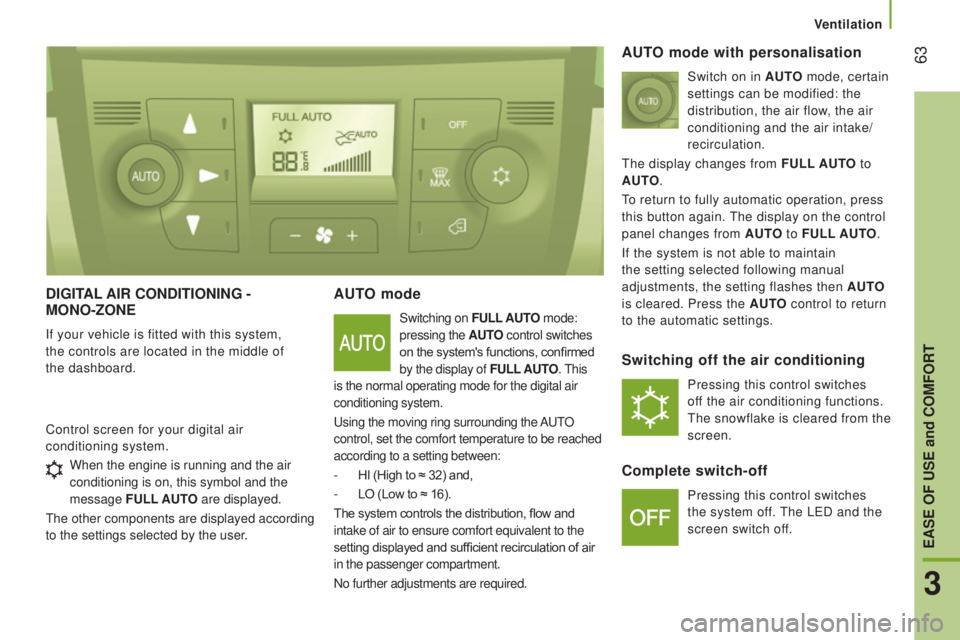
dIGItAL AIr condItIonInG -
Mono-zonE
If your vehicle is fitted with this system,
the controls are located in the middle of
the
dashboard.
Auto mode
Switching on FuLL Auto mode:
pressing the A
ut
o
control switches
on the system's functions, confirmed
by the display of F
uLL
A
ut
o
. this
is the normal operating mode for the digital air
conditioning system.
using the moving ring surrounding the
A
utO
control, set the comfort temperature to be reached
according to a setting between:
-
HI (High to ≈ 32) and,
-
LO (Low to ≈ 16).
The system controls the distribution, flow and
intake of air to ensure comfort equivalent to the
setting displayed and sufficient recirculation of air
in the passenger compartment.
No further adjustments are required.
Control screen for your digital air
conditioning system.
Auto mode with personalisation
Switch on in Auto mode, certain
settings can be modified: the
distribution, the air flow
, the air
conditioning and the air intake/
recirculation.
the display changes from
F
uLL
A
ut
o
t
o
A
ut
o
.
to return to fully automatic operation, press
this button again.
the display on the control
panel changes from A
ut
o
to
F
uLL
A
ut
o
.
If the system is not able to maintain
the setting selected following manual
adjustments, the setting flashes then A
ut
o
is cleared. Press the A
ut
o
control to return
to the automatic settings.
Switching off the air conditioning
Pressing this control switches
off the air conditioning functions.
the snowflake is cleared from the
screen.
complete switch-off
Pressing this control switches
the system off.
the LeD and the
screen switch off.
When the engine is running and the air
conditioning is on, this symbol and the
message FuLL
Aut
o are displayed.
the other components are displayed according
to the settings selected by the user
.
3
EASE oF uSE and coMFort
Ventilation