wheel PEUGEOT BOXER 2015 Owner's Manual
[x] Cancel search | Manufacturer: PEUGEOT, Model Year: 2015, Model line: BOXER, Model: PEUGEOT BOXER 2015Pages: 276, PDF Size: 8.99 MB
Page 69 of 276
67Setting the time of the internal clock
Set the clock on the control panel before
programming the deferred switching on of
the heating.Press and hold the "set" button.
the time setting screen and
indicator come on.
Within ten seconds, press one of the two
setting buttons until the correct time is
displayed: -
">" to increase the time,
or
-
"<" reduce the time.
reading the time
Pro
GrAMMABLE AddItIonAL HEAtInG
If your vehicle is fitted with separate
programmable heating, it gradually brings
the engine up to a good temperature to
facilitate starting.
An integrated clock permits programming of
its start time.
the passenger compartment
will be heated more quickly.
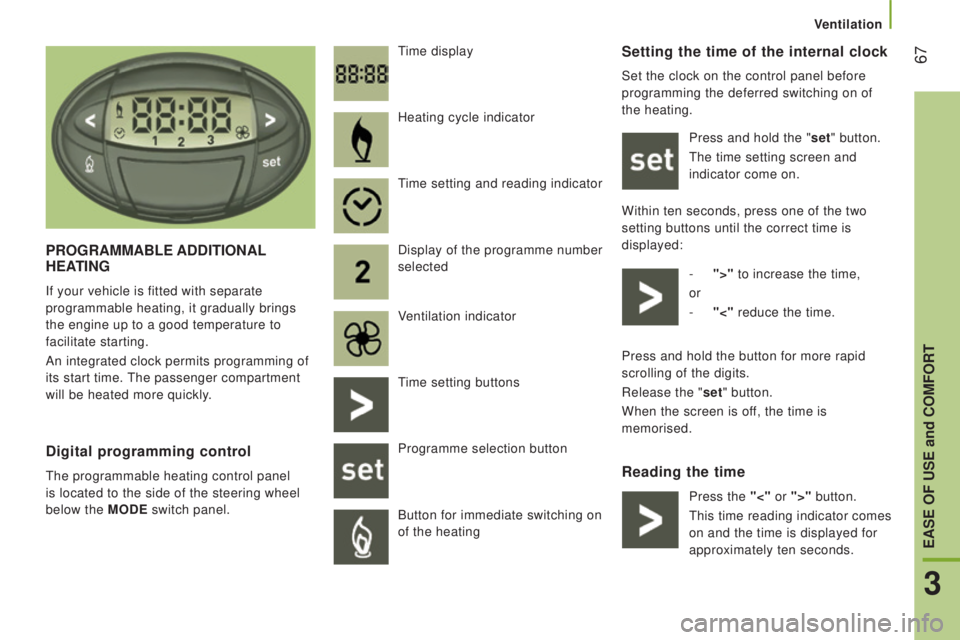
time display
digital programming control
the programmable heating control panel
is located to the side of the steering wheel
below the
M
odE
switch panel. Heating cycle indicator
time setting and reading indicator
Display of the programme number
selected
V
entilation indicator
time setting buttons
Programme selection button
Button for immediate switching on
of the heating Press and hold the button for more rapid
scrolling of the digits.
Release the "set" button.
When the screen is off, the time is
memorised.
Press the "<" or ">" button.
this
time reading indicator comes
on and the time is displayed for
approximately ten seconds.
3
EASE oF uSE and coMFort
Ventilation
Page 73 of 276
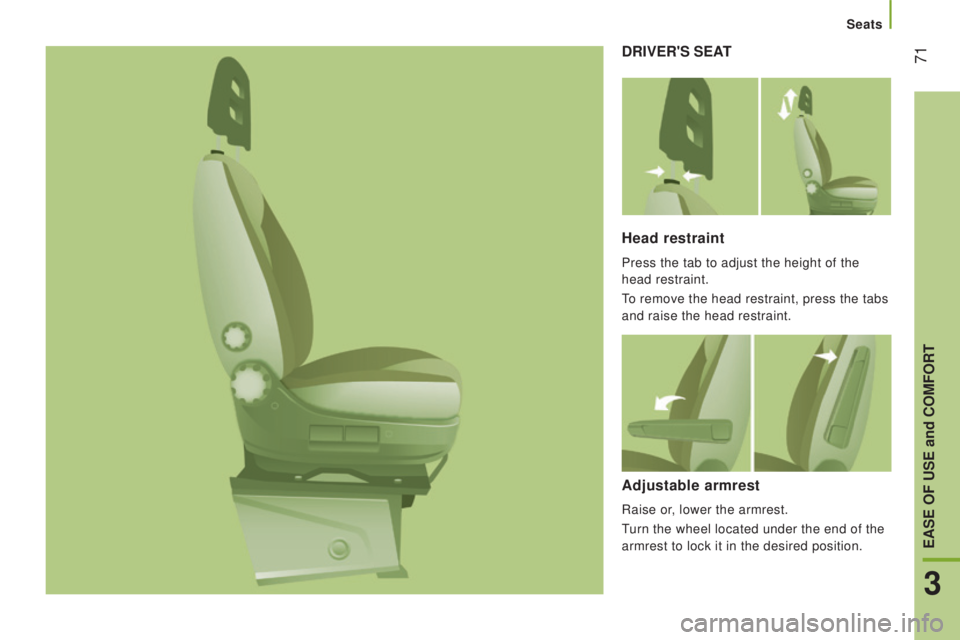
71drIVEr'S SEAt
Head restraint
Press the tab to adjust the height of the
head restraint.
to remove the head restraint, press the tabs
and raise the head restraint.
Adjustable armrest
Raise or, lower the armrest.
turn the wheel located under the end of the
armrest to lock it in the desired position.
3
EASE oF uSE and coMFort
Seats
Page 78 of 276
76
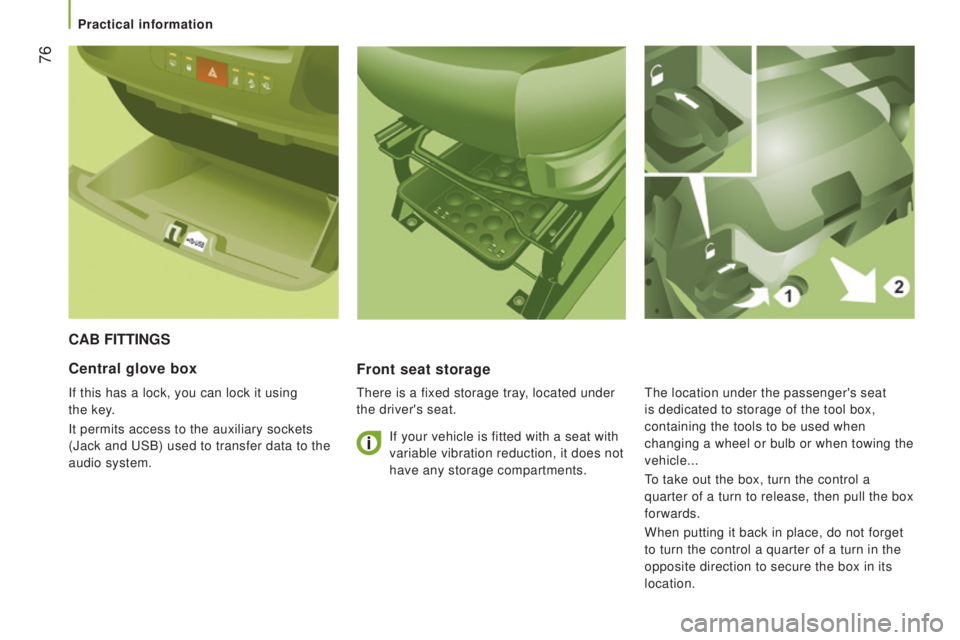
cAB FIttInGS
Front seat storage
there is a fixed storage tray, located under
the driver's seat.
central glove box
If this has a lock, you can lock it using
the
key
.
It permits access to the auxiliary sockets
(Jack and
uSB) used to transfer data to the
audio system. If your vehicle is fitted with a seat with
variable vibration reduction, it does not
have any storage compartments.the location under the passenger's seat
is dedicated to storage of the tool box,
containing the tools to be used when
changing a wheel or bulb or when towing the
vehicle...
to take out the box, turn the control a
quarter of a turn to release, then pull the box
forwards.
When putting it back in place, do not forget
to turn the control a quarter of a turn in the
opposite direction to secure the box in its
location.
Practical information
Page 89 of 276
87PErSonALISAtIon - conFIGurAtIon
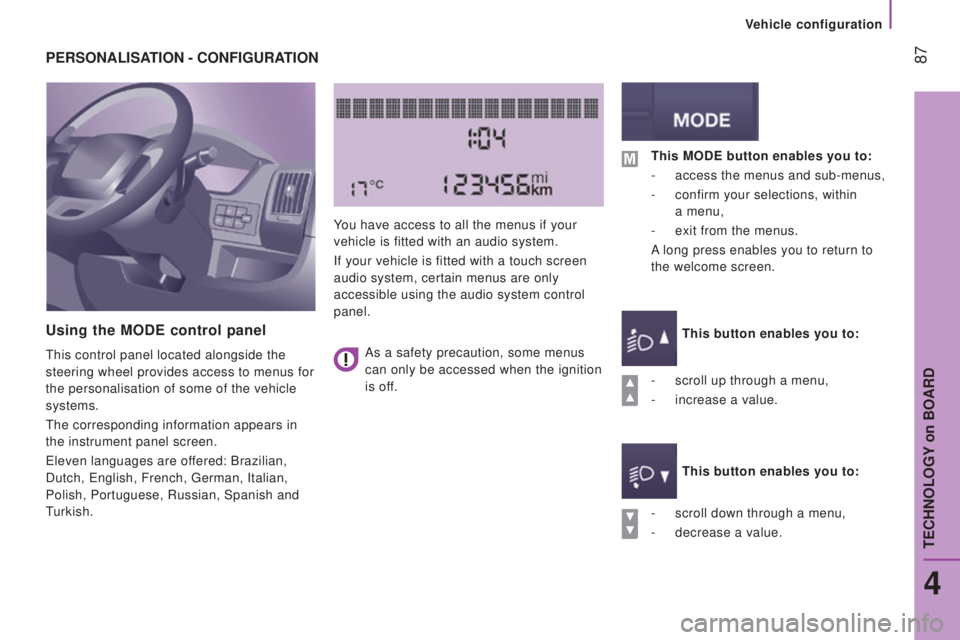
using the ModE control panel
this control panel located alongside the
steering wheel provides access to menus for
the personalisation of some of the vehicle
systems.
the corresponding information appears in
the instrument panel screen.
eleven languages are of
fered: Brazilian,
Dutch,
english, French, german, Italian,
Polish, Portuguese, Russian, Spanish and
turkish. You have access to all the menus if your
vehicle is fitted with an audio system.
If your vehicle is fitted with a touch screen
audio system, certain menus are only
accessible using the audio system control
panel.
-
scroll down through a menu,
-
decrease a value.
this ModE button enables you to:
-
access the menus and sub-menus,
-
confirm your selections, within
a
menu,
-
exit from the menus.
A long press enables you to return to
the welcome screen.
this button enables you to:
this button enables you to:
-
scroll up through a menu,
-
increase a value.
As a safety precaution, some menus
can only be accessed when the ignition
is off.
4
teCHNOLOgY on BOARD
Vehicle configuration
Page 98 of 276
96
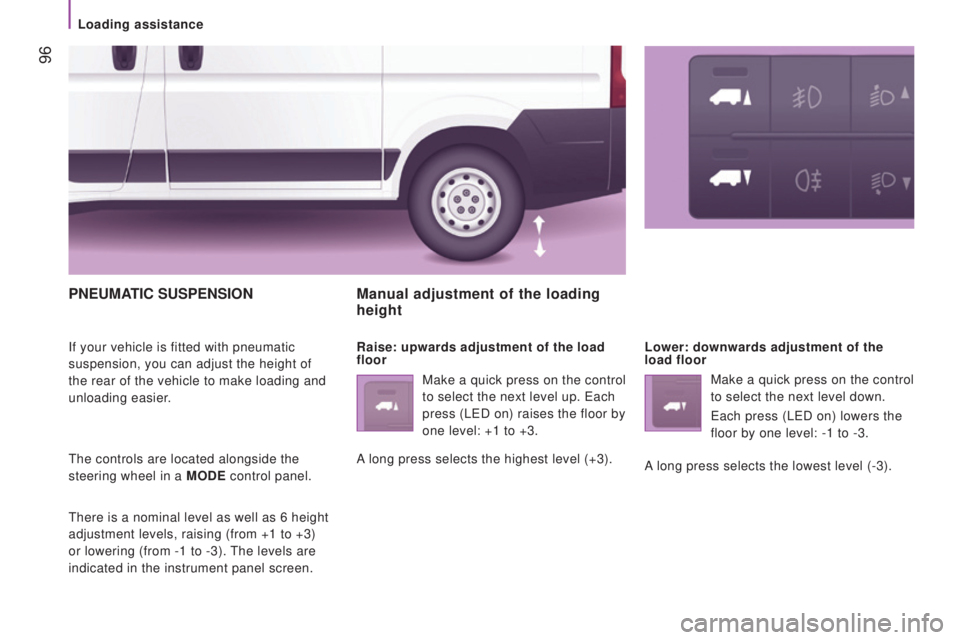
PnEuMAtIc SuSPEnSIon
If your vehicle is fitted with pneumatic
suspension, you can adjust the height of
the rear of the vehicle to make loading and
unloading easier.
the controls are located alongside the
steering wheel in a M
odE
control panel.
there is a nominal level as well as 6 height
adjustment levels, raising (from +1 to +3)
or lowering (from -1 to -3).
the levels are
indicated in the instrument panel screen.
Manual adjustment of the loading
height
raise: upwards adjustment of the load
floor Lower: downwards adjustment of the
load floor
Make a quick press on the control
to select the next level up.
each
press (L
eD on) raises the floor by
one level: +1 to +3.
A long press selects the highest level (+3). Make a quick press on the control
to select the next level down.
each press (LeD on) lowers the
floor by one level: -1 to -3.
A long press selects the lowest level (-3).
Loading assistance
Page 99 of 276
97
deactivation
Make a long press on both controls
simultaneously to deactivate the system.
the LeDs remain on.
return to the nominal floor height
Press the same number of times in reverse
as the level of the position displayed.
reactivation
A
second long press on both controls
simultaneously reactivates the system.
the LeDs go of
f.
Automatic correction of loading
floor height
Above 12 mph (20 km/h), the system
automatically returns the rear height to its
nominal value.
operating fault
If a fault occurs with the system,
this warning lamp comes on.
Good practice
Driving with the suspension set too high or
too low risks damaging components under
the body.
the height may be adjusted automatically to
take account of changes of temperature or
loading.
You must avoid using this control in the
following circumstances:
-
when working underneath the vehicle,
-
when changing a wheel,
-
when the vehicle is being transported by
lorry
, train, ferry, boat,
...
to avoid damaging the vehicle or injuring
anyone, check that there is nothing or no
person that might be close to or come into
contact with the vehicle, before raising or
lowering the suspension.
Above 3 mph (5 km/h), the system
reactivates automatically.
Have the system checked by a
P
eugeOt
dealer or a qualified workshop.
4
teCHNOLOgY on BOARD
Loading assistance
Page 100 of 276
98
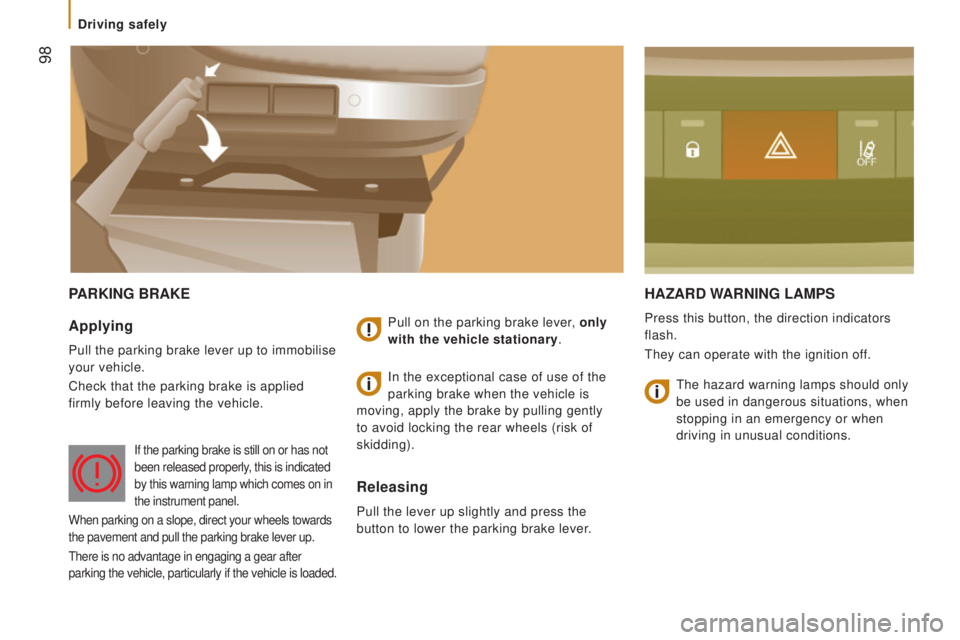
PArKInG BrAKEHAzArd WArnInG LAMPS
Press this button, the direction indicators
flash.
they can operate with the ignition of
f.Applying
Pull the parking brake lever up to immobilise
your vehicle.
Check that the parking brake is applied
firmly before leaving the vehicle. Pull on the parking brake lever, only
with the vehicle stationary.
releasing
Pull the lever up slightly and press the
button to lower the parking brake lever.In the exceptional case of use of the
parking brake when the vehicle is
moving, apply the brake by pulling gently
to avoid locking the rear wheels (risk of
skidding).
If the parking brake is still on or has not
been released properly, this is indicated
by this warning lamp which comes on in
the instrument panel.
When parking on a slope, direct your wheels towards
the pavement and pull the parking brake lever up.
there is no advantage in engaging a gear after
parking the vehicle, particularly if the vehicle is loaded.
the hazard warning lamps should only
be used in dangerous situations, when
stopping in an emergency or when
driving in unusual conditions.
Driving safely
Page 101 of 276
99
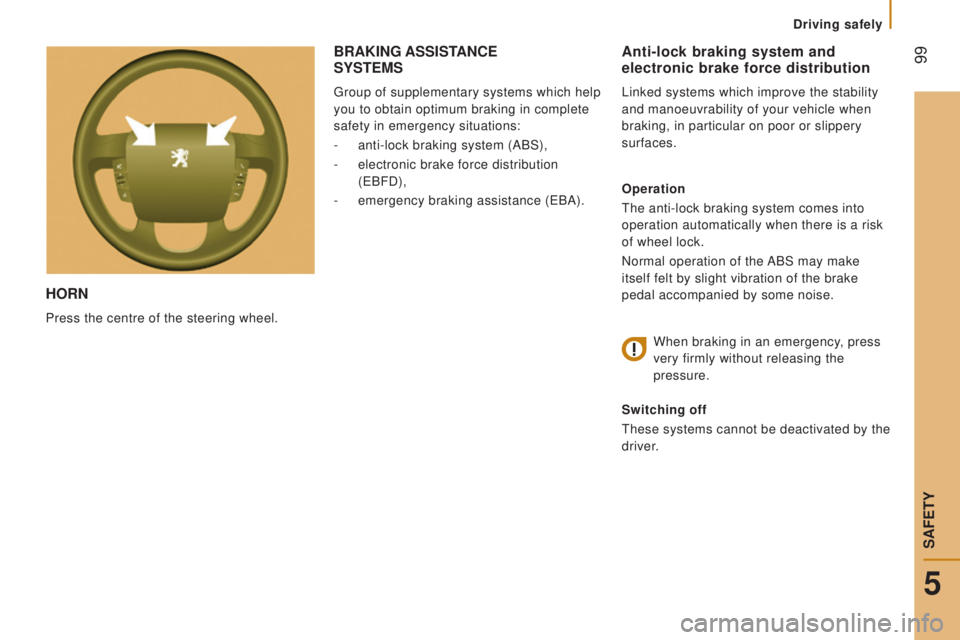
Horn
Press the centre of the steering wheel.
Anti-lock braking system and
electronic brake force distribution
Linked systems which improve the stability
and manoeuvrability of your vehicle when
braking, in particular on poor or slippery
surfaces.
operation
the anti-lock braking system comes into
operation automatically when there is a risk
of wheel lock.
Normal operation of the ABS may make
itself felt by slight vibration of the brake
pedal accompanied by some noise.
When braking in an emergency, press
very firmly without releasing the
pressure.
Switching off
these systems cannot be deactivated by the
driver.
BrAKInG ASSIStAncE SYStEMS
group of supplementary systems which help
you to obtain optimum braking in complete
safety in emergency situations:
-
anti-lock braking system (ABS),
-
electronic brake force distribution
(
eBFD),
-
emergency braking assistance (eBA).
5
Driving safely
SAFetY
Page 102 of 276

100
Good practice
the
ABS system does not provide shorter
braking distances. On very slippery surfaces
(black ice, oil...) the ABS can extend braking
distances. For emergency braking, press the
brake pedal hard and do not release it, even
on a slipper surface; you will then be able to
steer the vehicle and avoid an obstacle.
When replacing wheels (tyres and
rims), ensure that they conform to the
manufacturer's recommendations.Emergency braking assistance
System which, in an emergency, enables
you to obtain the optimum braking pressure
more quickly, thus reducing the stopping
distance.
operation
It is triggered by the speed at which the
brake pedal is pressed.
the ef
fect of this is a reduction in the
resistance of the pedal and an increase in
braking efficiency.
Switching off
this system cannot be deactivated by the
driver.
operating fault
If this warning lamp comes on,
accompanied by an audible signal
and a message in the instrument
panel screen, it indicates a fault with
the anti-lock braking system which could result
in loss of control of the vehicle when braking.
For maximum braking efficiency, a
bedding-in period of around 300 miles
(500 kilometres) is needed. During this
period it is recommended that you avoid
harsh, repeated or prolonged braking. If this warning lamp comes on,
together with the ABS warning
lamp, accompanied by a message
in the instrument panel screen,
it indicates a fault with the electronic brake
force distribution which could result in loss
of control of the vehicle when braking. When braking in an emergency, press
firmly without releasing the pressure.
You must stop as soon as it is safe
to
do so.
In either case, contact a P
eugeOt dealer
or a qualified workshop.
Driving safely
Page 103 of 276
101
trAjEctorY controL SYStEMS
Switching off
this system cannot be deactivated by the
driver.
dynamic stability control
(dSc)
the electronic stability programme acts on
the brake of one or more wheels and on the
engine to keep the vehicle on the trajectory
required by the driver, within the limits of the
laws of physics.
With the DSC system, maintain course
without trying to countersteer.
operation
the DSC system is activated automatically
each time the vehicle is started.
operating fault
Illumination of this warning lamp,
accompanied by an audible signal
and confirmed by a message
in the instrument panel screen,
indicates a fault with the DSC system.
Have it checked by a P
eugeOt dealer or a
qualified workshop.
operation
this system is activated automatically every
time the vehicle is started.
In the event of a problem of adhesion or
trajectory, this system comes into play.
Switching off
In exceptional conditions (starting a vehicle
which is bogged down, stuck in snow,
on soft ground...), it may be advisable to
deactivate the ASR system, so that the
wheels can spin freely and regain grip.
-
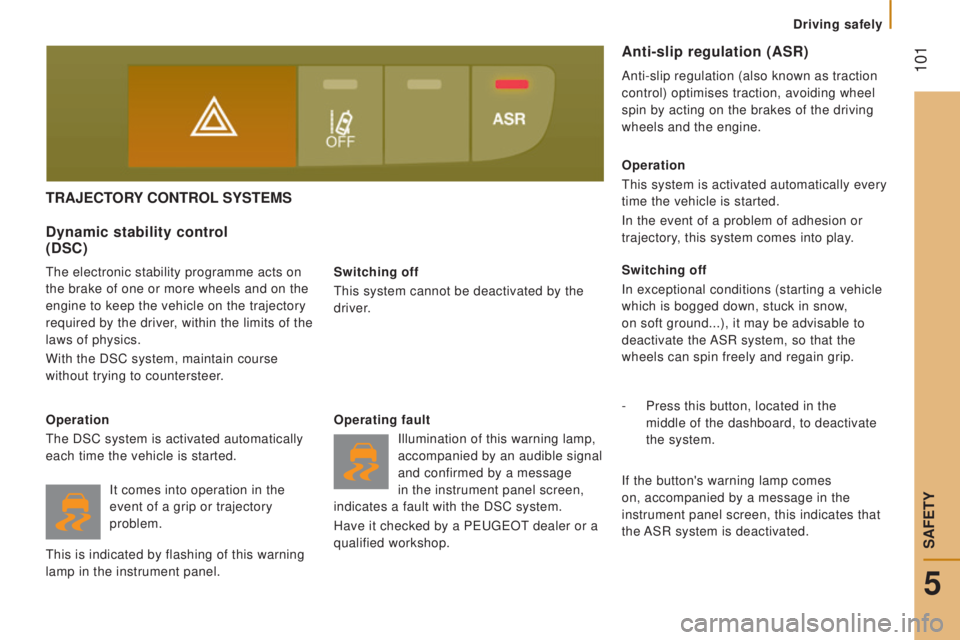
Press this button, located in the
middle of the dashboard, to deactivate
the
system.
Anti-slip regulation (ASr)
Anti-slip regulation (also known as traction
control) optimises traction, avoiding wheel
spin by acting on the brakes of the driving
wheels and the engine.
If the button's warning lamp comes
on, accompanied by a message in the
instrument panel screen, this indicates that
the ASR system is deactivated.
It comes into operation in the
event of a grip or trajectory
problem.
this is indicated by flashing of this warning
lamp in the instrument panel.
5
Driving safely
SAFetY