AUX PEUGEOT EXPERT 2018 User Guide
[x] Cancel search | Manufacturer: PEUGEOT, Model Year: 2018, Model line: EXPERT, Model: PEUGEOT EXPERT 2018Pages: 416, PDF Size: 14.12 MB
Page 364 of 416
10
Media
USB port
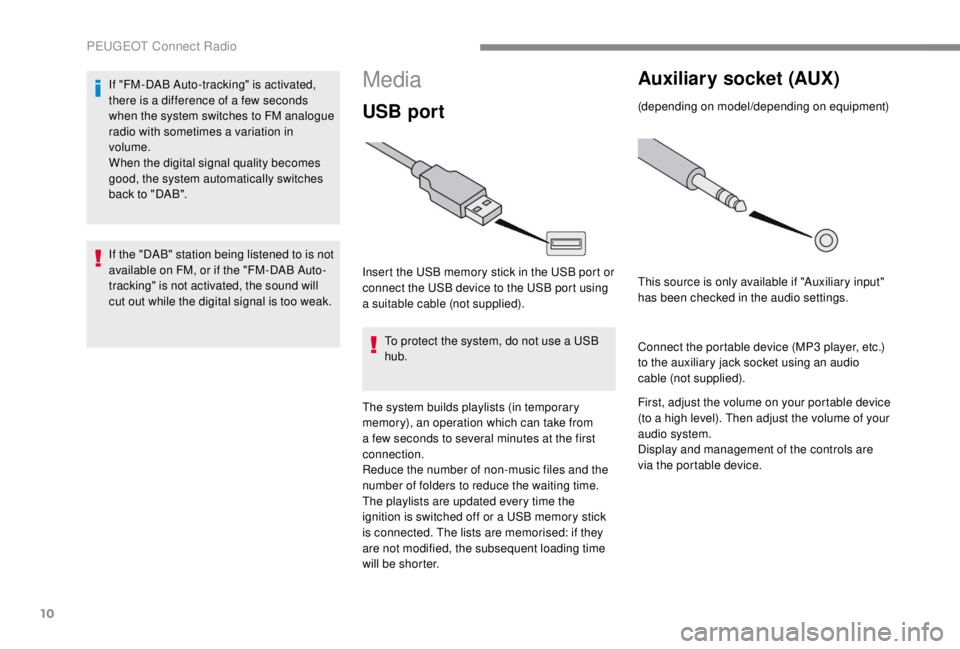
Insert the USB memory stick in the USB port or
connect the USB device to the USB port using
a suitable cable (not supplied).To protect the system, do not use a USB
hub.
The system builds playlists (in temporary
memory), an operation which can take from
a few seconds to several minutes at the first
connection.
Reduce the number of non-music files and the
number of folders to reduce the waiting time.
The playlists are updated every time the
ignition is switched off or a USB memory stick
is connected. The lists are memorised: if they
are not modified, the subsequent loading time
will be shorter.
Auxiliary socket (AUX)
(depending on model/depending on equipment)
This source is only available if "Auxiliary input"
has been checked in the audio settings.
Connect the portable device (MP3
player, etc.)
to the auxiliary jack socket using an audio
cable (not supplied).
First, adjust the volume on your portable device
(to a high level). Then adjust the volume of your
audio system.
Display and management of the controls are
via the portable device.
If "FM-DAB Auto-tracking" is activated,
there is a difference of a few seconds
when the system switches to FM analogue
radio with sometimes a variation in
volume.
When the digital signal quality becomes
good, the system automatically switches
back to "DAB".
If the "DAB" station being listened to is not
available on FM, or if the "FM-DAB Auto-
tracking" is not activated, the sound will
cut out while the digital signal is too weak.
PEUGEOT Connect Radio
Page 365 of 416
11
Selecting the source
Press "Radio Media " to display the
primary page.
Press the " SOURCES " button.
Choose the source.
Bluetooth audio streaming®
Streaming allows you to listen to music from
your smartphone.
The Bluetooth profile must be activated, first
adjust the volume on your portable device (to a
high level).
Then adjust the volume of your system.
If play does not start automatically, it may be
necessary to start the audio playback from the
smartphone.
Control is from the portable device or by using
the system's touch buttons.
Once connected in Streaming mode, the
smartphone is considered to be a media
source.
Connecting Apple® players
Connect the Apple® player to the USB port
using a suitable cable (not supplied).
Play starts automatically.
Control is via the audio system.
The classifications available are those of
the portable device connected (artists/
albums/genres/playlists/audiobooks/
podcasts), you can also use a
classification structured in the form of a
library.
The default classification used is by artist.
To modify the classification used, return
to the first level of the menu then select
the desired classification (playlists for
example) and confirm to go down through
the menu to the desired track.
The version of software in the audio system
may not be compatible with the generation of
your Apple
® p l aye r.
Information and advice
The system supports USB Mass Storage
devices, BlackBerry® devices or Apple®
players via USB ports. The adapter cable
is not supplied.
Device management is done by the audio
system controls.
Other peripherals, not recognised on
connection, must be connected to the
auxiliary socket using a Jack cable (not
supplied) or via Bluetooth streaming,
depending on compatibility.
To protect the system, do not use a USB
hub.
The audio equipment will only play audio files
with ".wav", ".wma", ".aac", ".ogg" and ".mp3"
file extensions and with a bit rate of between
32
Kbps and 320
Kbps.
It also supports VBR (Variable Bit Rate) mode.
No other file types (".mp4", etc.) can be read.
".wma" files must be of the standard wma
9
type.
Sampling frequencies supported are 11, 22,
44
and 48
kHz.
.
PEUGEOT Connect Radio
Page 384 of 416

2
First steps
Press: On/Off.
Rotate: adjust volume.
Short press: change audio source
(radio; USB; AUX (if equipment
connected); CD; streaming).
Long press: display the Telephone
menu (if a telephone is connected).
Adjust audio settings:
Front/rear fader; left/right balance;
bass/treble; loudness; audio
ambience.
Activation/Deactivation of automatic
volume adjustment (linked to the
speed of the vehicle).
Radio:
Short press: display the list of radio
stations.
Long press: update the list.
Media:
Short press: display the list of
folders.
Long press: display the available
sorting options.Select the screen display mode,
between:
Date; Audio functions; Trip
computer; Telephone.
Confirm or display contextual menu.
Buttons 1
to 6.
Short press: select the preset radio
station.
Long press: preset a radio station.
Radio:
Automatic step by step search up/
down for radio stations.
Media:
Select previous/next CD, USB,
streaming track.
Scroll in a list.
Radio:
Manual step by step search up/down
for radio stations.
Select previous/next MP3
folder.
Media:
Select previous/next folder/genre/
artist/playlist on the USB device.
Scroll in a list. Abandon the current operation.
Go up one level (menu or folder).
Access to the main menu.
Activate/Deactivate TA
(traffic announcements).
Long press: select type of
announcement.
Selection of FM/DAB/AM
wavebands.
Bluetooth® audio system
Page 385 of 416
3
Steering mounted controls
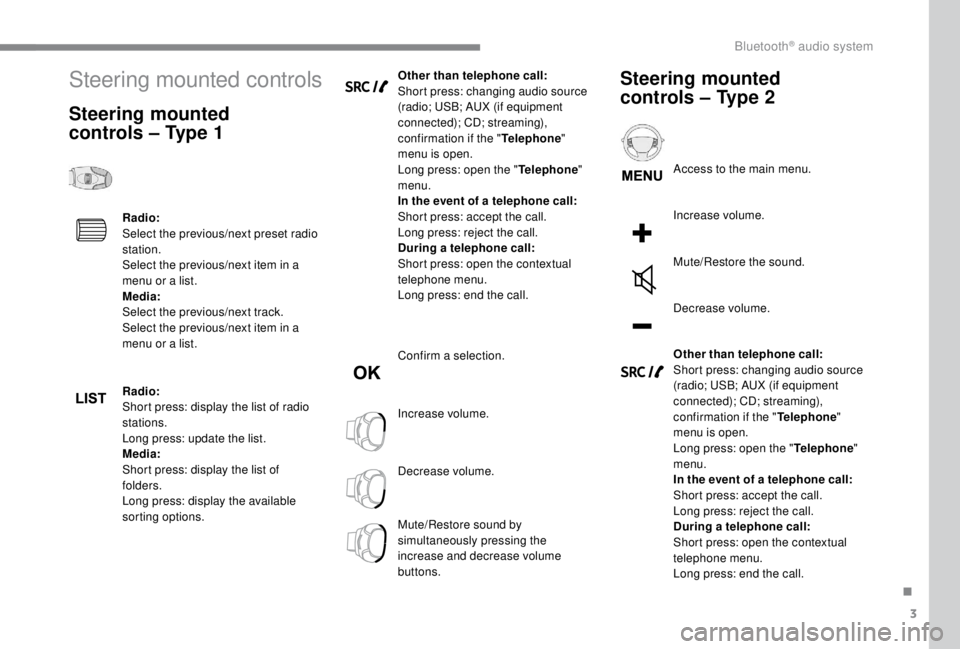
Steering mounted
controls – Type 1
Radio:
Select the previous/next preset radio
station.
Select the previous/next item in a
menu or a list.
Media:
Select the previous/next track.
Select the previous/next item in a
menu or a list.
Radio:
Short press: display the list of radio
stations.
Long press: update the list.
Media:
Short press: display the list of
folders.
Long press: display the available
sorting options.Other than telephone call:
Short press: changing audio source
(radio; USB; AUX (if equipment
connected); CD; streaming),
confirmation if the "
Telephone"
menu is open.
Long press: open the " Telephone"
menu.
In the event of a telephone call:
Short press: accept the call.
Long press: reject the call.
During a telephone call:
Short press: open the contextual
telephone menu.
Long press: end the call.
Confirm a selection.
Increase volume.
Decrease volume.
Mute/Restore sound by
simultaneously pressing the
increase and decrease volume
buttons.
Steering mounted
controls – Type 2
Access to the main menu.
Increase volume.
Mute/Restore the sound.
Decrease volume.
Other than telephone call:
Short press: changing audio source
(radio; USB; AUX (if equipment
connected); CD; streaming),
confirmation if the " Telephone"
menu is open.
Long press: open the " Telephone"
menu.
In the event of a telephone call:
Short press: accept the call.
Long press: reject the call.
During a telephone call:
Short press: open the contextual
telephone menu.
Long press: end the call.
.
Bluetooth® audio system
Page 391 of 416
9
Playing files
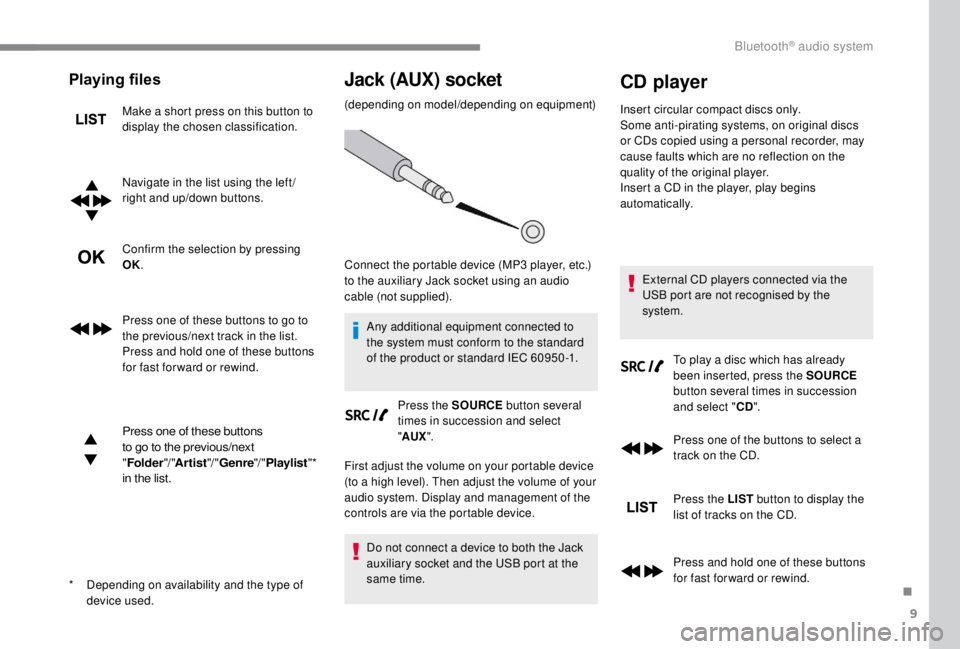
Make a short press on this button to
display the chosen classification.
Navigate in the list using the left /
right and up/down buttons.
Confirm the selection by pressing
OK.
Press one of these buttons to go to
the previous/next track in the list.
Press and hold one of these buttons
for fast for ward or rewind.
Press one of these buttons
to go to the previous/next
"Folder "/ "Artist "/ "Genre "/ "Playlist "*
in the list.
Jack (AUX) socket
(depending on model/depending on equipment)
Any additional equipment connected to
the system must conform to the standard
of the product or standard IEC 60950 -1. Press the SOURCE button several
times in succession and select
" AUX ".
First adjust the volume on your portable device
(to a high level). Then adjust the volume of your
audio system. Display and management of the
controls are via the portable device.
Do not connect a device to both the Jack
auxiliary socket and the USB port at the
same time.
CD player
Insert circular compact discs only.
Some anti-pirating systems, on original discs
or CDs copied using a personal recorder, may
cause faults which are no reflection on the
quality of the original player.
Insert a CD in the player, play begins
automatically.
External CD players connected via the
USB port are not recognised by the
system. To play a disc which has already
been inserted, press the SOURCE
button several times in succession
and select " CD".
Press one of the buttons to select a
track on the CD.
Press the LIST button to display the
list of tracks on the CD.
Press and hold one of these buttons
for fast for ward or rewind.
*
D
epending on availability and the type of
device used. Connect the portable device (MP3
player, etc.)
to the auxiliary Jack socket using an audio
cable (not supplied).
.
Bluetooth® audio system
Page 405 of 416

307
180° rear vision .....................................23 0-233
Access, AdBlue tank
..................................... 254
Accessories
.......................................... 142, 18 3
Access to the 3rd row
.............................99, 102
Access to the spare wheel
....................267-268
Active Safety Brake......................... 19, 218 -220
AdBlue
® ..................................... 2 2, 31, 252-255
Additive, AdBlue ............................................ 255
Additive, Diesel
..................................... 250-251
Adjusting headlamp beam height
................. 13
7
Adjusting headlamps
.................................... 137
Adjusting head restraints
..........................91, 93
Adjusting seats
.................................... 87, 89 -90
Adjusting the air distribution
...................117-11 8
Adjusting the air flow
............................... 11
7-11 8
Adjusting the date
......................... 37-38, 36, 20
Adjusting the height and reach of the steering wheel
.................................... 85
Adjusting the lumbar support
.......................... 88
A
djusting the seat angle
........................... 88, 90
Adjusting the seat belt height
....................... 1
51
Adjusting the temperature
......................117-11 8
Adjusting the time
......................... 37-38, 36, 20
Advice on driving
................................... 176 -178
Airbags
...............................
.............20, 15 4, 159
Airbags, curtain
...................................... 15 5 -15 6
Airbags, front ................................. 15 4, 15 6, 16 0
Airbags, lateral
....................................... 15 5 -15 6
Air conditioning
...................... 118, 124, 124 -125
Air conditioning, automatic
...........................120
Air conditioning, dual-zone automatic
....117-11 8
Air conditioning, manual ..... 115 -116, 120, 123 -124
Air intake
......................................... 117-11 8 , 12 0
Alarm
......................................................... 81- 83
Alarm, volumetric
............................................ 81
Anti-lock braking system (ABS)
.......19, 145 -14 6
Anti-theft
................................................. 4 4, 185Area, loading
...............................
........
39 - 40, 62
Armrest
................
..........................................
108
Armrest, front ..................................................
91
Anti-slip regulation (ASR)
................
21, 145 -14 6
Assistance call
...............................
........
143 -14 4
Assistance, emergency braking
...
145 -14 6, 2 21
Audio streaming (Bluetooth)
................
27, 11, 10
Auxiliary
..........................................
26-27, 10-11
A
B
C
Battery ............. 15, 242-243, 250, 288, 290 -292
Battery capacity ............................................ 292
Battery, charging
................................... 289-290
Battery, remote control
.........45 - 46, 59 - 60, 127
Bench seat, one-piece, fixed
................... 9
9 -101
Blind spot monitoring system
................225-226
Blind spot sensors
.......................................... 25
BlueHDi
............................................. 23, 31, 252
Bluetooth (hands-free)
........ 2
8 -2 9, 15 -16 , 11-12
Bluetooth (telephone)
..................... 2
8 - 3 0, 15 -17
Bonnet
........................................................... 246
Boot
................................................................. 80
Brake discs
............................................. 251-252
Brake lamps
...............................
...........278-282
Brakes
........................................ 14, 19, 251-252
Braking, automatic emergency
........19, 218 -221
Brightness
....................................................... 19
Bulbs (changing)
...................272-273, 278, 280
Bulbs (changing, type)
..........................272-273
Cable, audio
.............................................. 26, 10
Cable, jack
................................................ 26, 10
Capacity, fuel tank
................................. 237-238Cap, fuel filler
...............................
..........
237-238
CarPlay connection ................................... 18, 13
CD
....................................................
26 -27, 11, 9
CD, MP3
......................................
26 -27, 11, 9 -10
Central locking
.................................... 50
, 54-55
Changing a bulb
..................... 2
72-273, 278-282
Changing a bulb (tailgate)
.............................
280
Changing a bulb (side-hinged doors)
........... 2
78
Changing a fuse
.................................... 28
3-287
Changing a wheel
......................................... 26
6
Changing a wiper blade
........................ 1
41, 2 4 5
Changing the remote control battery
.........................................
45 - 46, 59 - 60
Checking the engine oil level ..........................
30
Checking the levels ...............................247, 249
Checking tyre pressures (using the kit)
......................................260-265
Checks
...........................................247, 250-252
Checks, routine
.....................................250-252
Child lock
................................................174 -175
Child lock, electric
.........................................174
Child lock on rear windows
...........................175
Children
..................................16 4, 16 8 -170, 172
Children (safety)
............................................174
Child seats
.............15
3, 157-159, 163 -16 6, 173
Child seats, conventional
......................163 -166
Child seats, ISOFIX
.......................16 8 -170, 172
Closing the boot
..............................................80
Closing the doors
...................50, 54-55, 63 - 66,
69 -70, 77-79
Collision risk alert
............19, 218 -219, 218 -220
Compressor, tyre inflation
............................260
Connection, Bluetooth
...21-22, 28 -30, 15 -17, 12
Connection, MirrorLink
........................19, 12-14
Connection, Wi-Fi network
.............................22
Control, emergency boot release
...................80
Control, emergency door
............... 4
4 - 4 5 , 57- 5 9
Control, heated seats
................................91-92
Control stalk, lighting
..............................26, 13 0
Control stalk, wipers
..............................13
7-13 9
Courtesy lamp
...............................................279
.
Alphabetical index
Page 408 of 416
310
SSafety, children .....................154, 157-160, 164,
16 8 -170, 172-173
Saturation of the particle filter (Diesel)
.........2 51
Screen, instrument panel
..........................35-36
Screen menu map
........................................... 13
Screen, multifunction (with audio system)
........4
Screenwash
.................................................. 140
Screenwash, rear
.......................................... 13 9
SCR (Selective Catalytic Reduction)
............252
Seat and bench seat, rear, fixed
............102-105
Seat and bench seat, rear, on rails
...............105
Seat belts
...................................... 15 0 -15 3, 163
Seat belts, rear
.............................................. 151
Seat, bench front, 2-seat
........................ 9
2 , 151
Seat, rear bench
........................................... 105RRadio ................................... 23 -24, 27, 7, 11, 4- 6
Radio, digital (Digital Audio Broadcasting – DAB)
............................25, 9, 6
Range
........................................................ 36 -37
Range, AdBlue
........................................... 31- 32
RDS
................
....................................... 24-25, 7
Rear screen, demisting
..........................121-12 2
Recharging the battery
.........................289-290
Recirculation, air
............................. 117-11 8 , 12 0
Reduction of electrical load
..........................243
Regeneration of the particle filter
.................2 51
Reinitialisation of the under- inflation detection system
...........................235
Reinitialising the remote control
... 4
5 - 46, 59 - 60
Reminder, key in ignition
...............................18
1Reminder, lighting on
.............................
13
1-132
Remote control
.......................
39 - 42, 44, 46 -50,
57-61, 63-64
Removing a wheel ................................
2 6 9 -271
Removing the mat
.........................................
108
Replacing bulbs
..................... 2
72-273, 278-282
Replacing fuses
....................................
283-286
Replacing the air filter
................................... 25
0
Replacing the oil filter
................................... 25
0
Replacing the passenger compartment filter
......................................
250
Reservoir, headlamp wash
........................... 24
9
Reservoir, screenwash
.................................
249
Reset journey
.................................................. 36
R
esetting the service indicator
.......................
29
Resetting the trip recorder
........................
33-34
Reversing camera
...............................
..
230-233
Reversing camera (on interior mirror) ..........
229
Reversing lamp
............................
278, 280, 282
Roof bars
...............................................
243 -244
Running out of fuel (Diesel) ..........................
257
Pads, brake
............................................
251-252
Paint colour code ..........................................
305
Parking brake
...........................
14, 185, 251-252
Parking sensors, audible and visual
.....
228-229
Parking sensors, front
...........................
228-229
Parking sensors, rear ............................227-229
Passenger's airbag
......................................... 20
P
EUGEOT Connect Nav ...................................
1
PEUGEOT Connect Radio
...............................
1
P
lates, identification
...................................... 305
Player, Apple
® ...................................... 2 7, 11, 10
Player, MP3
CD ............................... ......2 6 , 9 -10
Player, USB
........................................... 26, 10, 8
Port, USB
...................................... 111, 26, 10, 8
Power steering
...............................
.................21
Pressures, tyres
............................ 261, 265, 305
Pre-tensioning seat belts
.............................. 15 3
Priming the fuel system
................................ 257
Profiles
...................................................... 3 4, 18
Protecting children
................ 154, 157-160, 164,
16 8 -170, 172-173
Puncture
................................................ 260-265
PSeats, electric ........................................... 89-90
Seats, front ............................... ...........87, 89 -90
Seats, heated
............................................ 91-93
Seats, rear
............................................... 9 9 -10 4
Selector, gear
......................................... 19 4 -197
Serial number, vehicle
..................................305
Service indicator
....................................... 2 7, 2 9
Servicing
......................................................... 2
7
Settings, system
........................................ 35, 19
Sidelamps
............. 1
30, 273 -275, 278, 280, 282
Side repeater
................................................ 2 74
Sliding side door, electric
....................... 41- 42, 48, 54-56, 66 -73
Sliding side door, hands-free
.....................74 -7 6
Sliding side door, manual
................... 6
4- 66, 70
Sliding side window
...................................... 11
4
Snow chains
.................................. 234, 241, 268
Snow chains, link
.................................. 2 41, 2 6 8
Socket, 12
V accessory ................................111
Socket, auxiliary
.................................... 2
6, 10, 9
Socket, JACK
................................ 112, 26, 10, 9
Sockets, audio
........................................ 111
-112
Speed limiter
................................. 202
, 204-208
Speed limit recognition
........................ 20
2-204,
206 -215, 217-218
Stability control (ESC)...................... 21, 145 -14 6
Starting a Diesel engine
............................... 24
0
Starting the engine
................................ 17
8 -179
Starting the vehicle
....................... 18
1, 183 -18 4,
18 6, 189 -197
Starting using another battery
......................288
Station, radio
...............................
.......23 -25, 7, 4
Stay, bonnet
.................................................. 246
Steering mounted controls, audio
............ 3
, 3, 3
Steering wheel, adjustment
............................ 85
S
topping the vehicle
...............181-18 4, 189 -197
Stop & Start
........................ 19, 25, 37, 121, 124,
198 -200, 237, 246, 291
Stop (warning lamp)
........................................ 14
Storage
...................................... 9 4, 98, 10 6 -109
Alphabetical index