remote start PEUGEOT EXPERT 2018 User Guide
[x] Cancel search | Manufacturer: PEUGEOT, Model Year: 2018, Model line: EXPERT, Model: PEUGEOT EXPERT 2018Pages: 416, PDF Size: 14.12 MB
Page 63 of 416
61
Accumulations (water, dust, grime, salt,
etc.) on the inner sur face of the door
handle may affect detection.
If cleaning the inner sur face of the door
handle using a cloth does not restore
detection, contact a PEUGEOT dealer or a
qualified workshop.
A sudden splash of water (stream of water,
high pressure jet washer, etc.) may be
identified by the system as the desire to
open the vehicle.Locking/unlocking from
inside
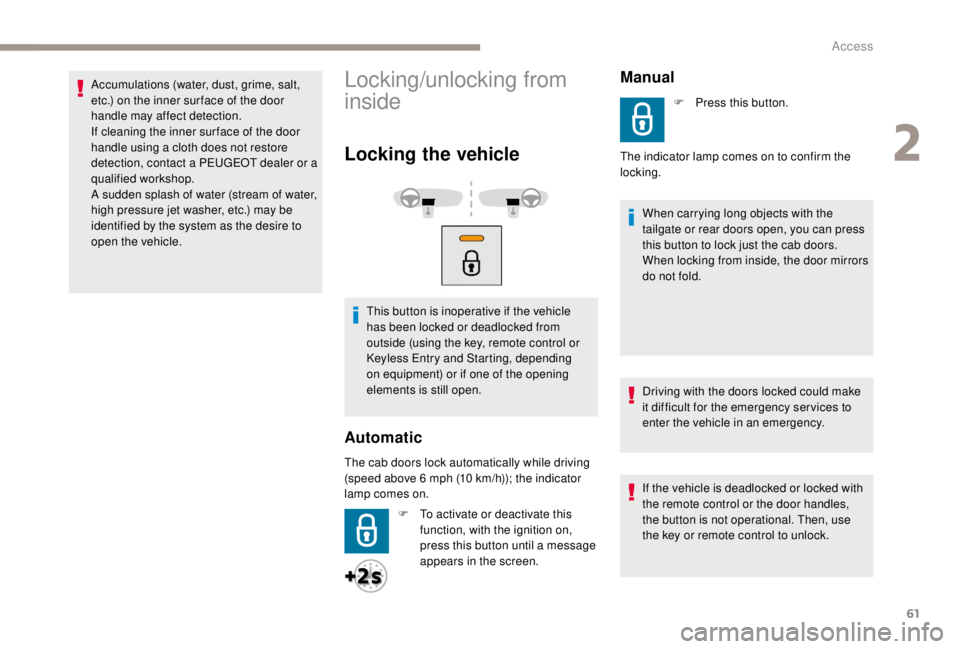
Locking the vehicle
This button is inoperative if the vehicle
has been locked or deadlocked from
outside (using the key, remote control or
Keyless Entry and Starting, depending
on equipment) or if one of the opening
elements is still open.
Automatic
The cab doors lock automatically while driving
(speed above 6 mph (10 km/h)); the indicator
lamp comes on.
F
T
o activate or deactivate this
function, with the ignition on,
press this button until a message
appears in the screen.
Manual
The indicator lamp comes on to confirm the
locking.
When carrying long objects with the
tailgate or rear doors open, you can press
this button to lock just the cab doors.
When locking from inside, the door mirrors
do not fold.
Driving with the doors locked could make
it difficult for the emergency ser vices to
enter the vehicle in an emergency.
If the vehicle is deadlocked or locked with
the remote control or the door handles,
the button is not operational. Then, use
the key or remote control to unlock. F
P
ress this button.
2
Access
Page 64 of 416
62
F Press this button.
The indicator lamp also goes off when
unlocking one or more doors.
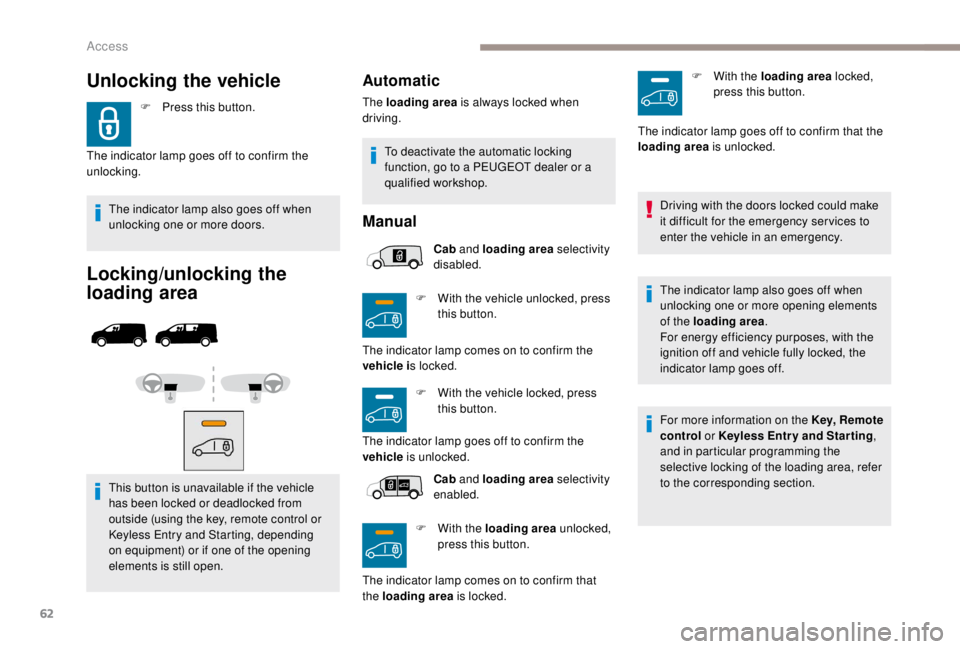
Locking/unlocking the
loading area
This button is unavailable if the vehicle
has been locked or deadlocked from
outside (using the key, remote control or
Keyless Entry and Starting, depending
on equipment) or if one of the opening
elements is still open.
Unlocking the vehicle
The indicator lamp goes off to confirm the
unlocking.
Automatic
Manual
Cab and loading area selectivity
disabled.
F
W
ith the vehicle unlocked, press
this button.
F
W
ith the vehicle locked, press
this button.
Cab and loading area selectivity
enabled.
F
W
ith the loading area unlocked,
press this button.
The loading area
is always locked when
driving.
The indicator lamp comes on to confirm the
vehicle i s locked.
The indicator lamp goes off to confirm the
vehicle is unlocked.
The indicator lamp comes on to confirm that
the loading area is locked. F
W
ith the loading area locked,
press this button.
Driving with the doors locked could make
it difficult for the emergency ser vices to
enter the vehicle in an emergency.
The indicator lamp also goes off when
unlocking one or more opening elements
of the loading area .
For energy efficiency purposes, with the
ignition off and vehicle fully locked, the
indicator lamp goes off.
For more information on the Key, Remote
control or
K
eyless Entr y and Star ting,
and in particular programming the
selective locking of the loading area, refer
to the corresponding section.
The indicator lamp goes off to confirm that the
loading area
is unlocked.
To deactivate the automatic locking
function, go to a PEUGEOT dealer or a
qualified workshop.
Access
Page 65 of 416
63
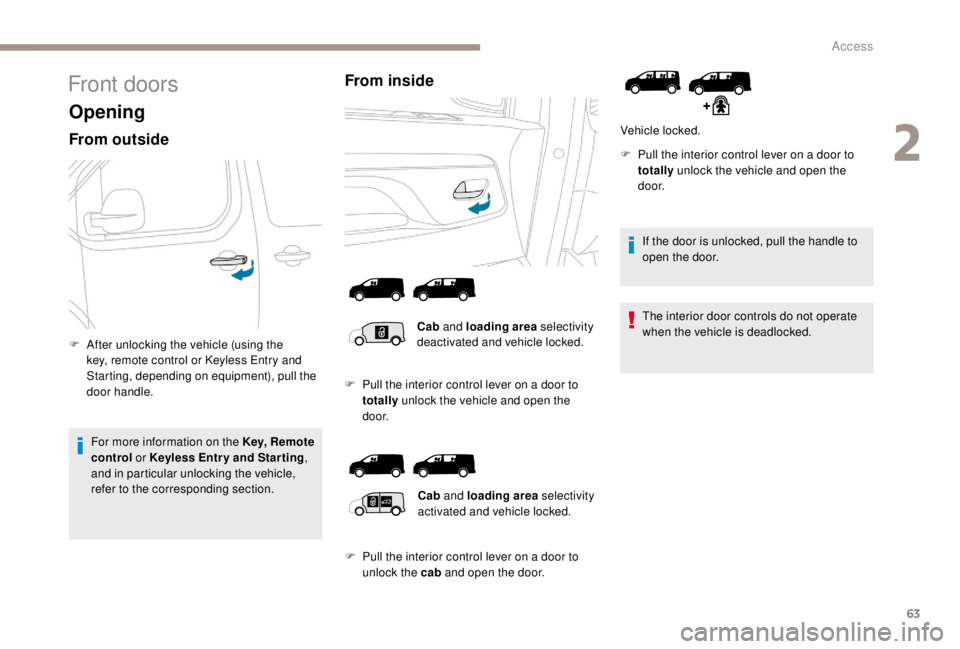
Front doors
Opening
From outside
F After unlocking the vehicle (using the key, remote control or K eyless Entry and
Starting, depending on equipment), pull the
door handle.
For more information on the Key, Remote
control or
K
eyless Entr y and Star ting ,
and in particular unlocking the vehicle,
refer to the corresponding section.
From inside
If the door is unlocked, pull the handle to
open the door.
The interior door controls do not operate
when the vehicle is deadlocked.
Vehicle locked.
Cab and loading area selectivity
deactivated and vehicle locked.
Cab and loading area selectivity
activated and vehicle locked.
F
P
ull the interior control lever on a door to
totally unlock the vehicle and open the
d o o r.
F
P
ull the interior control lever on a door to
unlock the cab and open the door. F
P
ull the interior control lever on a door to
totally unlock the vehicle and open the
d o o r.
2
Access
Page 66 of 416
64
Closing
F Push or pull the door to close it, then lock it.When a door is not closed correctly:
-
w
ith the vehicle stationary and the
engine running, this warning lamp
comes on, accompanied by an
alert message for a few seconds,
-
w
ith the vehicle moving (speed
above 6
mph (10 km/h)), this
warning lamp comes on,
accompanied by an audible signal
and an alert message for a few
seconds.
For more information on the Key, Remote
control or
K
eyless Entr y and Star ting ,
and in particular unlocking the vehicle,
refer to the corresponding section.
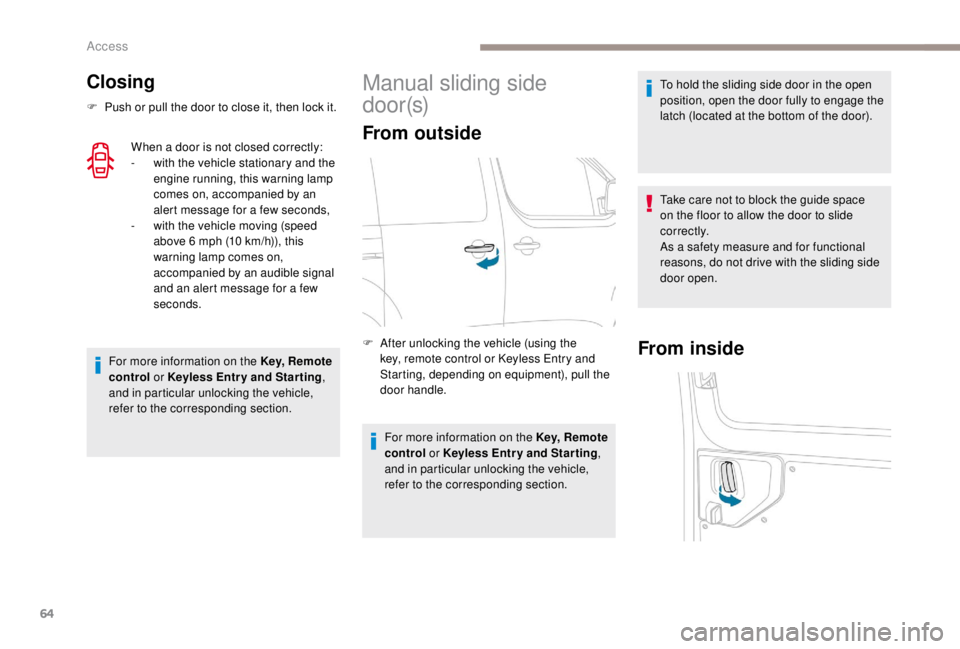
Manual sliding side
d o o r (s)
From outside
F After unlocking the vehicle (using the key, remote control or K eyless Entry and
Starting, depending on equipment), pull the
door handle.
For more information on the Key, Remote
control or
K
eyless Entr y and Star ting ,
and in particular unlocking the vehicle,
refer to the corresponding section.From inside
To hold the sliding side door in the open
position, open the door fully to engage the
latch (located at the bottom of the door).
Take care not to block the guide space
on the floor to allow the door to slide
c o r r e c t l y.
As a safety measure and for functional
reasons, do not drive with the sliding side
door open.
Access
Page 68 of 416
66
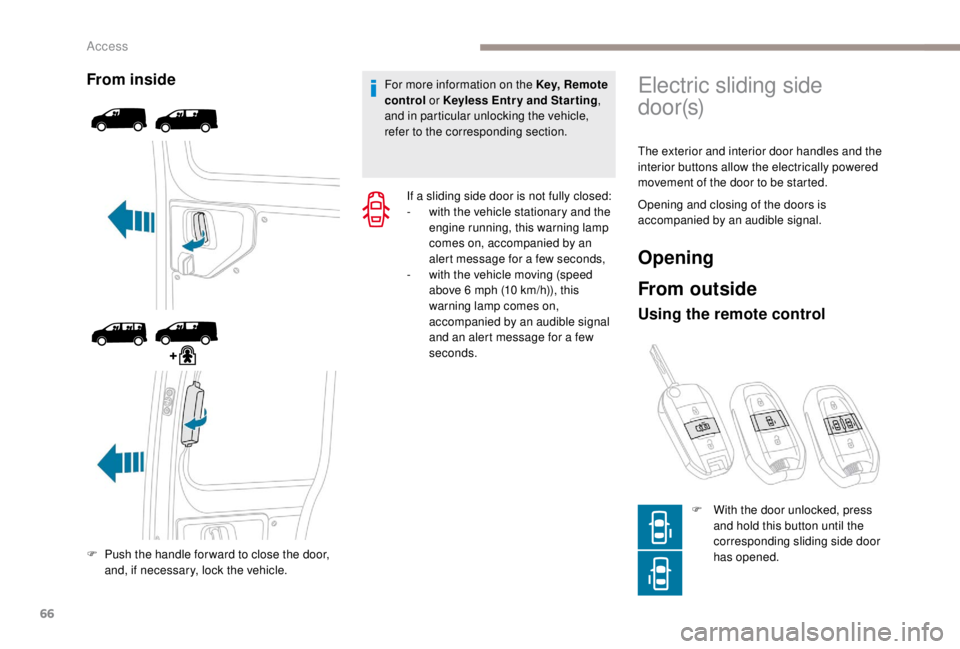
From inside
F Push the handle for ward to close the door, and, if necessary, lock the vehicle. For more information on the Key, Remote
control or
K
eyless Entr y and Star ting
,
and in particular unlocking the vehicle,
refer to the corresponding section.
If a sliding side door is not fully closed:
-
w
ith the vehicle stationary and the
engine running, this warning lamp
comes on, accompanied by an
alert message for a few seconds,
-
w
ith the vehicle moving (speed
above 6 mph (10 km/h)), this
warning lamp comes on,
accompanied by an audible signal
and an alert message for a few
seconds.
Electric sliding side
d o o r (s)
The exterior and interior door handles and the
interior buttons allow the electrically powered
movement of the door to be started.
Opening and closing of the doors is
accompanied by an audible signal.
Opening
From outside
Using the remote control
F With the door unlocked, press and hold this button until the
corresponding sliding side door
has opened.
Access
Page 69 of 416
67
F Press this button again to reverse the movement of the
d o o r.
The remote controls buttons are not active
with the ignition switched on.
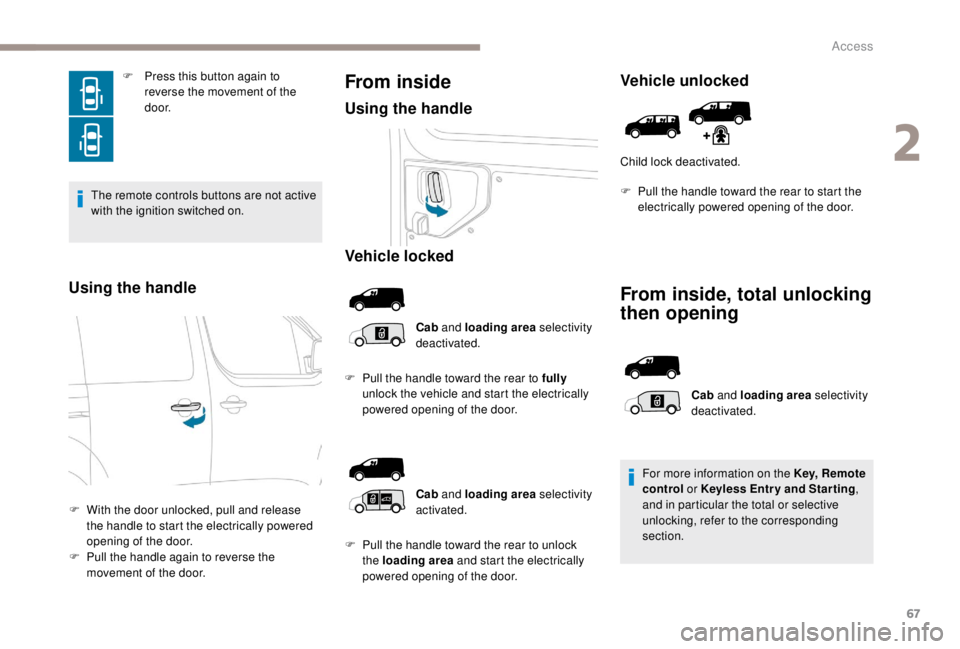
Using the handle
F With the door unlocked, pull and release the handle to start the electrically powered
opening of the door.
F
P
ull the handle again to reverse the
movement of the door.
From inside
Using the handle
Vehicle locked
Cab and loading area selectivity
deactivated.
F
P
ull the handle toward the rear to fully
unlock the vehicle and start the electrically
powered opening of the door.
Vehicle unlocked
Child lock deactivated.
From inside, total unlocking
then opening
Cab and loading area selectivity
activated.
F
P
ull the handle toward the rear to unlock
the loading area and start the electrically
powered opening of the door. Cab
and loading area selectivity
deactivated.
For more information on the Key, Remote
control or K eyless Entr y and Star ting
,
and in particular the total or selective
unlocking, refer to the corresponding
section.
F
P
ull the handle toward the rear to start the
electrically powered opening of the door.
2
Access
Page 70 of 416
68
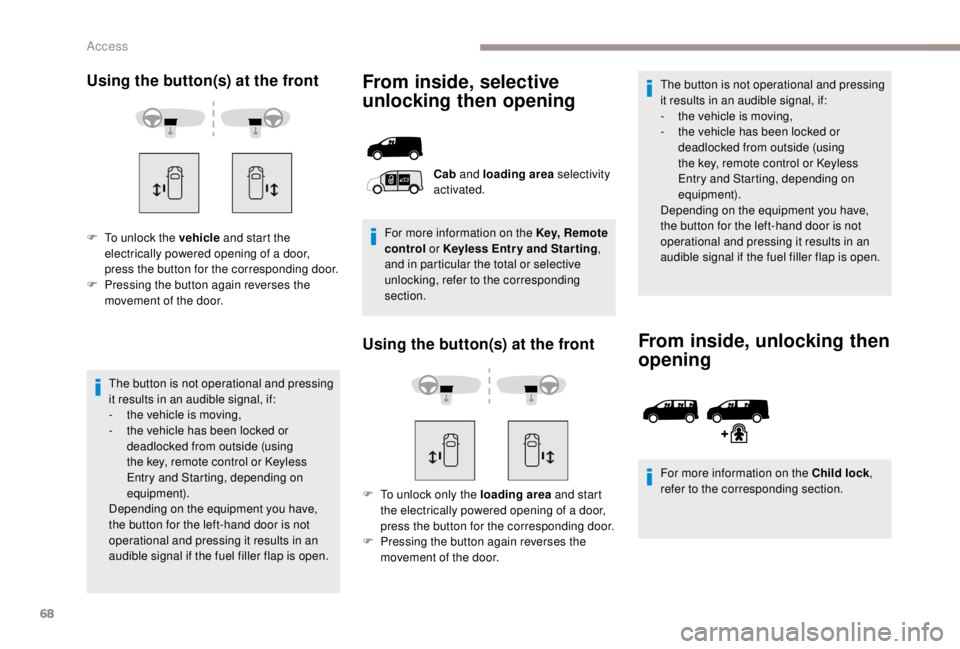
Using the button(s) at the front
F To unlock the vehicle and start the
electrically powered opening of a door,
press the button for the corresponding door.
F
P
ressing the button again reverses the
movement of the door.
The button is not operational and pressing
it results in an audible signal, if:
-
t
he vehicle is moving,
-
t
he vehicle has been locked or
deadlocked from outside (using
the key, remote control or Keyless
Entry and Starting, depending on
equipment).
Depending on the equipment you have,
the button for the left-hand door is not
operational and pressing it results in an
audible signal if the fuel filler flap is open.
From inside, selective
unlocking then opening
Using the button(s) at the front
F To unlock only the loading area and start
the electrically powered opening of a door,
press the button for the corresponding door.
F
P
ressing the button again reverses the
movement of the door. The button is not operational and pressing
it results in an audible signal, if:
-
t
he vehicle is moving,
-
t
he vehicle has been locked or
deadlocked from outside (using
the key, remote control or Keyless
Entry and Starting, depending on
equipment).
Depending on the equipment you have,
the button for the left-hand door is not
operational and pressing it results in an
audible signal if the fuel filler flap is open.
From inside, unlocking then
opening
For more information on the Child lock ,
refer to the corresponding section.
Cab
and loading area selectivity
activated.
For more information on the Key, Remote
control or
K
eyless Entr y and Star ting
,
and in particular the total or selective
unlocking, refer to the corresponding
section.
Access
Page 71 of 416
69
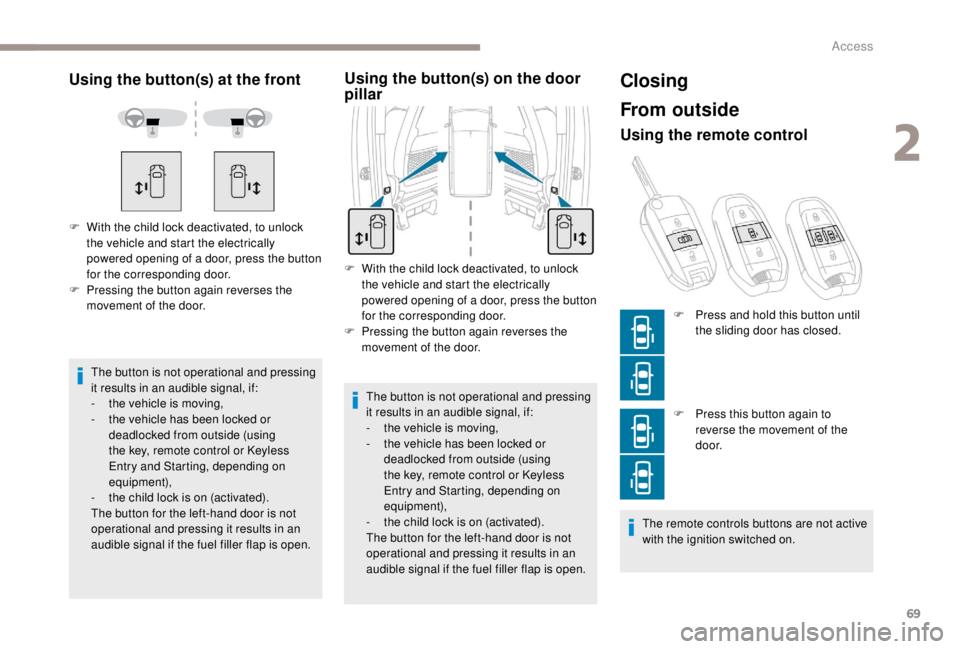
Using the button(s) at the front
The button is not operational and pressing
it results in an audible signal, if:
-
t
he vehicle is moving,
-
t
he vehicle has been locked or
deadlocked from outside (using
the key, remote control or Keyless
Entry and Starting, depending on
equipment),
-
t
he child lock is on (activated).
The button for the left-hand door is not
operational and pressing it results in an
audible signal if the fuel filler flap is open.
F
W
ith the child lock deactivated, to unlock
the vehicle and start the electrically
powered opening of a door, press the button
for the corresponding door.
F
P
ressing the button again reverses the
movement of the door.
Using the button(s) on the door
pillar
F With the child lock deactivated, to unlock the vehicle and start the electrically
powered opening of a door, press the button
for the corresponding door.
F
P
ressing the button again reverses the
movement of the door.
The button is not operational and pressing
it results in an audible signal, if:
-
t
he vehicle is moving,
-
t
he vehicle has been locked or
deadlocked from outside (using
the key, remote control or Keyless
Entry and Starting, depending on
equipment),
-
t
he child lock is on (activated).
The button for the left-hand door is not
operational and pressing it results in an
audible signal if the fuel filler flap is open.
Closing
From outside
Using the remote control
F Press this button again to reverse the movement of the
d o o r.
The remote controls buttons are not active
with the ignition switched on. F
P
ress and hold this button until
the sliding door has closed.
2
Access
Page 78 of 416
76
Deactivation
By default, hands-free access is activated.
The function can be deactivated in the vehicle
configuration menu.
Automatic locking
The vehicle locks itself following the hands-free
closing of a sliding door.
The automatic locking can be deactivated in
the vehicle configuration menu.If your vehicle is not fitted with an alarm,
locking is confirmed by fixed illumination
of the direction indicators for about two
seconds.
Depending on your version, the door
mirrors fold at the same time.
With audio system With touch screen
Then, if you want automatic locking after
closing the door, activate/deactivate "
Hands-
free tailgate access self-locking ".
Operating fault
An audible signal repeated three times
indicates a fault with the system.
Contact a PEUGEOT dealer or a qualified
workshop to have the system checked. If the "
Hands-free tailgate access self-
locking " option is selected in the vehicle
menu and after closing the door, make
sure that the vehicle is locked.
This is because locking will not take place:
-
i
f the ignition is on,
-
i
f one of the doors or the tailgate is
open,
-
i
f a Keyless Entry and Starting remote
control is inside the vehicle.
If a number of gestures with your foot
have no effect, wait a few seconds before
starting again.
The system is automatically deactivated in
heavy rain or with accumulations of snow.
If it does not work, check that the remote
control is not exposed to a source of
electromagnetic pollution (smartphone,
e t c .) .
Operation may be affected if using a
prosthetic leg.
This system may not work correctly if your
vehicle is fitted with a towbar.
In the " Personalisation-
configuration " menu, activate/
deactivate " Hands-Free Tailgate
Access ". In the "
Driving/Vehicle " menu,
activate/deactivate " Hands-Free
Tailgate Access ".
Access
Page 79 of 416
77
The side door may open or close
erratically if:
-
y
our vehicle is fitted with a towbar,
-
y
ou hitch or unhitch a trailer,
-
y
ou fit or remove a bicycle carrier,
-
y
ou load or unload bicycles on a
bicycle carrier,
-
y
ou place or lift something behind the
vehicle,
-
an
animal approaches the bumper,
-
y
ou are washing your vehicle,
-
a s
er vice is being carried out on your
vehicle,
-
y
ou change a wheel. Ensure that no person or object could
prevent the correct opening or closing of
the doors.
Be aware of children when operating the
doors.
To avoid unwanted operation,
keep the key away from the
detection zone or deactivate
the function in the vehicle
configuration menu.
To avoid unwanted operation,
keep the key away from the
detection zone (also from
the boot’s interior sides) or
deactivate the function in the
vehicle configuration menu.Side-hinged rear doors
The side-hinged rear doors are asymmetrical.
The left-hand door is fitted with a lock.
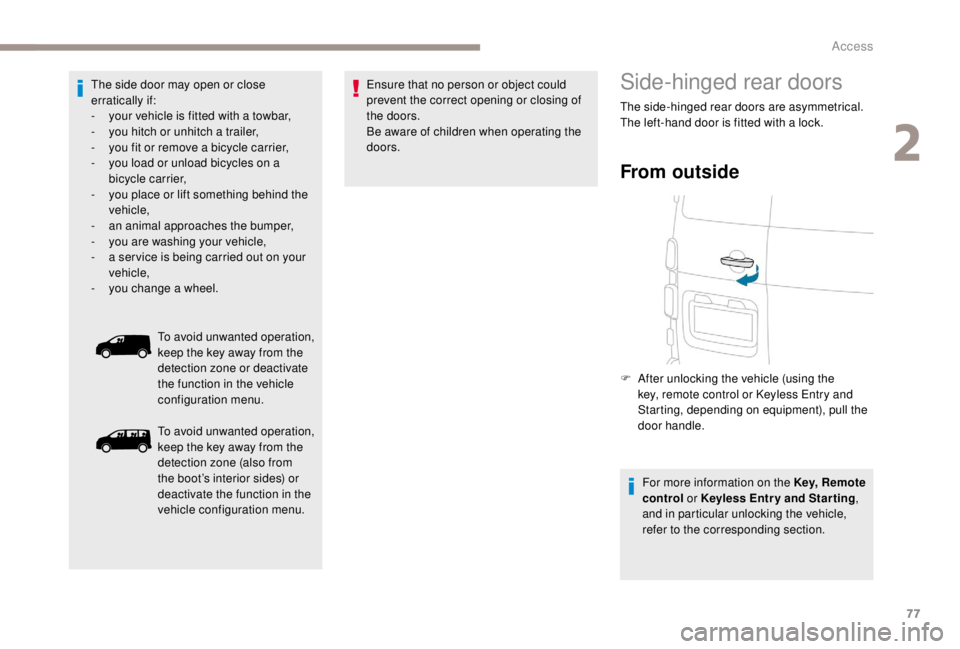
From outside
F After unlocking the vehicle (using the key, remote control or Keyless Entry and
Starting, depending on equipment), pull the
door handle.
For more information on the Key, Remote
control or
K
eyless Entr y and Star ting ,
and in particular unlocking the vehicle,
refer to the corresponding section.
2
Access