key PEUGEOT EXPERT 2018 Workshop Manual
[x] Cancel search | Manufacturer: PEUGEOT, Model Year: 2018, Model line: EXPERT, Model: PEUGEOT EXPERT 2018Pages: 416, PDF Size: 14.12 MB
Page 204 of 416
202
Memorising speeds
This function allows speed settings to
be stored that will then be offered for
configuration of two systems: speed limiter
or cruise control.
You can memorise up to six speed settings for
each system.
Programming
The speed settings can be adjusted in the
touch screen.F
I
n the "Driving/Vehicle " menu,
select " Adjust speed settings ".
F
S
elect the system for which you want to
memorise new speed settings:
•
sp
eed limiter
or •
c
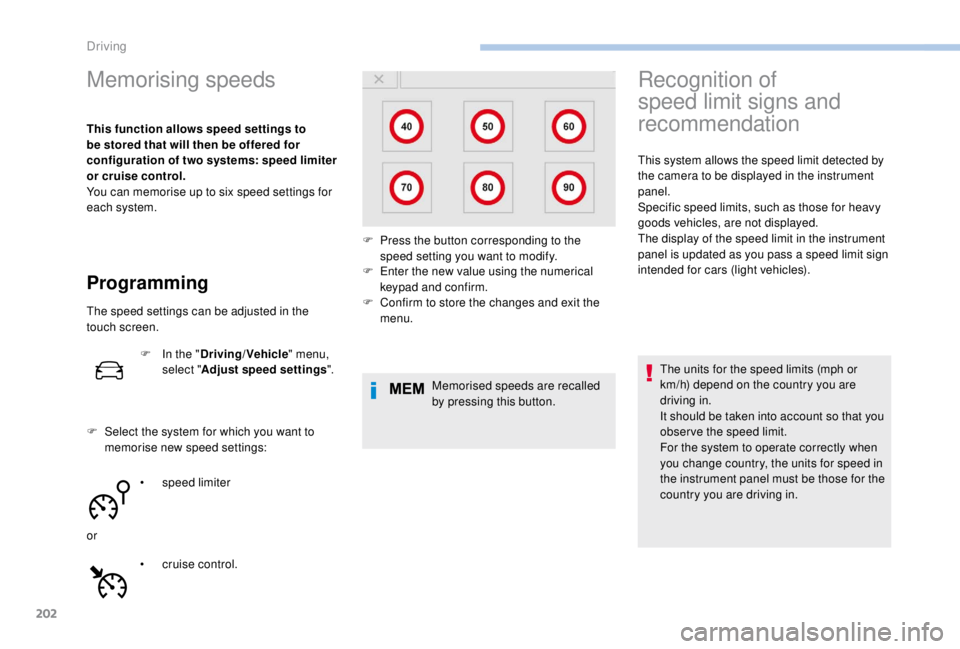
ruise control. F
E
nter the new value using the numerical
keypad and confirm.
F C onfirm to store the changes and exit the
menu.
Memorised speeds are recalled
by pressing this button.
Recognition of
speed limit signs and
recommendation
This system allows the speed limit detected by
the camera to be displayed in the instrument
panel.
Specific speed limits, such as those for heavy
goods vehicles, are not displayed.
The display of the speed limit in the instrument
panel is updated as you pass a speed limit sign
intended for cars (light vehicles).
The units for the speed limits (mph or
km/h) depend on the country you are
driving in.
It should be taken into account so that you
obser ve the speed limit.
For the system to operate correctly when
you change country, the units for speed in
the instrument panel must be those for the
country you are driving in.
F
P
ress the button corresponding to the
speed setting you want to modify.
Driving
Page 239 of 416
237
Fuel
Tank capacity: approximately 69 litres.
Opening the fuel filler flap
If your vehicle is fitted with Stop & Start,
never refuel with the engine in STOP
mode; you must switch off the ignition
using the key, or the START/STOP button
if your vehicle has
K
eyless Entry and
Starting. At least 8
litres of fuel must be added, in order
to be registered by the fuel gauge.
Opening the cap can cause an air intake noise.
This vacuum is quite normal, caused by the air
tightness of the fuel system.
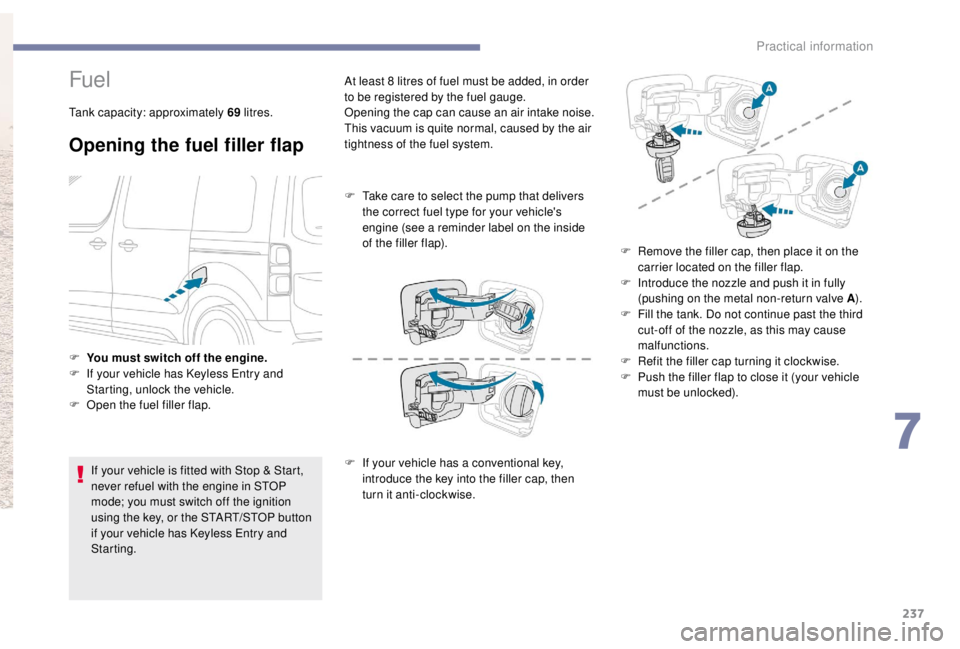
F
T
ake care to select the pump that delivers
the correct fuel type for your vehicle's
engine (see a reminder label on the inside
of the filler flap).
F I f your vehicle has a conventional key,
introduce the key into the filler cap, then
turn it anti-clockwise.
F
Y
ou must switch off the engine.
F
I
f your vehicle has
K
eyless Entry and
Starting, unlock the vehicle.
F
O
pen the fuel filler flap. F
R
emove the filler cap, then place it on the
carrier located on the filler flap.
F
I
ntroduce the nozzle and push it in fully
(pushing on the metal non-return valve A ).
F
F
ill the tank. Do not continue past the third
cut-off of the nozzle, as this may cause
malfunctions.
F
R
efit the filler cap turning it clockwise.
F
P
ush the filler flap to close it (your vehicle
must be unlocked).
7
Practical information
Page 256 of 416
254
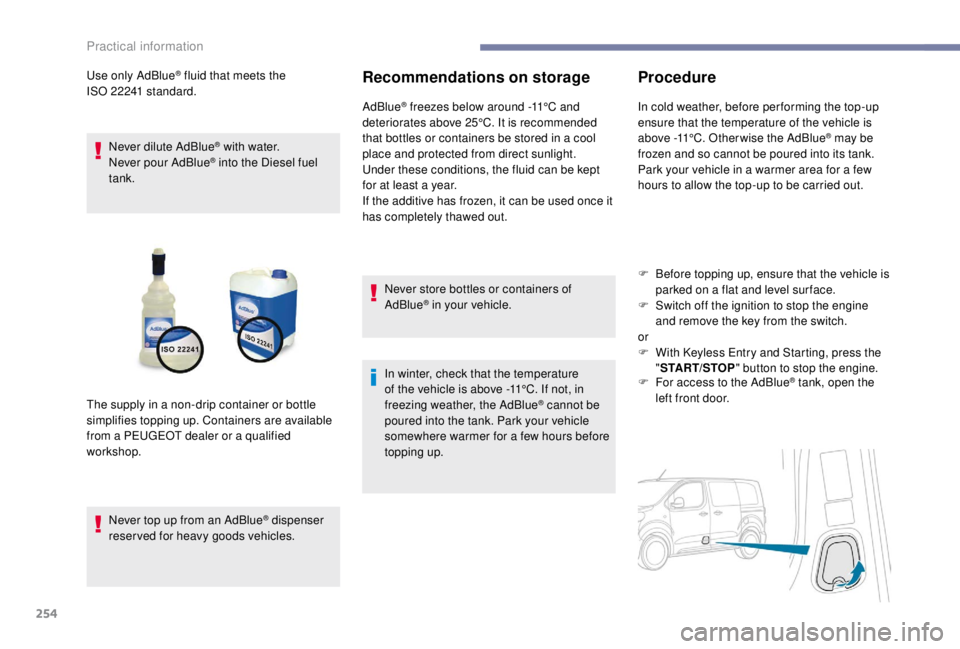
Use only AdBlue® fluid that meets the
ISO
22241
standard.
Never dilute AdBlue
® with water.
Never pour AdBlue® into the Diesel fuel
tank.
Never top up from an AdBlue
® dispenser
reserved for heavy goods vehicles.
Recommendations on storage
AdBlue® freezes below around -11°C and
deteriorates above 25°C. It is recommended
that bottles or containers be stored in a cool
place and protected from direct sunlight.
Under these conditions, the fluid can be kept
for at least a year.
If the additive has frozen, it can be used once it
has completely thawed out.
Never store bottles or containers of
AdBlue
® in your vehicle.
In winter, check that the temperature
of the vehicle is above -11°C. If not, in
freezing weather, the AdBlue
® cannot be
poured into the tank. Park your vehicle
somewhere warmer for a few hours before
topping up.
The supply in a non-drip container or bottle
simplifies topping up. Containers are available
from a PEUGEOT dealer or a qualified
workshop.
Procedure
In cold weather, before per forming the top-up
ensure that the temperature of the vehicle is
above -11°C. Other wise the AdBlue
® may be
frozen and so cannot be poured into its tank.
Park your vehicle in a warmer area for a few
hours to allow the top-up to be carried out.
F
B
efore topping up, ensure that the vehicle is
parked on a flat and level sur face.
F
S
witch off the ignition to stop the engine
and remove the key from the switch.
or
F
W
ith
K
eyless Entry and Starting, press the
" START/STOP " button to stop the engine.
F
F
or access to the AdBlue
® tank, open the
left front door.
Practical information
Page 257 of 416
255
Important: if your vehicle's AdBlue®
tank is completely empty – which is
confirmed by the alert messages and the
impossibility of starting the engine – you
must add at least 4
litres and no more than
10
litres.
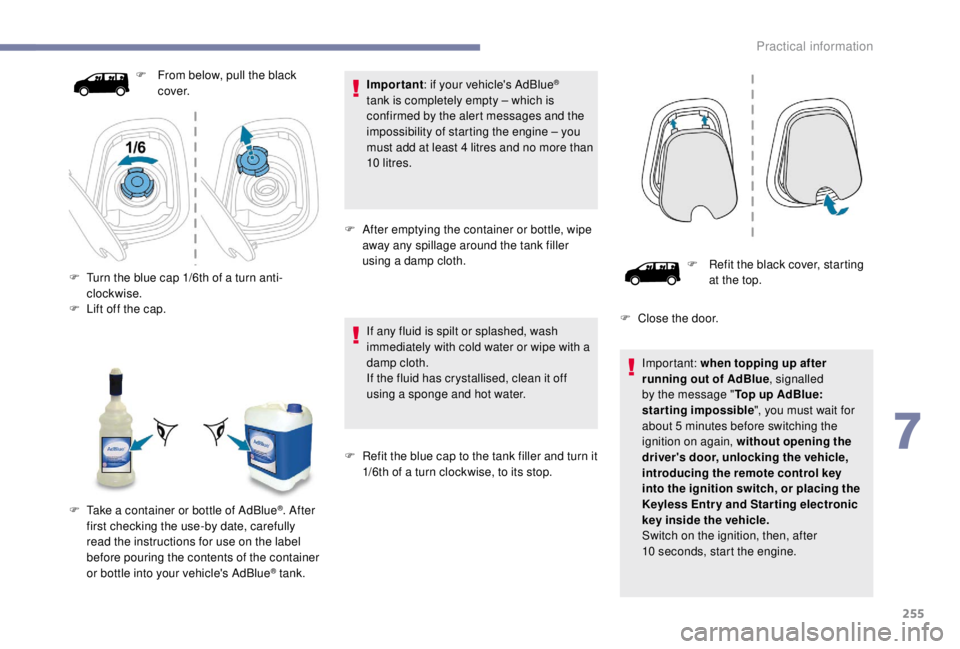
F
A
fter emptying the container or bottle, wipe
away any spillage around the tank filler
using a damp cloth.
If any fluid is spilt or splashed, wash
immediately with cold water or wipe with a
damp cloth.
If the fluid has crystallised, clean it off
using a sponge and hot water.
F
R
efit the blue cap to the tank filler and turn it
1/6th of a turn clockwise, to its stop.
F
F
rom below, pull the black
c ove r.
F
T
urn the blue cap 1/6th of a turn anti-
clockwise.
F
L
ift off the cap.
F
T
ake a container or bottle of AdBlue
®. After
first checking the use-by date, carefully
read the instructions for use on the label
before pouring the contents of the container
or bottle into your vehicle's AdBlue
® tank. F
R
efit the black cover, starting
at the top.
F
C
lose the door.
Important: when topping up after
running out of AdBlue , signalled
by the message " Top up AdBlue:
starting impossible ", you must wait for
about 5 minutes before switching the
ignition on again, without opening the
driver's door, unlocking the vehicle,
introducing the remote control key
into the ignition switch, or placing the
K
eyless Entr y and Star ting electronic
key inside the vehicle.
Switch on the ignition, then, after
10
seconds, start the engine.
7
Practical information
Page 258 of 416
256
Advice on care
General recommendations on the care and maintenance of your vehicle are given in the Warranty
and Maintenance Record.Observe the following recommendations to
avoid damaging your vehicle:
-
D
o not clean your headlamps with a dry
or abrasive cloth, nor with detergent or
solvent products. Use a sponge and
soapy water or a pH neutral product.
-
W
hen using a high pressure washer on
stubborn dirt, avoid prolonged use on the
headlamps, the lamps and their edges to
avoid damaging their lacquer finish and
seals.
-
N
ever use an abrasive sponge to clean
persistent dirt, as this may scratch the
paint sur face. Use a soft cloth with soapy
water instead.
-
W
hen washing your vehicle, never clean
the interior with a water jet.
-
W
hen washing your vehicle in an
automatic roller-brush car wash, be sure
to lock your doors and, depending on the
version you have, remove the key and
deactivate the " Hands-Free Tailgate
Access " system. It is always preferable to have paint
repairs carried out by a PEUGEOT dealer
or a qualified workshop.
-
N
ever use high pressure washing to
clean the engine compartment, in order
to avoid damaging the electrical units.
-
L
iquids carried in an open vessel (a cup
or mug) could be spilt, presenting a risk
of damage on contact with the controls
in the dashboard and centre console. Be
careful.
Depending on the version you have, in order
to avoid damaging or unpeeling the stickers
on the bodywork, you are strongly advised
against using high-pressure cleaners to
wash your vehicle. It is recommended that
you wash it using a high-flow water jet and
rinse the vehicle down using demineralised
water.
Only a microfibre cloth is recommended for
wiping your vehicle, it must be clean and
used gently.
Practical information
Page 293 of 416
291
Quick-release terminal clamp
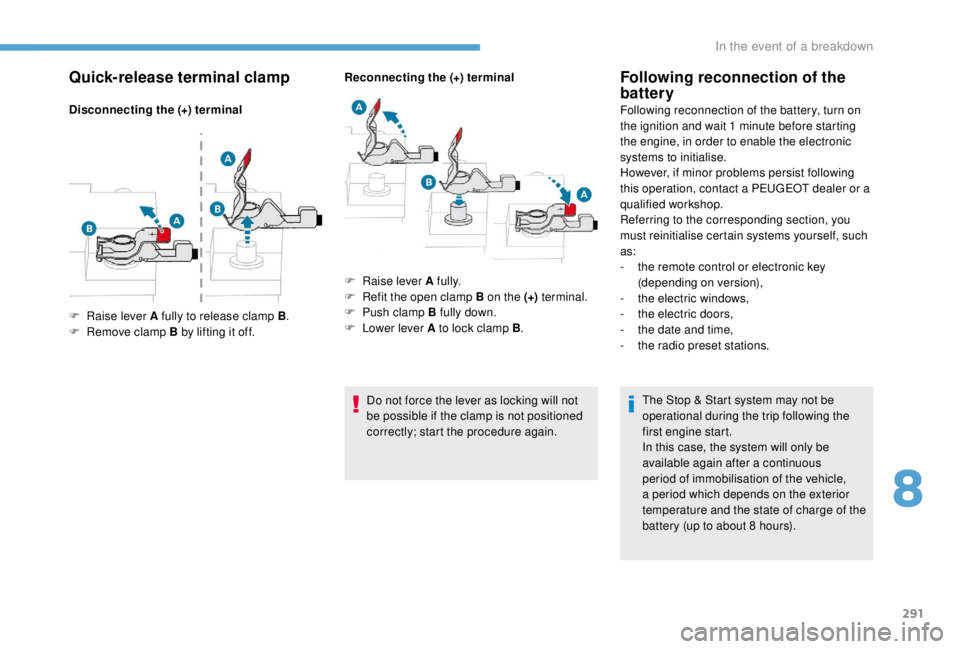
Disconnecting the (+) terminalReconnecting the (+) terminal
Do not force the lever as locking will not
be possible if the clamp is not positioned
correctly; start the procedure again.
Following reconnection of the
battery
Following reconnection of the battery, turn on
the ignition and wait 1 minute before starting
the engine, in order to enable the electronic
systems to initialise.
However, if minor problems persist following
this operation, contact a PEUGEOT dealer or a
qualified workshop.
Referring to the corresponding section, you
must reinitialise certain systems yourself, such
as:
-
t
he remote control or electronic key
(depending on version),
-
t
he electric windows,
-
t
he electric doors,
-
t
he date and time,
-
t
he radio preset stations.The Stop & Start system may not be
operational during the trip following the
first engine start.
In this case, the system will only be
available again after a continuous
period of immobilisation of the vehicle,
a period which depends on the exterior
temperature and the state of charge of the
battery (up to about 8
hours).
F
Ra
ise lever A fully to release clamp B .
F
R
emove clamp B by lifting it off. F
Ra
ise lever A fully.
F
R
efit the open clamp B on the (+) terminal.
F
P
ush clamp B fully down.
F
L
ower lever A to lock clamp B .
8
In the event of a breakdown
Page 310 of 416
2
12:13
18,5 21,5
23 °CFirst steps
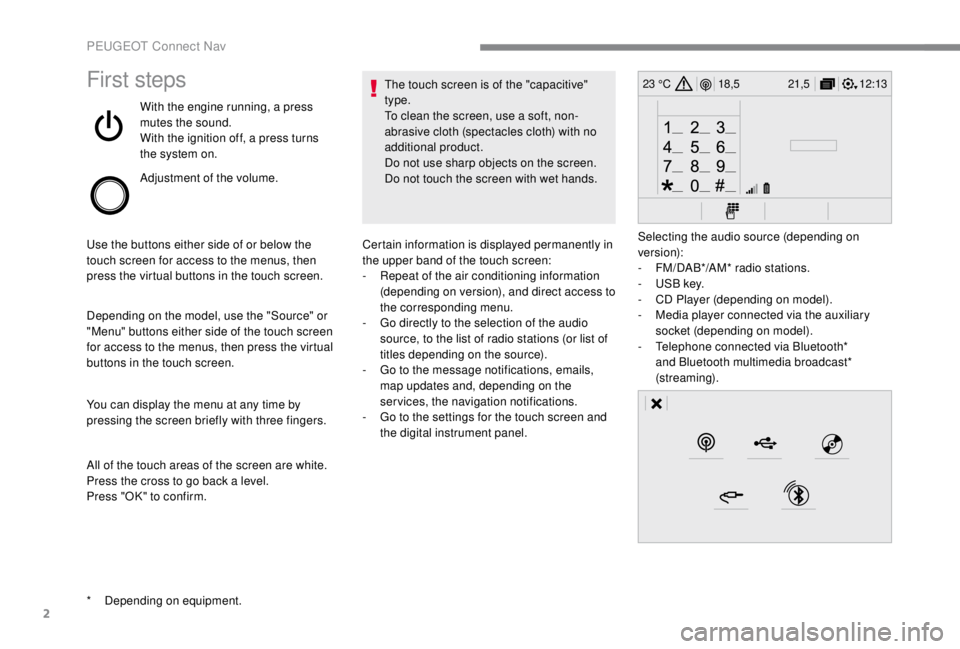
With the engine running, a press
mutes the sound.
With the ignition off, a press turns
the system on.
Adjustment of the volume.
Use the buttons either side of or below the
touch screen for access to the menus, then
press the virtual buttons in the touch screen.
Depending on the model, use the "Source" or
"Menu" buttons either side of the touch screen
for access to the menus, then press the virtual
buttons in the touch screen.
You can display the menu at any time by
pressing the screen briefly with three fingers.
All of the touch areas of the screen are white.
Press the cross to go back a level.
Press "OK" to confirm. The touch screen is of the "capacitive"
type.
To clean the screen, use a soft, non-
abrasive cloth (spectacles cloth) with no
additional product.
Do not use sharp objects on the screen.
Do not touch the screen with wet hands.
*
D
epending on equipment. Certain information is displayed permanently in
the upper band of the touch screen:
-
R
epeat of the air conditioning information
(depending on version), and direct access to
the corresponding menu.
-
G
o directly to the selection of the audio
source, to the list of radio stations (or list of
titles depending on the source).
-
G
o to the message notifications, emails,
map updates and, depending on the
services, the navigation notifications.
-
G
o to the settings for the touch screen and
the digital instrument panel. Selecting the audio source (depending on
version):
-
F
M/DAB*/AM* radio stations.
-
U
SB key.
-
C
D Player (depending on model).
-
M
edia player connected via the auxiliary
socket (depending on model).
-
T
elephone connected via Bluetooth*
and Bluetooth multimedia broadcast*
(streaming).
PEUGEOT Connect Nav
Page 320 of 416
12
Press "OK" to select the " Guidance
criteria ".
And/Or Select "See on map " to select the
" Guidance criteria ".
Press " OK" to start navigation.
Zoom out /zoom in using the touch buttons
or with two fingers on the screen.
In order to be able to use the navigation,
it is necessary to fill in the " City", the
" Street " and the " Number" on the
virtual keyboard or take it from the
list in " Contact " or in the " History" of
addresses.
Without confirmation of the street number,
you will be guided to one end of the street.To a recent destination
or Press Navigation
to display the
primary page.
Press the " MENU" button to go to the
secondary page.
Select "My destinations ".
Select the " Recent" tab.
Select the address chosen in the list to display
the " Guidance criteria ".
Press " OK" to start navigation.
Select " Position " to visualise the arrival
point geographically.
To "My home" or "My work"
or Press Navigation
to display the
primary page.
Press the " MENU" button to go to the
secondary page.
Select "My destinations ".
Select the " Preferred" tab.
Select " My home ".
Or Select "My work ".
Or
Select a preset favourite destination.
PEUGEOT Connect Nav
Page 322 of 416
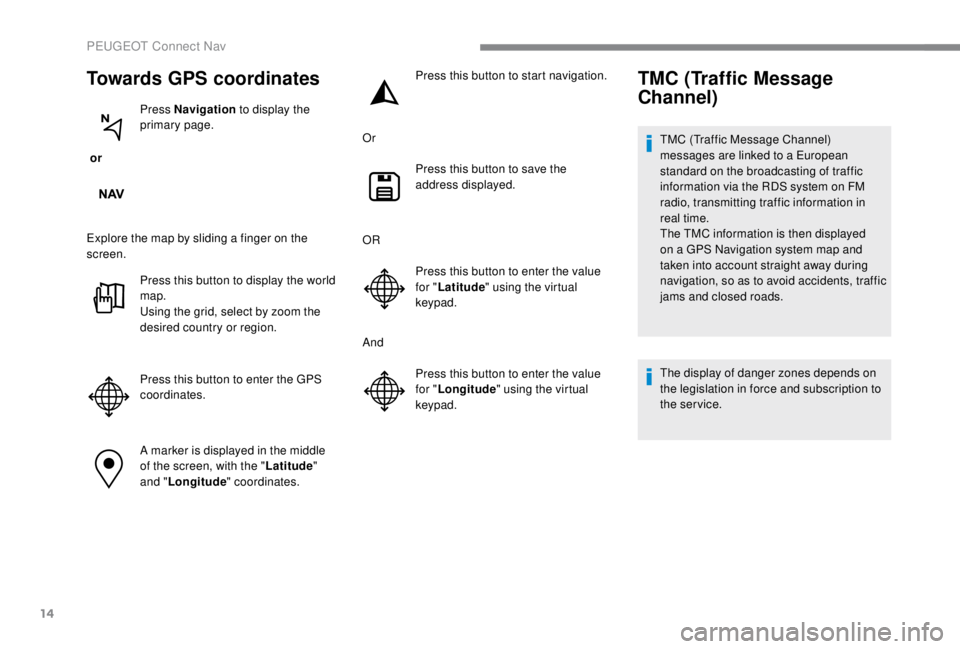
14
Towards GPS coordinates
or Press Navigation
to display the
primary page.
Explore the map by sliding a finger on the
screen. Press this button to display the world
map.
Using the grid, select by zoom the
desired country or region.
Press this button to enter the GPS
coordinates.
A marker is displayed in the middle
of the screen, with the " Latitude"
and " Longitude " coordinates. Press this button to start navigation.
Or Press this button to save the
address displayed.
OR Press this button to enter the value
for "Latitude " using the virtual
keypad.
And Press this button to enter the value
for "Longitude " using the virtual
keypad.
TMC (Traffic Message
Channel)
TMC (Traffic Message Channel)
messages are linked to a European
standard on the broadcasting of traffic
information via the RDS system on FM
radio, transmitting traffic information in
real time.
The TMC information is then displayed
on a GPS Navigation system map and
taken into account straight away during
navigation, so as to avoid accidents, traffic
jams and closed roads.
The display of danger zones depends on
the legislation in force and subscription to
the service.
PEUGEOT Connect Nav
Page 325 of 416
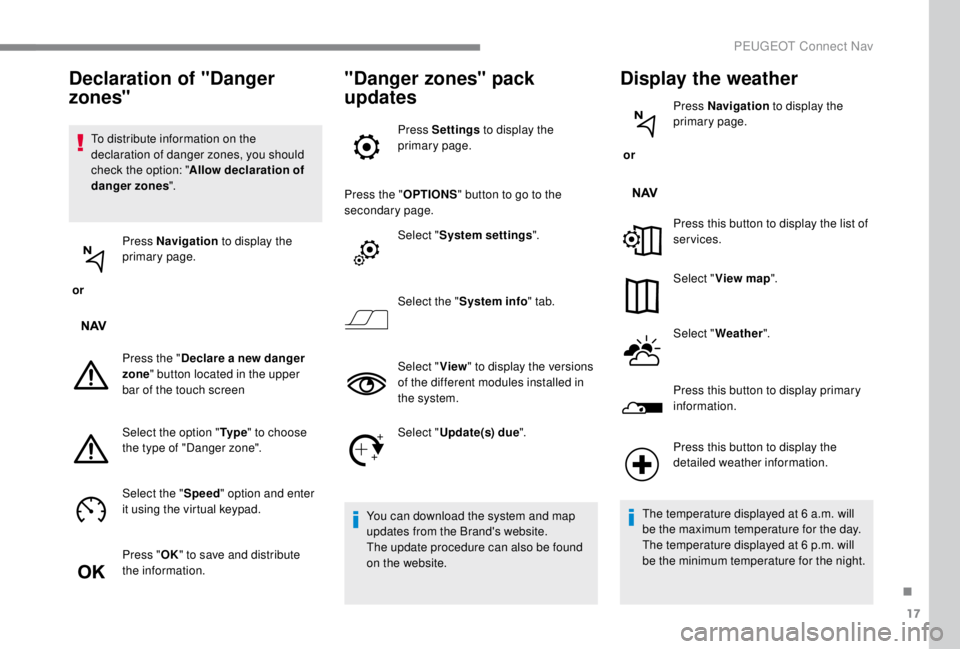
17
To distribute information on the
declaration of danger zones, you should
check the option: "Allow declaration of
danger zones ".
or Press Navigation
to display the
primary page.
Press the " Declare a new danger
zone " button located in the upper
bar of the touch screen
Select the option " Ty p e" to choose
the type of "Danger zone".
Select the " Speed" option and enter
it using the virtual keypad.
Press " OK" to save and distribute
the information.
"Danger zones" pack
updates
Press Settings to display the
primary page.
Press the " OPTIONS" button to go to the
secondary page.
Select "System settings ".
Select the " System info " tab.
Select " View" to display the versions
of the different modules installed in
the system.
Select " Update(s) due ".
You can download the system and map
updates from the Brand's website.
The update procedure can also be found
on the website.
Display the weather
or Press Navigation
to display the
primary page.
Press this button to display the list of
services.
Select " View map ".
Select " Weather ".
Press this button to display primary
information.
Declaration of "Danger
zones"
Press this button to display the
detailed weather information.
The temperature displayed at 6
a.m. will
be the maximum temperature for the day.
The temperature displayed at 6
p.m. will
be the minimum temperature for the night.
.
PEUGEOT Connect Nav