phone Peugeot Expert 2019 User Guide
[x] Cancel search | Manufacturer: PEUGEOT, Model Year: 2019, Model line: Expert, Model: Peugeot Expert 2019Pages: 324, PDF Size: 13.07 MB
Page 244 of 324
10
Connecting Apple® players
Connect the Apple® player to the USB port
using a suitable cable (not supplied).
Play starts automatically.
Control is via the audio system.
The classifications available are those of the
portable device connected (artists / albums /
genres / playlists).
The version of software in the audio system
may not be compatible with the generation of
your Apple
® p l aye r.
Information and advice
The CD player can play files with “.mp3”,
“.wma”, “.wav” and “.aac” file extensions, with a
bit rate of 32 to 320 Kbps.
It also supports TAG mode (ID3 tag, WMA
TAG) .
No other file types (“.mp”4, etc.) can be read.
Files of the ".wma" type should be to the wma
9 standard.
The sampling rates supported are 11, 22, 44
and 48 kHz. Files of the ".wma" type should be to the wma
9 standard.
The sampling rates supported are 11, 22, 44
and 48 kHz.
File names should have fewer than
20
characters, avoiding special characters (e.g.
« ? ; ù) so as to avoid any reading or display
problems.
In order to be able to play a burned CDR or
CDRW, select standards ISO 9660 level 1, 2, or
Joliet, if possible, when burning the CD.
If the disc is burned in another format, it may
not be played correctly.
It is recommended that the same burning
standard be always used on an individual disc,
with the lowest speed possible (4x maximum)
for the best acoustic quality.
In the particular case of a multi-session CD, the
Joliet standard is recommended.
To protect the system, do not use a USB hub.
Use only USB memory sticks formatted
FAT 32 (File Allocation Table).
Via the USB port, the system can play audio
files with the extension ".mp3”, “.wma”, “.wav”,
“.cbr”, “.vbr" with a bit rate of 32 to 320 Kbps.
No other file types (“.mp4”, etc.) can be read. It is recommended that you use genuine
Apple
® USB cables for correct operation.
Telephone
Pairing a Bluetooth®
telephone
As a safety measure and because they
require prolonged attention on the part
of the driver, the operations for pairing
of the Bluetooth mobile telephone with
the Bluetooth hands-free system of your
audio system must be carried out with the
vehicle stationary and the ignition on.
Activate the telephone's Bluetooth
function and ensure that it is "visible to all"
(telephone configuration).
The services available depend on
the network, the SIM card and the
compatibility of the Bluetooth telephone
used.
Check the instructions for your telephone
and with your ser vice provider for the
ser vices to which you have access.
Bluetooth® audio system
Page 245 of 324
11
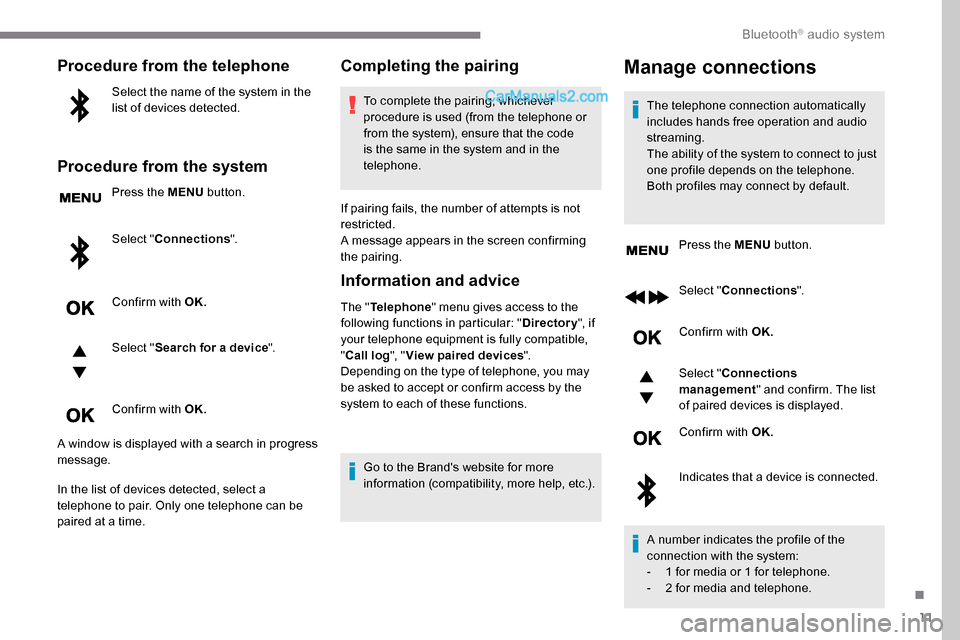
Procedure from the telephone
Select the name of the system in the
list of devices detected.
Procedure from the system
Press the MENU button.
Select " Connections ".
Confirm with OK.
Select " Search for a device ".
Confirm with OK.
A window is displayed with a search in progress
message.
In the list of devices detected, select a
telephone to pair. Only one telephone can be
paired at a time.
Completing the pairing
To complete the pairing, whichever
procedure is used (from the telephone or
from the system), ensure that the code
is the same in the system and in the
telephone.
If pairing fails, the number of attempts is not
restricted.
A message appears in the screen confirming
the pairing.
Information and advice
The " Telephone " menu gives access to the
following functions in particular: " Directory", if
your telephone equipment is fully compatible,
" Call log ", "View paired devices ".
Depending on the type of telephone, you may
be asked to accept or confirm access by the
system to each of these functions.
Go to the Brand's website for more
information (compatibility, more help, etc.).
Manage connections
The telephone connection automatically
includes hands free operation and audio
streaming.
The ability of the system to connect to just
one profile depends on the telephone.
Both profiles may connect by default. Press the MENU button.
Select " Connections ".
Confirm with OK.
Select " Connections
management " and confirm. The list
of paired devices is displayed.
Confirm with OK.
Indicates that a device is connected.
A number indicates the profile of the
connection with the system:
-
1 f
or media or 1 for telephone.
-
2 f
or media and telephone.
.
Bluetooth® audio system
Page 246 of 324
12
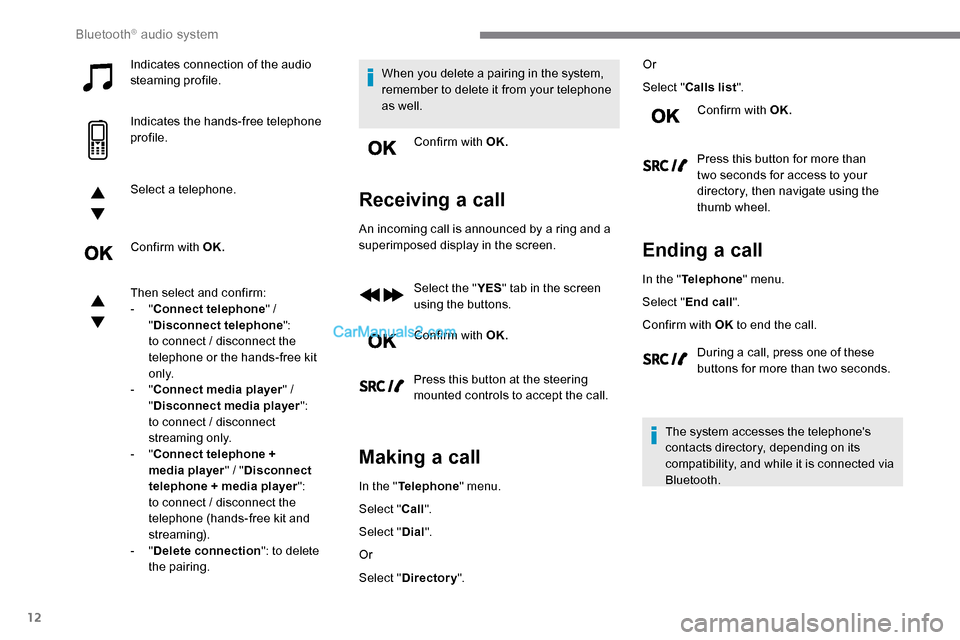
Indicates connection of the audio
steaming profile.
Indicates the hands-free telephone
profile.
Select a telephone.
Confirm with OK.
Then select and confirm:
- "Connect telephone " /
" Disconnect telephone ":
to connect / disconnect the
telephone or the hands-free kit
o n l y.
-
"Connect media player " /
" Disconnect media player ":
to connect / disconnect
streaming only.
-
"Connect telephone +
media player " / "Disconnect
telephone + media player ":
to connect / disconnect the
telephone (hands-free kit and
streaming).
-
"Delete connection ": to delete
the pairing. When you delete a pairing in the system,
remember to delete it from your telephone
as well.
Confirm with OK.
Receiving a call
An incoming call is announced by a ring and a
superimposed display in the screen.
Select the " YES" tab in the screen
using the buttons.
Confirm with OK.
Press this button at the steering
mounted controls to accept the call.
Making a call
In the " Telephone " menu.
Select " Call".
Select " Dial".
Or
Select " Directory ". Or
Select "
Calls list ".
Confirm with OK.
Press this button for more than
two seconds for access to your
directory, then navigate using the
thumb wheel.
Ending a call
In the " Telephone " menu.
Select " End call".
Confirm with OK to end the call.
During a call, press one of these
buttons for more than two seconds.
The system accesses the telephone's
contacts directory, depending on its
compatibility, and while it is connected via
Bluetooth.
Bluetooth® audio system
Page 247 of 324
13
With certain telephones connected by
Bluetooth you can send a contact to the
directory of the audio system.
Contacts imported in this way are saved
in a permanent directory visible to all,
whatever the telephone connected.
The menu for the directory is not
accessible if it is empty.
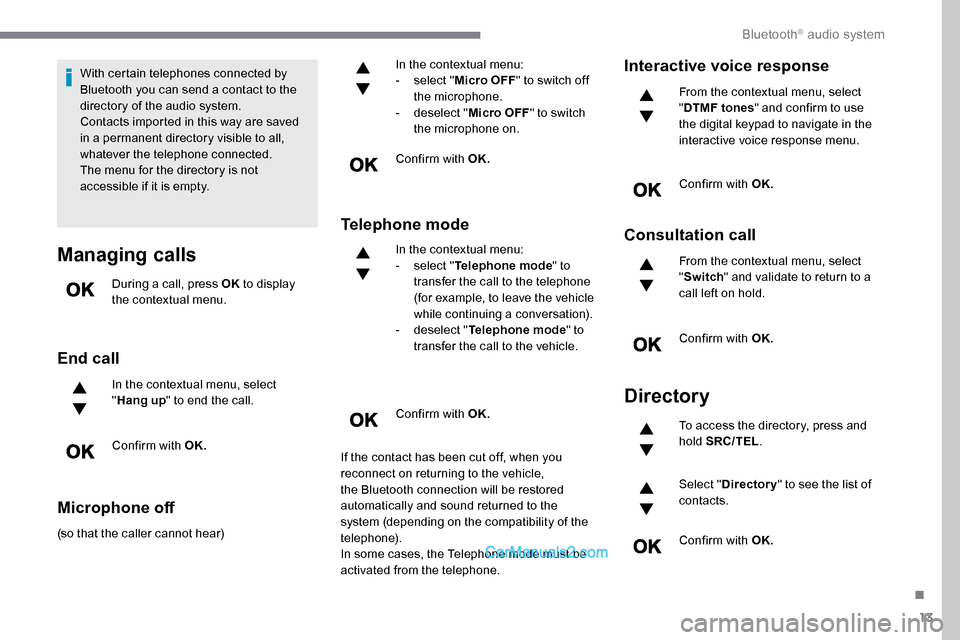
Managing calls
During a call, press OK to display
the contextual menu.
End call
In the contextual menu, select
" Hang up " to end the call.
Confirm with OK.
Microphone off
(so that the caller cannot hear) In the contextual menu:
-
s
elect "
Micro OFF " to switch off
the microphone.
-
d
eselect "
Micro OFF " to switch
the microphone on.
Confirm with OK.
Telephone mode
In the contextual menu:
- s elect " Telephone mode " to
transfer the call to the telephone
(for example, to leave the vehicle
while continuing a conversation).
-
d
eselect " Telephone mode " to
transfer the call to the vehicle.
Confirm with OK.
If the contact has been cut off, when you
reconnect on returning to the vehicle,
the Bluetooth connection will be restored
automatically and sound returned to the
system (depending on the compatibility of the
telephone).
In some cases, the Telephone mode must be
activated from the telephone.
Interactive voice response
From the contextual menu, select
" DTMF tones " and confirm to use
the digital keypad to navigate in the
interactive voice response menu.
Confirm with OK.
Consultation call
From the contextual menu, select
" Switch " and validate to return to a
call left on hold.
Confirm with OK.
Directory
To access the directory, press and
hold SRC/TEL .
Select " Directory " to see the list of
contacts.
Confirm with OK.
.
Bluetooth® audio system
Page 248 of 324
14
To modify the contacts saved in the
system, press MENU then select
" Telephone " and confirm.
Select " Directory management "
and confirm.
Yo u c a n :
-
"Consult an entr y ",
-
"Delete an entry ",
-
"Delete all entries ".
The system accesses the
telephone's contacts directory,
depending on its compatibility, and
while it is connected via Bluetooth.
With certain telephones connected
by Bluetooth you can send a contact
to the directory of the audio system.
Contacts imported in this way are
saved in a permanent directory
visible to all, whatever the telephone
connected.
The menu for the directory is not
accessible if it is empty.
Voice recognition
This function allows you to use your
smartphone's voice recognition via the system. To start voice recognition, depending on the
type of steering mounted controls:
Make a long press on the end of the lighting
control stalk.
OR
Press this button.
Voice recognition requires the use of a
compatible smartphone first connected to
the vehicle by Bluetooth.
Frequently asked
questions
The following information groups together the
answers to the most frequently asked questions
concerning your audio system.
Bluetooth® audio system
Page 251 of 324
17
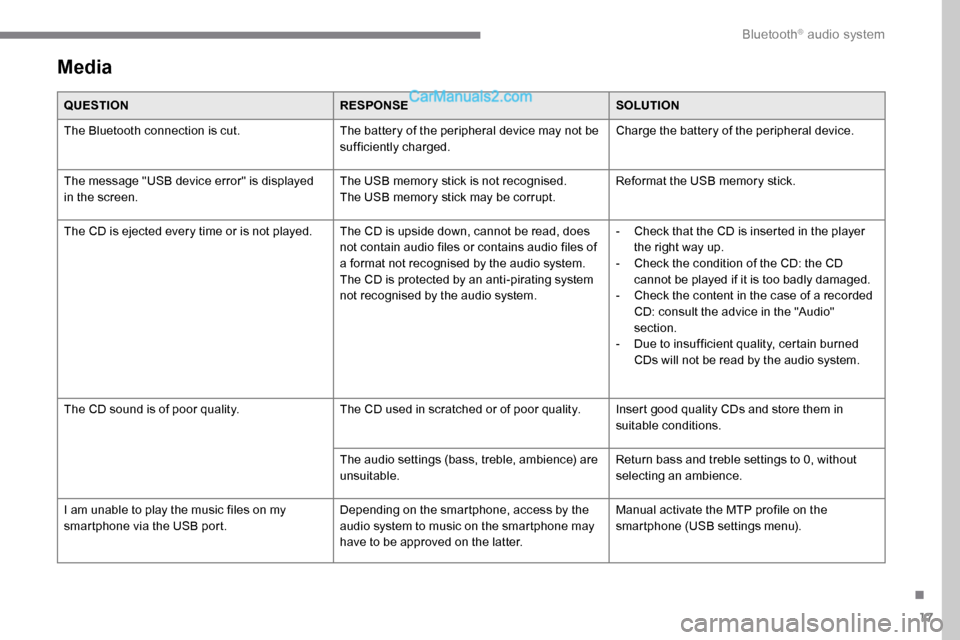
Media
QUESTIONRESPONSESOLUTION
The Bluetooth connection is cut. The battery of the peripheral device may not be
sufficiently charged.Charge the battery of the peripheral device.
The message "USB device error" is displayed
in the screen. The USB memory stick is not recognised.
The USB memory stick may be corrupt.Reformat the USB memory stick.
The CD is ejected every time or is not played. The CD is upside down, cannot be read, does not contain audio files or contains audio files of
a format not recognised by the audio system.
The CD is protected by an anti-pirating system
not recognised by the audio system.-
C
heck that the CD is inserted in the player
the right way up.
-
C
heck the condition of the CD: the CD
cannot be played if it is too badly damaged.
-
C
heck the content in the case of a recorded
CD: consult the advice in the "Audio"
section.
-
D
ue to insufficient quality, certain burned
CDs will not be read by the audio system.
The CD sound is of poor quality. The CD used in scratched or of poor quality. Insert good quality CDs and store them in
suitable conditions.
The audio settings (bass, treble, ambience) are
unsuitable. Return bass and treble settings to 0, without
selecting an ambience.
I am unable to play the music files on my
smartphone via the USB port. Depending on the smartphone, access by the
audio system to music on the smartphone may
have to be approved on the latter.Manual activate the MTP profile on the
smartphone (USB settings menu).
.
Bluetooth® audio system
Page 252 of 324
18
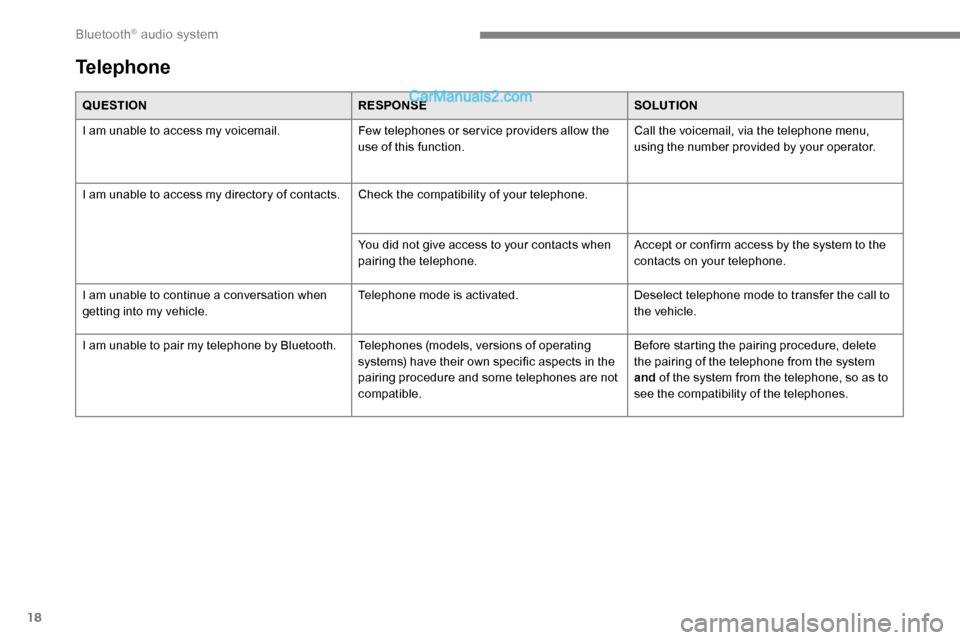
QUESTIONRESPONSESOLUTION
I am unable to access my voicemail. Few telephones or ser vice providers allow the
use of this function.Call the voicemail, via the telephone menu,
using the number provided by your operator.
I am unable to access my directory of contacts. Check the compatibility of your telephone.
You did not give access to your contacts when
pairing the telephone.Accept or confirm access by the system to the
contacts on your telephone.
I am unable to continue a conversation when
getting into my vehicle. Telephone mode is activated.
Deselect telephone mode to transfer the call to
the vehicle.
I am unable to pair my telephone by Bluetooth. Telephones (models, versions of operating
systems) have their own specific aspects in the
pairing procedure and some telephones are not
compatible.Before starting the pairing procedure, delete
the pairing of the telephone from the system
and
of the system from the telephone, so as to
see the compatibility of the telephones.
Telephone
Bluetooth® audio system
Page 253 of 324
1
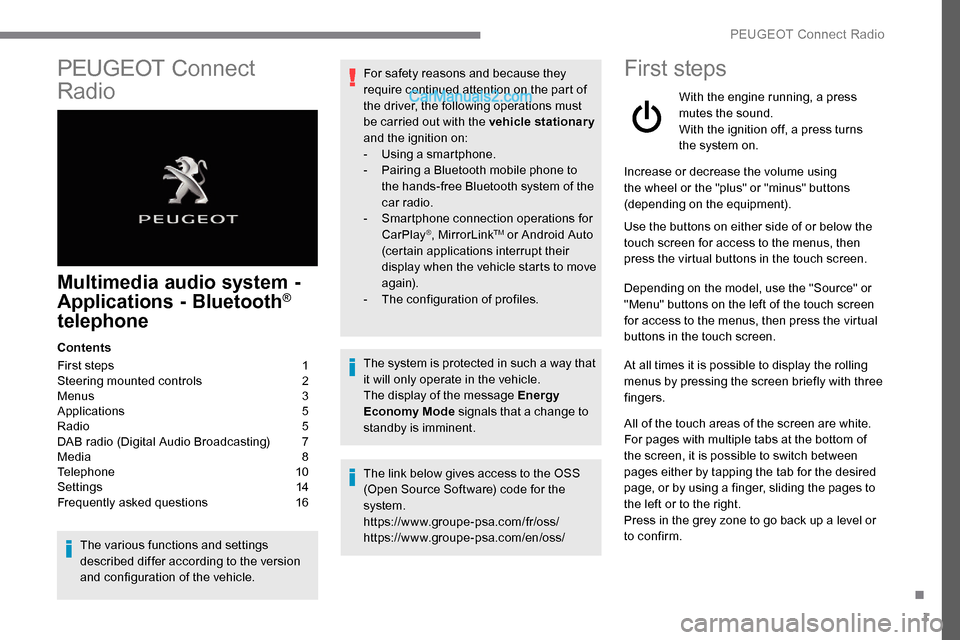
PEUGEOT Connect
Radio
Multimedia audio system -
Applications - Bluetooth®
telephone
Contents
First steps
1
S
teering mounted controls
2
M
enus
3
A
pplications
5
R
adio
5
D
AB radio (Digital Audio Broadcasting)
7
M
edia
8
T
elephone
1
0
Settings
1
4
Frequently asked questions
1
6
The various functions and settings
described differ according to the version
and configuration of the vehicle. For safety reasons and because they
require continued attention on the part of
the driver, the following operations must
be carried out with the vehicle stationary
and the ignition on:
-
Us
ing a smartphone.
-
P
airing a Bluetooth mobile phone to
the hands-free Bluetooth system of the
car radio.
-
Sm
artphone connection operations for
CarPlay
®, MirrorLinkTM or Android Auto
(certain applications interrupt their
display when the vehicle starts to move
again).
-
T
he configuration of profiles.
The system is protected in such a way that
it will only operate in the vehicle.
The display of the message Energy
Economy Mode signals that a change to
standby is imminent.
The link below gives access to the OSS
(Open Source Software) code for the
system.
https://www.groupe-psa.com/fr/oss/
https://www.groupe-psa.com/en/oss/
First steps
With the engine running, a press
mutes the sound.
With the ignition off, a press turns
the system on.
Increase or decrease the volume using
the wheel or the "plus" or "minus" buttons
(depending on the equipment).
Use the buttons on either side of or below the
touch screen for access to the menus, then
press the virtual buttons in the touch screen.
Depending on the model, use the "Source" or
"Menu" buttons on the left of the touch screen
for access to the menus, then press the virtual
buttons in the touch screen.
At all times it is possible to display the rolling
menus by pressing the screen briefly with three
fingers.
All of the touch areas of the screen are white.
For pages with multiple tabs at the bottom of
the screen, it is possible to switch between
pages either by tapping the tab for the desired
page, or by using a finger, sliding the pages to
the left or to the right.
Press in the grey zone to go back up a level or
to confirm.
.
PEUGEOT Connect Radio
Page 254 of 324
2
The touch screen is of the "capacitive"
type.
To clean the screen, use a soft, non-
abrasive cloth (e.g. spectacles cloth) with
no additional product.
Do not use sharp objects on the screen.
Do not touch the screen with wet hands.
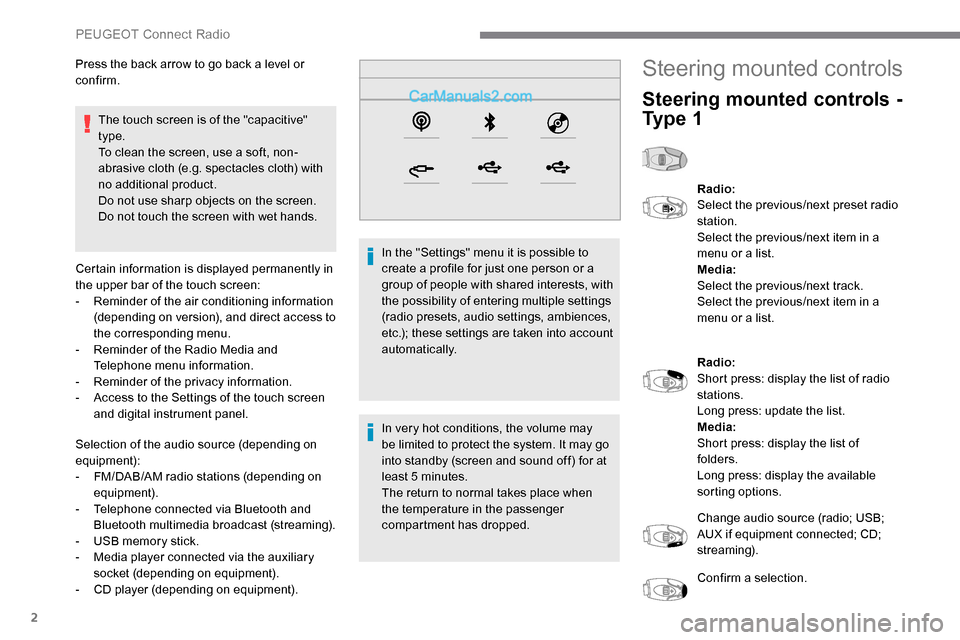
Certain information is displayed permanently in
the upper bar of the touch screen:
-
R
eminder of the air conditioning information
(depending on version), and direct access to
the corresponding menu.
-
R
eminder of the Radio Media and
Telephone menu information.
-
R
eminder of the privacy information.
-
A
ccess to the Settings of the touch screen
and digital instrument panel.
Selection of the audio source (depending on
equipment):
-
F
M/DAB/AM radio stations (depending on
equipment).
-
T
elephone connected via Bluetooth and
Bluetooth multimedia broadcast (streaming).
-
U
SB memory stick.
-
M
edia player connected via the auxiliary
socket (depending on equipment).
-
C
D player (depending on equipment). In the "Settings" menu it is possible to
create a profile for just one person or a
group of people with shared interests, with
the possibility of entering multiple settings
(radio presets, audio settings, ambiences,
etc.); these settings are taken into account
automatically.
In very hot conditions, the volume may
be limited to protect the system. It may go
into standby (screen and sound off) for at
least 5 minutes.
The return to normal takes place when
the temperature in the passenger
compartment has dropped.
Press the back arrow to go back a level or
confirm.
Steering mounted controls
Steering mounted controls -
Ty p e 1
Radio:
Select the previous/next preset radio
station.
Select the previous/next item in a
menu or a list.
Media:
Select the previous/next track.
Select the previous/next item in a
menu or a list.
Radio:
Short press: display the list of radio
stations.
Long press: update the list.
Media:
Short press: display the list of
folders.
Long press: display the available
sorting options.
Change audio source (radio; USB;
AUX if equipment connected; CD;
streaming).
Confirm a selection.
PEUGEOT Connect Radio
Page 255 of 324
3
Increase volume.
Decrease volume.
Mute/restore sound by
simultaneously pressing the
increase and decrease volume
buttons.
Steering mounted controls -
Ty p e 2
Voice commands :
This control is located on the
steering wheel or at the end of the
lighting control stalk (depending on
equipment).
Short press, smartphone voice
commands via the system.
Increase volume.
Decrease volume.
Mute by pressing the volume
increase and decrease buttons
simultaneously (depending on
equipment).
Restore the sound by pressing one
of the two volume buttons. Media
(short press): change the
multimedia source.
Telephone (short press): start
telephone call.
Call in progress (short press):
access telephone menu.
Telephone (long press): reject an
incoming call, end call; when no call
is in progress, access telephone
menu.
Radio (rotate): automatic search for
the previous/next station.
Media (rotate): previous/next track,
move in a list.
Short press : confirm a selection; if
nothing selected, access to presets.
Radio : display the list of stations.
Media : display the list of tracks.
Radio (press and hold): update the
list of stations received.
Menus
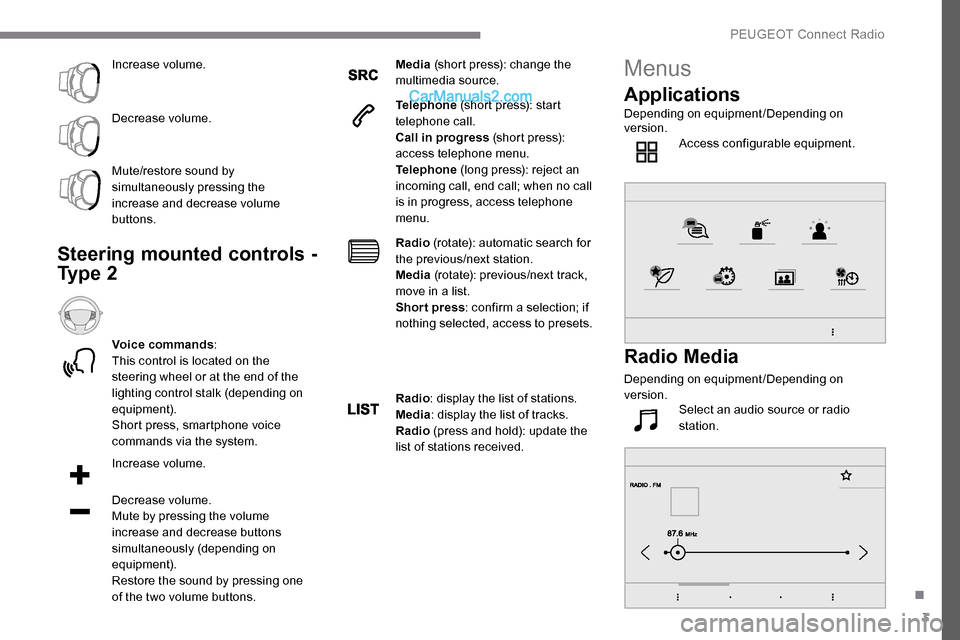
Applications
Depending on equipment/Depending on
version. Access configurable equipment.
Radio Media
Depending on equipment/Depending on
version.Select an audio source or radio
station.
.
PEUGEOT Connect Radio