roof PEUGEOT EXPERT 2022 User Guide
[x] Cancel search | Manufacturer: PEUGEOT, Model Year: 2022, Model line: EXPERT, Model: PEUGEOT EXPERT 2022Pages: 324, PDF Size: 10.39 MB
Page 166 of 324
164
Driving
Brake system operational.
Seat belts fastened for all passengers.
Stabilised speed on roads with no or low
curvature.
This warning lamp lights up on the instrument panel without any additional
message, to indicate that the automatic braking
system is not available.
This is a normal behavior indicating that a
condition is not fulfilled and which does not
request the support of a workshop.
In any situations with ignition on where automatic
braking presents a risk, deactivating the
system via the vehicle's configuration menu is
recommended, for instance:
–
T
owing a trailer (particularly a trailer without its
own braking system).
–
Carrying long objects on roof bars or roof rack.
–
Driving with snow chains.
–
Using an automatic car wash.
–
Performing any maintenance (e.g.
changing a
wheel, working inside the engine compartment).
–
Placing the vehicle on a rolling bench in a
workshop.
–
T
owing the vehicle.
–
Following a front bumper deformation.
–
Following
an impact to the windscreen close to
the detection camera.
The system diagnoses permanently its capability and may inhibit itself without
specific driver indication, if the system is
outside of the regular operating conditions
(e.g. sensor initialization, board voltage out of
regular range, activation of stability system).
Therefore, the system may not be available
just after starting the vehicle.
It can be dangerous to drive if the brake
lamps are not in perfect working order.
The driver must not overload the vehicle (keep within the GVW limit and load
height limits for roof bars).
Following an impact (e.g. a collision), the
system is automatically deactivated.
Have it checked by a PEUGEOT dealer or a
qualified workshop.
Collision Risk Alert
This function warns the driver if there is a risk
of collision with the preceding vehicle, or with a
pedestrian or cyclist.
Modifying the alert trigger threshold
This trigger threshold determines the sensitivity
with which the function warns of the risk of
collision.
The threshold is set via the vehicle configuration menu with the audio
system or touch screen.
►
Select one of the three pre-defined
thresholds: "
Far", "Normal" or "Close".
The last threshold selected is memorised when
the ignition is switched off.
Operation
Depending on the collision risk detected by the
system and the alert trigger threshold chosen
by the driver, different levels of alert may be
triggered and displayed on the instrument panel.
The system takes into account the vehicle
dynamics, the difference speed of the own
vehicle and the object identified for the
collision risk, and the operation of the vehicle
(e.g.
actions on the pedals, steering wheel) to
trigger the alert at the most relevant moment.
(orange)
Level 1: visual alert only, warning that the
preceding vehicle is very close.
The message "Vehicle close" is displayed.
(red)
Level 2: visual and audible alert, warning
that a collision is imminent.
The message "Brake! " is displayed.
While approaching a vehicle too quickly,
the level 2 alert may be displayed
directly.
Important: the level 1 alert depends on the
trigger threshold selected. It reacts only on
moving vehicles. It is disabled automatically
at lower speed.
Page 192 of 324
190
Practical information
Roof bars/Roof rack
As a safety measure and to avoid damaging the roof, it is essential to use
the roof bars and roof racks approved for your
vehicle.
Observe the instructions on fitting and use
contained in the guide supplied with the roof
bars and racks.
Recommendations
Distribute the load uniformly, taking care
to avoid overloading one of the sides.
Arrange the heaviest part of the load as close
as possible to the roof.
Secure the load firmly.
Drive gently: the vehicle will be more
susceptible to the effects of side winds and its
stability may be affected.
Regularly check the security and tight
fastening of the roof bars, at least before each
trip.
Remove the roof bars once they are no longer
needed.
As this value may change, please verify the maximum load quoted in the guide
supplied with the roof bars.
If the height exceeds 40 cm, adapt the speed
of the vehicle to the profile of the road to
avoid damaging the roof bars and the fixings
on the vehicle.
Be sure to refer to national legislation in order
to comply with the regulations for transporting
objects that are longer than the vehicle.
Roof bars
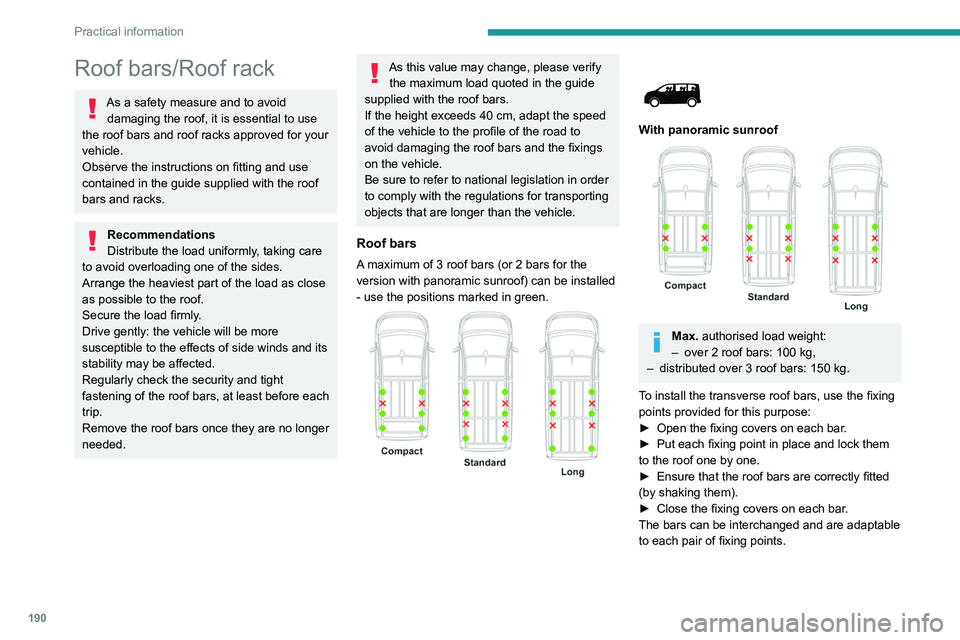
A maximum of 3 roof bars (or 2 bars for the
version with panoramic sunroof) can be installed
- use the positions marked in green.
With panoramic sunroof
Max. authorised load weight:
– over 2 roof bars: 100 kg,
–
distributed over 3 roof bars: 150
kg.
To install the transverse roof bars, use the fixing
points provided for this purpose:
►
Open the fixing covers on each bar
.
►
Put each fixing point in place and lock them
to the roof one by one.
►
Ensure that the roof bars are correctly fitted
(by shaking them).
►
Close the fixing covers on each bar
.
The bars can be interchanged and are adaptable
to each pair of fixing points.
Page 193 of 324
191
Practical information
7Roof racks
Max. authorised load weight:
– Compact: 140 kg,
–
Standard and Long: 170 kg.
T
o fit a roof rack, use the fixing points provided
for this purpose:
►
Place the roof rack on the roof aligned with
the fixing points and secure each one to the roof
in turn.
►
Ensure that the roof rack is correctly fitted (by
shaking it).
Bonnet
Stop & Start
Before doing anything under the bonnet,
you must switch off the ignition to avoid any
risk of the engine restarting automatically.
Take care with objects or clothing that could
be caught in the blades of the cooling fan
or in certain moving components - risk of
strangulation and serious injury!
Electric motor
Take care with objects or clothing that
could be caught in the blades of the cooling
fan or in certain moving components - risk of
strangulation and serious injury!
Before carrying out any work under the
bonnet, you must switch off the ignition, check
that the READY indicator lamp is off on the
instrument panel and disconnect the nozzle
from the charging connector if it is connected.
The location of the interior bonnet release lever prevents the bonnet being
opened when the left-hand front door is
closed.
When the engine is hot, handle the
exterior safety catch and the bonnet stay
with care (risk of burns), using the protected
area.
When the bonnet is open, take care not to
damage the safety catch.
Do not open the bonnet under very windy
conditions.
Cooling of the engine when stopped
The engine cooling fan may start after
the engine has been switched off.
Take care with objects or clothing that
could be caught in the blades of the fan!
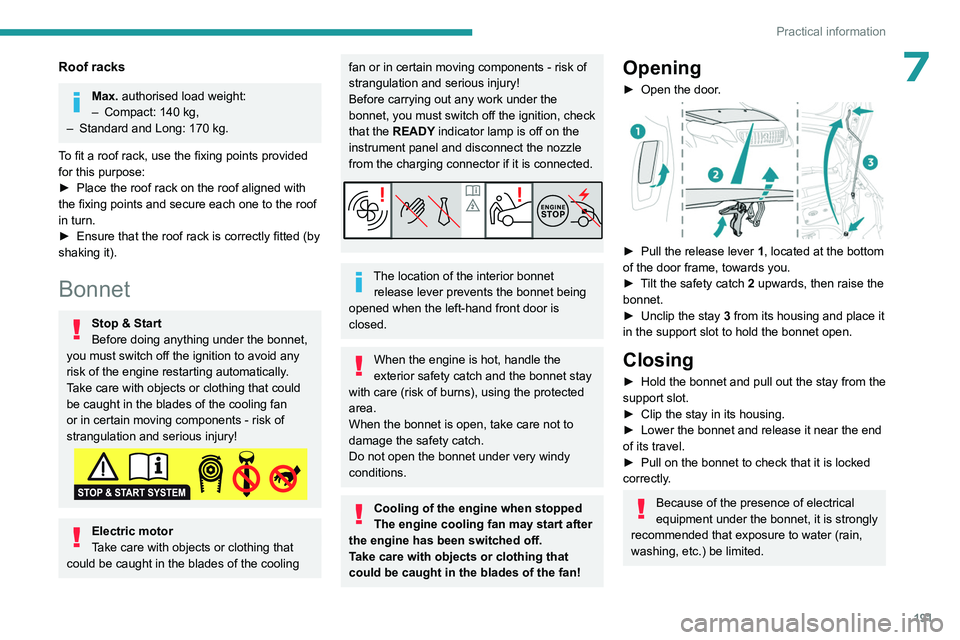
Opening
► Open the door .
► Pull the release lever 1 , located at the bottom
of the door frame, towards you.
►
T
ilt the safety catch 2 upwards, then raise the
bonnet.
►
Unclip the stay
3 from its housing and place it
in the support slot to hold the bonnet open.
Closing
► Hold the bonnet and pull out the stay from the
support slot.
►
Clip the stay in its housing.
►
Lower the bonnet and release it near the end
of its travel.
►
Pull on the bonnet to check that it is locked
correctly
.
Because of the presence of electrical
equipment under the bonnet, it is strongly
recommended that exposure to water (rain,
washing, etc.) be limited.
Page 265 of 324
263
3D Connected Navigation
12Voice commands
Steering wheel-mounted
controls
Voice commands:
Voice commands can be issued from any
screen page after a short press on the "Voice
commands" button located on the steering
wheel or at the end of the lighting control stalk
(depending on equipment), as long as there is no
telephone call in progress.
To ensure that voice commands are always recognised by the system, please
follow these recommendations:
–
use natural language in a normal tone
without breaking up words or raising your
voice.
–
always wait for the "beep" (audible signal)
before speaking.
–
for best results, closing the windows and
sunroof is recommended, to avoid extraneous
interference (depending on version).
–
before issuing a voice command, ask any
other passengers to refrain from speaking.
First steps
Example of a "voice command" for
navigation:
"Navigate to address 11 regent street,
London"
Example of a "voice command" for the radio and
media:
"Play artist Madonna"
Example of a "voice command" for the
telephone:
"Call David Miller"
The voice commands, with a choice of 17 languages (Arabic, Brazilian, Czech,
Danish, Dutch, English, Farsi, French,
German, Italian, Norwegian, Polish,
Portuguese, Russian, Spanish, Swedish,
Turkish), are made using the language
previously chosen and set in the system.
For some voice commands, there are
alternative synonyms.
Example: Guide to / Navigate to / Go to / ...
The voice commands in Arabic for: "Navigate
to address" and "Display POI in the city", are
not available.
Information - Using the
system
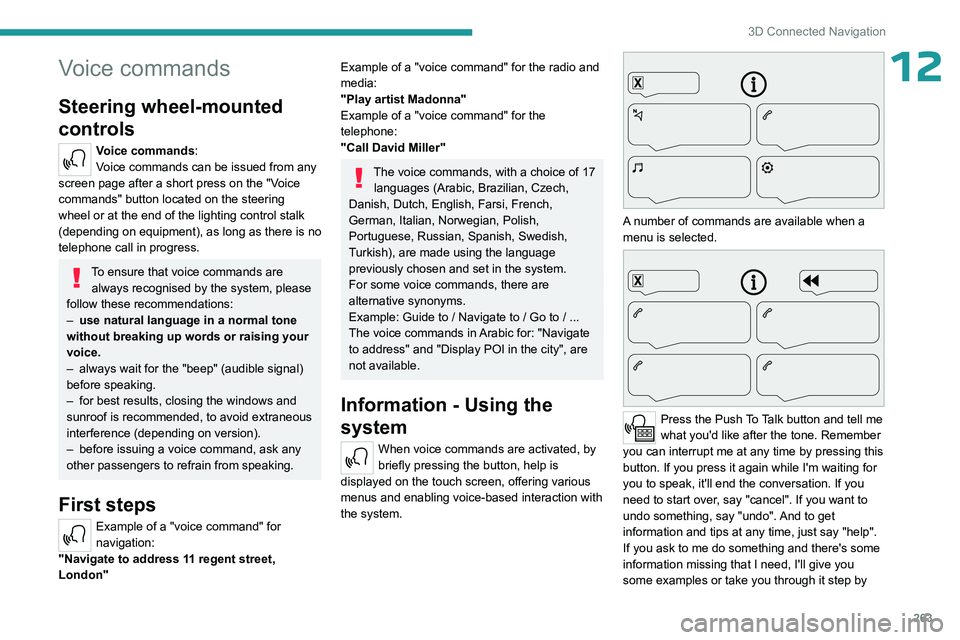
When voice commands are activated, by
briefly pressing the button, help is
displayed on the touch screen, offering various
menus and enabling voice-based interaction with
the system.
A number of commands are available when a
menu is selected.
Press the Push To Talk button and tell me
what you'd like after the tone. Remember
you can interrupt me at any time by pressing this
button. If you press it again while I'm waiting for
you to speak, it'll end the conversation. If you
need to start over, say "cancel". If you want to
undo something, say "undo". And to get
information and tips at any time, just say "help".
If you ask to me do something and there's some
information missing that I need, I'll give you
some examples or take you through it step by
Page 290 of 324
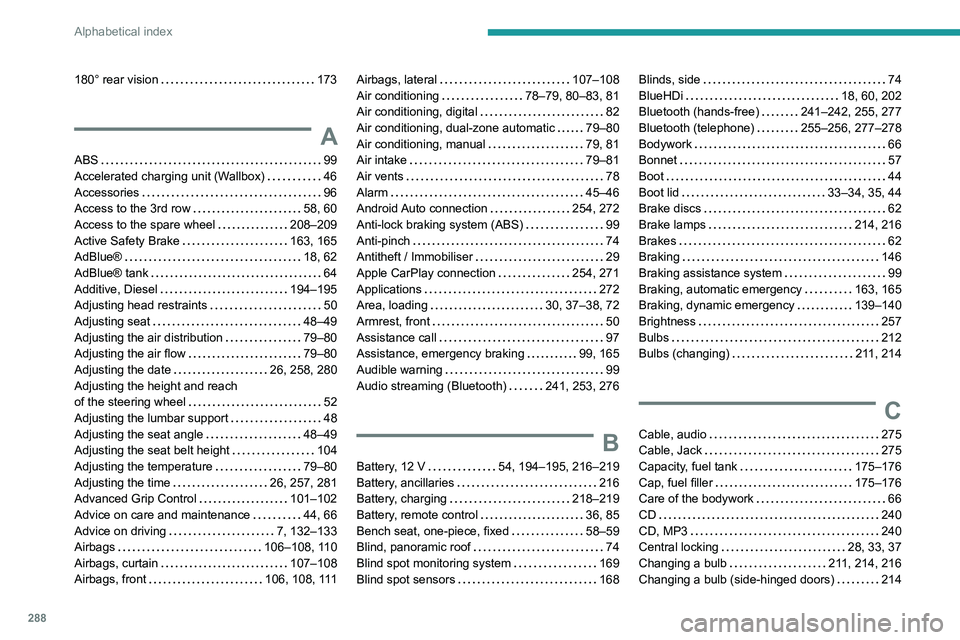
288
Alphabetical index
180° rear vision 173
A
ABS 99
Accelerated charging unit (Wallbox)
46
Accessories
96
Access to the 3rd row
58, 60
Access to the spare wheel
208–209
Active Safety Brake
163, 165
AdBlue®
18, 62
AdBlue® tank
64
Additive, Diesel
194–195
Adjusting head restraints
50
Adjusting seat
48–49
Adjusting the air distribution
79–80
Adjusting the air flow
79–80
Adjusting the date
26, 258, 280
Adjusting the height and reach
of the steering wheel
52
Adjusting the lumbar support
48
Adjusting the seat angle
48–49
Adjusting the seat belt height
104
Adjusting the temperature
79–80
Adjusting the time
26, 257, 281
Advanced Grip Control
101–102
Advice on care and maintenance
44, 66
Advice on driving
7, 132–133
Airbags
106–108, 110
Airbags, curtain
107–108
Airbags, front
106, 108, 111
Airbags, lateral 107–108
Air conditioning
78–79, 80–83, 81
Air conditioning, digital
82
Air conditioning, dual-zone automatic
79–80
Air conditioning, manual
79, 81
Air intake
79–81
Air vents
78
Alarm
45–46
Android Auto connection
254, 272
Anti-lock braking system (ABS)
99
Anti-pinch
74
Antitheft / Immobiliser
29
Apple CarPlay connection
254, 271
Applications
272
Area, loading
30, 37–38, 72
Armrest, front
50
Assistance call
97
Assistance, emergency braking
99, 165
Audible warning
99
Audio streaming (Bluetooth)
241, 253, 276
B
Battery, 12 V 54, 194–195, 216–219
Battery, ancillaries
216
Battery, charging
218–219
Battery, remote control
36, 85
Bench seat, one-piece, fixed
58–59
Blind, panoramic roof
74
Blind spot monitoring system
169
Blind spot sensors
168
Blinds, side 74
BlueHDi
18, 60, 202
Bluetooth (hands-free)
241–242, 255, 277
Bluetooth (telephone)
255–256, 277–278
Bodywork
66
Bonnet
57
Boot
44
Boot lid
33–34, 35, 44
Brake discs
62
Brake lamps
214, 216
Brakes
62
Braking
146
Braking assistance system
99
Braking, automatic emergency
163, 165
Braking, dynamic emergency
139–140
Brightness
257
Bulbs
212
Bulbs (changing)
211, 214
C
Cable, audio 275
Cable, Jack
275
Capacity, fuel tank
175–176
Cap, fuel filler
175–176
Care of the bodywork
66
CD
240
CD, MP3
240
Central locking
28, 33, 37
Changing a bulb
211, 214, 216
Changing a bulb (side-hinged doors)
214
Page 292 of 324
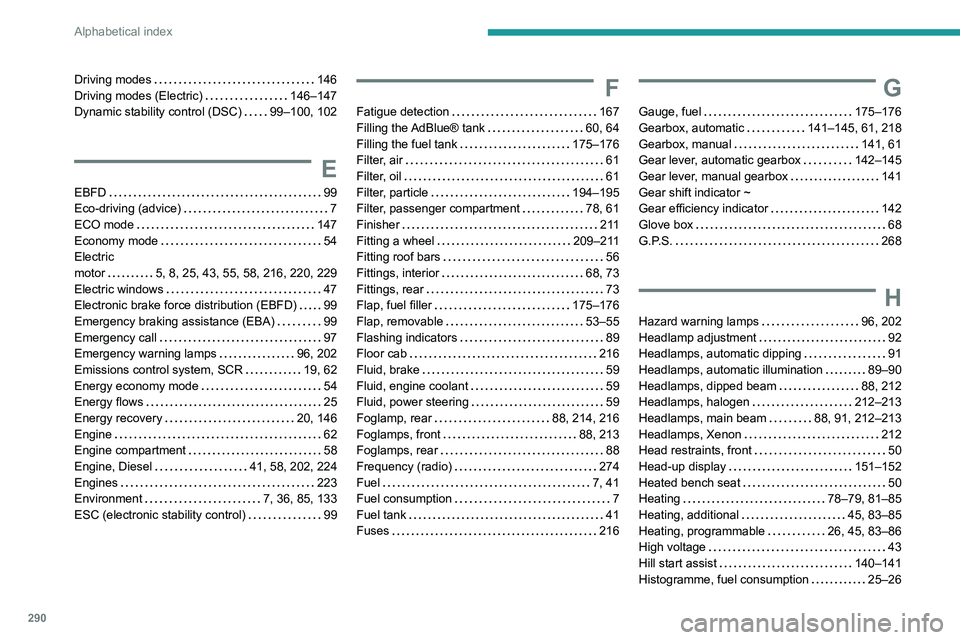
290
Alphabetical index
Driving modes 146
Driving modes (Electric)
146–147
Dynamic stability control (DSC)
99–100, 102
E
EBFD 99
Eco-driving (advice)
7
ECO mode
147
Economy mode
54
Electric
motor
5, 8, 25, 43, 55, 58, 216, 220, 229
Electric windows
47
Electronic brake force distribution (EBFD)
99
Emergency braking assistance (EBA)
99
Emergency call
97
Emergency warning lamps
96, 202
Emissions control system, SCR
19, 62
Energy economy mode
54
Energy flows
25
Energy recovery
20, 146
Engine
62
Engine compartment
58
Engine, Diesel
41, 58, 202, 224
Engines
223
Environment
7, 36, 85, 133
ESC (electronic stability control)
99
F
Fatigue detection 167
Filling the AdBlue® tank
60, 64
Filling the fuel tank
175–176
Filter, air
61
Filter, oil
61
Filter, particle
194–195
Filter, passenger compartment
78, 61
Finisher
2 11
Fitting a wheel
209–211
Fitting roof bars
56
Fittings, interior
68, 73
Fittings, rear
73
Flap, fuel filler
175–176
Flap, removable
53–55
Flashing indicators
89
Floor cab
216
Fluid, brake
59
Fluid, engine coolant
59
Fluid, power steering
59
Foglamp, rear
88, 214, 216
Foglamps, front
88, 213
Foglamps, rear
88
Frequency (radio)
274
Fuel
7, 41
Fuel consumption
7
Fuel tank
41
Fuses
216
G
Gauge, fuel 175–176
Gearbox, automatic
141–145, 61, 218
Gearbox, manual
141, 61
Gear lever, automatic gearbox
142–145
Gear lever, manual gearbox
141
Gear shift indicator ~
Gear efficiency indicator
142
Glove box
68
G.P.S.
268
H
Hazard warning lamps 96, 202
Headlamp adjustment
92
Headlamps, automatic dipping
91
Headlamps, automatic illumination
89–90
Headlamps, dipped beam
88, 212
Headlamps, halogen
212–213
Headlamps, main beam
88, 91, 212–213
Headlamps, Xenon
212
Head restraints, front
50
Head-up display
151–152
Heated bench seat
50
Heating
78–79, 81–85
Heating, additional
45, 83–85
Heating, programmable
26, 45, 83–86
High voltage
43
Hill start assist
140–141
Histogramme, fuel consumption
25–26
Page 294 of 324
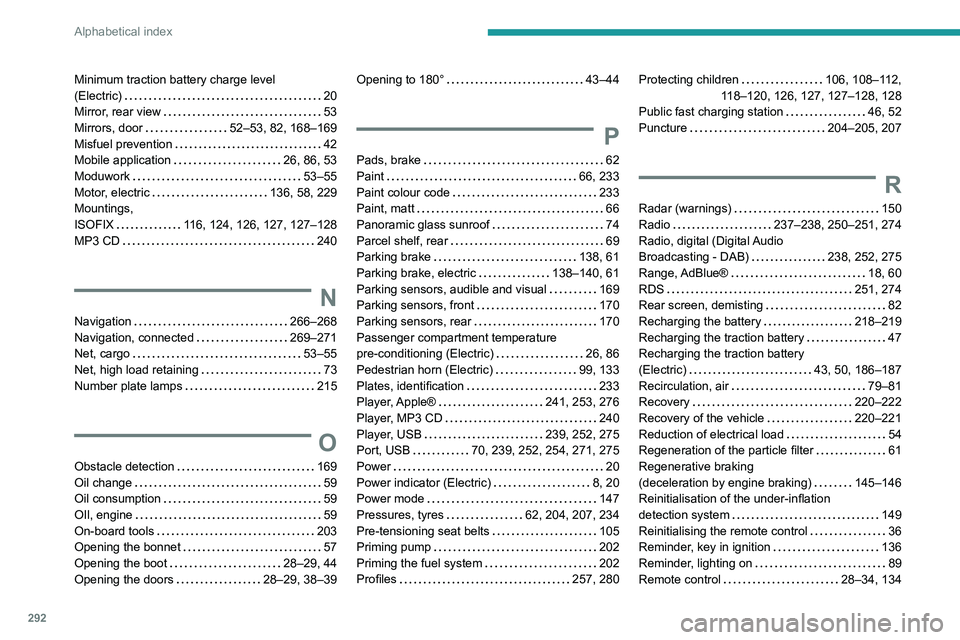
292
Alphabetical index
Minimum traction battery charge level
(Electric)
20
Mirror, rear view
53
Mirrors, door
52–53, 82, 168–169
Misfuel prevention
42
Mobile application
26, 86, 53
Moduwork
53–55
Motor, electric
136, 58, 229
Mountings,
ISOFIX
116, 124, 126, 127, 127–128
MP3 CD
240
N
Navigation 266–268
Navigation, connected
269–271
Net, cargo
53–55
Net, high load retaining
73
Number plate lamps
215
O
Obstacle detection 169
Oil change
59
Oil consumption
59
OIl, engine
59
On-board tools
203
Opening the bonnet
57
Opening the boot
28–29, 44
Opening the doors
28–29, 38–39
Opening to 180° 43–44
P
Pads, brake 62
Paint
66, 233
Paint colour code
233
Paint, matt
66
Panoramic glass sunroof
74
Parcel shelf, rear
69
Parking brake
138, 61
Parking brake, electric
138–140, 61
Parking sensors, audible and visual
169
Parking sensors, front
170
Parking sensors, rear
170
Passenger compartment temperature
pre-conditioning (Electric)
26, 86
Pedestrian horn (Electric)
99, 133
Plates, identification
233
Player, Apple®
241, 253, 276
Player, MP3 CD
240
Player, USB
239, 252, 275
Port, USB
70, 239, 252, 254, 271, 275
Power
20
Power indicator (Electric)
8, 20
Power mode
147
Pressures, tyres
62, 204, 207, 234
Pre-tensioning seat belts
105
Priming pump
202
Priming the fuel system
202
Profiles
257, 280
Protecting children 106, 108–112,
118–120, 126, 127, 127–128, 128
Public fast charging station
46, 52
Puncture
204–205, 207
R
Radar (warnings) 150
Radio
237–238, 250–251, 274
Radio, digital (Digital Audio
Broadcasting - DAB)
238, 252, 275
Range, AdBlue®
18, 60
RDS
251, 274
Rear screen, demisting
82
Recharging the battery
218–219
Recharging the traction battery
47
Recharging the traction battery
(Electric)
43, 50, 186–187
Recirculation, air
79–81
Recovery
220–222
Recovery of the vehicle
220–221
Reduction of electrical load
54
Regeneration of the particle filter
61
Regenerative braking
(deceleration by engine braking)
145–146
Reinitialisation of the under-inflation
detection system
149
Reinitialising the remote control
36
Reminder, key in ignition
136
Reminder, lighting on
89
Remote control
28–34, 134
Page 295 of 324
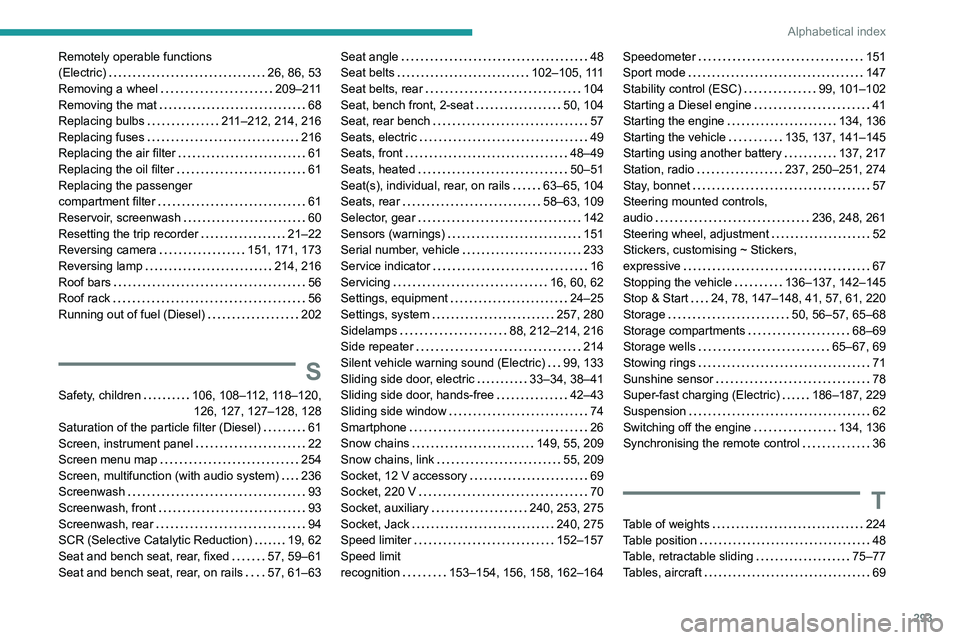
293
Alphabetical index
Remotely operable functions
(Electric)
26, 86, 53
Removing a wheel
209–211
Removing the mat
68
Replacing bulbs
211–212, 214, 216
Replacing fuses
216
Replacing the air filter
61
Replacing the oil filter
61
Replacing the passenger
compartment filter
61
Reservoir, screenwash
60
Resetting the trip recorder
21–22
Reversing camera
151, 171, 173
Reversing lamp
214, 216
Roof bars
56
Roof rack
56
Running out of fuel (Diesel)
202
S
Safety, children 106, 108–112, 118–120,
126, 127, 127–128, 128
Saturation of the particle filter (Diesel)
61
Screen, instrument panel
22
Screen menu map
254
Screen, multifunction (with audio system)
236
Screenwash
93
Screenwash, front
93
Screenwash, rear
94
SCR (Selective Catalytic Reduction)
19, 62
Seat and bench seat, rear, fixed
57, 59–61
Seat and bench seat, rear, on rails
57, 61–63
Seat angle 48
Seat belts
102–105, 111
Seat belts, rear
104
Seat, bench front, 2-seat
50, 104
Seat, rear bench
57
Seats, electric
49
Seats, front
48–49
Seats, heated
50–51
Seat(s), individual, rear, on rails
63–65, 104
Seats, rear
58–63, 109
Selector, gear
142
Sensors (warnings)
151
Serial number, vehicle
233
Service indicator
16
Servicing
16, 60, 62
Settings, equipment
24–25
Settings, system
257, 280
Sidelamps
88, 212–214, 216
Side repeater
214
Silent vehicle warning sound (Electric)
99, 133
Sliding side door, electric
33–34, 38–41
Sliding side door, hands-free
42–43
Sliding side window
74
Smartphone
26
Snow chains
149, 55, 209
Snow chains, link
55, 209
Socket, 12 V accessory
69
Socket, 220 V
70
Socket, auxiliary
240, 253, 275
Socket, Jack
240, 275
Speed limiter
152–157
Speed limit
recognition
153–154, 156, 158, 162–164Speedometer 151
Sport mode
147
Stability control (ESC)
99, 101–102
Starting a Diesel engine
41
Starting the engine
134, 136
Starting the vehicle
135, 137, 141–145
Starting using another battery
137, 217
Station, radio
237, 250–251, 274
Stay, bonnet
57
Steering mounted controls,
audio
236, 248, 261
Steering wheel, adjustment
52
Stickers, customising ~ Stickers,
expressive
67
Stopping the vehicle
136–137, 142–145
Stop & Start
24, 78, 147–148, 41, 57, 61, 220
Storage
50, 56–57, 65–68
Storage compartments
68–69
Storage wells
65–67, 69
Stowing rings
71
Sunshine sensor
78
Super-fast charging (Electric)
186–187, 229
Suspension
62
Switching off the engine
134, 136
Synchronising the remote control
36
T
Table of weights 224
Table position
48
Table, retractable sliding
75–77
Tables, aircraft
69