ECO mode Peugeot Expert Tepee 2014 User Guide
[x] Cancel search | Manufacturer: PEUGEOT, Model Year: 2014, Model line: Expert Tepee, Model: Peugeot Expert Tepee 2014Pages: 260, PDF Size: 13.44 MB
Page 164 of 260
162
Identification markings
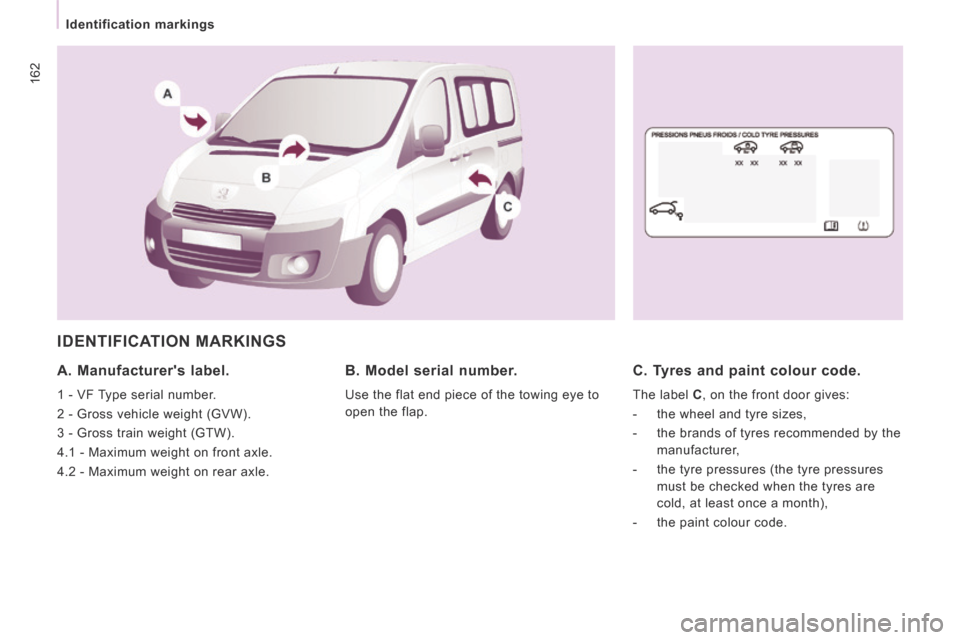
IDENTIFICATION MARKINGS
A. Manufacturer's label.
1 - VF Type serial number.
2 - Gross vehicle weight (GVW).
3 - Gross train weight (GTW).
4.1 - Maximum weight on front axle.
4.2 - Maximum weight on rear axle.
B. Model serial number.
Use the flat end piece of the towing eye to
open the flap.
C. Tyres and paint colour code.
The label C , on the front door gives:
- the wheel and tyre sizes,
- the brands of tyres recommended by the manufacturer,
- the tyre pressures (the tyre pressures must be checked when the tyres are
cold, at least once a month),
- the paint colour code.
Page 167 of 260
9.3
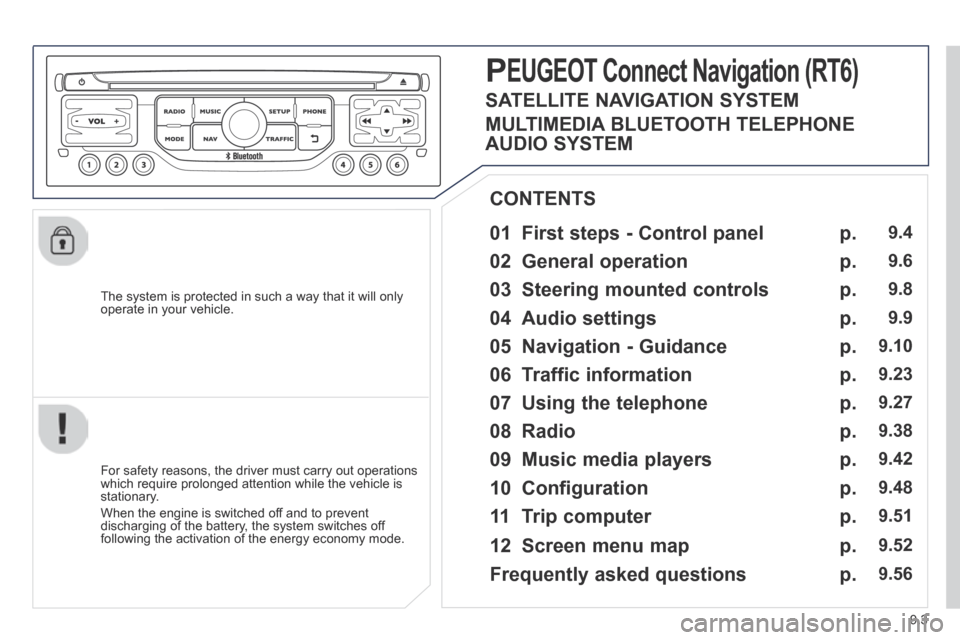
The system is protected in such a way that it will only operate in your vehicle.
01 First steps - Control panel
For safety reasons, the driver must carry out operations which require prolonged attention while the vehicle is stationary.
When the engine is switched off and to prevent discharging of the battery, the system switches off following the activation of the energy economy mode.
CONTENTS
02 General operation
03 Steering mounted controls
04 Audio settings
05 Navigation - Guidance
06 Traffic information
07 Using the telephone
08 Radio
09 Music media players
10 Configuration
11 Trip computer
p.
p.
p.
p.
p.
p.
p.
p.
p.
p.
p.
9.4
9.6
9.8
9.9
9.10
9.23
9.27
9.38
9.42
9.48
9.51
PEUGEOT Connect Navigation (RT6)
12 Screen menu map p. 9.52
p. 9.56
SATELLITE NAVIGATION SYSTEM
MULTIMEDIA BLUETOOTH TELEPHONE
AUDIO SYSTEM
Frequently asked questions
Page 170 of 260
9.6
02
For a detailed global view of the menus available, refer to the "Screen menu map" section. For cleaning the screen, the use of a soft, non-abrasive cloth (spectacles cloth) is recommended, with no additional product.
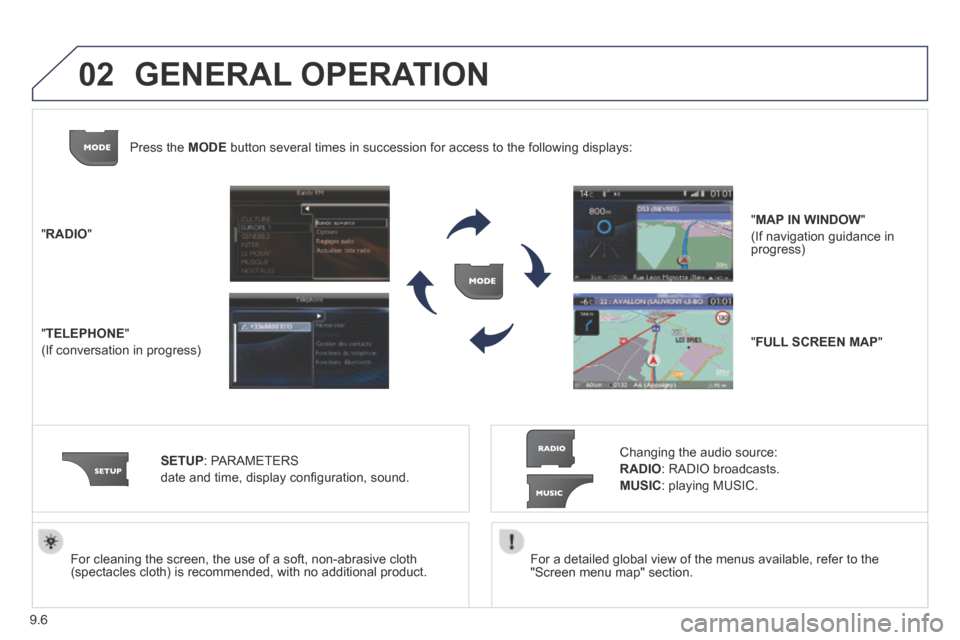
" RADIO "
" TELEPHONE "
(If conversation in progress)
SETUP : PARAMETERS
date and time, display confi guration, sound.
Changing the audio source:
RADIO : RADIO broadcasts.
MUSIC : playing MUSIC.
Press the MODE button several times in succession for access to the following displays\
:
GENERAL OPERATION
" FULL SCREEN MAP "
" MAP IN WINDOW "
(If navigation guidance in progress)
Page 193 of 260
9.29
07
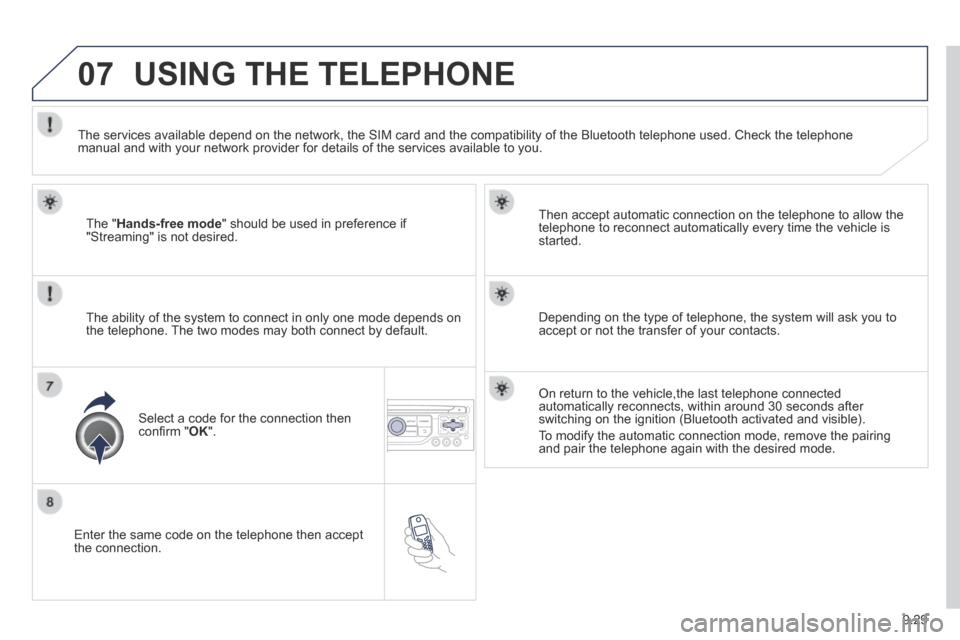
Enter the same code on the telephone then accept the connection.
Then accept automatic connection on the telephone to allow the telephone to reconnect automatically every time the vehicle is started.
The ability of the system to connect in only one mode depends on the telephone. The two modes may both connect by default.
USING THE TELEPHONE
The " Hands-free mode " should be used in preference if "Streaming" is not desired.
The services available depend on the network, the SIM card and the compa\
tibility of the Bluetooth telephone used. Check the telephone manual and with your network provider for details of the services availa\
ble to you.
Select a code for the connection then confi rm " OK ".
Depending on the type of telephone, the system will ask you to accept or not the transfer of your contacts.
On return to the vehicle,the last telephone connected automatically reconnects, within around 30 seconds after switching on the ignition (Bluetooth activated and visible).
To modify the automatic connection mode, remove the pairing and pair the telephone again with the desired mode.
Page 207 of 260
9.43
09 MUSIC MEDIA PLAYERS
CD, MP3 CD / USB PLAYER
The audio equipment will only play audio fi les with ".wma, .aac, .fl ac, .ogg and .mp3" fi le extensions and with a bit rate of between 32 Kbps and 320 Kbps.
It also supports VBR (Variable Bit Rate) mode.
No other type of fi le (.mp4, .m3u...) can be played.
WMA fi les must be of the standard wma 9 type.
The sampling rates supported are 11, 22, 44 and 48 KHz.
It is advisable to restrict fi le names to 20 characters, without using of special characters (e.g.: " " ? ; ù) to avoid any playing and displ\
aying problems.
In order to be able to play a recorded CDR or CDRW, when recording it is preferable to select the ISO 9660 level 1, 2 or Joliet standard.
If the disc is recorded in another format it may not be played correctly\
.
It is recommended that the same recording standard is always used for an individual disc, with as low a speed as possible (4x maximum) for optimum sound quality.
In the particular case of a multi-session CD, the Joliet standard is recommended.
INFORMATION AND ADVICE
The system supports USB mass storage or iPod devices via the USB port (suitable cable not supplied).
If a partitioned USB memory key is connected to the system, only the fi rst partition is recognised.
Control of the peripheral device is with the audio system controls.
The number of tracks is limited to 2000 maximum, 999 tracks per folder.
If the current consumption at the USB port exceeds 500 mA, the system goes into protection mode and deactivates the port.
Other peripherals, not recognised on connection, must be connected to the auxiliary socket using a Jack cable (not supplied).
In order to be read, a USB memory stick must be formatted FAT 16 or 32.
The system does not support the operation of an Apple ® player and ® player and ®
a USB memory stick connected at the same time.
It is recommended that offi cial Apple ® USB cables are used to ensure ® USB cables are used to ensure ®
correct operation.
Page 210 of 260
9.46
09
AUDIO STREAMING
Streaming allows audio fi les on your telephone to be played via the vehicle's speakers.
Connect the telephone: see "USING THE TELEPHONE".
Select " Audio " or " All " profi le.
If play does not start automatically, it may be necessary to start the audio playback from the telephone.
Control is from the peripheral device or by using the audio system buttons.
Once connected in streaming mode, the telephone is considered to be a media source.
It is recommended that you activate " Repeat " on the Bluetooth peripheral.
MUSIC MEDIA PLAYERS
CONNECTING APPLE ® CONNECTING APPLE ® CONNECTING APPLE PLAYERS ® PLAYERS ®
Connect the Apple ® player to the USB port using a suitable cable ® player to the USB port using a suitable cable ®
(not supplied).
Play starts automatically.
Control is via the audio system.
The classifi cations available are those of the portable device connected (artists / albums / genres / playlists / audiobooks / podcasts).
The default classifi cation used is by artist. To modify the classifi cation used, return to the fi rst level of the menu then select the desired classifi cation (playlists for example) and confi rm to go down through the menu to the desired track.
The "Shuffl e tracks" mode on an iPod ® corresponds to the "Random" ® corresponds to the "Random" ®
mode on the audio system.
The "Shuffl e albums" mode on an iPod ® corresponds to the "Random ® corresponds to the "Random ®
all" on the audio system.
"Shuffl e tracks" is restored by default on each connection.
The version of software in the audio system may not be compatible with the generation of your Apple ® player. ® player. ®
The list of devices compatible with software versions is available from \
PEUGEOT dealers.
Page 215 of 260
9.51
11 TRIP COMPUTER
TRIP COMPUTER
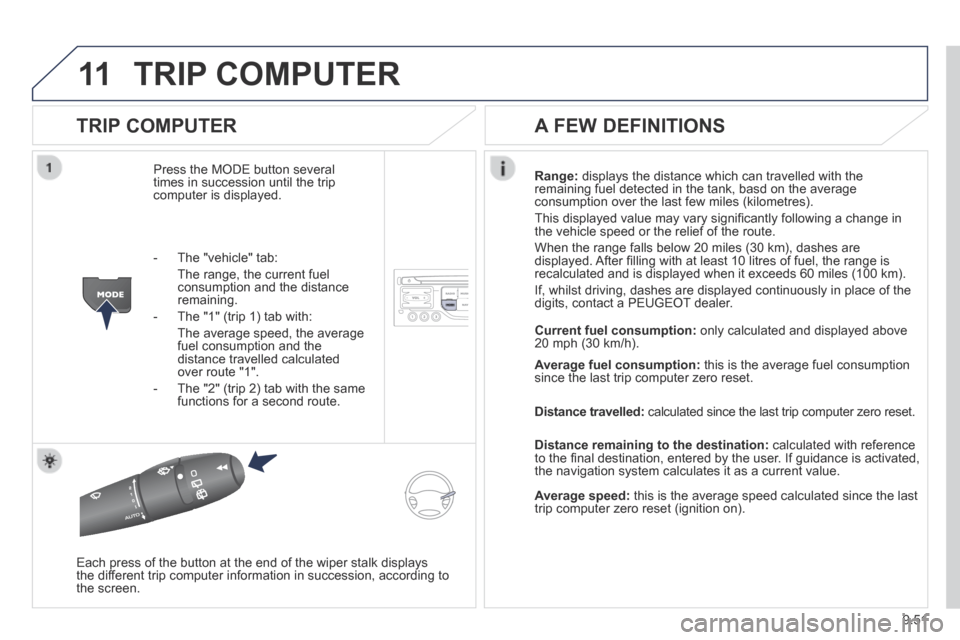
Press the MODE button several times in succession until the trip computer is displayed.
Range: displays the distance which can travelled with the remaining fuel detected in the tank, basd on the average consumption over the last few miles (kilometres).
This displayed value may vary signifi cantly following a change in the vehicle speed or the relief of the route.
When the range falls below 20 miles (30 km), dashes are displayed. After fi lling with at least 10 litres of fuel, the range is recalculated and is displayed when it exceeds 60 miles (100 km).
If, whilst driving, dashes are displayed continuously in place of the digits, contact a PEUGEOT dealer.
Each press of the button at the end of the wiper stalk displays the different trip computer information in succession, according to the screen.
A FEW DEFINITIONS
- The "vehicle" tab:
The range, the current fuel consumption and the distance remaining.
- The "1" (trip 1) tab with:
The average speed, the average fuel consumption and the distance travelled calculated over route "1".
- The "2" (trip 2) tab with the same functions for a second route.
Current fuel consumption: only calculated and displayed above 20 mph (30 km/h).
Average fuel consumption: this is the average fuel consumption since the last trip computer zero reset.
Distance travelled: calculated since the last trip computer zero reset.
Distance remaining to the destination: calculated with reference to the fi nal destination, entered by the user. If guidance is activated, the navigation system calculates it as a current value.
Average speed: this is the average speed calculated since the last trip computer zero reset (ignition on).
Page 222 of 260
9.58
FREQUENTLY ASKED QUESTIONS
QUESTIONANSWERSOLUTION
Some contacts are duplicated in the list. The options for synchronizing contacts are synchronizing the contacts on the SIM card, the contacts on the telephone, or both. When both synchronizations are selected, some contacts may be duplicated.
Select "Display SIM card contacts" or "Display telephone contacts".
Contacts are not shown in alphabetical order. Some telephones offer display options. Depending on the settings chosen, contacts can be transferred in a specifi c order. Modify the display setting in the telephone directory.
The system does not receive SMS text messages. The Bluetooth mode does not permit sending SMS text messages to the system.
The CD is ejected automatically or is not played by the player.
The CD is inserted upside down, is unplayable, does not contain any audio data or contains an audio format which the player cannot play. - Check that the CD is inserted in the player the right way up.
- Check the condition of the CD: the CD cannot be played if it is too damaged.
- Check the content in the case of a recorded CD: refer to the advice in the "AUDIO" section.
- The audio system's CD player does not play DVDs.
- Some recorded CDs will not be played by the audio system because they are not of the correct quality.
Le CD has been recorded in a format that is not compatible with the play\
er.
The CD is protected by an anti-pirating protection system which is not recognised by the audio system.
There is a long waiting period following the insertion of a CD or connection of a USB memory stick.
When a new medium is inserted, the system reads a certain amount of data (directory, title, artist, etc.). This may take from a few seconds to a few minutes.
This phenomenon is normal.
The CD player sound is poor. The CD used is scratched or of poor quality. Insert good quality CDs and store them in suitable conditions.
The audio equipment settings (bass, treble, ambiences) are unsuitable.\
Set the treble or bass level to 0, without selecting an ambience.
Page 225 of 260
9.61
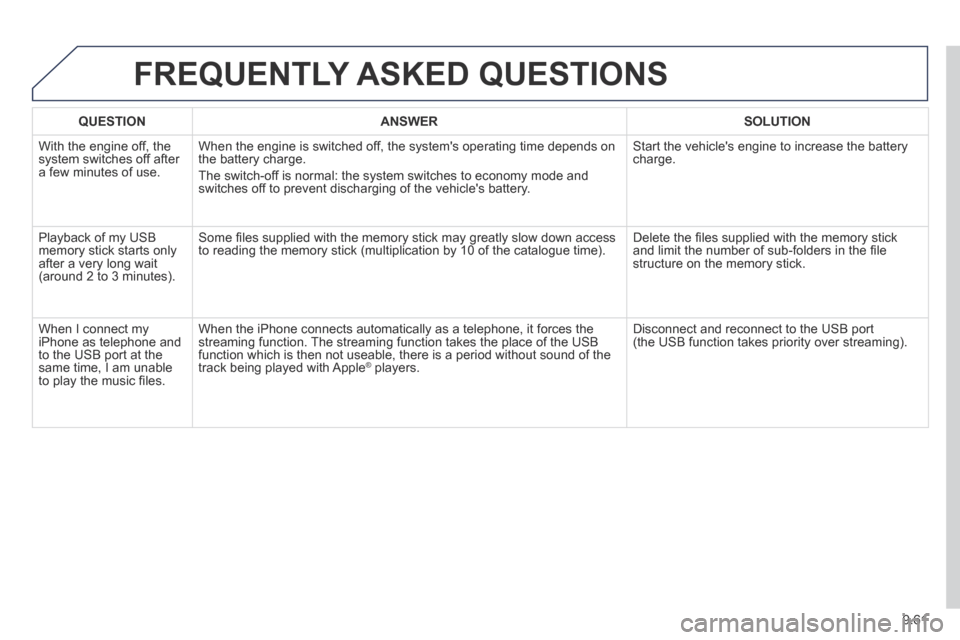
FREQUENTLY ASKED QUESTIONS
QUESTIONANSWERSOLUTION
With the engine off, the system switches off after a few minutes of use.
When the engine is switched off, the system's operating time depends on the battery charge.
The switch-off is normal: the system switches to economy mode and switches off to prevent discharging of the vehicle's battery.
Start the vehicle's engine to increase the battery charge.
Playback of my USB memory stick starts only after a very long wait (around 2 to 3 minutes).
Some fi les supplied with the memory stick may greatly slow down access to reading the memory stick (multiplication by 10 of the catalogue time\
). Delete the fi les supplied with the memory stick and limit the number of sub-folders in the fi le structure on the memory stick.
When I connect my iPhone as telephone and to the USB port at the same time, I am unable to play the music fi les.
When the iPhone connects automatically as a telephone, it forces the streaming function. The streaming function takes the place of the USB function which is then not useable, there is a period without sound of t\
he track being played with Apple ® players. ® players. ®
Disconnect and reconnect to the USB port (the USB function takes priority over streaming).
Page 231 of 260
9.67
04 AUDIO
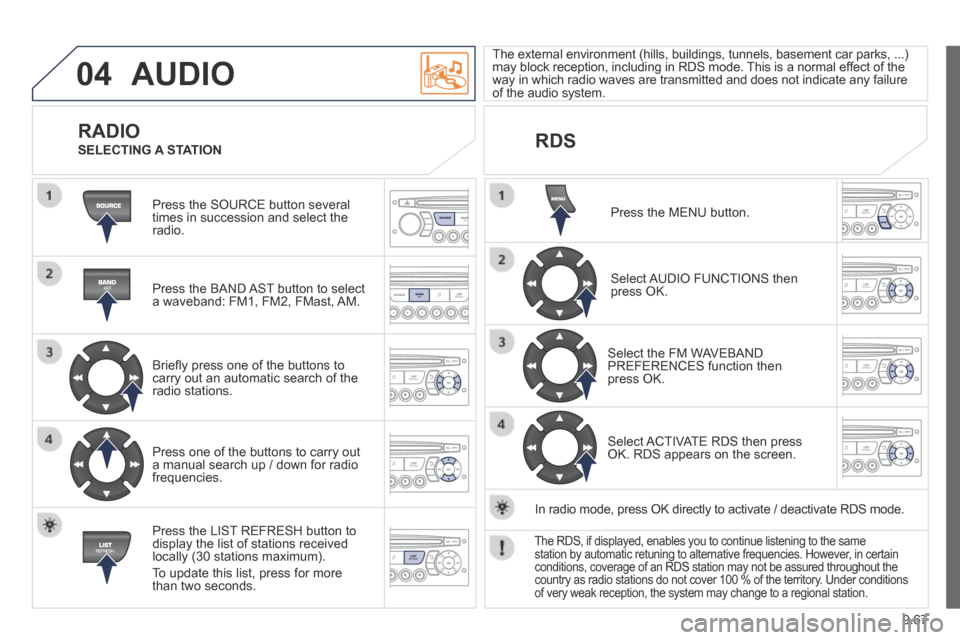
Press the SOURCE button several times in succession and select the radio.
Press the BAND AST button to select a waveband: FM1, FM2, FMast, AM.
Briefl y press one of the buttons to carry out an automatic search of the radio stations.
Press one of the buttons to carry out a manual search up / down for radio frequencies.
Press the LIST REFRESH button to display the list of stations received locally (30 stations maximum).
To update this list, press for more than two seconds.
The external environment (hills, buildings, tunnels, basement car parks\
, ...) may block reception, including in RDS mode. This is a normal effect of the way in which radio waves are transmitted and does not indicate any failu\
re of the audio system.
RDS RADIO
SELECTING A STATION
Press the MENU button.
Select AUDIO FUNCTIONS then press OK.
Select the FM WAVEBAND PREFERENCES function then press OK.
Select ACTIVATE RDS then press OK. RDS appears on the screen.
In radio mode, press OK directly to activate / deactivate RDS mode.
The RDS, if displayed, enables you to continue listening to the same station by automatic retuning to alternative frequencies. However, in certain conditions, coverage of an RDS station may not be assured throughout the\
country as radio stations do not cover 100 % of the territory. Under conditions of very weak reception, the system may change to a regional station.