carplay Peugeot Expert VU 2016 Owner's Manual
[x] Cancel search | Manufacturer: PEUGEOT, Model Year: 2016, Model line: Expert VU, Model: Peugeot Expert VU 2016Pages: 599, PDF Size: 13.14 MB
Page 345 of 599
343
12:13
23 °C531 kHz
Expert_en_Chap10b_NAC-1_ed01-2016
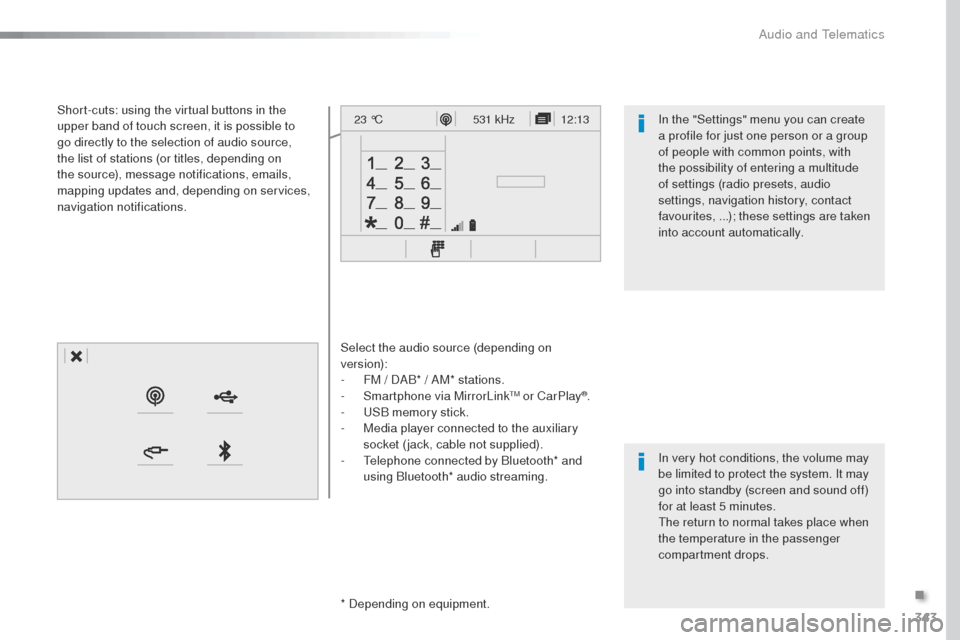
Select the audio source (depending on
version):
-
F
M / DAB* / AM* stations.
-
S
martphone via MirrorLink
tM or CarPlay®.
-
uS
B memory stick.
-
M
edia player connected to the auxiliary
socket (jack, cable not supplied).
-
t
e
lephone connected by Bluetooth* and
using Bluetooth* audio streaming.
* Depending on equipment.
Short-cuts: using the virtual buttons in the
upper band of touch screen, it is possible to
go directly to the selection of audio source,
the list of stations (or titles, depending on
the source), message notifications, emails,
mapping updates and, depending on services,
navigation notifications.
In very hot conditions, the volume may
be limited to protect the system. It may
go into standby (screen and sound off)
for at least 5 minutes.
th
e return to normal takes place when
the temperature in the passenger
compartment drops. In the "Settings" menu you can create
a profile for just one person or a group
of people with common points, with
the possibility of entering a multitude
of settings (radio presets, audio
settings, navigation history, contact
favourites, ...); these settings are taken
into account automatically.
.
Audio and telematics
Page 347 of 599
345
12:13
23 °C12:13
23 °C531 kHz
FM/87.5 MHz
87.5MHz 12:13
23 °C 87.5 MHz
12:13
23 °C531 kHz12:13
23 °C
Expert_en_Chap10b_NAC-1_ed01-2016
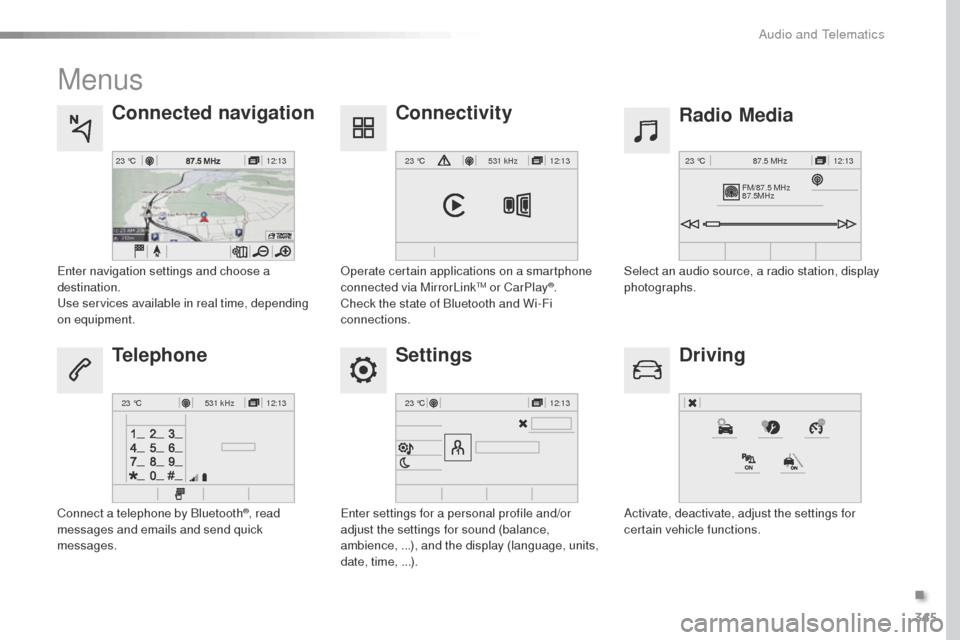
Menus
Settings Radio Media
Connected navigation
Driving
Connectivity
Telephone
Enter settings for a personal profile and/or
adjust the settings for sound (balance,
ambience, ...), and the display (language, units,
date, time, ...). Select an audio source, a radio station, display
photographs.
Enter navigation settings and choose a
destination.
use
services available in real time, depending
on equipment.
Activate, deactivate, adjust the settings for
certain vehicle functions.
op
erate certain applications on a smartphone
connected via MirrorLink
tM or CarPlay®.
Check the state of Bluetooth and Wi-Fi
connections.
Connect a telephone by Bluetooth
®, read
messages and emails and send quick
messages.
.
Audio and telematics
Page 371 of 599
369
Expert_en_Chap10b_NAC-1_ed01-2016
As a safety measure and because it
requires sustained attention by the
driver, using a smartphone when
driving is prohibited.
All operations must be done with the
vehicle stationary.
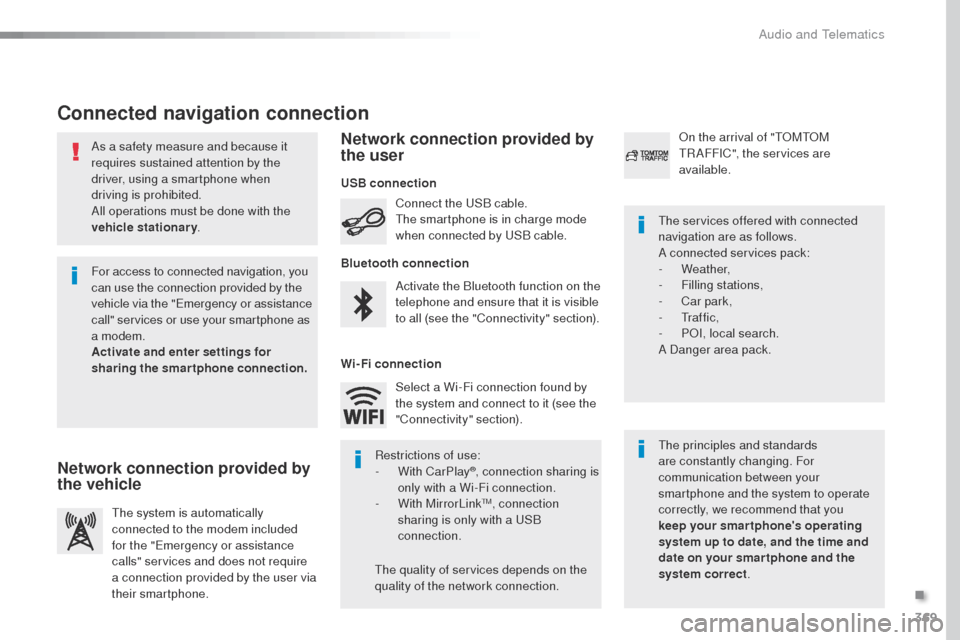
Connected navigation connection
the principles and standards
are constantly changing. For
communication between your
smartphone and the system to operate
correctly, we recommend that you
keep your smar tphone's operating
system up to date, and the time and
date on your smar tphone and the
system correct.
th
e services offered with connected
navigation are as follows.
A connected services pack:
-
Weather,
-
F
illing stations,
-
C
ar park,
-
t
r a f f i c ,
-
PoI
, local search.
A Danger area pack.
Activate the Bluetooth function on the
telephone and ensure that it is visible
to all (see the "Connectivity" section). Connect the
u
S
B cable.
th
e smartphone is in charge mode
when connected by
u
S
B cable.
th
e system is automatically
connected to the modem included
for the "Emergency or assistance
calls" services and does not require
a connection provided by the user via
their smartphone.
on t
he arrival of "
t
o
Mt
o
M tR
AFFIC", the services are
available.
For access to connected navigation, you
can use the connection provided by the
vehicle via the "Emergency or assistance
call" services or use your smartphone as
a modem.
Activate and enter settings for
sharing the smartphone connection. Restrictions of use:
-
W
ith CarPlay
®, connection sharing is
only with a Wi-Fi connection.
-
W
ith MirrorLink
tM, connection
sharing is only with a uS B
connection.
th
e quality of services depends on the
quality of the network connection. Select a Wi-Fi connection found by
the system and connect to it (see the
"Connectivity" section).
USB connection
Network connection provided by
the vehicle Network connection provided by
the user
Bluetooth connection
Wi-Fi connection
.
Audio and telematics
Page 388 of 599
386
12:13
23 °C531 kHz
Expert_en_Chap10b_NAC-1_ed01-2016
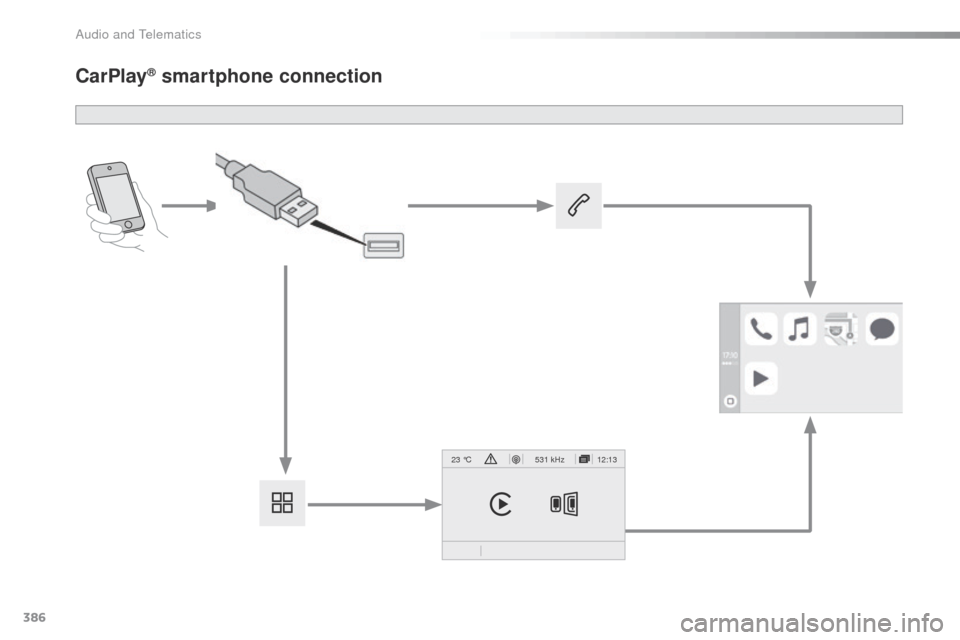
CarPlay® smartphone connection
Audio and telematics
Page 389 of 599
387
Expert_en_Chap10b_NAC-1_ed01-2016
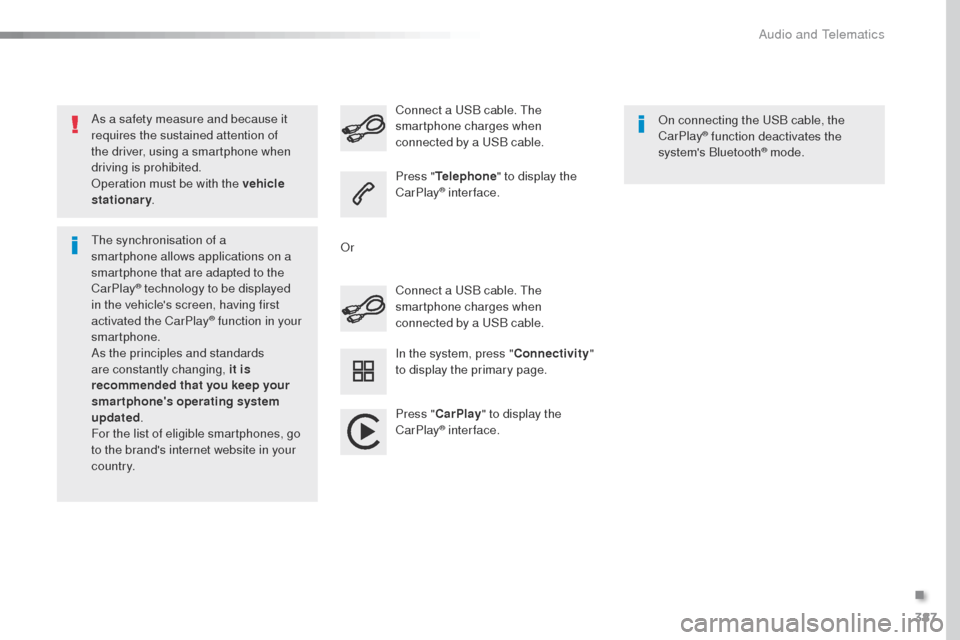
As a safety measure and because it
requires the sustained attention of
the driver, using a smartphone when
driving is prohibited.
op
eration must be with the vehicle
stationary .
th
e synchronisation of a
smartphone allows applications on a
smartphone that are adapted to the
CarPlay
® technology to be displayed
i
n the vehicle's screen, having first
activated the CarPlay
® function in your
smartphone.
As the principles and standards
are constantly changing, it is
recommended that you keep your
smartphone's operating system
updated .
For the list of eligible smartphones, go
to the brand's internet website in your
c o unt r y. Connect a
u
S
B cable. t
h
e
smartphone charges when
connected by a uS B cable.
Connect a
u
S
B cable. t
h
e
smartphone charges when
connected by a u
S
B cable.
Press " Telephone " to display the
CarPlay
® inter face.
Press " CarPlay " to display the
CarPlay
® inter face.
on c
onnecting the u
S
B cable, the
CarPlay
® function deactivates the
system's Bluetooth® mode.
In the system, press " Connectivity"
to display the primary page.
o
r
.
Audio and telematics
Page 433 of 599
431
12:13
23 °C531 kHz
Expert_en_Chap10c_RCC-1_ed01-2016
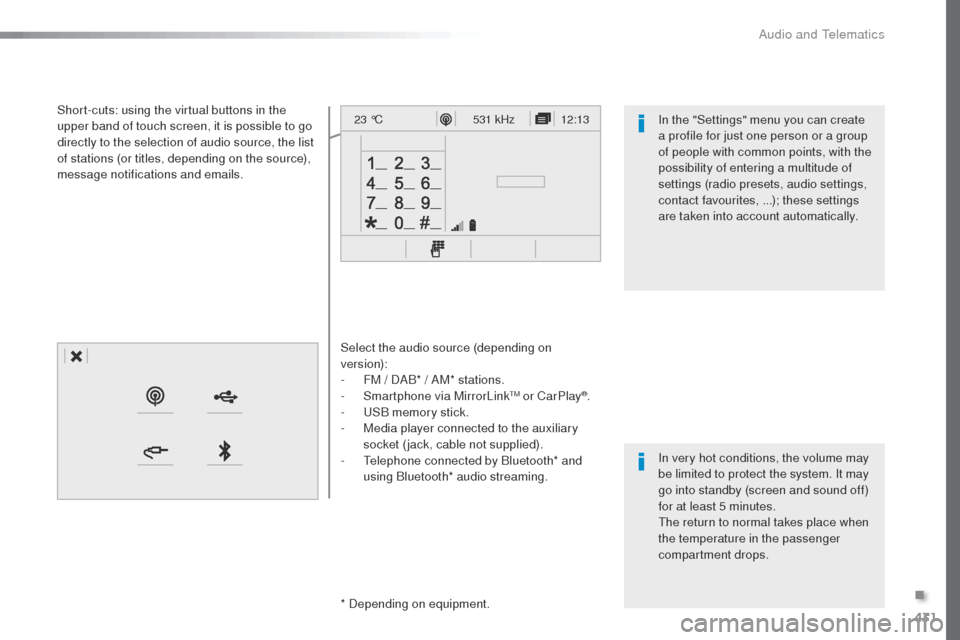
Select the audio source (depending on
version):
-
F
M / DAB* / AM* stations.
-
S
martphone via MirrorLink
tM or CarPlay®.
-
uS
B memory stick.
-
M
edia player connected to the auxiliary
socket (jack, cable not supplied).
-
t
e
lephone connected by Bluetooth* and
using Bluetooth* audio streaming.
* Depending on equipment.
Short-cuts: using the virtual buttons in the
upper band of touch screen, it is possible to go
directly to the selection of audio source, the list
of stations (or titles, depending on the source),
message notifications and emails.
In very hot conditions, the volume may
be limited to protect the system. It may
go into standby (screen and sound off)
for at least 5 minutes.
th
e return to normal takes place when
the temperature in the passenger
compartment drops. In the "Settings" menu you can create
a profile for just one person or a group
of people with common points, with the
possibility of entering a multitude of
settings (radio presets, audio settings,
contact favourites, ...); these settings
are taken into account automatically.
.
Audio and telematics
Page 435 of 599
433
12:13
23 °C531 kHz
FM/87.5 MHz
87.5MHz 12:13
23 °C 87.5 MHz
12:13
23 °C531 kHz
12:13
23 °C
Expert_en_Chap10c_RCC-1_ed01-2016
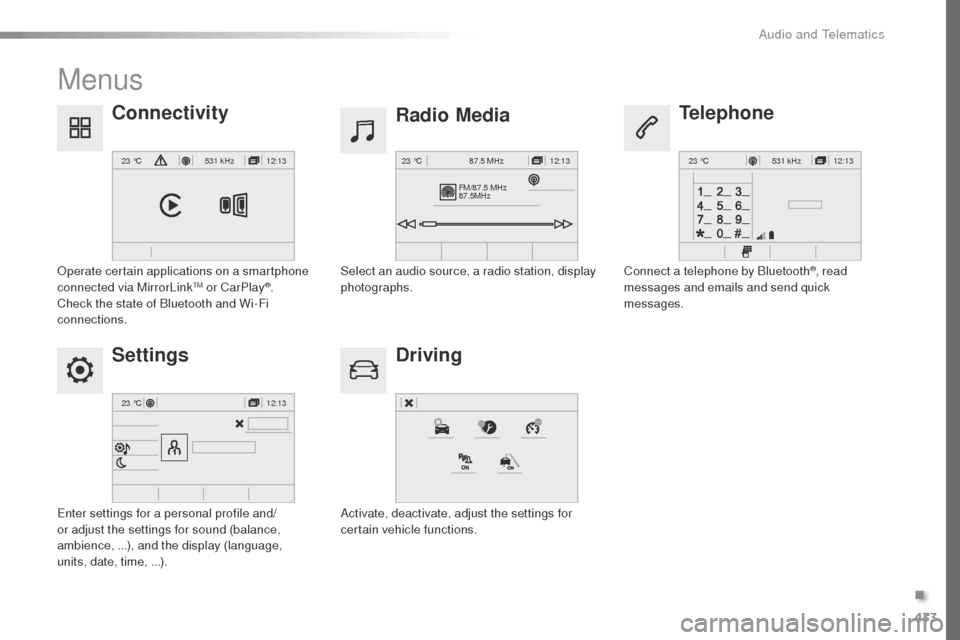
Menus
Settings Radio Media
Driving
Connectivity
Telephone
Enter settings for a personal profile and/
or adjust the settings for sound (balance,
ambience, ...), and the display (language,
units, date, time, ...).Select an audio source, a radio station, display
photographs.
Activate, deactivate, adjust the settings for
certain vehicle functions.
op
erate certain applications on a smartphone
connected via MirrorLink
tM or CarPlay®.
Check the state of Bluetooth and Wi-Fi
connections. Connect a telephone by Bluetooth
®, read
messages and emails and send quick
messages.
.
Audio and telematics
Page 444 of 599
442
12:13
23 °C531 kHz
Expert_en_Chap10c_RCC-1_ed01-2016
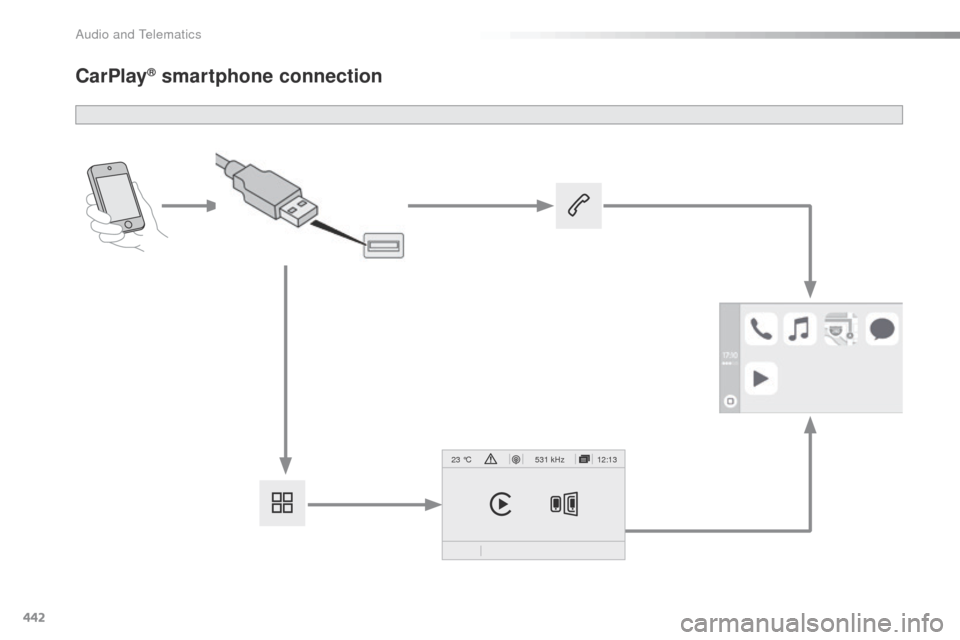
CarPlay® smartphone connection
Audio and telematics
Page 445 of 599
443
Expert_en_Chap10c_RCC-1_ed01-2016
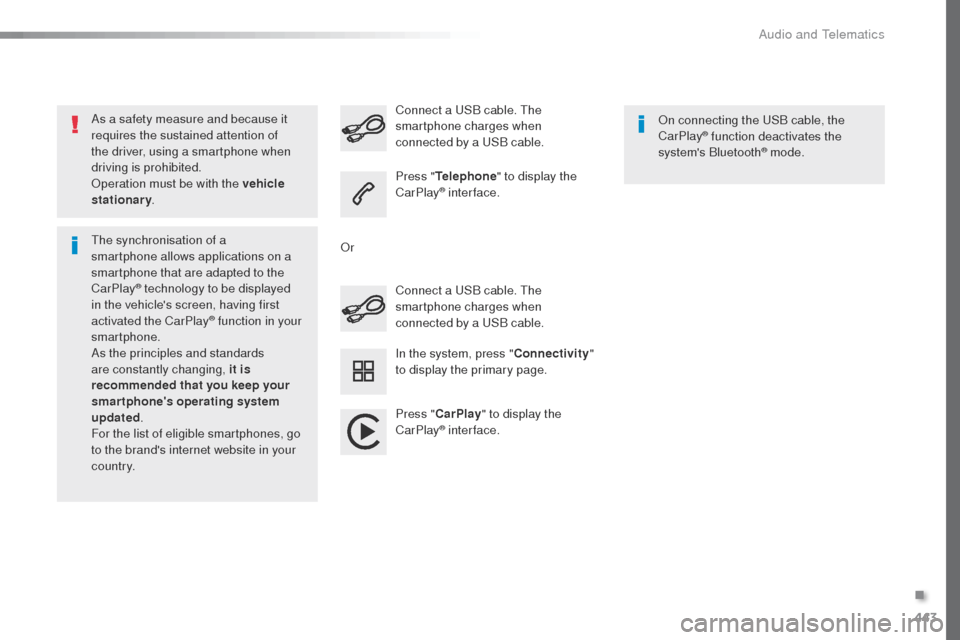
As a safety measure and because it
requires the sustained attention of
the driver, using a smartphone when
driving is prohibited.
op
eration must be with the vehicle
stationary .
th
e synchronisation of a
smartphone allows applications on a
smartphone that are adapted to the
CarPlay
® technology to be displayed
i
n the vehicle's screen, having first
activated the CarPlay
® function in your
smartphone.
As the principles and standards
are constantly changing, it is
recommended that you keep your
smartphone's operating system
updated .
For the list of eligible smartphones, go
to the brand's internet website in your
c o unt r y. Connect a
u
S
B cable. t
h
e
smartphone charges when
connected by a uS B cable.
Connect a
u
S
B cable. t
h
e
smartphone charges when
connected by a u
S
B cable.
Press " Telephone " to display the
CarPlay
® inter face.
Press " CarPlay " to display the
CarPlay
® inter face.
on c
onnecting the u
S
B cable, the
CarPlay
® function deactivates the
system's Bluetooth® mode.
In the system, press " Connectivity"
to display the primary page.
o
r
.
Audio and telematics
Page 508 of 599
506
Expert_en_Chap11_index-alpha_ed01-2016
ABS ...............................................................161
Access, AdBlue tank ..................................... 285
Accessories
.................................. 203, 271, 272
Access to the spare wheel
............................297
Active Safety Brake........................ 23, 243, 246
AdBlue
® ................................ 2 6, 35 -37, 283 -285
Additive, AdBlue ...................................... 26, 285
Additive, Diesel
....................................... 26, 285
Adjusting headlamp beam height
................. 15
5
Adjusting headlamps
.................................... 155
Adjusting head restraints
......................103, 104
Adjusting seat
......................................... 99, 102
Adjusting the air distribution
.........................128
Adjusting the air flow
..................................... 128
Adjusting the date
........................... 46, 420, 476
Adjusting the height and reach of the steering wheel
.................................... 99
Adjusting the lumbar support
........................10 0
Adjusting the seat belt height
.......................166
Adjusting the temperature
............................ 12
8
Adjusting the time
........................... 46, 421, 477
Advice on driving
.................................. 19 6 -198
Airbags
............................................ 24, 170, 17 7
Airbags, curtain
............................................. 17
3
Airbags, front ......................................... 171, 173
Airbags, lateral
...................................... 172 , 173Air conditioning
...............
12, 127, 129, 130, 137
Air conditioning, automatic
...........................
13 5
Air conditioning, digital
.........................
132, 13 6
Air conditioning, dual-zone automatic
..........
128
Air conditioning, manual
.......
126, 132, 13 5, 13 6
Air intake
...............................
125, 126, 128, 131
Alarm
...............................................................
95
Alarm, volumetric
............................................
95
Anti-lock braking system (ABS) ....................
161
Anti-theft
...........................................
52, 67, 205
Area, loading
...............................
........
47, 55, 73
Armrest, front ................................................
103
ASR
...............................................................
161
Assistance call
......................................
160, 338
Assistance, emergency braking
........... 1
61, 247
Audio streaming (Bluetooth)
..............................
...
398, 454, 495
Audio system (radio) ......
89, 150 -152, 158, 226,
245, 247, 250, 256, 264, 483
Auxiliary
...............................................398, 454
A
B
C
Blinds, side .................................................... 123
BlueHDi ..................................... 31, 35, 208, 283
Bluetooth (hands-free)
............... 4
06, 407, 462, 463, 497
Bluetooth (telephone)
............406-408, 462-464
Bonnet
........................................................... 276
Boot
................................................................. 94
Boot lid
................................ 64, 65, 94, 313, 314
Brake discs
.................................................... 28
2
Brake lamps
........................... 310, 311, 313 - 315
Brakes
............................................... 18, 22, 282
Braking, automatic emergency
............................ 23, 243, 245 -247
Bulbs (changing)
................... 3
03, 304, 310, 313
Bulbs (changing, type)
.................................. 3
03
Battery
.................................... 270, 281, 321-325
Battery capacity
...............................
............. 325
Battery, charging
........................................... 323
Battery, remote control
............... 5
4, 70, 71, 139
Bench seat, one-piece, fixed
........................ 11 0
Blind spot monitoring system
......... 29, 252, 254 Cable, audio
......................................... 398, 454
Cable, jack
........................................... 398, 454
Capacity, fuel tank
..............................
..........265
Cap, fuel filler
................................................ 265
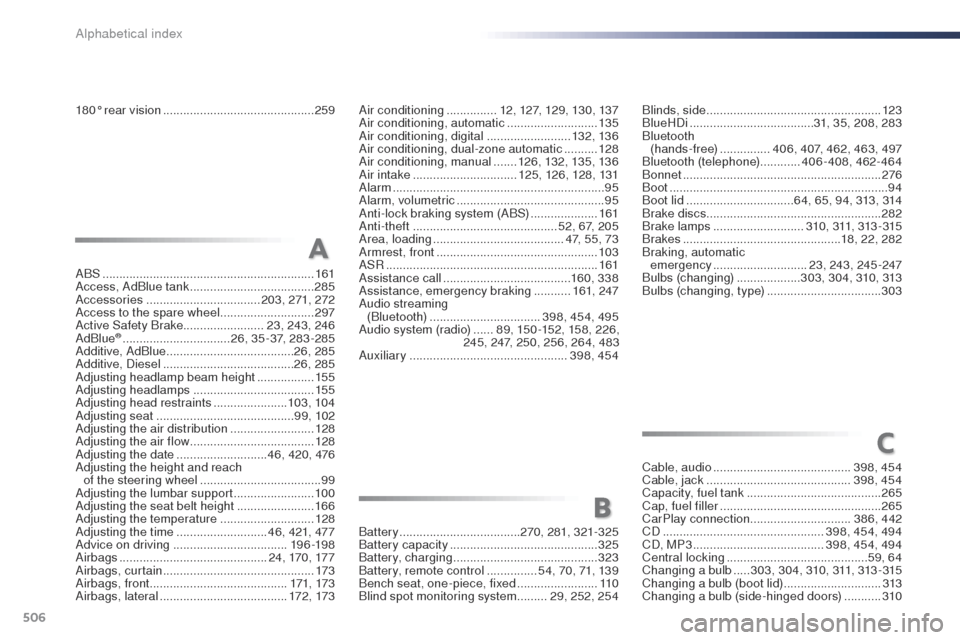
CarPlay connection ..............................386, 442
CD
................................................ 398, 454, 494
CD, MP3
....................................... 3
98, 454, 494
Central locking
.......................................... 59, 64
Changing a bulb
.....3 03, 3 0 4, 310, 311, 313 - 315
Changing a bulb (boot lid)
.............................313
Changing a bulb (side-hinged doors)
........... 3
10
180° rear vision
............................................. 259
Alphabetical index