display Peugeot Partner 2008.5 Owner's Guide
[x] Cancel search | Manufacturer: PEUGEOT, Model Year: 2008.5, Model line: Partner, Model: Peugeot Partner 2008.5Pages: 153, PDF Size: 3.77 MB
Page 52 of 153
53
ERGONOMICS and COMFORT
33
Ventilation
Good practice
For maximum cooling or heating of the
passenger compartment, it is possible
to exceed the value 15 by turning until
LO is displayed or the value 27
by turning until HI is displayed.
On entering the vehicle, the inside
temperature may be much colder (or
warmer) than is comfortable. There is
no advantage in changing the value
displayed in order to quickly reach the
level of comfort required. The system
will use its maximum performance
to reach the comfort value set.
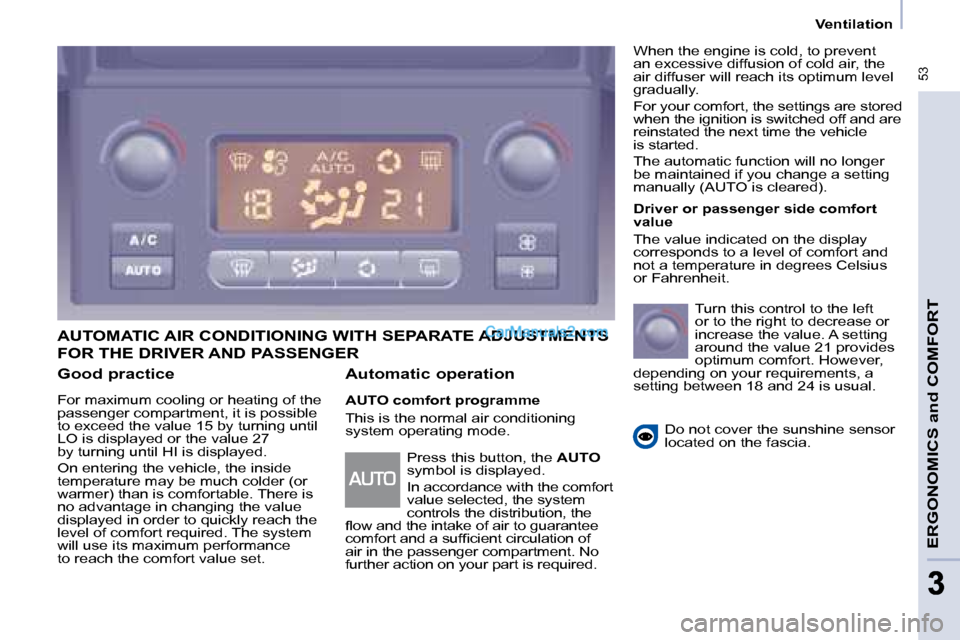
AUTOMATIC AIR CONDITIONING WITH SEPARATE ADJUSTMENTS
Automatic operation
AUTO comfort programme
This is the normal air conditioning
system operating mode. Driver or passenger side comfort
value
The value indicated on the display
corresponds to a level of comfort and
not a temperature in degrees Celsius
or Fahrenheit.
Turn this control to the left
or to the right to decrease or
increase the value. A setting
around the value 21 provides
optimum comfort. However,
depending on your requirements, a
setting between 18 and 24 is usual.
Do not cover the sunshine sensor
located on the fascia.
Press this button, the AUTO
symbol is displayed.
In accordance with the comfort
value selected, the system
controls the distribution, the
fl ow and the intake of air to guarantee
comfort and a suffi cient circulation of
air in the passenger compartment. No
further action on your part is required. When the engine is cold, to prevent
an excessive diffusion of cold air, the
air diffuser will reach its optimum level
gradually.
For your comfort, the settings are stored
when the ignition is switched off and are
reinstated the next time the vehicle
is started.
The automatic function will no longer
be maintained if you change a setting
manually (AUTO is cleared).
FOR THE DRIVER AND PASSENGER
Page 53 of 153
54
Ventilation
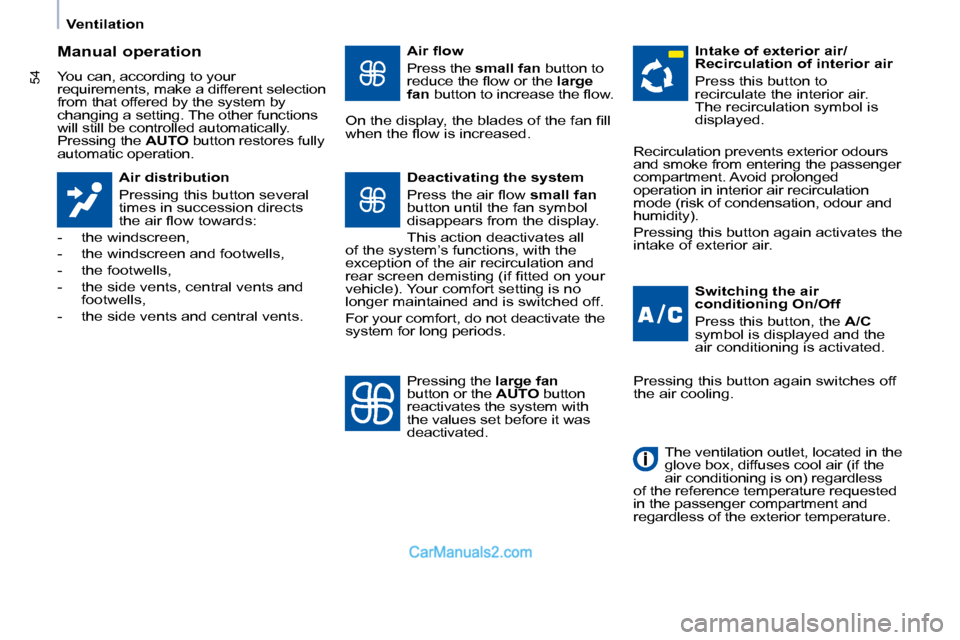
Manual operation
You can, according to your
requirements, make a different selection
from that offered by the system by
changing a setting. The other functions
will still be controlled automatically.
Pressing the AUTO button restores fully
automatic operation.
Air distribution
Pressing this button several
times in succession directs
the air fl ow towards:
- the windscreen,
- the windscreen and footwells,
- the footwells,
- the side vents, central vents and footwells,
- the side vents and central vents. Air fl ow
Press the
small fan button to
reduce the fl ow or the large
fan button to increase the fl ow.
On the display, the blades of the fan fi ll
when the fl ow is increased.
Switching the air
conditioning On/Off
Press this button, the A/C
symbol is displayed and the
air conditioning is activated.
Deactivating the system
Press the air fl ow
small fan
button until the fan symbol
disappears from the display.
This action deactivates all
of the system’s functions, with the
exception of the air recirculation and
rear screen demisting (if fi tted on your
vehicle). Your comfort setting is no
longer maintained and is switched off.
For your comfort, do not deactivate the
system for long periods. Intake of exterior air/
Recirculation of interior air
Press this button to
recirculate the interior air.
The recirculation symbol is
displayed.
Pressing the large fan
button or the AUTO button
reactivates the system with
the values set before it was
deactivated. Recirculation prevents exterior odours
and smoke from entering the passenger
compartment. Avoid prolonged
operation in interior air recirculation
mode (risk of condensation, odour and
humidity).
Pressing this button again activates the
intake of exterior air.
Pressing this button again switches off
the air cooling.
The ventilation outlet, located in the
glove box, diffuses cool air (if the
air conditioning is on) regardless
of the reference temperature requested
in the passenger compartment and
regardless of the exterior temperature.
Page 76 of 153
76
Parking assistance
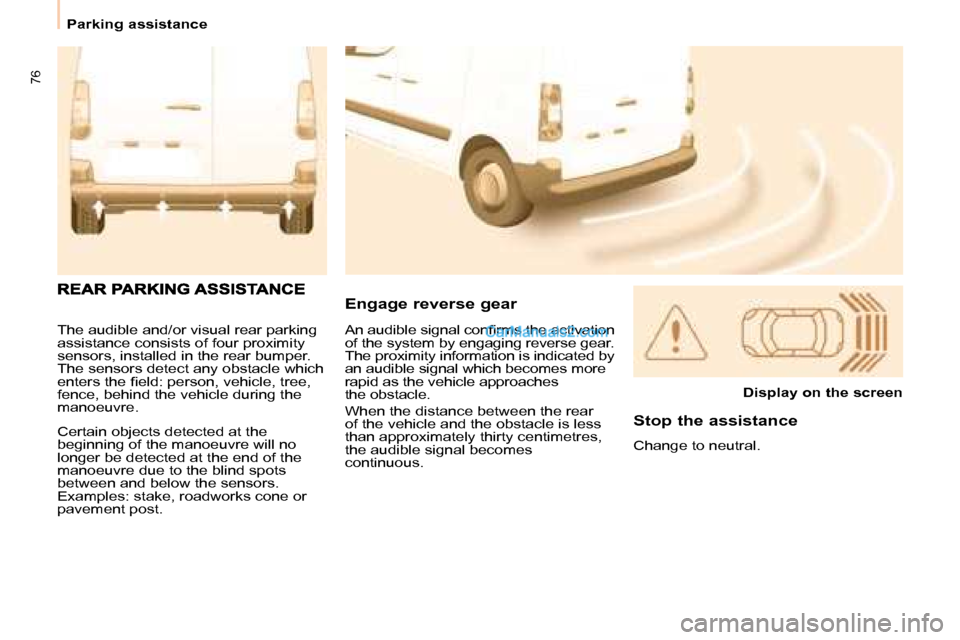
The audible and/or visual rear parking
assistance consists of four proximity
sensors, installed in the rear bumper.
The sensors detect any obstacle which
enters the fi eld: person, vehicle, tree,
fence, behind the vehicle during the
manoeuvre.
Certain objects detected at the
beginning of the manoeuvre will no
longer be detected at the end of the
manoeuvre due to the blind spots
between and below the sensors.
Examples: stake, roadworks cone or
pavement post. Engage reverse gear
Display on the screen
Stop the assistance
Change to neutral.
An audible signal confi rms the activation
of the system by engaging reverse gear.
The proximity information is indicated by
an audible signal which becomes more
rapid as the vehicle approaches
the obstacle.
When the distance between the rear
of the vehicle and the obstacle is less
than approximately thirty centimetres,
the audible signal becomes
continuous.
Page 77 of 153
77
IN-CAR TECHNOLOGY
4
Parking assistance
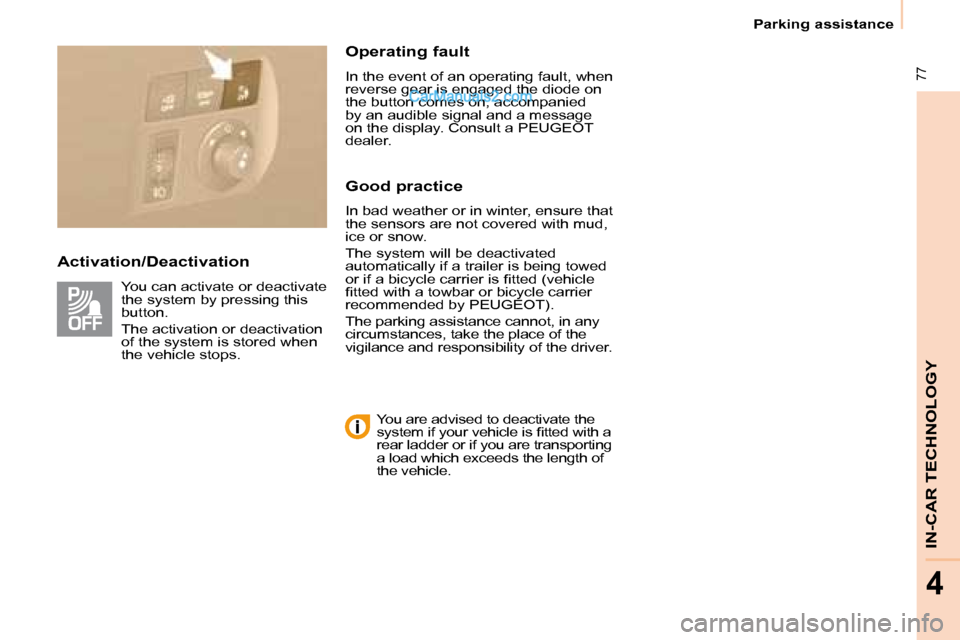
Activation/Deactivation Operating fault
In the event of an operating fault, when
reverse gear is engaged the diode on
the button comes on, accompanied
by an audible signal and a message
on the display. Consult a PEUGEOT
dealer.
Good practice
In bad weather or in winter, ensure that
the sensors are not covered with mud,
ice or snow.
The system will be deactivated
automatically if a trailer is being towed
or if a bicycle carrier is fi tted (vehicle
fi tted with a towbar or bicycle carrier
recommended by PEUGEOT ).
The parking assistance cannot, in any
circumstances, take the place of the
vigilance and responsibility of the driver.
You can activate or deactivate
the system by pressing this
button.
The activation or deactivation
of the system is stored when
the vehicle stops.
You are advised to deactivate the
system if your vehicle is fi tted with a
rear ladder or if you are transporting
a load which exceeds the length of
the vehicle.
Page 79 of 153
01
79
FIRST STEPS
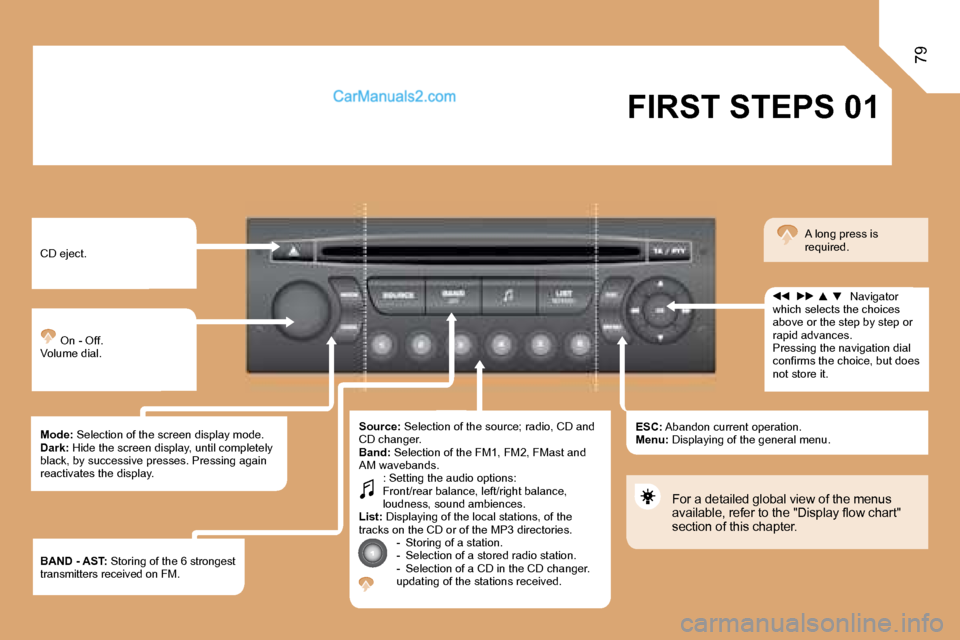
CD eject.
On - Off. Volume dial.
Mode: Selection of the screen display mode. Dark: Hide the screen display, until completely black, by successive presses. Pressing again reactivates the display.
Source: Selection of the source; radio, CD and CD changer. Band: Selection of the FM1, FM2, FMast and AM wavebands. : Setting the audio options: Front/rear balance, left/right balance, loudness, sound ambiences. List: Displaying of the local stations, of the tracks on the CD or of the MP3 directories. - Storing of a station. - Selection of a stored radio station. - Selection of a CD in the CD changer. updating of the stations received.
ESC: Abandon current operation. Menu: Displaying of the general menu.
Navigator which selects the choices above or the step by step or rapid advances. Pressing the navigation dial confi rms the choice, but does not store it.
A long press is required.
For a detailed global view of the menus available, refer to the "Display fl ow chart" section of this chapter.
BAND - AST: Storing of the 6 strongest transmitters received on FM.
Page 80 of 153
80
02 DISPLAY AND MENU A
RADIO: RDS search, REG mode. CD: introscan, random play, repeat.
VEHICLE CONFIGURATION: activation/deactivation of the equipment.
DISPLAY ADJUST: year, month, day, hour, minute, 12 or 24 hour mode.
> GENERAL MENU > DISPLAY A
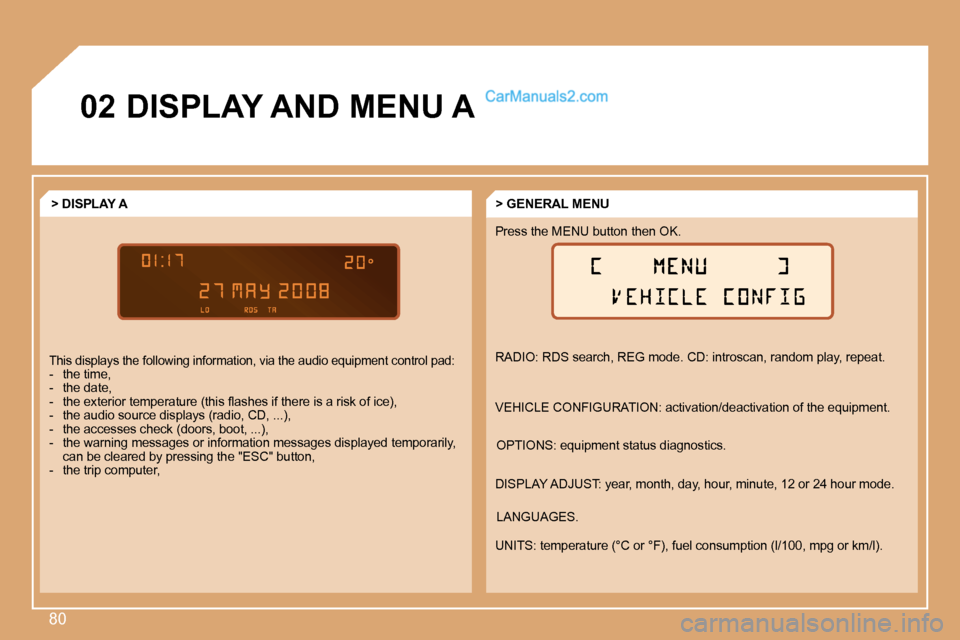
This displays the following information, via the audio equipment control pad: - the time, - the date, - the exterior temperature (this fl ashes if there is a risk of ice), - the audio source displays (radio, CD, ...), - the accesses check (doors, boot, ...), - the warning messages or information messages d isplayed temporarily, can be cleared by pressing the "ESC" button, - the trip computer,
OPTIONS: equipment status diagnostics.
Press the MENU button then OK.
LANGUAGES.
UNITS: temperature (°C or °F), fuel consumption (l/100, mpg or km/l).
Page 81 of 153
NRJ
8
02
81
DISPLAY AND MENU C
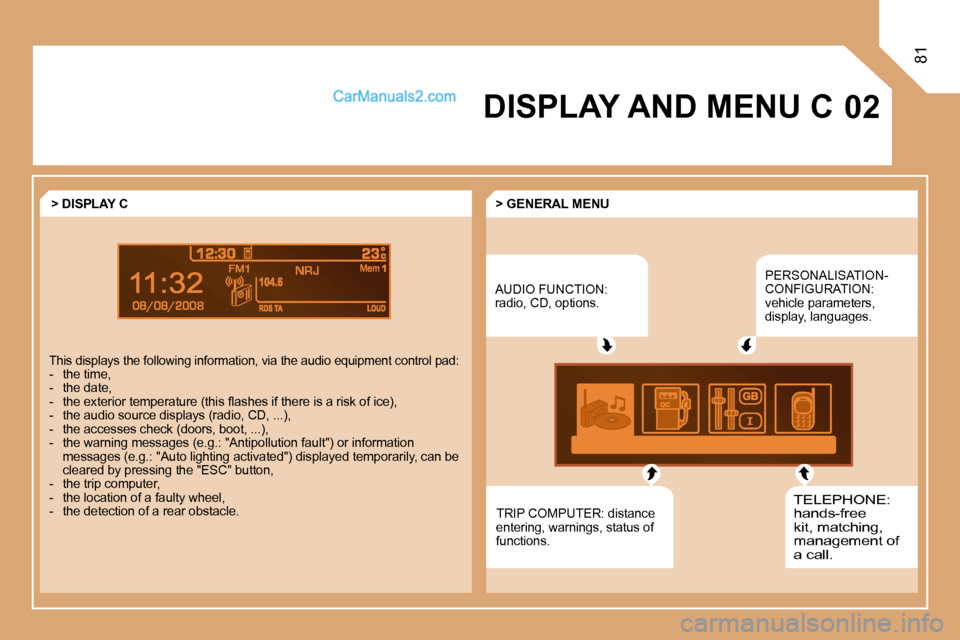
AUDIO FUNCTION: radio, CD, options.
PERSONALISATION-CONFIGURATION: vehicle parameters, display, languages.
TELEPHONE: hands-free kit, matching, management of a call.
> GENERAL MENU > DISPLAY C
This displays the following information, via the a udio equipment control pad: - the time, - the date, - the exterior temperature (this fl ashes if there is a risk of ice), - the audio source displays (radio, CD, ...), - the accesses check (doors, boot, ...), - the warning messages (e.g.: "Antipollution fau lt") or information messages (e.g.: "Auto lighting activated") displaye d temporarily, can be cleared by pressing the "ESC" button, - the trip computer, - the location of a faulty wheel, - the detection of a rear obstacle. TRIP COMPUTER: distance entering, warnings, status of functions.
Page 82 of 153
82
11
22
33
44
MENU
22
44
33
11
AUDIO
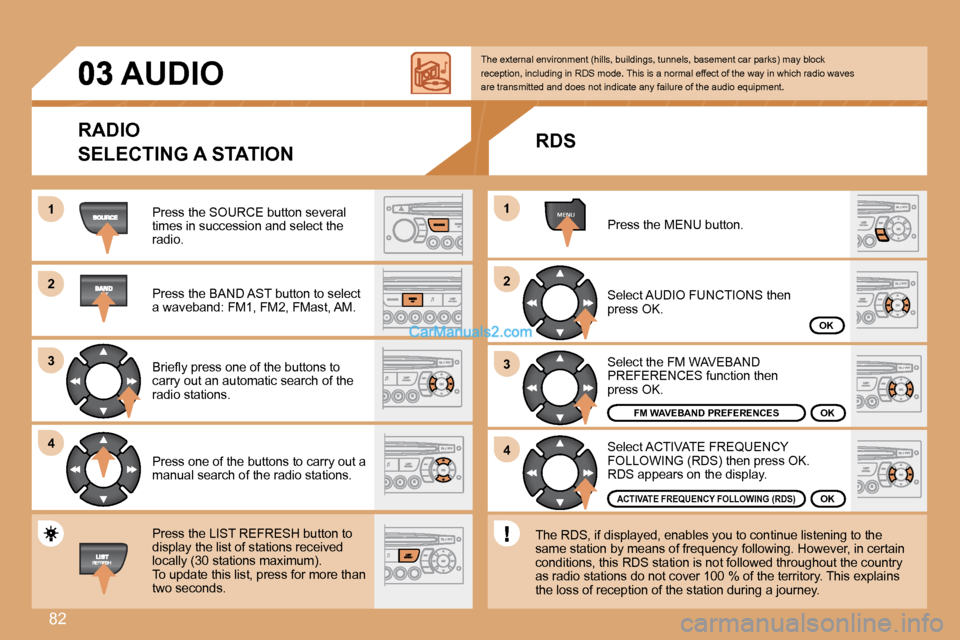
Press the SOURCE button several times in succession and select the radio.
Press the BAND AST button to select a waveband: FM1, FM2, FMast, AM.
Briefl y press one of the buttons to carry out an automatic search of the radio stations.
Press one of the buttons to carry out a manual search of the radio stations.
Press the LIST REFRESH button to display the list of stations received locally (30 stations maximum). To update this list, press for more than two seconds.
Select ACTIVATE FREQUENCY FOLLOWING (RDS) then press OK. RDS appears on the display.
Select the FM WAVEBAND PREFERENCES function then press OK.
Select AUDIO FUNCTIONS then press OK.
Press the MENU button.
ACTIVATE FREQUENCY FOLLOWING (RDS)
FM WAVEBAND PREFERENCESOK
OK
OK
The external environment (hills, buildings, tunnels, basement car parks) may block reception, including in RDS mode. This is a normal effect of the way in which radio waves are transmitted and does not indicate any failure of the audio equipment.
RDS
The RDS, if displayed, enables you to continue lis tening to the same station by means of frequency following. Howev er, in certain conditions, this RDS station is not followed throughout the country as radio stations do not cover 100 % of the territory. This explains the loss of reception of the station during a journey.
RADIO
SELECTING A STATION
Page 83 of 153
11
22
83
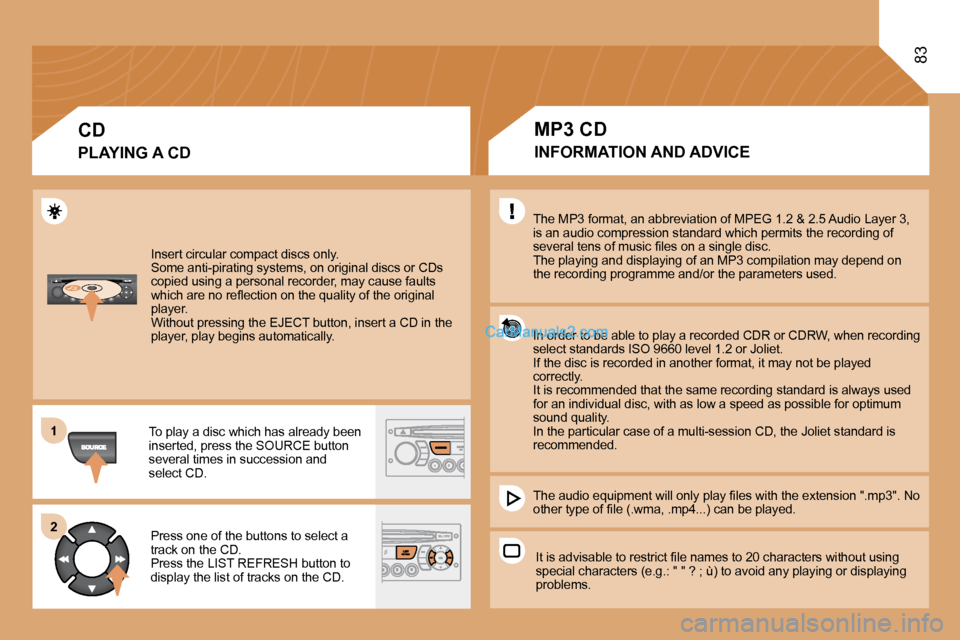
Insert circular compact discs only. Some anti-pirating systems, on original discs or CDs copied using a personal recorder, may cause faults which are no refl ection on the quality of the original player. Without pressing the EJECT button, insert a CD in the player, play begins automatically.
To play a disc which has already been inserted, press the SOURCE button several times in succession and select CD.
Press one of the buttons to select a track on the CD. Press the LIST REFRESH button to display the list of tracks on the CD.
CD
PLAYING A CD
The MP3 format, an abbreviation of MPEG 1.2 & 2.5 Audio Layer 3,is an audio compression standard which permits the recording of several tens of music fi les on a single disc. The playing and displaying of an MP3 compilation may depend on the recording programme and/or the parameters used.
In order to be able to play a recorded CDR or CDRW, when recording select standards ISO 9660 level 1.2 or Joliet. If the disc is recorded in another format, it may not be played correctly. It is recommended that the same recording standard is always used for an individual disc, with as low a speed as possible for optimum sound quality. In the particular case of a multi-session CD, the Joliet standard is recommended.
The audio equipment will only play fi les with the extension ".mp3". No other type of fi le (.wma, .mp4...) can be played.
It is advisable to restrict fi le names to 20 characters without using special characters (e.g.: " " ? ; ù) to avoid any p laying or displaying problems.
MP3 CD
INFORMATION AND ADVICE
Page 84 of 153
84
11
22
11
22
33
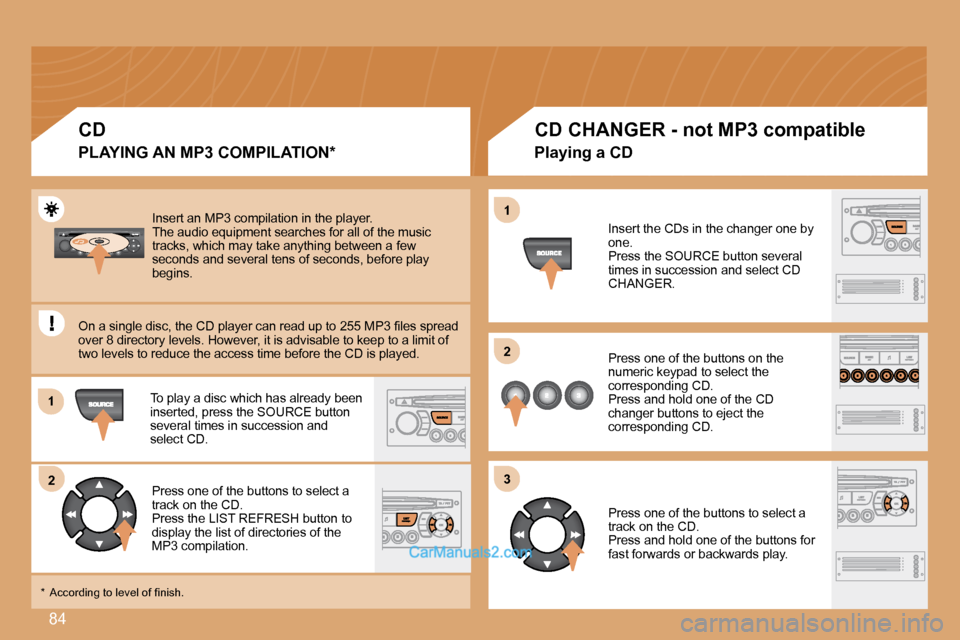
Insert an MP3 compilation in the player. The audio equipment searches for all of the music tracks, which may take anything between a few seconds and several tens of seconds, before play begins.
On a single disc, the CD player can read up to 255 MP3 fi les spread over 8 directory levels. However, it is advisable to keep to a limit of two levels to reduce the access time before the CD is played.
To play a disc which has already been inserted, press the SOURCE button several times in succession and select CD.
Press one of the buttons to select a track on the CD. Press the LIST REFRESH button to display the list of directories of the MP3 compilation.
CD
PLAYING AN MP3 COMPILATION *
CD CHANGER - not MP3 compatible
Insert the CDs in the changer one by one. Press the SOURCE button several times in succession and select CD CHANGER.
Press one of the buttons on the numeric keypad to select the corresponding CD. Press and hold one of the CD changer buttons to eject the corresponding CD.
Press one of the buttons to select a track on the CD. Press and hold one of the buttons for fast forwards or backwards play.
Playing a CD
* According to level of fi nish.