ECO mode Peugeot Partner 2012 User Guide
[x] Cancel search | Manufacturer: PEUGEOT, Model Year: 2012, Model line: Partner, Model: Peugeot Partner 2012Pages: 208, PDF Size: 6.5 MB
Page 89 of 208
ESP OFF
87
SAFETY
4
Driving safely
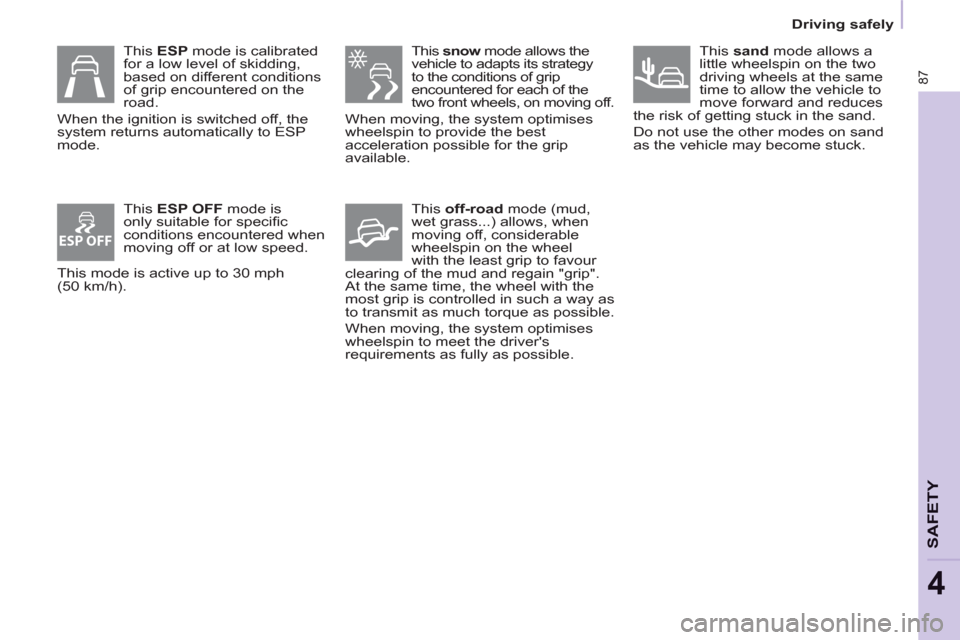
This snow
mode allows the
vehicle to adapts its strategy
to the conditions of grip
encountered for each of the
two front wheels, on moving off.
When moving, the system optimises
wheelspin to provide the best
acceleration possible for the grip
available.
This off-road
mode (mud,
wet grass...) allows, when
moving off, considerable
wheelspin on the wheel
with the least grip to favour
clearing of the mud and regain "grip".
At the same time, the wheel with the
most grip is controlled in such a way as
to transmit as much torque as possible.
When moving, the system optimises
wheelspin to meet the driver's
requirements as fully as possible.
This ESP mode is calibrated
for a low level of skidding,
based on different conditions
of grip encountered on the
road.
When the ignition is switched off, the
system returns automatically to ESP
mode.
This ESP OFF
mode is
only suitable for specifi c
conditions encountered when
moving off or at low speed.
This mode is active up to 30 mph
(50 km/h).
This sand
mode allows a
little wheelspin on the two
driving wheels at the same
time to allow the vehicle to
move forward and reduces
the risk of getting stuck in the sand.
Do not use the other modes on sand
as the vehicle may become stuck.
Page 103 of 208
101
ACCESSORIE
S
5
Towing a trailer
Good Practice
In certain cases of particularly arduous
use (towing the maximum load up a
steep slope in high temperatures), the
engine automatically limits its power.
In this case, the air conditioning is
automatically cut off to save engine
power.
Tyres:
check the tyre pressures of
the towing vehicle (see the
"Identifi cation markings" section of
chapter 8) and of the trailer, observing
the recommended pressures.
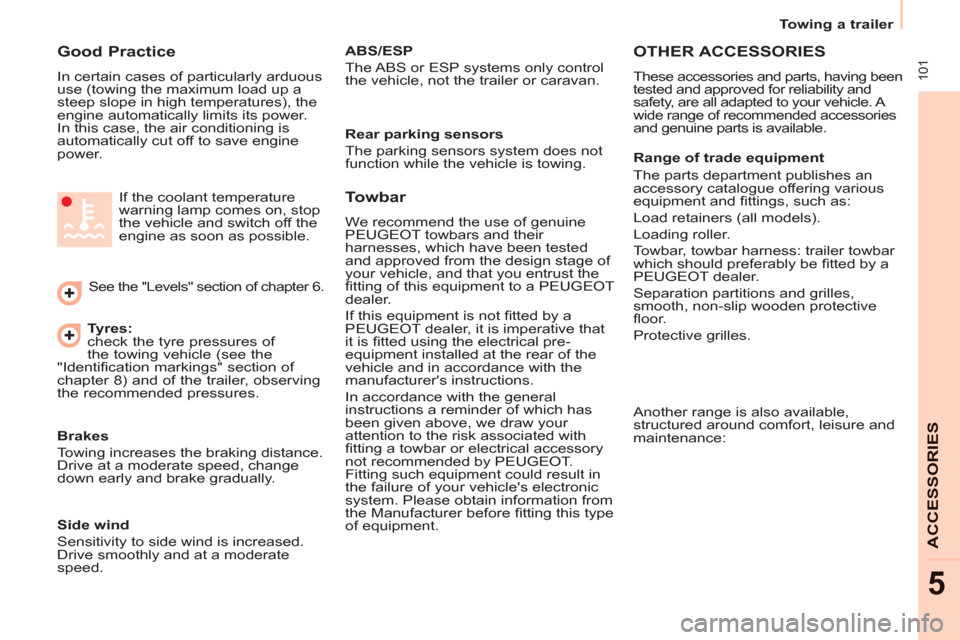
See the "Levels" section of chapter 6. If the coolant temperature
warning lamp comes on, stop
the vehicle and switch off the
engine as soon as possible.
Brakes
Towing increases the braking distance.
Drive at a moderate speed, change
down early and brake gradually.
Towbar
We recommend the use of genuine
PEUGEOT towbars and their
harnesses, which have been tested
and approved from the design stage of
your vehicle, and that you entrust the
fi tting of this equipment to a PEUGEOT
dealer.
If this equipment is not fi tted by a
PEUGEOT dealer, it is imperative that
it is fi tted using the electrical pre-
equipment installed at the rear of the
vehicle and in accordance with the
manufacturer's instructions.
In accordance with the general
instructions a reminder of which has
been given above, we draw your
attention to the risk associated with
fi tting a towbar or electrical accessory
not recommended by PEUGEOT.
Fitting such equipment could result in
the failure of your vehicle's electronic
system. Please obtain information from
the Manufacturer before fi tting this type
of equipment.
OTHER ACCESSORIES
These accessories and parts, having been
tested and approved for reliability and
safety, are all adapted to your vehicle. A
wide range of recommended accessories
and genuine parts is available.
Range of trade equipment
The parts department publishes an
accessory catalogue offering various
equipment and fi ttings, such as:
Load retainers (all models).
Loading roller.
Towbar, towbar harness: trailer towbar
which should preferably be fi tted by a
PEUGEOT dealer.
Separation partitions and grilles,
smooth, non-slip wooden protective
fl oor.
Protective grilles.
Side wind
Sensitivity to side wind is increased.
Drive smoothly and at a moderate
speed.
ABS/ESP
The ABS or ESP systems only control
the vehicle, not the trailer or caravan.
Rear parking sensors
The parking sensors system does not
function while the vehicle is towing.
Another range is also available,
structured around comfort, leisure and
maintenance:
Page 116 of 208
Changing a wheel
11 4
ECONOMY MODE
After the engine has stopped, with
the key in the ignition position, certain
functions (windscreen wiper, electric
windows, courtesy lamps, audio
equipment, etc.) can only be used for a
cumulative duration of thirty minutes, to
prevent discharging of the battery.
Once the thirty minutes are over, the
active functions are put on standby
and the battery warning lamp fl ashes
accompanied by a message in the
screen.
To resume the use of these functions
immediately, start the engine and let it
run for a few minutes.
The time available will then be double
the time for which the engine was left
running. However, this time will always
be between fi ve and thirty minutes.
A fl at battery will prevent the engine
from starting.
Page 143 of 208
9.3
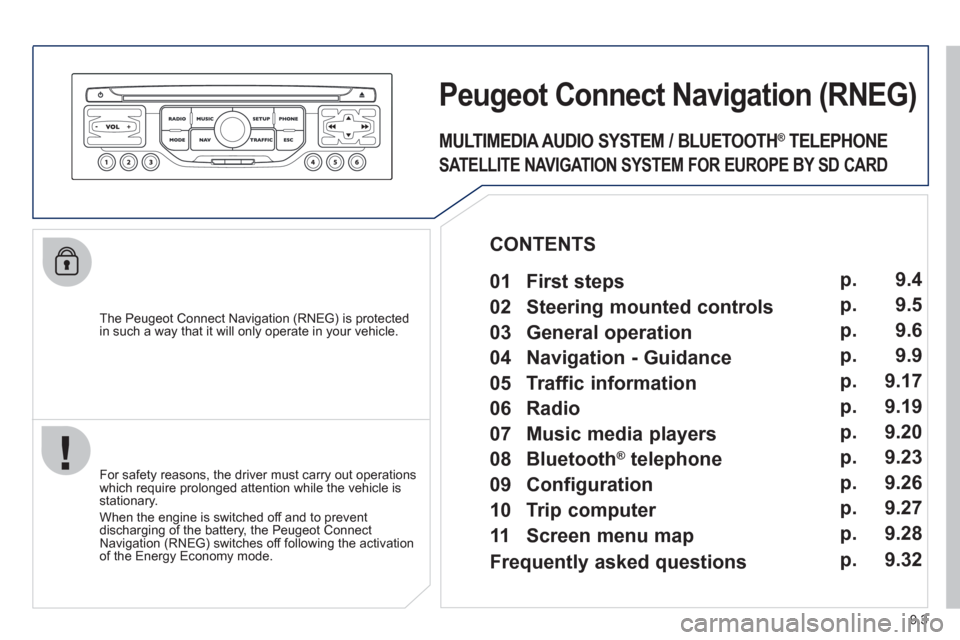
The Peugeot Connect Navigation (RNEG) is protected in such a way that it will only operate in your vehicle.
Peugeot Connect Navigation(RNEG)
For safety reasons, the driver must carry out operations which require prolonged attention while the vehicle is stationary.
When the en
gine is switched off and to prevent
discharging of the battery, the Peugeot Connect
Navigation (RNEG) switches off following the activation of the Energy Economy mode.
MULTIMEDIA AUDIO SYSTEM / BLUETOOTH ®
TELEPHONE
SATELLITE NAVIGATION SYSTEM FOR EUROPE BY SD CARD
01 First steps
CONTENTS
02 Steering mounted controls
03 General operation
04 Navigation - Guidance
05 Traffic information
06 Radio
07 Music media players
08 Bluetooth
®
telephone
09 Configuration
10 Trip computer p.
p.
p.
p.
p.
p.
p.
p.
p.
p.
11 Screen menu map p. 9.4
9.5
9.6
9.9
9.17
9.19
9.20
9.23
9.26
9.27
9.28
Frequently asked questions p. 9.32
Page 146 of 208
03
9.6
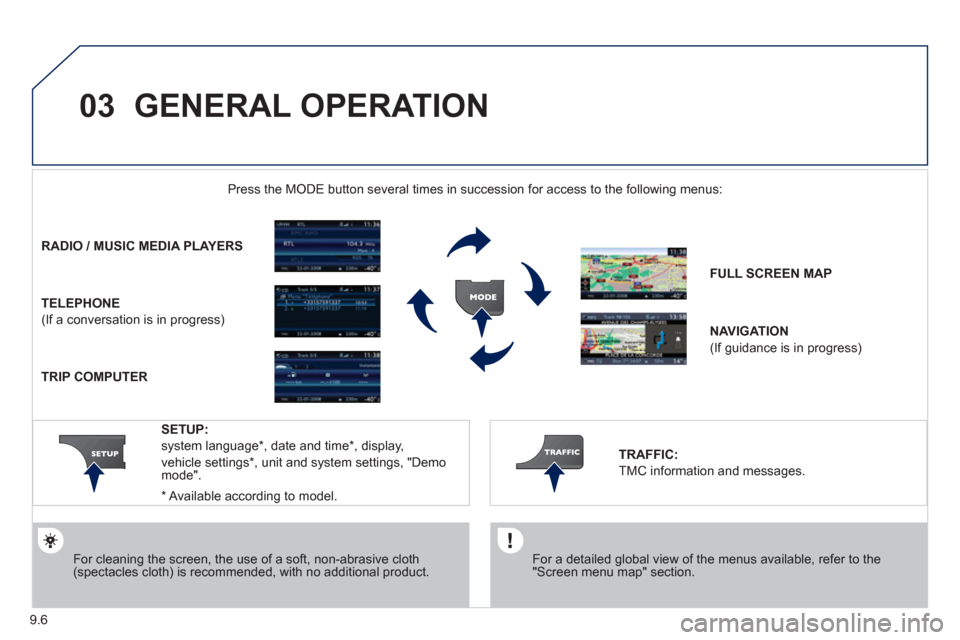
GENERAL OPERATION
For a detailed global view of the menus available, refer to the"Screen menu map" section.
Press the M
ODE button several times in succession for access to the following menus:
For cleaning the screen, the use of a soft, non-abrasive cloth (spectacles cloth) is recommended, with no additional product.
RADIO/ MUSIC MEDIA PLAYERS
TELEPHONE
(If a conversation is in progress)
FULL SCREEN MA
P
NAVIGATION
(If guidance is in progress)
SETUP:
system language *
, date and time *
, display,
vehicle settings
* , unit and system settings, "Demo mode".
TRAFFIC:
TMC information and messages.
* Available accordin
g to model.
TRIP COMPUTER
Page 159 of 208
06
3 2 1 1
9.19
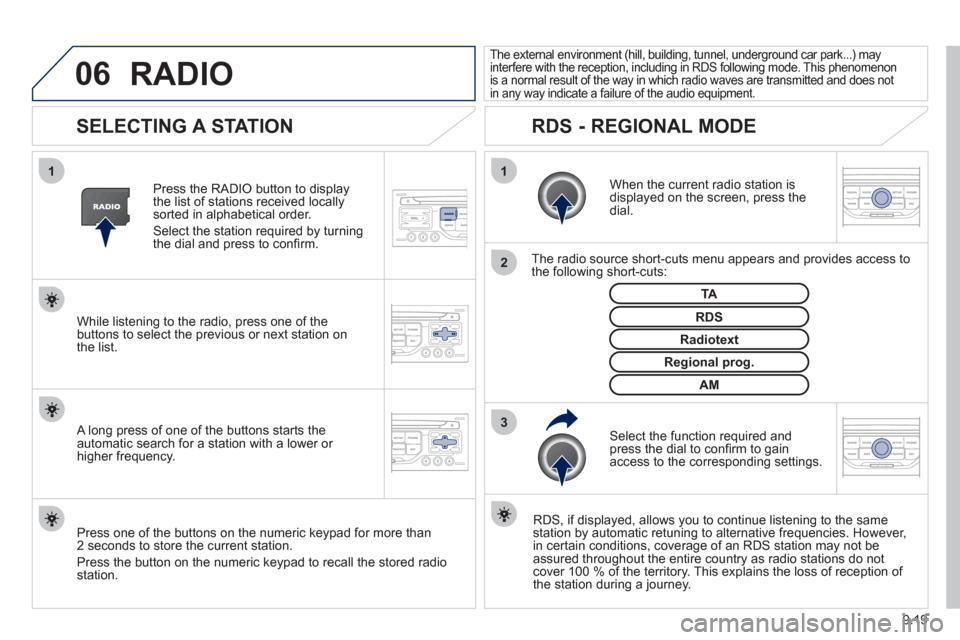
SELECTING A STATION
When the current radio station isdisplayed on the screen, press thedial.
The radio source short-cuts menu appears and provides access to
the following short-cuts:
Select the function re
quired and press the dial to confi rm to gain
access to the corresponding settings.
TA
RDS, if displayed, allows you to continue listening to the same station by automatic retuning to alternative frequencies. However,
in certain conditions, coverage of an RDS station may not be
assured throughout the entire country as radio stations do notcover 100 % of the territory. This explains the loss of reception of
the station during a journey.
The external environment (hill, building, tunnel, underground car park...) may
interfere with the reception, including in RDS following mode. This phenomenon
is a normal result of the way in which radio waves are transmitted and does not
in any way indicate a failure of the audio equipment.
RDS - REGIONAL MODE
Press the RADIO button to display
the list of stations received locally sorted in alphabetical order.
Select the station required by turningthe dial and press to confi rm.
Re
gional prog.
Radiotext
RDSWhile listening to the radio, press one of the
buttons to select the previous or next station on
the list.
Press one o
f the buttons on the numeric keypad for more than
2 seconds to store the current station.
Press the button on the numeric keypad to recall the stored radio
station.
AM
A long press of one of the buttons starts theautomatic search for a station with a lower or
higher frequency.
RADIO
Page 160 of 208
07
9.20
MUSIC MEDIA PLAYERS
CD, MP3 / WMA CD
INFORMATION AND ADVICE
In order to be able to play a recorded CDR or CDRW, when recording it is preferable to select the ISO 9660 level 1, 2 or Jolietstandard.
I
f the disc is recorded in another format it may not be playedcorrectly.
It is recommended that the same recordin
g standard is alwaysused for an individual disc, with as low a speed as possible(4x maximum) for optimum sound quality.
In the particular case o
f a multi-session CD, the Joliet standard is recommended.
The Peu
geot Connect Navigation will only play audio fi les with the extension ".mp3" with a speed of between 8 Kbps and 320 Kbps
and the extension ".wma" with a speed of between 5 Kbps and384 Kbps.
It also supports the VBR
(Variable Bit Rate) mode.
No other t
ype of fi le (.mp4, .m3u...) can be played. The MP3
format, an abbreviation of MPEG 1, 2 & 2.5 Audio Layer 3 and the WMA format, an abbreviation of Windows Media Audio and
the property of Microsoft, are audio compression standards which permit the recording of several tens of music fi les on a single disc.
It is advisable to restrict fi le names to 20 characters
, without
using special characters (e.g.: " ? ; ù) to avoid any play or display
problems.
Page 166 of 208
09
4 3 2 1
65
9.26
CONFIGURATION
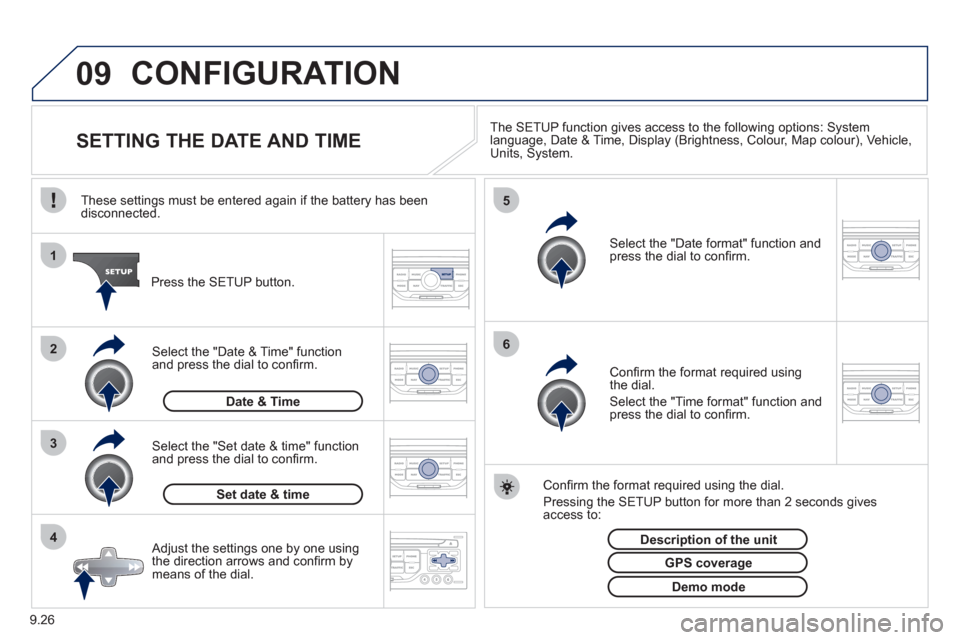
SETTING THE DATE AND TIME The SETUP function gives access to the following options: Systemlanguage, Date & Time, Display (Brightness, Colour, Map colour), Vehicle,Units, System.
Adjust the settings one by one usingthe direction arrows and confi rm bymeans of the dial.
Select the "Date format" function andpress the dial to confi rm.
Select the "Set date
& time" function
and press the dial to confi rm.
Confi rm the format required using the dial.
Pressing the
SETUP button for more than 2 seconds gives access to: These settin
gs must be entered again if the battery has been disconnected.
Pr
ess the SETUP button.
Confi rm the format required usingthe dial.
Select the "Time format" function and press the dial to confi rm.
Set date & tim
e
Select the "Date & Time" function
and press the dial to confi rm.
Demo mode
GPS coverage
Description of the unit
Date & Time
Page 167 of 208
10
1
9.27
TRIP COMPUTER
TRIP COMPUTER
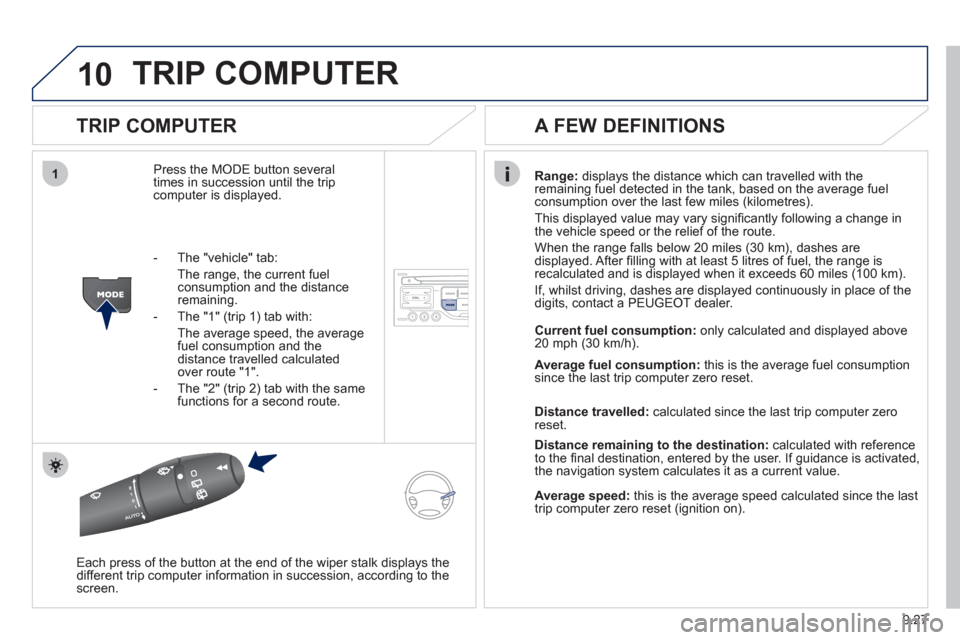
Press the MODE button several
times in succession until the tripcomputer is displayed.Ran
ge: displays the distance which can travelled with the
remaining fuel detected in the tank, based on the average fuel consumption over the last few miles (kilometres).
This displa
yed value may vary signifi cantly following a change in
the vehicle speed or the relief of the route.
When the ran
ge falls below 20 miles (30 km), dashes are
displayed. After fi lling with at least 5 litres of fuel, the range is
recalculated and is displayed when it exceeds 60 miles (100 km).
I
f, whilst driving, dashes are displayed continuously in place of the
digits, contact a PEUGEOT dealer.
Each press o
f the button at the end of the wiper stalk displays the
different trip computer information in succession, according to the screen.
A FEW DEFINITIONS
- The "vehicle" tab:
The ran
ge, the current fuelconsumption and the distance remaining.
- The "1"
(trip 1) tab with:
The average speed, the average fuel consumption and the distance travelled calculatedover route "1".
- The "2"
(trip 2) tab with the same functions for a second route. Current fuel consum
ption:only calculated and displayed above
20 mph (30 km/h).
Avera
ge fuel consumption:this is the average fuel consumption since the last trip computer zero reset.
Distance travelled:calculated since the last trip computer zero
reset.
Distance remaining to the destination:calculated with referenceto the fi nal destination, entered by the user. If guidance is activated,
the navigation system calculates it as a current value.
Average speed:this is the average speed calculated since the last
trip computer zero reset (ignition on).
Page 172 of 208
9.32
FREQUENTLY ASKED QUESTIONS
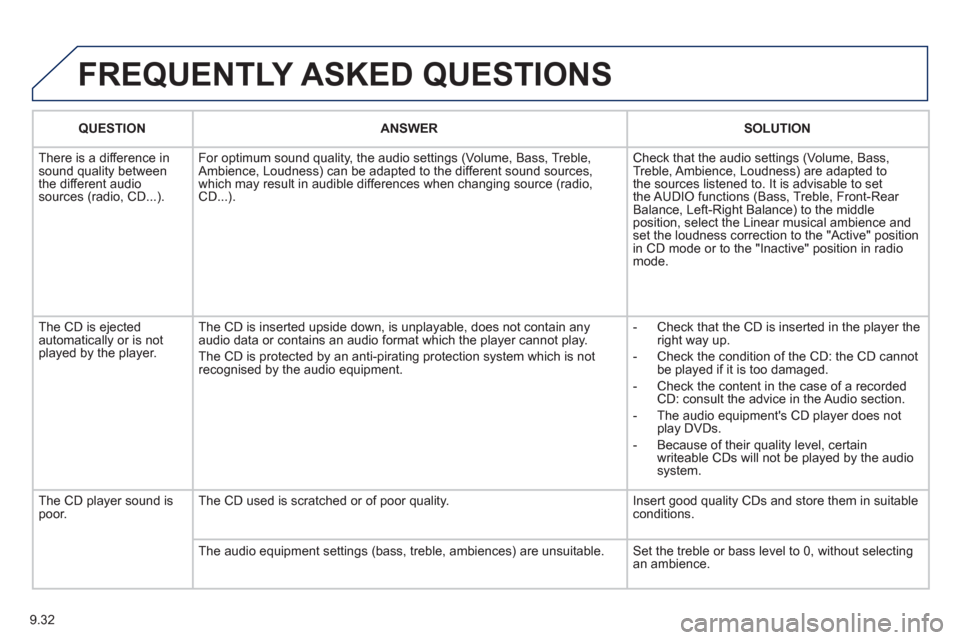
QUESTIONANSWER SOLUTION
There is a difference in sound quality between
the different audiosources (radio, CD...). For optimum sound qualit
y, the audio settings (Volume, Bass, Treble,
Ambience, Loudness) can be adapted to the different sound sources,
which may result in audible differences when changing source (radio,CD...). Check that the audio settin
gs (Volume, Bass,
Treble, Ambience, Loudness) are adapted to
the sources listened to. It is advisable to set
the AUDIO functions (Bass, Treble, Front-Rear
Balance, Left-Right Balance) to the middle position, select the Linear musical ambience andset the loudness correction to the "Active" position
in CD mode or to the "Inactive" position in radio mode.
The
CD is ejected
automatically or is not played by the player. The
CD is inserted upside down, is unplayable, does not contain any audio data or contains an audio format which the player cannot play.
The CD is protected b
y an anti-pirating protection system which is not recognised by the audio equipment.
-
Check that the CD is inserted in the player the
right way up.
-
Check the condition of the CD: the CD cannot
be played if it is too damaged.
-
Check the content in the case of a recordedCD: consult the advice in the Audio section.
- The audio equipment's
CD player does not
play DVDs.
- Because o
f their quality level, certain
writeable CDs will not be played by the audio
system.
The CD pla
yer sound ispoor.The CD used is scratched or of poor quality. Insert good quality CDs and store them in suitable conditions.
The audio equipment settings
(bass, treble, ambiences) are unsuitable. Set the treble or bass level to 0, without selectingan ambience.