navigation system Peugeot Partner 2014.5 - RHD (UK, Australia) User Guide
[x] Cancel search | Manufacturer: PEUGEOT, Model Year: 2014.5, Model line: Partner, Model: Peugeot Partner 2014.5Pages: 244, PDF Size: 10.39 MB
Page 181 of 244
05
10.23
Partner-2-VU_en_Chap10b_RT6-2-8_ed02-2014
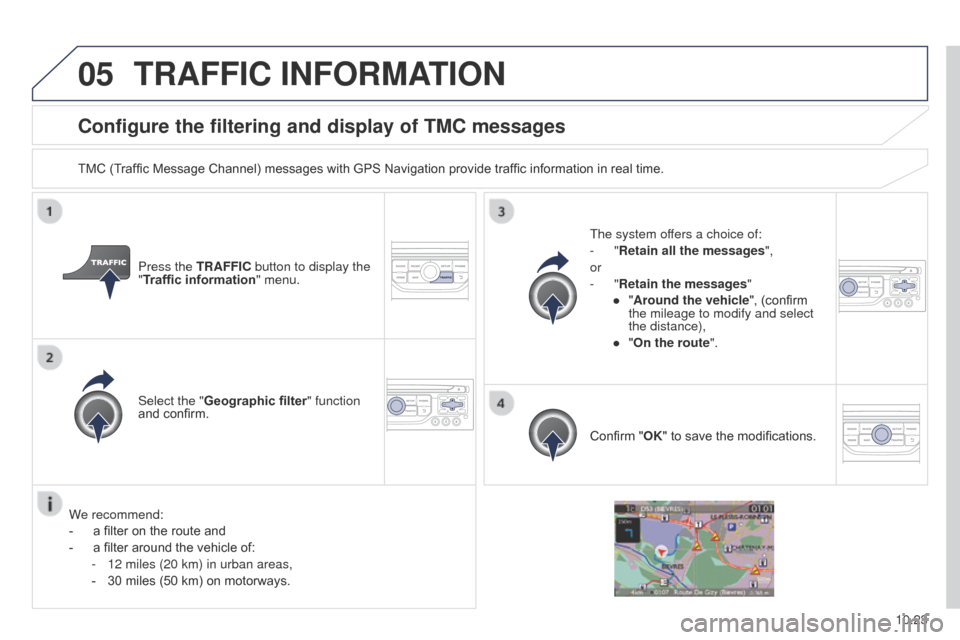
Configure the filtering and display of TMC messages
TMC (Traffic Message Channel) messages with GPS Navigation provide traffic information in real time.Press the TRAFFIC button to display the
"Traffic information" menu.
Select the "Geographic filter" function
and confirm. The system offers a choice of:
-
"Retain all the messages",
or
-
"Retain the messages"
●
"
Around the vehicle", (confirm
the mileage to modify and select
the distance),
●
"
On the route".
Confirm "OK" to save the modifications.
We recommend:
-
a filter on the route and
-
a filter around the vehicle of:
-
12 miles (20 km) in urban areas,
-
30 miles (50 km) on motorways.
TRAFFIC INFORMATION
Page 205 of 244
11
10.47
Partner-2-VU_en_Chap10b_RT6-2-8_ed02-2014
TRIP COMPUTER
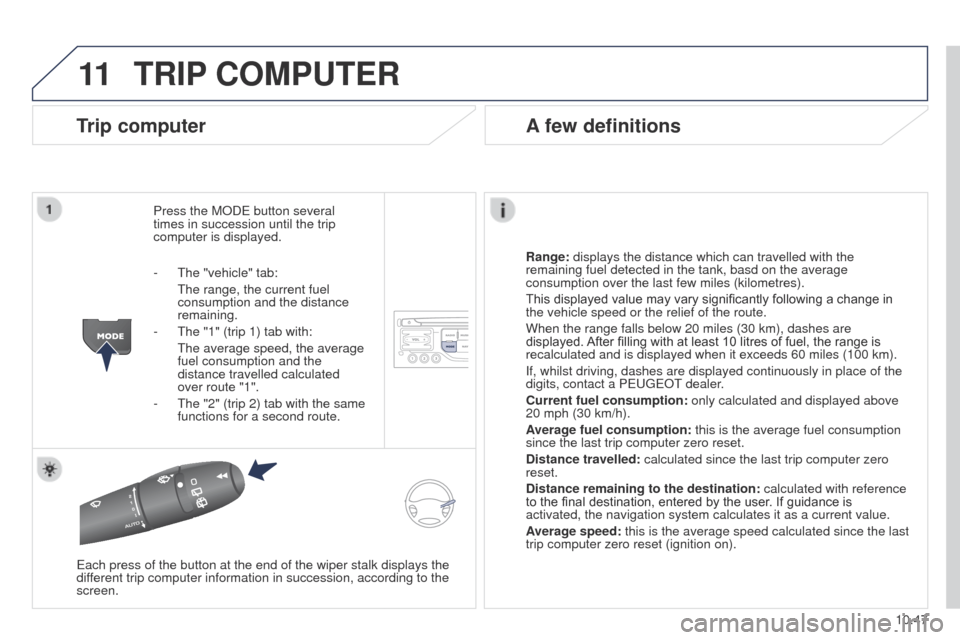
Trip computer
Press the MODE button several
times in succession until the trip
computer is displayed.
Range: displays the distance which can travelled with the
remaining fuel detected in the tank, basd on the average
consumption over the last few miles (kilometres).
This displayed value may vary significantly following a change in
the vehicle speed or the relief of the route.
When the range falls below 20 miles (30 km), dashes are
displayed. After filling with at least 10 litres of fuel, the range is
recalculated and is displayed when it exceeds 60 miles (100 km).
If, whilst driving, dashes are displayed continuously in place of the
digits, contact a PEUGEOT dealer.
Current fuel consumption:
only calculated and displayed above
20 mph (30 km/h).
Average fuel consumption: this is the average fuel consumption
since the last trip computer zero reset.
Distance travelled: calculated since the last trip computer zero
reset.
Distance remaining to the destination:
calculated with reference
to the final destination, entered by the user. If guidance is
activated, the navigation system calculates it as a current value.
Average speed: this is the average speed calculated since the last
trip computer zero reset (ignition on).
Each press of the button at the end of the wiper stalk displays the
different trip computer information in succession, according to the
screen.
A few definitions
- The "vehicle" tab:
The range, the current fuel
consumption and the distance
remaining.
-
The "1" (trip 1) tab with:
The average speed, the average
fuel consumption and the
distance travelled calculated
over route "1".
-
The "2" (trip 2) tab with the same
functions for a second route.
Page 210 of 244
 User Guide 10.52
Partner-2-VU_en_Chap10b_RT6-2-8_ed02-2014
The following table groups together the answers to the most frequently a\
sked questions concerning your audio system.
FREQUENTLY ASKED QUESTIONS
QUEST")
10.52
Partner-2-VU_en_Chap10b_RT6-2-8_ed02-2014
The following table groups together the answers to the most frequently a\
sked questions concerning your audio system.
FREQUENTLY ASKED QUESTIONS
QUESTION ANSWER SOLUTION
The route calculation is
not successful. The guidance criteria may conflict with the current location (exclusion of
toll roads on a toll motorway). Check the guidance criteria on the Navigation
Menu, "Guidance options"\ "Define calculation
criteria".
I am unable to enter my
post code. The system only accepts post codes of up to 7 characters.
The POIs do not appear. The POIs have not been selected. Select the POIs in the list of POIs.
The risk areas audible
warning does not work. The audible warning is not active.
Activate audible warnings in the Guidance options
menu, "Navigation - guidance", "Set parameters
for risk areas".
The system does not
suggest a detour around
an incident on the route. The guidance criteria do not take account of TMC messages.
Select the "Traffic info" function in the list of
guidance criteria.
I receive a Risk area alert
which is not on my route. Other than guidance, the system announces all Risk areas positioned in a\
cone located in front of the vehicle. It may provide an alert for a Risk\
area
located on nearby or parallel roads. Zoom in on the map to view the exact position of
the Risk area. Select "On the route" to no longer
receive alerts other than guidance or to reduce the
time for the announcement.
Page 224 of 244
05
10.66
Partner-2-VU_en_Chap10c_RD45_ed02_2014
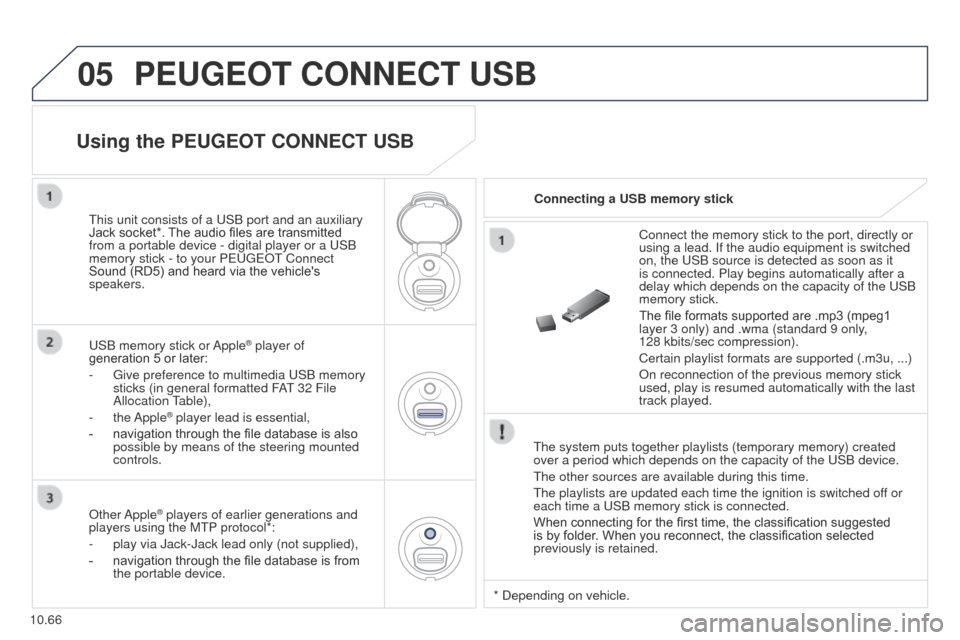
PEUGEOT CONNECT USB
The system puts together playlists (temporary memory) created
over a period which depends on the capacity of the USB device.
The other sources are available during this time.
The playlists are updated each time the ignition is switched off or
each time a USB memory stick is connected.
When connecting for the first time, the classification suggested
is by folder. When you reconnect, the classification selected
previously is retained.Connect the memory stick to the port, directly or
using a lead. If the audio equipment is switched
on, the USB source is detected as soon as it
is connected. Play begins automatically after a
delay which depends on the capacity of the USB
memory stick.
The file formats supported are .mp3 (mpeg1
layer 3 only) and .wma (standard 9 only,
128
kbits/sec compression).
Certain playlist formats are supported (.m3u, ...)
On reconnection of the previous memory stick
used, play is resumed automatically with the last
track played.
This unit consists of a USB port and an auxiliary
Jack socket*. The audio files are transmitted
from a portable device - digital player or a USB
memory stick - to your PEUGEOT Connect
Sound (RD5) and heard via the vehicle's
speakers.
USB memory stick or Apple
® player of
generation 5 or later:
-
Give preference to multimedia USB memory
sticks (in general formatted F
AT 32 File
Allocation Table),
-
the Apple® player lead is essential,
-
navigation through the file database is also
possible by means of the steering mounted
controls.
Using the PEUGEOT CONNECT USB
Connecting a USB memory stick
Other Apple
® players of earlier generations and
players using the MTP protocol*:
-
play via Jack-Jack lead only (not supplied),
-
navigation through the file database is from
the portable device. * Depending on vehicle.
Page 231 of 244
08
14
10.73
Partner-2-VU_en_Chap10c_RD45_ed02_2014
TRIP COMPUTER
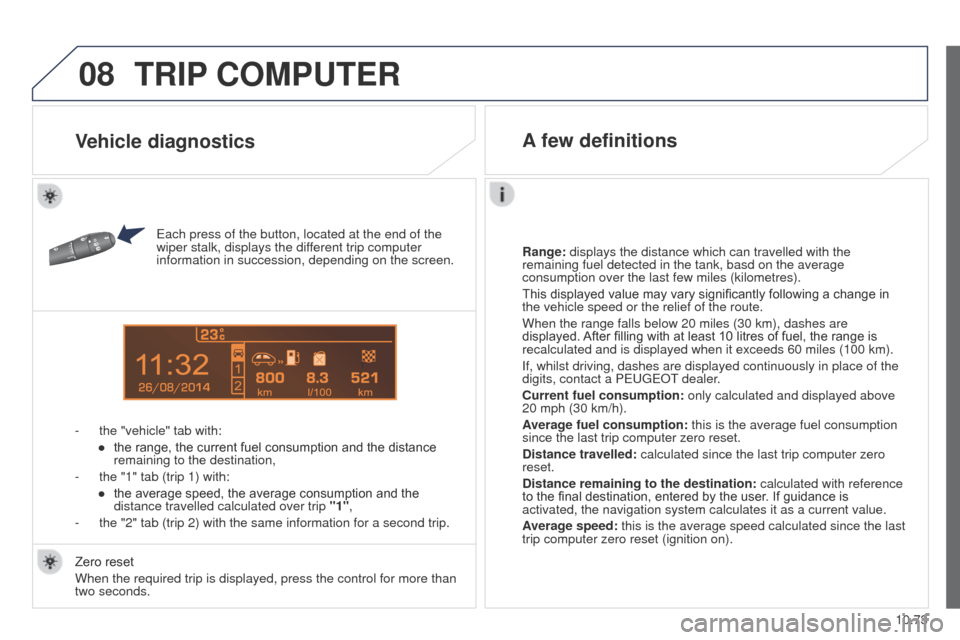
Each press of the button, located at the end of the
wiper stalk, displays the different trip computer
information in succession, depending on the screen.
-
the "vehicle" tab with:
●
the range, the current fuel consumption and the distance
remaining to the destination,
-
the "1" tab (trip 1) with:
●
the average speed, the average consumption and the
distance travelled calculated over trip "1"
,
-
the "2" tab (trip 2) with the same information for a second trip. Range:
displays the distance which can travelled with the
remaining fuel detected in the tank, basd on the average
consumption over the last few miles (kilometres).
This displayed value may vary significantly following a change in
the vehicle speed or the relief of the route.
When the range falls below 20 miles (30 km), dashes are
displayed. After filling with at least 10 litres of fuel, the range is
recalculated and is displayed when it exceeds 60 miles (100 km).
If, whilst driving, dashes are displayed continuously in place of the
digits, contact a PEUGEOT dealer.
Current fuel consumption:
only calculated and displayed above
20 mph (30 km/h).
Average fuel consumption: this is the average fuel consumption
since the last trip computer zero reset.
Distance travelled: calculated since the last trip computer zero
reset.
Distance remaining to the destination:
calculated with reference
to the final destination, entered by the user. If guidance is
activated, the navigation system calculates it as a current value.
Average speed: this is the average speed calculated since the last
trip computer zero reset (ignition on).
Zero reset
When the required trip is displayed, press the control for more than
two seconds.
Vehicle diagnostics A few definitions