Service Peugeot Partner 2015 Owner's Guide
[x] Cancel search | Manufacturer: PEUGEOT, Model Year: 2015, Model line: Partner, Model: Peugeot Partner 2015Pages: 244, PDF Size: 10.44 MB
Page 126 of 244
124
Partner-2-VU_en_Chap07_Verification_ed02-2014
In the event of a fault with the SCR
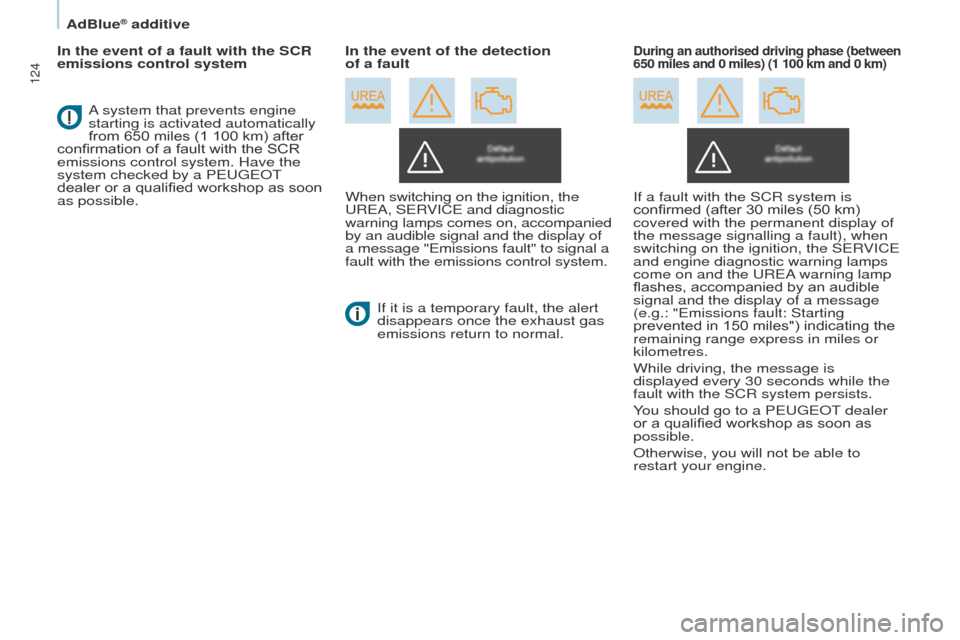
emissions control systemWhen switching on the ignition, the
UREA, SERVICE and diagnostic
warning lamps comes on, accompanied
by an audible signal and the display of
a message "Emissions fault" to signal a
fault with the emissions control system.If it is a temporary fault, the alert
disappears once the exhaust gas
emissions return to normal.During an authorised driving phase (between
650 miles and 0 miles) (1 100 km and 0 km)
A system that prevents engine
starting is activated automatically
from 650 miles (1 100 km) after
confirmation of a fault with the SCR
emissions control system. Have the
system checked by a PEUGEOT
dealer or a qualified workshop as soon
as possible. In the event of the detection
of a fault
If a fault with the SCR system is
confirmed (after 30 miles (50 km)
covered with the permanent display of
the message signalling a fault), when
switching on the ignition, the SERVICE
and engine diagnostic warning lamps
come on and the UREA warning lamp
flashes, accompanied by an audible
signal and the display of a message
(e.g.: "Emissions fault: Starting
prevented in 150 miles") indicating the
remaining range express in miles or
kilometres.
While driving, the message is
displayed every 30 seconds while the
fault with the SCR system persists.
You should go to a PEUGEOT dealer
or a qualified workshop as soon as
possible.
Otherwise, you will not be able to
restart your engine.
AdBlue® additive
Page 127 of 244
125
Partner-2-VU_en_Chap07_Verification_ed02-2014
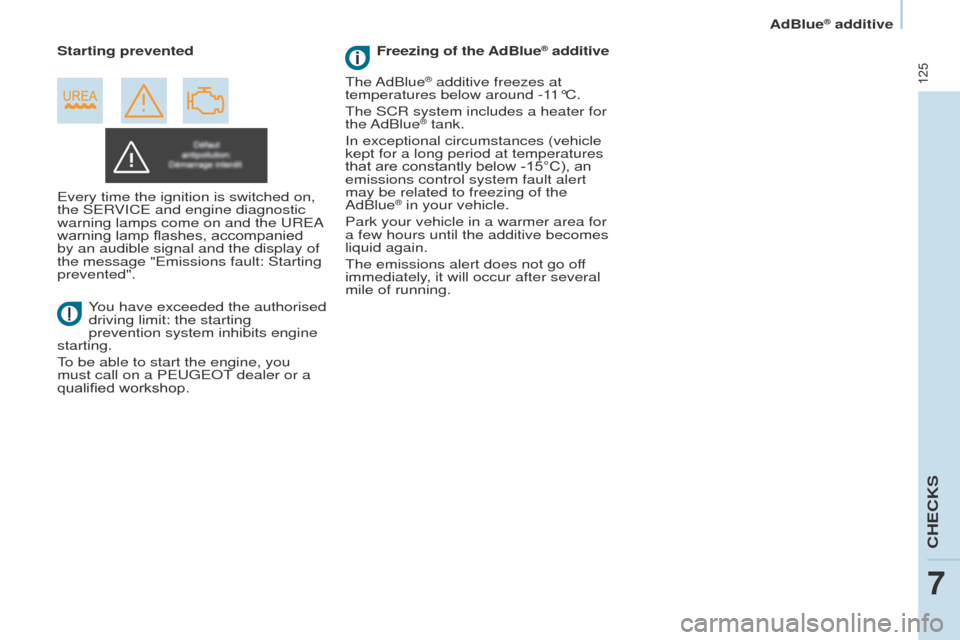
Every time the ignition is switched on,
the SERVICE and engine diagnostic
warning lamps come on and the UREA
warning lamp flashes, accompanied
by an audible signal and the display of
the message "Emissions fault: Starting
prevented".You have exceeded the authorised
driving limit: the starting
prevention system inhibits engine
starting.
To be able to start the engine, you
must call on a PEUGEOT dealer or a
qualified workshop. Starting prevented
The AdBlue
® additive freezes at
temperatures below around -11°C.
The SCR system includes a heater for
the AdBlue
® tank.
In exceptional circumstances (vehicle
kept for a long period at temperatures
that are constantly below -15°C), an
emissions control system fault alert
may be related to freezing of the
AdBlue
® in your vehicle.
Park your vehicle in a warmer area for
a few hours until the additive becomes
liquid again.
The emissions alert does not go off
immediately, it will occur after several
mile of running. Freezing of the AdBlue
® additive
CHECKS
7
AdBlue® additive
Page 128 of 244
126
Partner-2-VU_en_Chap07_Verification_ed02-2014
Topping-up the AdBlue® additive
Filling the AdBlue® tank is an operation
included in every routine service on
your vehicle by a PEUGEOT dealer or
a qualified workshop.
Nevertheless, given the capacity
of the tank, it may be necessary to
top-up the additive between services,
more particularly if an alert (warning
lamps and a message) signals the
requirement.
You can got to a PEUGEOT dealer or a
qualified workshop.
If you envisage topping-up yourself,
please read the following warnings
carefully. Precautions in use
The AdBlue® additive is an urea-based
solution. This liquid is non-flammable,
colourless and odourless (kept in a
cool area).
In the event of contact with the skin,
wash the affected area with soap and
water. In the event of contact with the
eyes, wash (irrigate) the eyes with
large amounts of water or with an eye
wash solution for at least 15 minutes.
If a burning sensation or irritation
persists, get medical attention.
If swallowed, immediately wash out the
mouth with clean water and then drink
plenty of water.
In certain conditions (high ambient
temperature, for example), the risk
of release of ammonia cannot be
excluded: do not inhale the product.
Ammonia vapour has en irritant effect
on mucous membranes (eyes, nose
and throat).
Keep AdBlue
® out of the reach of
children, in its original bottle.
Never transfer AdBlue
® to another
container: it would loose its purity. Use only AdBlue
® additive that meets
the ISO 22241 standard.
Never dilute the additive with
water.
Never pour the additive into the Diesel
fuel tank.
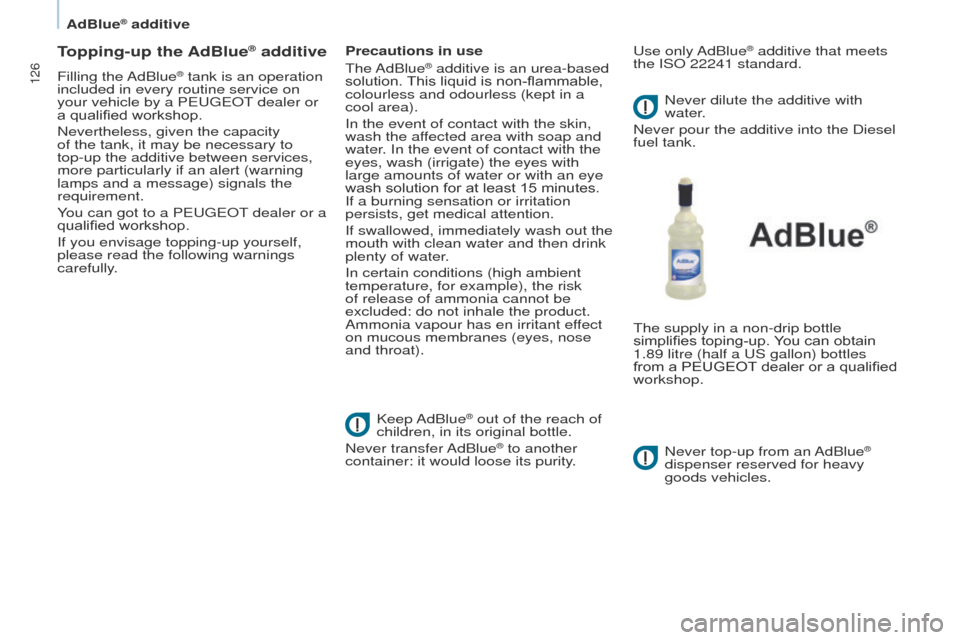
The supply in a non-drip bottle
simplifies toping-up. You can obtain
1.89 litre (half a US gallon) bottles
from a PEUGEOT
dealer or a qualified
workshop.
Never top-up from an AdBlue
®
dispenser reserved for heavy
goods vehicles.
AdBlue® additive
Page 160 of 244
10.2
Partner-2-VU_en_Chap10a_BTA_ed02-2014
EMERGENCY OR ASSIST ANCE CALL
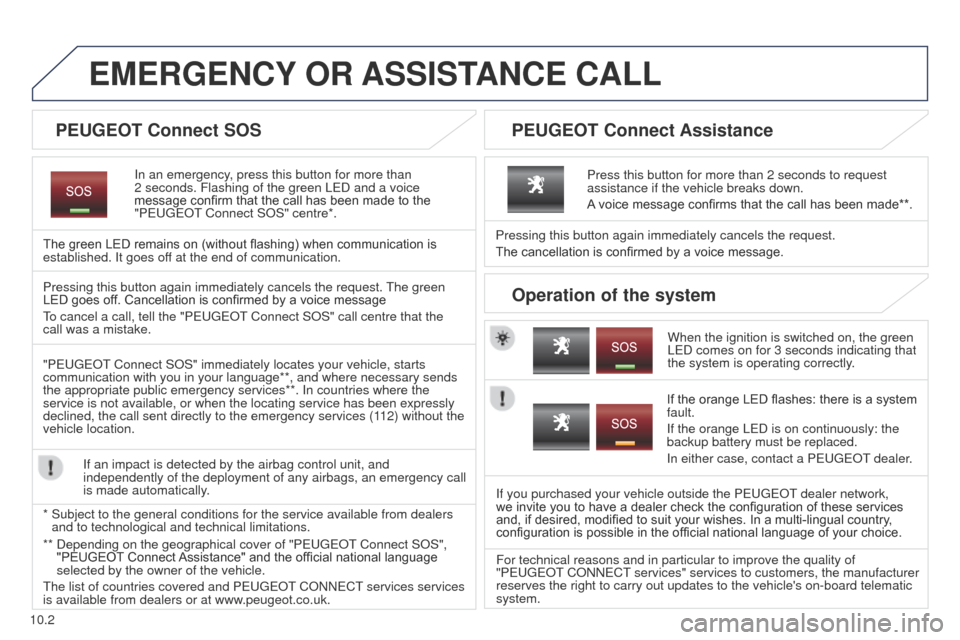
In an emergency, press this button for more than
2
seconds. Flashing of the green LED and a voice
message confirm that the call has been made to the
"PEUGEOT Connect SOS" centre*.
The green LED remains on (without flashing) when communication is
established. It goes off at the end of communication.
When the ignition is switched on, the green
LED comes on for 3 seconds indicating that
the system is operating correctly.
Pressing this button again immediately cancels the request.
The cancellation is confirmed by a voice message.
Press this button for more than 2 seconds to request
assistance if the vehicle breaks down.
A voice message confirms that the call has been made**.
Pressing this button again immediately cancels the request. The green
LED goes off. Cancellation is confirmed by a voice message
To cancel a call, tell the "PEUGEOT Connect SOS" call centre that the
call was a mistake.
"PEUGEOT Connect SOS" immediately locates your vehicle, starts
communication with you in your language**, and where necessary sends
the appropriate public emergency services**. In countries where the
service is not available, or when the locating service has been expressl\
y
declined, the call sent directly to the emergency services (112) without the
vehicle location. If an impact is detected by the airbag control unit, and
independently of the deployment of any airbags, an emergency call
is made automatically.
*
Subject to the general conditions for the service available from dealers\
and to technological and technical limitations. If the orange LED flashes: there is a system
fault.
If the orange LED is on continuously: the
backup battery must be replaced.
In either case, contact a PEUGEOT
dealer.
If you purchased your vehicle outside the PEUGEOT dealer network,
we invite you to have a dealer check the configuration of these services
and, if desired, modified to suit your wishes. In a multi-lingual country ,
configuration is possible in the official national language of your choice.
For technical reasons and in particular to improve the quality of
"PEUGEOT CONNECT services" services to customers, the manufacturer
reserves the right to carry out updates to the vehicle's on-board telema\
tic
system.
PEUGEOT Connect SOS PEUGEOT Connect Assistance
Operation of the system
** Depending on the geographical cover of "PEUGEOT Connect SOS",
"PEUGEOT Connect Assistance" and the official national language
selected by the owner of the vehicle.
The list of countries covered and PEUGEOT CONNECT services services
is available from dealers or at www.peugeot.co.uk.
Page 166 of 244
03
10.8
Partner-2-VU_en_Chap10b_RT6-2-8_ed02-2014
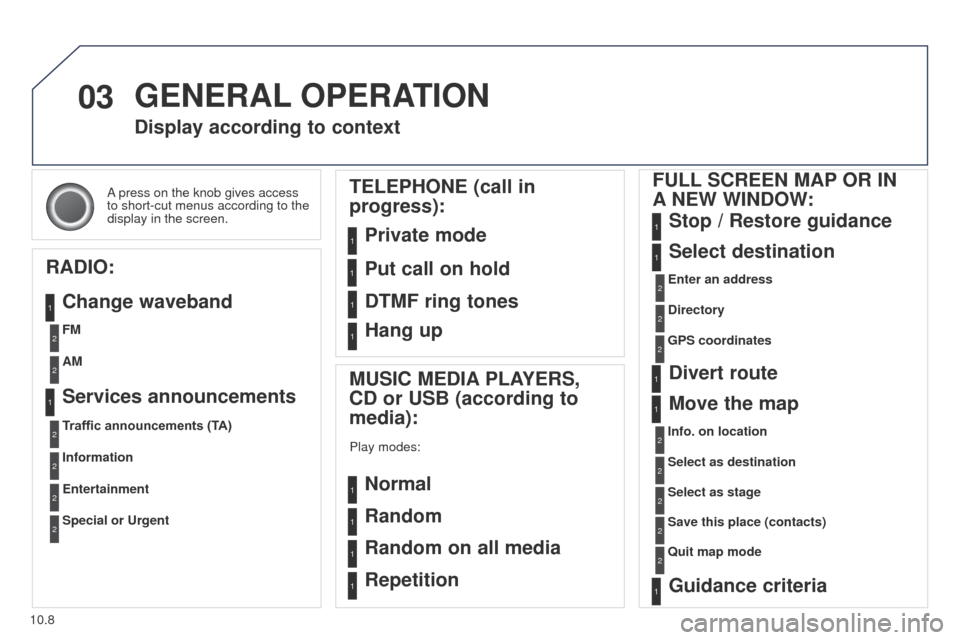
A press on the knob gives access
to short-cut menus according to the
display in the screen.
Display according to context
RADIO: Change waveband
MUSIC MEDIA PLAYERS,
CD or USB (according to
media):
Play modes:
Normal
Random
Random on all media
Repetition
TELEPHONE (call in
progress):
Private mode FULL SCREEN MAP OR IN
A
NEW WINDOW:
Stop / Restore guidance
Select destination
Enter an address
Directory
GPS coordinates
Divert route
Move the map
Info. on location
Select as destination Select as stage
Save this place (contacts)
Quit map mode
Guidance criteria
Put call on hold
DTMF ring tones
Hang up
1
1
1
1
1
1
1
2
2
2
2
2
1
2
2
2
1
1
1
1
1
1FM
Traffic announcements (TA) AM
Information
Entertainment
Special or Urgent2
2
2
2
2
2
Services announcements1
GENERAL OPERATION
Page 171 of 244
The points of interest (POI) indicate all of the service locations in \
the vicinity
(hotels, various businesses, ai")
04
10.13
Partner-2-VU_en_Chap10b_RT6-2-8_ed02-2014
Towards points of interest (POI)The points of interest (POI) indicate all of the service locations in \
the vicinity
(hotels, various businesses, airports...).
Select the "Enter an address" function
and confirm, then select Select
destination and confirm.
To select a POI close to your current
location, select " POI" and confirm, then
select "Around the current place" and
confirm.
To select a POI as a stage on the route,
select "POI" and confirm, then select "On
the route" and confirm.
To select a POI as a destination, first
enter the country and town (see "Towards
a new destination"), select " POI" and
confirm, finally select " Near" and confirm. Search for POIs in the categories
suggested in the following pages.
Select "Search by Name
" to search for POIs by name and not by
proximity.
Select the POI and confirm "OK" to start
the guidance.
Press N AV
to display the
"Navigation
- guidance" menu.
NAVIGATION - GUIDANCE
Page 172 of 244
04
10.14
Partner-2-VU_en_Chap10b_RT6-2-8_ed02-2014
NAVIGATION - GUIDANCE
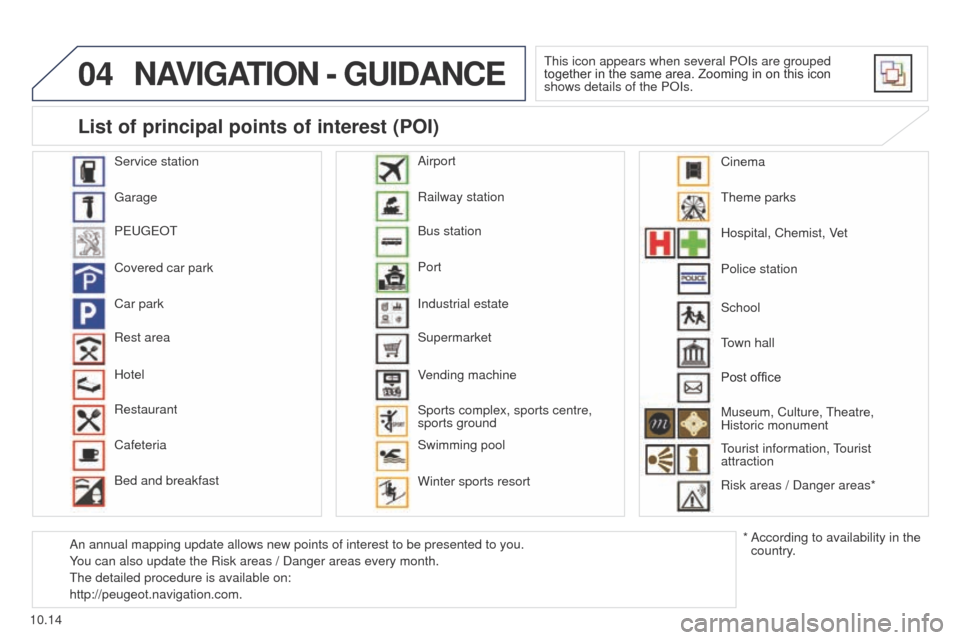
This icon appears when several POIs are grouped
together in the same area. Zooming in on this icon
shows details of the POIs.
Service station
Garage
PEUGEOT
Covered car park
Car park
Rest area
Hotel
Restaurant
Cafeteria
Bed and breakfast Railway station
Bus station
Port
Industrial estate
Supermarket
Vending machine
Sports complex, sports centre,
sports ground
Swimming pool
Winter sports resort Airport
Theme parks
Hospital, Chemist, Vet
Police station
Town hall
Post office
Museum, Culture, Theatre,
Historic monument
Tourist information, Tourist
attraction
Risk areas / Danger areas*
List of principal points of interest (POI)
* According to availability in the
country.
School
An annual mapping update allows new points of interest to be presented t\
o you.
You can also update the Risk areas / Danger areas every month.
The detailed procedure is available on:
http://peugeot.navigation.com. Cinema
Page 182 of 244
05
10.24
Partner-2-VU_en_Chap10b_RT6-2-8_ed02-2014
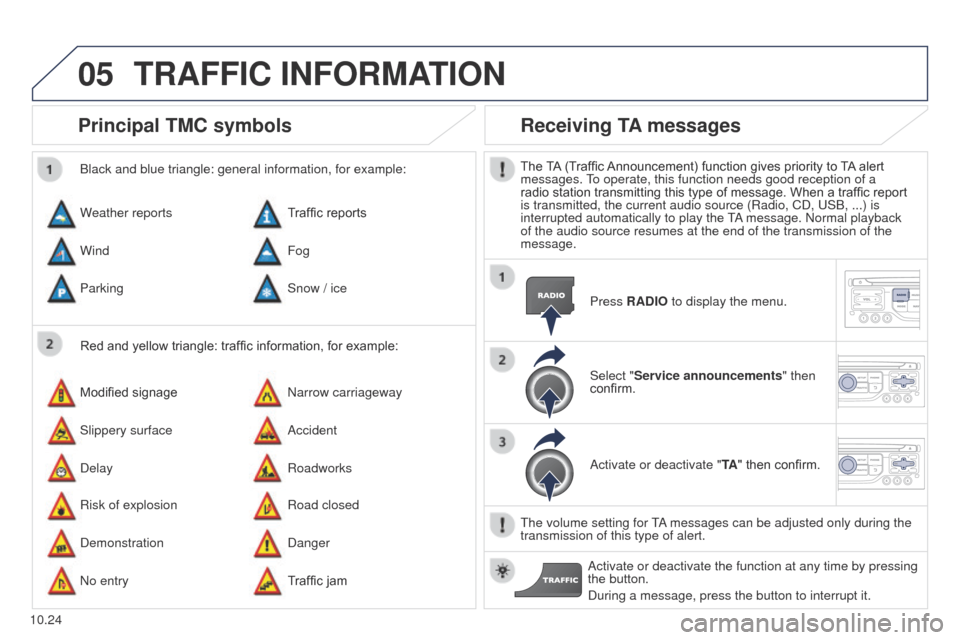
Principal TMC symbols
Red and yellow triangle: traffic information, for example:
Black and blue triangle: general information, for example:
Weather reports
Modified signage
Risk of explosion Traffic reports
Narrow carriageway
Road closed
Wind
Slippery surface
Demonstration Fog
Accident
Danger
Parking
Delay
No entry Snow / ice
Roadworks
Traffic jam
Receiving TA messages
The TA (Traffic Announcement) function gives priority to TA alert
messages. To operate, this function needs good reception of a
radio station transmitting this type of message. When a traffic report
is transmitted, the current audio source (Radio, CD, USB, ...) is
interrupted automatically to play the TA message. Normal playback
of the audio source resumes at the end of the transmission of the
message.
Press RADIO to display the menu.
Select "Service announcements" then
confirm.
Activate or deactivate "TA " then confirm.
The volume setting for TA messages can be adjusted only during the
transmission of this type of alert. Activate or deactivate the function at any time by pressing
the button.
During a message, press the button to interrupt it.
TRAFFIC INFORMATION
Page 184 of 244
06
10.26
Partner-2-VU_en_Chap10b_RT6-2-8_ed02-2014
USING THE TELEPHONE
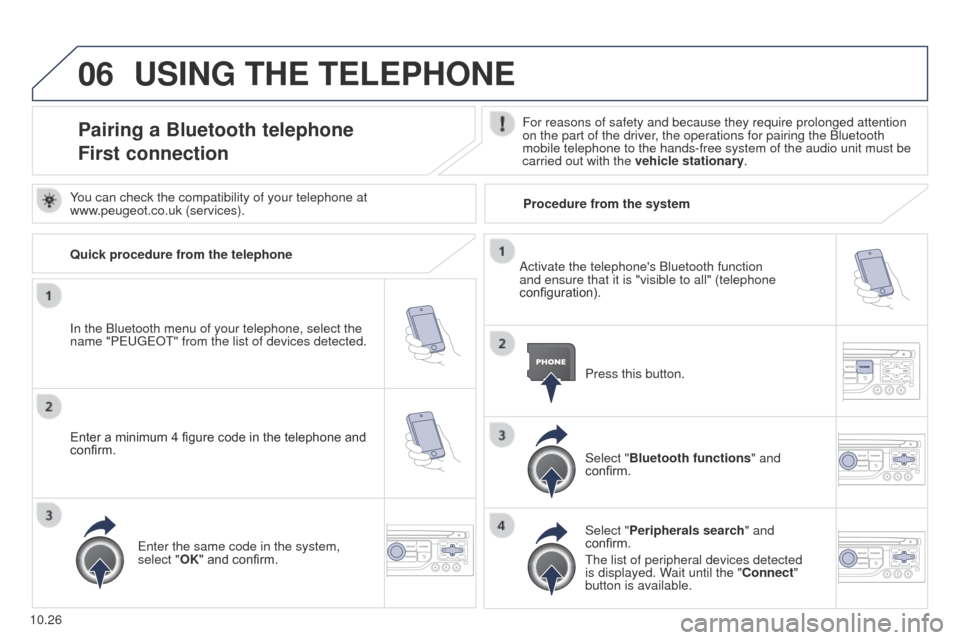
Pairing a Bluetooth telephone
First connectionFor reasons of safety and because they require prolonged attention
on the part of the driver, the operations for pairing the Bluetooth
mobile telephone to the hands-free system of the audio unit must be
carried out with the vehicle stationary.
In the Bluetooth menu of your telephone, select the
name "P
EUGEOT
" from the list of devices detected. Press this button.
Select "Bluetooth functions" and
confirm.
Select "Peripherals search " and
confirm.
The list of peripheral devices detected
is displayed. Wait until the "Connect"
button is available.
You can check the compatibility of your telephone at
www.peugeot.co.uk (services).
Activate the telephone's Bluetooth function
and ensure that it is "visible to all" (telephone
configuration).
Quick procedure from the telephone
Enter a minimum 4 figure code in the telephone and
confirm.
Enter the same code in the system,
select "OK" and confirm. Procedure from the system
Page 185 of 244
06
10.27
Partner-2-VU_en_Chap10b_RT6-2-8_ed02-2014
USING THE TELEPHONE
Select "Connect" and confirm.
The system offers to connect the
telephone:
-
in "
Hands-free mode" (telephone
only),
-
in "
Audio" mode (streaming: playing
music files on the telephone),
-
or "
All" (for selection of both
modes).
Select "OK" and confirm. Then accept automatic connection on the telephone to allow the
telephone to reconnect automatically every time the vehicle is
started.
The ability of the system to connect in only one mode depends on
the telephone. The two modes may both connect by default. The "Hands-free mode" should be used in preference if
"Streaming" is not desired.
The services available depend on the network, the SIM card and the compa\
tibility of the Bluetooth telephone used. Check the telephone
manual and with your network provider for details of the services availa\
ble to you.
Depending on the type of telephone, the system will ask you to
accept or not the transfer of your contacts.
On return to the vehicle, the last telephone connected
automatically reconnects, within around 30 seconds after
switching on the ignition (Bluetooth activated and visible).
To modify the automatic connection mode, remove the pairing
and pair the telephone again with the desired mode.
Enter a minimum 4 figure code in the telephone
and confirm.
Enter the same code in the system,
select "OK" and confirm.
Select the name of the desired
peripheral from the list of devices
detected then confirm