Peugeot Partner 2015 Service Manual
Partner 2015
Peugeot
Peugeot
https://www.carmanualsonline.info/img/29/15989/w960_15989-0.png
Peugeot Partner 2015 Service Manual
Page 156 of 244
154
Partner-2-VU_en_Chap09_Caract-technique_ed02-2014
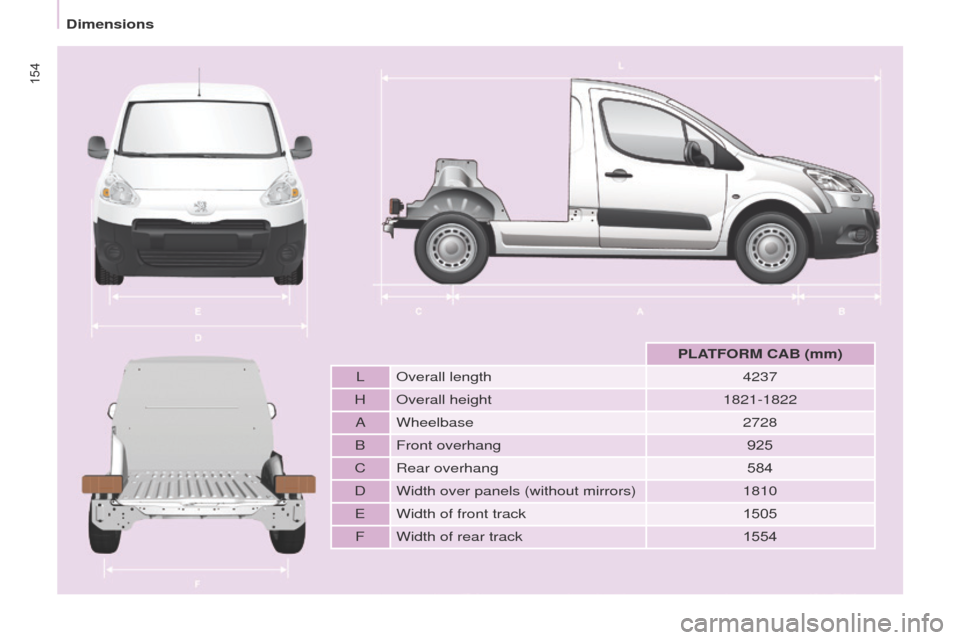
PLATFORM CAB (mm)
L Overall length 4237
H Overall height 1821-1822
A Wheelbase 2728
B Front overhang 925
C Rear overhang 584
D Width over panels (without mirrors) 1810
E Width of front track 1505
F Width of rear track 1554
Dimensions
Page 158 of 244
156
Partner-2-VU_en_Chap09_Caract-technique_ed02-2014
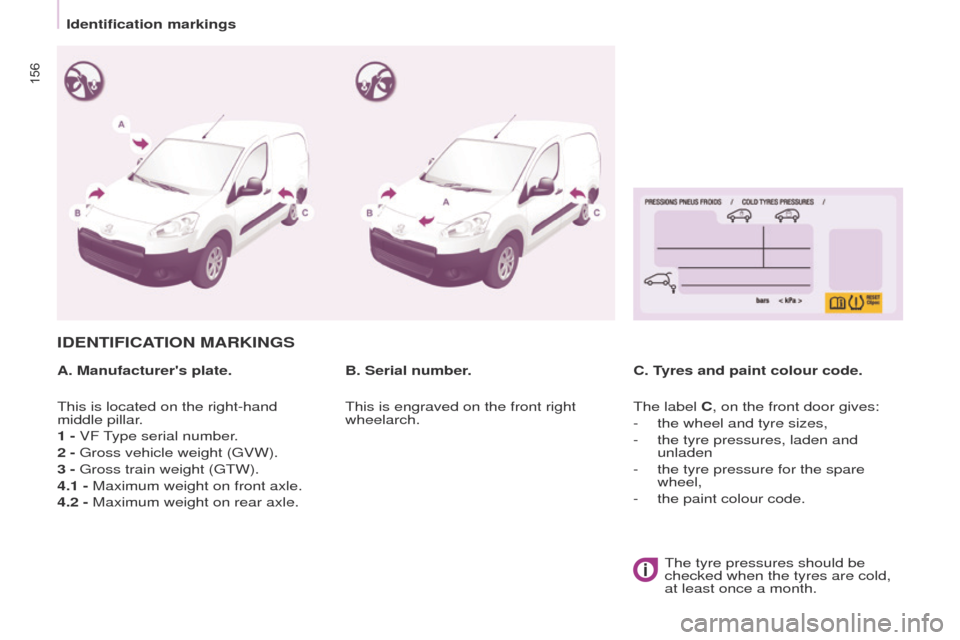
IDENTIFICATION MARKINGS
A. Manufacturer's plate.C. Tyres and paint colour code.
B. Serial number.
This is located on the right-hand
middle pillar.
1 - VF Type serial number.
2 - Gross vehicle weight (GVW).
3 - Gross train weight (GTW).
4.1 - Maximum weight on front axle.
4.2 - Maximum weight on rear axle. This is engraved on the front right
wheelarch.
The label C, on the front door gives:
-
the wheel and tyre sizes,
-
the tyre pressures, laden and
unladen
-
the tyre pressure for the spare
wheel,
-
the paint colour code.The tyre pressures should be
checked when the tyres are cold,
at least once a month.
Identification markings
Page 194 of 244
07
10.36
Partner-2-VU_en_Chap10b_RT6-2-8_ed02-2014
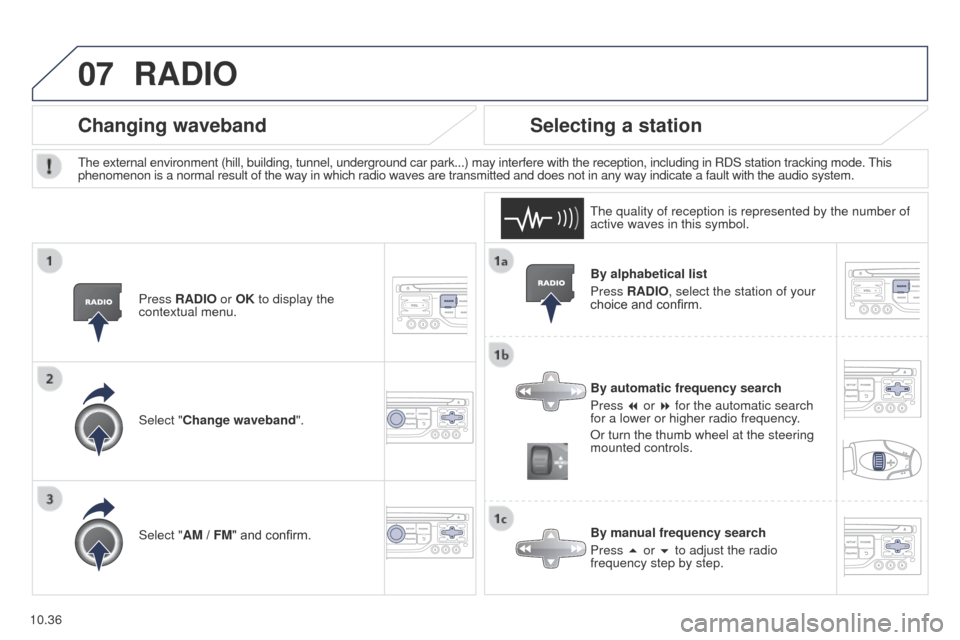
By alphabetical list
Press RADIO, select the station of your
choice and confirm.
By automatic frequency search
Press 7 or 8 for the automatic search
for a lower or higher radio frequency.
Or turn the thumb wheel at the steering
mounted controls.
By manual frequency search
Press 5 or 6 to adjust the radio
frequency step by step.
Selecting a station
The external environment (hill, building, tunnel, underground car park.\
..) may interfere with the reception, including in RDS station tracking mode. This
phenomenon is a normal result of the way in which radio waves are transm\
itted and does not in any way indicate a fault with the audio system.The quality of reception is represented by the number of
active waves in this symbol.
Press RADIO or OK to display the
contextual menu.
Changing waveband
Select "Change waveband".
Select "AM / FM" and confirm.
RADIO
Page 195 of 244
07
10.37
Partner-2-VU_en_Chap10b_RT6-2-8_ed02-2014
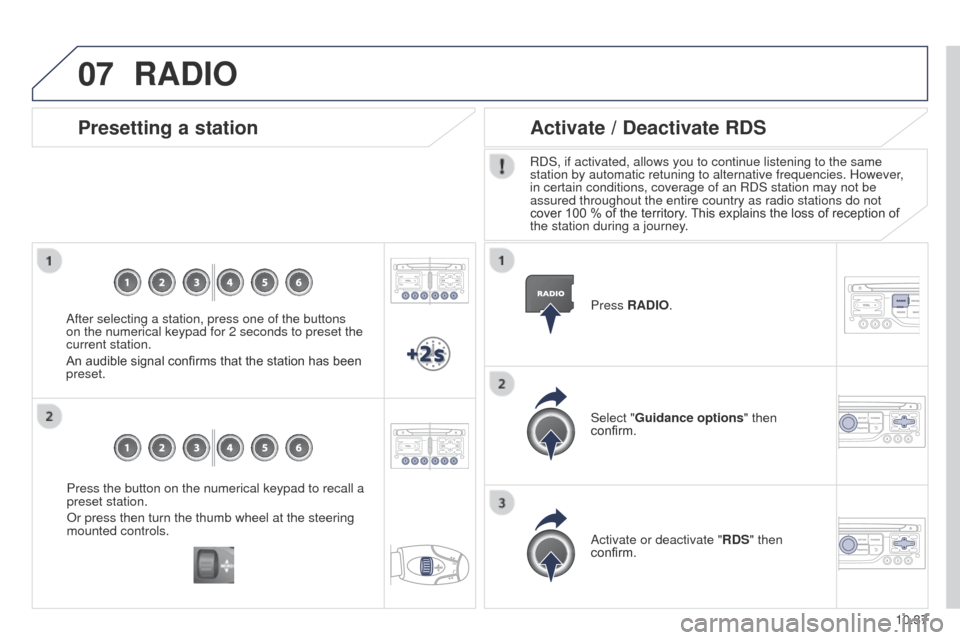
Press the button on the numerical keypad to recall a
preset station.
Or press then turn the thumb wheel at the steering
mounted controls.
Presetting a station
After selecting a station, press one of the buttons
on the numerical keypad for 2 seconds to preset the
current station.
An audible signal confirms that the station has been
preset.Press RADIO.
Activate / Deactivate RDS
RDS, if activated, allows you to continue listening to the same
station by automatic retuning to alternative frequencies. However,
in certain conditions, coverage of an RDS station may not be
assured throughout the entire country as radio stations do not
cover 100 % of the territory. This explains the loss of reception of
the station during a journey.
Select "Guidance options " then
confirm.
Activate or deactivate "RDS" then
confirm.
RADIO
Page 228 of 244
06
10.70
Partner-2-VU_en_Chap10c_RD45_ed02_2014
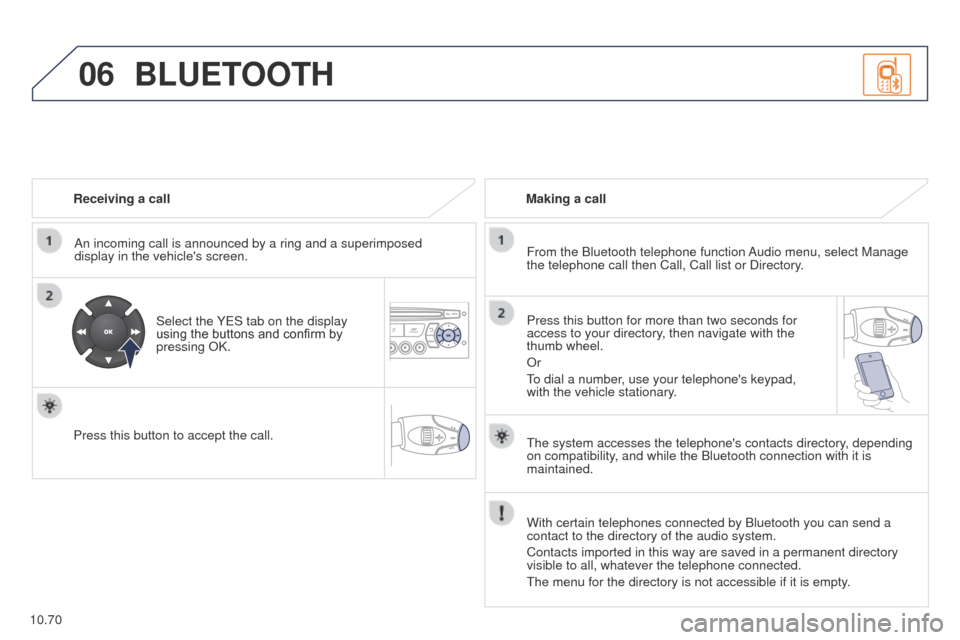
Receiving a callAn incoming call is announced by a ring and a superimposed
display in the vehicle's screen.
Select the YES tab on the display
using the buttons and confirm by
pressing OK.
Press this button to accept the call. Making a call
From the Bluetooth telephone function Audio menu, select Manage
the telephone call then Call, Call list or Directory.
Press this button for more than two seconds for
access to your directory, then navigate with the
thumb wheel.
Or
To dial a number, use your telephone's keypad,
with the vehicle stationary.
BLUETOOTH
The system accesses the telephone's contacts directory, depending
on compatibility, and while the Bluetooth connection with it is
maintained.
With certain telephones connected by Bluetooth you can send a
contact to the directory of the audio system.
Contacts imported in this way are saved in a permanent directory
visible to all, whatever the telephone connected.
The menu for the directory is not accessible if it is empty.