window Peugeot Partner Tepee 2012 User Guide
[x] Cancel search | Manufacturer: PEUGEOT, Model Year: 2012, Model line: Partner Tepee, Model: Peugeot Partner Tepee 2012Pages: 240, PDF Size: 7.41 MB
Page 144 of 240
142
Battery
ECONOMY MODE
After the engine has stopped, with
the key in the ignition position, certain
functions (windscreen wiper, electric
windows, courtesy lamps, audio
equipment, etc.) can only be used for a
cumulative duration of thirty minutes, to
prevent discharging of the battery.
Once the thirty minutes are over, the
active functions are put on standby
and the battery warning lamp fl ashes
accompanied by a message in the
screen.
To resume the use of these functions
immediately, start the engine and let it
run for a few minutes.
The time available will then be double
the time for which the engine was left
running. However, this time will always
be between fi ve and thirty minutes.
A fl at battery will prevent the engine
from starting.
Page 157 of 240
155
QUICK HELP
7
Changing a fuse
DASHBOARD FUSES
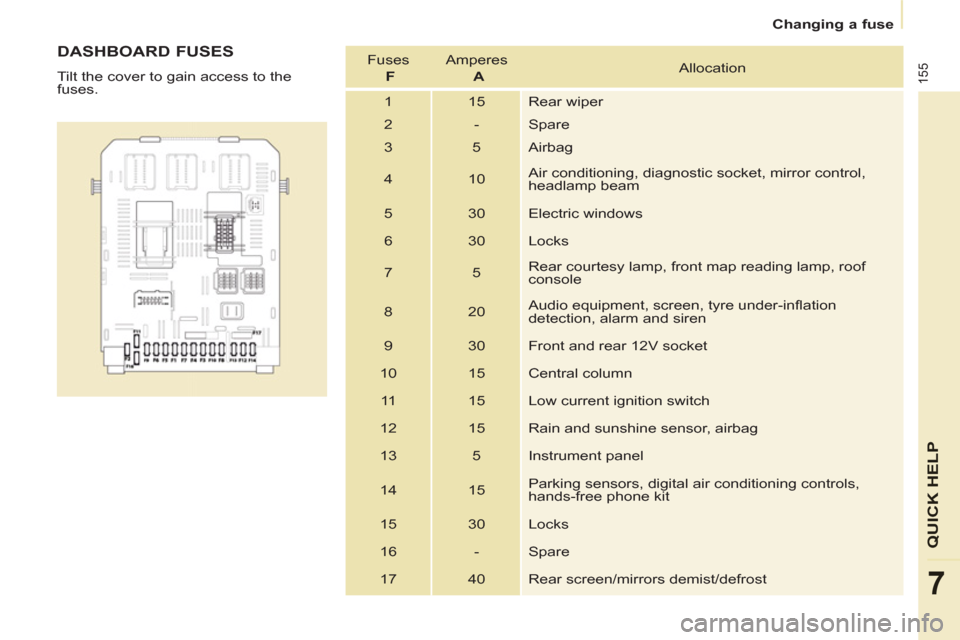
Tilt the cover to gain access to the
fuses. Fuses
F
Amperes
A
Allocation
1 15 Rear wiper
2 - Spare
3 5 Airbag
4 10 Air conditioning, diagnostic socket, mirror control,
headlamp beam
5 30 Electric windows
6 30 Locks
7 5 Rear courtesy lamp, front map reading lamp, roof
console
8 20 Audio equipment, screen, tyre under-infl ation
detection, alarm and siren
9 30 Front and rear 12V socket
10 15 Central column
11 15 Low current ignition switch
12 15 Rain and sunshine sensor, airbag
13 5 Instrument panel
14 15 Parking sensors, digital air conditioning controls,
hands-free phone kit
15 30 Locks
16 - Spare
17 40 Rear screen/mirrors demist/defrost
Page 190 of 240
07
9.20
MUSIC MEDIA PLAYERS
CD, MP3/WMA CD
INFORMATION AND ADVICE
In order to be able to play a recorded CDR or CDRW, when recording it is preferable to select the ISO 9660 level 1, 2 or Jolietstandard.
I
f the disc is recorded in another format it may not be playedcorrectly.
It is recommended that the same recordin
g standard is alwaysused for an individual disc, with as low a speed as possible(4x maximum) for optimum sound quality.
In the particular case o
f a multi-session CD, the Joliet standard is recommended.
The Peu
geot Connect Navigation will only play audio fi les with the extension ".mp3" with a speed of between 8 Kbps and 320 Kbps
and the extension ".wma" with a speed of between 5 Kbps and384 Kbps.
It also supports the VBR
(Variable Bit Rate) mode.
No other t
ype of fi le (.mp4, .m3u...) can be played. The MP3
format, an abbreviation of MPEG 1, 2 & 2.5 Audio Layer 3 and the WMA format, an abbreviation of Windows Media Audio and
the property of Microsoft, are audio compression standards which permit the recording of several tens of music fi les on a single disc.
It is advisable to restrict fi le names to 20 characters
, without
using special characters (e.g.: " ? ; ù) to avoid any play or display
problems.
Page 217 of 240
06
1
2
3
4
5
6
7
8
9
MENU
OK
9.47
BLUETOOTH
For safety reasons and because they require prolonged attentionon the part of the driver, the operations for pairing of the Bluetooth mobile telephone with the Bluetooth hands-free system of your
audio equipment must be carried out with the vehicle stationary
and the ignition on.
Pr
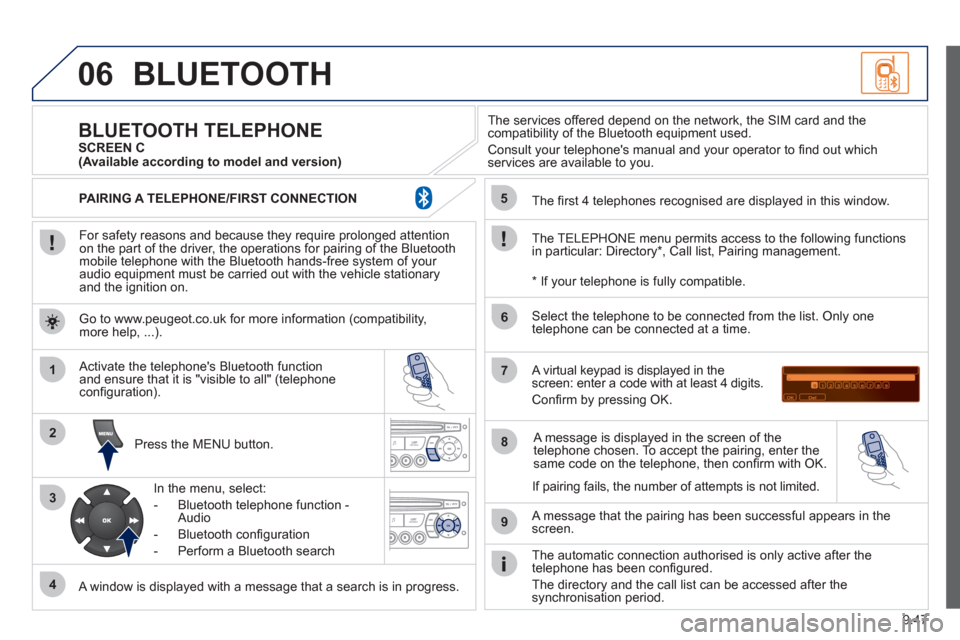
ess the MENU button.
A window is displayed with a message that a search is in progress.
Activate the telephone's Bluetooth
function
and ensure that it is "visible to all" (telephone confi guration).
In the menu, select:
- Bluetooth telephone
function -
Audio
- Bluetooth con fi
guration
- P
erform a Bluetooth search The services o
ffered depend on the network, the SIM card and thecompatibility of the Bluetooth equipment used.
Consult your telephone's manual and your operator to fi nd out which
services are available to you.
BLUETOOTH TELEPHONE SCREEN C
The TELEPH
ONE menu permits access to the following functions
in particular: Directory * , Call list, Pairing management.
The
fi rst 4 telephones recognised are displayed in this window.
A virtual ke
ypad is displayed in thescreen: enter a code with at least 4 digits.
Confi rm by pressing OK.
A messa
ge that the pairing has been successful appears in thescreen.
Select the telephone to be connected from the list. Only one
telephone can be connected at a time.
A messa
ge is displayed in the screen of the
telephone chosen. To accept the pairing, enter the same code on the telephone, then confi rm with OK.
The automatic connection authorised is onl
y active after the
telephone has been confi gured.
The directory and the call list can be accessed a
fter thesynchronisation period.
(Available according to model and version)
* If your telephone is fully compatible.
I
f pairing fails, the number of attempts is not limited.
Go to www.peu
geot.co.uk for more information (compatibility,more help, ...).
PAIRING A TELEPHONE/FIR
ST CONNECTION
Page 233 of 240
171
Instruments and controls
VISUAL SEARCH
10
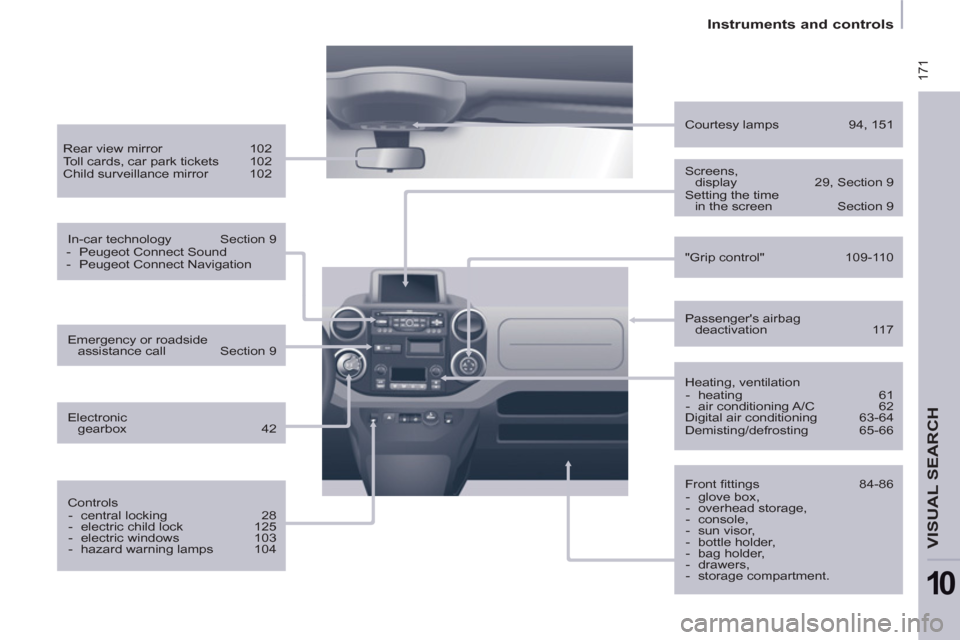
Heating, ventilation
- heating 61
- air conditioning A/C 62
Digital air conditioning 63-64
Demisting/defrosting 65-66
Passenger's airbag
deactivation 117
Courtesy lamps 94, 151
Front fi ttings 84-86
- glove box,
- overhead storage,
- console,
- sun visor,
- bottle holder,
- bag holder,
- drawers,
- storage compartment.
Screens,
display 29, Section 9
Setting the time
in the screen Section 9
Rear view mirror 102
Toll cards, car park tickets 102
Child surveillance mirror 102
In-car technology Section 9
- Peugeot Connect Sound
- Peugeot Connect Navigation
Controls
- central locking 28
- electric child lock 125
- electric windows 103
- hazard warning lamps 104
Emergency or roadside
assistance call Section 9
Electronic
gearbox 42
"Grip control" 109-110
Page 234 of 240
172
Interior
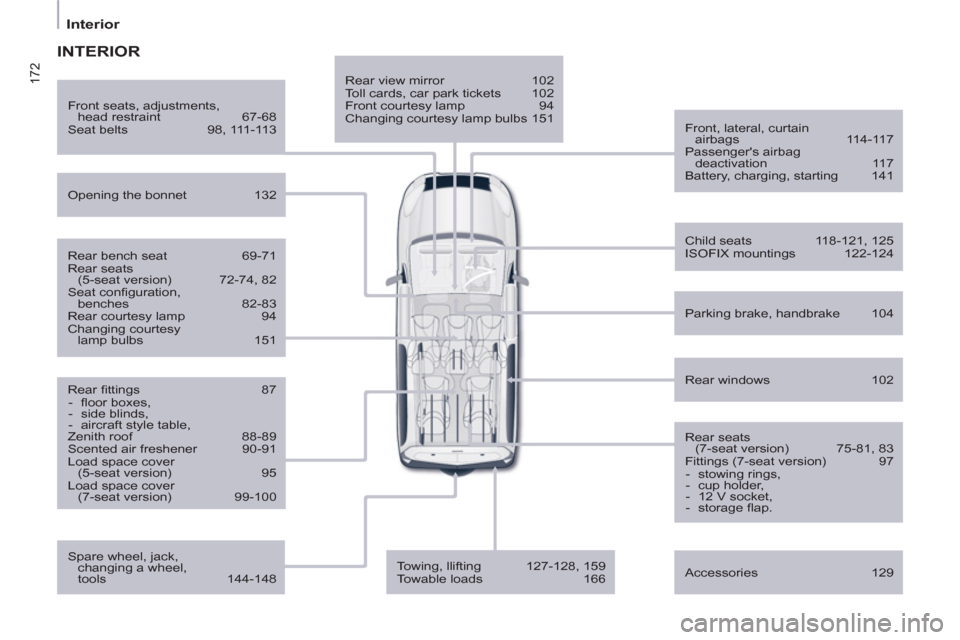
Rear view mirror 102
Toll cards, car park tickets 102
Front courtesy lamp 94
Changing courtesy lamp bulbs 151
Front, lateral, curtain
airbags 114-117
Passenger's airbag
deactivation 117
Battery, charging, starting 141
Opening the bonnet 132
Rear windows 102
Front seats, adjustments,
head restraint 67-68
Seat belts 98, 111-113
Accessories 129
INTERIOR
Rear bench seat 69-71
Rear seats
(5-seat version) 72-74, 82
Seat confi guration,
benches 82-83
Rear courtesy lamp 94
Changing courtesy
lamp bulbs 151
Rear fi ttings 87
- fl oor boxes,
- side blinds,
- aircraft style table,
Zenith roof 88-89
Scented air freshener 90-91
Load space cover
(5-seat version) 95
Load space cover
(7-seat version) 99-100
Child seats 118-121, 125
ISOFIX mountings 122-124
Parking brake, handbrake 104
Rear seats
(7-seat version) 75-81, 83
Fittings (7-seat version) 97
- stowing rings,
- cup holder,
- 12 V socket,
- storage fl ap.
Towing, llifting 127-128, 159
Towable loads 166
Spare wheel, jack,
changing a wheel,
tools 144-148