door lock Peugeot Partner Tepee 2012 Owner's Manual
[x] Cancel search | Manufacturer: PEUGEOT, Model Year: 2012, Model line: Partner Tepee, Model: Peugeot Partner Tepee 2012Pages: 240, PDF Size: 7.41 MB
Page 4 of 240
2
Contents
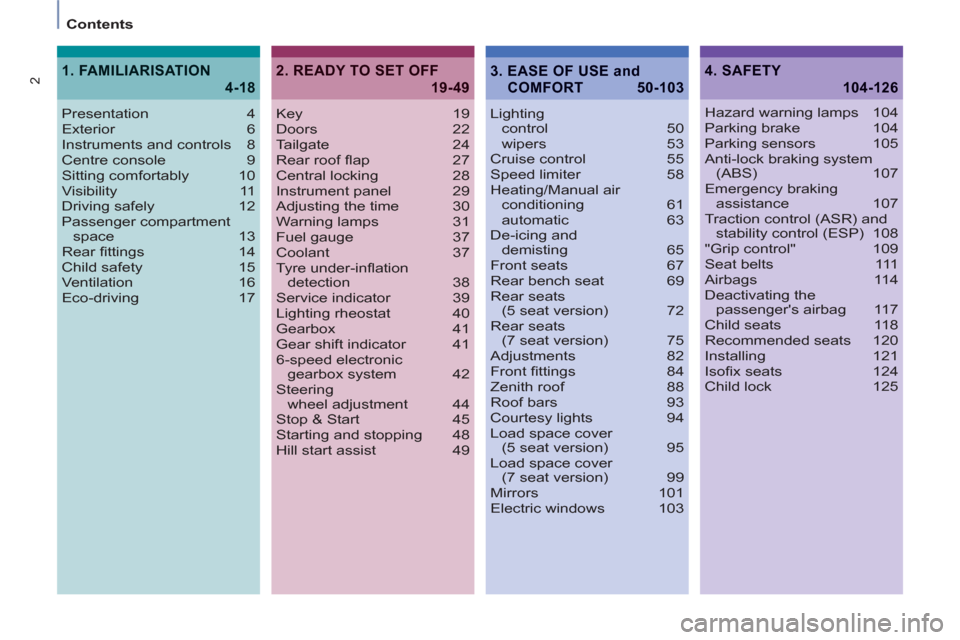
Key 19
Doors 22
Tailgate 24
Rear roof fl ap 27
Central locking 28
Instrument panel 29
Adjusting the time 30
Warning lamps 31
Fuel gauge 37
Coolant 37
Tyre under-infl ation
detection 38
Service indicator 39
Lighting rheostat 40
Gearbox 41
Gear shift indicator 41
6-speed electronic
gearbox system 42
Steering
wheel adjustment 44
Stop & Start 45
Starting and stopping 48
Hill start assist 49Lighting
control 50
wipers 53
Cruise control 55
Speed limiter 58
Heating/Manual air
conditioning 61
automatic 63
De-icing and
demisting 65
Front seats 67
Rear bench seat 69
Rear seats
(5 seat version) 72
Rear seats
(7 seat version) 75
Adjustments 82
Front fi ttings 84
Zenith roof 88
Roof bars 93
Courtesy lights 94
Load space cover
(5 seat version) 95
Load space cover
(7 seat version) 99
Mirrors 101
Electric windows 103
2. READY TO SET OFF
19-49
4. SAFETY
104-126
Presentation 4
Exterior 6
Instruments and controls 8
Centre console 9
Sitting comfortably 10
Visibility 11
Driving safely 12
Passenger compartment
space 13
Rear fi ttings 14
Child safety 15
Ventilation 16
Eco-driving 17
1. FAMILIARISATION
4-18
Hazard warning lamps 104
Parking brake 104
Parking sensors 105
Anti-lock braking system
(ABS) 107
Emergency braking
assistance 107
Traction control (ASR) and
stability control (ESP) 108
"Grip control" 109
Seat belts 111
Airbags 114
Deactivating the
passenger's airbag 117
Child seats 118
Recommended seats 120
Installing 121
Isofi x seats 124
Child lock 125
3. EASE OF USE and
COMFORT 50-103
Page 17 of 240
3
3
4
4
4
15
1
FAMILIARISATION
Interior
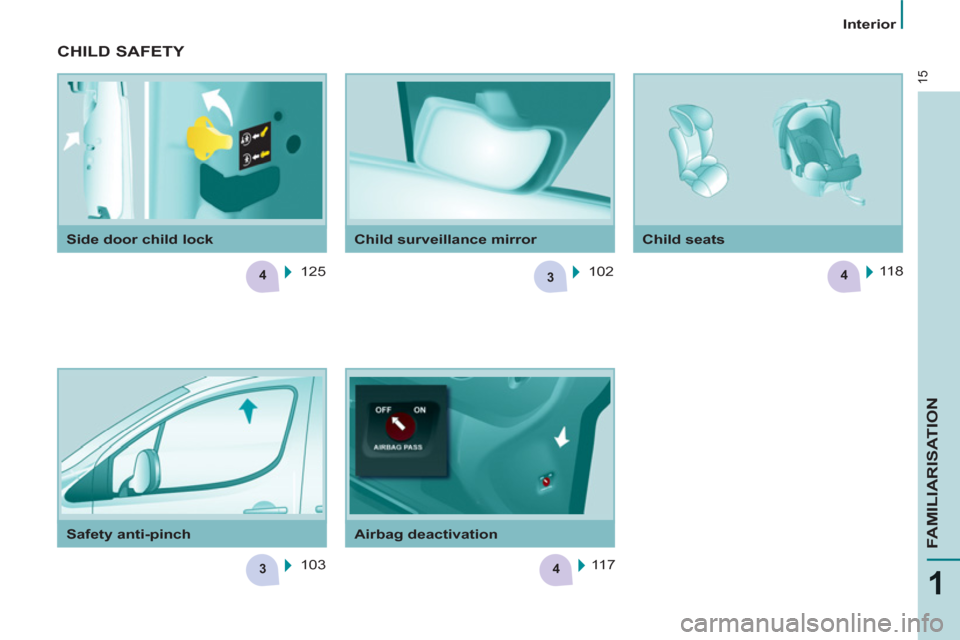
Safety anti-pinch
Airbag deactivation
Child seats
Side door child lock
Child surveillance mirror
CHILD SAFETY
125
103 102 118
117
Page 21 of 240
19
Access
READY TO SET OFF
2
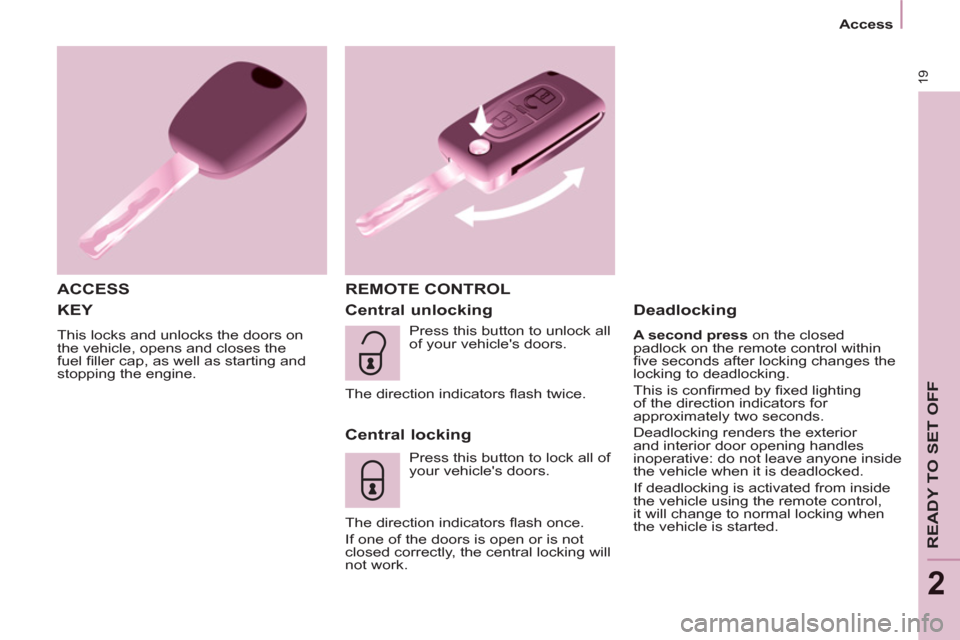
KEY
This locks and unlocks the doors on
the vehicle, opens and closes the
fuel fi ller cap, as well as starting and
stopping the engine.
ACCESS REMOTE CONTROL
Central unlocking
Central locking
Press this button to lock all of
your vehicle's doors.
The direction indicators fl ash once.
If one of the doors is open or is not
closed correctly, the central locking will
not work.
Deadlocking
A second press on the closed
padlock on the remote control within
fi ve seconds after locking changes the
locking to deadlocking.
This is confi rmed by fi xed lighting
of the direction indicators for
approximately two seconds.
Deadlocking renders the exterior
and interior door opening handles
inoperative: do not leave anyone inside
the vehicle when it is deadlocked.
If deadlocking is activated from inside
the vehicle using the remote control,
it will change to normal locking when
the vehicle is started. Press this button to unlock all
of your vehicle's doors.
The direction indicators fl ash twice.
Page 23 of 240
21
Access
READY TO SET OFF
2
When leaving the vehicle, check that
the lamps are off and nothing of value
is visible.
As a safety precaution (with children
on board), remove the key from the
ignition when leaving the vehicle,
even for a short time.
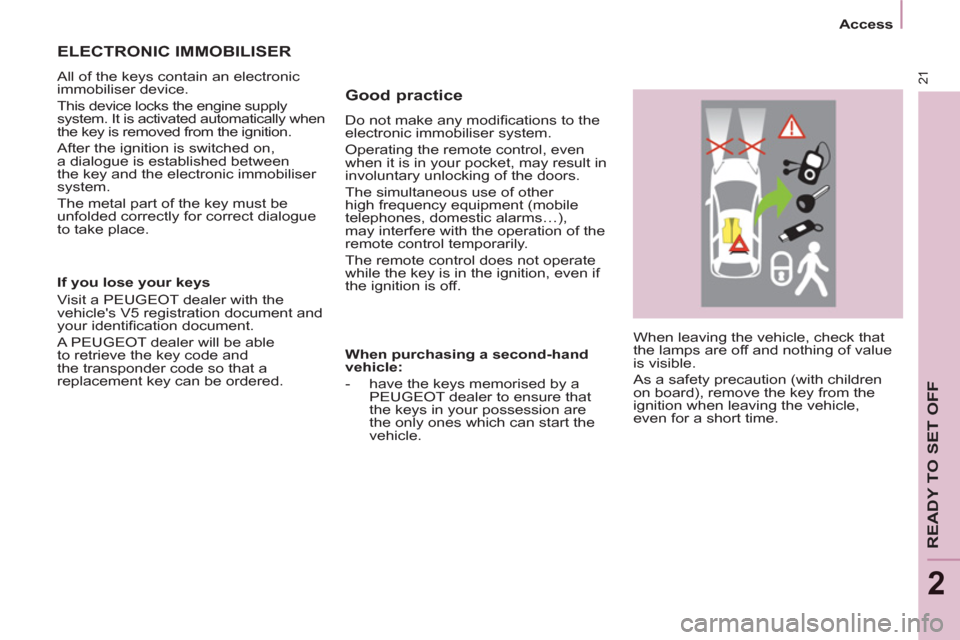
Good practice
Do not make any modifi cations to the
electronic immobiliser system.
Operating the remote control, even
when it is in your pocket, may result in
involuntary unlocking of the doors.
The simultaneous use of other
high frequency equipment (mobile
telephones, domestic alarms…),
may interfere with the operation of the
remote control temporarily.
The remote control does not operate
while the key is in the ignition, even if
the ignition is off.
ELECTRONIC IMMOBILISER
All of the keys contain an electronic
immobiliser device.
This device locks the engine supply
system. It is activated automatically when
the key is removed from the ignition.
After the ignition is switched on,
a dialogue is established between
the key and the electronic immobiliser
system.
The metal part of the key must be
unfolded correctly for correct dialogue
to take place.
If you lose your keys
Visit a PEUGEOT dealer with the
vehicle's V5 registration document and
your identifi cation document.
A PEUGEOT dealer will be able
to retrieve the key code and
the transponder code so that a
replacement key can be ordered.
When purchasing a second-hand
vehicle:
- have the keys memorised by a
PEUGEOT dealer to ensure that
the keys in your possession are
the only ones which can start the
vehicle.
Page 24 of 240
22
Access
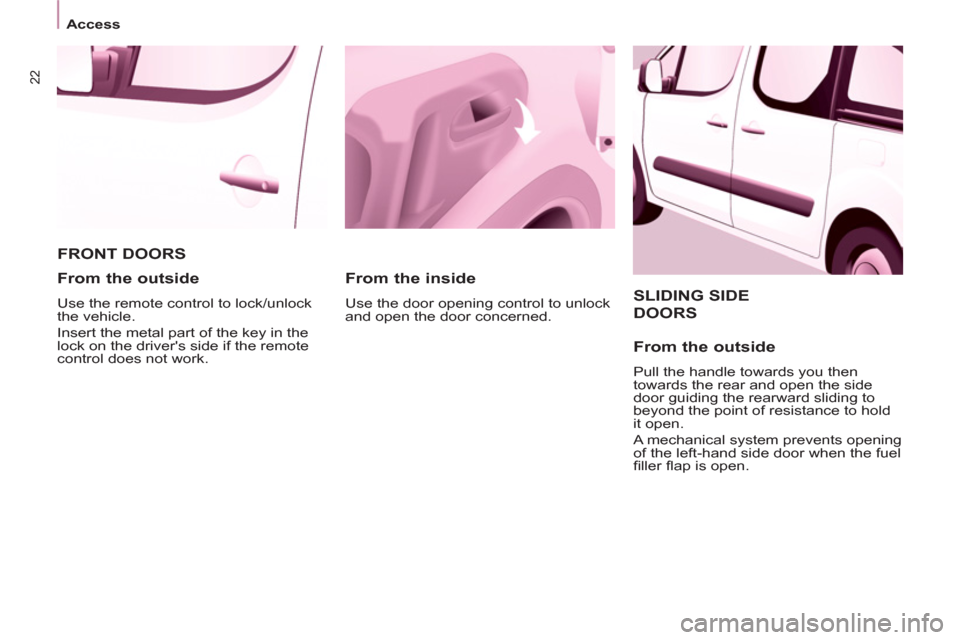
SLIDING SIDE
DOORS
From the outside
Pull the handle towards you then
towards the rear and open the side
door guiding the rearward sliding to
beyond the point of resistance to hold
it open.
A mechanical system prevents opening
of the left-hand side door when the fuel
fi ller fl ap is open.
FRONT DOORS
From the inside
Use the door opening control to unlock
and open the door concerned.
From the outside
Use the remote control to lock/unlock
the vehicle.
Insert the metal part of the key in the
lock on the driver's side if the remote
control does not work.
Page 25 of 240
23
Access
READY TO SET OFF
2
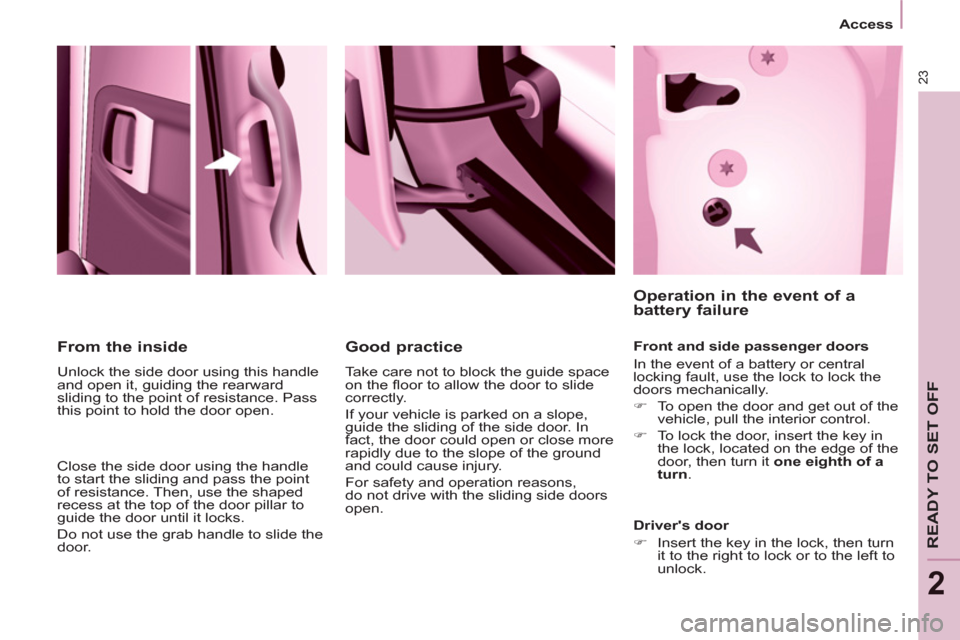
From the inside
Unlock the side door using this handle
and open it, guiding the rearward
sliding to the point of resistance. Pass
this point to hold the door open.
Close the side door using the handle
to start the sliding and pass the point
of resistance. Then, use the shaped
recess at the top of the door pillar to
guide the door until it locks.
Do not use the grab handle to slide the
door.
Good practice
Take care not to block the guide space
on the fl oor to allow the door to slide
correctly.
If your vehicle is parked on a slope,
guide the sliding of the side door. In
fact, the door could open or close more
rapidly due to the slope of the ground
and could cause injury.
For safety and operation reasons,
do not drive with the sliding side doors
open.
Operation in the event of a
battery failure
Front and side passenger doors
In the event of a battery or central
locking fault, use the lock to lock the
doors mechanically.
)
To open the door and get out of the
vehicle, pull the interior control.
)
To lock the door, insert the key in
the lock, located on the edge of the
door, then turn it one eighth of a
turn
.
Driver's door
)
Insert the key in the lock, then turn
it to the right to lock or to the left to
unlock.
Page 26 of 240
24
Access
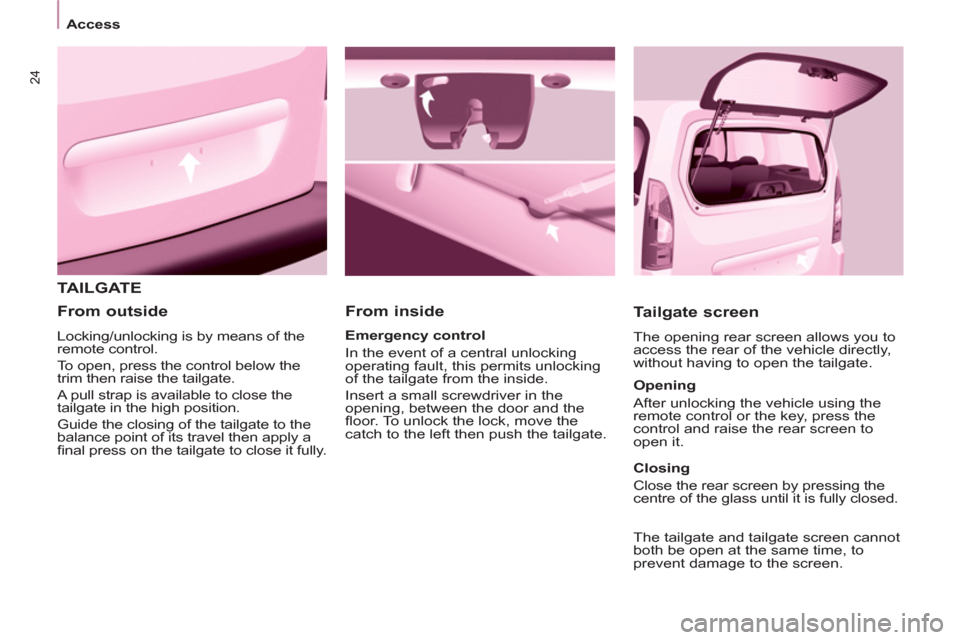
TAILGATE
From inside
Tailgate screen
The opening rear screen allows you to
access the rear of the vehicle directly,
without having to open the tailgate.
Emergency control
In the event of a central unlocking
operating fault, this permits unlocking
of the tailgate from the inside.
Insert a small screwdriver in the
opening, between the door and the
fl oor. To unlock the lock, move the
catch to the left then push the tailgate.
From outside
Locking/unlocking is by means of the
remote control.
To open, press the control below the
trim then raise the tailgate.
A pull strap is available to close the
tailgate in the high position.
Guide the closing of the tailgate to the
balance point of its travel then apply a
fi nal press on the tailgate to close it fully.
Opening
After unlocking the vehicle using the
remote control or the key, press the
control and raise the rear screen to
open it.
Closing
Close the rear screen by pressing the
centre of the glass until it is fully closed.
The tailgate and tailgate screen cannot
both be open at the same time, to
prevent damage to the screen.
Page 27 of 240
25
Access
READY TO SET OFF
2
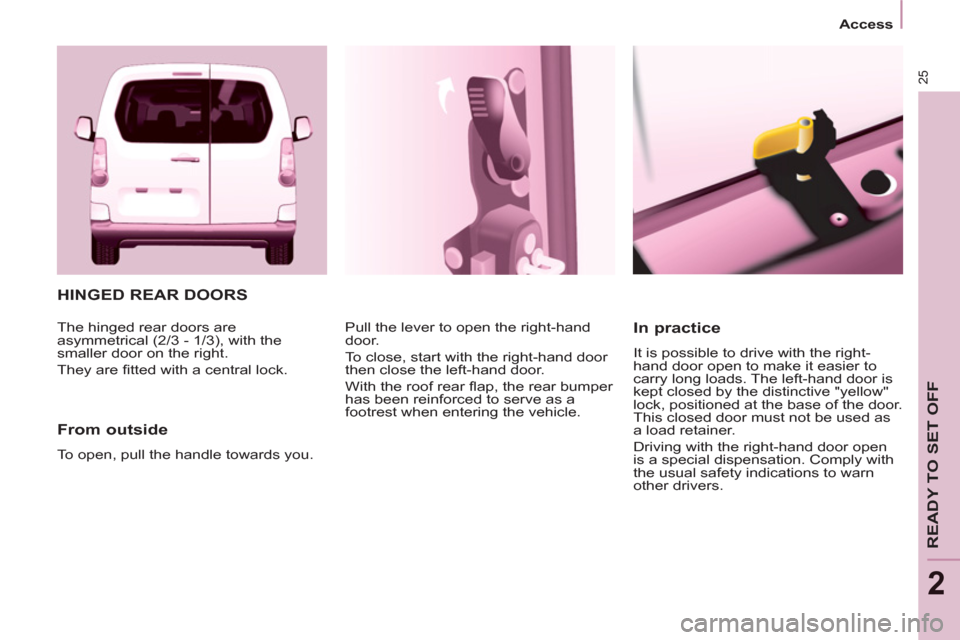
HINGED REAR DOORS
From outside
To open, pull the handle towards you. Pull the lever to open the right-hand
door.
To close, start with the right-hand door
then close the left-hand door.
With the roof rear fl ap, the rear bumper
has been reinforced to serve as a
footrest when entering the vehicle.
In practice
It is possible to drive with the right-
hand door open to make it easier to
carry long loads. The left-hand door is
kept closed by the distinctive "yellow"
lock, positioned at the base of the door.
This closed door must not be used as
a load retainer.
Driving with the right-hand door open
is a special dispensation. Comply with
the usual safety indications to warn
other drivers. The hinged rear doors are
asymmetrical (2/3 - 1/3), with the
smaller door on the right.
They are fi tted with a central lock.
Page 29 of 240
27
Access
READY TO SET OFF
2
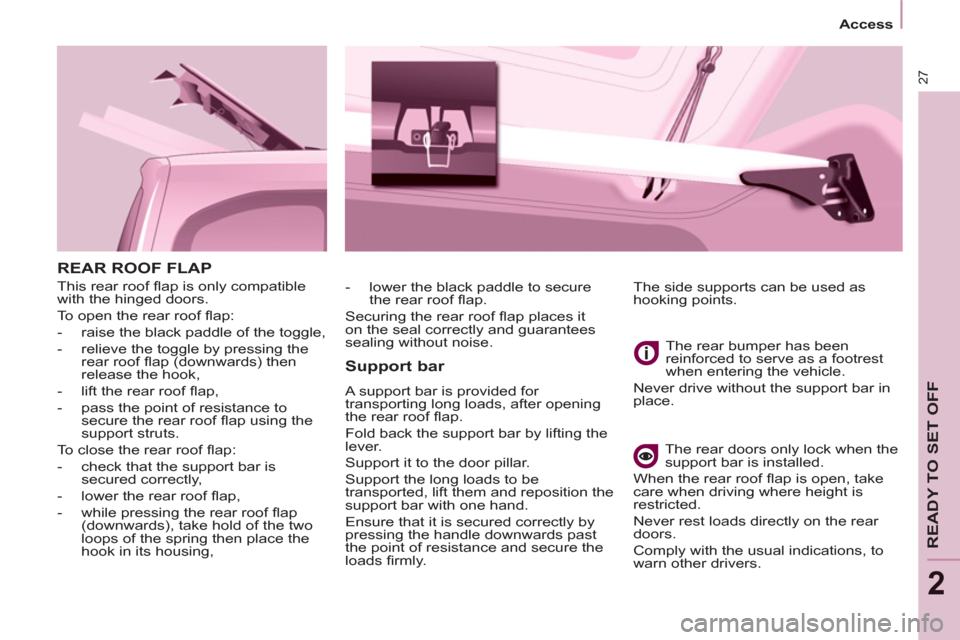
REAR ROOF FLAP
This rear roof fl ap is only compatible
with the hinged doors.
To open the rear roof fl ap:
- raise the black paddle of the toggle,
- relieve the toggle by pressing the
rear roof fl ap (downwards) then
release the hook,
- lift the rear roof fl ap,
- pass the point of resistance to
secure the rear roof fl ap using the
support struts.
To close the rear roof fl ap:
- check that the support bar is
secured correctly,
- lower the rear roof fl ap,
- while pressing the rear roof fl ap
(downwards), take hold of the two
loops of the spring then place the
hook in its housing,
Support bar
A support bar is provided for
transporting long loads, after opening
the rear roof fl ap.
Fold back the support bar by lifting the
lever.
Support it to the door pillar.
Support the long loads to be
transported, lift them and reposition the
support bar with one hand.
Ensure that it is secured correctly by
pressing the handle downwards past
the point of resistance and secure the
loads fi rmly. The rear bumper has been
reinforced to serve as a footrest
when entering the vehicle.
Never drive without the support bar in
place.
The rear doors only lock when the
support bar is installed.
When the rear roof fl ap is open, take
care when driving where height is
restricted.
Never rest loads directly on the rear
doors.
Comply with the usual indications, to
warn other drivers. The side supports can be used as
hooking points.
- lower the black paddle to secure
the rear roof fl ap.
Securing the rear roof fl ap places it
on the seal correctly and guarantees
sealing without noise.
Page 30 of 240
28
Access
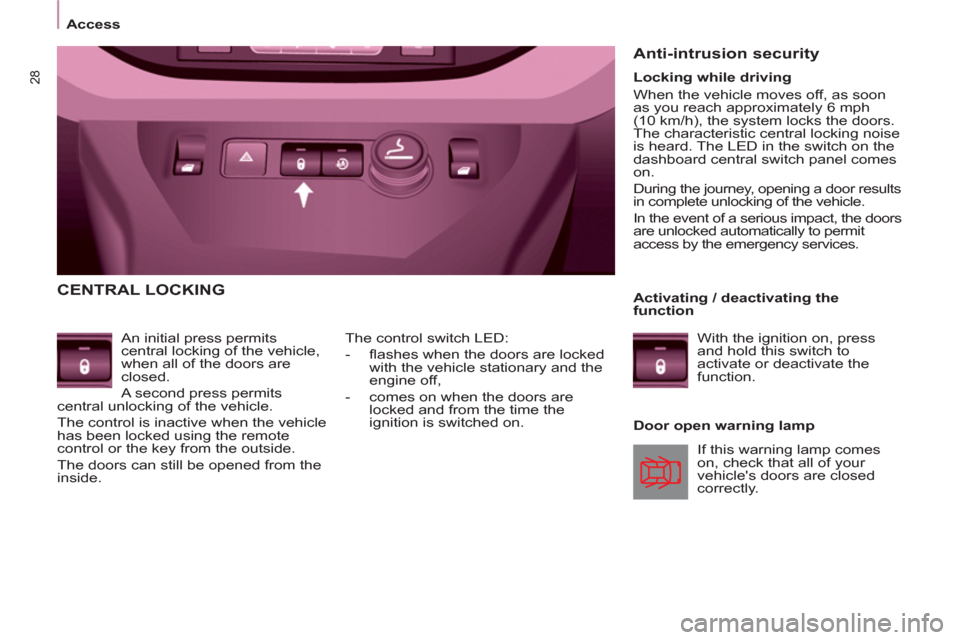
CENTRAL LOCKING
An initial press permits
central locking of the vehicle,
when all of the doors are
closed.
A second press permits
central unlocking of the vehicle.
The control is inactive when the vehicle
has been locked using the remote
control or the key from the outside.
The doors can still be opened from the
inside.
Door open warning lamp
The control switch LED:
- fl ashes when the doors are locked
with the vehicle stationary and the
engine off,
- comes on when the doors are
locked and from the time the
ignition is switched on.
Anti-intrusion security
If this warning lamp comes
on, check that all of your
vehicle's doors are closed
correctly.
Locking while driving
When the vehicle moves off, as soon
as you reach approximately 6 mph
(10 km/h), the system locks the doors.
The characteristic central locking noise
is heard. The LED in the switch on the
dashboard central switch panel comes
on.
During the journey, opening a door results
in complete unlocking of the vehicle.
In the event of a serious impact, the doors
are unlocked automatically to permit
access by the emergency services.
Activating / deactivating the
function
With the ignition on, press
and hold this switch to
activate or deactivate the
function.