radio controls Peugeot Partner Tepee 2012 Owner's Manual
[x] Cancel search | Manufacturer: PEUGEOT, Model Year: 2012, Model line: Partner Tepee, Model: Peugeot Partner Tepee 2012Pages: 240, PDF Size: 7.41 MB
Page 5 of 240
3
Contents
CONTENT
S
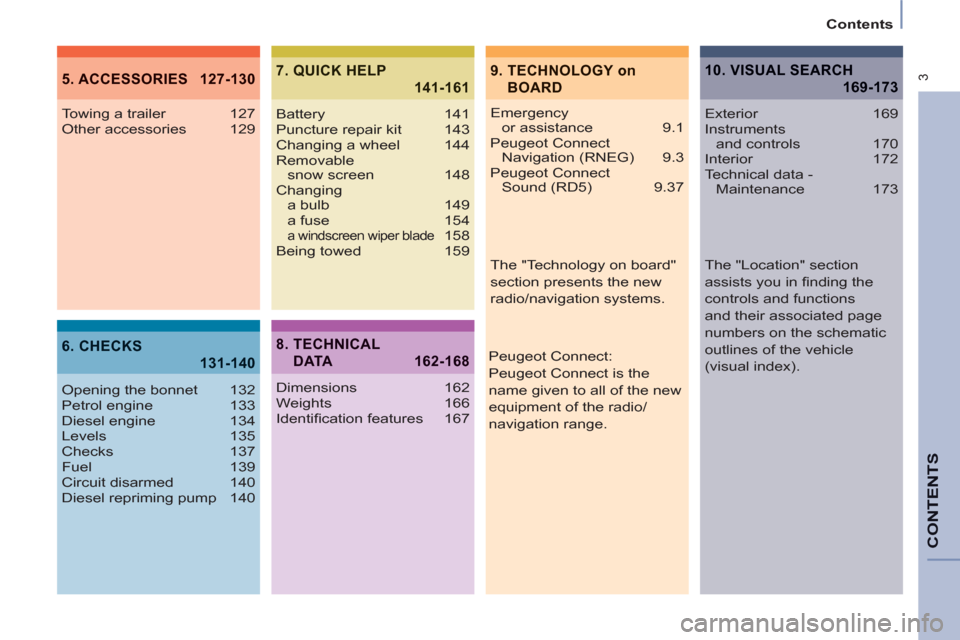
9. TECHNOLOGY on
BOARD5. ACCESSORIES 127-130
6. CHECKS
131-140
7. QUICK HELP
141-161
Emergency
or assistance 9.1
Peugeot Connect
Navigation (RNEG) 9.3
Peugeot Connect
Sound (RD5) 9.37 Towing a trailer 127
Other accessories 129
Opening the bonnet 132
Petrol engine 133
Diesel engine 134
Levels 135
Checks 137
Fuel 139
Circuit disarmed 140
Diesel repriming pump 140Battery 141
Puncture repair kit 143
Changing a wheel 144
Removable
snow screen 148
Changing
a bulb 149
a fuse 154
a windscreen wiper blade 158
Being towed 159
8. TECHNICAL
DATA 162-168
Dimensions 162
Weights 166
Identifi cation features 167
10. VISUAL SEARCH
169-173
Exterior 169
Instruments
and controls 170
Interior 172
Technical data -
Maintenance 173
Peugeot Connect:
Peugeot Connect is the
name given to all of the new
equipment of the radio/
navigation range.
The "Technology on board"
section presents the new
radio/navigation systems.
The "Location" section
assists you in fi nding the
controls and functions
and their associated page
numbers on the schematic
outlines of the vehicle
(visual index).
Page 173 of 240
9.3
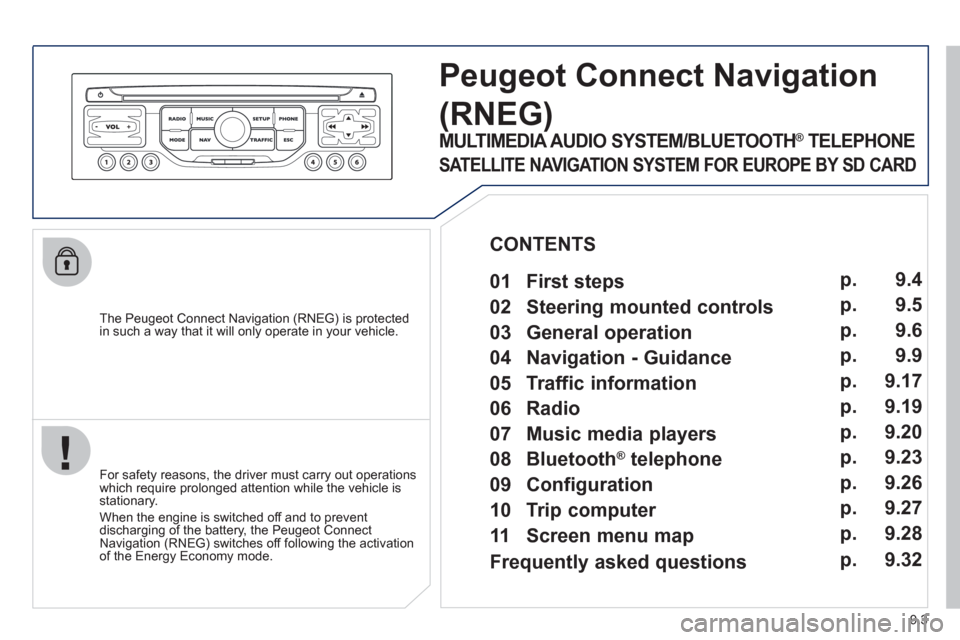
The Peugeot Connect Navigation (RNEG) is protected in such a way that it will only operate in your vehicle.
Peugeot ConnectNavigation
(RNEG)
For safety reasons, the driver must carry out operations which require prolonged attention while the vehicle is stationary.
When the en
gine is switched off and to prevent
discharging of the battery, the Peugeot Connect
Navigation (RNEG) switches off following the activation of the Energy Economy mode.
MULTIMEDIA AUDIO SYSTEM/BLUETOOTH ®
TELEPHONE
SATELLITE NAVIGATION SYSTEM FOR EUROPE BY SD CARD
01 First steps
CONTENTS
02 Steering mounted controls
03 General operation
04 Navigation - Guidance
05 Traffic information
06 Radio
07 Music media players
08 Bluetooth
®
telephone
09 Configuration
10 Trip computer p.
p.
p.
p.
p.
p.
p.
p.
p.
p.
11 Screen menu map p. 9.4
9.5
9.6
9.9
9.17
9.19
9.20
9.23
9.26
9.27
9.28
Frequently asked questions p. 9.32
Page 175 of 240
02
9.5
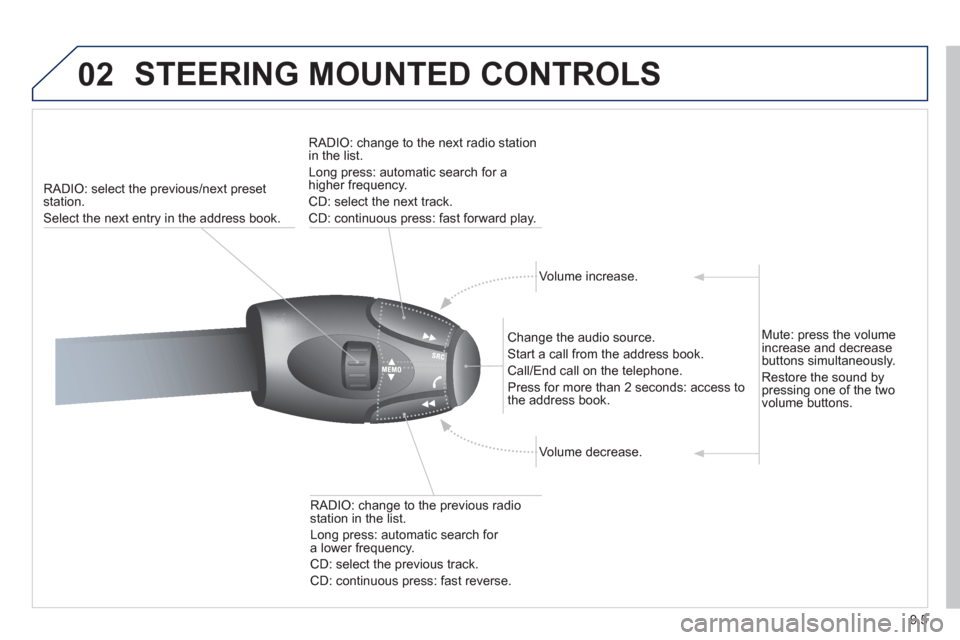
STEERING MOUNTED CONTROLS
RADIO: select the previous/next preset station.
Select the next entr
y in the address book.RADI
O: change to the next radio station in the list.
Lon
g press: automatic search for ahigher frequency.
CD: select the next track.
CD: continuous press: fast forward pla
y.
Volume increase.
Change the audio source.
Start a call from the address book.
Call/End call on the telephone.
Pr
ess for more than 2 seconds: access to
the address book.
V
olume decrease.
RADI
O: change to the previous radiostation in the list.
Lon
g press: automatic search for a lower frequency.
CD: select the previous track.
CD: continuous press: fast reverse.
Mute: press the volume increase and decreasebuttons simultaneously.
Restore the sound b
y pressing one of the two
volume buttons.
Page 209 of 240
02
9.39
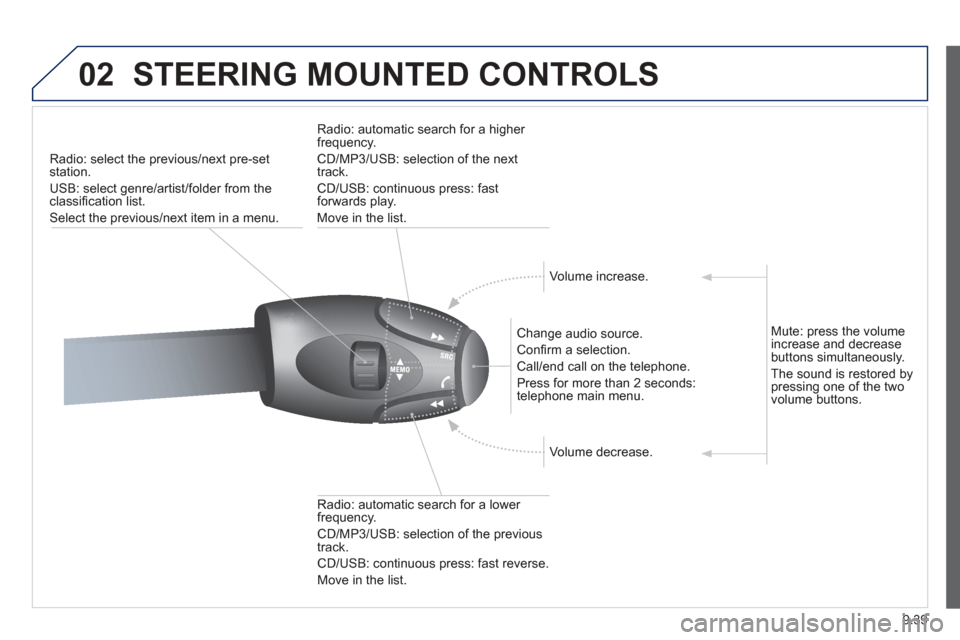
STEERING MOUNTED CONTROLS
Radio: select the previous/next pre-setstation.
U
SB: select genre/artist/folder from the classifi cation list.
Select the previous/next item in a menu.
Chan
ge audio source.
Confi rm a selection.
Call/end call on the telephone.
Pr
ess for more than 2 seconds:
telephone main menu.
R
adio: automatic search for a lower
frequency.
CD/MP3/USB: selection of the previous
tr
ack.
CD/USB: continuous press: fast reverse.
Move in the list.
Radio: automatic search for a hi
gher
frequency.
CD/MP3/USB: selection of the next
track.
CD/USB: continuous press: fastforwards play.
M
ove in the list.
V
olume increase.
V
olume decrease.
Mute: press the volume increase and decrease buttons simultaneously.
The sound is restored by
pressing one of the two
volume buttons.