change time Peugeot Partner Tepee 2015 User Guide
[x] Cancel search | Manufacturer: PEUGEOT, Model Year: 2015, Model line: Partner Tepee, Model: Peugeot Partner Tepee 2015Pages: 276, PDF Size: 12.76 MB
Page 148 of 276
146
Partner_2_VP_en_Chap07_Verification_ed02-2014
Bleeding water from the Diesel
filterManual gearbox
Have the level checked in accordance
with the manufacturer's servicing
schedule.
Only use products recommended
by P
euge O t
or products
of equivalent quality and
specification.
In order to optimise the operation
of units as important as the braking
system, P
euge O t
selects and of
fers
specific products.
In order to avoid damaging the
electrical units, high pressure washing
to clean the engine compartment is
strictly prohibited.
After washing the vehicle dampness,
or in winter, ice may form on the brake
discs and pads: braking efficiency may
be reduced. Make some light brake
applications to dry and de-ice the
brakes.
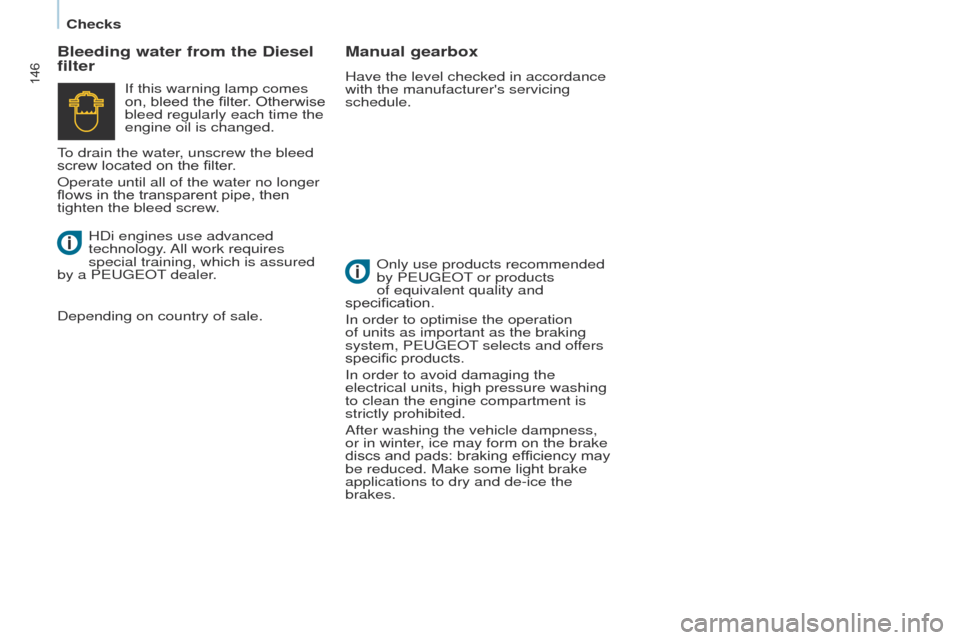
If this warning lamp comes
on, bleed the filter. Otherwise
bleed regularly each time the
engine oil is changed.
HDi engines use advanced
technology. All work requires
special training, which is assured
by a P
euge
O
t
dealer
.
Depending on country of sale.
to drain the water
, unscrew the bleed
screw located on the filter.
Operate until all of the water no longer
flows in the transparent pipe, then
tighten the bleed screw.
Checks
Page 162 of 276
160
Partner_2_VP_en_Chap08_Aide-rapide_ed02-2014
1. Parking the vehicle
- the occupants must get out of the
vehicle and wait in a safe location.
-
If possible, park the vehicle on
level, stable and non-slippery
ground.
-
Apply the parking brake, switch
of
f the ignition and engage first or
reverse gear. -
Place a chock under the wheel
diagonally opposite the one to be
changed.
CHANGING A WHEEL
2. Tools
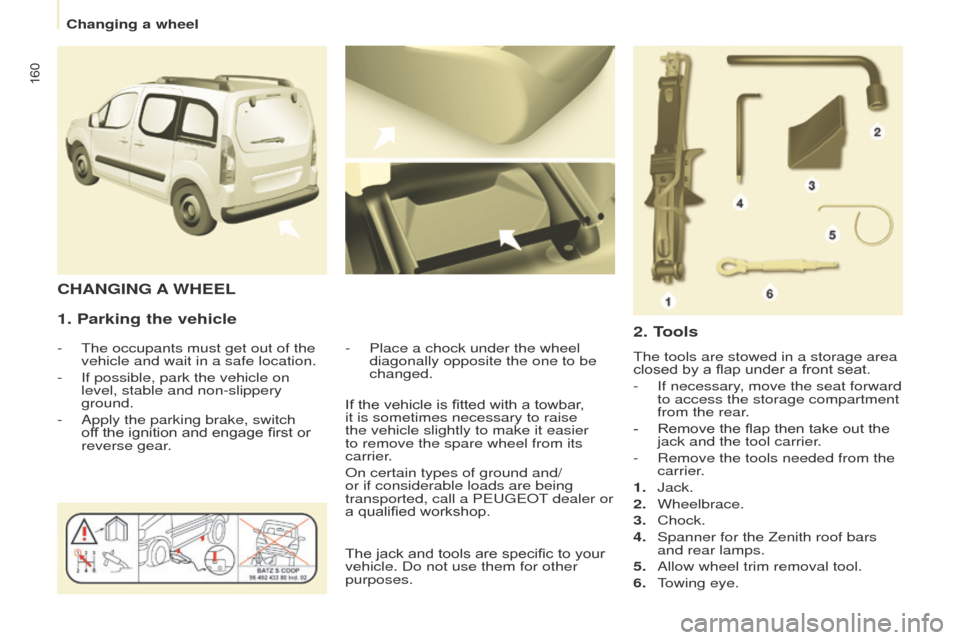
the tools are stowed in a storage area
closed by a flap under a front seat.
-
If necessary
, move the seat forward
to access the storage compartment
from the rear.
-
Remove the flap then take out the
jack and the tool carrier
.
-
Remove the tools needed from the
carrier
.
1.
Jack.
2.
Wheelbrace.
3.
Chock.
4.
Spanner for the Zenith roof bars
and rear lamps.
5.
Allow wheel trim removal tool.
6.
t
owing eye.
If the vehicle is fitted with a towbar
,
it is sometimes necessary to raise
the vehicle slightly to make it easier
to remove the spare wheel from its
carrier.
On certain types of ground and/
or if considerable loads are being
transported, call a P
euge
O
t
dealer or
a qualified workshop.
The jack and tools are specific to your
vehicle. Do not use them for other
purposes.
Changing a wheel
Page 170 of 276
168
Partner_2_VP_en_Chap08_Aide-rapide_ed02-2014
CHANGING A BULB
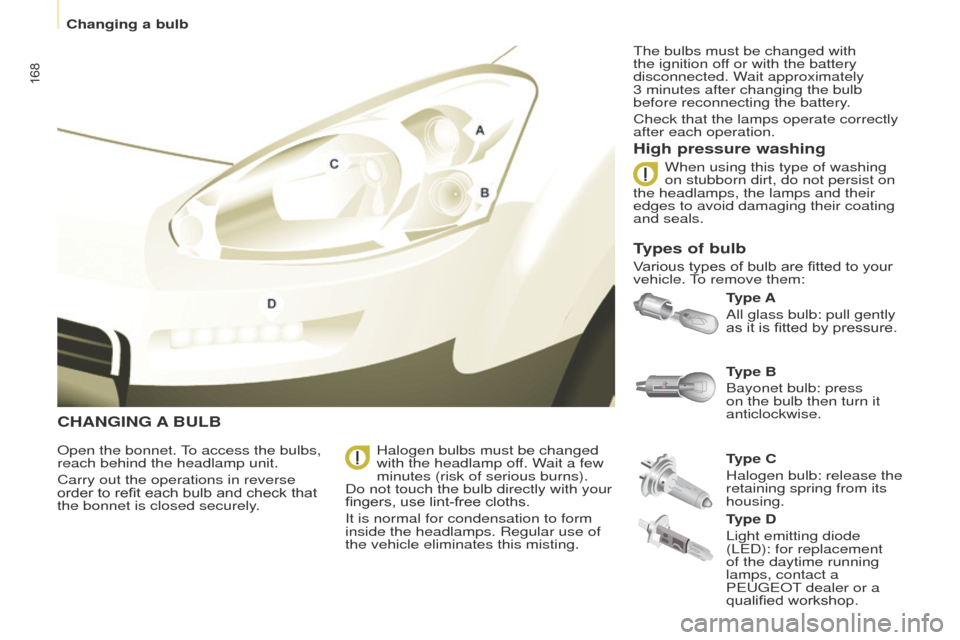
Type A
All glass bulb: pull gently
as it is fitted by pressure.
High pressure washing
Open the bonnet. to access the bulbs,
reach behind the headlamp unit.
Carry out the operations in reverse
order to refit each bulb and check that
the bonnet is closed securely
. Type C
Halogen bulb: release the
retaining spring from its
housing. Type B
Bayonet bulb: press
on the bulb then turn it
anticlockwise.
Halogen bulbs must be changed
with the headlamp off. Wait a few
minutes (risk of serious burns).
Do not touch the bulb directly with your
fingers, use lint-free cloths.
It is normal for condensation to form
inside the headlamps. Regular use of
the vehicle eliminates this misting.
t
he bulbs must be changed with
the ignition off or with the battery
disconnected. Wait approximately
3 minutes after changing the bulb
before reconnecting the battery.
Check that the lamps operate correctly
after each operation.
When using this type of washing
on stubborn dirt, do not persist on
the headlamps, the lamps and their
edges to avoid damaging their coating
and seals.
Types of bulb
Various types of bulb are fitted to your
vehicle. to remove them:
T
ype D
Light emitting diode
(L
e D): for replacement
of the daytime running
lamps, contact a
P
euge O t
dealer or a
qualified workshop.
Changing a bulb
Page 173 of 276
171
Partner_2_VP_en_Chap08_Aide-rapide_ed02-2014
REAR LAMPS
this procedure requires the use of
the spanner supplied with the tools for
changing a wheel.
When refitting, take care to
reposition the tabs and the supply
wire correctly to avoid trapping the
wire.
After changing the rear direction
indicator bulb, the reinitialisation time is
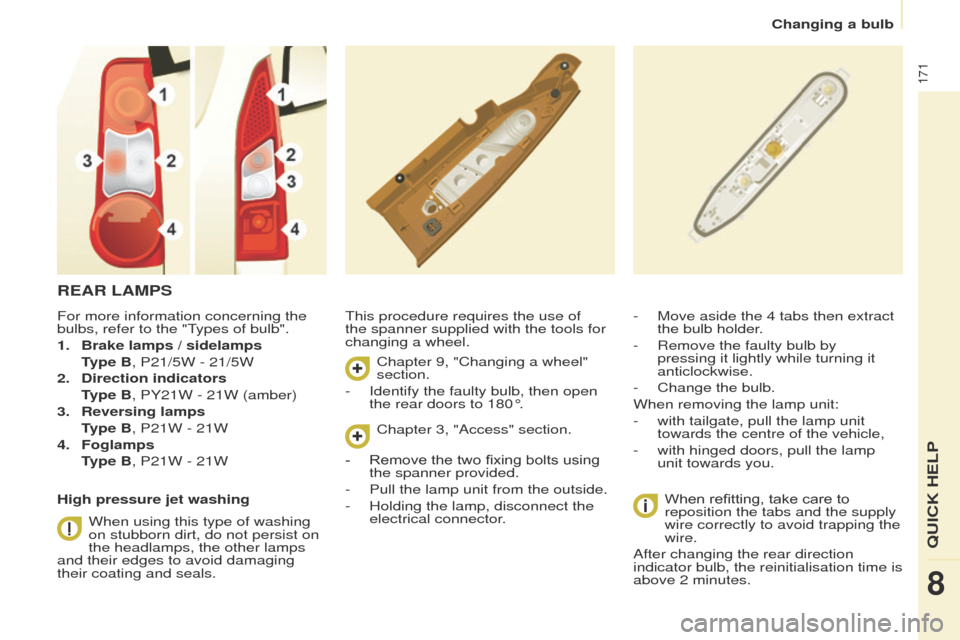
above 2 minutes. - Move aside the 4 tabs then extract
the bulb holder
.
-
Remove the faulty bulb by
pressing it lightly while turning it
anticlockwise.
-
Change the bulb.
When removing the lamp unit:
-
with tailgate, pull the lamp unit
towards the centre of the vehicle,
-
with hinged doors, pull the lamp
unit towards you.
For more information concerning the
bulbs, refer to the "
types of bulb".
1.
Brake lamps / sidelamps
T
ype B, P21/5W - 21/5W
2.
Direction indicators
T
ype B, PY21W - 21W (amber)
3.
Reversing lamps
T
ype B, P21W - 21W
4.
Foglamps
T
ype B, P21W - 21W
High pressure jet washing When using this type of washing
on stubborn dirt, do not persist on
the headlamps, the other lamps
and their edges to avoid damaging
their coating and seals. Chapter 9, "Changing a wheel"
section.
-
Identify the faulty bulb, then open
the rear doors to 180°. Chapter 3, "Access" section.
-
Remove the two fixing bolts using
the spanner provided.
-
Pull the lamp unit from the outside.
-
Holding the lamp, disconnect the
electrical connector
.
Changing a bulb
QuICK HeLP
8
Page 230 of 276
08
10.40
Partner_2_VP_en_Chap10b_RT6-2-8_ed02-2014
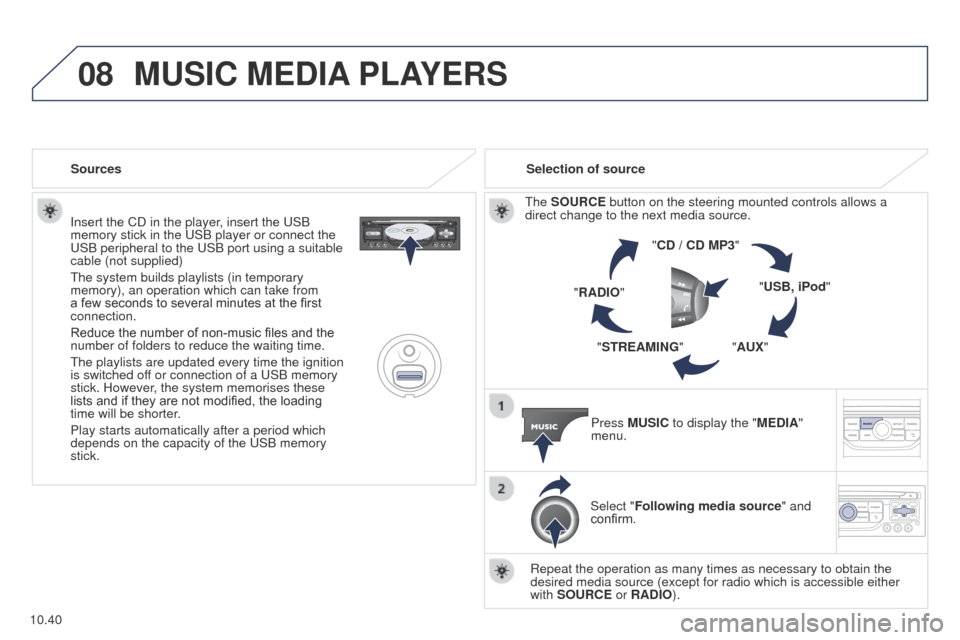
Insert the CD in the player, insert the uSB
memory stick in the u SB player or connect the
u
SB peripheral to the u SB port using a suitable
cable (not supplied)
t
he system builds playlists (in temporary
memory), an operation which can take from
a few seconds to several minutes at the first
connection.
Reduce the number of non-music files and the
number of folders to reduce the waiting time.
t
he playlists are updated every time the ignition
is switched off or connection of a
u SB memory
stick. However, the system memorises these
lists and if they are not modified, the loading
time will be shorter.
Play starts automatically after a period which
depends on the capacity of the
u SB memory
stick. Selection of source
t
he SOURCE button on the steering mounted controls allows a
direct change to the next media source.
"CD / CD MP3"
"USB, iPod"
"AUX"
"STREAMING"
"RADIO"
Press MUSIC to display the "MEDIA"
menu.
Select "Following media source " and
confirm.
Repeat the operation as many times as necessary to obtain the
desired media source (except for radio which is accessible either
with SOURCE or RADIO).
Sources
MUSIC MEDIA
PLAYERS
Page 237 of 276
11
10.47
Partner_2_VP_en_Chap10b_RT6-2-8_ed02-2014
TRIP COMPUTER
Trip computer
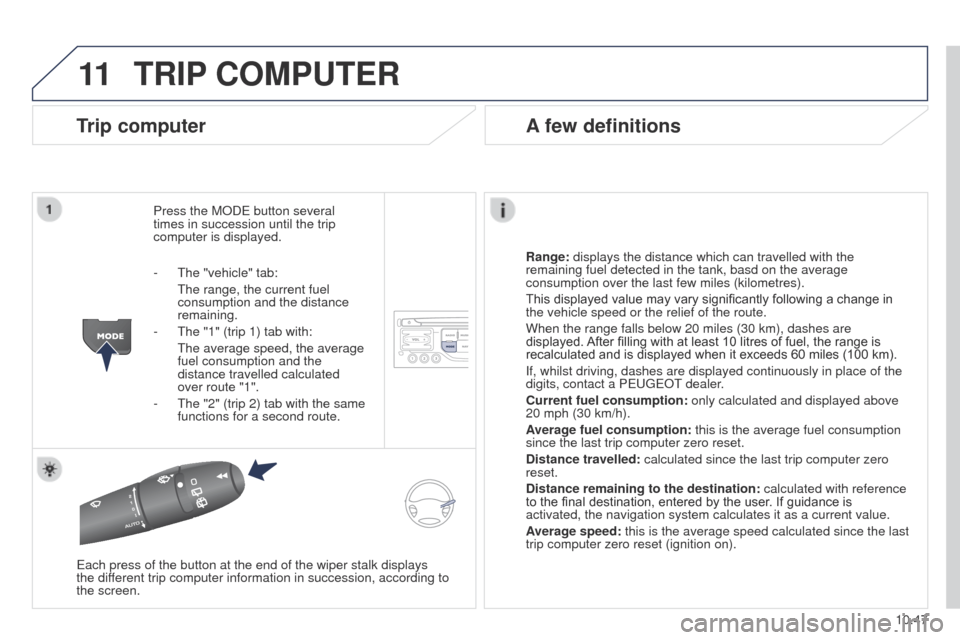
Press the MODe button several
times in succession until the trip
computer is displayed.
Range:
displays the distance which can travelled with the
remaining fuel detected in the tank, basd on the average
consumption over the last few miles (kilometres).
This displayed value may vary significantly following a change in
the vehicle speed or the relief of the route.
When the range falls below 20 miles (30 km), dashes are
displayed. After filling with at least 10 litres of fuel, the range is
recalculated and is displayed when it exceeds 60 miles (100 km).
If, whilst driving, dashes are displayed continuously in place of the
digits, contact a P
euge O t
dealer
.
Current fuel consumption:
only calculated and displayed above
20 mph (30 km/h).
Average fuel consumption: this is the average fuel consumption
since the last trip computer zero reset.
Distance travelled: calculated since the last trip computer zero
reset.
Distance remaining to the destination:
calculated with reference
to the final destination, entered by the user. If guidance is
activated, the navigation system calculates it as a current value.
Average speed: this is the average speed calculated since the last
trip computer zero reset (ignition on).
e
ach press of the button at the end of the wiper stalk displays
the
different trip computer information in succession, according to
the screen.
A few definitions
- the "vehicle" tab:
t he range, the current fuel
consumption and the distance
remaining.
-
t he "1" (trip 1) tab with:
t he average speed, the average
fuel consumption and the
distance travelled calculated
over route "1".
-
t he "2" (trip 2) tab with the same
functions for a second route.
Page 253 of 276
04
10.63
Partner_2_VP_en_Chap10c_RD45_ed02_2014
AUDIO
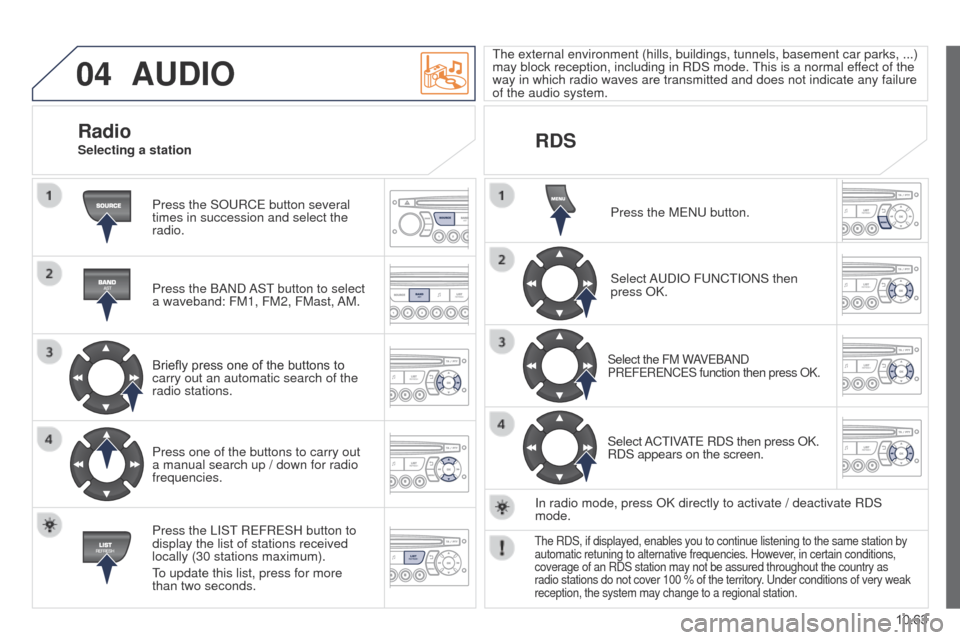
Press the SOuRCe button several
times in succession and select the
radio.
Press the BAND
AS t
button to select
a waveband: FM1, FM2, FMast,
AM.
Briefly press one of the buttons to
carry out an automatic search of the
radio stations.
Press one of the buttons to carry out
a manual search up / down for radio
frequencies.
Press the LIS
t
R
e FR e SH button to
display the list of stations received
locally (30 stations maximum).
to update this list, press for more
than two seconds.
t
he external environment (hills, buildings, tunnels, basement car parks, ...)
may block reception, including in RDS mode.
t
his is a normal effect of the
way in which radio waves are transmitted and does not indicate any failu\
re
of the audio system.
RDS
RadioSelecting a station
Press the M e N u button.
Select A
u DIO F u NC t IONS then
press OK.
Select the FM WAVeBAND
PR e F e R e NC e S function then press OK.
Select ACtIVAte RDS then press OK.
RDS appears on the screen.
In radio mode, press OK directly to activate / deactivate RDS
mode.
the RDS, if displayed, enables you to continue listening to the same stat\
ion by
automatic retuning to alternative frequencies. However , in certain conditions,
coverage of an RDS station may not be assured throughout the country as
radio stations do not cover 100 % of the territory.
u nder conditions of very weak
reception, the system may change to a regional station.