display Peugeot Partner Tepee 2016 User Guide
[x] Cancel search | Manufacturer: PEUGEOT, Model Year: 2016, Model line: Partner Tepee, Model: Peugeot Partner Tepee 2016Pages: 296, PDF Size: 10.76 MB
Page 46 of 296
Instruments and controls
44
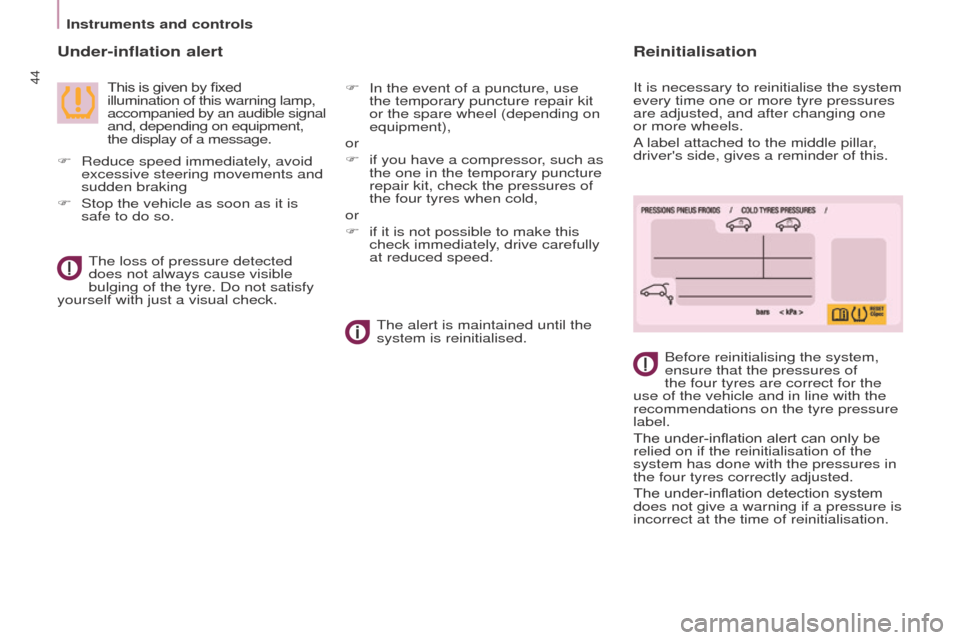
under-inflation alert
This is given by fixed
illumination of this warning lamp,
accompanied by an audible signal
and, depending on equipment,
the display of a message.Before reinitialising the system,
ensure that the pressures of
the four tyres are correct for the
use of the vehicle and in line with the
recommendations on the tyre pressure
label.
The under-inflation alert can only be
relied on if the reinitialisation of the
system has done with the pressures in
the four tyres correctly adjusted.
The under-inflation detection system
does not give a warning if a pressure is
incorrect at the time of reinitialisation.
The loss of pressure detected
does not always cause visible
bulging of the tyre. Do not satisfy
yourself with just a visual check.
The alert is maintained until the
system is reinitialised.
F
Reduce speed immediately
, avoid
excessive steering movements and
sudden braking
F
Stop the vehicle as soon as it is
safe to do so. F
In the event of a puncture, use
the temporary puncture repair kit
or the spare wheel (depending on
equipment),
or
F
if you have a compressor
, such as
the one in the temporary puncture
repair kit, check the pressures of
the four tyres when cold,
or
F
if it is not possible to make this
check immediately
, drive carefully
at reduced speed.
Reinitialisation
It is necessary to reinitialise the system
every time one or more tyre pressures
are adjusted, and after changing one
or more wheels.
A label attached to the middle pillar,
driver's side, gives a reminder of this.
Page 47 of 296
Instruments and controls
45
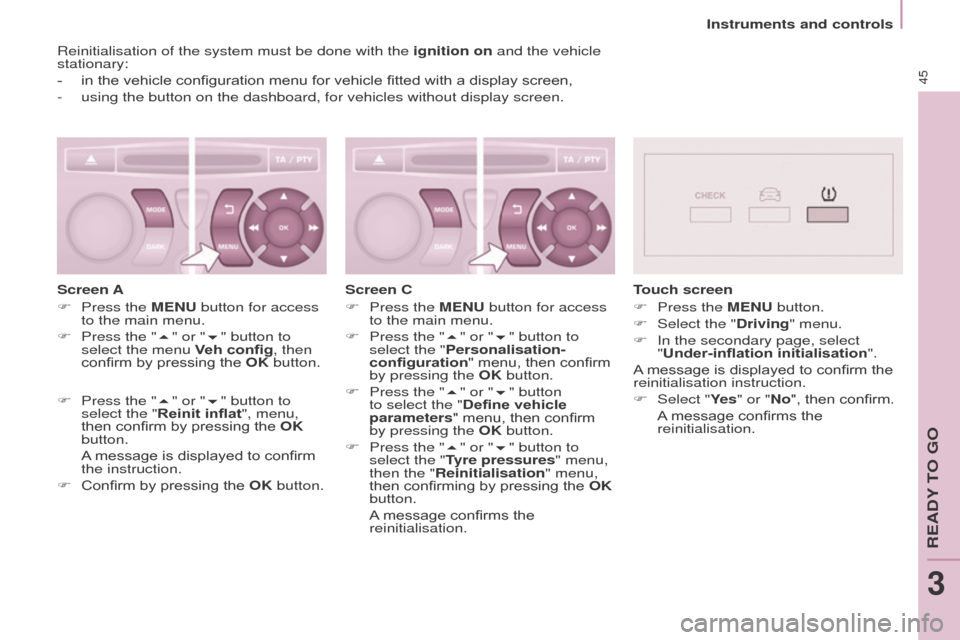
Reinitialisation of the system must be done with the ignition on and the vehicle
stationary:
-
in the vehicle configuration menu for vehicle fitted with a disp
lay screen,
-
using the button on the dashboard, for vehicles without display screen.
Screen A
F
Press the
M e N u button for access
to the main menu.
F
Press the "
5" or "6" button to
select the menu Veh config, then
confirm by pressing the
o K button.
F
Press the "
5" or "6" button to
select the "Reinit inflat", menu,
then confirm by pressing the
o K
button.
A
message is displayed to confirm
the instruction.
F
Confirm by pressing the
o K button.Screen C
F
Press the
M e N u button for access
to the main menu.
F
Press the "
5" or "6" button to
select the "Personalisation-
configuration" menu, then confirm
by pressing the
o K button.
F
Press the "
5" or "6" button
to select the "Define vehicle
parameters" menu, then confirm
by pressing the
o K button.
F
Press the "
5" or "6" button to
select the "
t
yre pressures
" menu,
then the "Reinitialisation" menu,
then confirming by pressing the
o K
button.
A
message confirms the
reinitialisation.
touch screen
F
Press the
M e N u button.
F
Select the "
Driving" menu.
F
In the secondary page, select
"
Under-inflation initialisation".
A message is displayed to confirm the
reinitialisation instruction.
F
Select "
Ye s" or "No", then confirm.
A
message confirms the
reinitialisation.
ReADY to go
3
Page 49 of 296
Instruments and controls
47
SeRVICe INDICAto R
This programmes service intervals
according to the use of the vehicle. More than 1 000 miles/km before the
next service is duee
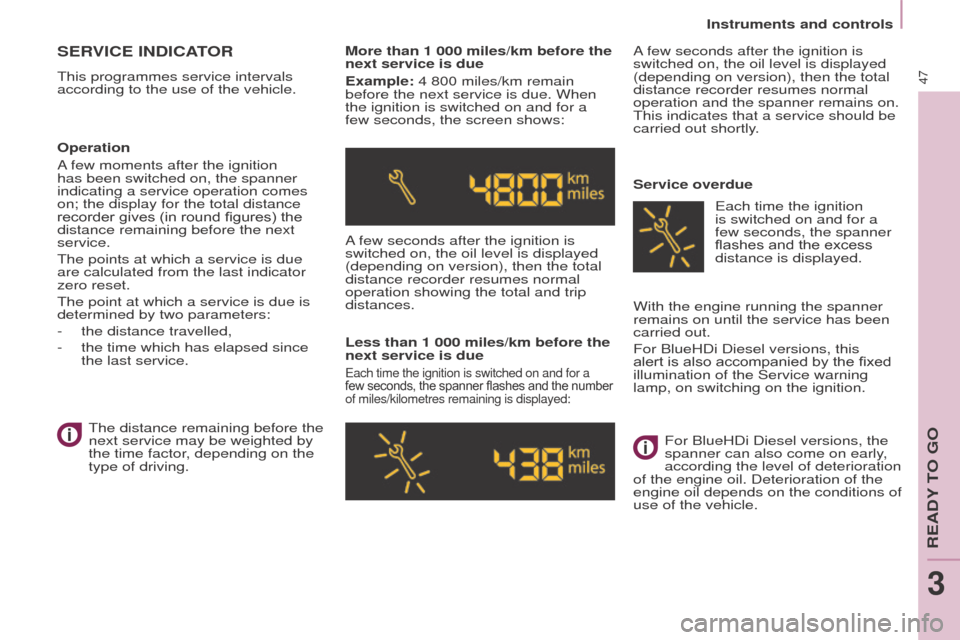
xample: 4 800 miles/km remain
before the next service is due. When
the ignition is switched on and for a
few seconds, the screen shows:
A few seconds after the ignition is
switched on, the oil level is displayed
(depending on version), then the total
distance recorder resumes normal
operation showing the total and trip
distances.
Less than 1 000 miles/km before the
next service is due
each time the ignition is switched on and for a
few seconds, the spanner flashes and the number
of miles/kilometres remaining is displayed:
A few seconds after the ignition is
switched on, the oil level is displayed
(depending on version), then the total
distance recorder resumes normal
operation and the spanner remains on.
This indicates that a service should be
carried out shortly.
Service overdue
o
peration
A few moments after the ignition
has been switched on, the spanner
indicating a service operation comes
on; the display for the total distance
recorder gives (in round figures) the
distance remaining before the next
service.
The points at which a service is due
are calculated from the last indicator
zero reset.
The point at which a service is due is
determined by two parameters:
-
the distance travelled,
-
the time which has elapsed since
the last service. The distance remaining before the
next service may be weighted by
the time factor
, depending on the
type of driving. With the engine running the spanner
remains on until the service has been
carried out.
For BlueHDi Diesel versions, this
alert is also accompanied by the fixed
illumination of the Service warning
lamp, on switching on the ignition.
e
ach time the ignition
is switched on and for a
few
seconds, the spanner
flashes and the excess
distance is displayed.
For BlueHDi Diesel versions, the
spanner can also come on early,
according the level of deterioration
of the engine oil. Deterioration of the
engine oil depends on the conditions of
use of the vehicle.
ReADY to go
3
Page 50 of 296
Instruments and controls
48
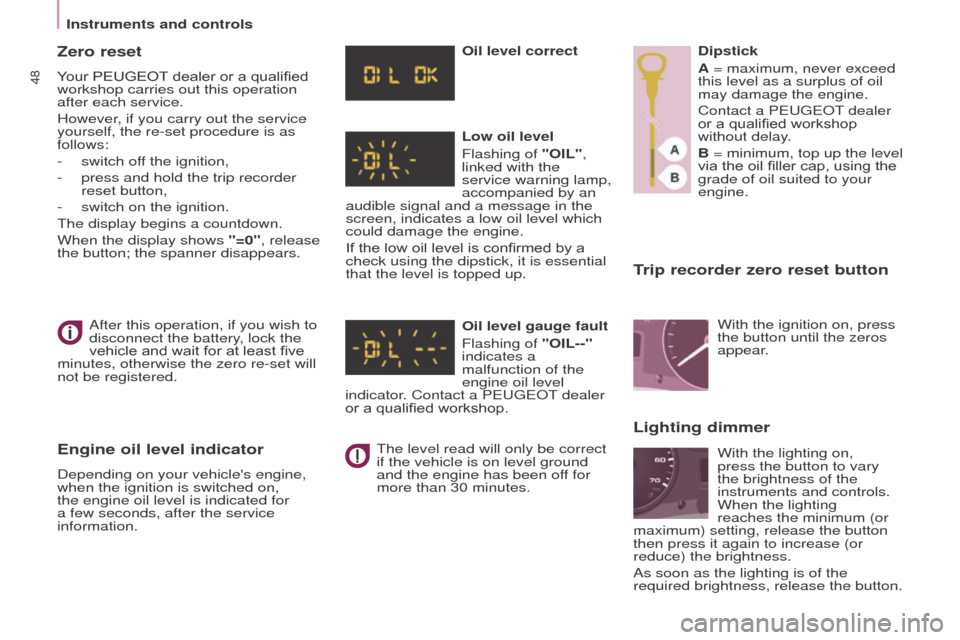
trip recorder zero reset button
After this operation, if you wish to
disconnect the battery, lock the
vehicle and wait for at least five
minutes, otherwise the zero re-set will
not be registered.
engine oil level indicator
Depending on your vehicle's engine,
when the ignition is switched on,
the engine oil level is indicated for
a few
seconds, after the service
information.
o
il level correct
Low oil level
Flashing of " o IL",
linked with the
service warning lamp,
accompanied by an
audible signal and a message in the
screen, indicates a low oil level which
could damage the engine.
If the low oil level is confirmed by a
check using the dipstick, it is essential
that the level is topped up.
o
il level gauge fault
Flashing of " o IL--"
indicates a
malfunction of the
engine oil level
indicator. Contact a P eugeo T dealer
or a qualified workshop.
The level read will only be correct
if the vehicle is on level ground
and the engine has been off for
more than 30 minutes. Dipstick
A = maximum, never exceed
this level as a surplus of oil
may damage the engine.
Contact a P
eugeo T dealer
or a qualified workshop
without delay.
B = minimum, top up the level
via the oil filler cap, using the
grade of oil suited to your
engine.
Lighting dimmer
With the ignition on, press
the button until the zeros
appear.
With the lighting on,
press the button to vary
the brightness of the
instruments and controls.
When the lighting
reaches the minimum (or
maximum) setting, release the button
then press it again to increase (or
reduce) the brightness.
As soon as the lighting is of the
required brightness, release the button.
Zero reset
Your PEUGEOT dealer or a qualified
workshop carries out this operation
after each service.
However, if you carry out the service
yourself, the re-set procedure is as
follows:
-
switch of
f the ignition,
-
press and hold the trip recorder
reset button,
-
switch on the ignition.
The display begins a countdown.
When the display shows
"=0", release
the button; the spanner disappears.
Page 56 of 296

54
going into engine StARt mode
The " e C o " warning lamp
goes off and the engine
starts:
-
with a manual gearbox
, when you
fully depress the clutch pedal,
-
with
a 6-speed electronic
gearbox:
●
gear lever in position
A or M,
when you release the brake
pedal,
●
or gear lever in position
N and
the brake pedal released, when
you move the gear lever to
position A or M,
●
or when you engage reverse
gear
.
With a manual gearbox in ST
o
P
mode, if a gear is engaged without
fully depressing the clutch pedal, a
warning lamp comes on or a message
is displayed asking you to depress the
clutch pedal to restart the engine. Special cases: S
tAR t invoked
automatically
For your safety and comfort, START is
invoked automatically when:
-
you open the driver's door
,
-
you unfasten the driver's seat belt,
-
the speed of the vehicle exceeds
15 mph (25 km/h) with a manual
gearbox or 7 mph (1
1 km/h) with
the 6-speed electronic gearbox
system,
-
some special conditions (battery
charge, engine temperature,
braking assistance, ambient
temperature...) where the engine
is needed to assure control of a
system.In this case the
" e C o "
warning lamp flashes for
few
seconds, then goes off.
t
his operation is perfectly normal.
Deactivation
At any time, press the "eCo oFF" switch to deactivate the
system.
This is confirmed by the switch warning
lamp coming on accompanied by a
message in the screen.
If the system has been deactivated
in ST
o
P mode, the engine restarts
immediately.
Reactivation
Press the "eCo oFF" switch again.
The system is active again; this is
confirmed by the switch warning
lamp going of
f and a message in the
instrument panel.
The system is reactivated
automatically at every new start
using the key.
operating fault
In the event of a malfunction
with the system, the " e C o
o
FF" switch warning lamp
flashes, then comes on
continuously.
Have it checked by a P
eugeo T
dealer or a qualified workshop.
In the event of a fault in ST
o
P mode,
the vehicle may stall. All of the warning
lamps in the instrument panel come
on. It is then necessary to switch off
the ignition and start the engine again
using the key.
Stop & Start
Page 65 of 296
63
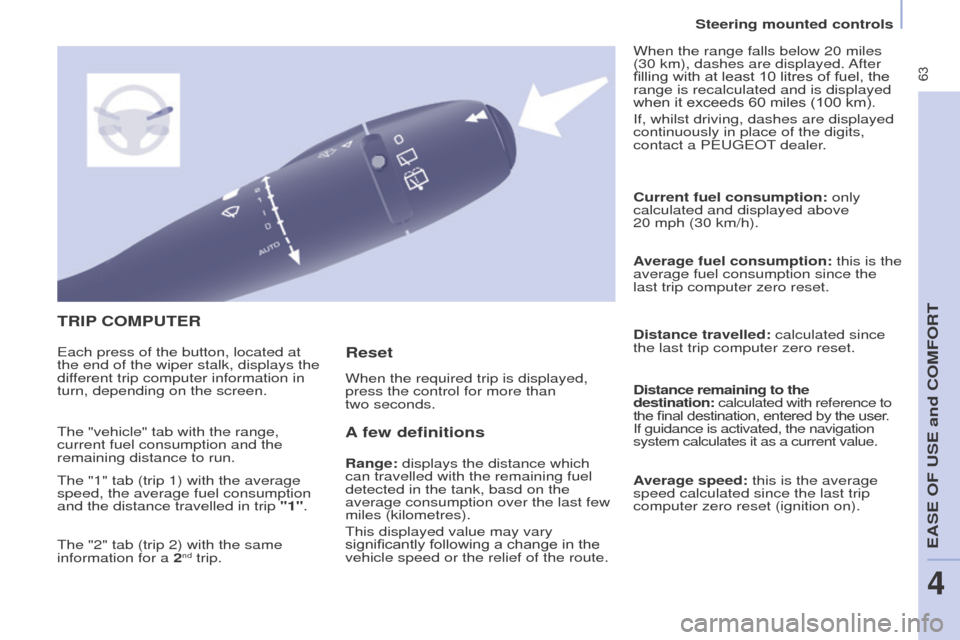
tRIP C o MP ute R
A
few definitions
Range: displays the distance which
can travelled with the remaining fuel
detected in the tank, basd on the
average consumption over the last few
miles (kilometres).
This displayed value may vary
significantly following a change in the
vehicle speed or the relief of the route. Current fuel consumption:
only
calculated and displayed above
20 mph (30 km/h).
Average fuel consumption: this is the
average fuel consumption since the
last trip computer zero reset.
Distance travelled: calculated since
the last trip computer zero reset.
Distance remaining to the
destination: calculated with reference to
the final destination, entered by the user.
If guidance is activated, the navigation
system calculates it as a current value.
Average speed: this is the average
speed calculated since the last trip
computer zero reset (ignition on).
e
ach press of the button, located at
the end of the wiper stalk, displays the
different trip computer information in
turn, depending on the screen. When the required trip is displayed,
press the control for more than
two seconds. When the range falls below 20 miles
(30 km), dashes are displayed. After
filling with at least 10 litres of fuel, the
range is recalculated and is displayed
when it exceeds 60 miles (100 km).
If, whilst driving, dashes are displayed
continuously in place of the digits,
contact a P
eugeo T dealer.
The "vehicle" tab with the range,
current fuel consumption and the
remaining distance to run.
The "1" tab (trip 1) with the average
speed, the average fuel consumption
and the distance travelled in trip "1".
The "2" tab (trip 2) with the same
information for a 2
nd trip.
Reset
Steering mounted controls
eASe oF uSe and CoMFoRt
4
Page 66 of 296
64
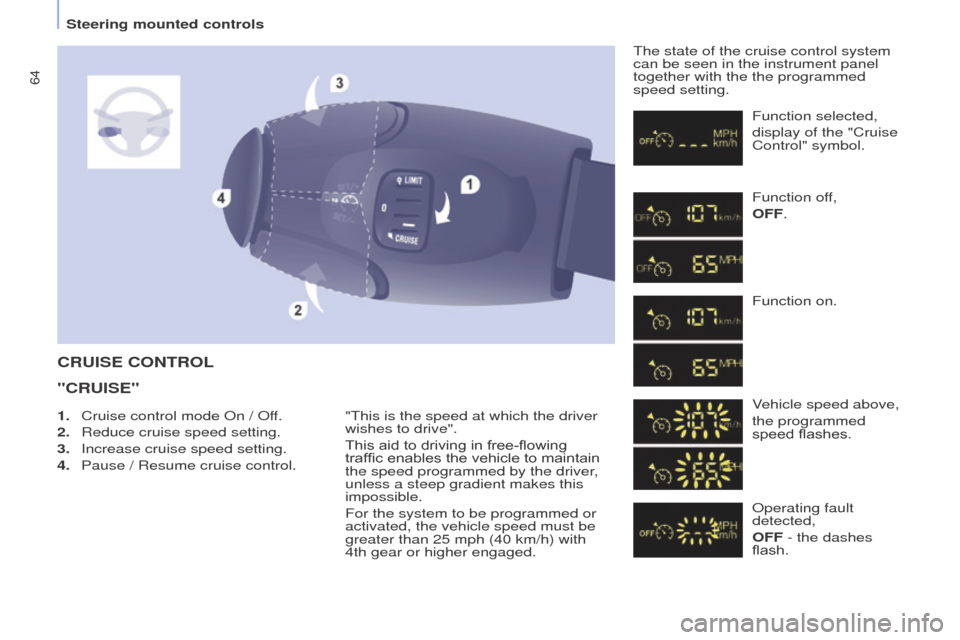
CRuISe CoNtRoL
"CR
u IS e "
"This is the speed at which the driver
wishes to drive".
This aid to driving in free-flowing
traffic enables the vehicle to maintain
the speed programmed by the driver,
unless a steep gradient makes this
impossible.
For the system to be programmed or
activated, the vehicle speed must be
greater than 25 mph (40 km/h) with
4th
gear or higher engaged. The state of the cruise control system
can be seen in the instrument panel
together with the the programmed
speed setting.
Function selected,
display of the "Cruise
Control" symbol.
Function off,
o
FF.
Function on.
Vehicle speed above,
the programmed
speed flashes.
o
perating fault
detected,
o
FF - the dashes
flash.
1.
Cruise control mode
o
n /
o
ff.
2.
Reduce cruise speed setting.
3.
Increase cruise speed setting.
4.
Pause / Resume cruise control.
Steering mounted controls
Page 69 of 296
67
The speed of the vehicle responds to
the pressure of the driver's foot, up
to the the accelerator pedal's point of
resistance, which indicates that the
programmed speed has been reached.
However, pressing the pedal beyond
this point of resistance to the floor
allows the programmed speed to be
exceeded. To resume use of the limiter,
simply reduce the pressure on the
accelerator pedal gradually and return
to a speed below that programmed.
Adjustments can be carried out
when stationary, with the engine
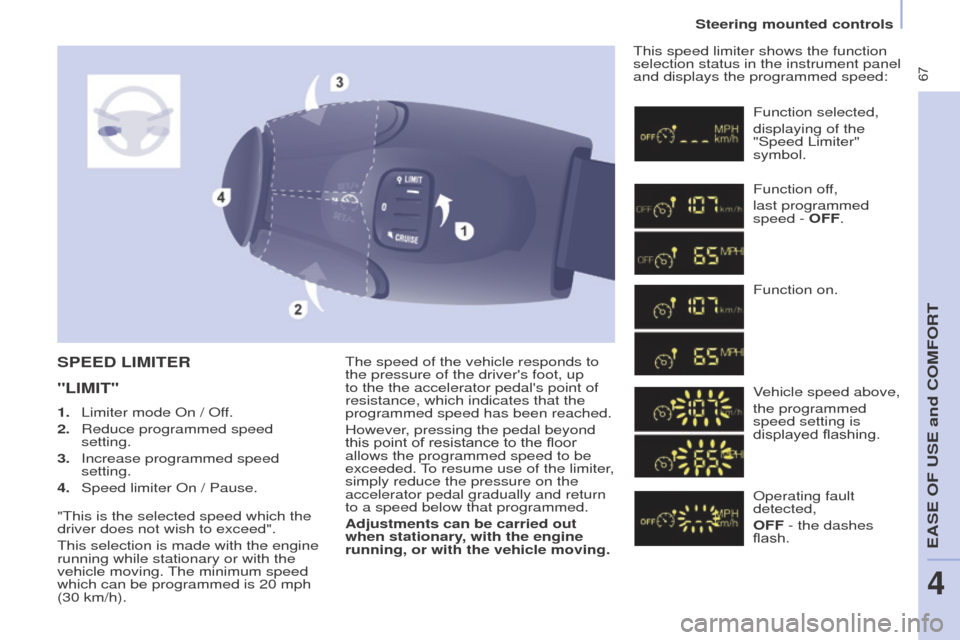
running, or with the vehicle moving.This speed limiter shows the function
selection status in the instrument panel
and displays the programmed speed:SPeeD LIMIteR
"LIMI
t "
Function selected,
displaying of the
"Speed Limiter"
symbol.
Function off,
last programmed
speed -
o FF.
Function on.
Vehicle speed above,
the programmed
speed setting is
displayed flashing.
o
perating fault
detected,
o
FF - the dashes
flash.
1.
Limiter mode
o
n /
o
ff.
2.
Reduce programmed speed
setting.
3.
Increase programmed speed
setting.
4.
Speed limiter
o
n / Pause.
"This is the selected speed which the
driver does not wish to exceed".
This selection is made with the engine
running while stationary or with the
vehicle moving. The minimum speed
which can be programmed is 20 mph
(30 km/h).
Steering mounted controls
eASe oF uSe and CoMFoRT
4
Page 74 of 296
72
good practice
For maximum cooling or heating of the
passenger compartment, it is possible
to exceed the value 15 by turning until
Lo is displayed or the value 27 by
turning until HI is displayed.
o
n entering the vehicle, the inside
temperature may be much colder (or
warmer) than is comfortable. There is
no advantage in changing the value
displayed in order to quickly reach the
level of comfort required. The system
will use its maximum performance to
reach the comfort value set.
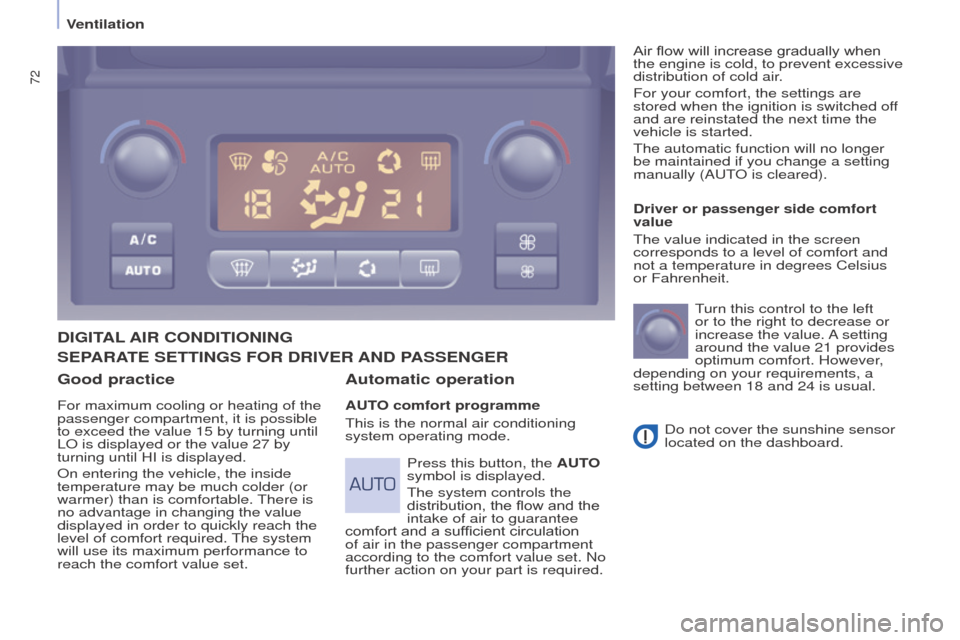
DIgItAL AIR C o NDI t I o NIN g
Automatic operation
Auto comfort programme
This is the normal air conditioning
system operating mode. Driver or passenger side comfort
value
The value indicated in the screen
corresponds to a level of comfort and
not a temperature in degrees Celsius
or Fahrenheit.
T urn this control to the left
or to the right to decrease or
increase the value. A setting
around the value 21 provides
optimum comfort. However,
depending on your requirements, a
setting between 18 and 24 is usual.
Do not cover the sunshine sensor
located on the dashboard.
Press this button, the A
uto
symbol is displayed.
The system controls the
distribution, the flow and the
intake of air to guarantee
comfort and a sufficient circulation
of air in the passenger compartment
according to the comfort value set. No
further action on your part is required. Air flow will increase gradually when
the engine is cold, to prevent excessive
distribution of cold air.
For your comfort, the settings are
stored when the ignition is switched off
and are reinstated the next time the
vehicle is started.
The automatic function will no longer
be maintained if you change a setting
manually (A
u T
o
is cleared).
SePARAte
S ett IN g S F o R DRIV e R AND PASS e N ge R
Ventilation
Page 75 of 296
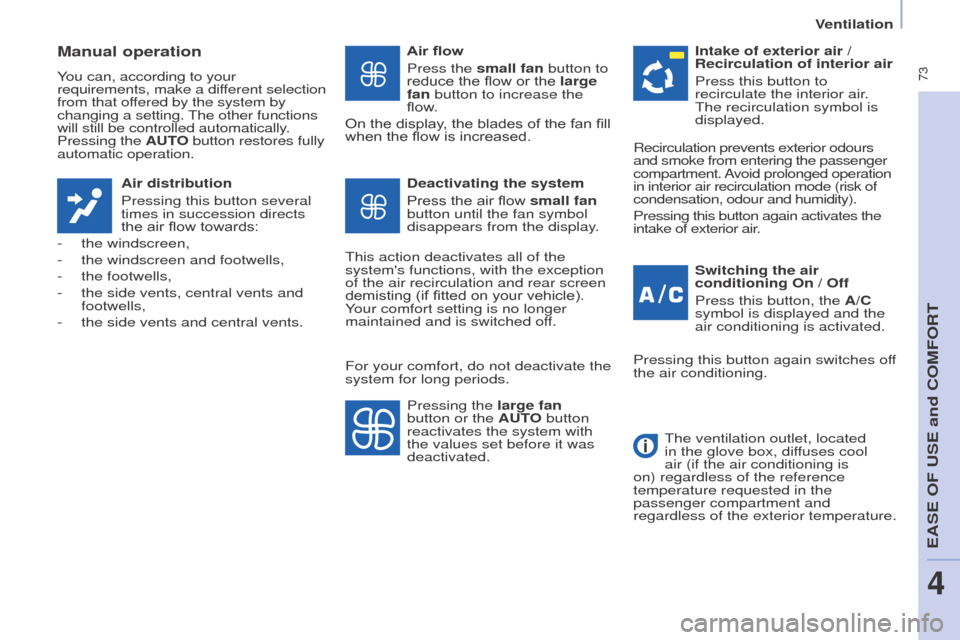
73
Manual operation
You can, according to your
requirements, make a different selection
from that offered by the system by
changing a setting. The other functions
will still be controlled automatically.
Pressing the Auto button restores fully
automatic operation.
Air distribution
Pressing this button several
times in succession directs
the air flow towards:
-
the windscreen,
-
the windscreen and footwells,
-
the footwells,
-
the side vents, central vents and
footwells,
-
the side vents and central vents. Air flow
Press the
small fan button to
reduce the flow or the large
fan button to increase the
flow.
On the display, the blades of the fan fill
when the flow is increased.
Switching the air
conditioning
o n / o ff
Press this button, the A/C
symbol is displayed and the
air conditioning is activated.
Deactivating the system
Press the air flow small fan
button until the fan symbol
disappears from the display.
This action deactivates all of the
system's functions, with the exception
of the air recirculation and rear screen
demisting (if fitted on your vehicle).
Your comfort setting is no longer
maintained and is switched off. Intake of exterior air /
Recirculation of interior air
Press this button to
recirculate the interior air.
The recirculation symbol is
displayed.
Pressing the large fan
button or the A
uto button
reactivates the system with
the values set before it was
deactivated. Recirculation prevents exterior odours
and smoke from entering the passenger
compartment. Avoid prolonged operation
in interior air recirculation mode (risk of
condensation, odour and humidity).
Pressing this button again activates the
intake of exterior air.
Pressing this button again switches off
the air conditioning.
The ventilation outlet, located
in the glove box, diffuses cool
air (if the air conditioning is
on) regardless of the reference
temperature requested in the
passenger compartment and
regardless of the exterior temperature.
For your comfort, do not deactivate the
system for long periods.
eASe oF uSe and CoMFoRT
4
Ventilation