key Peugeot Partner Tepee 2017 Owner's Guide
[x] Cancel search | Manufacturer: PEUGEOT, Model Year: 2017, Model line: Partner Tepee, Model: Peugeot Partner Tepee 2017Pages: 292, PDF Size: 10.49 MB
Page 160 of 292
158
Partner2VP_en_Chap07_Verification_ed02-2016Partner2VP_en_Chap07_Verification_ed02-2016
Cooling system
Only use the fluid recommended by the
manufacturer.
Otherwise, you risk seriously damaging
your engine.
When the engine is warm, the
temperature of the coolant is controlled
by the engine fan. As this fan can
operate with the ignition key removed
and because the cooling system is
pressurised, wait for at least one hour
after the engine has stopped before
carrying out any work.
Slacken the cap by 1/4 of a turn to
release the pressure to prevent any
risk of scalding. When the pressure
has dropped, remove the cap and top
up the level with coolant.
If fluid has to be added frequently,
this indicates a fault which must be
checked by a PEUGEOT dealer as
soon as possible.
Power steering fluid level
The vehicle must be parked on level
ground with the engine cold. Unscrew
the cap integrated with the gauge and
check the level which must be between
the MIN and MAX marks.In order to regenerate the filter, you
are advised to drive at a speed higher
than 40 mph (60 km/h) for at least five
minutes as soon as possible, when
traffic conditions permit (until the
message disappears and the service
warning lamp goes off).
During regeneration of the particle
emission filter, the noise of a relay
operating may be heard under the
dashboard.
If the message is still displayed and
if the service warning lamp remains
on, contact a PEUGEOT dealer or a
qualified workshop.
Topping up
The level must be between the MIN
and MAX marks on the expansion
bottle. If more than 1 litre of fluid is
required to top up the level, have
the system checked by a PEUGEOT
dealer or a qualified workshop.
Screenwash level
For best quality cleaning and for your
safety, we would advise that you use
products of the PEUGEOT range.
For optimum cleaning and to avoid
freezing, this fluid must not be topped
up or replaced with plain water.
Capacity of the screenwash reservoir:
approximately 3 litres.
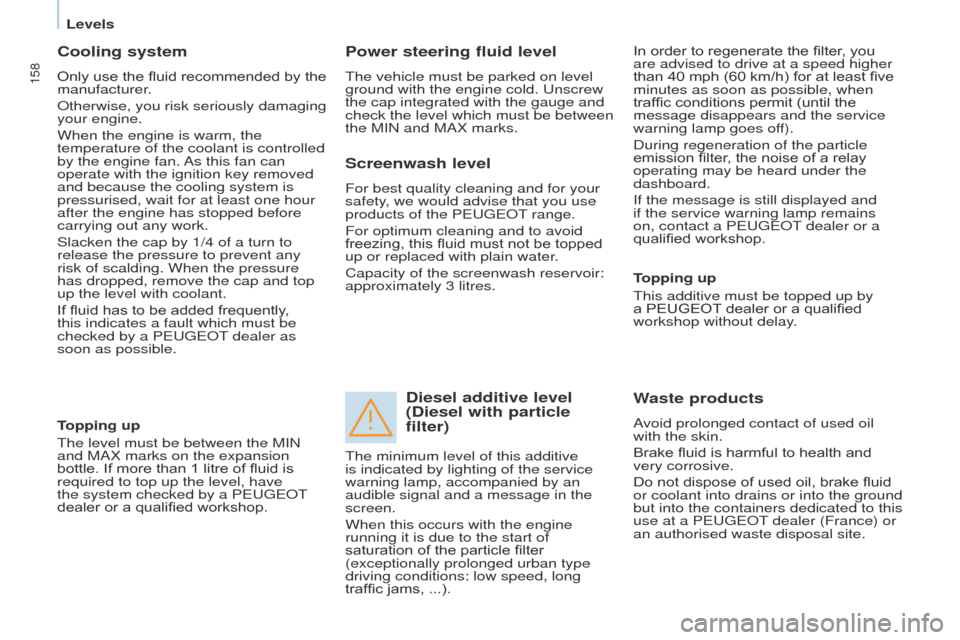
Diesel additive level
(Diesel with particle
filter)
Topping up
This additive must be topped up by
a PEUGEOT dealer or a qualified
workshop without delay.
Waste products
Avoid prolonged contact of used oil
with the skin.
Brake fluid is harmful to health and
very corrosive.
Do not dispose of used oil, brake fluid
or coolant into drains or into the ground
but into the containers dedicated to this
use at a PEUGEOT dealer (France) or
an authorised waste disposal site.
The minimum level of this additive
is indicated by lighting of the service
warning lamp, accompanied by an
audible signal and a message in the
screen.
When this occurs with the engine
running it is due to the start of
saturation of the particle filter
(exceptionally prolonged urban type
driving conditions: low speed, long
traffic jams, ...).
Levels
Page 163 of 292
161
Partner2VP_en_Chap07_Verification_ed02-2016Partner2VP_en_Chap07_Verification_ed02-2016
REFUELLING
Low fuel level
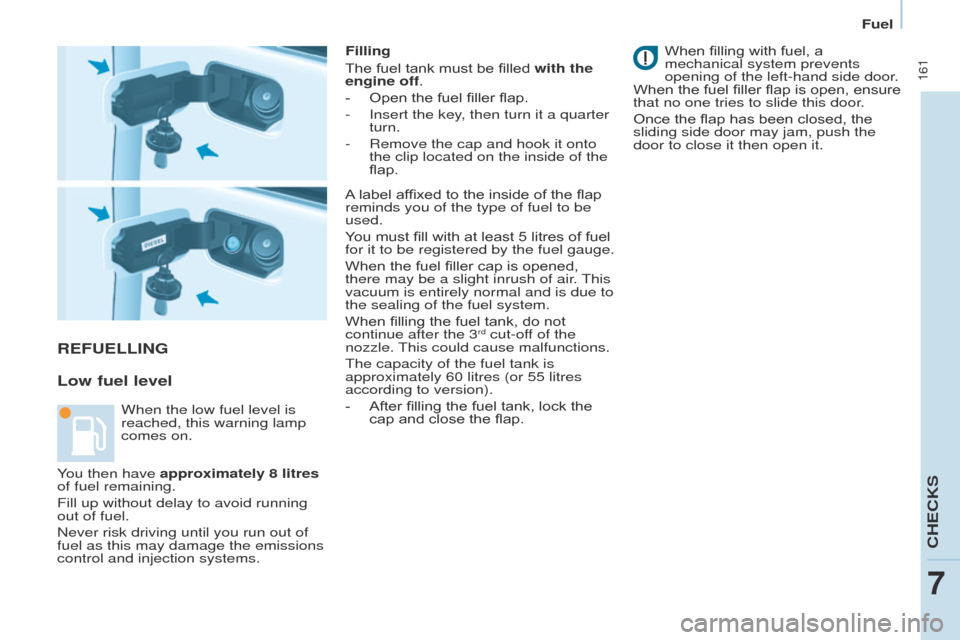
Filling
The fuel tank must be filled with the
engine off.
-
Open the fuel filler flap.
-
Insert the key
, then turn it a quarter
turn.
-
Remove the cap and hook it onto
the clip located on the inside of the
flap. When fillin
g with fuel, a
mechanical system prevents
opening of the left-hand side door.
When the fuel filler flap is open, ensure
that no one tries to slide this door.
Once the flap has been closed, the
sliding side door may jam, push the
door to close it then open it.
When the low fuel level is
reached, this warning lamp
comes on. A label affixed to the inside of the flap
reminds you of the type of fuel to be
used.
You must fill with at least 5 litres of fuel
for it to be registered by the fuel gauge.
When the fuel filler cap is opened,
there may be a slight inrush of air. This
vacuum is entirely normal and is due to
the sealing of the fuel system.
When filling the fuel tank, do not
continue after the 3
rd cut-off of the
nozzle. This could cause malfunctions.
The capacity of the fuel tank is
approximately 60 litres (or 55 litres
according to version).
-
After fillin
g the fuel tank, lock the
cap and close the flap.
You then have approximately 8 litres
of fuel remaining.
Fill up without delay to avoid running
out of fuel.
Never risk driving until you run out of
fuel as this may damage the emissions
control and injection systems.
CHECKS
7
Fuel
Page 165 of 292
163
Partner2VP_en_Chap07_Verification_ed02-2016Partner2VP_en_Chap07_Verification_ed02-2016
DIESEL PRIMING PUMP
If you run out of fuel, it is necessary to
prime the fuel circuit.
Other HDi engines
- Fill the fuel tank with at least
five
litres of Diesel.
-
Squeeze and release the manual
priming pump, under the bonnet,
under the protective cover
.
-
Operate the starter until the engine
starts.
BlueHDi engine
- Fill the fuel tank with at least five
litres of Diesel.
-
Switch on the ignition (without
starting the engine).
-
W
ait around 6 seconds and switch
off the ignition.
-
Repeat the operation 10 times.
-
Operate the starter to run the
engine.
FUEL CUT- OFF
In a serious collision, a mechanism
automatically prevents fuel from
reaching the engine.
The flashing of this warning
lamp is accompanied by a
message in the screen.
Check that there is no odour or
leakage of fuel outside the vehicle and
re-establish the fuel supply:
-
switch of
f the ignition
(STOP
position),
-
remove the key
,
-
put the key back in the ignition,
-
switch on the ignition and start.
CHECKS
7
AdBlue®
Page 173 of 292
171
Partner2VP_en_Chap08_Aide-rapide_ed02-2016
ECONOMY MODE
After the engine has stopped, with
the key in the ignition position, certain
functions (windscreen wiper, electric
windows, courtesy lamps, audio
equipment, etc.) can only be used for a
cumulative duration of thirty minutes, to
prevent discharging of the battery.
Once the thirty minutes have elapsed,
the active functions are put on standby
and the battery warning lamp flashes
accompanied by a message in the
screen.
To resume the use of these functions
immediately, start the engine and let it
run for a few minutes.
The time available will then be double
the time for which the engine was left
running. However, this time will always
be between five and thirty minutes.
A flat battery will prevent the
engine from starting.
Battery
QUICK HELP
8
Page 231 of 292
229
Partner2VP_en_Chap10a_SMEGplus_ed02-2016
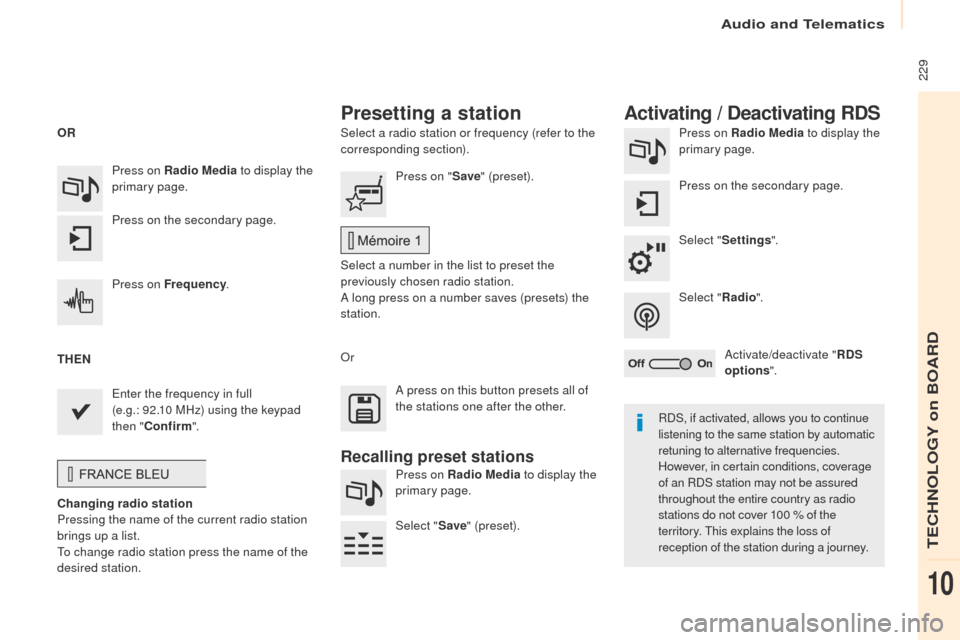
Select a radio station or frequency (refer to the
corresponding section).Press on Radio Media
to display the
primary page.
Press on the secondary page.
Select " Settings ".
Select " Radio".
Activate/deactivate " RDS
options ".
Press on Radio Media
to display the
primary page.
Press on the secondary page. Press on "
Save" (preset).
Select a number in the list to preset the
previously chosen radio station.
A long press on a number saves (presets) the
station.
Press on Frequency
.
Enter the frequency in full
(e.g.:
92.10
MHz) using the keypad
then " Confirm ".
Changing radio station
Pressing the name of the current radio station
brings up a list.
To change radio station press the name of the
desired station. Or
Press on Radio Media to display the
primary page.
Select " Save" (preset).
Presetting a station Activating / Deactivating RDS
OR
THEN
A press on this button presets all of
the stations one after the other.
Recalling preset stations
RDS, if activated, allows you to continue
listening to the same station by automatic
retuning to alternative frequencies.
However, in certain conditions, coverage
of an RDS station may not be assured
throughout the entire country as radio
stations do not cover 100 % of the
territory. This explains the loss of
reception of the station during a journey.
Audio and Telematics
TECHNOLOGY on BOARD
10
Page 256 of 292
254
Partner2VP_en_Chap10a_SMEGplus_ed02-2016
Managing paired
telephones
This function allows the connection or
disconnection of a peripheral device as
well as the deletion of a pairing.Using the telephone is not
recommended while driving.
Park the vehicle.
Make the call using the steering
mounted controls.
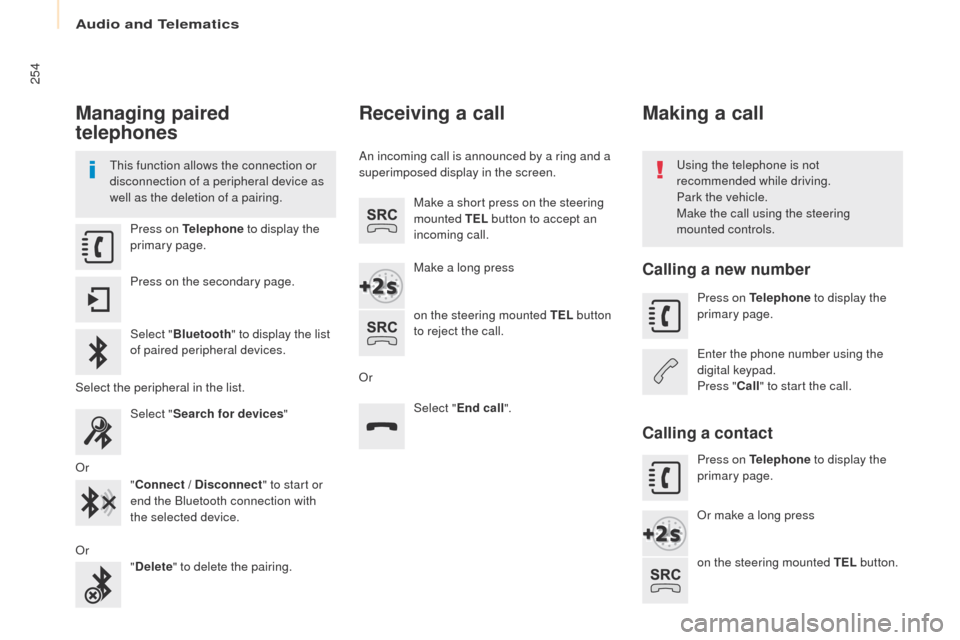
Press on Telephone
to display the
primary page.
Press on the secondary page.
Select " Bluetooth " to display the list
of paired peripheral devices.
Select the peripheral in the list. Select "Search for devices "
Or "Connect / Disconnect " to start or
end the Bluetooth connection with
the selected device.
Or "Delete " to delete the pairing.
Receiving a call
An incoming call is announced by a ring and a
superimposed display in the screen.
Make a short press on the steering
mounted TEL button to accept an
incoming call.
Make a long press
on the steering mounted TEL button
to reject the call.
Or Select "End call".
Making a call
Calling a new number
Press on Telephone to display the
primary page.
Enter the phone number using the
digital keypad.
Press " Call" to start the call.
Calling a contact
Press on Telephone to display the
primary page.
Or make a long press
on the steering mounted TEL button.
Audio and Telematics
Page 275 of 292
273
Partner2VP_en_Chap10b_RD45_ed02-2016
Use only USB memory sticks formatted FAT32
(File Allocation Table).It is recommended that you use
genuine Apple
® USB cables for correct
operation.
*
I
n certain cases, play of the audio files must
be initiated from the keypad.
** If the telephone supports the function.
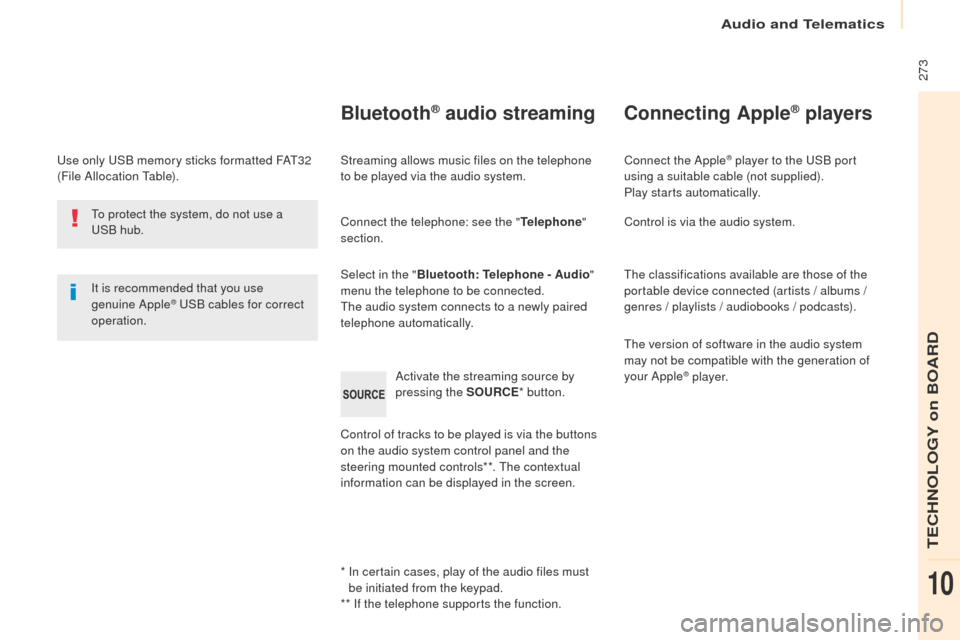
Bluetooth® audio streaming
Streaming allows music files on the telephone
to be played via the audio system.
Connect the telephone: see the " Telephone"
section.
Select in the " Bluetooth: Telephone - Audio "
menu the telephone to be connected.
The audio system connects to a newly paired
telephone automatically.
Control of tracks to be played is via the buttons
on the audio system control panel and the
steering mounted controls**. The contextual
information can be displayed in the screen. Activate the streaming source by
pressing the SOURCE
* button.
Connecting Apple® players
Connect the Apple® player to the USB port
using a suitable cable (not supplied).
Play starts automatically.
Control is via the audio system.
The classifications available are those of the
portable device connected (artists / albums /
genres / playlists / audiobooks / podcasts).
The version of software in the audio system
may not be compatible with the generation of
your Apple
® p l aye r.
To protect the system, do not use a
USB hub.
Audio and Telematics
TECHNOLOGY on BOARD
10
Page 276 of 292
274
Partner2VP_en_Chap10b_RD45_ed02-2016
Telephone
Pairing a Bluetooth® telephone
Screen C
(Available according to model and version)
As a safety measure and because they
require prolonged attention on the part
of the driver, the operations for pairing
of the Bluetooth
® mobile telephone with
the Bluetooth® hands-free system of
your audio equipment must be carried
out with the vehicle stationary and the
ignition on.
Go to www.peugeot.co.uk for more information
(compatibility, more help, ...).
Activate the telephone's Bluetooth
® function
and ensure that it is "visible to all" (telephone
configuration).
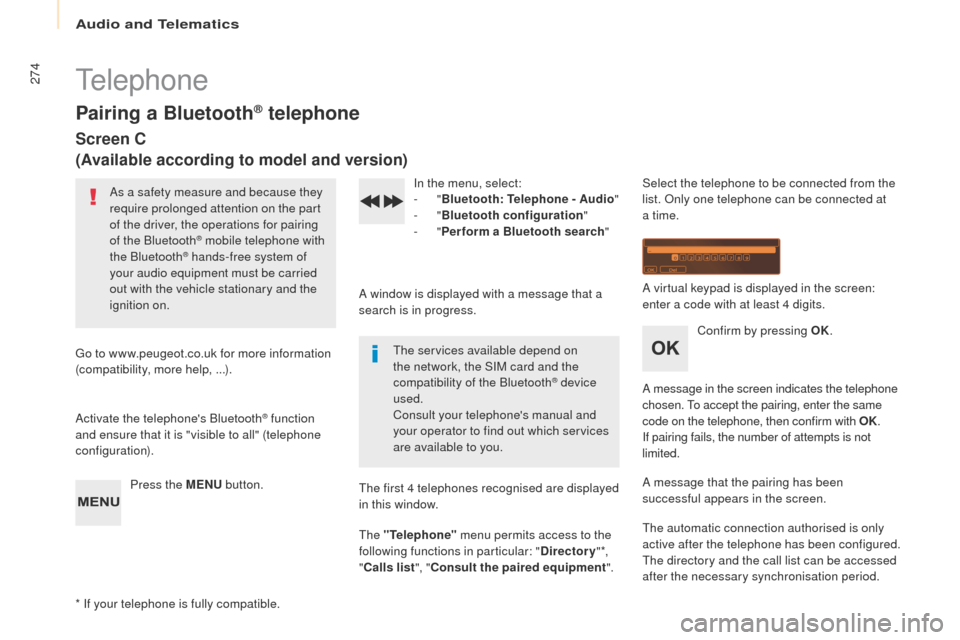
Press the MENU button. In the menu, select:
-
"
Bluetooth : Telephone - Audio "
- "
Bluetooth configuration "
- "
Perform a Bluetooth search "
A window is displayed with a message that a
search is in progress. The services available depend on
the network, the SIM card and the
compatibility of the Bluetooth
® device
used.
Consult your telephone's manual and
your operator to find out which services
are available to you.
* If your telephone is fully compatible. The first 4 telephones recognised are displayed
in this window.
The "Telephone"
menu permits access to the
following functions in particular: " Directory" *,
" Calls list ", "Consult the paired equipment ".Select the telephone to be connected from the
list. Only one telephone can be connected at
a time.
A virtual keypad is displayed in the screen:
enter a code with at least 4 digits.
Confirm by pressing OK.
A message in the screen indicates the telephone
chosen. To accept the pairing, enter the same
code on the telephone, then confirm with OK.
If pairing fails, the number of attempts is not
limited.
A message that the pairing has been
successful appears in the screen.
The automatic connection authorised is only
active after the telephone has been configured.
The directory and the call list can be accessed
after the necessary synchronisation period.
Audio and Telematics
Page 277 of 292
275
Partner2VP_en_Chap10b_RD45_ed02-2016
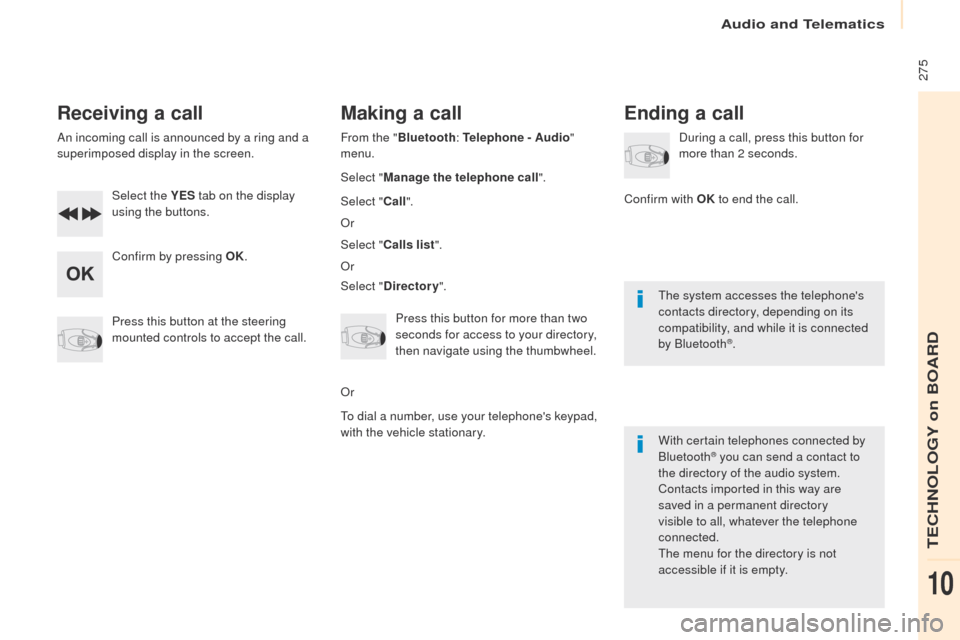
Receiving a call
An incoming call is announced by a ring and a
superimposed display in the screen.Select the YES tab on the display
using the buttons.
Confirm by pressing OK.
Press this button at the steering
mounted controls to accept the call.
Making a call
From the " Bluetooth : Telephone - Audio "
menu.
Select " Manage the telephone call".
Select " Call".
Or
Select " Calls list ".
Or
Select " Directory ".
Press this button for more than two
seconds for access to your directory,
then navigate using the thumbwheel.
Or
To dial a number, use your telephone's keypad,
with the vehicle stationary.
Ending a call
During a call, press this button for
more than 2 seconds.
Confirm with OK to end the call.
The system accesses the telephone's
contacts directory, depending on its
compatibility, and while it is connected
by Bluetooth
®.
With certain telephones connected by
Bluetooth
® you can send a contact to
the directory of the audio system.
Contacts imported in this way are
saved in a permanent directory
visible to all, whatever the telephone
connected.
The menu for the directory is not
accessible if it is empty.
Audio and Telematics
TECHNOLOGY on BOARD
10