service PEUGEOT RCZ 2012 Owner's Guide
[x] Cancel search | Manufacturer: PEUGEOT, Model Year: 2012, Model line: RCZ, Model: PEUGEOT RCZ 2012Pages: 336, PDF Size: 14.1 MB
Page 275 of 336
273
06
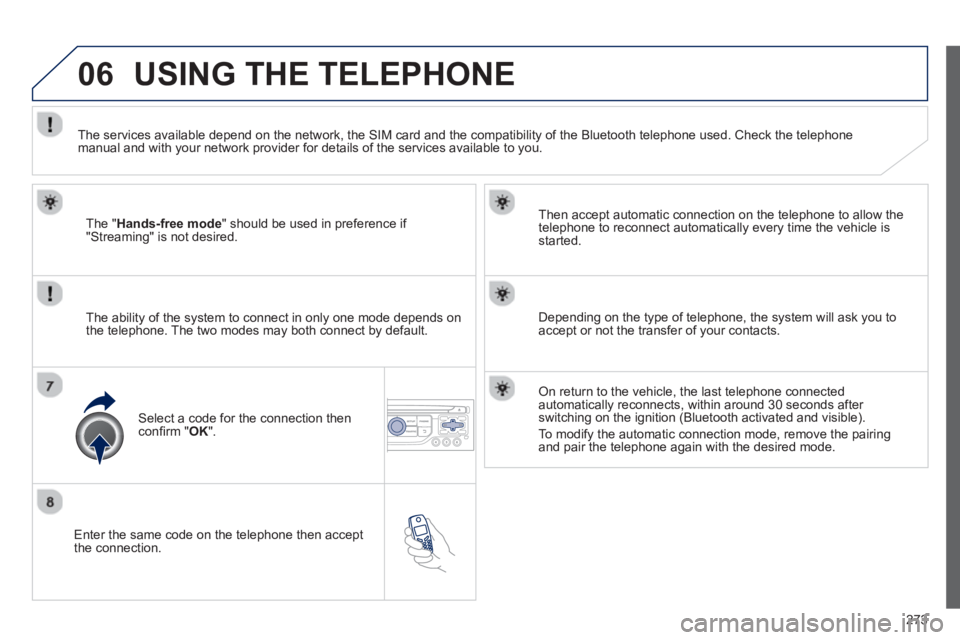
Enter the same code on the telephone then accept
the connection.
Then accept automatic connection on the telephone to allow the
te
lephone to reconnect automatically every time the vehicle is started.
The abilit
y of the system to connect in only one mode depends on
the telephone. The two modes may both connect by default.
USING THE TELEPHONE
The "Hands-free mode
" should be used in preference if "Streaming" is not desired.
The services available depend on the network, the
SIM card and the compatibility of the Bluetooth telephone used. Check the telephone manual and with your network provider for details of the services available to you.
Select a code for the connection thenconfi rm "OK".
Depending on the type of telephone, the system will ask you to
accept or not the transfer of your contacts.
On return to the vehicle, the last telephone connected
automatically reconnects, within around 30 seconds after switching on the ignition (Bluetooth activated and visible).
To modi
fy the automatic connection mode, remove the pairingand pair the telephone again with the desired mode.
Page 281 of 336
279
06 USING THE TELEPHONE
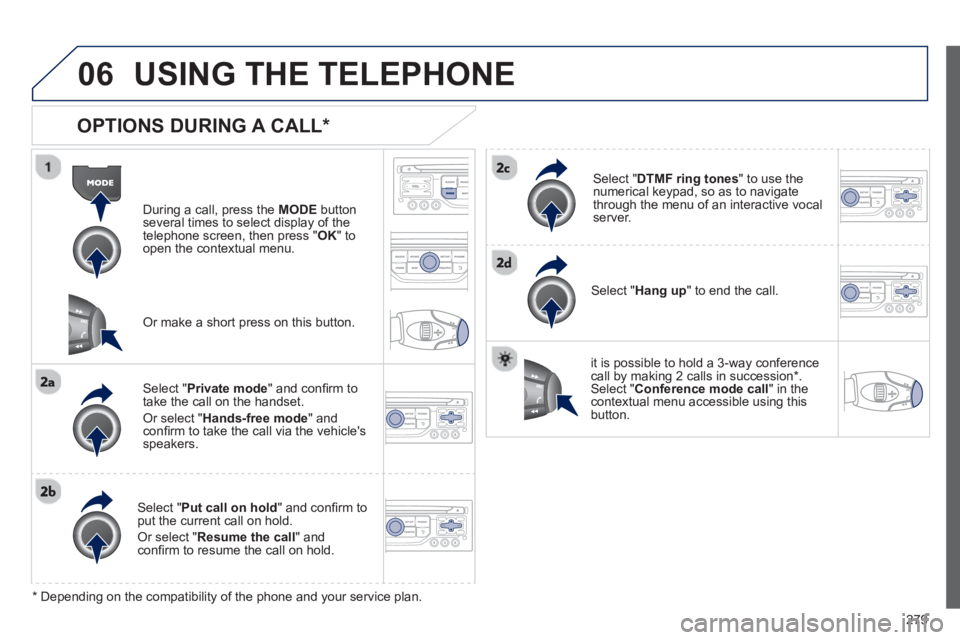
OPTIONS DURING A CALL *
During a call, press the MODE
button
several times to select display of the
telephone screen, then press " OK " to
open the contextual menu.
Select " Private mode
" and confi rm totake the call on the handset.
Or select " Hands-free mode" andconfi rm to take the call via the vehicle's
speakers.
Select " Put call on hold" and confi rm to put the current call on hold.
Or select " Resume the call" andconfi rm to resume the call on hold.
Select " DTMF ring tones
" to use thenumerical keypad, so as to navigate
through the menu of an interactive vocal server.
Select " Hang up " to end the call.
*
Depending on the compatibility of the phone and your service plan.
it is possible to hold a 3-wa
y conferencecall by making 2 calls in succession*. Select "Conferencemode call" in the contextual menu accessible using thisbutton.
Or make a short press on this button.
Page 315 of 336
313
06BLUETOOTH
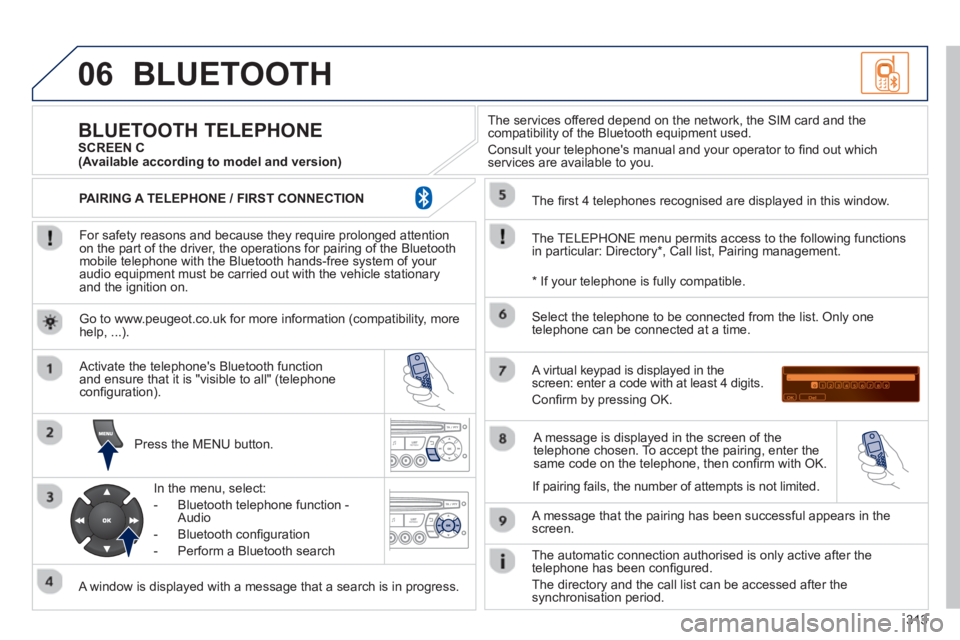
For safety reasons and because they require prolonged attentionon the part of the driver, the operations for pairing of the Bluetooth mobile telephone with the Bluetooth hands-free system of your
audio equipment must be carried out with the vehicle stationary
and the ignition on.
Pr
ess the MENU button.
A window is displayed with a message that a search is in progress.
Activate the telephone's Bluetooth
function
and ensure that it is "visible to all" (telephone confi guration).
In the menu, select:
- Bluetooth telephone
function -
Audio
- Bluetooth confi
guration
- P
erform a Bluetooth search
The services o
ffered depend on the network, the SIM card and thecompatibility of the Bluetooth equipment used.
Consult your telephone's manual and your operator to fi nd out which
services are available to you.
BLUETOOTH TELEPHONE SCREEN C
The TELEPH
ONE menu permits access to the following functions
in particular: Directory * , Call list, Pairing management.
The
fi rst 4 telephones recognised are displayed in this window.
A virtual ke
ypad is displayed in thescreen: enter a code with at least 4 digits.
Confi rm by pressing OK.
A messa
ge that the pairing has been successful appears in thescreen.
Select the telephone to be connected from the list.
Only one
telephone can be connected at a time.
A messa
ge is displayed in the screen of the
telephone chosen. To accept the pairing, enter the same code on the telephone, then confi rm with OK.
The automatic connection authorised is onl
y active after the
telephone has been confi gured.
The directory and the call list can be accessed a
fter thesynchronisation period.
(Available according to model and version)
*
If your telephone is fully compatible.
I
f pairing fails, the number of attempts is not limited. Go to www.peu
geot.co.uk for more information (compatibility, more help, ...).
PAIRING A TELEPHONE / FIR
ST CONNECTION
Page 326 of 336
324
ALPHABETICAL INDEX
Screen menu map ........... 238, 292, 316
Screenwash, front.............................. 99
Screenwash fl uid level ............... 99, 153
Seat adjustment........................... 65, 66
Seat belts............................ 29, 111, 113
Seats, electric .............................. 66, 68
Seats, rear ......................................... 73
Serial number, vehicle ..................... 200
Service indicator ................................ 35
Servicing ............................................ 20
Setting the clock .............. 38, 45, 47, 49
Short-cut menus ...................... 212, 254
Sidelamps ..................... 90, 93, 174-176
Side repeater ................................... 175
SIM card .......................................... 236
Snow chains .................................... 168
Spare wheel..................................... 166
Speed limiter.................................... 136
Speedometer ..................................... 22
Spoiler, active .................................. 109
Starting the vehicle .................. 127, 132
Steering mounted controls,
audio ............................. 210, 252, 305
Stickers, customising ....................... 191
Stopping the vehicle ................ 127, 132
Storage .................................. 82, 85, 88
Storing driving positions .................... 68
Stowing rings ..................................... 88
Sun visor............................................ 83
Synchronising the remote control ...... 54
Synthesiser, voice............................ 266
System, navigation .................. 216, 255S/
Radio ............................... 227, 281, 307
RCA sockets .................... 232, 289, 312
Rear foglamp ............................. 92, 176
Rear screen (demisting) .................... 78
Recharging the battery .................... 172
Reduction of electrical load ............. 170R/
Regeneration of the particle
emissions fi lter .............................. 154
Reinitialising the electric windows ..... 60
Reinitialising the remote control ........ 54
Remote control ............................. 52-55
Removing a wheel ........................... 164
Removing the mat ............................. 87
Repair kit, puncture ......................... 156
Replacing bulbs ............................... 173
Replacing fuses ............................... 180
Replacing the air fi lter ...................... 154
Replacing the oil fi lter ...................... 154
Replacing the passenger
compartment fi lter ......................... 154
Replacing wiper blades ........... 101, 169
Resetting the service indicator .......... 36
Resetting the trip recorder ................. 37
Rev counter ....................................... 22
Reversing lamps .............................. 176
Risk areas (update) ................. 223, 261
Routine checks ........................ 154, 155
Running out of fuel (Diesel) ............. 151R/Parking sensors, rear ...................... 142
Particle emission fi lter.............. 153, 154
Passenger compartment fi lter.......... 154
PEUGEOT call button ...................... 203
PEUGEOT CONNECT
ASSISTANCE ............................... 202
Peugeot Connect Media Navigation
(NG4 3D) .................... 24, 39, 48, 205
Peugeot Connect Navigation
(RT6) ....................................... 46, 249
PEUGEOT CONNECT SOS .... 202, 203
Peugeot Connect Sound
(RD5) ...................................... 42, 303
Peugeot Connect USB ...................... 86
PEUGEOT services ......................... 203
PIN code .......................................... 236
Player, CD MP3 ............... 279, 285, 309
POIs (updating) ....................... 223, 261
Port, USB................... 86, 232, 289, 310
Priming the fuel system ................... 151
Protecting children ..... 113, 115, 119-126
Puncture .......................................... 156P/
Screen, colour .........................211, 238
Screen, colour and mapping.... 253, 292
Screen, monochrome .............. 306, 316
Screen, multifunction (with audio
equipment) .................... 42, 46, 48, 50
Screen-wash reservoir..................... 153S/
Page 330 of 336
328
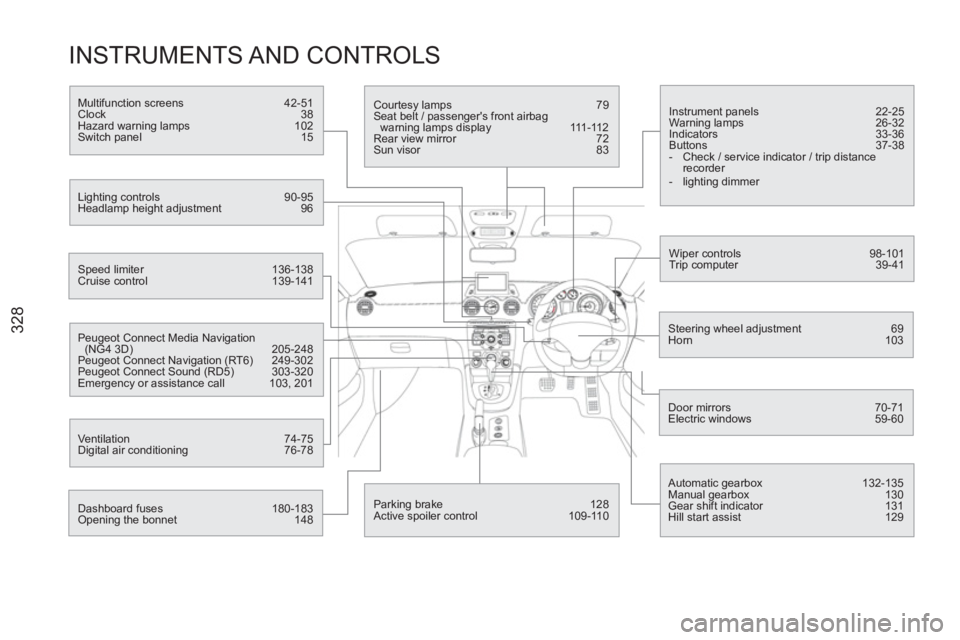
INSTRUMENTS AND CONTROLS
Instrument panels 22-25
Warning lamps 26-32
Indicators 33-36
Buttons 37-38
- Check / service indicator / trip distance
recorder
- lighting dimmer
Wiper controls 98-101
Trip computer 39-41
Speed limiter 136-138
Cruise control 139-141
Steering wheel adjustment 69
Horn 103
Door mirrors 70-71
Electric windows 59-60
Dashboard fuses 180-183
Opening the bonnet 148
Courtesy lamps 79
Seat belt / passenger's front airbag
warning lamps display 111-112
Rear view mirror 72
Sun visor 83
Multifunction screens 42-51
Clock 38
Hazard warning lamps 102
Switch panel 15
Lighting controls 90-95
Headlamp height adjustment 96
Peugeot Connect Media Navigation
(NG4 3D) 205-248
Peugeot Connect Navigation (RT6) 249-302
Peugeot Connect Sound (RD5) 303-320
Emergency or assistance call 103, 201
Ventilation 74-75
Digital air conditioning 76-78
Automatic gearbox 132-135
Manual gearbox 130
Gear shift indicator 131
Hill start assist 129
Parking brake 128
Active spoiler control 109-110