radio controls PONTIAC BONNEVILLE 1993 Owners Manual
[x] Cancel search | Manufacturer: PONTIAC, Model Year: 1993, Model line: BONNEVILLE, Model: PONTIAC BONNEVILLE 1993Pages: 322, PDF Size: 16.31 MB
Page 105 of 322
Features & Controls
Battery Warning Light (CONI:)
your accessories, such as. the radio and
climate control system.
Some clusters with gages do
not have a
battery warning light. They have a
CHECK GAGES warning to indicate a
problem. Vehicles with the supercharged
engine also have a similar battery
warning light.
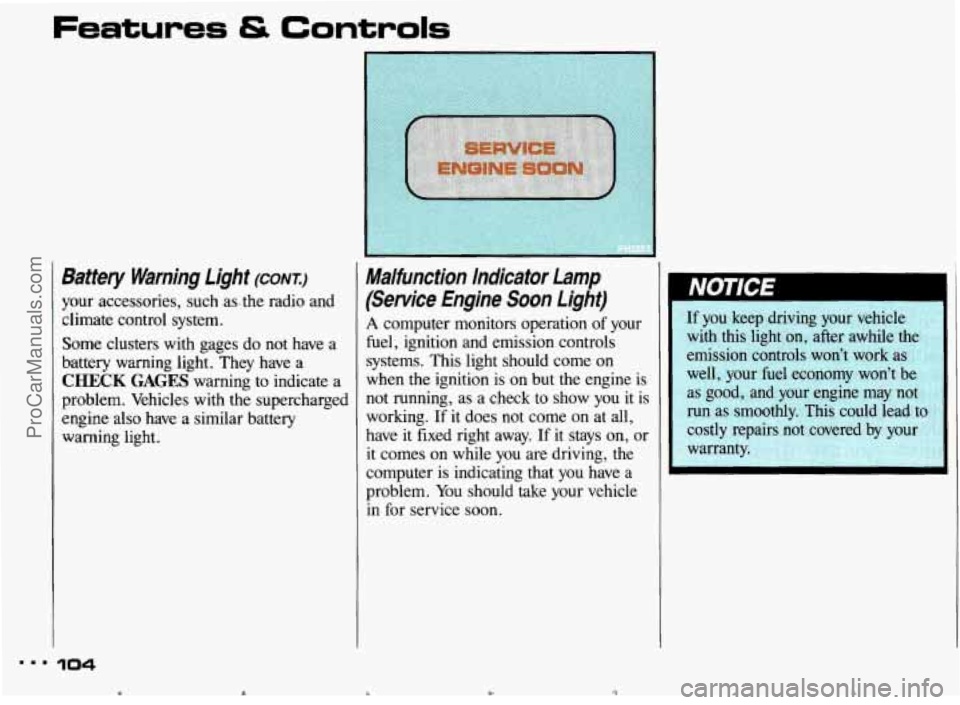
Malfunction Indicator Lamp
(Service Engine Soon Light)
A computer monitors operation of your
fuel, ignition and emission controls
systems. This light should come on
when the ignition is on but the engine is
not running, as a check to show you it is
working.
If it does not come on at all,
have it fixed right away.
If it stays on, or
it comes on while you are driving, the
computer is indicating that
you have a
problem. You should take your vehicle
in for service soon.
am. 104
b c ProCarManuals.com
Page 120 of 322
In this part you’ll find out how to
operate the comfort control systems
and audio systems offered with your
Pontiac. Be sure to read about the
particular system supplied with your
vehicle.
Part 3
Comfort Controls &
Audio Systems n
..................................... Standard Climate Control. .l20
Electronic Climate Control 123
AM/FM Stereo Radio .128
AM/FM Stereo with Cassette Player and Graphic Equalizer ................ 131
.........................................
................................. Setting the Clock .............. .E7
AMlFM Stereo with Cassette Player ................................. .I29
AM/FM Stereo with Compact Disc Player ............................ .134
Steering Wheel Controls for Audio System ............................ .139
Understanding Radio Reception
..................................... .140
Care of Your Cassette Tape Player ................................... .141
............................................
Gaincontrol .................................................... 140
.......................................
.............................................
........................................
Care of Your Compact Discs .141
Fixed Mast Antenna.
.I42
Power Antenna Mast Care .I42
119 = =
ProCarManuals.com
Page 127 of 322
..I
Comfort Controls & Audio
Flow-Through Ventilation System
(CONT)
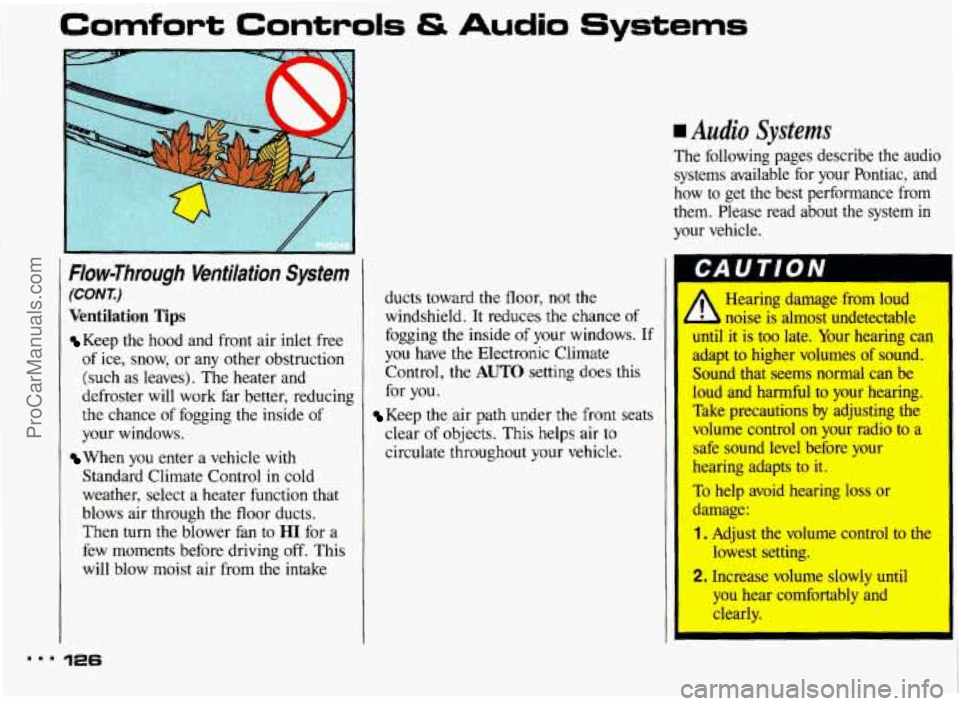
Ventilation Tips
Keep the hood and front air inlet free
of ice, snow, or any other obstruction
(such as leaves). The heater and
defroster will work far better, reducing
the chance of fogging
the inside of
your windows.
Standard Climate Control in cold
weather, select a heater function that
blows air through
the floor ducts.
Then turn the blower fan to
HI for a
few moments before driving off. This
will blow moist air from the intake
When you enter a vehicle with
126
ducts toward the floor, not the
windshield. It reduces the chance of
fogging the inside of your windows. If
you have the Electronic Climate
Control,
the AUTO setting does this
for you.
Keep the air path under the front seats
clear of objects. This helps air to
circulate throughout your vehicle.
rn Audio Systems
The following pages describe the audio systems available for your Pontiac, and
how to get the best performance from
them. Please read about the system
in
your vehicle.
Hearing damage from loud
noise is almost undetectable
until it
is too late. Your hearing can
adapt to higher volumes of sound.
Sound that seems normal can be
loud and harmful to your hearing.
Take precautions by adjusting the
volume control on your radio to a
safe sound level before your
hearing adapts to it.
To help avoid hearing loss or
damage:
1. Adjust the volume control to the
lowest setting.
2. Increase volume slowly until
you he: :omfortably and
clearly.
I
ProCarManuals.com
Page 129 of 322
m..
Comfort Controls & Audio Systems
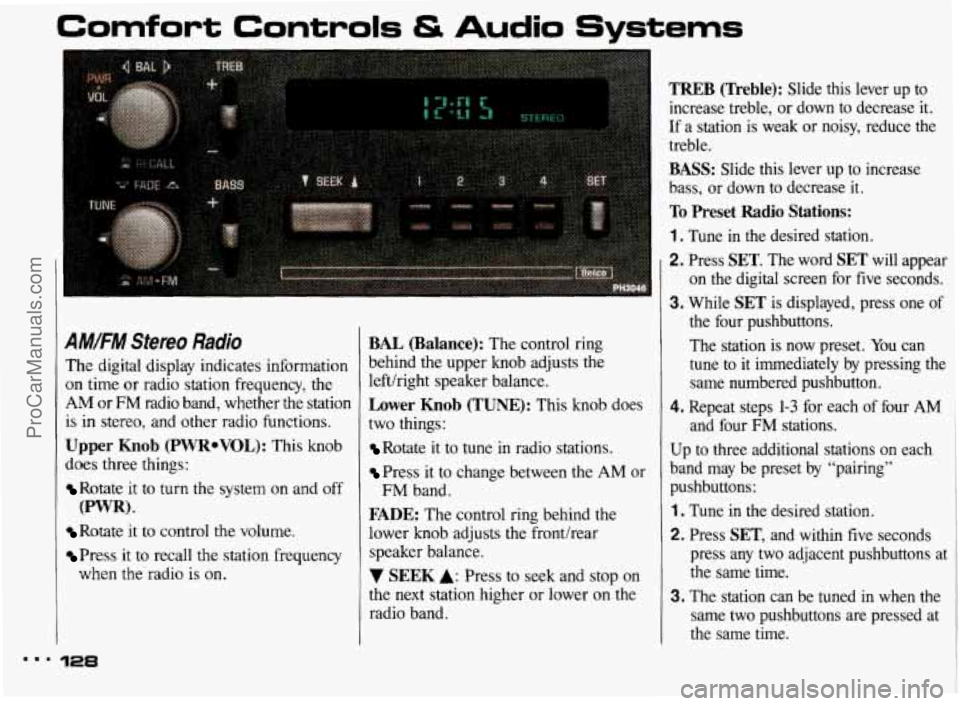
A#.FM Stereo Radio
The digital display indicates information
on time or radio station frequency, the
AM or FM radio band, whether the station
is
in stereo, and other radio functions.
Upper Knob (PWRoVOL): This knob
does three things:
Rotate it to turn the system on and off
Rotate it to control the volume.
Press it to recall the station frequency
(PWR).
when the radio is on.
128
BAL (Balance): The control ring
behind the upper knob adjusts the
lefthight speaker balance.
Lower Knob (TUNE): This knob does
two things:
Rotate it to tune in radio stations.
Press it to change between the AM or
FADE: The control ring behind the
lower knob adjusts the fronthear
speaker balance.
7 SEEK A: Press to seek and stop on
the next station higher or lower
on the
radio band.
FM band.
TREB (Treble): Slide this lever up to
increase treble, or down to decrease it.
If a station is weak or noisy, reduce the
treble.
BASS: Slide this lever up to increase
bass, or down to decrease
it.
To Preset Radio Stations:
1 . Tune in the desired station.
2. Press SET. The word SET will appear
on the digital screen for five seconds.
3. While SET is displayed, press one of
the four pushbuttons.
The station is now preset. You can
tune to
it immediately by pressing the
same numbered pushbutton.
4. Repeat steps 1-3 for each of four AM
and four FM stations.
Up to three additional stations on each
band may be preset by “pairing”
pushbuttons:
1 . Tune in the desired station.
2. Press SET, and within five seconds
press any two adjacent pushbuttons at
the same time.
3. The station can be tuned in when the
same two pushbuttons are pressed at
the same time.
ProCarManuals.com
Page 131 of 322
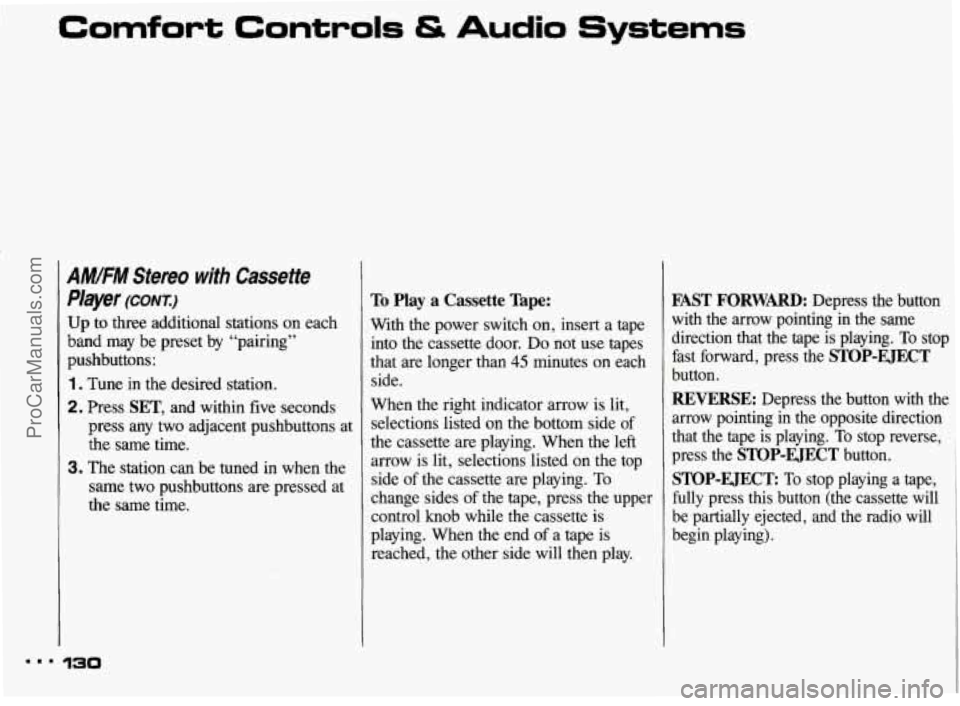
Comfort Controls & Audio Systems
AMIFM Stereo with Cassette
Player
(CONX:)
Up to three additional stations on each
band may be preset by “pairing”
pushbuttons:
1. Tune in the desired station.
2. Press SET, and within five seconds
press any two adjacent pushbuttons at
the same time.
3. The station can be tuned in when the
same two pushbuttons are pressed at
the same time.
To Play a Cassette Tape:
With the power switch on, insert a tape
into the cassette door. Do not use tapes
that are longer than
45 minutes on each
side.
When the right indicator arrow is lit,
selections listed on the bottom side
of
the cassette are playing. When the left
arrow is lit, selections listed on the top
side
of the cassette are playing. To
change sides of the tape, press the upper
control knob while the cassette is
playing. When the end
of a tape is
reached, the other side will then play.
FAST FORWARD: Depress the button
with the arrow pointing
in the same
direction that the tape is playing.
To stop
fast forward, press the
STOP-EJECT
button.
REWRSE: Depress the button with the
arrow pointing in the opposite direction
that the tape is playing.
To stop reverse,
press the
STOP-EJECT button.
STOP-EJECT To stop playing a tape,
fully press this button (the cassette will be partially ejected, and the radio will
begin playing).
ProCarManuals.com
Page 133 of 322
Comfort Controls & Audio Systems
AM/FM Stereo with Cassette
Player and Graphic Equalizer
(CONI)
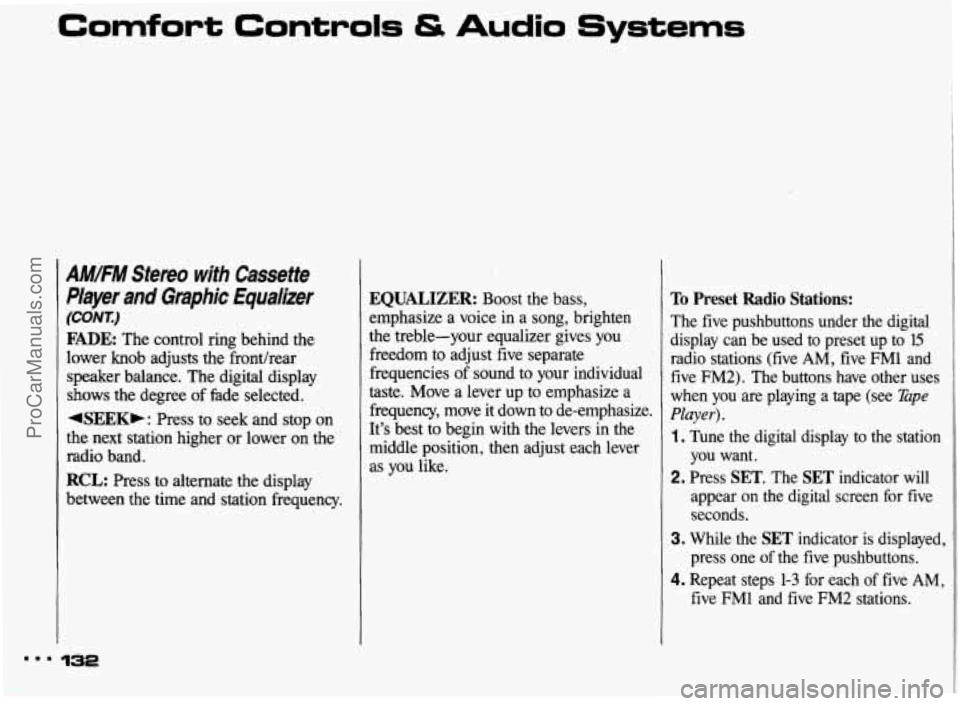
FADE: The control ring behind the
lower knob adjusts the fronthear
speaker balance. The digital display
shows the degree of fade selected,
4SEEKb: Press to seek and stop on
the next station higher or lower on the
radio band.
RCL: Press to alternate the display
between the time and station frequency.
EQUALIZER: Boost the bass,
emphasize a voice in a song, brighten
the treble-your equalizer gives you
freedom to adjust five separate
frequencies of sound
to your individual
taste. Move a lever up to emphasize a
frequency, move
it down to de-emphasize.
It’s best to begin with the levers in the
middle position, then adjust each lever
as you like.
To Preset Radio Stations:
The five pushbuttons under the digital ~
display can be used to preset UP to 15 I
radio stations (five AM, five FMl and
five FM2). The buttons have other uses
when you are playing a tape (see
Tape
Player).
1. Tune the digital display to the station
you want.
2. Press SET. The SET indicator will
appear
on the digital screen for five
seconds.
3. While the SET indicator is displayed,
press one
of the five pushbuttons.
4. Repeat steps 1-3 for each of five AM,
five FM1 and five FM2 stations.
m.. 132
ProCarManuals.com
Page 135 of 322
Comfort Controls & Audio Systems
AM/FM Stereo with Compact
Disc Player
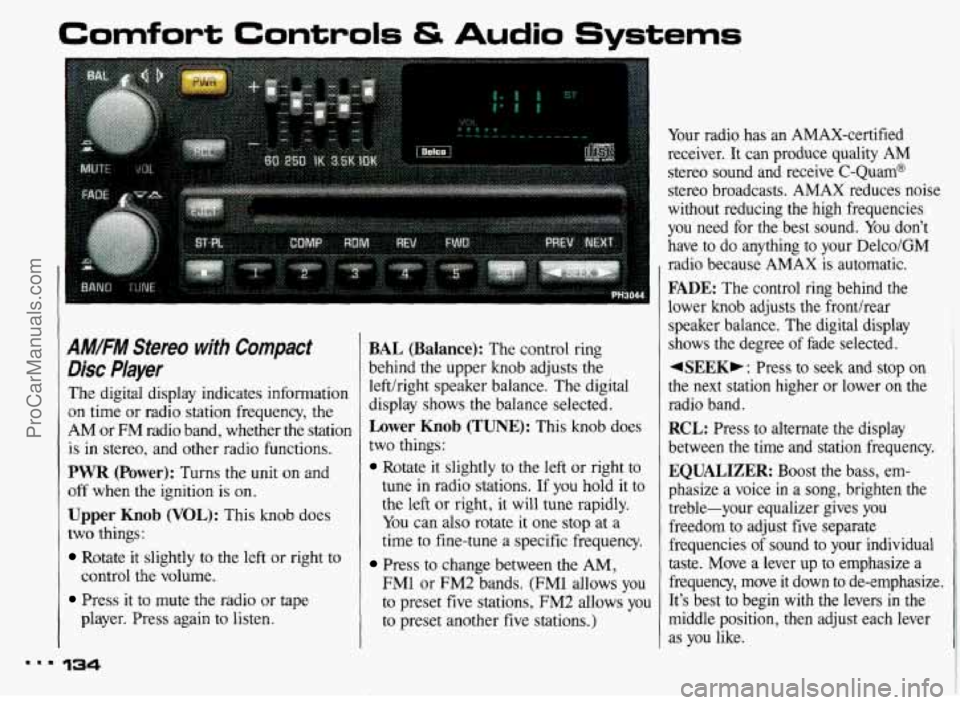
The digital display indicates information
on time or radio station frequency, the
AM or FM radio band, whether the station
is in stereo, and other radio functions.
PWR (Power): Turns the unit on and
off when the ignition is on.
Upper Knob (VOL): This knob does
two things:
Rotate it slightly to the left or right to
Press it to mute the radio or tape
control
the volume.
player. Press again to listen.
134
BAL (Balance): The control ring
behind the upper knob adjusts the
lefthight speaker balance. The digital
display shows the balance selected.
Lower Knob (TUNE): This knob does
two things:
Rotate it slightly to the left or right to
tune in radio stations.
If you hold it to
the
left or right, it will tune rapidly.
You can also rotate it one stop at a
time to fine-tune a specific frequency.
Press to change between the AM,
FMl or FM2 bands. (FM1 allows you
to preset five stations, FM2 allows you
to preset another five stations.) Your
radio has
an AMAX-certified
receiver.
It can produce quality AM
stereo sound and receive C-Quam@
stereo broadcasts. AMAX reduces noise
without reducing the high frequencies
you need for the best sound.
You don’t
have to do anything to your Delco/GM
radio because
AMAX is automatic.
FADE: The control ring behind the
lower
knob adjusts the fronthear
speaker balance. The digital display
shows the degree of fade selected.
4SEEKF : Press to seek and stop on
the next station higher or lower
on the
radio band.
RCL: Press to alternate the display
between the time and station frequency.
EQUALIZER: Boost the bass, em-
phasize a voice in a song, brighten the
treble-your equalizer gives you
freedom to adjust five separate frequencies
of sound to your individual
taste. Move a lever up to emphasize a
frequency, move
it down to de-emphasize.
It’s best to begin with the levers in the
middle position, then adjust each lever
as you like.
ProCarManuals.com
Page 136 of 322
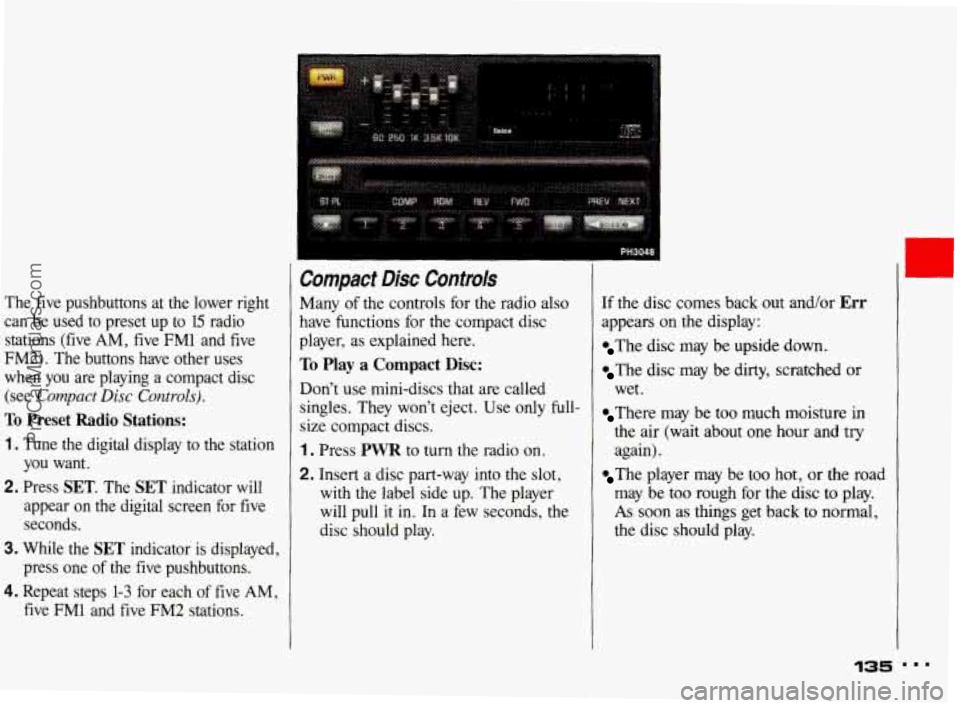
The five pushbuttons at the lower right can be used to preset up to
15 radio
stations (five
AM, five FM1 and five
FM2). The buttons have other uses
when you are playing a compact disc
(see
Compact Disc Controls).
To Preset Radio Stations:
1. Tune the digital display to the station
you want.
2. Press SET. The SET indicator will
appear on the digital screen for five seconds.
3. While the SET indicator is displayed,
press one
of the five pushbuttons.
4. Repeat steps 1-3 for each of five AM,
five FM1 and five FM2 stations.
Compact Disc Controls
Many of the controls for the radio also
have functions for the compact disc
player, as explained here.
To Play a Compact Disc:
Don’t use mini-discs that are called
singles. They won’t eject. Use only full-
size compact discs.
1 . Press PWR to turn the radio on.
2. Insert a disc part-way into the slot,
with the label side up. The player
will pull it in. In a few seconds, the
disc should play.
If the disc comes back out and/or Err
appears on the display:
The disc may be upside down.
The disc may be dirty, scratched or
wet.
There may be too much moisture in
the air (wait about one hour and try
again).
The player may be too hot, or the road
may be too rough for the disc
to play.
As soon as things get back to normal,
the disc should play.
135
c
I..
ProCarManuals.com
Page 137 of 322
Comfort Controls & Audio Systems
Compact Disc Controk (CONI)
While a disc is playing, the CD indi-
cator is displayed on the digital screen,
as is the clock.
RCL (Recall): Press once to see which
track
is playing. Press again while the
track number
is displayed to see how
long your selection has been playing.
The track number also will be displayed
when the volume is changed
or a new
track starts to play.
COMP (Compression): Depressing this
button makes
soft and loud passages
more equal in volume. Press again to
resume
normal play.
RDM (Random): Press to play
random order.
-
tracks in
REV (Reverse): Press and hold to
rapidly back up to a favorite passage.
Release
to resume playing.
FWD (Fast Forward): Press and hold
to rapidly advance the disc. Release to
resume playing.
PREV (Previous): Press to play a track
again.
If you keep pressing the PREV
button, the disc will keep backing up to
previous tracks.
NEXT Press when you want to hear the
next track. If you keep pressing the
NEXT button, the disc will keep
advancing to other tracks.
When Finished with the Compact
Disc Player:
If you press PWR or turn off the
ignition, the disc will stay in the player
and
start again when you turn on the
ignition or power switch. The disc will
begin playing at
the point where it had
been stopped.
ST/PL (Stop/Play): Press to stop the
disc player; the radio will play. Press
again to play the disc (the player will
start playing the disc where
it was
stopped earlier).
EJECT Press to eject the disc; the
radio will play. After eject, if you turn
the ignition
off with the disc part-way
out, the player will pull the disc back in
after about
30 seconds. When the player
is turned on, it will begin play on the
first track.
4 ProCarManuals.com
Page 139 of 322
Comfort Controls & Audio Systems
CD Player Anti-Theft kature
(WNX)
To Unlock the System After a Power
Loss:
When battery power is reapplied to a
secured radio, the radio won't turn on
and
LOC will appear on the display.
Enter your secret code as follows; pause
no more than
l5 seconds between steps.
1. Turn the ignition on. (Radio off.)
2. Press the SET button. The display
will show
000.
3. Enter the six digits of the code
following steps
6-9 above. The
display will show the numbers as
entered.
4. Press the lower (BAND) knob and
SEC appears, then the time,
indicating that the disabling sequence
was successful.
Disabling the Anti-Theft System:
1. Press the 1 and 4 buttons together for
five seconds with ignition on and
radio power
off. The display will
show
SECURED, indicating the unit
is in the secure mode.
2. Press the SET button. The display
will show
000.
3. Enter the first three digits of the code
following steps
6-7 earlier in this
section. The display will show the
numbers as entered.
4. Press the lower (BAND) knob. The
radio will display
000.
5. Enter the second three digits of the
code. The display will show the numbers
as entered.
6. Press the lower (BAND) knob. If the
display shows
"- - -," the disabling
sequence was successful (the
numbers matched the user-selected
code or the factory back-up code)
and the unit is in the
UNSECURED
mode. If the display shows SEC, the
disabling sequence
was unsuccessful
and the numbers did not match either
of the codes and the unit will remain
in the
SECURED mode.
I.. 138
c t L ProCarManuals.com