display PONTIAC BONNEVILLE 1994 Owners Manual
[x] Cancel search | Manufacturer: PONTIAC, Model Year: 1994, Model line: BONNEVILLE, Model: PONTIAC BONNEVILLE 1994Pages: 290, PDF Size: 14.75 MB
Page 54 of 290
Ignition Switch (CONK)
Off: Unlocks the steering wheel, ignition,
and transaxle, but does not send electrical
power to any accessories. Use this
position
if your vehicle must be pushed or
towed,
but never try to push-start your
vehicle.
A warning chime will sound if
you open the driver’s door when the
ignition is off and the key is
in the
ignition.
Run: An “on” position to which the
switch returns after you start your engine
and release the switch. The switch stays
in the “Run” position when the engine is
running. But even when the engine is not
running, you can use “Run” to operate
your electrical power accessories, and to
display some instrument panel warning
lights.
Start: Starts the engine. When the engine
starts, release the key. The ignition switch
will return to “Run” for normal driving.
Note
that even if the engine is not
running, the positions “Accessory” and
“Run” are “on” positions that allow you
to operate your electrical accessories,
such as the radio.
Key Reminder Warning:
If you leave your key in the ignition, in
the “Off’ position, you will hear a
warning tone when you open the driver’s
door.
Retained Accessory Power:
If you have this option, after you turn
your ignition
off and even remove the
key, you
will still have electrical power to
such accessories as the radio and power
windows for
up to ten minutes. But if you
open
a door, power is shut off.
NOTICE:
If your key seems stuck in “LOCK”
and you can’t turn it, be sure it is all
the way
in. If it is, then turn the
steering wheel left and right
while
you turn the key hard. But turn the
key only
with your hand. Using a
tool to force it could break the key
or the ignition switch. If none
of this
works,
then your vehicle needs
service.
Starting Your Engine
Engines start differently. The 8th digit of
your Vehicle Identification Number (VIN)
shows the code letter or number for your
engine. You
will find the VIN at the top
left of your instrument panel. (See
“Vehicle Identification Number”
in the
Index.) Follow the proper steps to start
the engine.
Move your shift lever to
“P’ (Park) or
“N” (Neutral). Your engine won’t start in
any other position -- that’s a safety
feature. To restart when you’re already
loving, use
“N” (Neutral) only.
NOTICE:
Don’t try to shift to “P” (Park) if
your Pontiac is moving. If you do,
you could damage the transaxle.
Shift to
“P” (Park) only when your
vehicle is stopped.
ProCarManuals.com
Page 77 of 290
Features & Controls
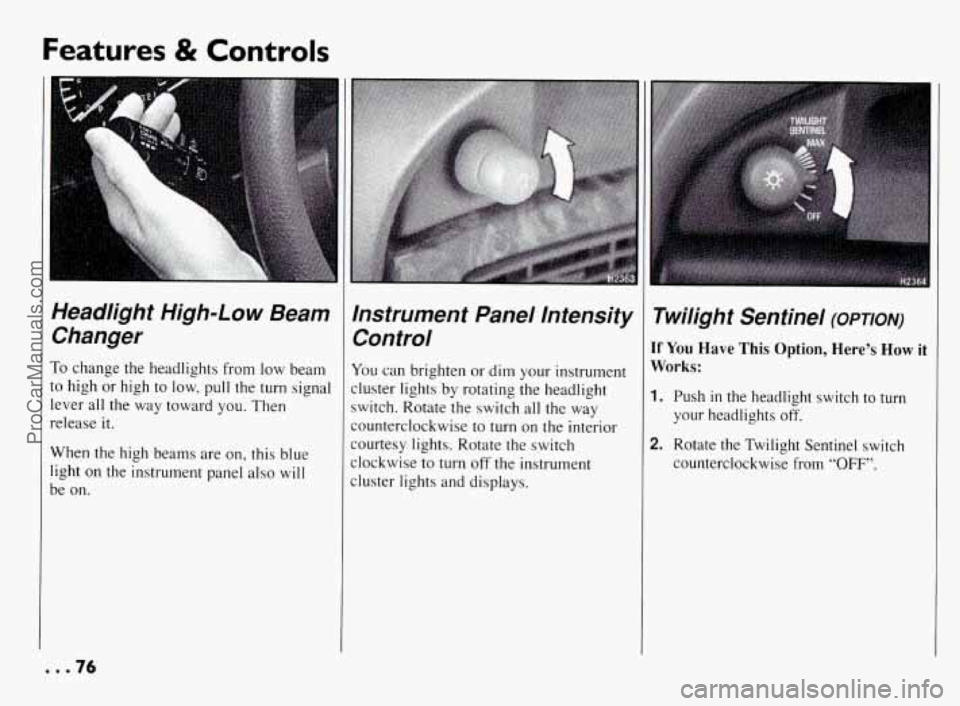
Headlight High-Low Beam Changer
To change the headlights from low beam
to high or high
to low, pull the turn signal
lever all the way toward you. Then
release it.
When the high beams are on, this blue
light on the instrument panel
also will
be on.
Instrument Panel Intensity Control
You can brighten or dim your instrument
cluster lights by rotating the headlight
switch. Rotate the switch all the way
counterclockwise
to turn on the interior
courtesy lights. Rotate the switch
clockwise
to turn off the instrument
cluster lights and displays.
Twilight Sentinel (OPTION)
If You Have This Option, Here’s How it
Works:
1. Push in the headlight switch to turn
your headlights off.
2. Rotate the Twilight Sentinel switch
counterclockwise from
“OFF”.
... 76
ProCarManuals.com
Page 88 of 290
The Instrument
Panel-Your
Information System
Your instrument panel is designed to let
you
know at a glance how your vehicle is
running.
You’ll know how fast you’re
going, how much fuel you’re using, and
many other things you’ll need to drive
safely and economically;
.. .L .
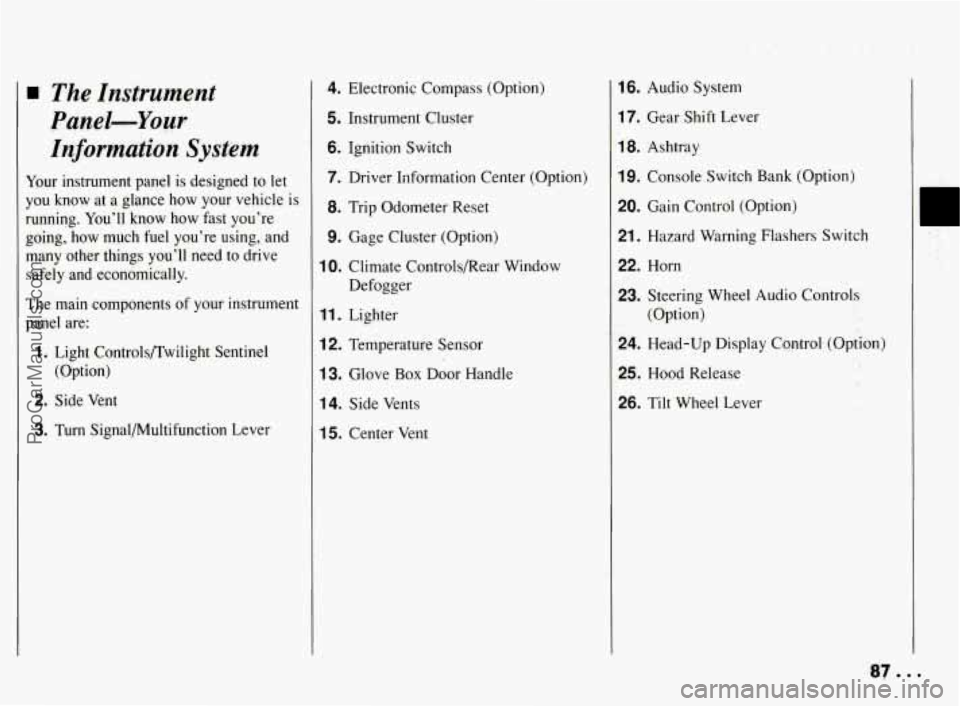
The main components of your instrument
panel are:
1. Light Controls/Twilight Sentinel
(Option)
2. Side Vent
3. Turn Signal/Multifunction Lever
4. Electronic Compass (Option)
5. Instrument Cluster
6. Ignition Switch
7. Driver Information Center (Option)
8. Trip Odometer Reset
9. Gage Cluster (Option)
10. Climate Controls/Rear Window
Defogger
11. Lighter
12. Temperature Sensor
13. Glove Box Door Handle
14. Side Vents
15. Center Vent
16. Audio System
17. Gear Shift Lever
18. Ashtray
19. Console Switch Bank (Option)
20. Gain Control (Option)
21. Hazard Warning Flashers Switch
22. Horn
23. Steering Wheel Audio Controls
(Option)
24. Head-Up Display Cqntrol. (Option)
25. Hood Release
26. Tilt Wheel Lever
I
ProCarManuals.com
Page 91 of 290
Features & Controls
Speedometer and Odometer
Your speedometer lets you see your speed
in both miles per hour (mph) and
kilometers per hour (kmh). Your
odometer shows how far your vehicle has
been driven, in either miles (used in the
U.S.) or kilometers (used in Canada).
The odometer and trip odometer are
displayed
in the Driver Information
Center
on vehicles so equipped.
Tamper Resistant Odometer
Your Pontiac has a tamper resistant
odometer.
If you see silver lines between
the numbers,
you’ll know that someone
has probably tried to
turn it back, so the
numbers may
not be true.
You may wonder what happens if your
vehicle needs a new odometer installed.
If
the new one can be set to the mileage total
of the
old odometer, then it must be. But
if it can’t, then it’s set at zero and a label
must be put on the driver’s door to show
the old mileage reading when the new
odometer was installed.
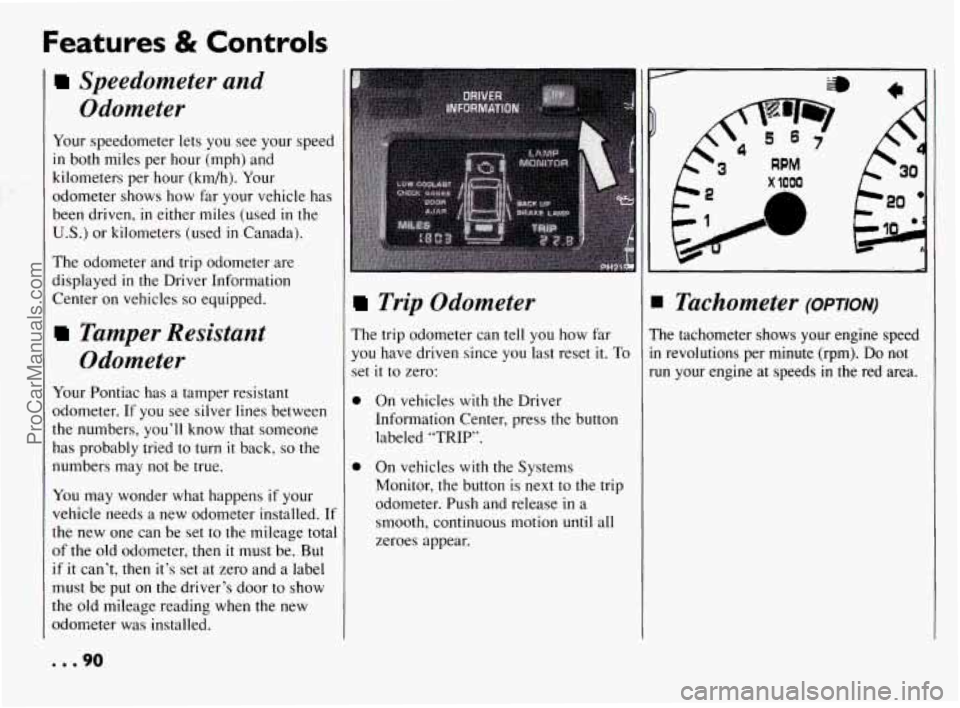
Trip Odometer
The trip odometer can tell you how far
you have driven since
you last reset it. To
set it to zero:
0
0 On vehicles with the Driver
Information Center, press the button
labeled
“TRIP’.
On vehicles with the Systems
Monitor. the button is next to the trip
odometer. Push and release
in a
smooth, continuous motion unti
zeroes appear.
1 all
x 1000
A
IB
I Tachometer (OPTION)
’he tachometer shows your engine speed
I revolutions per minute (rpm). Do not
un your engine at speeds
in the red area.
... 90
ProCarManuals.com
Page 103 of 290
Features & Controls
Oi/ Pressure Gage (OPTION)
(CONK)
Driving your vehicle with low oil
pressure can cause extensive engine
damage.
Ih
I I NOTICE:
I
Damage to your engine from
neglected oil problems can be costly
and is not covered by your warranty.
. . . 102
lo
il
s:
a
ir
SI
H230!
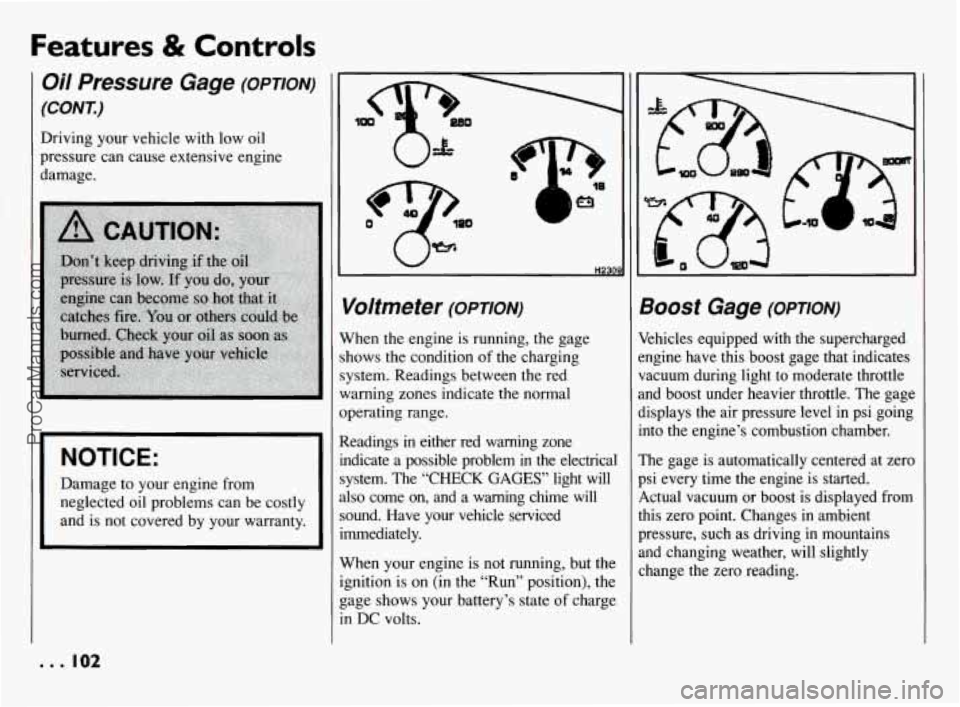
Voltmeter (omoN)
Vhen the engine is running, the gage
hows the condition of the charging
ystem. Readings between the red
Iarning zones indicate the normal
perating range.
Leadings
in either red warning zone
ldicate
a possible problem in the electrical
ystem. The “CHECK
GAGES’ light will
lso come on, and a warning chime will
ound. Have your vehcle serviced
mediately.
Vhen your engine is not running, but the
pition is on (in the “Run” position), the
age shows your battery’s state
of charge
I DC volts.
300St Gage (OPTION)
khicles equipped with the supercharged
ngine have this boost gage that indicates
acuum during light to moderate throttle
nd boost under heavier throttle. The gage
isplays the air pressure level in psi going
]to the engine’s combustion chamber.
‘he gage is automatically centered at zero
si every time the engine is started.
,ctual vacuum or boost is displayed from
lis zero point. Changes in ambient
ressure, such as driving in mountains
nd changing weather, will slightly
hange the zero reading.
ProCarManuals.com
Page 108 of 290
[MODE)
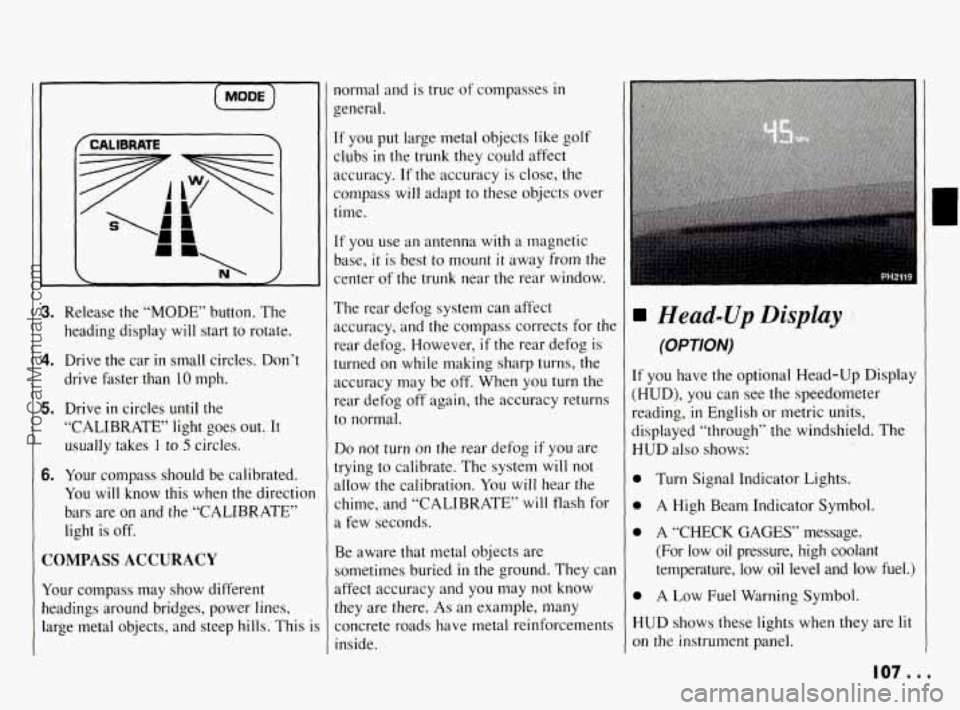
3. Release the “MODE” button. The
heading display
will start to rotate.
4. Drive the car in small circles. Don’t
drive faster than 10 mph.
5. Drive in circles until the
“CALIBRATE’ light goes out. It
usually takes
I to 5 circles.
6. Your compass should be calibrated.
You will know this when the directior
bars are on and the “CALIBRATE”
light is off.
COMPASS ACCURACY
Your compass may show different
headings around bridges, power lines,
large metal objects, and steep hills. This
i
normal and is true of compasses in
general.
If you put large metal objects like golf
clubs
in the trunk they could affect
accuracy.
If the accuracy is close, the
compass will adapt to these objects over
time.
If you use an antenna with a magnetic
base,
it is best to mount it away from the
center of the trunk near the rear window.
The rear defog system can affect
accuracy, and the compass corrects for the
rear defog. However,
if the rear defog is
turned on while making sharp turns, the
accuracy may be
off. When you turn the
rear defog
off again, the accuracy returns
to normal.
Do not turn on the rear defog if you are
trying
to calibrate. The system will not
allow the calibration.
You will hear the
chime, and “CALIBRATE’ will flash for
a few seconds.
Be aware that metal objects are
sometimes buried
in the ground. They can
affect accuracy and you may not know
they are there.
As an example, many
concrete roads have metal reinforcements
inside.
Head-Up Display
(OPTION)
If you have the optional Head-Up Display
(HUD),
you can see the speedometer
reading,
in English or metric units,
displayed “through” the windshield. The
HUD also shows:
0
0
0
0
H
01
Turn Signal Indicator Lights.
A High Beam Indicator Symbol.
A
“CHECK GAGES” message.
(For low oil pressure, high coolant
temperature, low
oil level and low fuel.)
A Low Fuel Warning Symbol.
UD shows these lights when they are lit
I the instrument panel.
107 ...
ProCarManuals.com
Page 109 of 290
Features & Controls
Head-Up Display
(OPTION) (CONI)
When you sit straight in your seat, the
HUD image
will appear directly in front
of the driver.
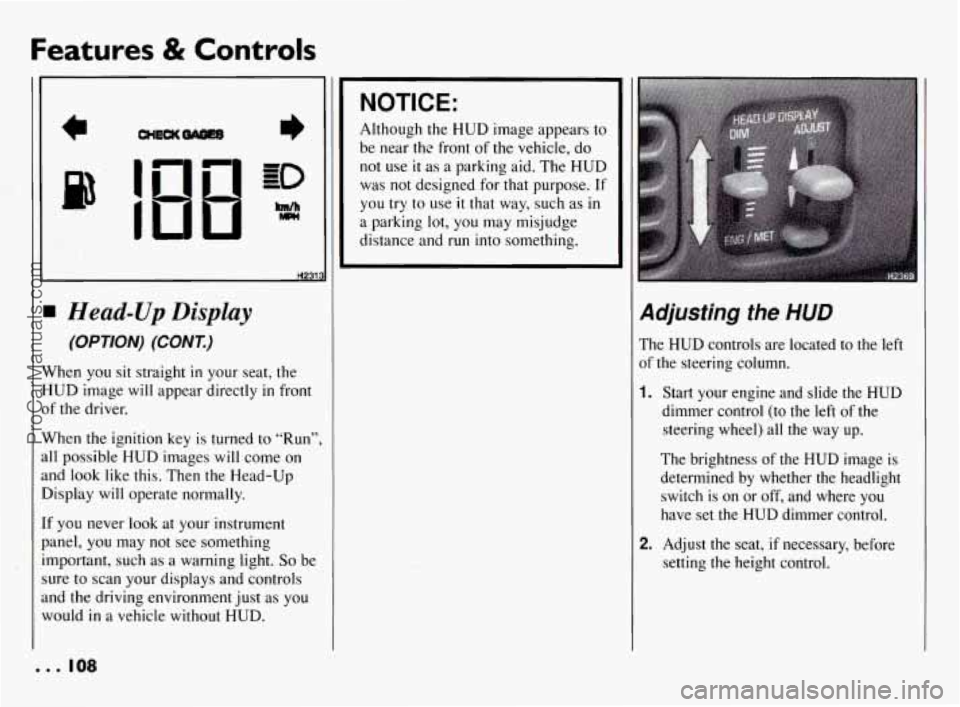
When the ignition key is turned
to “Run”,
all possible HUD images will come
on
and look like this. Then the Head-Up
Display will operate normally.
If you never
look at your instrument
panel,
you may not see something
important, such as a warning light.
So be
sure
to scan your displays and controls
and the driving environment just as you
would
in a vehicle without HUD.
NOTICE:
Although the HUD image appears to
be near thc front
of the vehicle, do
not use it as a parking aid. The HUD
was
not designed for that purpose. If
you try to use it that way, such as in
a parking lot, you may misjudge
distance and run into something.
Adjusting the HUD
The HUD controls are located to the left
of
the steering column.
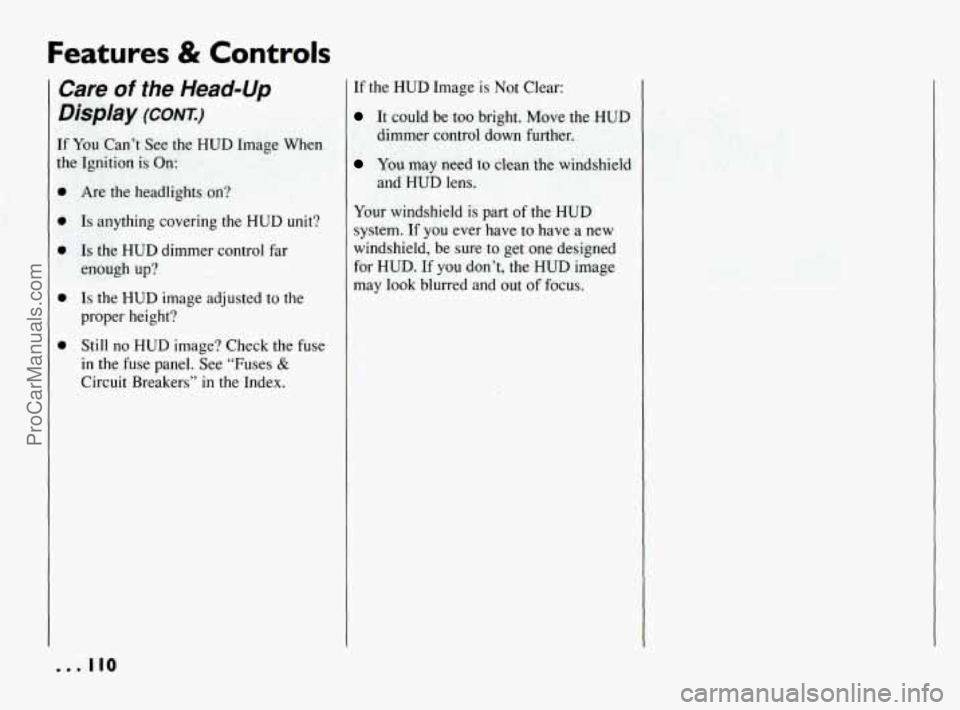
1. Start your engine and slide the HUD
dimmer control (to the left of the
steering wheel) all the way up.
The brightness of the HUD image is
determined by whether the headlight
switch is on or off, and where you
have set
the HUD dimmer control.
2. Adjust the seat, if necessary, before
setting
the height control.
. .. 108
ProCarManuals.com
Page 111 of 290
Features & Controls
Care of the Head-Up
Display (CONT.)
If You Can’t See the HUD Image When
the Ignition is On:
0
Are the headlights on?
Is anything covering the HUD unit?
Is the HUD dimmer control far
enough up?
Is the HUD image adjusted to the
proper height?
Still no HUD image? Check the fuse
in the fuse panel. See “Fuses &
Circuit Breakers” in the Index.
... 110
If the HUD Image is Not Clear:
It could be too bright. Move the HUD
dimmer control down further.
You may need to clean the windshield
and HUD lens.
Your windshield
is part of the HUD
system.
If you ever have to have a new
windshield,
be sure to get one designed
for HUD.
If you don’t, the HUD image
may look blurred and
out of focus.
ProCarManuals.com
Page 117 of 290
Comfort Controls & Audio Systems
0
0 0
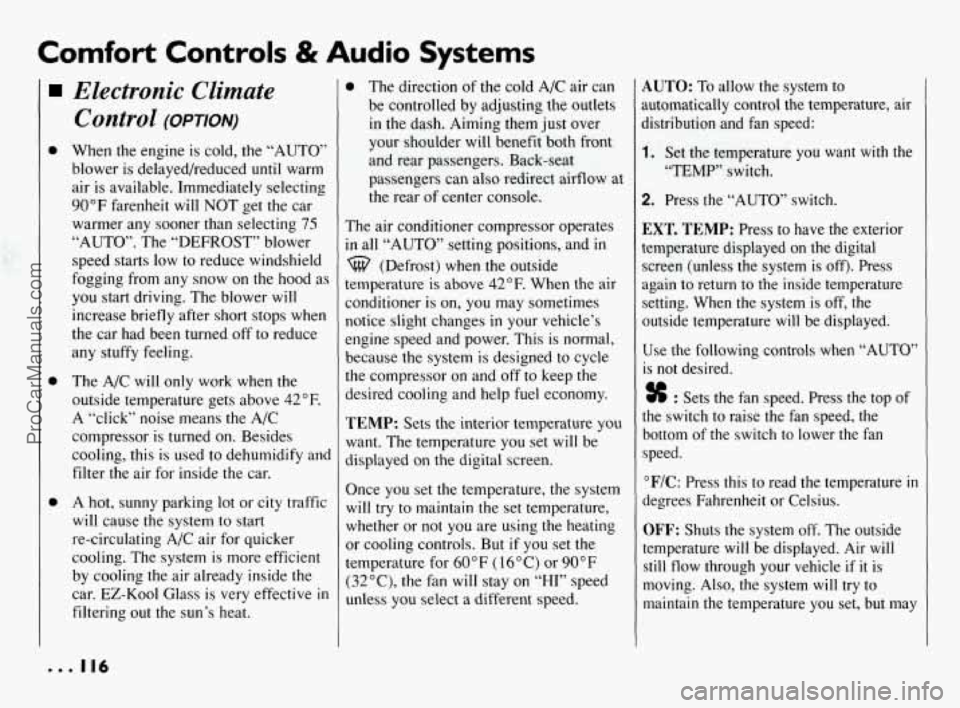
Electronic Climate Control
(OPTION)
When the engine is cold, the “AUTO’
blower is delayed/reduced until warm
air is available. Immediately selecting
90°F farenheit will NOT get the car
warmer any sooner than selecting
75
“AUTO”. The “DEFROST” blower
speed starts low to reduce windshield
fogging from any snow on the hood as
you start driving. The blower will
increase briefly after short stops when
the car had been turned
off to reduce
any stuffy feeling.
The A/C will only work when the
outside temperature gets above
42°F.
A “click” noise means the A/C
compressor is turned on. Besides
cooling, this is used to dehumidify and
filter the air for inside the car.
A hot, sunny parking lot or city traffic
will cause the system to start
re-circulating A/C air for quicker
cooling. The system is more efficient
by cooling the air already inside the
car.
EZ-Kool Glass is very effective in
filtering out the sun’s heat.
0 The direction of the cold A/C air can
be controlled by adjusting the outlets
in the dash. Aiming them just over
your shoulder will benefit both front
and rear passengers. Back-seat
passengers can also redirect airflow at
the rear of center console.
The air conditioner compressor operates
in all “AUTO” setting positions, and in
%? (Defrost) when the outside
temperature is above
42°F. When the air
conditioner is on, you may sometimes
notice slight changes in your vehicle’s
engine speed and power. This is normal,
because the system
is designed to cycle
the compressor on and off to keep the
desired cooling and help fuel economy.
TEMP: Sets the interior temperature you
want. The temperature you set will be
displayed on the digital screen.
Once you set the temperature, the system
will try to maintain the set temperature,
whether or not
you are using the heating
or cooling controls. But
if you set the
temperature for
60°F ( 16°C) or 90°F
(32”C), the fan will stay on “HI” speed
unless you select a different speed.
AUTO: To allow the system to
automatically control the temperature, air
Jistribution and fan speed:
1. Set the temperature you want with the
“TEMP” switch.
2. Press the “AUTO” switch.
EXT. TEMP: Press to have the exterior
temperature displayed
on the digital
screen (unless the system is off). Press
again to return to the inside temperature
setting. When the system is off, the
outside temperature will be displayed.
Use the following controls when “AUTO’
is not desired.
% : Sets the fan speed. Press the top of
the switch to raise the fan speed, the
bottom of the switch to lower the fan
speed.
“F/C: Press this to read the temperature in
degrees Fahrenheit or Celsius.
OFF: Shuts the system off. The outside
temperature will be displayed. Air
will
still flow through your vehicle if it is
moving. Also, the system will try to
maintain the temperature you set, but,may
... 116
ProCarManuals.com
Page 121 of 290
Comfort Controls 8i Audio Systems
Audio Systems (CONT.)
NOTICE: c’
Before you add any sound
equipment to your vehicle
-- like a
tape player,
CB radio, mobile
telephone or two-way radio
-- be
sure you can add what you want.
If
you can, it’s very important to do it
properly. Added sound equipment
may interfere with the operation
of
your vehicle’s engine, Delco@ radio
or other systems, and even damage
them. And, your vehicle’s systems
may interfere with the operation
of
sound equipment that has been
added improperly.
So, before adding sound equipment,
check with your dealer and be sure
to check Federal rules covering
mobile radio and telephone units.
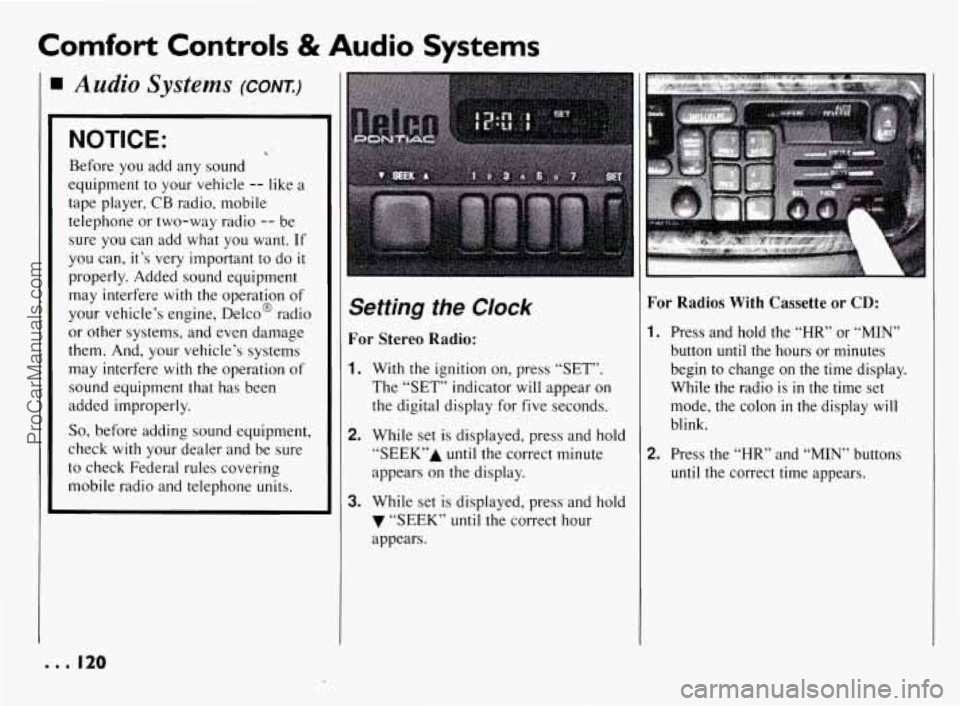
Setting the Clock
For Stereo Radio:
1. With the ignition on, press “SET”.
The “SET” indicator will appear on
the digital display for five seconds.
2. While set is displayed, press and hold
“SEEK7’A until the correct minute
appears on the display.
3. While set is displayed, press and hold
7 “SEEK” until the correct hour
appears.
For Radios With Cassette or CD:
I. Press and hold the “HR” or “MIN”
button until the hours or minutes
begin to change on the time display.
While the radio is
in the time set
mode, the colon
in the display will
blink.
2. Press the “HR” and “MIN” buttons
until the correct time appears.
e.. I20
ProCarManuals.com