ECO mode PONTIAC BONNEVILLE 1998 Owners Manual
[x] Cancel search | Manufacturer: PONTIAC, Model Year: 1998, Model line: BONNEVILLE, Model: PONTIAC BONNEVILLE 1998Pages: 395, PDF Size: 17.6 MB
Page 64 of 395
If your vehicle is not equipped with remote keyless
entry, use the following procedure to change modes:
1. Close all doors and turn the ignition on. Keep all
doors closed throughout this procedure.
2. Press and hold thedriver’s power door lock switch in
the LOCK position through Step
3.
3. Cycle the shift lever, starting in PARK (P), through the
gear selections to advance by one mode for each cycle.
After the first cycle, you will hear a door locking action, which identifies the current mode.
4. Release the power door lock switch.
Delayed Locking (Option)
This feature lets the driver delay the actual locking of
the
vehicle. When the power door lock switch is pressed
with the key removed from the ignition and the driver’s
door open, a chime will sound three times to signal that
the delayed locking system is active. When
all doors
have been closed, the doors will lock automatically after five seconds. If any door is opened before this, the
five-second timer will reset itself once all the doors have
been closed again.
Pressing the door lock switch twice within two seconds
will override this feature.
Personalization Programming
The delayed locking feature can be turned on or off for
each driver’s remote keyless entry transmitter. Vehicles are delivered with each remote keyless entry transmitter
defaulted with delayed locking
off.
If your vehicle has the remote keyless entry system, do
the following to turn the feature on:
1. Press and hold the power door lock switch in the
LOCK position throughout this procedure. All the
doors will lock.
2. Press the UNLOCK button on the transmitter.
The lock delay is still
off and all the doors will
remain locked.
again. Lock delay is now active and
all the doors
will unlock.
3. Press the UNLOCK button on the transmitter
4. Release the power door lock switch.
To turn this feature off, repeat the previous procedure.
This procedure changes the mode for only the
transmitter used
to change this setting. The procedure
will need to be repeated for the second transmitter.
2-7
Page 65 of 395
If your vehicle is not equipped with remote keyless
entry, the delayed locking feature can be turned
on or off
by using the following procedure:
1. With the ignition on, press and hold the driver's
power door lock switch.
All doors will lock.
2. Cycle the headlamp switch four times. On the third
cycle,
the doors will unlock to confirm that the
feature has been turned on.
Your doors will remain
locked if delayed locking is now in the non-active
mode.
3. To change modes, cycle the headlamp switch once
more.
A locking action will confirm the new mode.
4. Release the power door lock switch.
This procedure must be completed within 10 seconds of
pressing the power door lock switch. To turn the feature
off, repeat the previous procedure.
Rear Door Security Lock
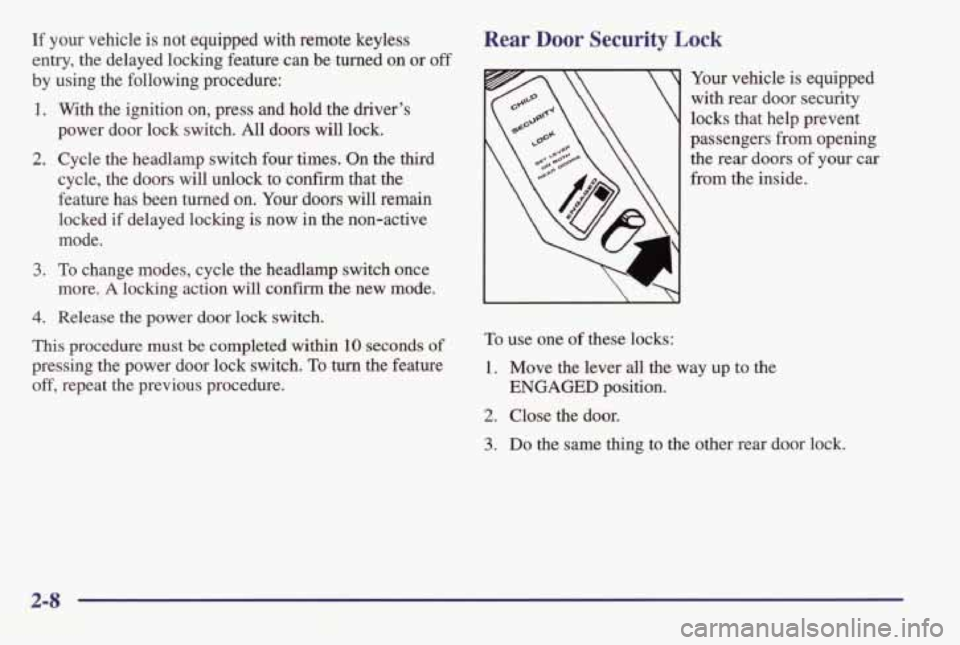
Your vehicle is equipped
with rear door security
locks that help prevent
passengers
from opening
the rear doors of your car
from the inside.
To use one of these locks:
1. Move the lever all the way up to the
2. Close the door.
ENGAGED position.
3. Do the same thing to the other rear door lock.
2-8
Page 69 of 395
Security Feedback
This provides feedback to the driver when the vehicle
receives a command
from the key transmitter. The
following modes may be selected:
Mode Security Feedback
0
2
3
4
5
No feedback when locking or
unlocking vehicle.
No feedback when locking;
headlamps and parking lamps flash
when unlocking vehicle.
Headlamps and parking lamps
flash
when locking; no feedback when
unlocking vehicle.
Headlamps and parking lamps flash when
locking and when unlocking vehicle.
Headlamps and
parking lamps flash and
horn chirps when locking; no feedback when unlocking vehicle.
Headlamps and parking lamps
flash and
horn chirps when locking; headlamps and
parking lamps flash when unlocking. Vehicles
are delivered programmed
in Mode 5. To
change to another mode:
1.
Turn the ignition key to OFF.
2. Press and hold LOCK on the driver’s power door
lock switch located on the door panel.
3. Press the trunk button on the transmitter. The
transmitter
will remain in its current mode.
4. Press the trunk button again. Each time the trunk button is
5. Release the power door lock switch.
This procedure changes the mode for only the
transmitter used to change
this setting. The procedure
will need to be repeated for the second transmitter.
pressed, the transmitter
will advance to the next mode.
Matching Transmitter(s) To Your Vehicle
Each remote keyless entry transmitter
is coded to
prevent another transmitter from unlocking your vehicle.
If a transmitter is
lost or stolen, a replacement can be
purchased through your dealer. Remember to bring any
remaining transmitters with you when you go to your
dealer. When the dealer matches
the replacement
transmitter to your vehicle, any remaining transmitters
must
also be matched. Once your dealer has coded the
new transmitter, the lost transmitter will
not unlock your
vehicle. Each vehicle can have only four transmitters
matched to
it.
2-12
Page 84 of 395
FIRST (1): This position gives you even more power
(but lower fuel economy) than
SECOND (2). You can
use it on very steep hills, or in deep snow or mud.
If
the selector lever is put in FIRST (l), the transaxle
won't
shift into first gear until the vehicle is going
slowly enough.
NOTICE:
If your front wheels can't rotate, don't try to
drive. This might happen
if you were stuck in
very deep sand or mud or were up against a solid
object. You could damage your transaxle.
Also, if you stop when going uphill, don't hold
your vehicle there with only the accelerator
pedal. This could overheat and damage the
transaxle. Use your brakes or shift into
PARK (P)
to hold your vehicle in position on a hill.
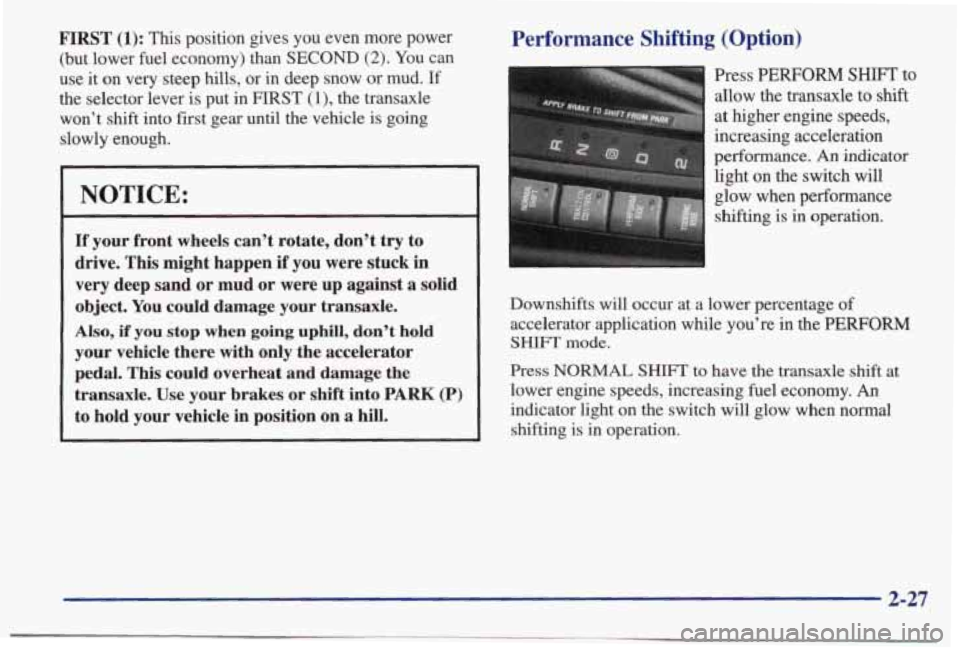
Performance Shifting (Option)
Press PERFORM SHIFI' to
allow the transaxle to shift
at higher engine speeds,
increasing acceleration
performance.
An indicator
light on the switch will
glow when performance
shifting is
in operation.
Downshifts will occur at a lower percentage
of
accelerator application while you're in the PERFORM
SHIFT mode.
Press NORMAL SHIFT to have the transaxle shift at
lower engine speeds, increasing fuel economy.
An
indicator light on the switch will glow when normal
shifting is in operation.
2-27
Page 96 of 395
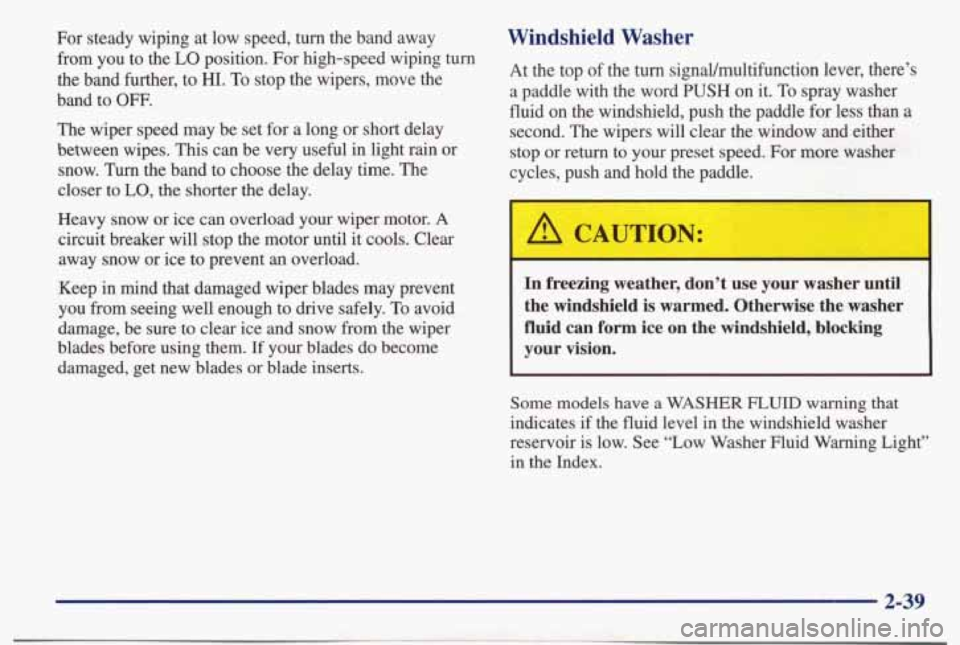
For steady wiping at low speed, turn the band away from you to the
LO position. For high-speed wiping turn
the band further,
to HI. To stop the wipers, move the
band
to OW.
The wiper speed may be set for a long or short delay
between wipes.
This can be very useful in light rain or
snow.
Turn the band to choose the delay time. The
closer to LO, the shorter the delay.
Heavy snow or ice can overload your wiper motor.
A
circuit breaker will stop the motor until it cools. Clear
away snow or ice to prevent an overload.
Keep in mind that damaged wiper blades may prevent
you from seeing well enough to drive safely.
To avoid
damage, be sure
to clear ice and snow from the wiper
blades before using them.
If your blades do become
damaged, get new blades or blade inserts.
Windshield Washer
At the top of the turn signaVmultifunction lever, there’s
a paddle with the word
PUSH on it. To spray washer
fluid on the windshield, push the paddle for less than a
second. The wipers will clear the window and either stop or return to your preset speed. For more washer
cycles, push and hold the paddle.
In freezing weather, don’t use your washer until
the windshield is warmed. Otherwise the washer
fluid can
form ice on the windshield, blocking
your vision.
Some models have a WASHER FLUID warning that
indicates if the fluid level in the windshield washer
reservoir is low. See “Low Washer Fluid Warning Light”
in the Index.
2-39
Page 138 of 395
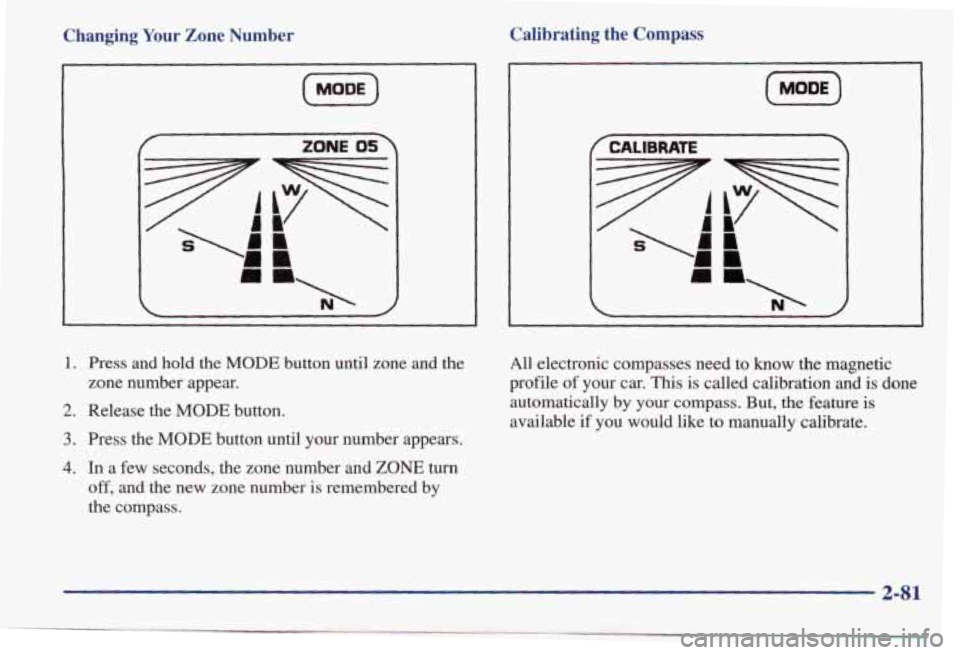
Changing Your Zone Number
I
(MODE)
r ZONE OS
1. Press and hold the MODE button until zone and the
zone number appear.
2. Release the MODE button.
3. Press the MODE button until your number appears.
4. In a few seconds, the zone number and ZONE turn
off, and the new zone number is remembered by
the compass.
Calibrating the Compass
(iZiF)
All electronic compasses need to know the magnetic
profile of your car. This is called calibration
and is done
automatically by your compass.
But, the feature is
available if you would like to manually calibrate.
2-81
Page 139 of 395
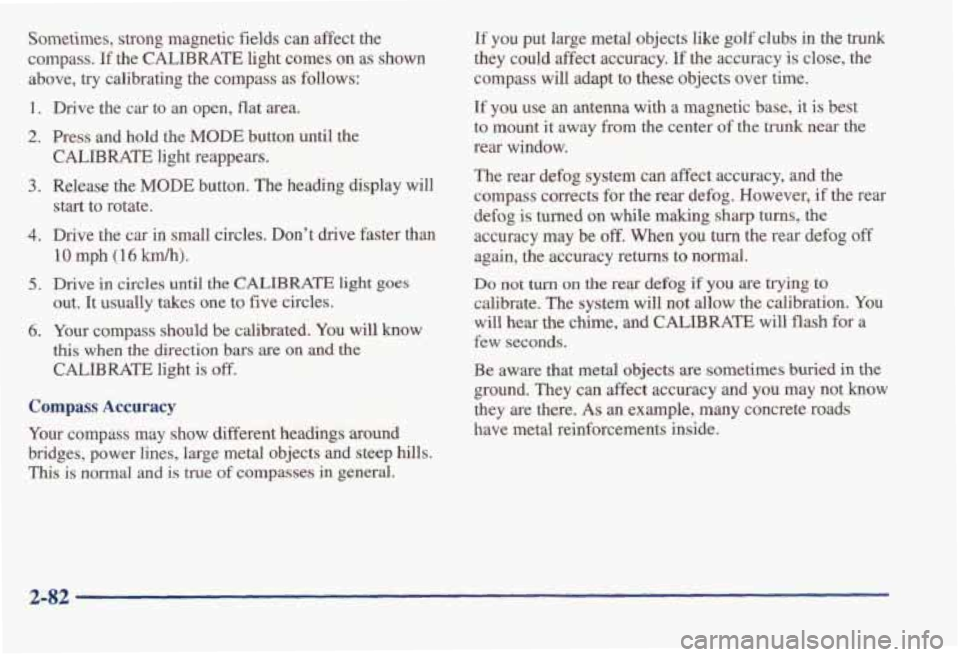
Sometimes, strong magnetic fields can affect the
compass.
If the CALIBRATE light comes on as shown
above,
try calibrating the compass as follows:
1. Drive the car to an open, flat area.
2. Press and hold the MODE button until the
CALIBRATE light reappears.
start to rotate.
3. Release the MODE button. The heading display will
4. Drive the car in small circles. Don't drive faster than
10 mph (16 km/h).
out. It usually takes one to five circles.
this when the direction bars are on and the
CALIBRATE light is off.
5. Drive in circles until the CALIBRATE light goes
6. Your compass should be calibrated. You will know
Compass Accuracy
Your compass may show different headings around
bridges, power lines, large metal objects and steep hills.
This is noma1 and is true of compasses in general.
If you put large metal objects like golf clubs in the trunk
they could affect accuracy. If the accuracy is close, the
compass will adapt to
these objects over time.
If you use an antenna with a magnetic base, it is best
to mount it away from the center of the trunk near the
rear window.
The rear defog system can affect accuracy, and the
compass corrects for the rear defog. However,
if the rear
defog is turned on while making
sharp turns, the
accuracy may be
off. When you turn the rear defog off
again, the accuracy returns to normal.
Do not turn on the rear defog if you are trying to
calibrate. The system will not allow the calibration.
You
will hear the chime, and CALIBRATE will flash for a
few seconds.
Be aware that metal objects are sometimes buried in the
ground. They
can affect accuracy and you may not know
they are there.
As an example, many concrete roads
have
metal reinforcements inside.
2-82
Page 145 of 395
To find your comfort zone, start with 75" F (24" C)
temperature setting and allow about 20 minutes for the
system to regulate. Press the
TEMP button up or down
to adjust the temperature setting if necessary, If you
choose the temperature setting of
60°F (15 "C), the
system will remain
at that maximum cooling setting and
will not regulate the
fan speed. If you choose the
temperature setting
of 90°F (33"c), the system will
remain at that maximum heating setting and will not
regulate the fan speed. Choosing either maximum
setting will not cause the system to heat
or cool
any faster.
Pressing
the AUTO button will display the requested
temperature, fan speed and air delivery mode for five
seconds, then change
to display the outside air
temperature. Be careful not to put
anythmg over the
sensor located
in the middle of the instrument panel near
the windshield,
or over the sensor in the grille above the
radio. These sensors are used by the automatic system to
regulate temperature.
The exterior temperature display sensor is in front of the
vehicle, near the radiator. The displayed temperature is
most accurate when the vehicle is moving. During stops,
or while idling, the display shows the previous driving
temperature for best system control.
To avoid blowing cold air in cold weather, the system
will delay
turning on the fan until warm air is available.
The length of delay depends on outside
air temperature,
engine coolant temperature, and time since
the engine
was last started. Pushing the fan button will override this
delay and change the fan to a selected single speed.
If you leave your vehicle, the system will remember the
control setting
the next time you start your engine.
Manual Operation
You may also manually adjust the air delivery mode or
fan speed.
'/J HEAR Manually selecting HEAT by cycling
through
the MODE settings will deliver air to the
floor outlets.
3 DEFOG: Manually selecting DEFOG by cycling
through the
MODE settings will deliver air to the floor
and windshield outlets.
a
Lo
BIDLEVEL: Manually selecting BI-LEVEL by
cycling through the MODE setting will deliver warm air
to the floor and cooler air to the middle instrument
panel outlets.
3-4
Page 146 of 395
OFF: Press this button to turn the system off. Fresh air
will continue to flow through the vehicle, and the
system will
try to maintain the previously chosen
comfort setting. The outside temperature will show in
the display when the system is
off.
AIC: Press this button to turn the air conditioning on and
off. The system will cool and dehumiw the air inside the
vehicle.
In the AUTO mode, the display will show that
A/C
is active, but the air conditioning compressor only
operates when the system determines it is needed.
RECIRC: Press this button to limit the amount of fresh
air entering your vehicle. You may use this setting to
limit odors entering your vehicle. Press RECIRC to
change to a manual
MODE and air will recirculate until
the RECIRC button is pressed again. RECIRC will show
on
the display and then return to EXT TEMP display.
Operating the RECIRC mode
in cold temperatures or
under high humidity conditions may cause moisture
to
form on the inside of the windshield. If this condition
occurs, press the RECIRC button again.
DEFROST: Press this button to clear the windshield.
The system will automatically control the fan speed if
you select defrost from AUTO.
OF "C: Press this button to display the temperature in
degrees Fahrenheit or Celsius.
Air Conditioning
On hot days, open the windows long enough to let hot
inside air escape. This reduces the time it takes for your
vehicle to cool down. Then keep your windows closed
for the air conditioner to work its best.
If you have the standard system, for quick cool-down on
very hot days, use
MAX with the temperature knob in
the blue area.
If this setting is used for long periods of
time, the air in your vehicle may become too cold and
dry. For normal cooling on hot days, use A/C with the
temperature knob in the blue area. This setting cools the
air entering your vehicle and directs
it through the
instrument panel outlets.
If you have the electronic system, press the A/C button
to turn the system on. The system will cool and
dehumidify the air inside the vehicle. Also while in
AUTO mode, the system will use RECIRC as necessary
to cool
the air.
On cool, but sunny days, with the standard system or
through manual operation of the electronic system, use
BI-LEVEL to deliver warm air to the floor and cooler
air to the middle instrument panel outlets.
To warm or
cool the air delivered, push the
TEMP button up
or down.
3-5
Page 150 of 395
EICE: I
~~
Do not try to clear frost or other material from
the inside of the rear window with a razor blade
or anything else that is sharp. This may damage
the defogger grid. The repairs wouldn’t
be
covered by your warranty.
Audio Systems
Your Delco Electronics audio system has been designed
to operate easily
and give years of listening pleasure.
You will get the most enjoyment out of it if you acquaint
yourself with it first. Find out what your Delco
Electronics system can do
and how to operate all its
controls, to be sure you’re getting the most out of the
advanced engineering that went into
it.
Setting the Clock for AM-FM Stereo
Press SET. Within five seconds, press and hold the
SEEK down arrow until the correct hour appears on the
display. Press and hold the
SEEK up arrow until the
correct minute appears on the display.
Setting the Clock for All Systems Except
AM-FM Stereo
Press and hold HR until the correct hour appears. Press
and hold MIN until the correct minute appears. There
will be a two-second delay before the clock goes into
time-set mode, and the colon on the display
will blink
while in this mode.
3-9