stop start PONTIAC BONNEVILLE 2003 User Guide
[x] Cancel search | Manufacturer: PONTIAC, Model Year: 2003, Model line: BONNEVILLE, Model: PONTIAC BONNEVILLE 2003Pages: 418, PDF Size: 20.24 MB
Page 196 of 418
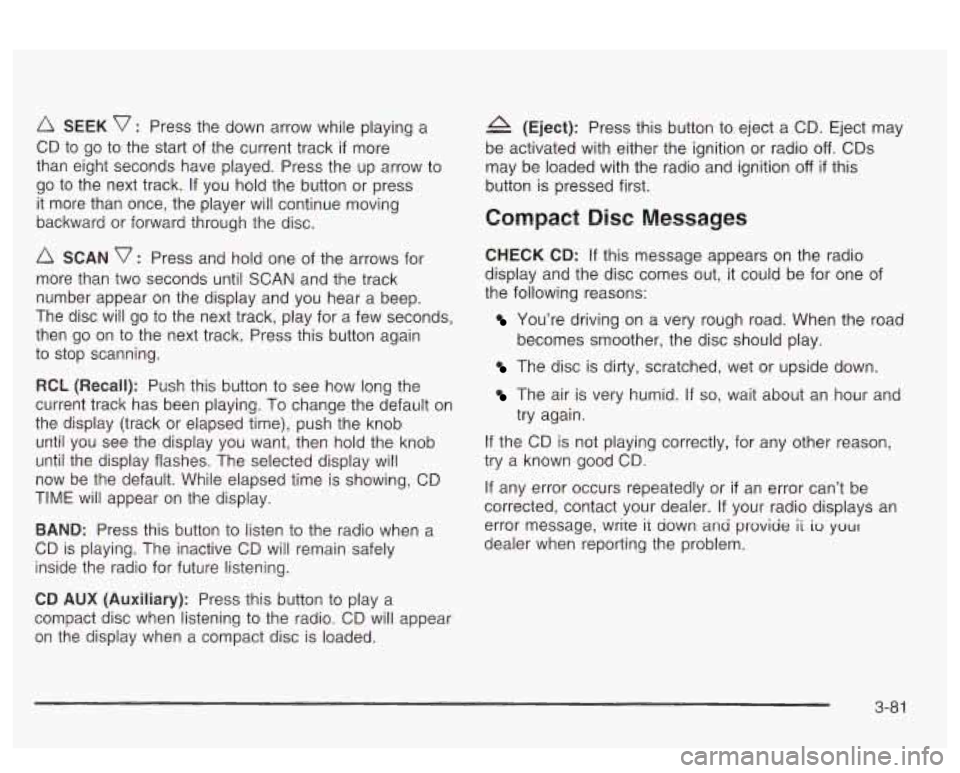
SEEK v : Press the down arrow while playing a
CD to go to the start of the current track
if more
than eight seconds have played. Press the up arrow to
go to the next track. If you hold the button or press
it more than once, the player will continue moving
backward or forward through the disc.
SCAN v : Press and hold one of the arrows for
more than two seconds until SCAN and the track
number appear on the display and you hear a beep.
The disc will go to the next track, play for a few seconds,
then go on to the next track. Press this button again
to stop scanning.
RCL (Recall): Push this buttcn to see how long the
current track has been playing.
To change the default on
the display (track or elapsed time), push the knob
until you see the display you want, then hold the knob
until the display flashes. The selected display will
now be the default. While elapsed time is showing, CD
TIME will appear on the display.
BAND: Press this button to listen to the radio when a
CD is playing. The inactive CD will remain safely
inside the radio for future listening.
A (Eject): Press this button to eject a CD. Eject may
be activated with either the ignition or radio
off. CDs
may be loaded with the radio and ignition
off if this
button
is pressed first.
Compact Disc Messages
CHECK CD: If this message appears on the radio
display and the disc comes out, it could be for one of
the following reasons:
You’re driving on a very rough road. When the road
becomes smoother, the disc should play.
The disc is dirty, scratched, wet or upside down.
The air is very humid. if so, wait about an hour and
try again.
If the CD is not playing correctly, for any other reason,
try a known good CD.
If any error occurs repeatedly or
if an error can’t be
corrected, contact your dealer. If your radio displays an
error message, wrire it down ana proviae
ii io your
dealer when reporting the problem.
CD AUX (Auxiliary): Press this button to play a
compact disc when listening to the radio. CD will appear
on the display when a compact disc is loaded.
3-8 1
Page 208 of 418
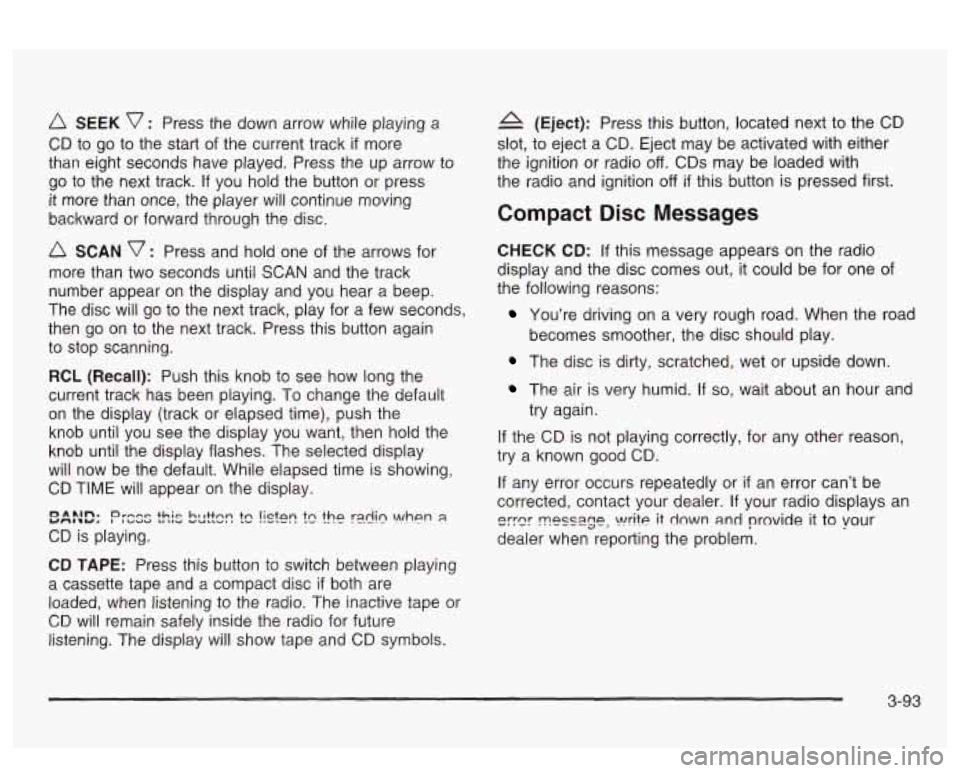
SEEK v : Press the down arrow while playing a
CD to go to the start of the current track if more
than eight seconds have played. Press the up arrow to
go to the next track.
If you hold the button or press
it more than once, the player will continue moving
backward or forward through the
disc.
A SCAN v : Press and hold one of the arrows for
more than two seconds until SCAN and the track
number appear on the display and you hear a beep.
The disc will go to the next track, play for a few seconds,
then go on to the next track. Press this button again
to stop scanning.
RCL (Recall): Push this knob to see how long the
current track has been piaying.
To change ‘rhe default
on the display (track or elapsed time), push the
knob until you see the display you want, then hold the
knob until the display flashes. The selected display
will now be the default. While elapsed time is showing,
CD TIME will appear on the display.
CD is playing.
YMIbY. r~ *~n. I Dr-e~ ~uaa +hie ta IIU VUIIVS hl I++nn m tc !isfen the r21in \!/hen 8
CD TAPE: Press this button to switch between playing
a cassette tape and a compact disc
if both are
loaded, when listening to the radio. The inactive tape or
CD will remain safely inside the radio for future
listening. The display will show tape and
CD symbols.
4 (Eject): Press this button, located next to the CD
slot, to eject a CD. Eject may be activated with either
the ignition or radio
off. CDs may be loaded with
the radio and ignition
off if this button is pressed first.
Compact Disc Messages
CHECK CD: If this message appears on the radio
display and the disc comes out, it could be for one
of
the following reasons:
You’re driving on a very rough road. When the road
The disc is dirty, scratched, wet or upside down.
becomes
smoother, the disc should play.
The air is very humid. If so, wait about an hour and
try again.
If the CD is not playing correctly, for any other reason,
try a known good
CD.
If any error occurs repeatedly or if an error can’t be
corrected, contact your dealer.
If your radio displays an
eyer ~PSS~~P, write it down and provide it to vour
dealer when reporting the problem.
3-93
Page 212 of 418
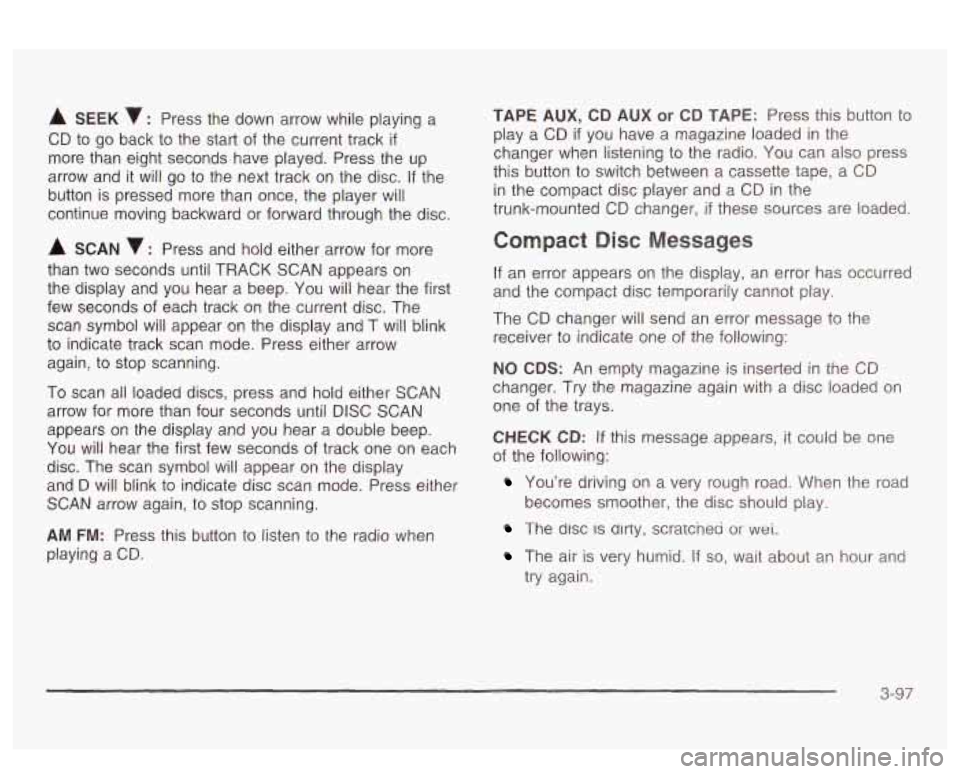
A SEEK : Press the down arrow while playing a
CD to go back to the start of the current track
if
more than eight seconds have played. Press the up
arrow and it will go to the next track on the disc.
If the
button is pressed more than once, the player will
continue moving backward or forward through the disc.
A SCAN 7 : Press and hold either arrow for more
than two seconds until TRACK SCAN appears on
the display and you hear a beep. You will hear the first
few seconds of each track on the current disc. The
scan symbol will appear on the display and T will blink
to indicate track scan mode. Press either arrow
again, to stop scanning.
To scan all loaded discs, press and
hoid either SCAN
arrow for more than four seconds until DISC SCAN
appears on the display and you hear a double beep.
You will hear the first few seconds of track one on each
disc. The scan symbol will appear on the display
and
D will blink to indicate disc scan mode. Press either
SCAN arrow again, to stop scanning.
AM FM: Press this button to listen to the radio when
playing a CD.
TAPE AUX, CD AUX or CD TAPE: Press this button to
play a CD
if you have a magazine loaded in the
changer when listening to the radio. You can also press
this button to switch between a cassette tape, a CD
in the compact disc player and a CD in the
trunk-mounted CD changer,
if these sources are loaded.
Compact Disc Messages
If an error appears on the display, an error has occurred
and the compact disc temporarily cannot play.
The CD changer will send an error message to the
receiver to indicate one of the following:
NO CDS: An empty magazine is inserted in the CD
changer. Try the magazine again with a disc loaded on
one of the trays.
CHECK CD: If this message appears, it could be one
of the following:
You’re driving on a very rough road. When the road
The disc IS dlrty, scratcnea or wet.
becomes smoother, the disc should play.
The air is very humid. If so, wait about an hour and
try again.
3-97
Page 214 of 418
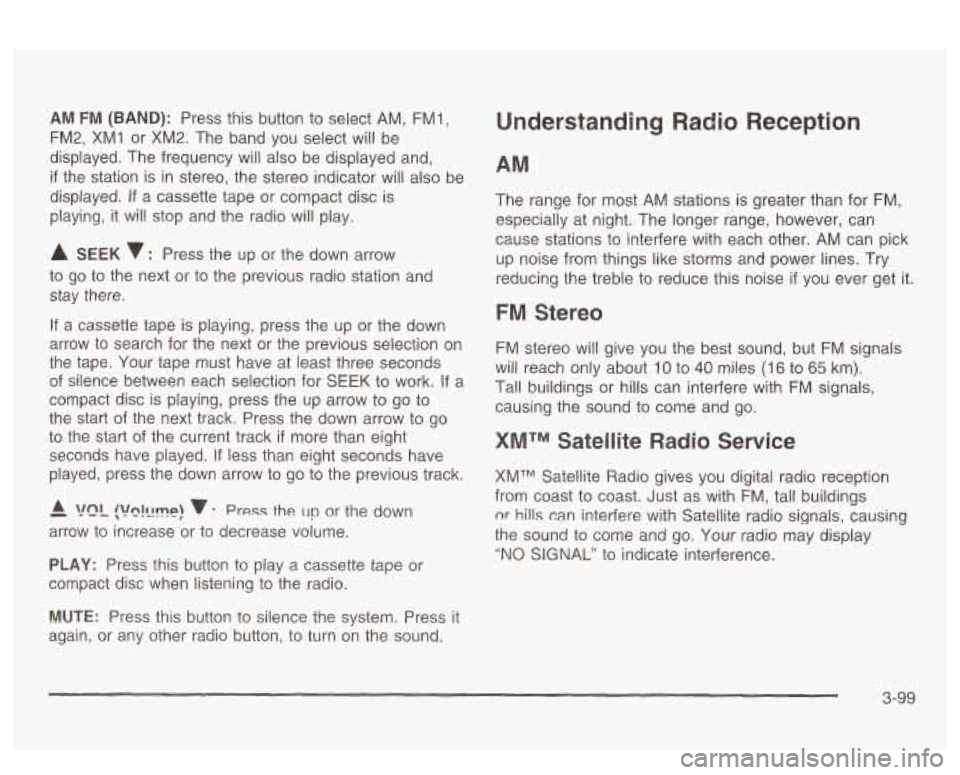
AM FM (BAND): Press this button to select AM, FMl,
FM2, XMI or XM2. The band you select will be
displayed. The frequency will also be displayed and,
if the station is in stereo, the stereo indicator will also be
displayed.
If a cassette tape or compact disc is
playing, it will stop and the radio
will play.
A SEEK 7 : Press the up or the down arrow
to go to the next or to the previous radio station and
stay there.
If a cassette tape is playing, press the up or the down
arrow to search for the next or the previous selection on
the tape. Your tape must have at least three seconds
of silence between each selection for SEEK to work. If a
compact disc is playing, press the up arrow
to go to
the start of the next track. Press the down arrow to go
to the start
of the current track if more than eight
seconds have played.
If less than eight seconds have
played, press the down arrow to go to the previous track.
- A !?ln!llmp! v : Press the un or the down
arrow to increase or to decrease volume.
PLAY: Press this button to play a cassette tape or
compact disc when listening to the radio.
Understanding Radio Reception
The range for most AM stations is greater than for FM,
especially at night. The longer range, however, can
cause stations to interfere with each other. AM can pick
up noise from things like storms and power lines. Try
reducing the treble to reduce this noise
if you ever get it.
FM Stereo
FM stereo will give you the best sound, but FM signals
will reach only about
10 to 40 miles (I 6 to 65 km).
Tal! buildings or hills can interfere with FM signals,
causing the sound to come and go.
XMTM Satellite Radio Service
XMTM Satellite Radio gives you digital radio reception
from coast to coast. Just as with FM, tall buildings
nr hills can interfere with Satellite radio signals, causing
the sound to come and
go. Your radio may display
"NO SIGNAL" to indicate interference.
MUTE: Press this button to silence the system. Press it
again, or any other radio button,
to turn on the sound.
3-99
Page 224 of 418
And, of course, actual stopping distances vary greatly
with the surface of the road (whether it’s pavement
or gravel); the condition of the road (wet, dry, icy); tire
tread; the condition of your brakes; the weight of
the vehicle and the amount of brake force applied.
Avoid needless heavy braking. Some people drive in
spurts
- heavy acceleration followed by heavy braking
- rather than keeping pace with traffic. This is a
mistake. Your brakes may not have time to cool between
hard stops. Your brakes will wear out much faster
if
you do a lot of heavy braking. If you keep pace with the
traffic and allow realistic following distances, you will
eliminate a lot of unnecessary braking. That means
better braking and longer brake life.
If your engine ever stops while you‘re driving, brake
normally but don’t pump your brakes. If you
do,
the pedal may get harder to push down. If your engine
stops, you will still have some power brake assist.
But you will use it when you brake. Once the power
assist is used up, it may take longer to stop and
the brake pedal will be harder to push.
Anti-lock Brake System (ABS)
Your vehicle has anti-lock brakes. ABS is an advanced
electronic braking system that will help prevent a
braking skid.
When you start your engine, or when you begin to drive
away, your anti-lock brake system will check itself.
You may hear a momentary motor or clicking noise while
this test is going on, and you may even notice that
your brake pedal moves or pulses a little. This is normal.
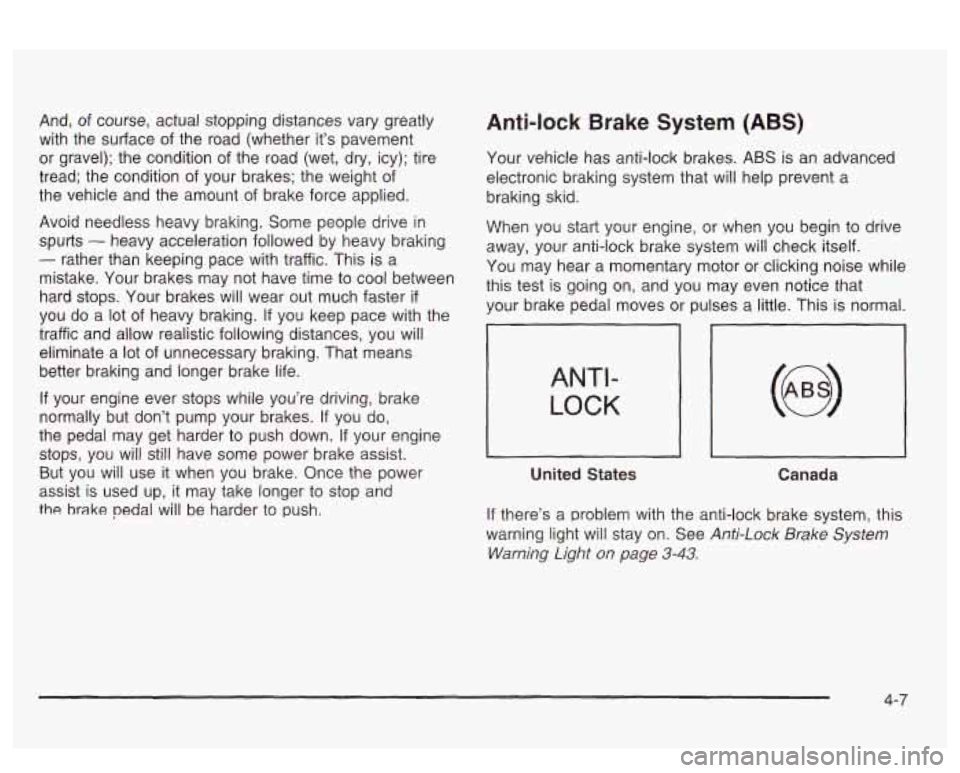
ANTI-
LOCK
United States
Canada
If there’s a problem with the anti-lock brake system, this
warning light will stay on. See
Anti-Lock Brake System
Warning Light
on page 3-43.
4-7
Page 231 of 418
Do not get too close to the vehicle you want to
pass while you’re awaiting an opportunity. For
one thing, following too closely reduces your area
of vision, especially
if you’re following a larger
vehicle.
Also, you won’t have adequate space if the
vehicle ahead suddenly slows or stops. Keep
back a reasonable distance.
When it looks like a chance to pass is coming up,
start to accelerate but stay in the right lane and
don’t get too close. Time your move
so you will be
increasing speed as the time comes to move
into the other lane. If the way is clear to pass, you
will have a “running start” that more than makes
up for the distance you would lose by dropping
back. And
if something happens to cause you to
cancel your pass, you need only slow down
and drop back again and wait for another
opportunity.
If other vehicles are lined up to pass a slow vehicle,
wait your turn. But take care that someone isn’t
trying to pass you as you pull out to pass the slow
vehicle. Remember
to glance over your shoulder
and check the blind spot.
Check your mirrors, glance over your shoulder, and
start your left lane change signal before moving out
of the right lane to pass. When you are far
enough ahead of the passed vehicle to see its front
0
0
0
in your inside mirror, activate your right lane change
signal and move back into the right lane.
(Remember that your right outside mirror is convex.
The vehicle you just passed may seem to be
farther away from you than it really is.)
Try not to pass more than one vehicle at a time on
two-lane roads. Reconsider before passing the
next vehicle.
Don’t overtake a slowly moving vehicle too rapidly.
Even though the brake lamps are not flashing, it
may be slowing down or starting to turn.
If you’re being passed, make it easy for the
following driver
to get ahead of you. Perhaps you
can ease a little to the right.
Loss of Control
Let’s review what driving experts say about what
happens when the three control systems (brakes,
steering and acceleration) don’t have enough friction
where the tires meet the road to do what the driver has
asked.
In any emergency, don’t give up. Keep trying to steer
and constantly seek an escape route or area of
less danger.
4-1 4
Page 232 of 418
Skidding
In a skid, a driver can lose control of the vehicle.
Defensive drivers avoid most skids by taking reasonable
care suited to existing conditions, and by not
“overdriving” those conditions. But skids are always
possible.
The three types of skids correspond to your vehicle’s
three control systems. In the braking skid, your wheels
aren’t rolling. In the steering or cornering skid, too
much speed or steering in a curve causes tires to slip
and lose cornering force. And in the acceleration
skid, too much throttle causes the driving wheels
to spin.
A cornering skid is best handled by easing your foot off
the accelerator pedal.
If you have the traction control system, remember: It
helps avoid only the acceleration skid.
If you do not have
traction control, or
if the system is off, then an
acceleration skid is also best handled by easing your
!CQ! nff !he 2cce!er2!cr ped?!.
If your vehicle starts to slide, ease your foot off the
accelerator pedal and quickly steer the way you want
the vehicle
to go. If you start steering quickly enough,
your vehicle may straighten out. Always be ready
for a second skid
if it occurs.
If you have Stabilitrak@, you may see the STABILITY
SYSTEM ACTIVE message on the Driver Information
Center. See “Stability System Active Message”
under
DIC Warnings and Messages on page 3-60.
Of course, traction is reduced when water, snow, ice,
gravel or other material is on the road. For safety, you’ll
want to slow down and adjust your driving
to these
conditions. It is important to slow down on slippery
surfaces because stopping distance will be longer and
vehicle control more limited.
While driving on a surface with reduced traction, try
your best to avoid sudden steering, acceleration
or braking (including engine braking by shifting to a
lower gear). Any sudden changes could cause the tires
to slide. You may not realize the surface is slippery
until your vehicle is skidding. Learn to recognize warning
clues
- such as enough water, ice or packed snow
on the road to make a “mirrored surface”
- and slow
down when you have any doubt.
Fiemember: Any anii-iock brake sysiem (AESj neips
avoid only the braking skid.
4-1 5
Page 235 of 418
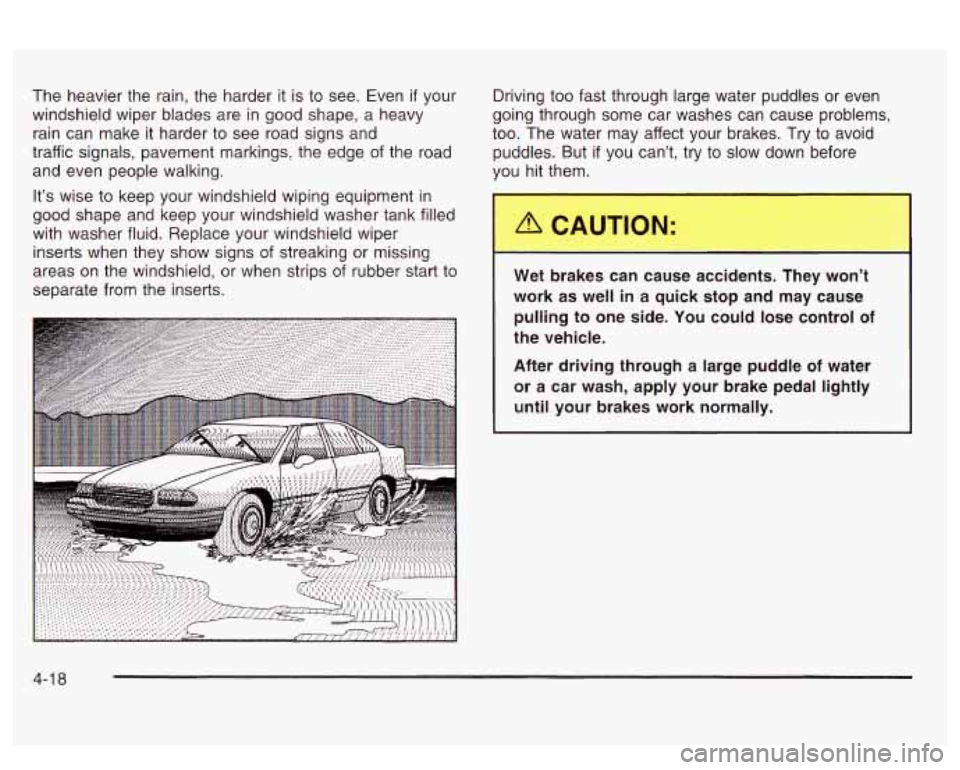
The heavier the rain, the harder it is to see. Even if your
windshield wiper blades are in good shape, a heavy
rain can make it harder to see road signs and
traffic signals, pavement markings, the edge
of the roaa
and even people walking.
It’s wise to keep your windshield wiping equipment in
good shape and keep your windshield washer tank filled
with washer fluid. Replace your windshield wiper
inserts when they show signs of streaking or missing
areas on the windshield, or when strips of rubber start to
separate from the inserts. Driving too fast through large
water puddles or even
going through some car washes can cause problems,
too. The water may affect your brakes. Try to avoid
puddles. But if you can’t, try to slow down before
you hit them.
Wet brakes can cause accidents. They won’t
work as well in a quick stop and may cause
pulling to one side. You could lose control of
the vehicle.
After driving through a large puddle
of water
or a car wash, apply your brake pedal lightly
until your brakes work normally.
4-1 8
Page 239 of 418
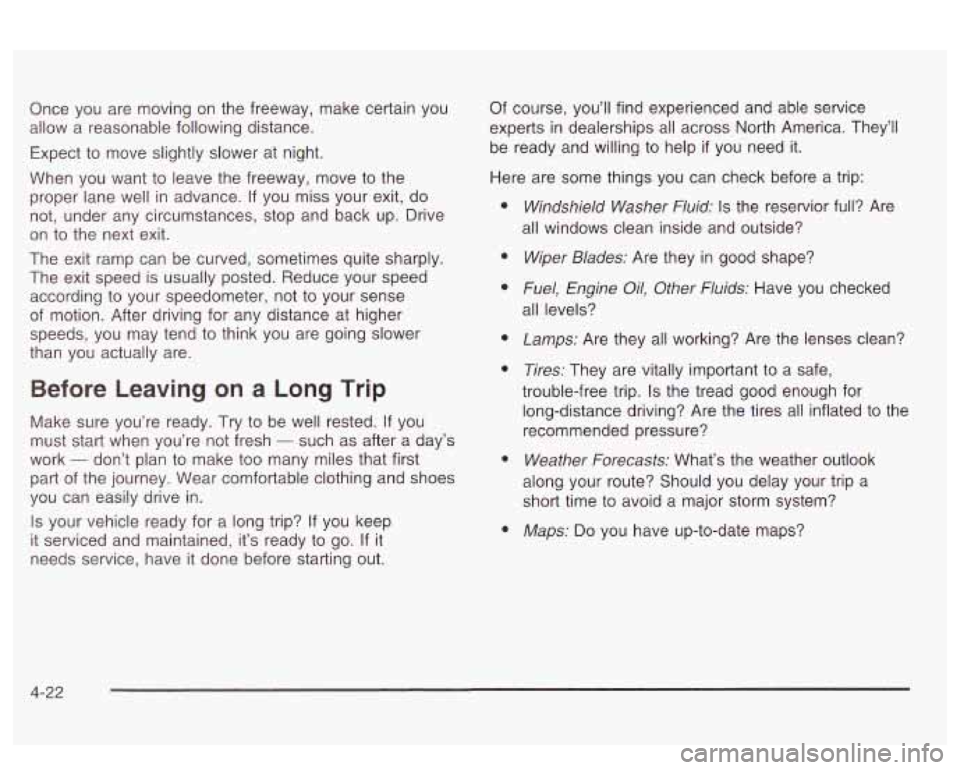
Once you are moving on the freeway, make certain you
allow a reasonable following distance.
Expect to move slightly slower at night.
When you want to leave the freeway, move to the
proper lane well in advance.
If you miss your exit, do
not, under any circumstances, stop and back up. Drive
on to the next exit.
The exit ramp can be curved, sometimes quite sharply.
The exit speed is usually posted. Reduce your speed
according to your speedometer, not to your sense
of motion. After driving for any distance at higher
speeds, you may tend to think you are going slower
than you actually are. Of
course, you’ll find experienced and able service
experts in dealerships all across North America. They’ll
be ready and willing to help
if you need it.
Here are some things you can check before a trip:
a
Before Leaving on a Long Trip
Make sure you’re ready. Try to be well rested. If you
must start when you’re not fresh
- such as after a day’s
work
- don’t plan to make too many miles that first
part of the journey. Wear comfortable clothing and shoes
you can easily drive in.
Is your vehicle ready for a long trip? If you keep
it serviced and maintained, it’s ready to go. If it
needs service, have it done before starting out.
Windshield Washer Fluid: Is the reservior full? Are
all windows clean inside and outside?
Wiper Blades: Are they in good shape?
Fuel, Engine Oil, Other Fluids: Have you checked
all levels?
Lamps: Are they all working? Are the lenses clean?
Tires: They are vitally important to a safe,
trouble-free trip.
Is the tread good enough for
long-distance driving? Are the tires all inflated
to the
recommended pressure?
Weather Forecasts: What’s the weather outlook
along your route? Should you delay your trip a
short time to avoid a major storm system?
Maps: Do you have up-to-date maps?
4-22
Page 258 of 418
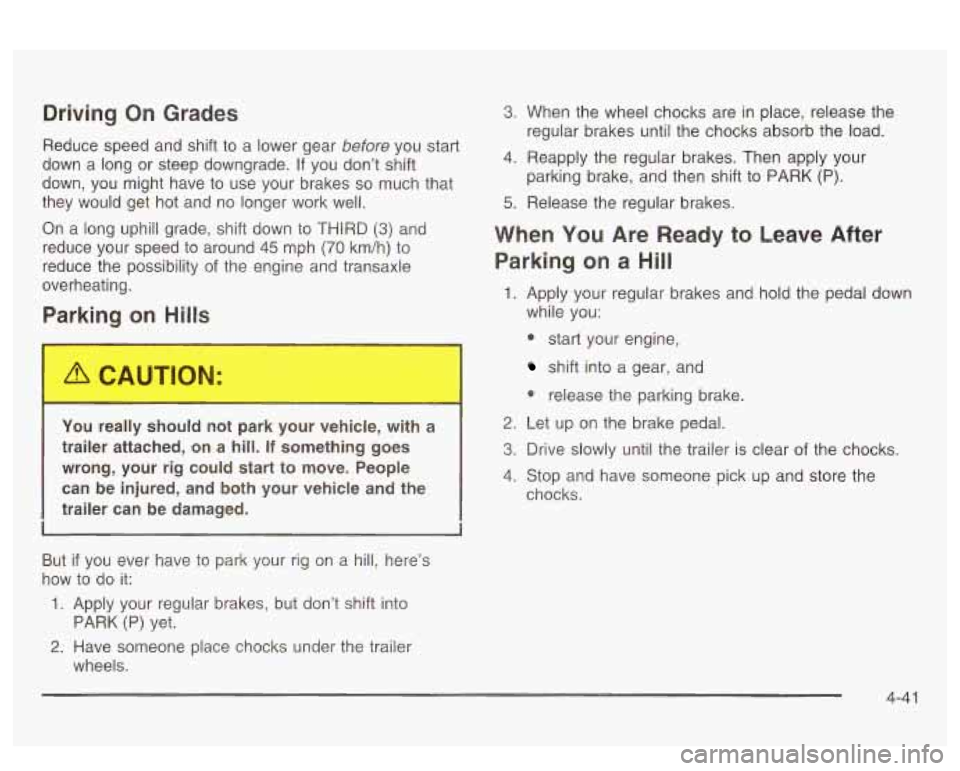
Driving On Grades
Reduce speed and shift to a lower gear before you start
down a long or steep downgrade. If you don’t shift
down, you might have to use your brakes
so much that
they would get hot and no longer work well.
On a long uphill grade, shift down to
THIRD (3) and
reduce your speed to around 45 mph
(70 km/h) to
reduce the possibility
of the engine and transaxle
overheating.
Parking on Hills
You really should not park your vehicle, with a
trailer attached, on a hill.
If something goes
wrong, your rig could start
to move. People
can be injured, and both your vehicle and the
trailer can be damaged.
But if you ever have to park your rig on a hill, here’s
how to
do it:
1. Apply your regular brakes, but don’t shift into
2. Have someone place chocks under the trailer
PARK (P) yet.
wheels.
3. When the wheel chocks are in place, release the
regular brakes until the chocks absorb the load.
4. Reapply the regular brakes. Then apply your
parking brake, and then shift to PARK (P).
5. Release the regular brakes.
When YQU Are Ready to Leave After
Parking on a Hill
1. Apply your regular brakes and hold the pedal down
while you:
* start your engine,
shift into a gear, and
0 reiease the parking brake.
2. Let up on the brake pedal.
3. Drive slowly until the trailer is clear of the chocks.
4. Stop and have someone pick up and store the
chocks.
4-41