cruise control PONTIAC BONNEVILLE 2003 Owners Manual
[x] Cancel search | Manufacturer: PONTIAC, Model Year: 2003, Model line: BONNEVILLE, Model: PONTIAC BONNEVILLE 2003Pages: 418, PDF Size: 20.24 MB
Page 125 of 418
Windshield Washer
At the end of the wiper lever, there’s a button. To spray
washer fluid on the windshield, push the button until
you have enough fluid to clean the windshield. The
wipers will clear the window and either stop or return to
yot set
speed.
~ -
In freezing weather, don’t use your washer
until the windshield is warmed. Otherwise the
washer fluid can form ice on the windshield,
blocking your vision.
Cruise Control
With cruise control, you can maintain a speed of about
25 mph (40 km/h) or more without keeping your foot
on the accelerator. This can really help
on long trips.
A WASHER FLUID warning light will indicate if the fluid
level in the windshield washer reservoir is low. See
Low Washer Fluid Warning Light on page 3-51.
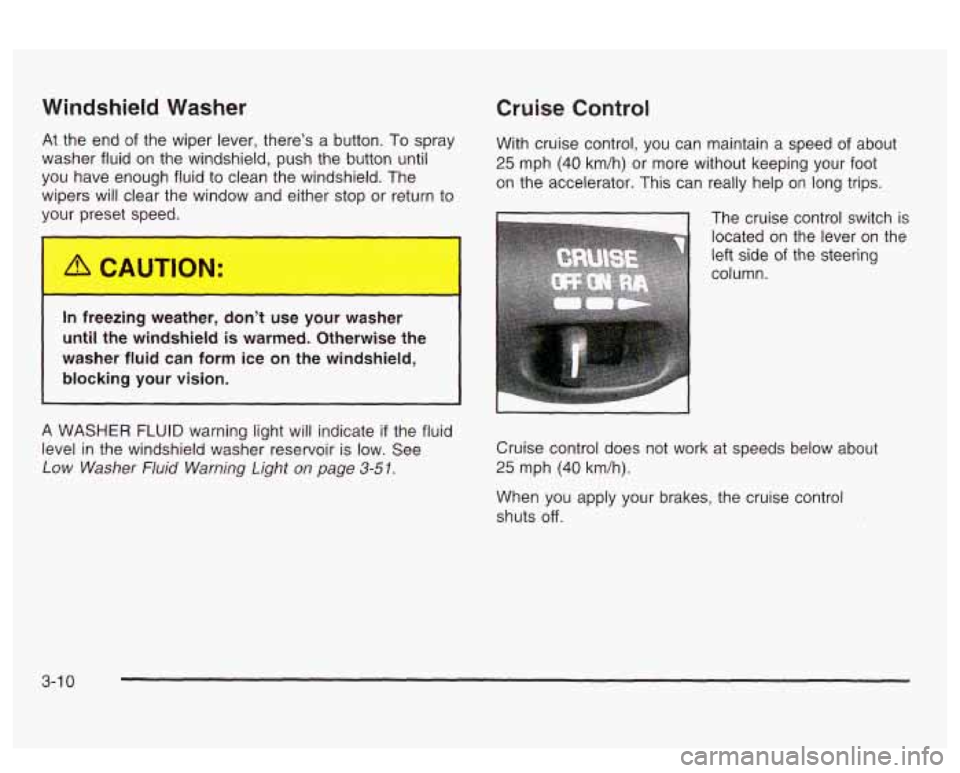
The cruise control switch is
located on the lever
on the
left side
of the steering
column.
Cruise control does not work at speeds below about
25 mph (40 km/h).
When you apply your brakes, the cruise control
shuts
off.
3-1 0
Page 126 of 418
Setting Cruise Control
Cruise control can be dangerous where
you can’t drive safely at a steady speed.
So, don’t use your cruise control on
winding roads or
in heavy traffic.
Cruise control can be dangerous on
slippery roads. On such roads, fast changes
in tire traction can cause
needless wheel
spinning, and you could
lose control. Don’t use cruise control on
slippery roads.
If your vehicle is in cruise control when the optional
traction control system begins to limit wheel spin, the
cruise control will automatically disengage. See
Traction
Control System
(TCS) on page 4-9. When road
conditions allow you to safely use it again, you may turn
the cruise control back on.
If you leave bWu. auise cont. “. on whe.. joer’re
not using cruise, you might hit a button and go
into cruise when
you don’t want to. You could
be startled and even lose control. Keep the
cruise control switch
off until you want to use
cruise control.
1. Move the cruise controi switch
to ON.
2. Get up to the speed you want.
3. Press the SET button.
4. Take your foot off the accelerator pedal.
ReEccmirag 3 Set Speed
Suppose you set your cruise control at a desired speed
and then you apply the brake. This, of course, shuts
off the cruise control. But you don’t need to reset it.
Once you’re going about
25 mph (40 km/h) or more, you
can move the cruise lever up to RiA (resumeiacceierate)
briefly.
3-1
1
Page 127 of 418
You’ll go right back up to your chosen speed and stay
there. Remember that
if you hold the lever at R/A,
the vehicle will keep going faster until you release the
It to
switch or apply the brake--
So unless you wat
go faster, don’t hold the lever at R/A.
Increasing Speed While Using Cru
Control
There are two ways to go to a higher speed.
ise
Use the accelerator pedal to get to the higher
speed. Press the SET button and then release it as
well as the accelerator pedal. You’ll now cruise
at the higher speed.
Move the cruise switch to R/A. Hold it there until
you get up to the speed you want, and then
release it.
To increase your speed in very small
amounts, move the switch to RIA briefly and then
release it. Each time you do this, your vehicle will go
about 1 mph
(1 -6 km/h) faster.
The accelerate feature will only work after you have set
the cruise control speed by pressing the SET button.
Reducing Speed While Using Cruise
Control
There are two ways to reduce your speed while using
cruise control:
Press and hold the SET button until you get to the
speed you want, and then release it.
To slow down in very small amounts, press and
release the
SET button briefly. Each time you
do this, you’ll go about 1 mph (1.6 km/h) slower.
Passing Another Vehicle While Using
Cruise Control
Use the accelerator pedal to increase your speed.
When you take your foot
off the pedal, your vehicle will
slow down to the cruise control speed you set earlier.
Using Cruise Control on Hills
How well your cruise control will work on hills depends
upon your speed, load and the steepness
of the
hills. When going up steep hills, you may have to step
on the accelerator pedal to maintain your speed.
When going downhill, you may have to brake or shift to
a lower gear to keep your speed down. Of course,
applying the brake takes you out of cruise control. Many
drivers find this to be too much trouble and don’t use
cruise control on steep hills.
Ending Cruise Control
There are three ways to turn off the cruise control:
Step lightly on the brake pedal,
move.the cruise switch to OFF, or
pull the multifunction lever toward the driver.
3-1
2
Page 128 of 418
Erasing Speed Memory
When you turn off the cruise control or the ignition, your
cruise control set speed memory is erased.
Exterior Lamps
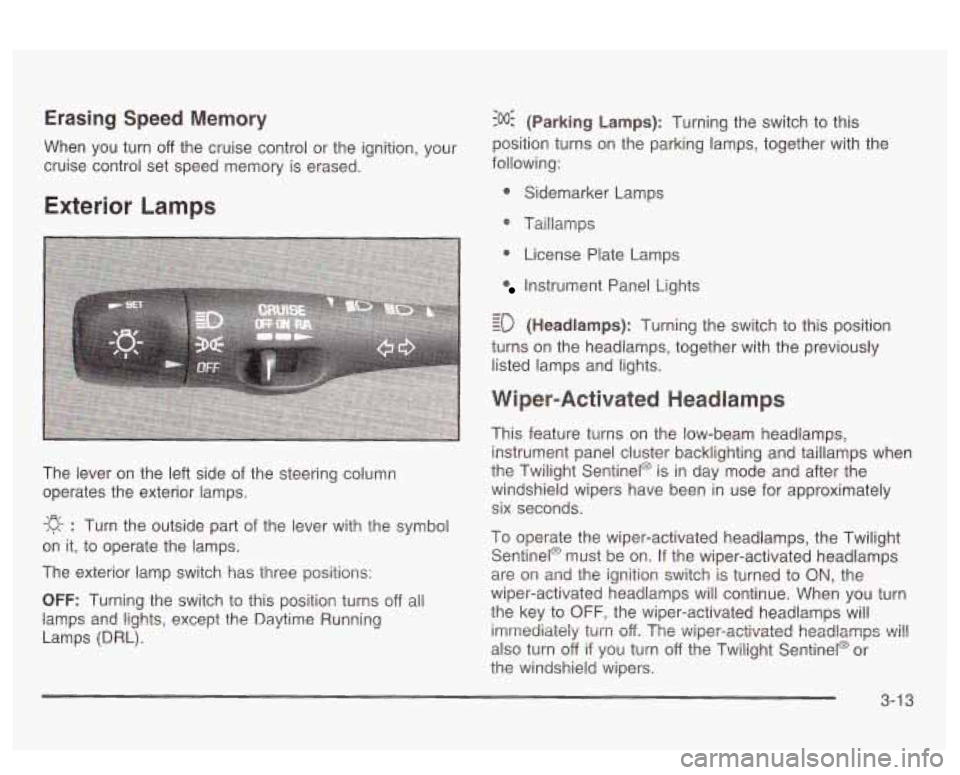
The lever on the left side of the steering column
operates the exterior lamps.
-g- : Turn the outside part of the lever with the symbol
on it, to operate the lamps.
The exterior lamp switch has three positions:
OFF: Turning the switch to this position turns off all
lamps
and lights, except the Daytime Running
Lamps (DRL).
:o@ (Parking Lamps): Turning the switch to this
position turns on the parking lamps, together with the
following:
0 Sidemarker Lamps
@ Taillamps
0 License Plate Lamps
Instrument Panel Lights
- - ED (Headlamps): Turning the switch to this position
turns on the headlamps, together with the previously
listed lamps and lights.
Wiper-Activated Headlamps
This feature turns on the low-beam headlamps,
instrument panel cluster backlighting and taillamps when
the Twilight Sentinel@ is in day mode and after the
windshield wipers have been in use for approximately
six seconds.
To operate the wiper-activated headlamps, the Twilight Sentinel@ must be on. If the wiper-activated headlamps
are on and the ignition switch is turned to
ON, the
wiper-activated headlamps will continue. When you turn
the key to
OFF, the wiper-activated headlamps will
imrrtediaieiy
turn off. The v~iper-activated headlamps ~i!!
also turn off if you turn off the Twilight Sentinel@ or
the windshield wipers.
3-1 3
Page 226 of 418
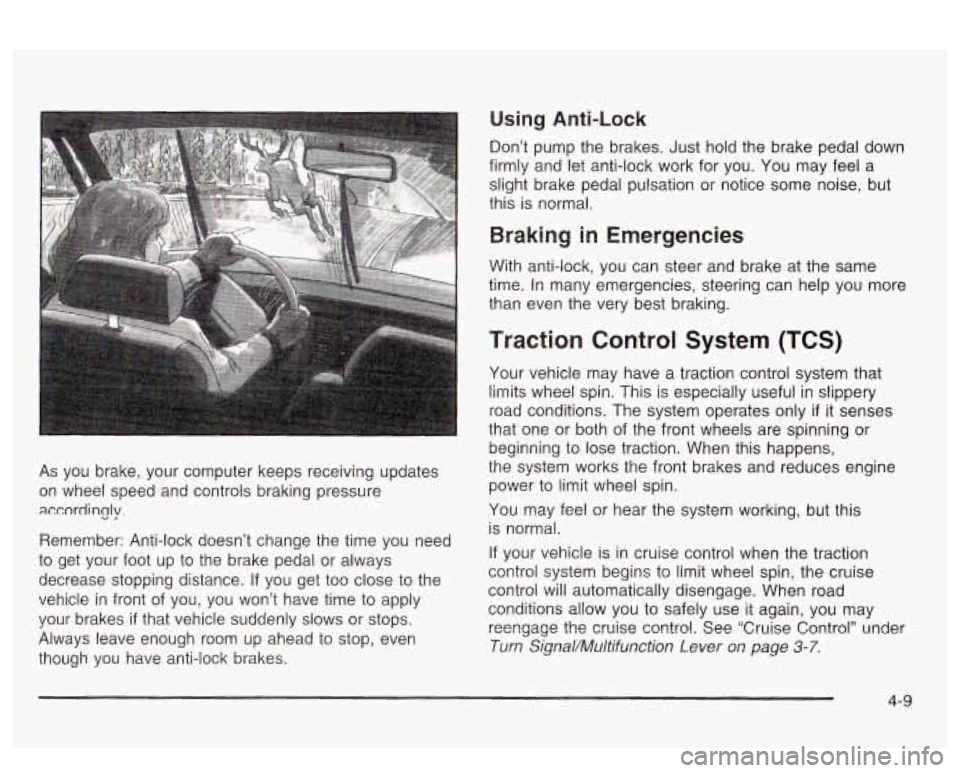
As you brake, your computer keeps receiving updates
on wheel speed and controls braking pressure
accordincjy.
Remember: Anti-lock doesn’t change the time you need
to get your foot up to the brake pedal or always
decrease stopping distance.
If you get too close to the
vehicle in front of you, you won’t have time to apply
your brakes
if that vehicle suddenly slows or stops.
Always leave enough room up ahead to stop, even
though you have anti-lock brakes.
Using Anti-Lock
Don’t pump the brakes. Just hold the brake pedal down
firmly and let anti-lock work for you. You may feel a
slight brake pedal pulsation or notice some noise, but
this is normal.
Braking in Emergencies
With anti-lock, you can steer and brake at the same
time. In many emergencies, steering can help you more
than even the very best braking.
Traction Control System (TCS)
Your vehicle may have a traction control system that
limits wheel
spin. This is especially useful in slippery
road conditions. The system operates only
if it senses
that one or both of the front wheels are spinning or
beginning to lose traction. When this happens,
the system works the front brakes and reduces engine
power
to limit wheel spin.
You may feel or hear the system working, but this
is normal.
If your vehicle is in cruise control when the traction
control system begins to limit wheel spin, the cruise
control will automatically disengage. When road
conditions allow you to safely use it again, you may
reengage the crake contro!. See ‘Cruise Control” under
Turn Signal/Muitifunction Lever on page 3-7.
4-9
Page 352 of 418
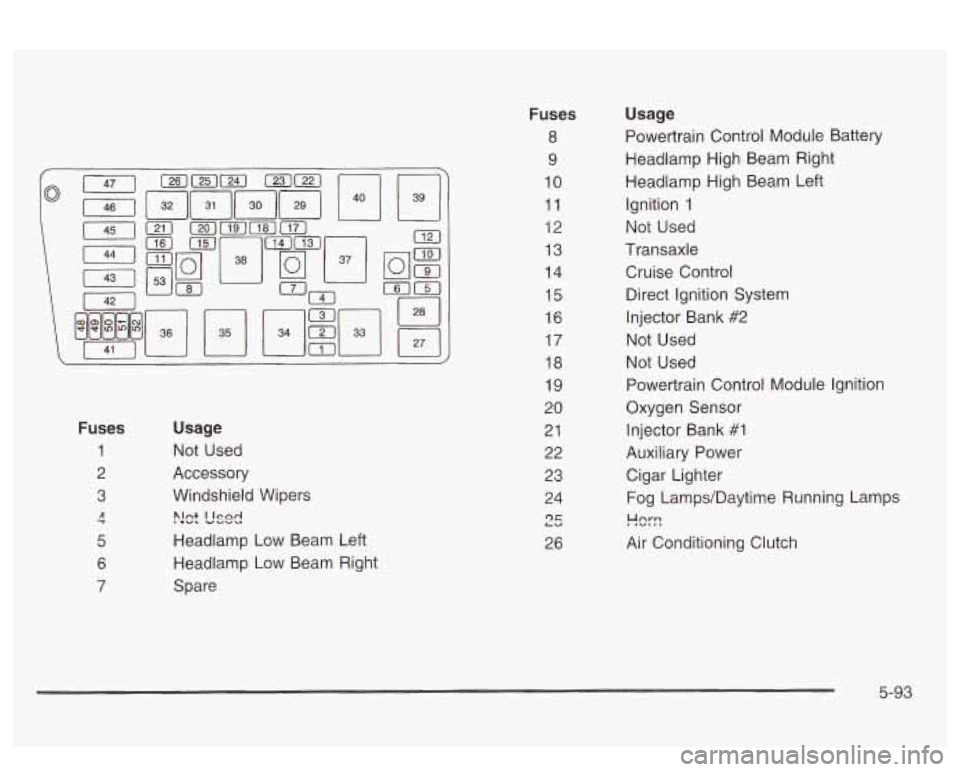
Fuses
1
2
3
7 A
5
6
7
Usage
Not Used
Accessory
Windshield Wipers
>!ct L'sd
Headlamp Low Beam Left
Headlamp Low Beam Right
Spare
Fuses
8
9
10
11
12
13
14
15
16
17
18
19
20
21 22
23
24
r)r LU
26
Usage
Powertrain Control Module Battery
Headlamp High Beam Right
Headlamp High Beam Left Ignition
1
Not Used
Transaxle
Cruise Control Direct Ignition System
Injector Bank
#2
Not Used
Not Used
Powertrain Control Module Ignition
Oxygen Sensor
Injector Bank #1
Auxiliary Power Cigar Lighter
Fog Lamps/Daytime Running Lamps
!-!%-!
Air Conditioning Clutch
5-93
Page 384 of 418
Engine Cooling System Inspection
Inspect the hoses and have them replaced if they
are cracked, swollen or deteriorated. Inspect all pipes,
fittings and clamps; replace as needed. Clean the
outside of the radiator and air conditioning condenser.
To help ensure proper operation, a pressure test of
the cooling system and pressure cap is recommended
at least once a year.
Throttle System Inspection
Inspect the throttle system for interference or binding,
and for damaged or missing parts. Replace parts
as needed. Replace any components that have high
effort or excessive wear.
Do not lubricate accelerator
and cruise control cables.
Brake System Inspection
Inspect the complete system. Inspect brake lines and
hoses for proper hook-up, binding, leaks, cracks,
chafing, etc. Inspect disc brake pads for wear and rotors
for surface condition. Inspect other brake parts,
including calipers, parking brake, etc. You may need to
have your brakes inspected more often
if your driving
habits or conditions result in frequent braking.
6-23