mirror PONTIAC BONNEVILLE 2003 Owners Manual
[x] Cancel search | Manufacturer: PONTIAC, Model Year: 2003, Model line: BONNEVILLE, Model: PONTIAC BONNEVILLE 2003Pages: 418, PDF Size: 20.24 MB
Page 2 of 418
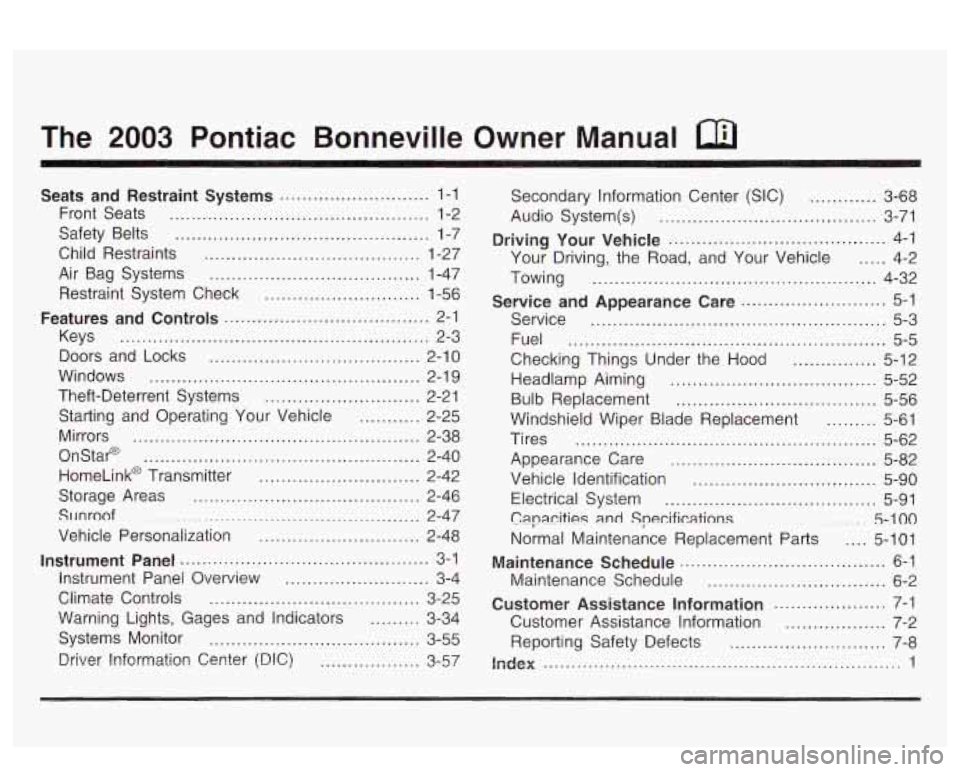
The 2003 Pontiac Bonneville Owner Manual
Seats and Restraint Systems ........................... 1-1
Front Seats
............................................... 1-2
Safety Belts
.............................................. 1-7
Child Restraints
....................................... 1-27
Air Bag Systems
...................................... 1-47
Restraint System Check
............................ 1-56
Features and Controls ..................................... 2-1
Keys
........................................................ 2-3
Doors and Locks
...................................... 2-10
Windows
................................................. 2-1 9
Theft-Deterrent Systems
............................ 2-21
Starting and Operating Your Vehicle
........... 2-25
Mirrors
.................................................... 2-38
OnStap
.................................................. 2-40
HomeLink@ Transmitter
............................. 2-42
Storage Areas
......................................... 2-46
SlJnroof
................................................. 2-47
Vehicle Personalization
............................. 2-48
Instrument Panel ............................................. 3-1
Instrument Panel Overview
.......................... 3-4
Climate Controls
...................................... 3-25
Warning Lights, Gages and Indicators
......... 3-34
Systems Monitor
...................................... 3-55
Driver Information Center (DIC)
.................. 3-57 Secondary
Information Center (SIC)
............ 3-68
Audio System(s)
....................................... 3-71
Driving Your Vehicle ....................................... 4-1
Your Driving, the Road, and Your Vehicle
..... 4-2
Towing
................................................... 4-32
Service
..................................................... 5-3
Fuel
......................................................... 5-5
Checking Things Under the Hood
............... 5-12
Headlamp Aiming
..................................... 5-52
Bulb Replacement
.................................... 5-56
Windshield Wiper Blade Replacement
......... 5-61
Tires
...................................................... 5-62
Appearance Care
..................................... 5-82
Vehicle Identification
................................. 5-90
Electrical System
...................................... 5-91
C8pa.citigs
and Specifications ......... 5-100
Normal Maintenance Replacement Parts .... 5-101
Maintenance Schedule
................................ 6-2
Customer Assistance Information .................... 7-1
Customer Assistance Information
.................. 7-2
Reporting Safety Defects
............................ 7-8
index ................................................................ 1
Service and Appearance Care .......................... 5-1
Maintenance Schedule ..................................... 6-1
Page 67 of 418
Section 2 Features and Controls
Mirrors .................................................... 2.38
Manual Rearview Mirror
................................. 2.38
Automatic Dimming Rearview Mirror
................ 2.38
Outside Power Mirrors
................................... 2.38
Outside Convex Mirror
................................... 2-39
Outside Heated Mirrors
.................................. 2-39
Onstar@ System ............................................. 2-40
HomeLink@ Transmitter ................................... 2-42
HomeLink@ Transmitter
................................. -2-42
Programming the HomeLink Transmitter
.......... -2-43
Outside
Curb View Assist Mirror
..................... 2-39
Storage Areas ................................................ 2.46
Glove
Box ................................................... 2.46
Front Storage Area
....................................... 2.46
Center Console Storage Area
.. ........... 2.46
Rear Seat Pass Through
........................... 2.46
Convenience Net
.......................................... 2.46
Sunroof ......................................................... 2.47
Vehicle Personalization ................................... 2.48
Memory Seat and Mirrors
.......................... 2.48
2-2
Page 72 of 418
Personalization Features
The following features, if available on your vehicle, can
be programmed to each driver’s preference for each
of the remote keyless entry transmitters:
Programmable Automatic Door Locks
Security Feedback
Delayed Locking
Perimeter Lighting
Seat and Mirror Recall
If your vehicle is equipped with the Driver Information
Center (DIC), you must program these features through
the DIC. See
DIC Vehicle Personalization on page 3-62.
Security Feedback
This feature provides feedback to the driver when the
vehicle receives a command from the remote keyless
entry transmitter. Feedback is only provided
if all doors
?.re clnseci, the isnition is off and the Retained
Accessory Power (RAP) is inactive.
If your vehicle is equipped with the Driver Information
Center (DIC), you must program this feature through the
DIC. See
DIC Vehicle Personalization on page 3-62.
The following modes may be selected:
Mode 1: No feedback when locking or unlocking
vehicle.
Mode 2: Parking lamps and the daytime running
lamps will flash twice when unlocking the vehicle
and will flash once when locking the vehicle.
0 Mode 3: Horn will chirp when all doors are unlocked
(second unlock button press) and when locking the
vehicle.
Mode 4: Parking lamps and the daytime running
lamps will flash twice each time the button with
the unlock symbol is pressed; the horn will
chirp when all doors are unlocked. Parking lamps
and the exterior lamps will flash once and the
horn will chirp when locking the vehicle.
2-7
Page 85 of 418
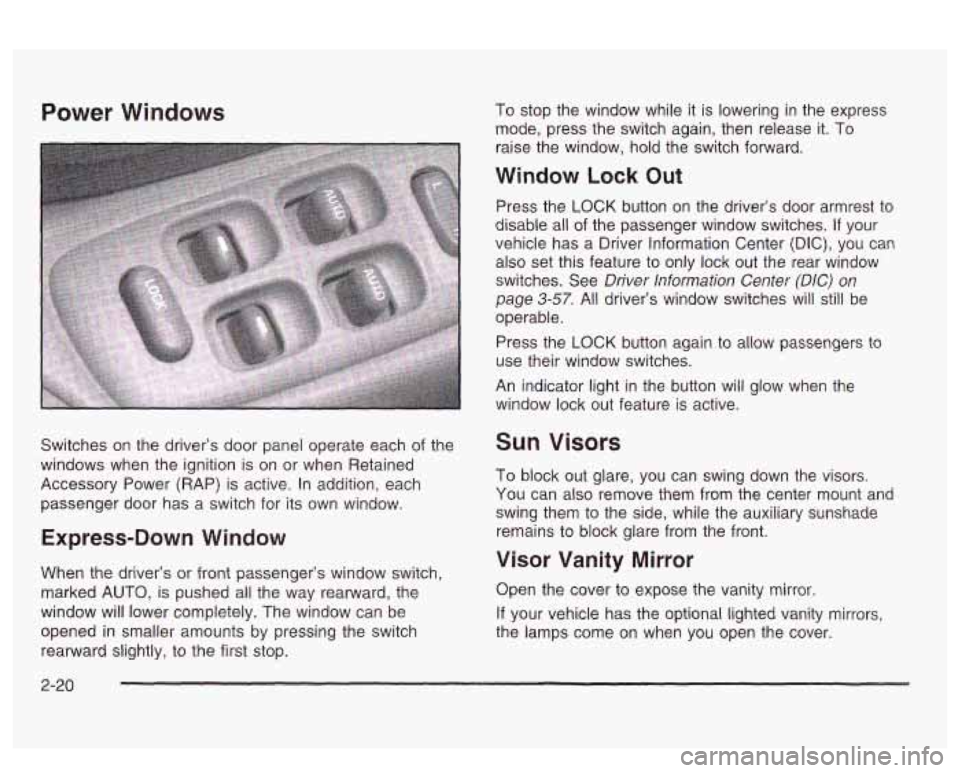
Power Windows
Switches on the driver’s door panel operate each of the
windows when the ignition
is on or when Retained
Accessory Power (RAP) is active. In addition, each
passenger door has a switch for its own window.
Express-Down Window
When the driver’s or front passenger’s window switch,
marked
AUTO, is pushed all the way rearward, the
window will lower completely. The window can be
opened
in smaller amounts by pressing the switch
rearward slightly, to the first stop. To
stop the window while it is lowering in the express
mode, press the switch again, then release it. To
raise the window, hold the switch forward.
Window Lock Out
Press the LOCK button on the driver’s door armrest to
disable all
of the passenger window switches. If your
vehicle has a Driver Information Center
(DIC), you can
also set this feature to only lock out the rear window
switches. See
Driver Information Center (DIC) on
page 3-57. All driver’s window switches will still be
operable.
Press the
LOCK button again to allow passengers to
use their window switches.
An indicator light in the button
will glow when the
window lock out feature is active.
Sun Visors
To block out glare, you can swing down the visors.
You can also remove them from the center mount and
swing them to the side, while the auxiliary sunshade
remains to block glare from the front.
Visor Vanity Mirror
Open the cover to expose the vanity mirror.
If your vehicle has the optional lighted vanity mirrors,
the lamps come on when you open the cover.
2-20
Page 103 of 418
Mirrors
Manual Rearview Mirror
When you are sitting in a comfortable driving position,
adjust the mirror
so you can see clearly behind your
vehicle. Grip the mirror in the center to move it up
or down and side to side. The dayhight adjustment
allows you
to adjust the mirror to avoid glare from any
headlamps behind you. Push the tab away from
you for daytime use; pull it toward you for night use.
Automatic Dimming Rearview Mirror
Your vehicle may have an automatic dimming rearview
mirror. Your vehicle’s mirror may also contain Onstar@
controls. See
OnStaP System on page 2-40 for
more information.
At night, when the glare is too high, the mirror will
gradually darken to reduce glare. This change may take
a few seconds. The mirror will return to its clear
daytime state when the glare is reduced.
Mirror Operation
AUTO: Press this button to turn on the automatic
dimming feature.
OFF: Press this button to turn off the automatic
dimming feature.
6 (On/Off): For mirrors equipped with OnStaP
controls, press this button to turn on the automatic
dimming feature. To turn
off automatic dimming, press
this button again.
The indicator light will be illuminated when this feature
is active.
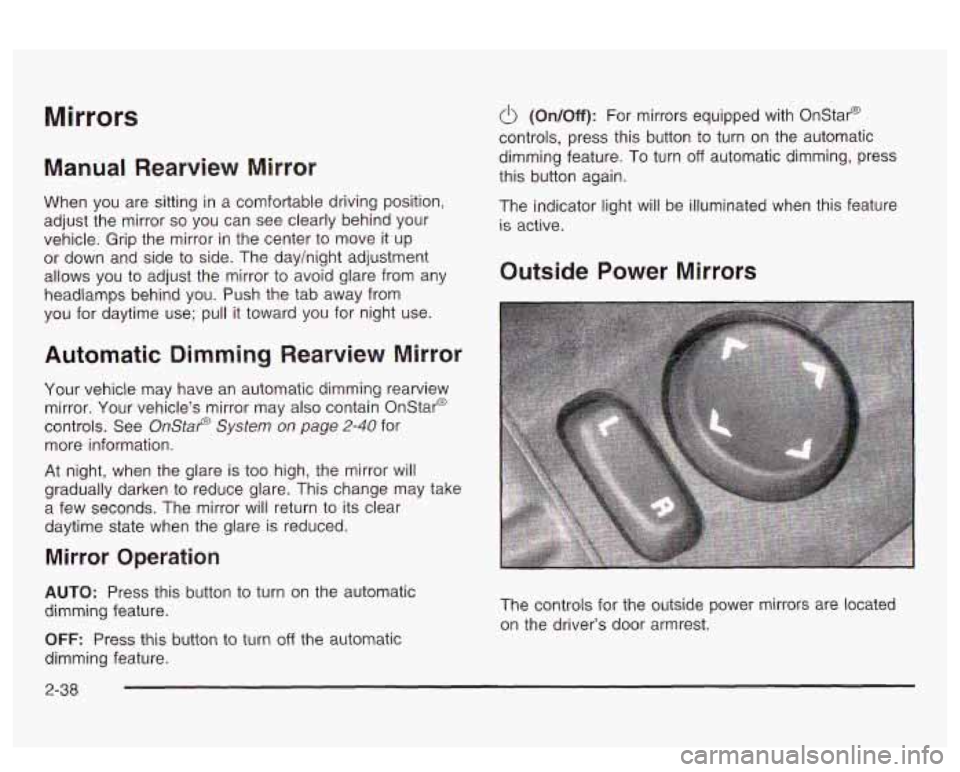
Outside Power Mirrors
The controls for the outside power mirrors are located
on the driver’s door armrest.
2-38
Page 104 of 418
Press the left or right side of the UR selector switch
located beneath the control pad to choose the left
or right mirror.
To adjust the mirror, use one of the four arrows located
on the control pad to move the mirror in the direction
you want it to go. When finished adjusting the mirrors,
leave the UR selector switch in the center position,
to prevent unwanted mirror movement in case the
control pad is accidentally bumped while driving. Adjust
each outside mirror
so that you can see a little of
your vehicle and the area behind your vehicle.
If your vehicle is equipped with the memory function,
the mirrors and driver’s seat position can be stored into
memory. See
Memory Seat and Mirrors on page 2-48.
Qutside Curb View Assist Mirror
If you have the memory seat and mirrors feature, the
passenger’s outside power mirror also includes a
tilt-down feature that operates when the shift lever is in
REVERSE (R). When the vehicle is shifted out of
REVERSE
(R), the passenger’s mirror wtii return to ils
original position after a five-second delay. This delay
prevents movement of the mirror
if multiple gear
transitions (REVERSE
(R) to DRIVE (D) to
REVERSE (R)) occur during a parallel parking
maneuver. This feature can be programmed on or
off
through the DIC personalization programming menu.
See
DIC Vehicle Personalization on page 3-62 for
programming instructions.
Outside Convex Mirror
Your passenger’s side mirror is convex. A convex
mirror’s surface is curved
so you can see more from the
ver’s seat.
A convex mirror can make things (like other
vehicles)
look farther away than they really are.
If you cut too sharply into the right lane, you
could hit a vehicle on your right. Check your
inside mirror or glance over your shoulder
before changing lanes.
Outside Heated Mirrors
If vour vehicle has this feature, when you operate the
rear window defogger, the heated driver’s and
passenger’s outside power mirrors are warmed to help
clear them of ice and snow. See “Rear Window
Defogger’’ under
Climate Control System on page 3-25
or Automatic Climate Control System on page 3-28
for more information.
2-39
Page 113 of 418
Vehicle Personalization
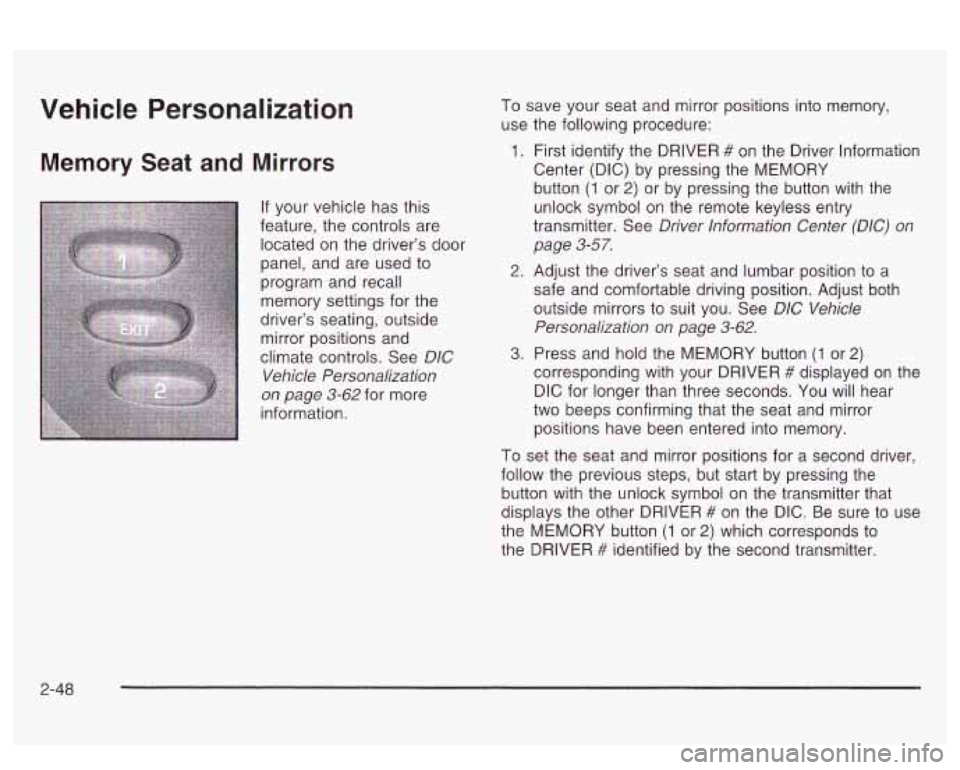
Memory Seat and Mirrors
If your vehicle has this
feature, the controls are
located on the driver’s door
panel, and are used
to
program and recall
memory settings for the
driver’s seating, outside mirror positions and
climate controls. See
DIC
Vehicle Personalization
on page 3-62 for more
information. To
save your seat and mirror positions into memory,
use the following procedure:
1. First identify the DRIVER # on the Driver lnformation
Center (DIC) by pressing the MEMORY
button
(1 or 2) or by pressing the button with the
unlock symbol on the remote keyless entry
transmitter. See
Driver lnformation Center (DIC) on
page 3-57.
2. Adjust the driver’s seat and lumbar position to a
safe and comfortable driving position. Adjust both
outside mirrors to suit you. See
D/C Vehicle
Personalization on page 3-62.
3. Press and hold the MEMORY button (1 or 2)
corresponding with your DRIVER # displayed on the
DIC for longer than three seconds. You will hear
two beeps confirming that the seat and mirror
positions have been entered into memory.
To set the seat and mirror positions for a second driver,
follow the previous steps, but start by pressing the
button with the unlock symbol on the transmitter that
displays the other DRIVER
# on the DIC. Be sure to use
the MEMORY button
(1 or 2) which corresponds to
the DRIVER
# identified by the second transmitter.
2-48
Page 114 of 418
To recall your memory positions, your vehicle must be
in PARK (P). Push and release the MEMORY
button
(1 or 2) corresponding to the desired driving
position. The seat and mirrors will move
to the position
previously stored for the identified driver. You will
hear one beep.
To store the exit position for an easy exit, use the
following procedure:
1. First identify the DRIVER # by pressing the
MEMORY button
(1 or 2) or by pressing the button
with the unlock symbol on the transmitter.
2. Adjust the driver’s seat to the desired exit position.
3. Press and hold the EXIT button for longer than
three seconds.
You will hear two beeps confirming
that the seat exit position has been entered into
memory. To set the exit position for a
second driver, follow the
previous steps, but start by pressing the button with the
unlock symbol on the transmitter that displays the
other DRIVER
# on the DIC. Be sure to use the
MEMORY button
(1 or 2) which corresponds to the
DRIVER
# identified by the other transmitter.
To recall the exit position, your vehicle must be in
PARK (P). Push and release the EXIT button and the
seat will move to the exit position previously stored
for the current identified driver. You will hear one beep.
If an exit position has not been stored for the current
identified driver, the seat will move all the way back.
To stop recall movement of the seat at any time, press
the driver’s power seat control located on the outboard
side of the frozt seat.
Mirrors and lumbar positions
will not be stored or
recalled for the exit position.
If you would like your stored driving or exit position to
be recalled when unlocking your vehicle with the
transmitter, see
DIC Vehicle Personalization on
pclyt; 3-uL. 0 eo
2-49
Page 135 of 418
Inadvertent Power Battery Saver
This feature is designed to protect your vehicle’s battery
against drainage from the interior lamps, trunk lamp,
glove box lamp or cigarette lighters. When the ignition is
turned
off, the power to these features will automatically
turn
off after 10 minutes. Power will be restored for
an additional
10 minutes if any door is opened, the trunk
is opened or the courtesy lamps are turned on. To
restore power back to the cigarette lighters the ignition
must be turned back to
ON.
Battery Load Management
The battery load management feature is designed to
monitor the vehicle’s electrical load and determine when
the battery is in a heavy discharge condition. During
times of high electrical loading, the engine may idle at
higher revolutions per minute (rpm) than normal to
make sure the battery charges. High electrical loads
may occur when several
of the following are on:
headlamps, high beams, fog lamps, rear window
defogger, fan on high speed, heated seats and engine
cooling fans.
If your vehicle’s battery remains in a heavy discharge
condition for a long period of time, the fan, rear
defogger, heated seats and heated mirrors will be
disabled and the DIC will display BATTERY SAVER
ACTIVE. This can happen either under long periods of
idling or low speed driving with high electrical loading,
or in the event of a charging system fault.
Monitor the battery voltage when in the BATTERY
SAVER ACTIVE mode.
If the voltmeter remains in the shaded area (below
11 volts) when driving then have the charging
system serviced immediately.
If the voltage increases above 12 volts then the
battery needs to be recharged.
Try driving on
the highway with as few electrical accessories on
as possible.
3-20
Page 142 of 418
@ FRONT (Defrost): Pressing this button directs
most of the air to the windshield and the outboard outlets
(for the side windows), with some air directed to the
floor outlets. When you select this mode, the system
turns
off recirculation and runs the air conditioning
compressor unless the outside temperature is at
or below freezing. The recirculation mode cannot be
selected while in the FRONT defrost mode.
Rear Window Defogger
The rear window defogger uses a warming grid to
remove fog or frost from the rear window.
ISH] REAR: Press this button to turn the rear window
defogger on or
off. Be sure to clear as much snow from
the rear window as possible.
The rear window defogger will turn
off approximately
10 minutes after the button is pressed. If turned on
again, the defogger
will only run for approximately five minutes before turning
off. If you maintain
a speed
above
30 mph (48 km/h), the rear defogger will not turn
off automatically to help keep the rear glass clear.
The defogger can also be turned
off by pressing the
button again or by turning
off the engine.
if your vehicle has outside heated mirrors, the mirrors
will heat to help clear fog or frost from the surface of the
mirror when the rear window defogger button is
pressed.
Notice: Don’t use a razor blade or something else
sharp on the inside of the rear window.
If you
do, you could cut or damage the defogger and the
repairs would not be covered by your warranty.
Do not attach
a temporary vehicie iicense, tape, a
decal or anything similar to the defogger grid.
3-27