clock PONTIAC BONNEVILLE 2004 Owners Manual
[x] Cancel search | Manufacturer: PONTIAC, Model Year: 2004, Model line: BONNEVILLE, Model: PONTIAC BONNEVILLE 2004Pages: 446, PDF Size: 2.81 MB
Page 77 of 446
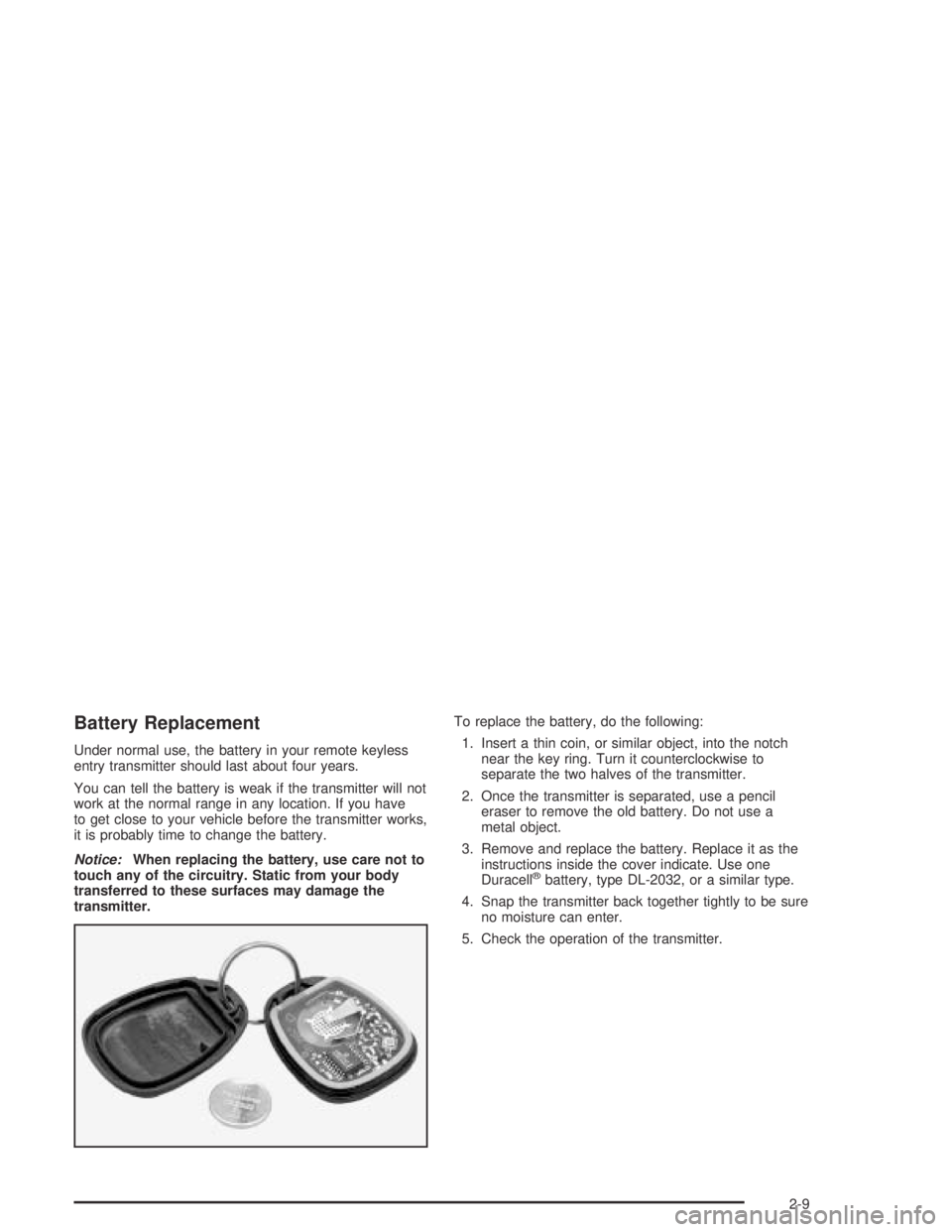
Battery Replacement
Under normal use, the battery in your remote keyless
entry transmitter should last about four years.
You can tell the battery is weak if the transmitter will not
work at the normal range in any location. If you have
to get close to your vehicle before the transmitter works,
it is probably time to change the battery.
Notice:When replacing the battery, use care not to
touch any of the circuitry. Static from your body
transferred to these surfaces may damage the
transmitter.To replace the battery, do the following:
1. Insert a thin coin, or similar object, into the notch
near the key ring. Turn it counterclockwise to
separate the two halves of the transmitter.
2. Once the transmitter is separated, use a pencil
eraser to remove the old battery. Do not use a
metal object.
3. Remove and replace the battery. Replace it as the
instructions inside the cover indicate. Use one
Duracell
®battery, type DL-2032, or a similar type.
4. Snap the transmitter back together tightly to be sure
no moisture can enter.
5. Check the operation of the transmitter.
2-9
Page 136 of 446
When it is dark enough outside, your regular intensity
headlamps will come on at full brightness and the
DRL lighting will turn off. The parking lamps that
normally come on with your headlamps will also come
on. When it is bright enough outside, the regular
intensity headlamps and parking lamps will turn back
off, and the reduced brightness DRL lighting will
turn back on.
To idle your vehicle during the day with the DRL off,
shift the transaxle into PARK (P). The DRL will stay off
until you shift out of PARK (P).
At night, you can turn off all exterior lamps when you
are in PARK (P) by turning the Twilight Sentinel
®knob
all the way to OFF.
If the knob was already in OFF, it must be cycled to ON
and back to OFF. Turn the knob clockwise to turn the
exterior lighting back on. The lamps will come back
on automatically when you put the transaxle in gear.
As with any vehicle, you should turn on the regular
headlamp system when you need it.
Fog Lamps
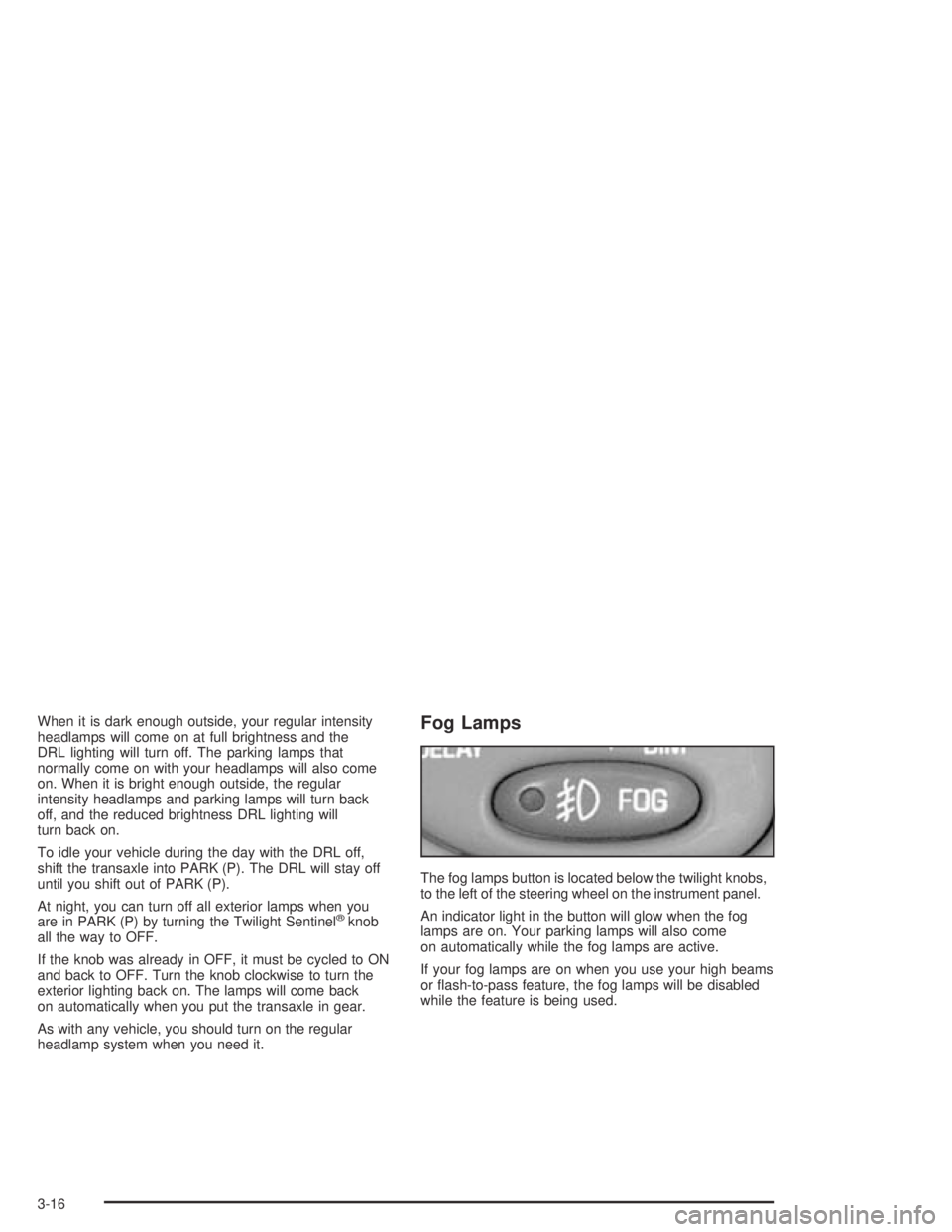
The fog lamps button is located below the twilight knobs,
to the left of the steering wheel on the instrument panel.
An indicator light in the button will glow when the fog
lamps are on. Your parking lamps will also come
on automatically while the fog lamps are active.
If your fog lamps are on when you use your high beams
or ash-to-pass feature, the fog lamps will be disabled
while the feature is being used.
3-16
Page 137 of 446
Twilight Sentinel®
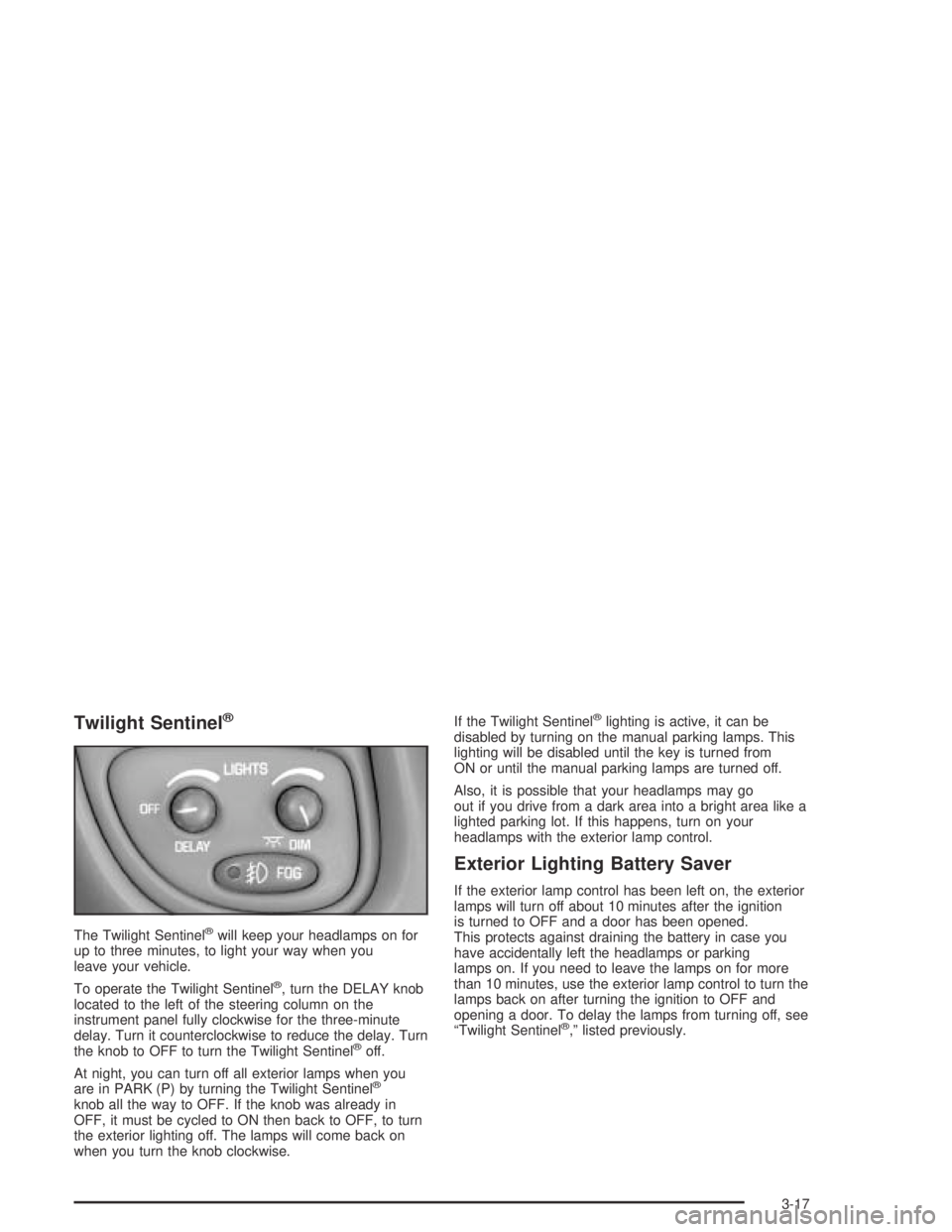
The Twilight Sentinel®will keep your headlamps on for
up to three minutes, to light your way when you
leave your vehicle.
To operate the Twilight Sentinel
®, turn the DELAY knob
located to the left of the steering column on the
instrument panel fully clockwise for the three-minute
delay. Turn it counterclockwise to reduce the delay. Turn
the knob to OFF to turn the Twilight Sentinel
®off.
At night, you can turn off all exterior lamps when you
are in PARK (P) by turning the Twilight Sentinel
®
knob all the way to OFF. If the knob was already in
OFF, it must be cycled to ON then back to OFF, to turn
the exterior lighting off. The lamps will come back on
when you turn the knob clockwise.If the Twilight Sentinel
®lighting is active, it can be
disabled by turning on the manual parking lamps. This
lighting will be disabled until the key is turned from
ON or until the manual parking lamps are turned off.
Also, it is possible that your headlamps may go
out if you drive from a dark area into a bright area like a
lighted parking lot. If this happens, turn on your
headlamps with the exterior lamp control.
Exterior Lighting Battery Saver
If the exterior lamp control has been left on, the exterior
lamps will turn off about 10 minutes after the ignition
is turned to OFF and a door has been opened.
This protects against draining the battery in case you
have accidentally left the headlamps or parking
lamps on. If you need to leave the lamps on for more
than 10 minutes, use the exterior lamp control to turn the
lamps back on after turning the ignition to OFF and
opening a door. To delay the lamps from turning off, see
“Twilight Sentinel
®,” listed previously.
3-17
Page 138 of 446
Interior Lamps
Instrument Panel Brightness
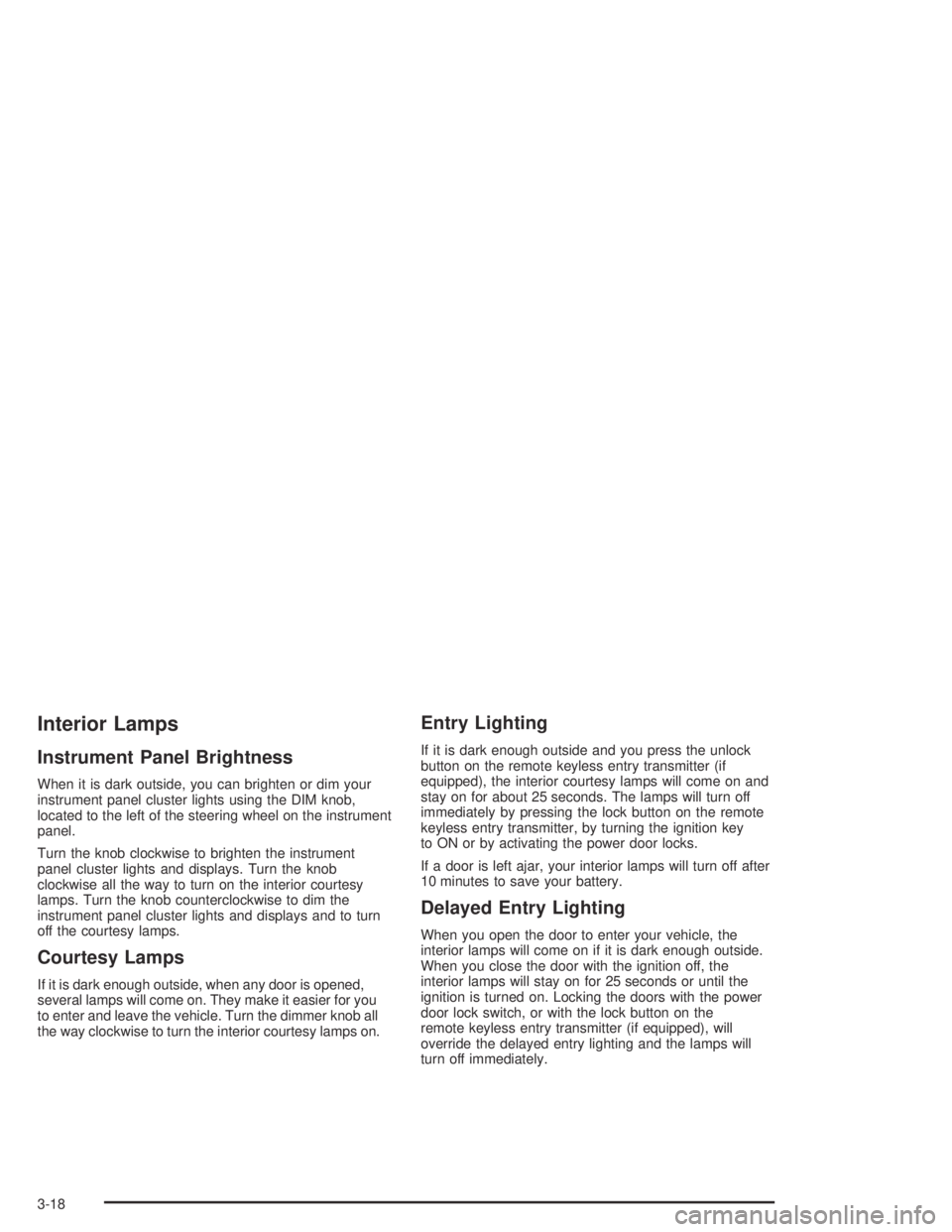
When it is dark outside, you can brighten or dim your
instrument panel cluster lights using the DIM knob,
located to the left of the steering wheel on the instrument
panel.
Turn the knob clockwise to brighten the instrument
panel cluster lights and displays. Turn the knob
clockwise all the way to turn on the interior courtesy
lamps. Turn the knob counterclockwise to dim the
instrument panel cluster lights and displays and to turn
off the courtesy lamps.
Courtesy Lamps
If it is dark enough outside, when any door is opened,
several lamps will come on. They make it easier for you
to enter and leave the vehicle. Turn the dimmer knob all
the way clockwise to turn the interior courtesy lamps on.
Entry Lighting
If it is dark enough outside and you press the unlock
button on the remote keyless entry transmitter (if
equipped), the interior courtesy lamps will come on and
stay on for about 25 seconds. The lamps will turn off
immediately by pressing the lock button on the remote
keyless entry transmitter, by turning the ignition key
to ON or by activating the power door locks.
If a door is left ajar, your interior lamps will turn off after
10 minutes to save your battery.
Delayed Entry Lighting
When you open the door to enter your vehicle, the
interior lamps will come on if it is dark enough outside.
When you close the door with the ignition off, the
interior lamps will stay on for 25 seconds or until the
ignition is turned on. Locking the doors with the power
door lock switch, or with the lock button on the
remote keyless entry transmitter (if equipped), will
override the delayed entry lighting and the lamps will
turn off immediately.
3-18
Page 143 of 446
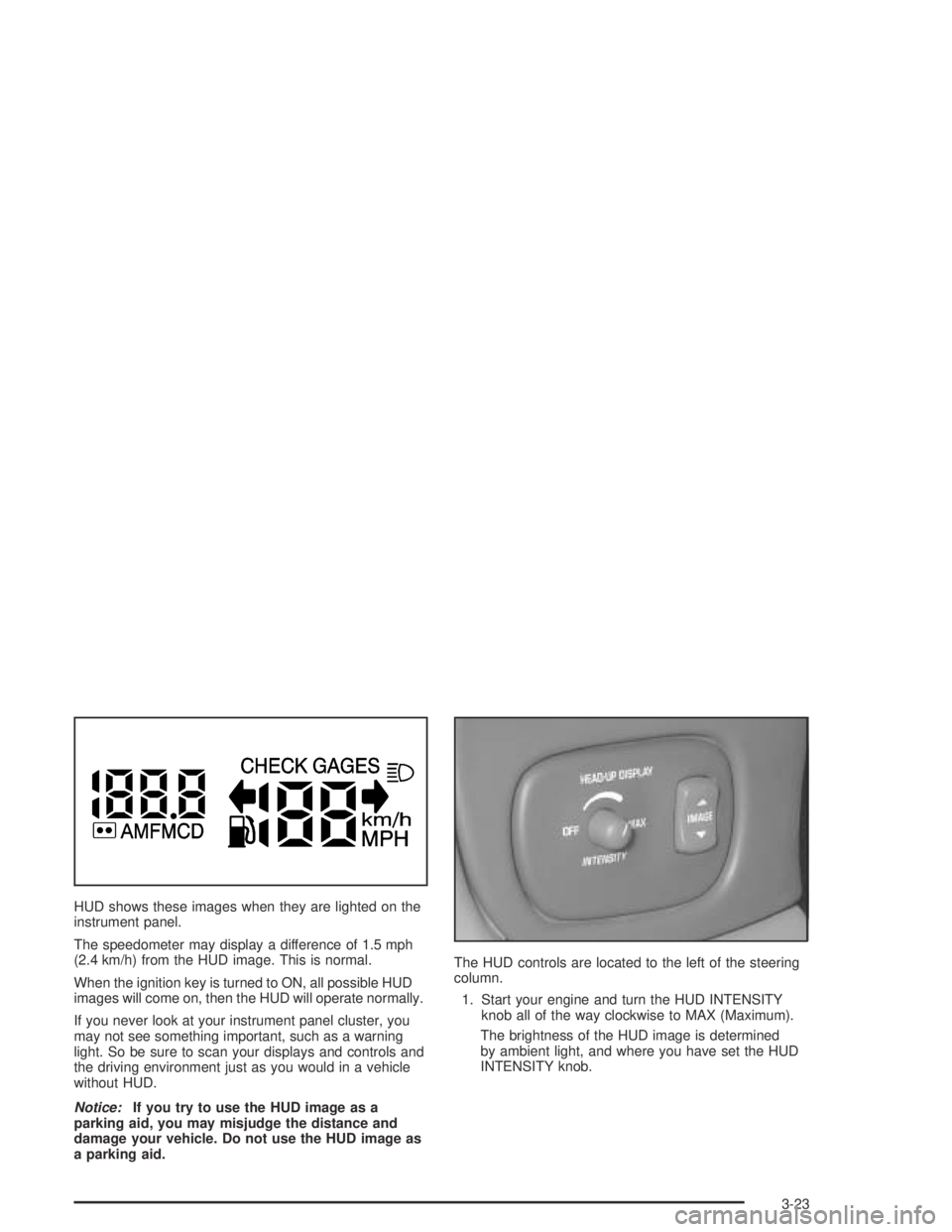
HUD shows these images when they are lighted on the
instrument panel.
The speedometer may display a difference of 1.5 mph
(2.4 km/h) from the HUD image. This is normal.
When the ignition key is turned to ON, all possible HUD
images will come on, then the HUD will operate normally.
If you never look at your instrument panel cluster, you
may not see something important, such as a warning
light. So be sure to scan your displays and controls and
the driving environment just as you would in a vehicle
without HUD.
Notice:If you try to use the HUD image as a
parking aid, you may misjudge the distance and
damage your vehicle. Do not use the HUD image as
a parking aid.The HUD controls are located to the left of the steering
column.
1. Start your engine and turn the HUD INTENSITY
knob all of the way clockwise to MAX (Maximum).
The brightness of the HUD image is determined
by ambient light, and where you have set the HUD
INTENSITY knob.
3-23
Page 144 of 446
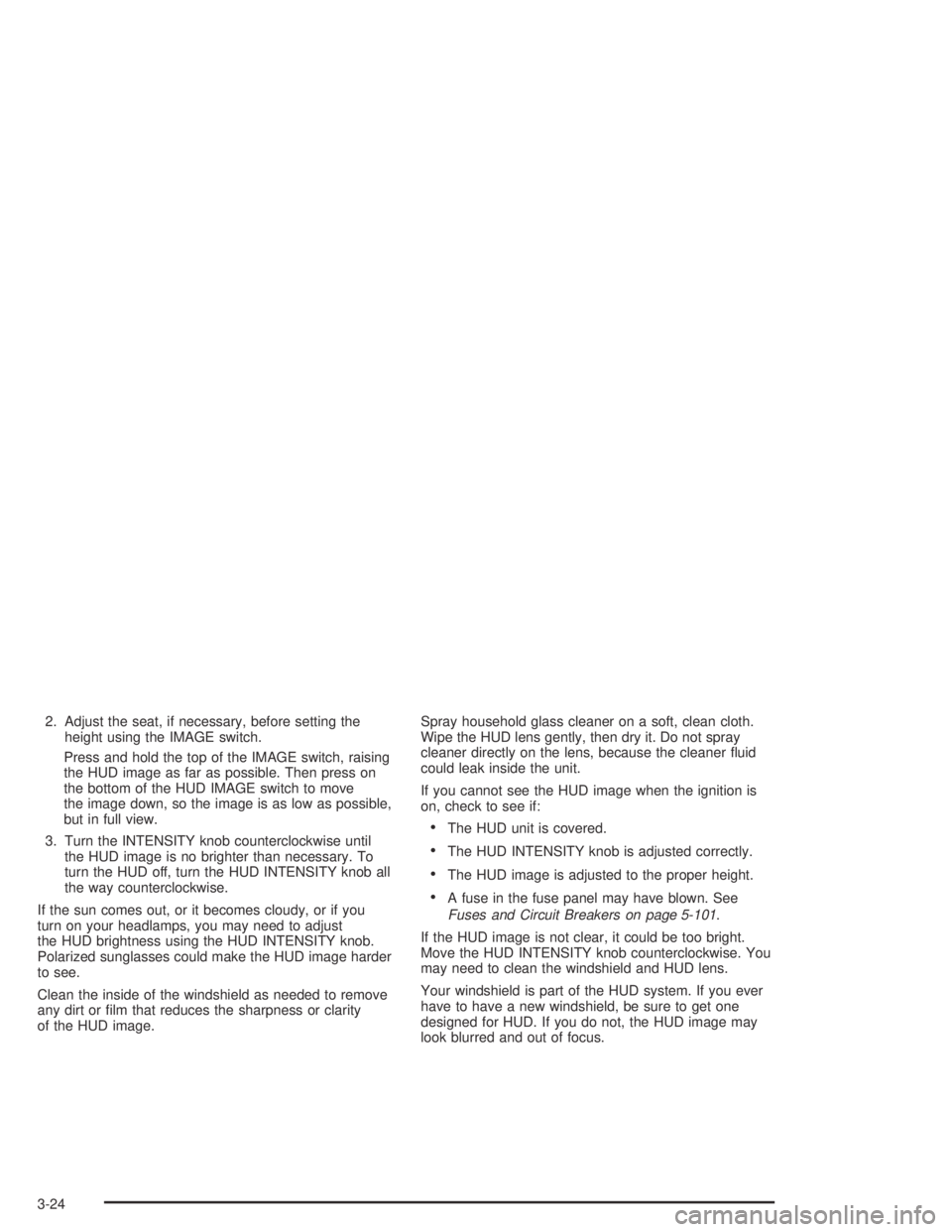
2. Adjust the seat, if necessary, before setting the
height using the IMAGE switch.
Press and hold the top of the IMAGE switch, raising
the HUD image as far as possible. Then press on
the bottom of the HUD IMAGE switch to move
the image down, so the image is as low as possible,
but in full view.
3. Turn the INTENSITY knob counterclockwise until
the HUD image is no brighter than necessary. To
turn the HUD off, turn the HUD INTENSITY knob all
the way counterclockwise.
If the sun comes out, or it becomes cloudy, or if you
turn on your headlamps, you may need to adjust
the HUD brightness using the HUD INTENSITY knob.
Polarized sunglasses could make the HUD image harder
to see.
Clean the inside of the windshield as needed to remove
any dirt or lm that reduces the sharpness or clarity
of the HUD image.Spray household glass cleaner on a soft, clean cloth.
Wipe the HUD lens gently, then dry it. Do not spray
cleaner directly on the lens, because the cleaner uid
could leak inside the unit.
If you cannot see the HUD image when the ignition is
on, check to see if:
The HUD unit is covered.
The HUD INTENSITY knob is adjusted correctly.
The HUD image is adjusted to the proper height.
A fuse in the fuse panel may have blown. See
Fuses and Circuit Breakers on page 5-101.
If the HUD image is not clear, it could be too bright.
Move the HUD INTENSITY knob counterclockwise. You
may need to clean the windshield and HUD lens.
Your windshield is part of the HUD system. If you ever
have to have a new windshield, be sure to get one
designed for HUD. If you do not, the HUD image may
look blurred and out of focus.
3-24
Page 147 of 446
Climate Controls
Climate Control System
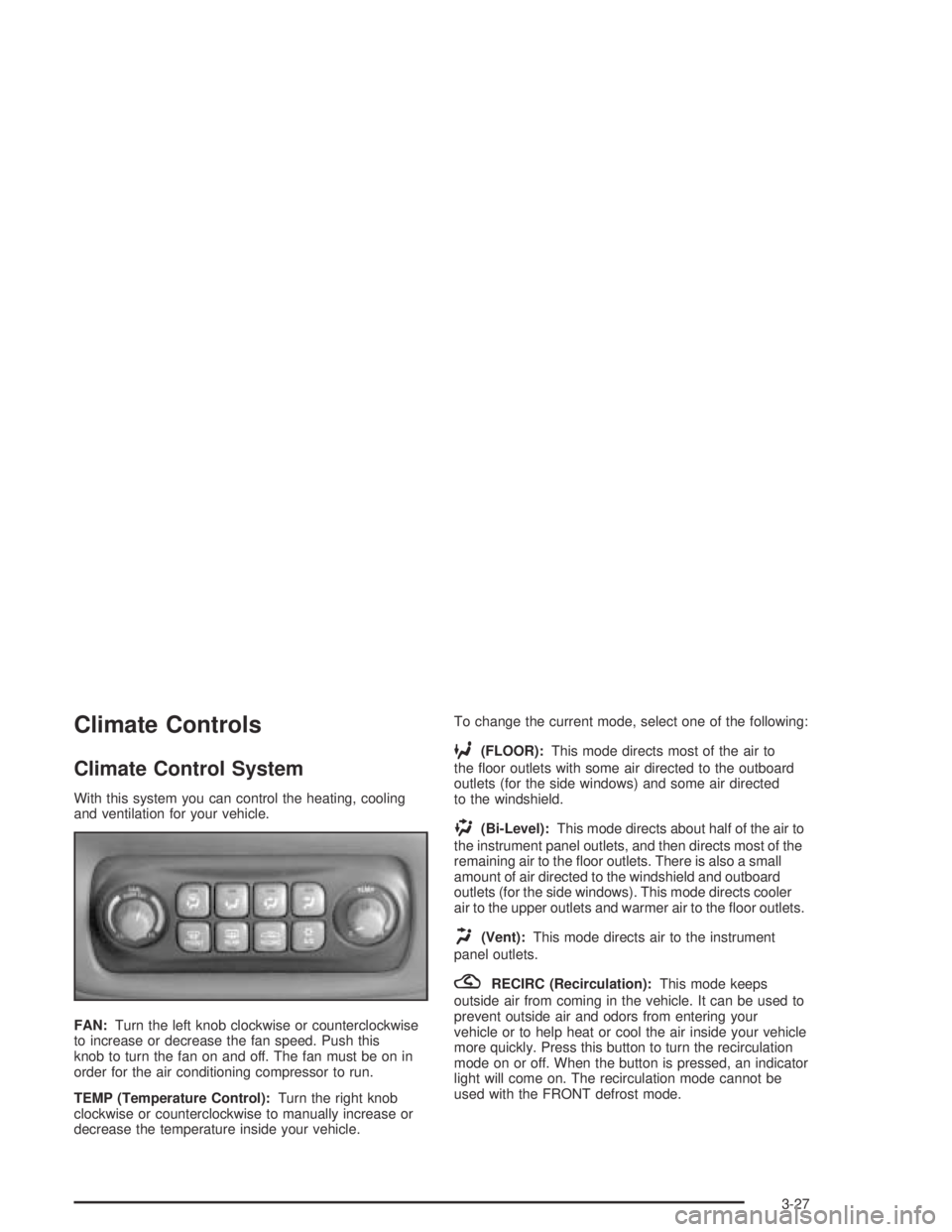
With this system you can control the heating, cooling
and ventilation for your vehicle.
FAN:Turn the left knob clockwise or counterclockwise
to increase or decrease the fan speed. Push this
knob to turn the fan on and off. The fan must be on in
order for the air conditioning compressor to run.
TEMP (Temperature Control):Turn the right knob
clockwise or counterclockwise to manually increase or
decrease the temperature inside your vehicle.To change the current mode, select one of the following:
6(FLOOR):This mode directs most of the air to
the oor outlets with some air directed to the outboard
outlets (for the side windows) and some air directed
to the windshield.
)(Bi-Level):This mode directs about half of the air to
the instrument panel outlets, and then directs most of the
remaining air to the oor outlets. There is also a small
amount of air directed to the windshield and outboard
outlets (for the side windows). This mode directs cooler
air to the upper outlets and warmer air to the oor outlets.
H(Vent):This mode directs air to the instrument
panel outlets.
?RECIRC (Recirculation):This mode keeps
outside air from coming in the vehicle. It can be used to
prevent outside air and odors from entering your
vehicle or to help heat or cool the air inside your vehicle
more quickly. Press this button to turn the recirculation
mode on or off. When the button is pressed, an indicator
light will come on. The recirculation mode cannot be
used with the FRONT defrost mode.
3-27
Page 193 of 446
Audio System(s)
Notice:Before you add any sound equipment to
your vehicle – like a tape player, CB radio, mobile
telephone or two-way radio – be sure you can add
what you want. If you can, it’s very important to do it
properly. Added sound equipment may interfere with
the operation of your vehicle’s engine, radio or other
systems, and even damage them. Your vehicle’s
systems may interfere with the operation of sound
equipment that has been added improperly.
So, before adding sound equipment, check with
your dealer and be sure to check federal rules
covering mobile radio and telephone units.
Your audio system has been designed to operate easily
and to give years of listening pleasure. You will get
the most enjoyment out of it if you acquaint yourself with
it rst. Figure out which radio you have in your vehicle,
nd out what your audio system can do and how to
operate all of its controls to be sure you’re getting the
most out of the advanced engineering that went into it.
Your vehicle has a feature called Retained Accessory
Power (RAP). With RAP, you can play your audio
system even after the ignition is turned off. See
“Retained Accessory Power (RAP)” underIgnition
Positions on page 2-26.
Setting the Time
Press and hold HR or MIN for two seconds. Then press
and hold HR until the correct hour appears on the
display. AM will appear for morning hours. Press and
hold MIN until the correct minute appears on the display.
The time may be set with the ignition on or off.
To synchronize the time with an FM station broadcasting
Radio Data System (RDS) information, press and
hold HR and MIN at the same time until UPDATED and
the clock symbol appear on the display. If the time is
not available from the station, NO UPDATE will appear
on the display.
RDS time is broadcast once a minute. Once you have
tuned to an RDS broadcast station, it may take a
few minutes for your time to update.
3-73
Page 217 of 446
wSEEKx:Your tape must have at least three
seconds of silence between each selection for seek to
work. Press the up or the down arrow to search for
the next or the previous selection on the tape. You can
skip as many as nine selections up or down on the
tape. Choose how many selections you want to skip,
then press the SEEK arrow that many times. The
number of selections to be skipped will appear on the
display.
wSCANx:Press and hold either arrow for more
than two seconds until SCAN appears on the display
and you hear a beep. The tape will go to the next
selection, play for a few seconds, then go on to the next
selection. The tape will scan forward only. Press this
button again to stop scanning.
BAND:Press this button to listen to the radio when a
cassette tape or CD is playing. The inactive tape or CD
will remain safely inside the radio for future listening.
CD TAPE:Press this button to play a cassette tape or
CD when listening to the radio. The cassette tape or
CD symbol will appear on the display when a tape or CD
is loaded.
Z(Eject):Press this button, located next to the
cassette tape slot, to eject a tape. Eject may be
activated with either the ignition or radio off. Cassettes
may be loaded with the radio and ignition off if this
button is pressed rst.
Cassette Tape Messages
If an error occurs while trying to play a cassette tape, it
could be for one of the following reasons:
TIGHT TAPE:This message is displayed when the
tape is tight and the player cannot turn the tape hubs.
Remove the tape. Hold the tape with the open end down
and try to turn the right hub counterclockwise with a
pencil. Turn the tape over and repeat. If the hubs do not
turn easily, your tape may be damaged and should
not be used in the player. Try a new tape to make sure
your player is working properly.
BROKEN TAPE:This message is displayed when the
tape is broken. Try a new tape.
WRAPPED TAPE:This message is displayed when the
tape is wrapped around the tape head. Attempt to get
the cassette out. Try a new tape.
3-97
Page 242 of 446
If you need to reduce your speed as you approach a
curve, do it before you enter the curve, while your front
wheels are straight ahead.
Try to adjust your speed so you can “drive” through the
curve. Maintain a reasonable, steady speed. Wait to
accelerate until you are out of the curve, and then
accelerate gently into the straightaway.
Steering in Emergencies
There are times when steering can be more effective
than braking. For example, you come over a hill and nd
a truck stopped in your lane, or a car suddenly pulls
out from nowhere, or a child darts out from between
parked cars and stops right in front of you. You
can avoid these problems by braking — if you can stop
in time. But sometimes you can not; there is not
room. That is the time for evasive action — steering
around the problem.
Your vehicle can perform very well in emergencies like
these. First apply your brakes.
SeeBraking on page 4-6. It is better to remove as much
speed as you can from a possible collision. Then
steer around the problem, to the left or right depending
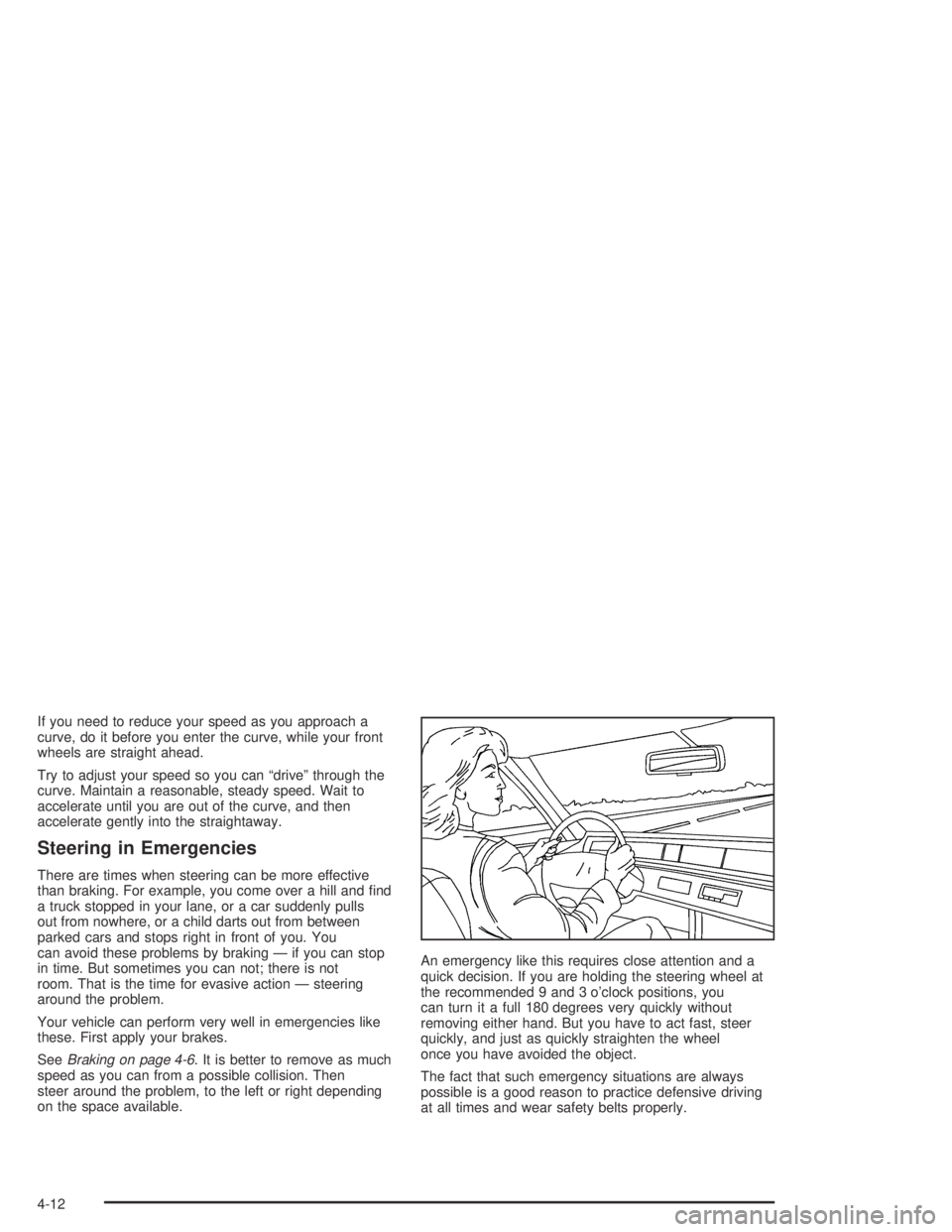
on the space available.An emergency like this requires close attention and a
quick decision. If you are holding the steering wheel at
the recommended 9 and 3 o’clock positions, you
can turn it a full 180 degrees very quickly without
removing either hand. But you have to act fast, steer
quickly, and just as quickly straighten the wheel
once you have avoided the object.
The fact that such emergency situations are always
possible is a good reason to practice defensive driving
at all times and wear safety belts properly.
4-12