buttons PONTIAC BONNEVILLE 2005 Owners Manual
[x] Cancel search | Manufacturer: PONTIAC, Model Year: 2005, Model line: BONNEVILLE, Model: PONTIAC BONNEVILLE 2005Pages: 438, PDF Size: 2.71 MB
Page 105 of 438
If your vehicle is equipped with the HomeLink®
Transmitter, it complies with Part 15 of the FCC Rules.
Operation is subject to the following two conditions:
(1) this device may not cause harmful interference, and
(2) this device must accept any interference received,
including interference that may cause undesired
operation.
This device complies with RSS-210 of Industry Canada.
Operation is subject to the following two conditions:
(1) this device may not cause interference, and (2) this
device must accept any interference, including
interference that may cause undesired operation of the
device.
Changes and modications to this system by other than
an authorized service facility could void authorization
to use this equipment.
Programming the HomeLink®
Transmitter
Do not use the HomeLink®Transmitter with any garage
door opener that does not have the “stop and reverse”
feature. This includes any garage door opener model
manufactured before April 1, 1982. If you have a newer
garage door opener with rolling codes, please be
sure to follow Steps 6 through 8 to complete the
programming of your HomeLink
®Transmitter.Read the instructions completely before attempting to
program the HomeLink
®Transmitter. Because of
the steps involved, it may be helpful to have another
person available to assist you in programming the
transmitter.
Keep the original transmitter for use in other vehicles as
well as for future HomeLink
®programming. It is also
recommended that upon the sale of the vehicle,
the programmed HomeLink
®buttons should be erased
for security purposes. Refer to “Erasing HomeLink®
Buttons” or, for assistance, contact HomeLink®on the
internet at: www.homelink.com or by calling
1-800-355-3515.
Be sure that people and objects are clear of the garage
door or gate operator you are programming. When
programming a garage door, it is advised to park outside
of the garage.
It is recommended that a new battery be installed in
your hand-held transmitter for quicker and more
accurate transmission of the radio frequency.
2-41
Page 106 of 438
Programming HomeLink®
Your vehicle’s engine should be turned off while
programming the transmitter. Follow these steps to
program up to three channels:
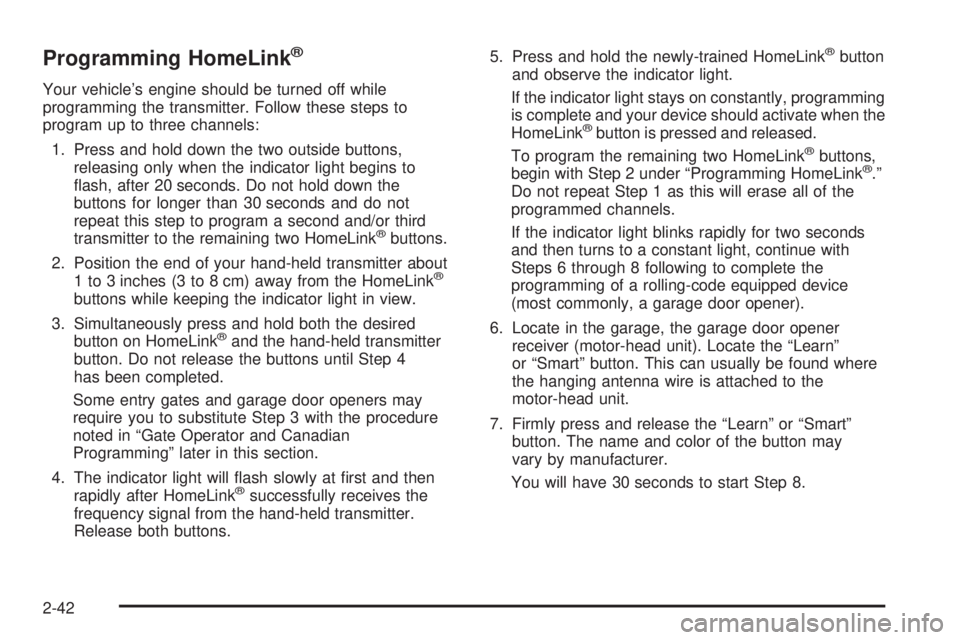
1. Press and hold down the two outside buttons,
releasing only when the indicator light begins to
ash, after 20 seconds. Do not hold down the
buttons for longer than 30 seconds and do not
repeat this step to program a second and/or third
transmitter to the remaining two HomeLink
®buttons.
2. Position the end of your hand-held transmitter about
1 to 3 inches (3 to 8 cm) away from the HomeLink
®
buttons while keeping the indicator light in view.
3. Simultaneously press and hold both the desired
button on HomeLink
®and the hand-held transmitter
button. Do not release the buttons until Step 4
has been completed.
Some entry gates and garage door openers may
require you to substitute Step 3 with the procedure
noted in “Gate Operator and Canadian
Programming” later in this section.
4. The indicator light will ash slowly at rst and then
rapidly after HomeLink
®successfully receives the
frequency signal from the hand-held transmitter.
Release both buttons.5. Press and hold the newly-trained HomeLink
®button
and observe the indicator light.
If the indicator light stays on constantly, programming
is complete and your device should activate when the
HomeLink
®button is pressed and released.
To program the remaining two HomeLink®buttons,
begin with Step 2 under “Programming HomeLink®.”
Do not repeat Step 1 as this will erase all of the
programmed channels.
If the indicator light blinks rapidly for two seconds
and then turns to a constant light, continue with
Steps 6 through 8 following to complete the
programming of a rolling-code equipped device
(most commonly, a garage door opener).
6. Locate in the garage, the garage door opener
receiver (motor-head unit). Locate the “Learn”
or “Smart” button. This can usually be found where
the hanging antenna wire is attached to the
motor-head unit.
7. Firmly press and release the “Learn” or “Smart”
button. The name and color of the button may
vary by manufacturer.
You will have 30 seconds to start Step 8.
2-42
Page 107 of 438
8. Return to the vehicle. Firmly press and hold the
programmed HomeLink®button for two seconds,
then release. Repeat the press/hold/release
sequence a second time, and depending on the
brand of the garage door opener (or other rolling
code device), repeat this sequence a third time
to complete the programming.
HomeLink
®should now activate your rolling-code
equipped device.
To program the remaining two HomeLink
®buttons,
begin with Step 2 of “Programming HomeLink®.” You do
not want to repeat Step 1, as this will erase all
previous programming.
Gate Operator and Canadian
Programming
Canadian radio-frequency laws require transmitter
signals to “time out” or quit after several seconds of
transmission. This may not be long enough for
HomeLink
®to pick up the signal during programming.
Similarly, some U.S. gate operators are manufactured to
“time out” in the same manner.If you live in Canada, or you are having difficulty
programming a gate operator by using the
“Programming HomeLink
®” procedures (regardless of
where you live), replace Step 3 under “Programming
HomeLink
®” with the following:
Continue to press and hold the HomeLink
®button while
you press and release every two seconds (cycle)
your hand-held transmitter until the frequency signal has
been successfully accepted by HomeLink
®. The
indicator light will ash slowly at rst and then rapidly.
Proceed with Step 4 under “Programming HomeLink
®”
to complete.
Using HomeLink®
Press and hold the appropriate HomeLink®button for at
least half of a second. The indicator light will come
on while the signal is being transmitted.
2-43
Page 108 of 438
Erasing HomeLink®Buttons
To erase programming from the three buttons do the
following:
1. Press and hold down the two outside buttons until
the indicator light begins to ash, after 20 seconds.
Do not hold the two outside buttons for longer
than 30 seconds.
2. Release both buttons.
HomeLink
®is now in the train (learning) mode and can
be programmed at any time beginning with Step 2
under “Programming HomeLink
®” shown earlier in this
section.
Individual buttons cannot be erased, but they can be
reprogrammed. See “Reprogramming a Single
HomeLink
®Button” following this section.
Reprogramming a Single HomeLink®
Button
To program a device to HomeLink®using a HomeLink®
button previously trained, follow these steps:
1. Press and hold the desired HomeLink
®button. Do
not release the button.
2. The indicator light will begin to ash after
20 seconds. While still holding the HomeLink
®
button, proceed with Step 2 under “Programming
HomeLink®” shown earlier in this section.
Resetting Defaults
To reset HomeLink®to default settings do the following:
1. Hold down the two outside buttons for about
20 seconds until the indicator light begins to ash.
2. Continue to hold both buttons until the HomeLink
®
indicator light turns off.
3. Release both buttons.
For questions or comments, contact HomeLink
®at
1-800-355-3515, or on the internet at
www.homelink.com.
Storage Areas
Glove Box
Use the master key to lock and unlock the glove box.
To open it, lift the latch release on the left side of
the glove box door.
The VALET key, if equipped, will not work in the glove
box door lock.
2-44
Page 109 of 438
Front Storage Area
Press the buttons on either side of the armrest to open
the front storage area.
Center Console Storage Area
If your vehicle has this feature, press the button at the
front edge of the armrest to open the center console
storage area.
Rear Seat Pass Through
Your vehicle has a rear seat armrest with cupholders
and a pass-through feature.
Pull down the interior door to access the trunk.
Convenience Net
Your vehicle may have a convenience net. You will see
it just inside the back wall of the trunk.
Put small loads behind the net. It can help keep them
from falling over during sharp turns or quick starts
and stops. For heavier loads, store them in the trunk as
far forward as you can.
You can unhook the net so that it will lie at when you
are not using it.
Sunroof
Your vehicle may be equipped with a sunroof. The
sunroof has both manual and express features
for opening the glass panel and sunshade.
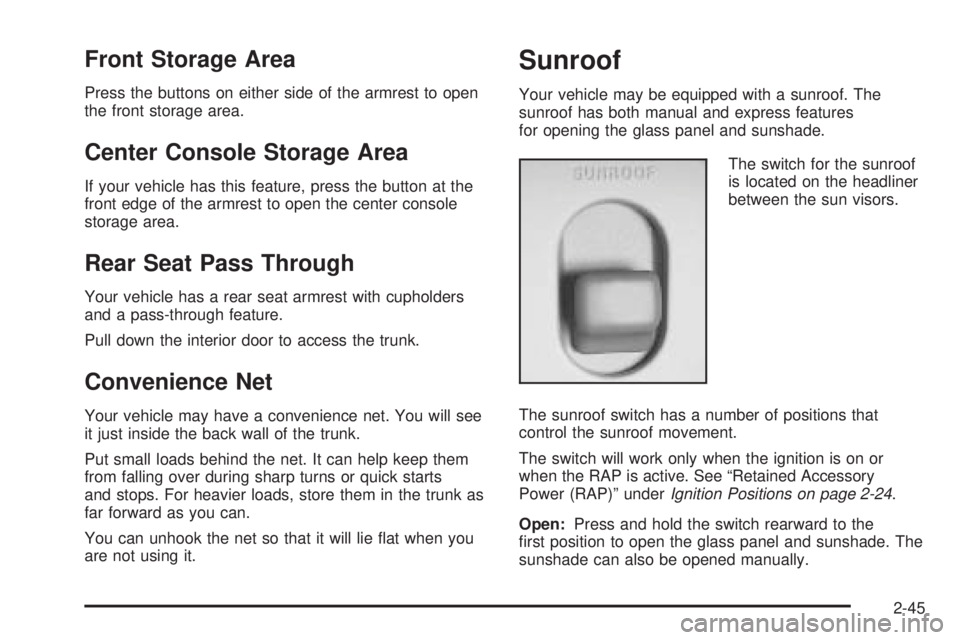
The switch for the sunroof
is located on the headliner
between the sun visors.
The sunroof switch has a number of positions that
control the sunroof movement.
The switch will work only when the ignition is on or
when the RAP is active. See “Retained Accessory
Power (RAP)” underIgnition Positions on page 2-24.
Open:Press and hold the switch rearward to the
rst position to open the glass panel and sunshade. The
sunshade can also be opened manually.
2-45
Page 139 of 438
Defogging and Defrosting
Fog on the inside of windows is a result of high humidity,
or moisture, condensing on the cool window glass.
This can be minimized if the climate control system is
used properly. There are two modes to clear fog or frost
from your windshield. Use the defog mode to clear
the windows of fog or moisture and warm the
passengers. Use the defrost mode to remove fog or
frost from the windshield more quickly.
Press one of the available mode buttons to select the
defog or defrost mode.
-(Defog):This mode directs most of the air to the
windshield and the oor outlets. A small amount of air is
also directed to the outboard outlets (for the side
windows). When you select this mode, the system turns
off recirculation and runs the air conditioning compressor
unless the outside temperature is at or below freezing.
The recirculation mode cannot be selected while in
the defog mode.
0FRONT (Defrost):Pressing this button directs
most of the air to the windshield and the outboard outlets
(for the side windows), with some air directed to the
oor outlets. When you select this mode, the system
turns off recirculation and runs the air conditioning
compressor unless the outside temperature is at
or below freezing. The recirculation mode cannot be
selected while in the FRONT defrost mode. Do not drive
the vehicle until all windows are clear.
Rear Window Defogger
The rear window defogger uses a warming grid to
remove fog or frost from the rear window.
=REAR:Press this button to turn the rear window
defogger on or off. Be sure to clear as much snow from
the rear window as possible.
The rear window defogger will turn off about 10 minutes
after the button is pressed. If turned on again, the
defogger will only run for about ve minutes before
turning off. If you maintain a speed above 30 mph
(48 km/h), the rear defogger will not turn off automatically
to help keep the rear glass clear. The defogger can also
be turned off by pressing the button again or by turning off
the engine.
If your vehicle has outside heated mirrors, the mirrors will
heat to help clear fog or frost from the surface of the
mirror when the rear window defogger button is pressed.
Notice:Using a razor blade or sharp object to clear
the inside rear window may damage the rear
window defogger. Repairs would not be covered by
your warranty. Do not clear the inside of the rear
window with sharp objects.
3-27
Page 144 of 438
Outlet Adjustment
Use the knob located in the center of each outlet to
change the direction of the airow. Use the thumbwheel
located between the outlets to turn them on and off.
In vehicles equipped with rear seat outlets, you
can adjust the direction of the airow using the knob in
the center of each outlet. Use the thumbwheel
located between the outlets to turn them on and off.
Operation Tips
Clear away any ice, snow or leaves from the air
inlets at the base of the windshield that may
block the ow of air into your vehicle.
Use of non-GM approved hood deectors may
adversely affect the performance of the system.
Keep the path under the front seats clear of objects
to help circulate the air inside of your vehicle more
effectively.
Climate Controls Personalization
If your vehicle is equipped with this feature, up to two
drivers are able to store and recall climate control
settings for the temperature, the fan speed and the
direction of the airow.Memory buttons 1 and 2 are located on the driver’s
door panel and correspond to the numbers 1 or 2 found
on the back of each remote keyless entry transmitter.
To store settings, do the following:
1. Select the desired temperature, fan speed and
airow mode. If desired, a separate temperature
setting may also be selected for the front seat
passenger. For information on how to do this, see
Automatic Climate Control System on page 3-28.
2. Locate memory buttons 1 and 2 on the driver’s door
panel.
3. Press the memory button on the door panel that
corresponds to the number on the back of the
transmitter you are programming, until you hear two
beeps. The beeps conrm that your selection has
been saved and can now be recalled. For more
information on the memory feature, seeMemory
Seat and Mirrors on page 2-46.
Follow these steps each time you want to change the
stored settings.
To recall the climate control settings last stored on your
transmitter, press the unlock button on your remote
keyless entry transmitter and put the ignition in ACC
or ON.
3-32
Page 171 of 438
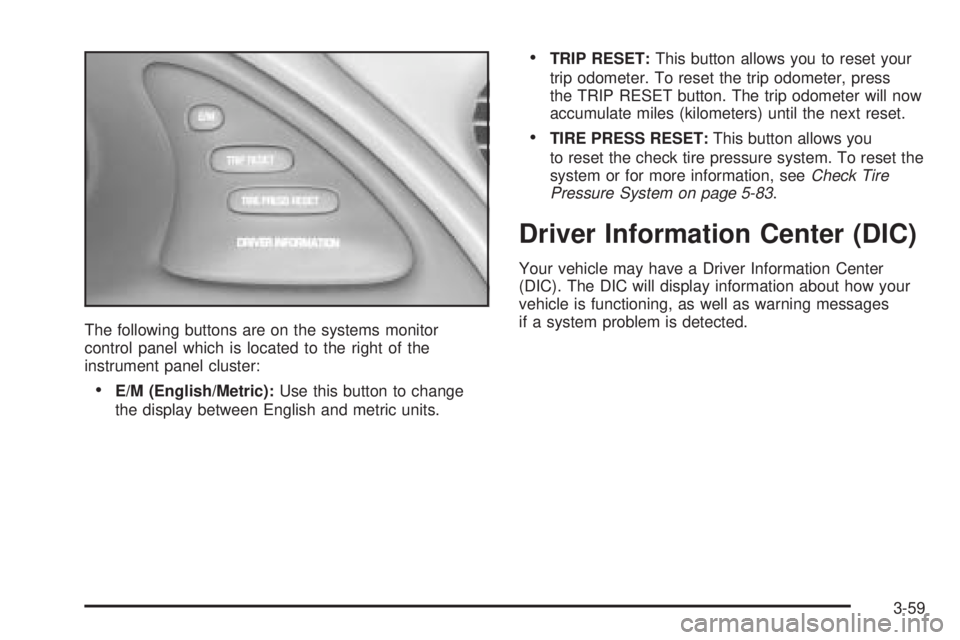
The following buttons are on the systems monitor
control panel which is located to the right of the
instrument panel cluster:
E/M (English/Metric):Use this button to change
the display between English and metric units.
TRIP RESET:This button allows you to reset your
trip odometer. To reset the trip odometer, press
the TRIP RESET button. The trip odometer will now
accumulate miles (kilometers) until the next reset.
TIRE PRESS RESET:This button allows you
to reset the check tire pressure system. To reset the
system or for more information, seeCheck Tire
Pressure System on page 5-83.
Driver Information Center (DIC)
Your vehicle may have a Driver Information Center
(DIC). The DIC will display information about how your
vehicle is functioning, as well as warning messages
if a system problem is detected.
3-59
Page 172 of 438
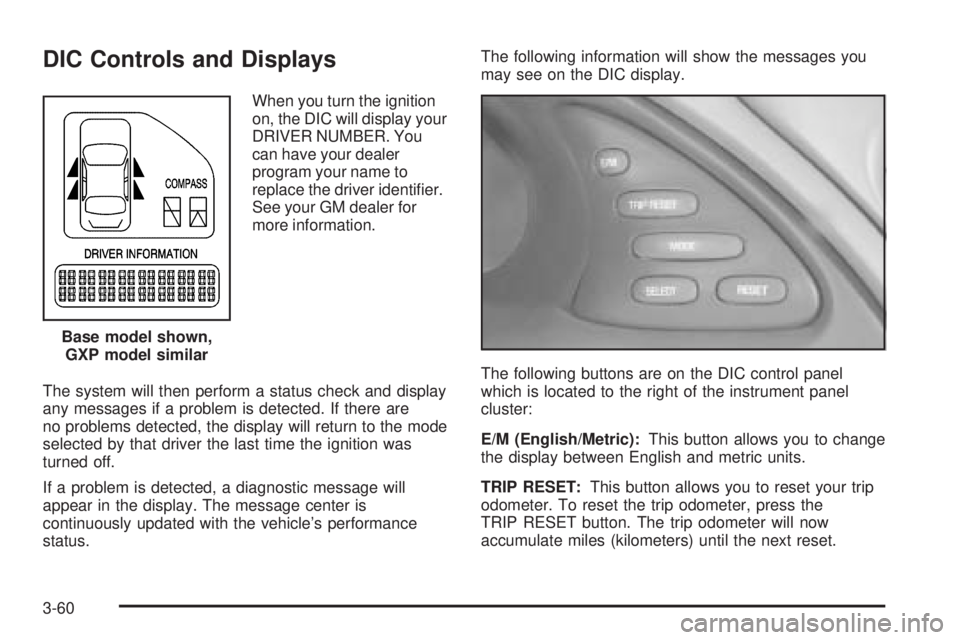
DIC Controls and Displays
When you turn the ignition
on, the DIC will display your
DRIVER NUMBER. You
can have your dealer
program your name to
replace the driver identier.
See your GM dealer for
more information.
The system will then perform a status check and display
any messages if a problem is detected. If there are
no problems detected, the display will return to the mode
selected by that driver the last time the ignition was
turned off.
If a problem is detected, a diagnostic message will
appear in the display. The message center is
continuously updated with the vehicle’s performance
status.The following information will show the messages you
may see on the DIC display.
The following buttons are on the DIC control panel
which is located to the right of the instrument panel
cluster:
E/M (English/Metric):This button allows you to change
the display between English and metric units.
TRIP RESET:This button allows you to reset your trip
odometer. To reset the trip odometer, press the
TRIP RESET button. The trip odometer will now
accumulate miles (kilometers) until the next reset. Base model shown,
GXP model similar
3-60
Page 173 of 438
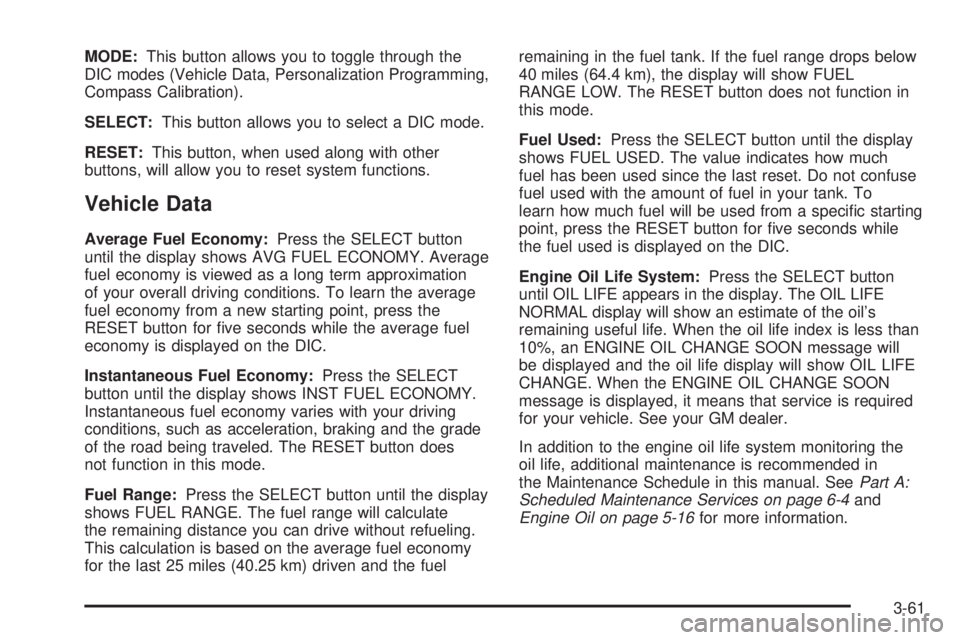
MODE:This button allows you to toggle through the
DIC modes (Vehicle Data, Personalization Programming,
Compass Calibration).
SELECT:This button allows you to select a DIC mode.
RESET:This button, when used along with other
buttons, will allow you to reset system functions.
Vehicle Data
Average Fuel Economy:Press the SELECT button
until the display shows AVG FUEL ECONOMY. Average
fuel economy is viewed as a long term approximation
of your overall driving conditions. To learn the average
fuel economy from a new starting point, press the
RESET button for ve seconds while the average fuel
economy is displayed on the DIC.
Instantaneous Fuel Economy:Press the SELECT
button until the display shows INST FUEL ECONOMY.
Instantaneous fuel economy varies with your driving
conditions, such as acceleration, braking and the grade
of the road being traveled. The RESET button does
not function in this mode.
Fuel Range:Press the SELECT button until the display
shows FUEL RANGE. The fuel range will calculate
the remaining distance you can drive without refueling.
This calculation is based on the average fuel economy
for the last 25 miles (40.25 km) driven and the fuelremaining in the fuel tank. If the fuel range drops below
40 miles (64.4 km), the display will show FUEL
RANGE LOW. The RESET button does not function in
this mode.
Fuel Used:Press the SELECT button until the display
shows FUEL USED. The value indicates how much
fuel has been used since the last reset. Do not confuse
fuel used with the amount of fuel in your tank. To
learn how much fuel will be used from a specic starting
point, press the RESET button for ve seconds while
the fuel used is displayed on the DIC.
Engine Oil Life System:Press the SELECT button
until OIL LIFE appears in the display. The OIL LIFE
NORMAL display will show an estimate of the oil’s
remaining useful life. When the oil life index is less than
10%, an ENGINE OIL CHANGE SOON message will
be displayed and the oil life display will show OIL LIFE
CHANGE. When the ENGINE OIL CHANGE SOON
message is displayed, it means that service is required
for your vehicle. See your GM dealer.
In addition to the engine oil life system monitoring the
oil life, additional maintenance is recommended in
the Maintenance Schedule in this manual. SeePart A:
Scheduled Maintenance Services on page 6-4and
Engine Oil on page 5-16for more information.
3-61