wheel PONTIAC G3 2009 User Guide
[x] Cancel search | Manufacturer: PONTIAC, Model Year: 2009, Model line: G3, Model: PONTIAC G3 2009Pages: 348, PDF Size: 2.16 MB
Page 111 of 348
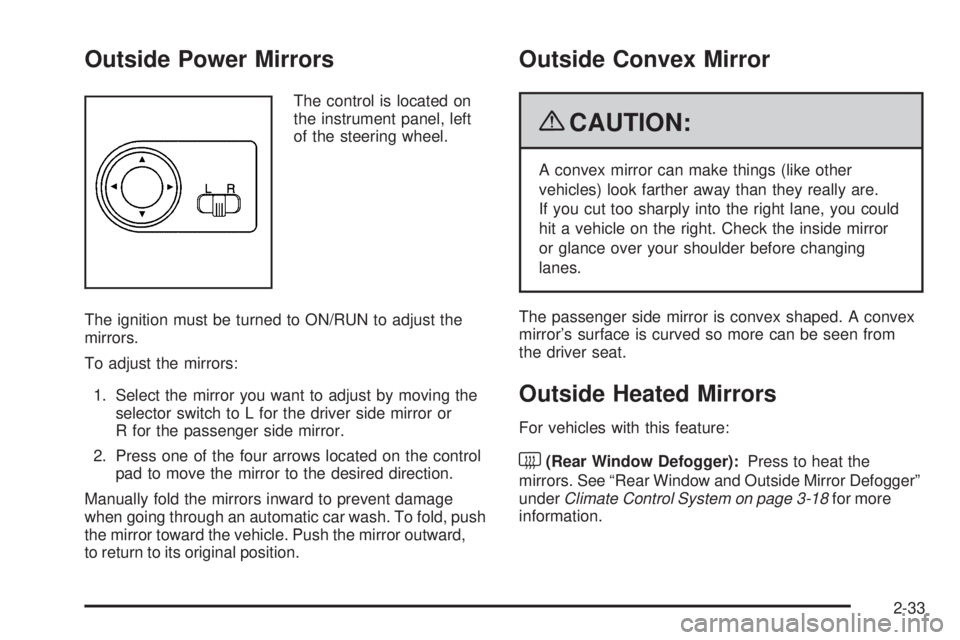
Outside Power Mirrors
The control is located on
the instrument panel, left
of the steering wheel.
The ignition must be turned to ON/RUN to adjust the
mirrors.
To adjust the mirrors:
1. Select the mirror you want to adjust by moving the
selector switch to L for the driver side mirror or
R for the passenger side mirror.
2. Press one of the four arrows located on the control
pad to move the mirror to the desired direction.
Manually fold the mirrors inward to prevent damage
when going through an automatic car wash. To fold, push
the mirror toward the vehicle. Push the mirror outward,
to return to its original position.
Outside Convex Mirror
{CAUTION:
A convex mirror can make things (like other
vehicles) look farther away than they really are.
If you cut too sharply into the right lane, you could
hit a vehicle on the right. Check the inside mirror
or glance over your shoulder before changing
lanes.
The passenger side mirror is convex shaped. A convex
mirror’s surface is curved so more can be seen from
the driver seat.
Outside Heated Mirrors
For vehicles with this feature:
<(Rear Window Defogger):Press to heat the
mirrors. See “Rear Window and Outside Mirror Defogger”
underClimate Control System on page 3-18for more
information.
2-33
Page 117 of 348
Instrument Panel Overview...............................3-4
Hazard Warning Flashers................................3-6
Horn .............................................................3-6
Tilt Wheel.....................................................3-6
Turn Signal/Multifunction Lever.........................3-7
Turn and Lane-Change Signals........................3-7
Headlamp High/Low-Beam Changer..................3-8
Flash-to-Pass.................................................3-8
Windshield Wipers..........................................3-8
Windshield Washer.........................................3-9
Rear Window Wiper/Washer...........................3-10
Cruise Control..............................................3-10
Exterior Lamps.............................................3-13
Daytime Running Lamps (DRL).......................3-14
Fog Lamps ..................................................3-14
Instrument Panel Brightness...........................3-15
Dome Lamp .................................................3-15
Inadvertent Power Battery Saver.....................3-15
Accessory Power Outlet(s).............................3-16
Ashtray(s) and Cigarette Lighter......................3-17
Clock..........................................................3-17Climate Controls............................................3-18
Climate Control System.................................3-18
Outlet Adjustment.........................................3-21
Passenger Compartment Air Filter...................3-22
Warning Lights, Gages, and Indicators............3-23
Instrument Panel Cluster................................3-24
Speedometer and Odometer...........................3-25
Trip Odometer..............................................3-25
Tachometer.................................................3-25
Safety Belt Reminders...................................3-26
Airbag Readiness Light..................................3-26
Passenger Airbag Status Indicator...................3-27
Charging System Light..................................3-28
Up-Shift Light..............................................
.3-28
Brake System Warning Light..........................3-28
Antilock Brake System (ABS) Warning Light.....3-30
Hold Mode Light...........................................3-30
Engine Coolant Temperature Gage..................3-30
Tire Pressure Light.......................................3-31
Section 3 Instrument Panel
3-1
Page 118 of 348
Malfunction Indicator Lamp.............................3-32
Oil Pressure Light.........................................3-34
Change Engine Oil Light................................3-35
Fog Lamp Light............................................3-35
Cruise Control Light......................................3-36
Highbeam On Light.......................................3-36
Daytime Running Lamps (DRL) Indicator Light . . .3-36
Door Ajar Light.............................................3-36
Fuel Gage...................................................3-37
Low Fuel Warning Light.................................3-37Audio System(s).............................................3-38
AM-FM Radio...............................................3-39
Radio with CD..............................................3-44
Using an MP3..............................................3-51
XM Radio Messages.....................................3-54
Audio Steering Wheel Controls.......................3-54
Radio Reception...........................................3-55
Fixed Mast Antenna (Hatchback).....................3-56
Backglass Antenna (Sedan)...........................3-56
Multi-Band Antenna.......................................3-57
Section 3 Instrument Panel
3-2
Page 122 of 348
Hazard Warning Flashers
The hazard warning asher button is located to the right
of the climate control system on the sedan.
|Hazard Warning Flasher:Press to make the
front and rear turn signal lamps ash on and off.
This warns others that you are having trouble.
Press the button again to turn the ashers off.
When the hazard warning ashers are on, the turn
signals will not work.
Horn
Press near or on the horn symbols on the steering
wheel pad to sound the horn.
Tilt Wheel
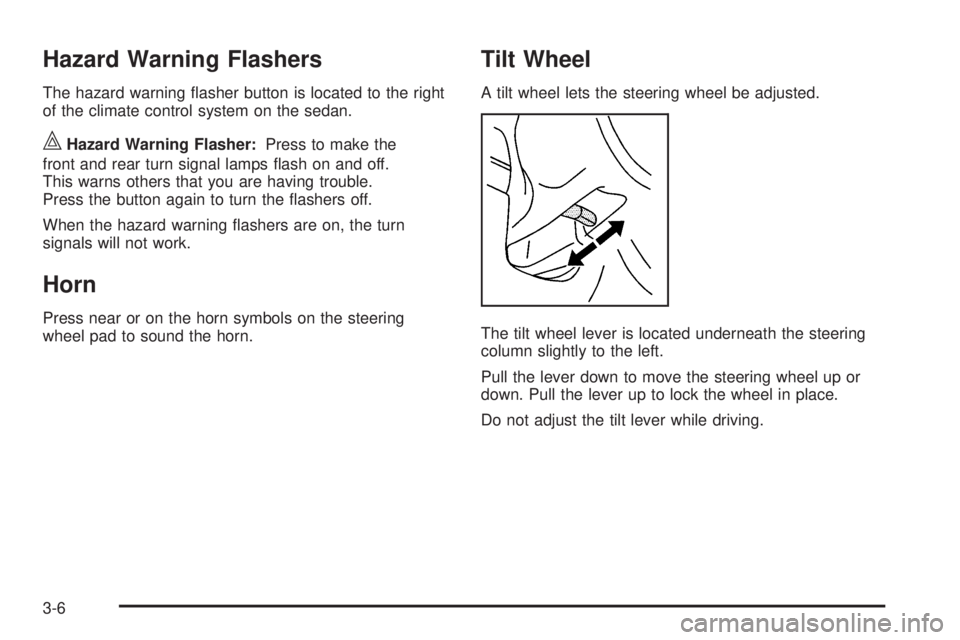
A tilt wheel lets the steering wheel be adjusted.
The tilt wheel lever is located underneath the steering
column slightly to the left.
Pull the lever down to move the steering wheel up or
down. Pull the lever up to lock the wheel in place.
Do not adjust the tilt lever while driving.
3-6
Page 126 of 348
Rear Window Wiper/Washer
{CAUTION:
In freezing weather, do not use your washer until
the windshield is warmed. Otherwise the washer
uid can form ice on the windshield, blocking your
vision.
The vehicle may have a rear window wiper/washer.
Turn the rear wiper/washer band to operate the
rear window wiper/washer.
OFF:Turns the rear window wiper/washer off.
Z:Turns the rear wiper on for intermittent wipes.
Y:Sprays washer uid onto the rear window and the
wiper operates continuously.
The windshield washer reservoir is used for the
windshield and rear window. Check the uid level if
either washer is not working. SeeWindshield Washer
Fluid on page 5-31.
Cruise Control
For vehicles with cruise control, a speed of about
24 mph (39 km/h) or more can be maintained without
keeping your foot on the accelerator. Cruise control
does not work at speeds below 24 mph (39 km/h).
When the brakes are applied, or the clutch pedal if you
have a manual transmission, the cruise control turns off.
{CAUTION:
Cruise control can be dangerous where you cannot
drive safely at a steady speed. So, do not use the
cruise control on winding roads or in heavy traffic.
Cruise control can be dangerous on slippery roads.
On such roads, fast changes in tire traction can
cause excessive wheel slip, and you could lose
control. Do not use cruise control on slippery roads.
3-10
Page 127 of 348
The cruise control buttons are located on the right side
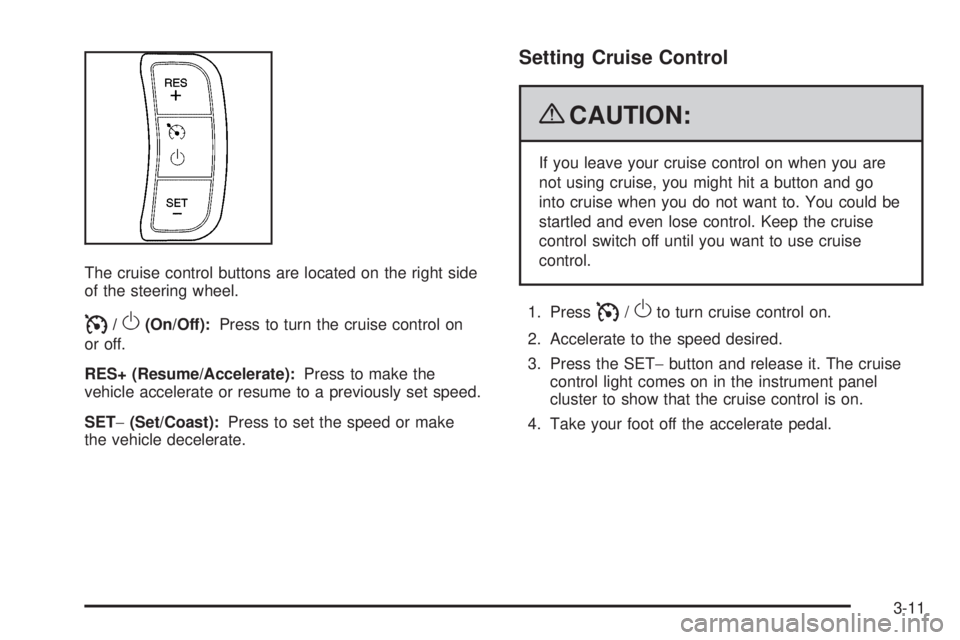
of the steering wheel.
I/O(On/Off):Press to turn the cruise control on
or off.
RES+ (Resume/Accelerate):Press to make the
vehicle accelerate or resume to a previously set speed.
SET−(Set/Coast):Press to set the speed or make
the vehicle decelerate.
Setting Cruise Control
{CAUTION:
If you leave your cruise control on when you are
not using cruise, you might hit a button and go
into cruise when you do not want to. You could be
startled and even lose control. Keep the cruise
control switch off until you want to use cruise
control.
1. Press
I/Oto turn cruise control on.
2. Accelerate to the speed desired.
3. Press the SET−button and release it. The cruise
control light comes on in the instrument panel
cluster to show that the cruise control is on.
4. Take your foot off the accelerate pedal.
3-11
Page 131 of 348
To turn the fog lamps off, turn the band to#again.
The fog lamp indicator light will go off.
The fog lamps will also turn off when the high-beam
headlamps are turned on. When the high-beam
headlamps are turned off, the fog lamps will turn on
again.
Some localities have laws that require the headlamps
to be on along with the fog lamps.
Instrument Panel Brightness
This feature controls the brightness of the instrument
panel lights.
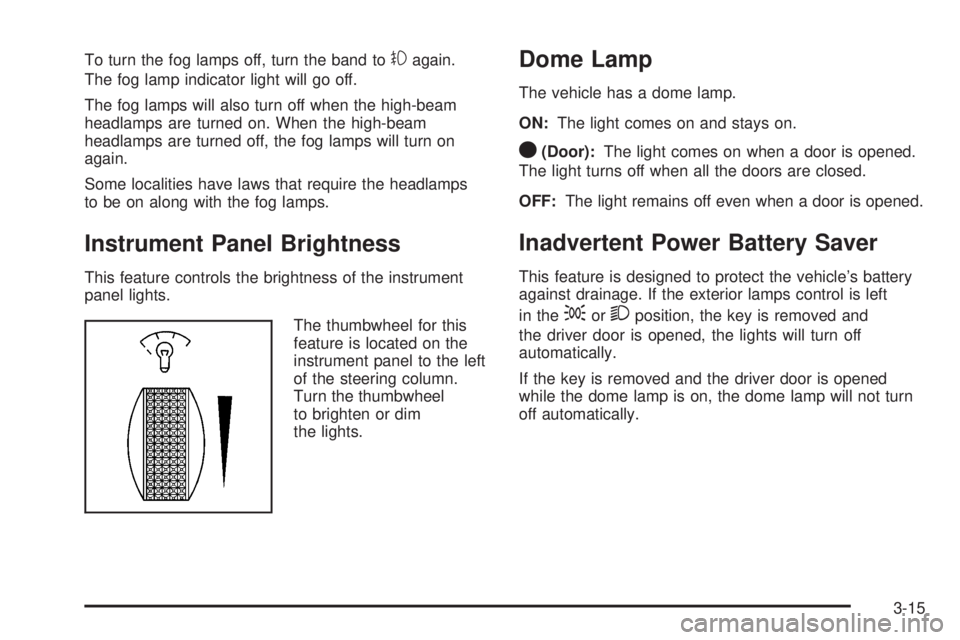
The thumbwheel for this
feature is located on the
instrument panel to the left
of the steering column.
Turn the thumbwheel
to brighten or dim
the lights.
Dome Lamp
The vehicle has a dome lamp.
ON:The light comes on and stays on.
O(Door):The light comes on when a door is opened.
The light turns off when all the doors are closed.
OFF:The light remains off even when a door is opened.
Inadvertent Power Battery Saver
This feature is designed to protect the vehicle’s battery
against drainage. If the exterior lamps control is left
in the
;or2position, the key is removed and
the driver door is opened, the lights will turn off
automatically.
If the key is removed and the driver door is opened
while the dome lamp is on, the dome lamp will not turn
off automatically.
3-15
Page 156 of 348
AST (Automatic Store):Twelve preset stations with
the strongest reception in the area can be automatically
stored. The radio will only scan stations with a strong
signal that are in the selected AM or FM band.
If the Automatic Store function is started in the FM
band, only FM stations are stored in preset pages A1
and A2. If the Automatic Store function is started in the
AM band, only AM stations are stored in A1 and A2.
A combination of AM, FM and XM (if equipped) stations
can be stored manually into the other four favorite pages.
To use Automatic Store:
1. Press and hold AST to use Auto Store mode.
2. Press the pushbutton below the ON tab on the
radio display.
3. Automatic Store searches for radio stations with a
strong signal and automatically set presets A1 and
A2 with new stations.
4. After all stations are set, press the pushbutton
below the arrow tab on the radio display to
return to the main radio screen.To reset the automatically stored radio stations, press
and hold AST. Then press the pushbutton below
the RESE tab on the radio display. If no stations are
stored on preset pages A1 and A2, the RESE option
does not appear in the radio display. When the
Automatic Store function is used, any stations that were
previously set will be deleted and replaced with new
stations.
Storing a Radio Station
Drivers are encouraged to set up radio station favorites
while the vehicle is in P (Park). Tune to favorite
stations using the pushbuttons, favorites button, and
steering wheel controls. SeeDefensive Driving on
page 4-2.
A maximum of 36 stations can be programmed as
favorites using the six pushbuttons positioned below the
radio station frequency labels and by using the radio
favorites page button (FAV button). Press the FAV
button to go through up to six pages of favorites,
each having six favorite stations available per page.
3-40
Page 161 of 348
Press and hold SCAN/AST to use Auto Store.
The radio only scans stations with a strong signal in the
selected band.
AST (Automatic Store):Twelve preset stations with
the strongest reception in the area can be automatically
stored. The radio will only scan stations with a strong
signal that are in the selected AM or FM band.
If the Automatic Store function is started in the FM
band, only FM stations are stored in preset pages A1
and A2. If the Automatic Store function is started in the
AM band, only AM stations are stored in A1 and A2.
A combination of AM, FM and XM (if equipped) stations
can be stored manually into the other four favorite pages.
To use Automatic Store:
1. Press and hold SCAN/AST to use Auto Store mode.
2. Press the pushbutton below the ON tab on the
radio display.
3. Automatic Store searches for radio stations with a
strong signal and automatically set presets A1 and
A2 with new stations.
4. After all stations are set, press the pushbutton
below the arrow tab on the radio display to
return to the main radio screen.To reset the automatically stored radio stations, press
and hold SCAN/AST. Then press the pushbutton
below the RESE tab on the radio display. If no stations
are stored on preset pages A1 and A2, the RESE
option does not appear in the radio display. When the
Automatic Store function is used, any stations that were
previously set will be deleted and replaced with new
stations.
Storing a Radio Station
Drivers are encouraged to set up radio station favorites
while the vehicle is in P (Park). Tune to favorite
stations using the pushbuttons, favorites button, and
steering wheel controls. SeeDefensive Driving on
page 4-2.
A maximum of 36 stations can be programmed as
favorites using the six pushbuttons positioned below the
radio station frequency labels and by using the radio
favorites page button (FAV button). Press the FAV
button to go through up to six pages of favorites,
each having six favorite stations available per page.
3-45
Page 170 of 348
XM Radio Messages
UPDATING:The encryption code in the receiver is
being updated, and no action is required. This process
should take no longer than 30 seconds.
NO SIGNAL:The system is functioning correctly, but
the vehicle is in a location that is blocking the XM™
signal. When the vehicle is moved into an open area,
the signal should return.
LOADING:The audio system is acquiring and
processing audio and text data. No action is needed.
This message should disappear shortly.
OFF AIR:This channel is not currently in service.
Tune in to another channel.
CH UNAVAILABLE:This previously assigned channel
is no longer assigned. Tune to another station. If this
station was one of the presets, choose another station
for that preset button.
RADIO ID:If tuned to channel 0, this message
alternates with the XM™ Radio 8 digit radio ID label.
This label is needed to activate the service.
CHECK XM TUNER:If this message does not clear
within a short period of time, the receiver could have a
fault. Consult with your dealer/retailer.
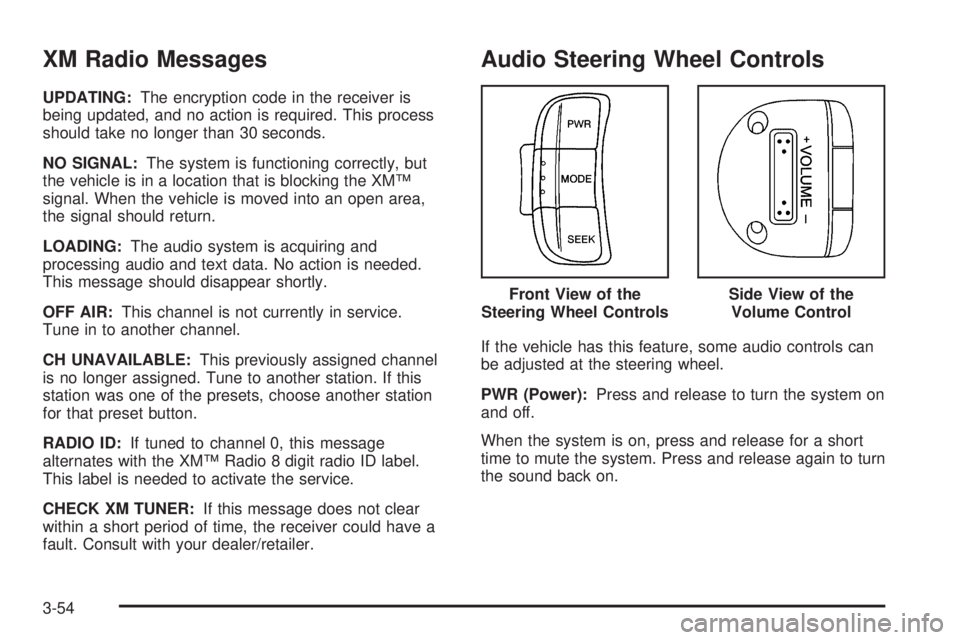
Audio Steering Wheel Controls
If the vehicle has this feature, some audio controls can
be adjusted at the steering wheel.
PWR (Power):Press and release to turn the system on
and off.
When the system is on, press and release for a short
time to mute the system. Press and release again to turn
the sound back on.Front View of the
Steering Wheel Controls
Side View of the
Volume Control
3-54