change time PONTIAC G3 2009 Owners Manual
[x] Cancel search | Manufacturer: PONTIAC, Model Year: 2009, Model line: G3, Model: PONTIAC G3 2009Pages: 348, PDF Size: 2.16 MB
Page 2 of 348
GENERAL MOTORS, GM, the GM Emblem, PONTIAC,
the PONTIAC Emblem, and the name G3, are registered
trademarks of General Motors Corporation.
This manual includes the latest information at the time it
was printed. GM reserves the right to make changes after
that time without further notice. For vehicles rst sold in
Canada, substitute the name “General Motors of Canada
Limited” for Pontiac Motor Division wherever it appears in
this manual.
This manual describes features that may or may not be
on your specic vehicle.
Read this manual from beginning to end to learn about
the vehicle’s features and controls. Pictures, symbols,
and words work together to explain vehicle operation.
Keep this manual in the vehicle for quick reference.
Canadian Owners
A French language copy of this manual can be obtained
from your dealer/retailer or from:
Helm, Incorporated
P.O. Box 07130
Detroit, MI 48207
1-800-551-4123
www.helminc.com
Propriétaires Canadiens
On peut obtenir un exemplaire de ce guide en français
auprès de concessionnaire ou à l’adresse suivante:
Helm, Incorporated
P.O. Box 07130
Detroit, MI 48207
1-800-551-4123
www.helminc.com
Index
To quickly locate information about the vehicle, use the
index in the back of the manual. It is an alphabetical
list of what is in the manual and the page number where
it can be found.
Litho in U.S.A.
Part No. 20811656 A First Printing
©2008 General Motors Corporation. All Rights Reserved.
ii
Page 40 of 348
Infants and Young Children
Everyone in a vehicle needs protection! This includes
infants and all other children. Neither the distance
traveled nor the age and size of the traveler changes
the need, for everyone, to use safety restraints. In fact,
the law in every state in the United States and in
every Canadian province says children up to some age
must be restrained while in a vehicle.
{CAUTION:
Children can be seriously injured or strangled if a
shoulder belt is wrapped around their neck and
the safety belt continues to tighten. Never leave
children unattended in a vehicle and never allow
children to play with the safety belts.Airbags plus lap-shoulder belts offer protection for adults
and older children, but not for young children and infants.
Neither the vehicle’s safety belt system nor its airbag
system is designed for them. Every time infants and
young children ride in vehicles, they should have the
protection provided by appropriate child restraints.
Children who are not restrained properly can strike other
people, or can be thrown out of the vehicle.
{CAUTION:
Never do this.
Never hold an infant or a child while riding in a
vehicle. Due to crash forces, an infant or a child
will become so heavy it is not possible to hold it
during a crash. For example, in a crash at only
25 mph (40 km/h), a 12 lb (5.5 kg) infant will
suddenly become a 240 lb (110 kg) force on a
person’s arms. An infant should be secured in an
appropriate restraint.
1-36
Page 96 of 348

Starting the Engine
Automatic Transmission
Move the shift lever to P (Park) or N (Neutral).
The engine will not start in any other position.
To restart the engine when the vehicle is already
moving, use N (Neutral) only.
Notice:Do not try to shift to P (Park) if the
vehicle is moving. If you do, you could damage
the transmission. Shift to P (Park) only when the
vehicle is stopped.
Manual Transmission
The shift lever should be in N (Neutral) and the parking
brake engaged. Hold the clutch pedal to the oor and
start the engine. The vehicle will not start if the clutch
pedal is not all the way down.
Starting Procedure
1. With your foot off the accelerator pedal, turn the
ignition to START. When the engine starts, let go
of the key. The idle speed will go down as the
engine gets warm.
Notice:Holding the key in START for longer than
15 seconds at a time will cause the battery to be
drained much sooner. And the excessive heat candamage the starter motor. Wait about 15 seconds
between each try to help avoid draining the battery
or damaging the starter.
2. If the engine does not start, wait about 15 seconds
and try again. Wait about 15 seconds between
each try.
When the engine has run about 10 seconds to warm
up, the vehicle is ready to be driven. Do not run the
engine at high speed when it is cold.
If the weather is below freezing (32°F or 0°C), let
the engine run for a few minutes to warm up.
3. If the engine still will not start, or starts but then
stops, it could be ooded with too much gasoline.
Try pushing the accelerator pedal all the way to the
oor and holding it there as you hold the key in
START for about three seconds. If the vehicle starts
briey but then stops again, do the same thing, but
this time keep the pedal down for ve or six seconds.
This clears the extra gasoline from the engine.
Notice:The engine is designed to work with
the electronics in the vehicle. If electrical parts or
accessories are added, you could change the way the
engine operates. Before adding electrical equipment,
check with your dealer/retailer. If you do not, the
engine might not perform properly. Any resulting
damage would not be covered by the vehicle
warranty.
2-18
Page 103 of 348
R (Reverse):To back up, press down the clutch pedal,
lift up the ring on the shift lever and shift into R (Reverse).
Let up on the clutch pedal slowly while pressing the
accelerator pedal.
Notice:Shifting to R (Reverse) while the vehicle is
moving forward could damage the transmission.
The repairs would not be covered by the vehicle
warranty. Shift to R (Reverse) only after the vehicle
is stopped.
Also, use R (Reverse), along with the parking brake,
for parking the vehicle.
Shift Speeds
{CAUTION:
If you skip a gear when you downshift, you could
lose control of the vehicle. You could injure yourself
or others. Do not shift down more than one gear at
a time when you downshift.
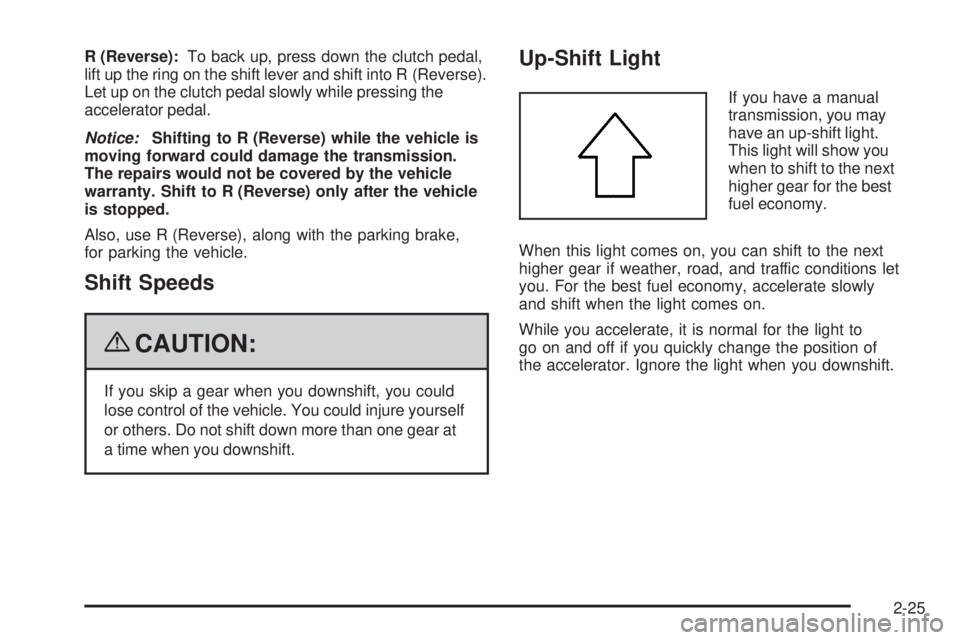
Up-Shift Light
If you have a manual
transmission, you may
have an up-shift light.
This light will show you
when to shift to the next
higher gear for the best
fuel economy.
When this light comes on, you can shift to the next
higher gear if weather, road, and traffic conditions let
you. For the best fuel economy, accelerate slowly
and shift when the light comes on.
While you accelerate, it is normal for the light to
go on and off if you quickly change the position of
the accelerator. Ignore the light when you downshift.
2-25
Page 117 of 348
Instrument Panel Overview...............................3-4
Hazard Warning Flashers................................3-6
Horn .............................................................3-6
Tilt Wheel.....................................................3-6
Turn Signal/Multifunction Lever.........................3-7
Turn and Lane-Change Signals........................3-7
Headlamp High/Low-Beam Changer..................3-8
Flash-to-Pass.................................................3-8
Windshield Wipers..........................................3-8
Windshield Washer.........................................3-9
Rear Window Wiper/Washer...........................3-10
Cruise Control..............................................3-10
Exterior Lamps.............................................3-13
Daytime Running Lamps (DRL).......................3-14
Fog Lamps ..................................................3-14
Instrument Panel Brightness...........................3-15
Dome Lamp .................................................3-15
Inadvertent Power Battery Saver.....................3-15
Accessory Power Outlet(s).............................3-16
Ashtray(s) and Cigarette Lighter......................3-17
Clock..........................................................3-17Climate Controls............................................3-18
Climate Control System.................................3-18
Outlet Adjustment.........................................3-21
Passenger Compartment Air Filter...................3-22
Warning Lights, Gages, and Indicators............3-23
Instrument Panel Cluster................................3-24
Speedometer and Odometer...........................3-25
Trip Odometer..............................................3-25
Tachometer.................................................3-25
Safety Belt Reminders...................................3-26
Airbag Readiness Light..................................3-26
Passenger Airbag Status Indicator...................3-27
Charging System Light..................................3-28
Up-Shift Light..............................................
.3-28
Brake System Warning Light..........................3-28
Antilock Brake System (ABS) Warning Light.....3-30
Hold Mode Light...........................................3-30
Engine Coolant Temperature Gage..................3-30
Tire Pressure Light.......................................3-31
Section 3 Instrument Panel
3-1
Page 118 of 348
Malfunction Indicator Lamp.............................3-32
Oil Pressure Light.........................................3-34
Change Engine Oil Light................................3-35
Fog Lamp Light............................................3-35
Cruise Control Light......................................3-36
Highbeam On Light.......................................3-36
Daytime Running Lamps (DRL) Indicator Light . . .3-36
Door Ajar Light.............................................3-36
Fuel Gage...................................................3-37
Low Fuel Warning Light.................................3-37Audio System(s).............................................3-38
AM-FM Radio...............................................3-39
Radio with CD..............................................3-44
Using an MP3..............................................3-51
XM Radio Messages.....................................3-54
Audio Steering Wheel Controls.......................3-54
Radio Reception...........................................3-55
Fixed Mast Antenna (Hatchback).....................3-56
Backglass Antenna (Sedan)...........................3-56
Multi-Band Antenna.......................................3-57
Section 3 Instrument Panel
3-2
Page 152 of 348
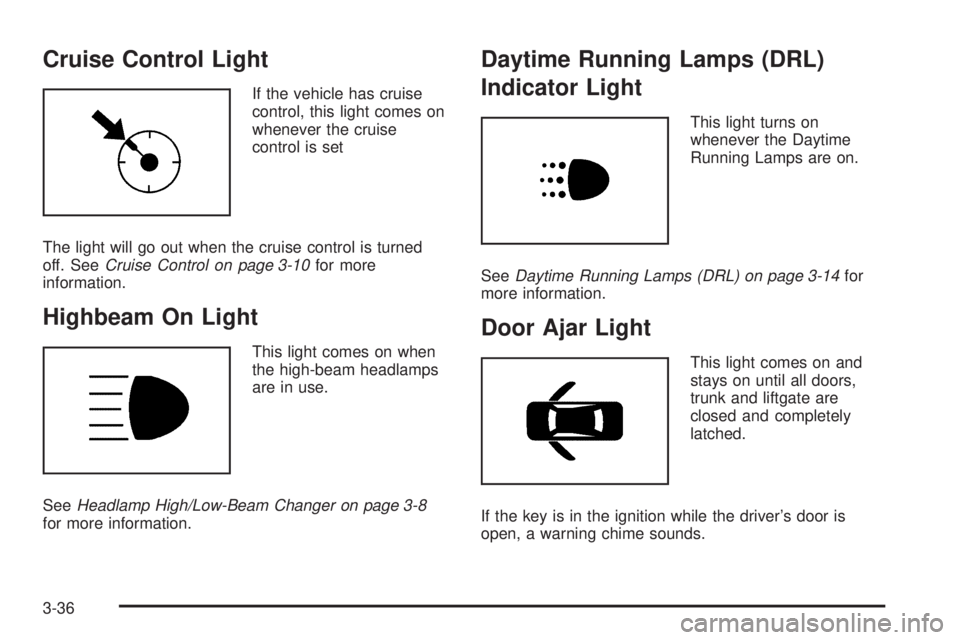
Cruise Control Light
If the vehicle has cruise
control, this light comes on
whenever the cruise
control is set
The light will go out when the cruise control is turned
off. SeeCruise Control on page 3-10for more
information.
Highbeam On Light
This light comes on when
the high-beam headlamps
are in use.
SeeHeadlamp High/Low-Beam Changer on page 3-8
for more information.
Daytime Running Lamps (DRL)
Indicator Light
This light turns on
whenever the Daytime
Running Lamps are on.
SeeDaytime Running Lamps (DRL) on page 3-14for
more information.
Door Ajar Light
This light comes on and
stays on until all doors,
trunk and liftgate are
closed and completely
latched.
If the key is in the ignition while the driver’s door is
open, a warning chime sounds.
3-36
Page 167 of 348
Using the Auxiliary Input Jack
The radio system has an auxiliary input jack located on
the lower right side of the faceplate. This is not an
audio output; do not plug the headphone set into the
front auxiliary input jack. An external audio device
such as an iPod, laptop computer, MP3 player, CD
changer, etc. can be connected to the auxiliary
input jack for use as another audio source.
Drivers are encouraged to set up any auxiliary device
while the vehicle is in P (Park). SeeDefensive
Driving on page 4-2for more information on driver
distraction.
To use a portable audio player, connect a 3.5 mm
(1/8 inch) cable to the radio’s front auxiliary input jack.
When a device is connected, press the radio CD/AUX
button to begin playing audio from the device over
the vehicle speakers.
O(Power/Volume):Turn to adjust the volume.
Additional volume adjustments may have to be made
from the portable device if the volume is too quiet
or too loud.
CD/AUX (Auxiliary):Press to play a CD while a
portable audio device is playing. Press CD/AUX a
second time for the system to begin playing audio from
the connected portable audio player. The portable
audio device continues playing until it is turned off.
Using an MP3
MP3/WMA CD-R Disc
MP3 Format
If you burn your own MP3/WMA disc on a personal
computer:
Make sure the MP3/WMA les are recorded on a
CD-R disc.
Do not mix standard audio and MP3/WMA les on
one disc.
Make sure each MP3/WMA le has a .m3u or
.wma extension, other le extensions might
not work.
Files can be recorded with a variety of xed or
variable bit rates. Song title, artist name, and album
are available for display by the radio when recorded
using ID3 tags version 1 and 2.
Make sure to nalize the disc when burning an
MP3/WMA disc, using multiple sessions. It is usually
better to burn the disc all at once.
The player is able to read and play a maximum of
50 folders, ve sessions, and 999 les. Long le names
and folder names can use more disc memory space
than necessary. To conserve space on the disc,
minimize the length of the le and folder names.
3-51
Page 169 of 348
Playing an MP3/WMA
With the ignition in the ON/RUN position, insert a CD
partway into the slot, label side up. The player pulls the
disc in. LOADING, and then MP3 or WMA appears
on the display. The CD should begin playing. As each
new track starts to play, the track number, and the song
name will appear on the display. If the ignition or
radio is turned off with a CD in the player, it will stay
in the player. When a CD is in the player and the ignition
is turned on, the radio must be turned on before the
CD will start playback. When the ignition and radio are
turned on, the CD will start playing where it stopped,
if it was the last selected audio source.
The CD player can play the smaller 3 inch (8 cm)
single CDs with an adapter ring. Full-size CDs and the
smaller CDs are loaded in the same manner.
Sound quality may be reduced due to CD-R quality,
the method of recording, the quality of the music
that has been recorded, and the way the CD-R has
been handled.
DIR (Directory):Press to repeat the tracks in the
current directory. DIR displays.
Press DIR again to repeat the tracks in all of the
directories. ALL displays.
Press DIR again to turn off repeat play.
uSEEKt(Next/Previous Folder) (in MP3/WMA
Mode):Press to change the folder. If CD-R does not
have any folders, “ROOT” ashes on the display for a
short time.
[TUNE (Next Track):Press the up TUNE arrow
to go to the next track. The track number displays.
The player continues moving forward through the CD
each time TUNE is pressed.
rTUNE (Previous Track):Press the down TUNE
arrow to go to the start of the current track. The track
number displays. The player continues moving backward
through the CD each time TUNE is pressed.
INFO/DISP (Information/Display):Press to display
additional text information related to the current
MP3/WMA song. A choice of additional information such
as: Song Title, Album Title, and Artist. Bit rate might
also display.
When information is not available, No Info displays.
Press this button for longer than two seconds to change
display mode.
SCROLL (MP3/WMA Mode Only):Press the SOUND
button for longer than two seconds. The song title or
other available information of a song scrolls on/off.
The offset is scroll on. The scroll mode can be changed
only when the SOUND button is pressed for longer
than two seconds.
3-53
Page 179 of 348
Antilock Brake System (ABS)
The vehicle might have the Antilock Brake System
(ABS), an advanced electronic braking system that helps
prevent a braking skid.
If the vehicle has ABS, this
warning light comes on
briey when the vehicle is
started.
The warning light is on the instrument panel cluster.
SeeAntilock Brake System (ABS) Warning Light
on page 3-30.
Let us say the road is wet and you are driving safely.
Suddenly, an animal jumps out in front of you. You slam
on the brakes and continue braking. Here is what
happens with ABS:
A computer senses that the wheels are slowing down.
If one of the wheels is about to stop rolling, the computer
will separately work the brakes at each wheel.ABS can change the brake pressure to each wheel, as
required, faster than any driver could. This can help
the driver steer around the obstacle while braking hard.
As the brakes are applied, the computer keeps
receiving updates on wheel speed and controls braking
pressure accordingly.
Remember: ABS does not change the time needed to
get a foot up to the brake pedal or always decrease
stopping distance. If you get too close to the vehicle in
front of you, there will not be enough time to apply
the brakes if that vehicle suddenly slows or stops.
Always leave enough room up ahead to stop, even
with ABS.
Using ABS
Do not pump the brakes. Just hold the brake pedal
down rmly and let antilock work. A slight brake pedal
pulsation might be felt or some noise might be
heard, but this is normal.
4-5