service schedule PONTIAC G3 2010 User Guide
[x] Cancel search | Manufacturer: PONTIAC, Model Year: 2010, Model line: G3, Model: PONTIAC G3 2010Pages: 368, PDF Size: 3.94 MB
Page 334 of 368
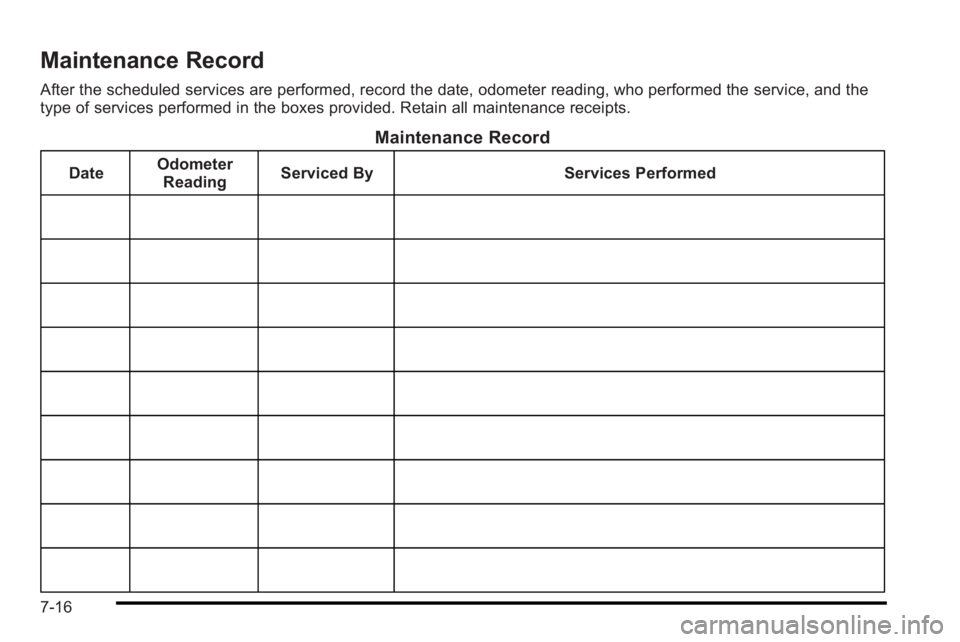
Maintenance Record
After the scheduled services are performed, record the date, odometer reading, who performed the service, and the
type of services performed in the boxes provided. Retain all maintenance receipts.
Maintenance Record
DateOdometer
Reading Serviced By Services Performed
7-16
Page 340 of 368
Online Owner Center
Online Owner Center (U.S.)—
www.gmownercenter.com/pontiac
Information and services customized for your specific
vehicle —all in one convenient place.
.Digital owner manual, warranty information,
and more
.Online service and maintenance records
.Find Pontiac dealers for service nationwide
.Exclusive privileges and offers
.Recall notices for your specific vehicle
.OnStar®and GM Cardmember Services Earnings
summaries
Other Helpful Links:
Pontiac −www.pontiac.com
Pontiac Merchandise —www.pontiacmall.com
Help Center —www.pontiac.com/helpcenter
.FAQ
.Contact Us
My GM Canada (Canada) —www.gm.ca
My GM Canada is a password-protected section of
www.gm.ca where you can save information on GM
vehicles, get personalized offers, and use handy tools
and forms with greater ease.
Here are a few of the valuable tools and services you
will have access to:
.My Showroom: Find and save information on
vehicles and current offers in your area.
.My Dealers/Retailers: Save details such as
address and phone number for each of your
preferred GM dealers/retailers.
.My Driveway: Access quick links to parts and
service estimates, check trade-in values,
or schedule a service appointment by adding the
vehicles you own to your driveway profile.
.My Preferences: Manage your profile and use tools
and forms with greater ease.
To sign up, visit the My GM Canada section within
www.gm.ca.
8-4
Page 345 of 368
Scheduling Service Appointments
When your vehicle requires warranty service, contact
your dealer/retailer and request an appointment. By
scheduling a service appointment and advising your
service consultant of your transportation needs, your
dealer/retailer can help minimize your inconvenience.
If your vehicle cannot be scheduled into the service
department immediately, keep driving it until it can be
scheduled for service, unless, of course, the problem is
safety-related. If it is, please call your dealership/
retailer, let them know this, and ask for instructions.
If the dealer/retailer requests you to bring the vehicle for
service, you are urged to do so as early in the work day
as possible to allow for the same day repair.
Courtesy Transportation Program
To enhance your ownership experience, we and our
participating dealers are proud to offer Courtesy
Transportation, a customer support program for vehicles
with the New Vehicle Limited Warranty (Base Warranty
Coverage period in Canada) and extended powertrain,
and hybrid specific warranty in both the U.S. and
Canada.Several courtesy transportation options are available to
assist in reducing your inconvenience when warranty
repairs are required.
Courtesy Transportation is not a part of the New Vehicle
Limited Warranty. A separate booklet entitled
“Warranty
and Owner Assistance Information” furnished with each
new vehicle provides detailed warranty coverage
information.
Transportation Options
Warranty service can generally be completed while you
wait. However, if you are unable to wait, GM helps to
minimize your inconvenience by providing several
transportation options. Depending on the
circumstances, your dealer can offer you one of the
following:
Shuttle Service
Shuttle service is the preferred means of offering
Courtesy Transportation. Dealers may provide you with
shuttle service to get you to your destination with
minimal interruption of your daily schedule. This
includes one‐way or round trip shuttle service within
reasonable time and distance parameters of the
dealer's area.
8-9
Page 351 of 368
In Canada, call 1-800-263-3777 (English) or
1-800-263-7854 (French), or write:General Motors of Canada Limited
Customer Communication Centre, CA1-163-005
1908 Colonel Sam Drive
Oshawa, Ontario L1H 8P7
Service Publications Ordering
Information
Service Manuals
Service Manuals have the diagnosis and repair
information on engines, transmission, axle suspension,
brakes, electrical, steering, body, etc.
Service Bulletins
Service Bulletins give additional technical service
information needed to knowledgeably service General
Motors cars and trucks. Each bulletin contains
instructions to assist in the diagnosis and service of
your vehicle.
Owner Information
Owner publications are written specifically for owners
and intended to provide basic operational information
about the vehicle. The owner manual includes the
Maintenance Schedule for all models. In-Portfolio: Includes a Portfolio, Owner Manual, and
Warranty Booklet.
RETAIL SELL PRICE: $35.00 (U.S.) plus processing fee
Without Portfolio: Owner Manual only.
RETAIL SELL PRICE: $25.00 (U.S.) plus processing fee
Current and Past Model Order Forms
Technical Service Bulletins and Manuals are available
for current and past model GM vehicles. To request an
order form, specify year and model name of the vehicle.
ORDER TOLL FREE: 1-800-551-4123
Monday-Friday 8:00 AM - 6:00 PM
Eastern Time
For Credit Card Orders Only
(VISA-MasterCard-Discover), visit Helm, Inc. on the
World Wide Web at: helminc.com
Or you can write to:
Helm, Incorporated
P.O. Box 07130
Detroit, MI 48207
Prices are subject to change without notice and without
incurring obligation. Allow ample time for delivery.
Note to Canadian Customers: All listed prices are
quoted in U.S. funds. Canadian residents are to make
checks payable in U.S. funds.
8-15
Page 362 of 368

LiftgateCarbon Monoxide . . . . . . . . . . . . . . . . . . . . . . . . . . . . . . . . . 3-11
Lights Airbag Readiness . . . . . . . . . . . . . . . . . . . . . . . . . . . . . . . . . 4-23
Antilock Brake System (ABS) Warning . . . . . . . . . . . . 4-27
Brake System Warning . . . . . . . . . . . . . . . . . . . . . . . . . . . 4-26
Change Engine Oil . . . . . . . . . . . . . . . . . . . . . . . . . . . . . . . 4-32
Charging System . . . . . . . . . . . . . . . . . . . . . . . . . . . . . . . . . 4-25
Cruise Control . . . . . . . . . . . . . . . . . . . . . . . . . . . . . . . . . . . . 4-33
Daytime Running Lamps Indicator . . . . . . . . . . . . . . . . 4-33
Door Ajar . . . . . . . . . . . . . . . . . . . . . . . . . . . . . . . . . . . . . . . . . 4-34
Exterior Lamps . . . . . . . . . . . . . . . . . . . . . . . . . . . . . . . . . . . 4-11
Flash-to-Pass . . . . . . . . . . . . . . . . . . . . . . . . . . . . . . . . . . . . . . 4-5
Fog Lamps . . . . . . . . . . . . . . . . . . . . . . . . . . . . . . . . . . . . . . . 4-33
High/Low Beam Changer . . . . . . . . . . . . . . . . . . . . . . . . . . 4-5
Highbeam On . . . . . . . . . . . . . . . . . . . . . . . . . . . . . . . . . . . . . 4-33
Hold Mode . . . . . . . . . . . . . . . . . . . . . . . . . . . . . . . . . . . . . . . . 4-27
Low Fuel Warning . . . . . . . . . . . . . . . . . . . . . . . . . . . . . . . . 4-35
Oil Pressure . . . . . . . . . . . . . . . . . . . . . . . . . . . . . . . . . . . . . . 4-31
Passenger Airbag Status Indicator . . . . . . . . . . . . . . . . 4-24
Safety Belt Reminders . . . . . . . . . . . . . . . . . . . . . . . . . . . . 4-23
Tire Pressure . . . . . . . . . . . . . . . . . . . . . . . . . . . . . . . . . . . . . 4-28
Up-Shift . . . . . . . . . . . . . . . . . . . . . . . . . . . . . . . . . . . . . . . . . . 4-26
Loading Your Vehicle . . . . . . . . . . . . . . . . . . . . . . . . . . . . . . 5-14 Locks
Central Door Unlocking System . . . . . . . . . . . . . . . . . . . 3-7
Door . . . . . . . . . . . . . . . . . . . . . . . . . . . . . . . . . . . . . . . . . . . . . . . 3-6
Rear Door Security Locks . . . . . . . . . . . . . . . . . . . . . . . . . 3-7
Loss of Control . . . . . . . . . . . . . . . . . . . . . . . . . . . . . . . . . . . . . .5-7
Low Fuel Warning Light . . . . . . . . . . . . . . . . . . . . . . . . . . . . 4-35
Lower Anchors and Tethers for Children . . . . . . . . . . . 2-43
Lumbar Manual Controls . . . . . . . . . . . . . . . . . . . . . . . . . . . . . . . . . . . 2-5
M
Maintenance ScheduleMaintenance Record . . . . . . . . . . . . . . . . . . . . . . . . . . . . . 7-16
Maintenance Replacement Parts . . . . . . . . . . . . . . . . . 7-14
Owner Checks and Services . . . . . . . . . . . . . . . . . . . . . . . 7-9
Recommended Fluids and Lubricants . . . . . . . . . . . . 7-12
Scheduled Maintenance . . . . . . . . . . . . . . . . . . . . . . . . . . . 7-3
Malfunction Indicator Lamp . . . . . . . . . . . . . . . . . . . . . . . . 4-29
Manual Lumbar Controls . . . . . . . . . . . . . . . . . . . . . . . . . . . . .2-5
Manual Seats . . . . . . . . . . . . . . . . . . . . . . . . . . . . . . . . . . . . . . . .2-4
Manual Transmission
Fluid . . . . . . . . . . . . . . . . . . . . . . . . . . . . . . . . . . . . . . . . . . . . . . 6-23
Operation . . . . . . . . . . . . . . . . . . . . . . . . . . . . . . . . . . . . . . . . . 3-26
Manual Windows . . . . . . . . . . . . . . . . . . . . . . . . . . . . . . . . . . 3-13
i - 8
Page 365 of 368
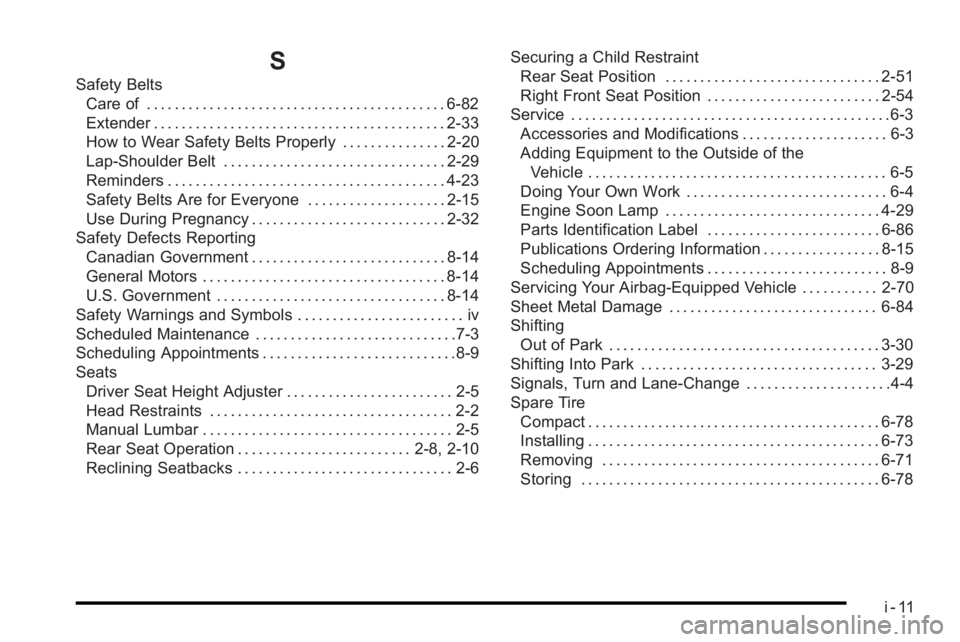
S
Safety BeltsCare of . . . . . . . . . . . . . . . . . . . . . . . . . . . . . . . . . . . . . . . . . . . 6-82
Extender . . . . . . . . . . . . . . . . . . . . . . . . . . . . . . . . . . . . . . . . . . 2-33
How to Wear Safety Belts Properly . . . . . . . . . . . . . . . 2-20
Lap-Shoulder Belt . . . . . . . . . . . . . . . . . . . . . . . . . . . . . . . . 2-29
Reminders . . . . . . . . . . . . . . . . . . . . . . . . . . . . . . . . . . . . . . . . 4-23
Safety Belts Are for Everyone . . . . . . . . . . . . . . . . . . . . 2-15
Use During Pregnancy . . . . . . . . . . . . . . . . . . . . . . . . . . . . 2-32
Safety Defects Reporting Canadian Government . . . . . . . . . . . . . . . . . . . . . . . . . . . . 8-14
General Motors . . . . . . . . . . . . . . . . . . . . . . . . . . . . . . . . . . . 8-14
U.S. Government . . . . . . . . . . . . . . . . . . . . . . . . . . . . . . . . . 8-14
Safety Warnings and Symbols . . . . . . . . . . . . . . . . . . . . . . . . iv
Scheduled Maintenance . . . . . . . . . . . . . . . . . . . . . . . . . . . . .7-3
Scheduling Appointments . . . . . . . . . . . . . . . . . . . . . . . . . . . .8-9
Seats Driver Seat Height Adjuster . . . . . . . . . . . . . . . . . . . . . . . . 2-5
Head Restraints . . . . . . . . . . . . . . . . . . . . . . . . . . . . . . . . . . . 2-2
Manual Lumbar . . . . . . . . . . . . . . . . . . . . . . . . . . . . . . . . . . . . 2-5
Rear Seat Operation . . . . . . . . . . . . . . . . . . . . . . . . . 2-8, 2-10
Reclining Seatbacks . . . . . . . . . . . . . . . . . . . . . . . . . . . . . . . 2-6 Securing a Child Restraint
Rear Seat Position . . . . . . . . . . . . . . . . . . . . . . . . . . . . . . . 2-51
Right Front Seat Position . . . . . . . . . . . . . . . . . . . . . . . . . 2-54
Service . . . . . . . . . . . . . . . . . . . . . . . . . . . . . . . . . . . . . . . . . . . . . .6-3 Accessories and Modifications . . . . . . . . . . . . . . . . . . . . . 6-3
Adding Equipment to the Outside of theVehicle . . . . . . . . . . . . . . . . . . . . . . . . . . . . . . . . . . . . . . . . . . . 6-5
Doing Your Own Work . . . . . . . . . . . . . . . . . . . . . . . . . . . . . 6-4
Engine Soon Lamp . . . . . . . . . . . . . . . . . . . . . . . . . . . . . . . 4-29
Parts Identification Label . . . . . . . . . . . . . . . . . . . . . . . . . 6-86
Publications Ordering Information . . . . . . . . . . . . . . . . . 8-15
Scheduling Appointments . . . . . . . . . . . . . . . . . . . . . . . . . . 8-9
Servicing Your Airbag-Equipped Vehicle . . . . . . . . . . . 2-70
Sheet Metal Damage . . . . . . . . . . . . . . . . . . . . . . . . . . . . . . 6-84
Shifting Out of Park . . . . . . . . . . . . . . . . . . . . . . . . . . . . . . . . . . . . . . . 3-30
Shifting Into Park . . . . . . . . . . . . . . . . . . . . . . . . . . . . . . . . . . 3-29
Signals, Turn and Lane-Change . . . . . . . . . . . . . . . . . . . . .4-4
Spare Tire Compact . . . . . . . . . . . . . . . . . . . . . . . . . . . . . . . . . . . . . . . . . . 6-78
Installing . . . . . . . . . . . . . . . . . . . . . . . . . . . . . . . . . . . . . . . . . . 6-73
Removing . . . . . . . . . . . . . . . . . . . . . . . . . . . . . . . . . . . . . . . . 6-71
Storing . . . . . . . . . . . . . . . . . . . . . . . . . . . . . . . . . . . . . . . . . . . 6-78
i - 11