lights PONTIAC G5 2009 User Guide
[x] Cancel search | Manufacturer: PONTIAC, Model Year: 2009, Model line: G5, Model: PONTIAC G5 2009Pages: 402, PDF Size: 2.22 MB
Page 156 of 402
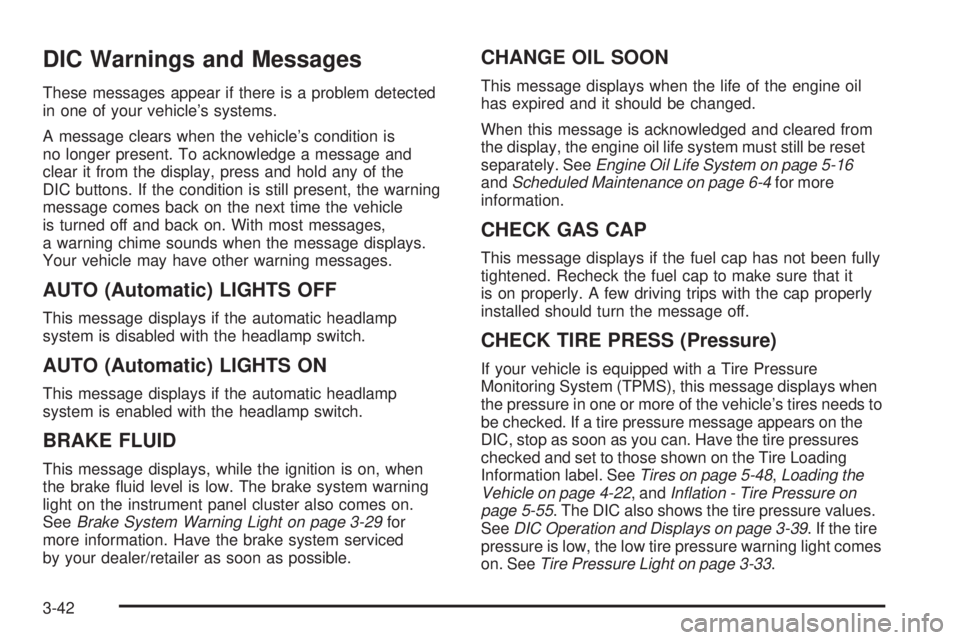
DIC Warnings and Messages
These messages appear if there is a problem detected
in one of your vehicle’s systems.
A message clears when the vehicle’s condition is
no longer present. To acknowledge a message and
clear it from the display, press and hold any of the
DIC buttons. If the condition is still present, the warning
message comes back on the next time the vehicle
is turned off and back on. With most messages,
a warning chime sounds when the message displays.
Your vehicle may have other warning messages.
AUTO (Automatic) LIGHTS OFF
This message displays if the automatic headlamp
system is disabled with the headlamp switch.
AUTO (Automatic) LIGHTS ON
This message displays if the automatic headlamp
system is enabled with the headlamp switch.
BRAKE FLUID
This message displays, while the ignition is on, when
the brake uid level is low. The brake system warning
light on the instrument panel cluster also comes on.
SeeBrake System Warning Light on page 3-29for
more information. Have the brake system serviced
by your dealer/retailer as soon as possible.
CHANGE OIL SOON
This message displays when the life of the engine oil
has expired and it should be changed.
When this message is acknowledged and cleared from
the display, the engine oil life system must still be reset
separately. SeeEngine Oil Life System on page 5-16
andScheduled Maintenance on page 6-4for more
information.
CHECK GAS CAP
This message displays if the fuel cap has not been fully
tightened. Recheck the fuel cap to make sure that it
is on properly. A few driving trips with the cap properly
installed should turn the message off.
CHECK TIRE PRESS (Pressure)
If your vehicle is equipped with a Tire Pressure
Monitoring System (TPMS), this message displays when
the pressure in one or more of the vehicle’s tires needs to
be checked. If a tire pressure message appears on the
DIC, stop as soon as you can. Have the tire pressures
checked and set to those shown on the Tire Loading
Information label. SeeTires on page 5-48,Loading the
Vehicle on page 4-22, andInflation - Tire Pressure on
page 5-55. The DIC also shows the tire pressure values.
SeeDIC Operation and Displays on page 3-39. If the tire
pressure is low, the low tire pressure warning light comes
on. SeeTire Pressure Light on page 3-33.
3-42
Page 165 of 402

UNLK (Unlock) (Automatic
Transmission Only)
This screen displays only if your vehicle has an
automatic transmission and DRIVER or ALL is
selected for the AUTO UNLK feature. This feature
determines when the automatic door unlocking will
occur. When UNLK appears on the display, press and
hold the reset button for at least one second to scroll
through the available settings:
KEY OFF:The door(s) will unlock when the key is
turned off.
SHIFT TO P (Park) (default):The door(s) will unlock
when the vehicle is shifted into P (Park).
SeeProgrammable Automatic Door Unlock on
page 2-10for more information.
To select a setting and move on to the next feature,
press the information button while the desired setting is
displayed on the DIC.
EXT (Exterior) LIGHTS
If your vehicle has Remote Keyless Entry (RKE), this
feature, which allows the vehicle’s exterior perimeter
lighting to turn on each time the unlock button on
the RKE transmitter is pressed, can be enabled or
disabled. When EXT LIGHTS appears on the display,
press and hold the reset button for at least one second
to scroll through the available settings:
OFF:The exterior perimeter lighting will not turn on
when the unlock button on the RKE transmitter is
pressed.
ON (default):The exterior perimeter lighting will turn
on when the unlock button on the RKE transmitter
is pressed.
SeeRemote Keyless Entry (RKE) System Operation on
page 2-3for more information.
To select a setting and move on to the next feature,
press the information button while the desired setting is
displayed on the DIC.
3-51
Page 211 of 402

Traction Control Operation
Traction control limits wheel spin by reducing engine
power to the wheels (engine speed management)
and by applying brakes to each individual wheel
(brake-traction control) as necessary.
The traction control system is enabled automatically
when the vehicle is started, and it will activate and ash
the ESC/TCS light and display the LOW TRACTION
message if it senses that either of the front wheels are
spinning or beginning to lose traction while driving. For
more information on the LOW TRACTION message, see
Driver Information Center (DIC) on page 3-39.
Notice:If the wheel(s) of one axle are allowed
to spin excessively while the ESC/TCS, ABS and
Brake warning lights and the SERVICE ESC and/or
SERVICE TRACTION messages are displayed, the
differential could be damaged. The repairs would not
be covered by the vehicle warranty. Reduce engine
power and do not spin the wheel(s) excessively while
these lights and this message are displayed.Notice:When traction control is turned off, or
Competitive Driving Mode is active, it is possible to
lose traction. If you attempt to shift with the drive
wheels spinning with a loss of traction, it is possible
to cause damage to the transmission. Do not attempt
to shift when the drive wheels do not have traction.
Damage caused by misuse of the vehicle is not
covered. See the warranty book for additional
information.
The traction control system may activate on dry or rough
roads or under conditions such as heavy acceleration
while turning or abrupt upshifts/downshifts of the
transmission. When this happens, a reduction in
acceleration may be noticed or a noise or vibration may
be heard. This is normal.
If the vehicle is in cruise control while the system
activates, the ESC/TCS light ashes and the cruise
control automatically disengages. The cruise control can
be re-engaged when road conditions allow. SeeCruise
Control on page 3-10.
Adding non-dealer/non-retailer accessories can affect
the vehicle’s performance. SeeAccessories and
Modifications on page 5-3for more information.
4-9
Page 264 of 402
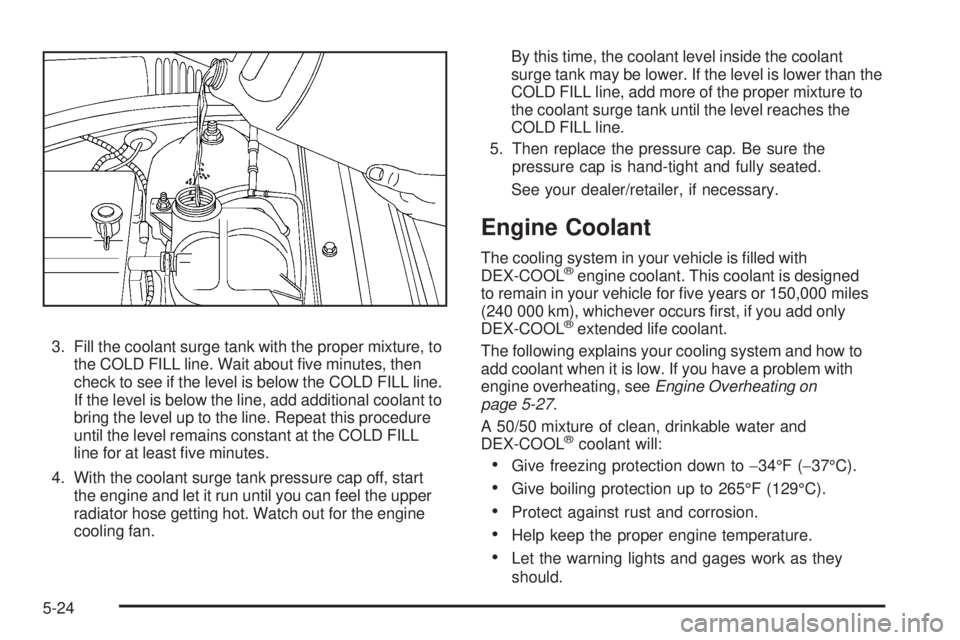
3. Fill the coolant surge tank with the proper mixture, to
the COLD FILL line. Wait about ve minutes, then
check to see if the level is below the COLD FILL line.
If the level is below the line, add additional coolant to
bring the level up to the line. Repeat this procedure
until the level remains constant at the COLD FILL
line for at least ve minutes.
4. With the coolant surge tank pressure cap off, start
the engine and let it run until you can feel the upper
radiator hose getting hot. Watch out for the engine
cooling fan.By this time, the coolant level inside the coolant
surge tank may be lower. If the level is lower than the
COLD FILL line, add more of the proper mixture to
the coolant surge tank until the level reaches the
COLD FILL line.
5. Then replace the pressure cap. Be sure the
pressure cap is hand-tight and fully seated.
See your dealer/retailer, if necessary.
Engine Coolant
The cooling system in your vehicle is lled with
DEX-COOL®engine coolant. This coolant is designed
to remain in your vehicle for ve years or 150,000 miles
(240 000 km), whichever occurs rst, if you add only
DEX-COOL
®extended life coolant.
The following explains your cooling system and how to
add coolant when it is low. If you have a problem with
engine overheating, seeEngine Overheating on
page 5-27.
A 50/50 mixture of clean, drinkable water and
DEX-COOL
®coolant will:
Give freezing protection down to−34°F (−37°C).
Give boiling protection up to 265°F (129°C).
Protect against rust and corrosion.
Help keep the proper engine temperature.
Let the warning lights and gages work as they
should.
5-24
Page 345 of 402

Fuses Usage
4 Empty
5 Empty
6 Amplier
7 Cluster
8 Ignition Switch, PASS-Key
®III+
9 Stoplamp
10Heating, Ventilation, Air
Conditioning, PASS-Key
®III+
11 Empty
12 Spare
13 Airbag
14 Spare
15 Windshield Wiper
16 Climate Control System, Ignition
17 Window Retained Accessory Power
18 Empty
19Electric Power Steering, Steering
Wheel Control
20 Sunroof
21 Spare
22 Empty
23 Audio System
Fuses Usage
24 XM Radio™, OnStar™
25Engine Control Module,
Transmission Control Module
26 Door Locks
27 Interior Lights
28 Steering Wheel Control Illumination
29 Power Windows
Relays Usage
30 Climate Control System
31 Empty
32 Retained Accessory Power (RAP)
Engine Compartment Fuse Block
The engine compartment fuse block is located on the
driver side of the vehicle. Lift off the cover to check
the fuses. SeeEngine Compartment Overview on
page 5-12for more information on location.
Notice:Spilling liquid on any electrical components
on the vehicle may damage it. Always keep the
covers on any electrical component.
5-105
Page 395 of 402

Headlamps....................................................3-12
Bulb Replacement.......................................5-41
Daytime Running Lamps (DRL).....................3-13
Flash-to-Pass............................................... 3-8
Headlamps, Front Turn Signal, Sidemarker,
and Parking Lamps..................................5-42
High/Low Beam Changer................................ 3-8
On Reminder..............................................3-13
Range Adjustment......................................... 1-7
Wiper Activated...........................................3-13
Heated Seats................................................... 1-4
Heater...........................................................3-18
Engine Coolant...........................................2-25
Height Adjuster, Driver Seat............................... 1-3
Highbeam On Light.........................................3-37
Highway Hypnosis...........................................4-17
Hill and Mountain Roads..................................4-18
Hood
Checking Things Under................................5-10
Release.....................................................5-11
Horn ............................................................... 3-6
How to Wear Safety Belts Properly...................1-15
Hydraulic Clutch.............................................5-19I
Ignition Positions.............................................2-21
Indicator/Warning LIghts
Enhanced Traction System (ETS)...................3-31
Infants and Young Children, Restraints...............1-32
Ination - Tire Pressure...................................5-55
Instrument Panel
Brightness..................................................3-14
Cluster.......................................................3-23
Overview..................................................... 3-4
Introduction...................................................... 6-2
J
Jump Starting.................................................5-34
K
Keyless Entry, Remote Operation........................ 2-3
Keyless Entry System....................................... 2-3
Keys............................................................... 2-2
7
Page 396 of 402
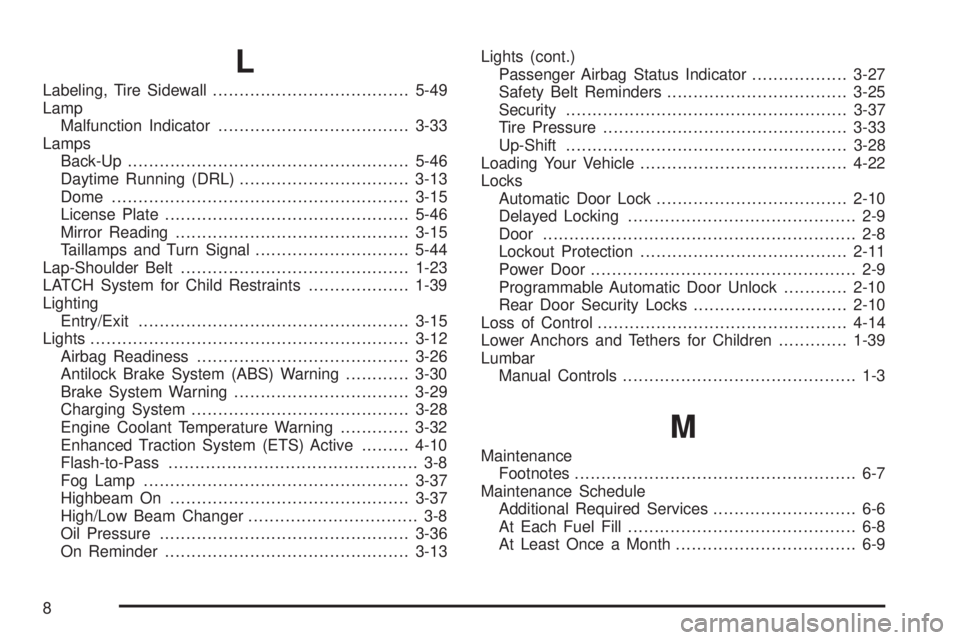
L
Labeling, Tire Sidewall.....................................5-49
Lamp
Malfunction Indicator....................................3-33
Lamps
Back-Up.....................................................5-46
Daytime Running (DRL)................................3-13
Dome ........................................................3-15
License Plate..............................................5-46
Mirror Reading............................................3-15
Taillamps and Turn Signal.............................5-44
Lap-Shoulder Belt...........................................1-23
LATCH System for Child Restraints...................1-39
Lighting
Entry/Exit...................................................3-15
Lights............................................................3-12
Airbag Readiness........................................3-26
Antilock Brake System (ABS) Warning............3-30
Brake System Warning.................................3-29
Charging System.........................................3-28
Engine Coolant Temperature Warning.............3-32
Enhanced Traction System (ETS) Active.........4-10
Flash-to-Pass............................................... 3-8
Fog Lamp ..................................................3-37
Highbeam On.............................................3-37
High/Low Beam Changer................................ 3-8
Oil Pressure...............................................3-36
On Reminder..............................................3-13Lights (cont.)
Passenger Airbag Status Indicator..................3-27
Safety Belt Reminders..................................3-25
Security.....................................................3-37
Tire Pressure..............................................3-33
Up-Shift.....................................................3-28
Loading Your Vehicle.......................................4-22
Locks
Automatic Door Lock....................................2-10
Delayed Locking........................................... 2-9
Door ........................................................... 2-8
Lockout Protection.......................................2-11
Power Door.................................................. 2-9
Programmable Automatic Door Unlock............2-10
Rear Door Security Locks.............................2-10
Loss of Control...............................................4-14
Lower Anchors and Tethers for Children.............1-39
Lumbar
Manual Controls............................................ 1-3
M
Maintenance
Footnotes..................................................... 6-7
Maintenance Schedule
Additional Required Services........................... 6-6
At Each Fuel Fill........................................... 6-8
At Least Once a Month.................................. 6-9
8
Page 402 of 402

V
Vehicle
Control........................................................ 4-3
Loading......................................................4-22
Parking Your...............................................2-33
Running While Parked..................................2-35
Symbols......................................................... iii
Vehicle Data Recording and Privacy..................7-17
Vehicle Data Recording, Radio
Frequency (RFID)........................................7-19
Vehicle Identication
Number (VIN)............................................5-102
Service Parts Identication Label..................5-102
Vehicle Personalization
DIC ...........................................................3-47
Vehicle, Remote Start....................................... 2-6
Ventilation Adjustment......................................3-20
Visors...........................................................2-16
W
Warning Lights, Gages, and Indicators...............3-22
Warnings
DIC Warnings and Messages........................3-42
Hazard Warning Flashers............................... 3-6
Safety and Symbols......................................... iiiWheels
Alignment and Tire Balance..........................5-68
Different Size..............................................5-67
Replacement...............................................5-69
When It Is Time for New Tires..........................5-64
Where to Put the Child Restraint.......................1-38
Windows.......................................................2-14
Manual......................................................2-15
Power ........................................................2-15
Windshield
Washer........................................................ 3-9
Washer Fluid..............................................5-29
Wiper Blade Replacement.............................5-47
Wiper Blades, Cleaning................................5-99
Wiper Fuses.............................................5-103
Wipers......................................................... 3-8
Winter Driving................................................4-19
Wiper Activated Headlamps..............................3-13
X
XM Radio Messages.......................................3-73
XM™ Satellite Radio Antenna System................3-87
Y
Your Vehicle and the Environment....................... 6-2
14