battery PONTIAC G5 2009 Owner's Manual
[x] Cancel search | Manufacturer: PONTIAC, Model Year: 2009, Model line: G5, Model: PONTIAC G5 2009Pages: 402, PDF Size: 2.22 MB
Page 275 of 402

4. Open the hood on the other vehicle and locate the
positive (+) and negative (−) terminal locations on
that vehicle.
You will not see the battery of your vehicle under the
hood. It is located in the trunk. You will not need to
access your battery for jump starting. The vehicle has
a remote positive (+) and a remote negative (−) jump
starting terminal.
Locate the remote
positive (+) terminal which
is located under a red
tethered cap on the engine
compartment fuse block.
Lift the cap to access
the terminal.Locate the remote
negative (−) ground
terminal, marked GND (−),
which is located behind
the engine coolant
surge tank.
SeeEngine Compartment Overview on page 5-12
for more information on the location of the
positive (+) and negative (−) terminals on the
vehicle.
5-35
Page 276 of 402
{CAUTION:
An electric fan can start up even when the engine
is not running and can injure you. Keep hands,
clothing and tools away from any underhood
electric fan.
{CAUTION:
Using a match near a battery can cause battery
gas to explode. People have been hurt doing this,
and some have been blinded. Use a ashlight if
you need more light.
CAUTION: (Continued)
CAUTION: (Continued)
Be sure the battery has enough water. You do not
need to add water to the battery installed in your
new vehicle. But if a battery has ller caps, be
sure the right amount of uid is there. If it is low,
add water to take care of that rst. If you don’t,
explosive gas could be present.
Battery uid contains acid that can burn you.
Do not get it on you. If you accidentally get it in
your eyes or on your skin, ush the place with
water and get medical help immediately.
5-36
Page 277 of 402

{CAUTION:
Fans or other moving engine parts can injure you
badly. Keep your hands away from moving parts
once the engine is running.
5. Check that the jumper cables do not have loose or
missing insulation. If they do, you could get a
shock. The vehicles could be damaged too.
Before you connect the cables, here are some
basic things you should know. Positive (+) will go to
positive (+) or to a remote positive (+) terminal if the
vehicle has one. Negative (−) will go to a heavy,
unpainted metal engine part or to a remote
negative (−) terminal if the vehicle has one.
Do not connect positive (+) to negative (−)oryou
will get a short that would damage the battery
and maybe other parts too. And do not connect the
negative (−) cable to the negative (−) terminal on
the dead battery because this can cause sparks.6. Connect the red positive (+) cable to the positive (+)
terminal location on the vehicle with the dead
battery. Use a remote positive (+) terminal if the
vehicle has one.
7. Do not let the other end touch metal. Connect it to
the positive (+) terminal of the good battery. Use a
remote positive (+) terminal if the vehicle has one.
8. Now connect the black negative (−) cable to the
negative (−) terminal of the good battery. Use a
remote negative (−) terminal if the vehicle has one.
Do not let the other end touch anything until the
next step. The other end of the negative (−) cable
does not go to the dead battery. It goes to a heavy,
unpainted metal engine part or to a remote
negative (−) terminal on the vehicle with the
dead battery.
9. Connect the other end of the negative (−) cable to
the negative (−) terminal location on the vehicle
with the dead battery. Your vehicle has a remote
negative (−) terminal marked GND (−).
10. Now start the vehicle with the good battery and run
the engine for a while.
11. Try to start the vehicle that had the dead battery.
If it will not start after a few tries, it probably needs
service.
5-37
Page 278 of 402

Notice:If the jumper cables are connected or
removed in the wrong order, electrical shorting may
occur and damage the vehicle. The repairs would
not be covered by the vehicle warranty. Always
connect and remove the jumper cables in the correct
order, making sure that the cables do not touch
each other or other metal.
A. Heavy, Unpainted Metal Engine Part or Remote
Negative (−) Terminal (GND)
B. Good Battery or Remote Positive (+) and Remote
Negative (−) Terminals
C. Dead Battery or Remote Positive (+) TerminalTo disconnect the jumper cables from both vehicles:
1. Disconnect the black negative (−) cable from
the vehicle that had the dead battery.
2. Disconnect the black negative (−) cable from the
vehicle with the good battery.
3. Disconnect the red positive (+) cable from the
vehicle with the good battery.
4. Disconnect the red positive (+) cable from the other
vehicle.
5. Return the positive (+) terminal cover to its original
position.
Headlamp Aiming
The optical headlamp aiming system has been preset at
the factory and should need no further adjustment
However, If the vehicle is damaged, the headlamp aim
may be affected and adjustment may be necessary.
If oncoming vehicles ash their high beams at you, this
may also mean the vertical aim needs to be adjusted.
It is recommended that the vehicle is taken to your
dealer/retailer for service if the headlamps need to
be re-aimed. It is possible however, to re-aim the
headlamps as described. Jumper Cable Removal
5-38
Page 342 of 402
Vehicle Identication
Vehicle Identication Number (VIN)
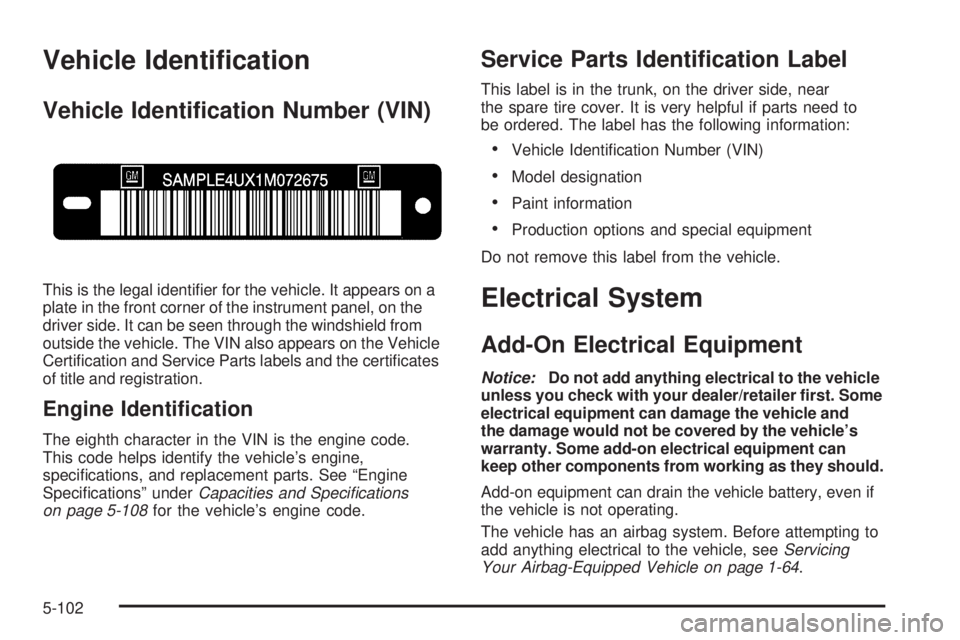
This is the legal identier for the vehicle. It appears on a
plate in the front corner of the instrument panel, on the
driver side. It can be seen through the windshield from
outside the vehicle. The VIN also appears on the Vehicle
Certication and Service Parts labels and the certicates
of title and registration.
Engine Identication
The eighth character in the VIN is the engine code.
This code helps identify the vehicle’s engine,
specications, and replacement parts. See “Engine
Specications” underCapacities and Specifications
on page 5-108for the vehicle’s engine code.
Service Parts Identication Label
This label is in the trunk, on the driver side, near
the spare tire cover. It is very helpful if parts need to
be ordered. The label has the following information:
Vehicle Identication Number (VIN)
Model designation
Paint information
Production options and special equipment
Do not remove this label from the vehicle.
Electrical System
Add-On Electrical Equipment
Notice:Do not add anything electrical to the vehicle
unless you check with your dealer/retailer rst. Some
electrical equipment can damage the vehicle and
the damage would not be covered by the vehicle’s
warranty. Some add-on electrical equipment can
keep other components from working as they should.
Add-on equipment can drain the vehicle battery, even if
the vehicle is not operating.
The vehicle has an airbag system. Before attempting to
add anything electrical to the vehicle, seeServicing
Your Airbag-Equipped Vehicle on page 1-64.
5-102
Page 343 of 402

Headlamp Wiring
The headlamp wiring is protected by fuses. Should the
headlamps fail to function, have the headlamp system
checked right away.
Windshield Wiper Fuses
The windshield wiper motor is protected by a circuit
breaker and a fuse. If the motor overheats due to heavy
snow, etc., the wiper will stop until the motor cools. If the
overload is caused by some electrical problem, have it
xed.
Power Windows and Other Power
Options
Fuses in the fuse block protect the power windows.
When the current load is too heavy, the fuse opens
protecting the circuit until the problem is xed.
Fuses and Circuit Breakers
The wiring circuits in the vehicle are protected from short
circuits by a combination of fuses, circuit breakers and
fusible thermal links. This greatly reduces the chance of
damage caused by electrical problems.
Look at the silver-colored band inside the fuse. If the
band is broken or melted, replace the fuse. Be sure you
replace a bad fuse with a new one of the identical size
and rating.
If you ever have a problem on the road and do not have
a spare fuse, you can “borrow” one that has the same
amperage. Just pick some feature of the vehicle that
you can get along without — like the radio or cigarette
lighter — and use its fuse if it is the correct amperage.
Replace it as soon as you can.
There are two fuse blocks in the vehicle: the oor
console fuse block and the engine compartment fuse
block.
There is one additional fuse located in the back of the
vehicle near the battery.
5-103
Page 376 of 402

Coverage
Services are provided up to 5 years/100,000 miles
(160 000 km), whichever comes rst.
In the U.S., anyone driving the vehicle is covered.
In Canada, a person driving the vehicle without
permission from the owner is not covered.
Roadside Assistance is not a part of the New Vehicle
Limited Warranty. Pontiac and General Motors of
Canada Limited reserve the right to make any changes
or discontinue the Roadside Assistance program at
any time without notication.
Pontiac and General Motors of Canada Limited reserve
the right to limit services or payment to an owner or
driver if they decide the claims are made too often,
or the same type of claim is made many times.
Services Provided
Emergency Fuel Delivery:Delivery of enough fuel
for the vehicle to get to the nearest service station.
Lock-Out Service:Service is provided to unlock
the vehicle if you are locked out. A remote unlock
may be available if you have OnStar
®. For security
reasons, the driver must present identication
before this service is given.
Emergency Tow From a Public Road or
Highway:Tow to the nearest Pontiac dealer for
warranty service, or if the vehicle was in a crash
and cannot be driven. Assistance is also given
when the vehicle is stuck in sand, mud, or snow.
Flat Tire Change:Service is provided to change a
at tire with the spare tire. The spare tire, if equipped,
must be in good condition and properly inated.
It is the owner’s responsibility for the repair or
replacement of the tire if it is not covered by the
warranty.
Battery Jump Start:Service is provided to jump
start a dead battery.
Trip Interruption Benets and Assistance:If your
trip is interrupted due to a warranty failure, incidental
expenses may be reimbursed during the 5 years/
100,000 miles (160 000 km) Powertrain warranty
period. Items considered are hotel, meals, and
rental car.
7-8
Page 390 of 402

Audio System.................................................3-52
Audio Steering Wheel Controls......................3-85
Setting the Clock.........................................3-53
XM™ Satellite Radio Antenna System............3-87
Audio System(s).............................................3-55
Audio Systems
Radio Reception..........................................3-86
Theft-Deterrent Feature................................3-85
Automatic Door Lock.......................................2-10
Automatic Transmission
Fluid..........................................................5-19
Operation...................................................2-26
B
Back-Up Lamps - Ambulance Body
Bulb Replacement.......................................5-46
Battery..........................................................5-33
Electric Power Management..........................3-15
Run-Down Protection...................................3-16
Belt Routing, Engine.......................................6-15
Bluetooth
®.....................................................3-74
Brake
Emergencies................................................ 4-5Brake Fluid....................................................5-30
Brakes..........................................................5-30
Antilock....................................................... 4-4
Parking......................................................2-30
System Warning Light..................................3-29
Braking........................................................... 4-4
Braking in Emergencies..................................... 4-5
Break-In, New Vehicle.....................................2-20
Bulb Replacement...........................................5-47
Back-Up Lamps - Ambulance Body................5-46
Center High-Mounted Stoplamp (CHMSL)........5-43
Fog Lamp ..................................................3-14
Halogen Bulbs............................................5-41
Headlamp Aiming........................................5-38
Headlamps.................................................5-41
Headlamps, Front Turn Signal, Sidemarker,
and Parking Lamps..................................5-42
License Plate Lamps....................................5-46
Taillamps and Turn Signal Lamps..................5-44
Taillamps, Turn Signal, Stoplamps and
Back-up Lamps........................................5-44
Buying New Tires...........................................5-65
2