key PONTIAC G5 2009 Service Manual
[x] Cancel search | Manufacturer: PONTIAC, Model Year: 2009, Model line: G5, Model: PONTIAC G5 2009Pages: 402, PDF Size: 2.22 MB
Page 174 of 402
The radio may be capable of adjusting bass, midrange,
or treble to the middle position by pressing the softkey
below the BASS, MID, or TREB tab for more than
two seconds. The radio beeps once and the level
adjusts to the middle position.
The radio may also be capable of adjusting all tone and
speaker controls to the middle position by pressing
ffor
more than two seconds until the radio beeps once.
If a station’s frequency is weak, or has static, decrease
the treble.
EQ (Equalization):Press this button to select preset
equalization settings.
To return to the manual mode, press EQ until Manual
displays or start to manually adjust the bass, midrange,
or treble by pressing
f.
Adjusting the Speakers (Balance/Fade)
Depending on which radio the vehicle has, the
Balance/Fade can be adjusted using
for`.
To adjust balance or fade using
f:
1. Press
funtil the speaker control tabs display.
2. Press the softkey under the desired tab, or continue
pressing
fto highlight the desired tab.3. Turn
fto adjust the highlighted setting.
The highlighted setting can also be adjusted
by pressing either SEEK arrow.
On some radios,
\FWD andsREV can also
be used to adjust the highlighted level.
To adjust balance or fade using
`:
1. Press
`until the speaker control labels display.
2. Continue pressing
`until the desired speaker
control label displays.
3. Turn
fto adjust the setting. The setting can
also be adjusted by pressing either SEEK arrow,
\FWD, orsREV.
The radio may be capable of adjusting balance or fade
to the middle position by pressing the softkey below the
BAL or FADE tab for more than two seconds. The radio
beeps once and the level adjusts to the middle position.
The radio may also be capable of adjusting all tone and
speaker controls to the middle position by pressing
ffor
more than two seconds until the radio beeps once.
3-60
Page 175 of 402
Finding a Category (CAT) Station
(XM Satellite Radio Service Only)
CAT (Category):The radio may have the CAT button
feature.
To select and nd a desired category:
1. Press BAND until the XM frequency displays.
2. Press CAT to display the category tabs on the radio
display. Continue pressing the CAT button until the
desired category name displays.
3. Press either of the two softkeys below the desired
category tab to immediately tune to the rst XM
station associated with that category.
4. To go to the previous or to the next XM station
within the selected category, do one of the
following:
Turnf.
Press the softkeys below the right or left arrows
on the radio display.
Press©SEEK or¨SEEK.
5. To exit the category search mode, press the FAV
button or BAND button to display the favorites again.Undesired XM categories can be removed through the
setup menu. To remove an undesired category:
1. Press MENU to display the radio setup menu.
2. Press the softkey below the XM CAT tab.
3. Turn
fto display the category to be removed.
4. Press the softkey below the Remove tab until
the category name along with the word Removed
displays.
5. Repeat the steps to remove additional categories.
Removed categories can be restored by pressing the
softkey under the Add tab when a removed category
displays or by pressing the softkey below the Restore
All tab.
Categories cannot be removed or added while the
vehicle is moving faster than 5 mph (8 km/h).
Radio Messages
Calibration Error:Displays if the radio is no longer
calibrated properly for the vehicle. The vehicle must
be returned to your dealer/retailer for service.
Loc or Locked:Displays when the THEFTLOCK
®
system has activated. Take the vehicle to your
dealer/retailer for service.
If any error occurs repeatedly or if an error cannot be
corrected, contact your dealer/retailer.
3-61
Page 177 of 402
\FWD (Fast Forward):Press and hold to advance
playback quickly within a track. Sound is heard at a
reduced volume and the elapsed time of the track
displays. Release to resume playing the track.
RDM (Random):Tracks can be listened to in random,
rather than sequential order.
To use random:
1. Press the softkey below RDM tab until Random
Current Disc displays.
2. Press the softkey again to turn off random play.
BAND:Press to listen to the radio while a CD is
playing. The CD remains inside the radio for future
listening.
CD/AUX (CD/Auxiliary):Press to play a CD while
listening to the radio. The CD icon and a message
showing the track number displays when a CD is
in the player. Press this button again and the system
automatically searches for an auxiliary input device,
such as a portable audio player. If a portable audio
player is not connected, No Aux Input Device Found
may display.Playing an MP3 CD-R or CD-RW Disc
The radio may have the ability to play an MP3 CD-R
or CD-RW disc. SeeUsing an MP3 on page 3-66
for more information.
CD Messages
CHECK DISC:If an error message displays and/or
the CD comes out, it could be for one of the following
reasons:
The CD player is very hot. When the temperature
returns to normal, the CD should play.
The road is very rough. When the road becomes
smoother, the CD should play.
The CD is dirty, scratched, wet, or upside down.
The air is very humid. If so, wait about an hour and
try again.
A problem may have occurred while burning the CD.
The label could be caught in the CD player.
If the CD is not playing correctly, for any other reason,
try a known good CD.
3-63
Page 182 of 402

Preprogrammed Playlists
CDs that have preprogrammed playlists that were
created using WinAmp™, MusicMatch™, or Real
Jukebox™ software can be accessed, however, there
is no playlist editing capability using the radio. These
playlists are treated as special folders containing
compressed audio song les.
Playlists that have an .m3u or .pls le extension and
are stored on a USB device may be supported by
the radio with a USB port.
Playing a CD-R or CD-RW MP3
f
(Tune):Turn to select MP3 les on the CD currently
playing.
©SEEK:Press to go to the start of the track, if more
than ten seconds have played. Press and hold or press
multiple times to continue moving backward through
tracks.
¨SEEK:Press to go to the next track. Press and hold
or press multiple times to continue moving forward
through tracks.
sREV (Reverse):Press and hold to reverse
playback quickly. Sound is heard at a reduced
volume and the elapsed time of the le displays.
Release
sREV to resume playing.
\FWD (Fast Forward):Press and hold to
advance playback quickly. Sound is heard at a reduced
volume and the elapsed time of the le displays.
Release
\FWD to resume playing. The elapsed
time of the le displays.
Sc(Previous Folder):Press the softkey below
Scto go to the rst track in the previous folder.
cT(Next Folder):Press the softkey belowcTto
go to the rst track in the next folder.
RDM (Random):MP3 les can be listened to on a CD
in random, rather than sequential order. To use random,
press the softkey under the RDM tab until Random
Current Disc displays to play songs from the current CD
in random order. Press the same softkey again to turn off
random play.
h(Music Navigator):Press the softkey
below
hto have the les played in order by artist
or album. The player scans the disc to sort the les
by artist and album ID3 tag information. It can take
several minutes to scan the disc depending on the
number of les on the disc. The radio may begin
playing while it is scanning in the background.
3-68
Page 183 of 402

When the scan is nished, the disc begins playing les in
order by artist. The current artist playing is shown on the
second line of the display. Once all songs by that artist
are played, the player moves to the next artist in
alphabetical order and begins playing les by that artist.
To listen to les by another artist, press the softkey
located below either arrow tab. The disc goes to the next
or previous artist in alphabetical order. Continue pressing
either softkey below the arrow tab until the desired artist
displays.
To change from playback by artist to playback by
album:
1. Press the softkey located below the Sort By tab.
2. Press one of the softkeys below the album tab from
the sort screen.
3. Press the softkey below the back tab to return to
the main music navigator screen.
The album name displays on the second line between
the arrows and songs from the current album begins
to play. Once all songs from that album have played,
the player moves to the next album in alphabetical
order on the CD and begins playing MP3 les from
that album.
To exit music navigator mode, press the softkey below
the Back tab to return to normal MP3 playback.Connecting a USB Storage Device
or iPod®
The USB Port can be used to control an iPod or a
USB storage device.
To connect a USB storage device, connect the device
to the USB port located on the front of the radio.
To connect an iPod, connect one end of the USB cable
that came with the iPod to the iPod’s dock connector and
connect the other end to the USB port located on the front
of the radio. If the vehicle is on and the USB connection
works, “OK to disconnect” and a GM logo may appear
on the iPod and iPod appears on the radio’s display.
The iPod music appears on the radio’s display and
begins playing.
The iPod charges while it is connected to the vehicle
if the vehicle is in the ACC/ACCESSORY or ON/RUN
position. When the vehicle is turned off, the iPod
automatically powers off and will not charge or draw
power from the vehicle’s battery.
If you have an older iPod model that is not supported,
it can still be used by connecting it to the Auxiliary Input
Jack using a standard 3.5 mm (1/8 inch) stereo cable.
See “Using the Auxiliary Input Jack” earlier for more
information.
3-69
Page 184 of 402

Using the Radio to Control a USB
Storage Device or iPod
The radio can control a USB storage device or an iPod
using the radio buttons and knobs and display song
information on the radio’s display.
f(Tune):Turn to select les.
©SEEK:Press to go to the start of the track, if more
than ten seconds have played. Press and hold or press
multiple times to continue moving backward through
tracks.
¨SEEK:Press to go to the next track. Press and hold
or press multiple times to continue moving forward
through tracks.
sREV (Reverse):Press and hold to reverse
playback quickly. Sound is heard at a reduced volume.
Release
sREV to resume playing. The elapsed
time of the le displays.
\FWD (Fast Forward):Press and hold to advance
playback quickly. Sound is heard at a reduced volume.
Release
\FWD to resume playing. The elapsed time
of the le displays.
4(Information):Press to display additional information
about the selected track.
Using Softkeys to Control a USB
Storage Device or iPod
The ve softkeys below the radio display are used to
control the functions listed below.
To use the softkeys:
1. Press the rst or fth softkey below the radio
display to display the functions listed below,
or press the softkey below the function if it is
currently displayed.
2. Press the softkey below the tab with the function on
it to use that function.
j(Pause):Press the softkey belowjto pause the
track. The tab appears raised when pause is being used.
Press the softkey below
jagain to resume playback.
Back:Press the softkey below the back tab to go
back to the main display screen on an iPod, or the root
directory on a USB storage device.
3-70
Page 185 of 402
c(Folder View):Press the softkey belowcto view
the contents of the current folder on the USB drive.
To browse and select les:
1. Press the softkey below
c.
2. Turn
fto scroll through the list of folders.
3. Press
fto select the desired folder. If there is
more then one folder, repeat Steps 1 and 2 until
the desired folder is reached.
4. Turn
fto scroll through the les in the selected
folder.
5. Press
fto select the desired le to be played.
To skip through large lists, the ve softkeys can be used
to navigate in the following order:
First softkey, rst item in the list.
Second softkey, 1% through the list each time the
softkey is pressed.
Third softkey, 5% through the list each time the
softkey is pressed.
Fourth softkey, 10% through the list each time the
softkey is pressed.
Fifth softkey, end of the list.
h(Music Navigator):Press the softkey
below
hto view and select a le on an iPod,
using the iPod’s menu system. Files are sorted by:
Playlists
Artists
Albums
Genres
Songs
Composers
To select les:
1. Press the softkey below
h.
2. Turn
fto scroll through the list of menus.
3. Press
fto select the desired menu.
4. Turn
fto scroll through the folders or les in the
selected menu.
5. Press
fto select the desired le to be played.
3-71
Page 186 of 402
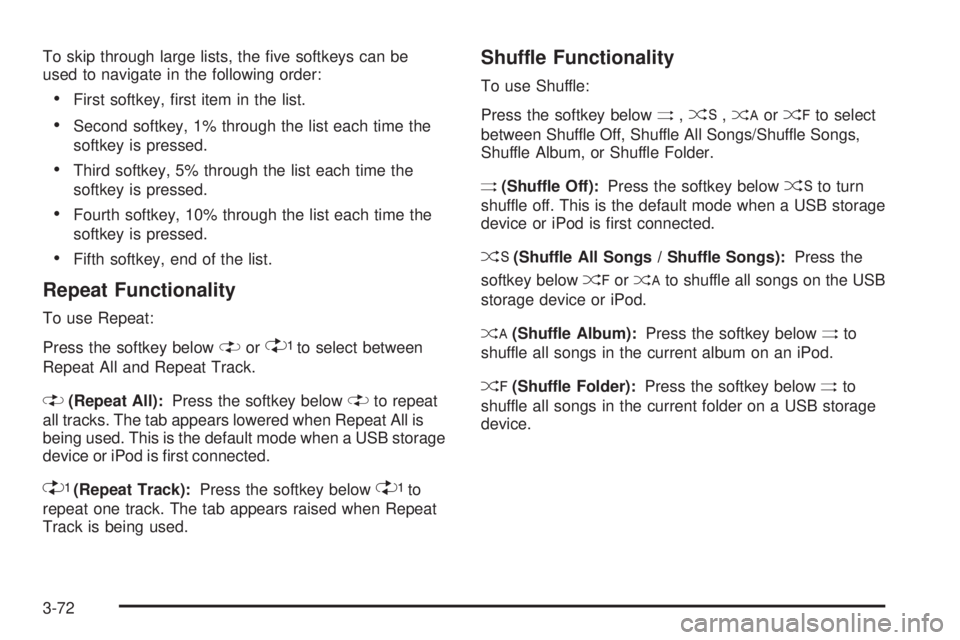
To skip through large lists, the ve softkeys can be
used to navigate in the following order:
First softkey, rst item in the list.
Second softkey, 1% through the list each time the
softkey is pressed.
Third softkey, 5% through the list each time the
softkey is pressed.
Fourth softkey, 10% through the list each time the
softkey is pressed.
Fifth softkey, end of the list.
Repeat Functionality
To use Repeat:
Press the softkey below
"or'to select between
Repeat All and Repeat Track.
"(Repeat All):Press the softkey below"to repeat
all tracks. The tab appears lowered when Repeat All is
being used. This is the default mode when a USB storage
device or iPod is rst connected.
'(Repeat Track):Press the softkey below'to
repeat one track. The tab appears raised when Repeat
Track is being used.
Shuffle Functionality
To use Shuffle:
Press the softkey below
>,2,
Shuffle Album, or Shuffle Folder.
>(Shuffle Off):Press the softkey below2to turn
shuffle off. This is the default mode when a USB storage
device or iPod is rst connected.
2(Shuffle All Songs / Shuffle Songs):Press the
softkey below
=or
<(Shuffle Album):Press the softkey below>to
shuffle all songs in the current album on an iPod.
=(Shuffle Folder):Press the softkey below>to
shuffle all songs in the current folder on a USB storage
device.
3-72
Page 188 of 402

Unknown:If this message is received when tuned to
channel 0, there could be a receiver fault. Consult
with your dealer/retailer.
Check XM Receivr:If this message does not clear
within a short period of time, the receiver could have
a fault. Consult with your dealer/retailer.
XM Not Available:If this message does not clear
within a short period of time, the receiver could have
a fault. Consult with your dealer/retailer.
Bluetooth®
Vehicles with a Bluetooth system can use a Bluetooth
capable cell phone with a Hands Free Prole to make
and receive phone calls. The system can be used while
the key is in ON/RUN or ACC/ACCESSORY position.
The range of the Bluetooth system can be up to 30 ft.
(9.1 m). Not all phones support all functions, and not
all phones are guaranteed to work with the in-vehicle
Bluetooth system. See gm.com/bluetooth for more
information on compatible phones.
Voice Recognition
The Bluetooth system uses voice recognition to interpret
voice commands to dial phone numbers and name tags.
Noise:Keep interior noise levels to a minimum.
The system may not recognize voice commands if
there is too much background noise.
When to Speak:A short tone sounds after the system
responds indicating when it is waiting for a voice
command. Wait until the tone and then speak.
How to Speak:Speak clearly in a calm and natural
voice.
Audio System
When using the in-vehicle Bluetooth system, sound
comes through the vehicle’s front audio system speakers
and overrides the audio system. Use the audio system
volume knob, during a call, to change the volume level.
The adjusted volume level remains in memory for later
calls. To prevent missed calls, a minimum volume level
is used if the volume is turned down too low.
3-74
Page 197 of 402

To Transfer Audio to the In-Vehicle
Bluetooth System
The cellular phone must be paired and connected with
the Bluetooth system before a call can be transferred.
The connection process can take up to two minutes after
the key is turned to the ON/RUN or ACC/ACCESSORY
position.
During a call with the audio on the cell phone,
press
bgfor more than two seconds. The audio
switches from the cell phone to the vehicle.
Voice Pass-Thru
Voice Pass-Thru allows access to the voice recognition
commands on the cell phone. See the cell phone
manufacturers user guide to see if the cell phone
supports this feature. This feature can be used to
verbally access contacts stored in the cell phone.
1. Press and hold
bgfor two seconds. The system
responds with “Ready” followed by a tone.
2. Say “Bluetooth”. The system responds with
“Bluetooth ready” followed by a tone.
3. Say “Voice”. The system responds with
“OK, accessing
The cell phone’s normal prompt messages will
go through its cycle according to the phone’s
operating instructions.
Dual Tone Multi-Frequency (DTMF)
Tones
The in-vehicle Bluetooth system can send numbers and
numbers stored as name tags during a call. This is used
when calling a menu driven phone system. Account
numbers can be programmed into the phonebook for
retrieval during menu driven calls.
Sending a Number During a Call
1. Pressbg. The system responds with “Ready”
followed by a tone.
2. Say “Dial”. The system responds with
“Say a number to send tones” followed by
a tone.
3. Say the number to send.
If the system clearly recognizes the number it
responds with “OK, Sending Number” and the
dial tones are sent and the call continues.
If the system is not sure it recognized the
number properly, it responds “Dial Number,
Please say yes or no?” followed by a tone.
If the number is correct, say “Yes”. The system
responds with “OK, Sending Number” and
the dial tones are sent and the call continues.
3-83