audio PONTIAC G5 2009 Owners Manual
[x] Cancel search | Manufacturer: PONTIAC, Model Year: 2009, Model line: G5, Model: PONTIAC G5 2009Pages: 402, PDF Size: 2.22 MB
Page 1 of 402
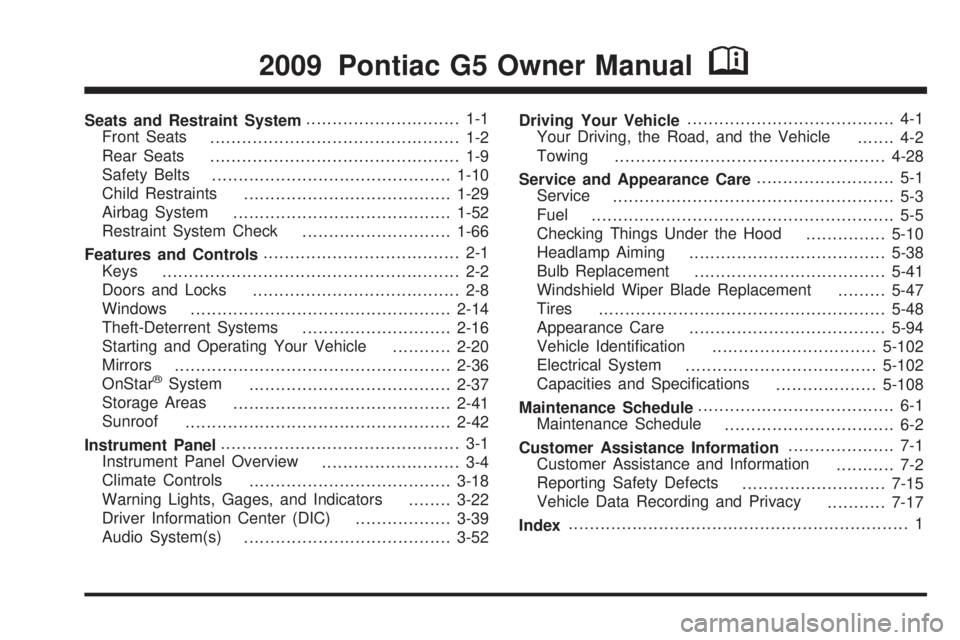
Seats and Restraint System............................. 1-1
Front Seats
............................................... 1-2
Rear Seats
............................................... 1-9
Safety Belts
.............................................1-10
Child Restraints
.......................................1-29
Airbag System
.........................................1-52
Restraint System Check
............................1-66
Features and Controls..................................... 2-1
Keys
........................................................ 2-2
Doors and Locks
....................................... 2-8
Windows
.................................................2-14
Theft-Deterrent Systems
............................2-16
Starting and Operating Your Vehicle
...........2-20
Mirrors
....................................................2-36
OnStar
®System
......................................2-37
Storage Areas
.........................................2-41
Sunroof
..................................................2-42
Instrument Panel............................................. 3-1
Instrument Panel Overview
.......................... 3-4
Climate Controls
......................................3-18
Warning Lights, Gages, and Indicators
........3-22
Driver Information Center (DIC)
..................3-39
Audio System(s)
.......................................3-52Driving Your Vehicle....................................... 4-1
Your Driving, the Road, and the Vehicle
....... 4-2
Towing
...................................................4-28
Service and Appearance Care.......................... 5-1
Service
..................................................... 5-3
Fuel
......................................................... 5-5
Checking Things Under the Hood
...............5-10
Headlamp Aiming
.....................................5-38
Bulb Replacement
....................................5-41
Windshield Wiper Blade Replacement
.........5-47
Tires
......................................................5-48
Appearance Care
.....................................5-94
Vehicle Identication
...............................5-102
Electrical System
....................................5-102
Capacities and Specications
...................5-108
Maintenance Schedule..................................... 6-1
Maintenance Schedule
................................ 6-2
Customer Assistance Information.................... 7-1
Customer Assistance and Information
........... 7-2
Reporting Safety Defects
...........................7-15
Vehicle Data Recording and Privacy
...........7-17
Index................................................................ 1
2009 Pontiac G5 Owner ManualM
Page 4 of 402
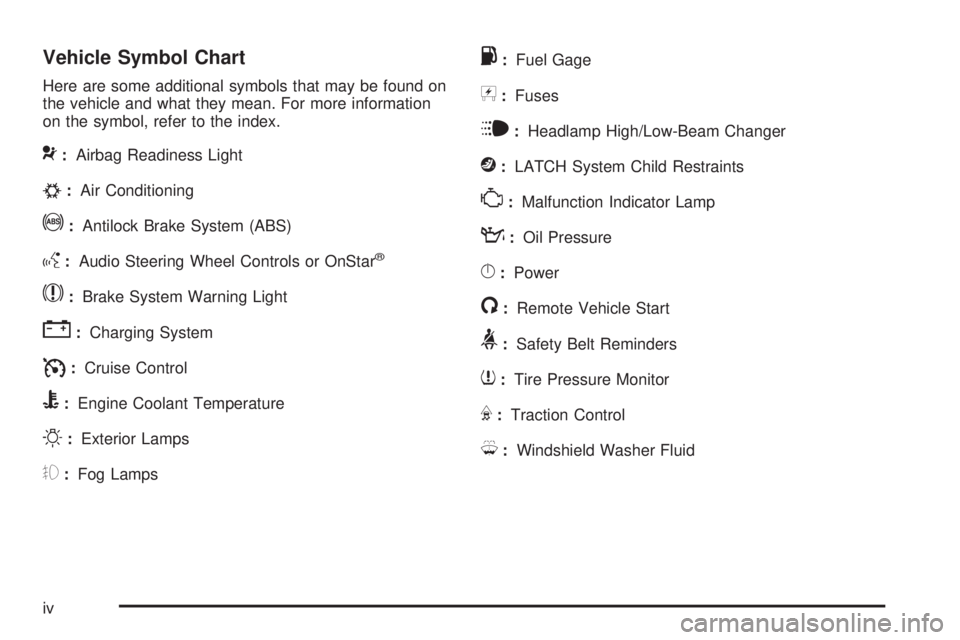
Vehicle Symbol Chart
Here are some additional symbols that may be found on
the vehicle and what they mean. For more information
on the symbol, refer to the index.
9:Airbag Readiness Light
#:Air Conditioning
!:Antilock Brake System (ABS)
g:Audio Steering Wheel Controls or OnStar®
$:Brake System Warning Light
":Charging System
I:Cruise Control
B:Engine Coolant Temperature
O:Exterior Lamps
#:Fog Lamps
.:Fuel Gage
+:Fuses
i:Headlamp High/Low-Beam Changer
j:LATCH System Child Restraints
*:Malfunction Indicator Lamp
::Oil Pressure
}:Power
/:Remote Vehicle Start
>:Safety Belt Reminders
7:Tire Pressure Monitor
F:Traction Control
M:Windshield Washer Fluid
iv
Page 95 of 402

3. Locate the plunger.
4. Press and hold the plunger while turning the ignition
key to LOCK/OFF. Remove the key.
Have the vehicle serviced at your dealer/retailer as soon
as possible.
Retained Accessory Power (RAP)
These vehicle accessories may be used for up to
10 minutes after the engine is turned off.
Audio System
Power Windows, if equipped
Sunroof, if equipped
The power windows and sunroof will continue to
work for up to 10 minutes or until any door is opened.
The radio will work when the key is in ON/RUN or
ACC/ACCESSORY. Once the key is turned from
ON/RUN to OFF/LOCK, the radio will continue to work
for 10 minutes or until the driver’s door is opened.
2-23
Page 111 of 402
OnStar Hands-Free Calling
OnStar Hands-Free Calling allows eligible OnStar
subscribers to make and receive calls using voice
commands. Hands-Free Calling is fully integrated into
the vehicle, and can be used with OnStar Pre-Paid
Minute Packages. Most vehicles include 30 trial minutes
good for 60 days. Hands-Free Calling can also be
linked to a Verizon Wireless service plan in the U.S.
or a Bell Mobility service plan in Canada, depending
on eligibility. To nd out more, refer to the OnStar
Owner’s Guide in the vehicle’s glove box, visit
onstar.com or onstar.ca, or speak with an OnStar
advisor by pressing the OnStar button or calling
1-888-4-ONSTAR (1-888-466-7827).
OnStar Turn-by-Turn Navigation
Vehicles with the OnStar Turn-by-Turn Navigation
system can provide voice-guided driving directions.
Press the OnStar button to have an OnStar advisor
locate a business or address and download driving
directions to the vehicle. Voice-guided directions to the
desired destination will play through the audio system
speakers. See the OnStar Owner’s Guide for more
information.
OnStar Virtual Advisor
OnStar Virtual Advisor is a feature of OnStar
Hands-Free Calling that uses minutes to access
location-based weather, local traffic reports, and
stock quotes. Press the phone button and give a
few simple voice commands to browse through the
various topics. See the OnStar Owner’s Guide for
more information. This feature is only available in the
continental U.S.
OnStar Steering Wheel Controls
This vehicle may have a Talk/Mute button that can
be used to interact with OnStar Hands-Free Calling.
SeeAudio Steering Wheel Controls on page 3-85
for more information.
On some vehicles, the mute button can be used to dial
numbers into voice mail systems, or to dial phone
extensions. See the OnStar Owner’s Guide for more
information.
2-39
Page 116 of 402
Oil Pressure Light (US-Canada)......................3-36
Security Light...............................................3-37
Fog Lamp Light............................................3-37
Highbeam On Light.......................................3-37
Fuel Gage...................................................3-38
Driver Information Center (DIC).......................3-39
DIC Operation and Displays...........................3-39
DIC Warnings and Messages.........................3-42
DIC Vehicle Personalization............................3-47Audio System(s).............................................3-52
Setting the Clock..........................................3-53
Radio(s)......................................................3-55
Using an MP3..............................................3-66
XM Radio Messages.....................................3-73
Bluetooth
®...................................................3-74
Theft-Deterrent Feature..................................3-85
Audio Steering Wheel Controls.......................3-85
Radio Reception...........................................3-86
Fixed Mast Antenna......................................3-87
XM™ Satellite Radio Antenna System.............3-87
Section 3 Instrument Panel
3-2
Page 119 of 402

The main components of the instrument panel are the following:
A.Outlet Adjustment on page 3-20.
B.Outlet Adjustment on page 3-20.
C.Turn Signal/Multifunction Lever on page 3-7.
D.Cruise Control on page 3-10(If Equipped).
E.Instrument Panel Cluster on page 3-23.
F.Audio Steering Wheel Controls on page 3-85
(If Equipped).
G.Hazard Warning Flashers on page 3-6.
H.Windshield Wipers on page 3-8andWindshield
Washer on page 3-9.
I.Audio System(s) on page 3-52.
J.Fog Lamps on page 3-14(If Equipped).
K. Trunk Release. SeeTrunk on page 2-12.
L.Instrument Panel Brightness on page 3-14.M.Driver Information Center (DIC) on page 3-39.
N.Horn on page 3-6.
O.Traction Control System (TCS) on page 4-7
(If Equipped).Electronic Stability Control (ESC)
on page 4-6(If Equipped).
P. Cigarette Lighter (If Equipped). SeeAshtray(s) and
Cigarette Lighter on page 3-17.Accessory Power
Outlet(s) on page 3-16(If Equipped).
Q. Shift Lever (Manual Shown). SeeManual
Transmission Operation on page 2-28and
Automatic Transmission Operation on page 2-26.
R.Climate Control System on page 3-18.
S.Heated Seats on page 1-4(If Equipped).
T.Glove Box on page 2-41.
3-5
Page 166 of 402

LANGUAGE
This feature allows you to select the language in which
the DIC will display. When LANGUAGE appears on
the display, press and hold the reset button for at least
one second to scroll through the available settings:
ENGLISH (default):All messages will appear in
English.
FRENCH:All messages will appear in French.
SPANISH:All messages will appear in Spanish.
GERMAN:All messages will appear in German.
To select a setting and exit out of the personalization
menu mode, press the information button while the
desired setting is displayed on the DIC.
Exiting Personalization Menu
The personalization menu will be exited when any of the
following conditions occur:
A ten second time period has elapsed.
The ignition is turned off.
The end of the personalization menu list is reached.
Audio System(s)
Determine which radio the vehicle has and read the
following pages to become familiar with its features.
{CAUTION:
Taking your eyes off the road for extended periods
could cause a crash resulting in injury or death to
you or others. Do not give extended attention to
entertainment tasks while driving.
This system provides access to many audio and non
audio listings.
To minimize taking your eyes off the road while driving,
do the following while the vehicle is parked:
Become familiar with the operation and controls of
the audio system.
Set up the tone, speaker adjustments, and preset
radio stations.
For more information, seeDefensive Driving on
page 4-2.
3-52
Page 167 of 402
Notice:Contact your dealer/retailer before adding
any equipment.
Adding audio or communication equipment could
interfere with the operation of the vehicle’s engine,
radio, or other systems, and could damage them.
Follow federal rules covering mobile radio and
telephone equipment.
Notice:The chime signals related to safety belts,
parking brake, and other functions of your vehicle
operate through the radio/entertainment system.
If that equipment is replaced or additional equipment
is added to your vehicle, the chimes may not
work. Make sure that replacement or additional
equipment is compatible with your vehicle before
installing it. SeeAccessories and Modifications
on page 5-3.
The vehicle has Retained Accessory Power (RAP).
With RAP, the audio system can be played even after
the ignition is turned off. SeeRetained Accessory
Power (RAP) on page 2-23for more information.Setting the Clock
Without Date Display
AM/FM Base Radio with a Single CD
Player
To set the time:
1. Turn the ignition key to ACC/ACCESSORY or
ON/RUN. Press
Oto turn the radio on.
2. Press
Huntil the hour begins ashing on the
display. Press
Ha second time and the minute
begins ashing on the display.
3. While either the hour or the minute numbers are
ashing, turn
fto increase or decrease the time.
4. Press
Hagain until the clock display stops ashing
to set the currently displayed time; otherwise, the
ashing stops after ve seconds and the current
time displayed is automatically set.
To change the time default setting from 12 hour
to 24 hour, press the
Hbutton until 12H or 24H is
displayed. Once 12H or 24H is displayed, turn
the
fknob to the desired option to select the setting.
Press the
Hbutton again to apply the setting, or let
the screen time out.
3-53
Page 169 of 402
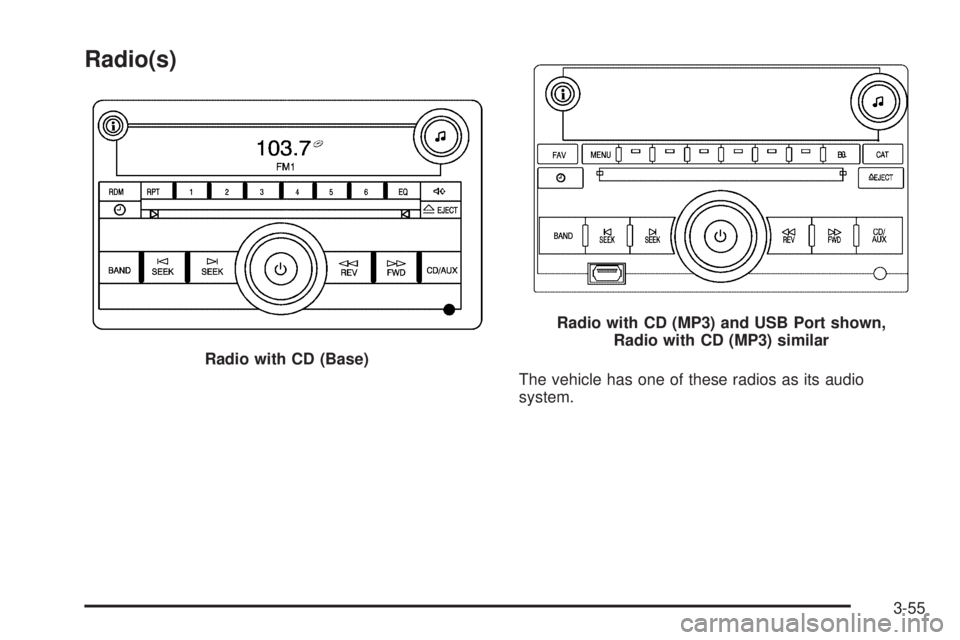
Radio(s)
The vehicle has one of these radios as its audio
system. Radio with CD (Base)
Radio with CD (MP3) and USB Port shown,
Radio with CD (MP3) similar
3-55
Page 176 of 402
XM Satellite Radio Service
XM is a satellite radio service that is based in the
48 contiguous United States and 10 Canadian provinces.
XM Satellite Radio has a wide variety of programming
and commercial-free music, coast-to-coast, and in
digital-quality sound. During your trial or when you
subscribe, you will get unlimited access to XM Radio
Online for when you are not in the vehicle. A service
fee is required to receive the XM service. For more
information, contact XM at xmradio.com or call
1-800-929-2100 in the U.S. and xmradio.ca or
call 1-877-438-9677 in Canada.
Radio Messages for XM Only
SeeXM Radio Messages on page 3-73for more
information.
Loading a CD
Insert a CD partway into the slot, label side up.
The player pulls it in and the CD begins playing.
When the CD is inserted, the CD symbol displays.
As each new track starts to play, the track number
displays.
The CD player can play the smaller 3 inch (8 cm) single
CDs with an adapter ring. Full-size CDs and the smaller
CDs are loaded in the same manner.
Ejecting a CD
Z
EJECT:Press to eject the CD. If the CD is not
removed, after several seconds, the CD automatically
pulls back into the player.
Playing a CD
If the ignition or radio is turned off with a CD in the
player it stays in the player. When the ignition or radio
is turned on, the CD starts to play where it stopped,
if it was the last selected audio source.
f(Tune):Turn to select tracks on the CD currently
playing.
©SEEK:Press to go to the start of the current track,
if more than ten seconds have played. Press and
hold or press multiple times to continue moving
backward through the tracks on the CD.
¨SEEK:Press to go to the next track. Press and
hold or press multiple times to continue moving forward
through the tracks on the CD.
sREV (Reverse):Press and hold to reverse
playback quickly within a track. Sound is heard at a
reduced volume and the elapsed time of the track
displays. Release to resume playing the track.
3-62