service PONTIAC G5 2010 Manual Online
[x] Cancel search | Manufacturer: PONTIAC, Model Year: 2010, Model line: G5, Model: PONTIAC G5 2010Pages: 422, PDF Size: 2.22 MB
Page 381 of 422

Scheduled Maintenance
ServiceMaintenanceIMaintenance II
Change engine oil and filter. Reset oil life system. ••
Engine coolant level check. ••
Windshield washer fluid level check. ••
Tire inflation pressures check. ••
Tire wear inspection. ••
Rotate tires. ••
Fluids visual leak check. ••
Engine air cleaner filter inspection (vehicles driven in dusty conditions only). ••
Brake system inspection. ••
Steering and suspension inspection. •
Engine cooling system inspection. •
Windshield wiper blades inspection. •
Body components lubrication. •
Restraint system components check. •
Passenger compartment air filter replacement. •
Engine air cleaner filter inspection (vehicles not driven in dusty conditions). •
7-7
Page 382 of 422

Owner Checks and Services
Starter Switch Check
{WARNING:
When you are doing this inspection, the vehicle
could move suddenly. If the vehicle moves, you or
others could be injured.
1. Before starting this check, be sure there is enough room around the vehicle.
2. Firmly apply both the parking brake and the regular brake. See Parking Brake on page 3-29 .
Do not use the accelerator pedal, and be ready to
turn off the engine immediately if it starts.
3. For automatic transmission vehicles, try to start the engine in each gear. The starter should work only
in P (Park) or N (Neutral). If the starter works in any
other position, your vehicle needs service.
For manual transmission vehicles, put the shift lever
in Neutral, push the clutch pedal down halfway, and
try to start the engine. The starter should work only
when the clutch pedal is pushed down all the way to
the floor. If the starter works when the clutch pedal is
not pushed all the way down, your vehicle needs
service.
Automatic Transmission Shift Lock
Control System Check
{WARNING:
When you are doing this inspection, the vehicle
could move suddenly. If the vehicle moves, you or
others could be injured.
1. Before starting this check, be sure there is enough room around the vehicle. It should be parked on a
level surface.
2. Firmly apply the parking brake. See Parking Brake
on page 3-29.
Be ready to apply the regular brake immediately if
the vehicle begins to move.
3. With the engine off, turn the ignition to ON/RUN, but do not start the engine. Without applying the
regular brake, try to move the shift lever out
of P (Park) with normal effort. If the shift lever
moves out of P (Park), contact your dealer/retailer
for service.
7-8
Page 383 of 422

Ignition Transmission Lock Check
While parked, and with the parking brake set, try to turn
the ignition to LOCK/OFF in each shift lever position.
•For automatic transmission vehicles, the ignition
should turn to LOCK/OFF only when the shift
lever is in P (Park). The ignition key should come
out only in LOCK/OFF.
•For manual transmission vehicles, the ignition key
should come out only in LOCK/OFF.
Turn the steering wheel to the left and to the right. It
should only lock when turned to the right.
Contact your dealer/retailer if service is required.
Parking Brake and Automatic
Transmission P (Park) Mechanism
Check
{WARNING:
When you are doing this check, the vehicle could
begin to move. You or others could be injured and
property could be damaged. Make sure there is
room in front of the vehicle in case it begins to roll.
Be ready to apply the regular brake at once should
the vehicle begin to move.
Park on a fairly steep hill, with the vehicle facing
downhill. Keeping your foot on the regular brake, set the
parking brake.
•To check the parking brake’s holding ability: With the
engine running and the transmission in N (Neutral),
slowly remove foot pressure from the regular brake
pedal. Do this until the vehicle is held by the parking
brake only.
•To check the P (Park) mechanism’s holding ability:
With the engine running, shift to P (Park). Then
release the parking brake followed by the regular
brake.
Contact your dealer/retailer if service is required.
7-9
Page 388 of 422
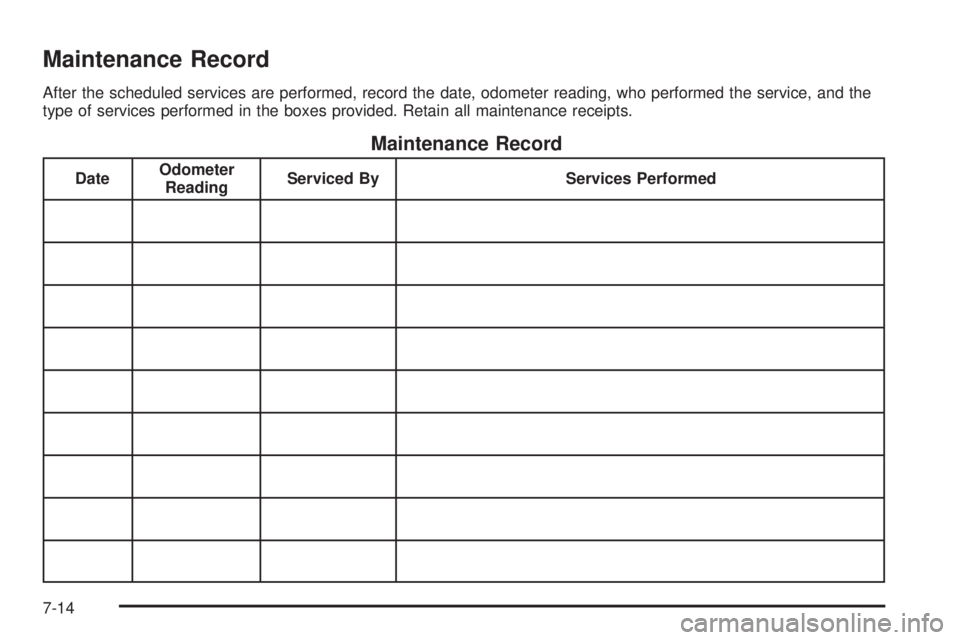
Maintenance Record
After the scheduled services are performed, record the date, odometer reading, who performed the service, and the
type of services performed in the boxes provided. Retain all maintenance receipts.
Maintenance Record
DateOdometer
Reading Serviced By
Services Performed
7-14
Page 389 of 422
Maintenance Record (cont’d)
DateOdometer
Reading Serviced By
Services Performed
7-15
Page 390 of 422
Maintenance Record (cont’d)
DateOdometer
Reading Serviced By
Services Performed
7-16
Page 391 of 422

Customer Assistance and Information...............8-2
Customer Satisfaction Procedure ......................8-2
Online Owner Center ..................................... .8-5
Customer Assistance for Text Telephone (TTY) Users .............................................. .8-6
Customer Assistance Offices ............................8-6
GM Mobility Reimbursement Program ................8-7
Roadside Assistance Program ..........................8-7
Scheduling Service Appointments ....................8-10
Courtesy Transportation Program ....................8-10
Collision Damage Repair ................................8-11Reporting Safety Defects
................................8-14
Reporting Safety Defects to the United States Government ............................................. .8-14
Reporting Safety Defects to the Canadian Government ............................................. .8-15
Reporting Safety Defects to General Motors .....8-15
Service Publications Ordering Information .........8-15
Vehicle Data Recording and Privacy ................8-16
Event Data Recorders .................................. .8-17
OnStar
®..................................................... .8-18
Navigation System ....................................... .8-18
Radio Frequency Identification (RFID) .................................. .8-18
Radio Frequency Statement ...........................8-18
Section 8 Customer Assistance Information
8-1
Page 392 of 422
Customer Assistance and
Information
Customer Satisfaction Procedure
Your satisfaction and goodwill are important to your
dealer and to Pontiac. Normally, any concerns with the
sales transaction or the operation of the vehicle will be
resolved by the dealer’s sales or service departments.
Sometimes, however, despite the best intentions of all
concerned, misunderstandings can occur. If your concern
has not been resolved to your satisfaction, the following
steps should be taken:
STEP ONE:Discuss your concern with a member of
dealership management. Normally, concerns can be
quickly resolved at that level. If the matter has already
been reviewed with the sales, service, or parts manager,
contact the owner of the dealership or the general
manager. STEP TWO:
If after contacting a member of dealership
management, it appears your concern cannot be
resolved by the dealership without further help, in the
U.S., call the Pontiac Customer Assistance Center
at 1-800-762-2737. In Canada, call General Motors of
Canada Customer Communication Centre at
1-800-263-3777 (English) or 1-800-263-7854 (French).
We encourage you to call the toll-free number in
order to give your inquiry prompt attention. Have the
following information available to give the Customer
Assistance Representative:
•Vehicle Identification Number (VIN). This is
available from the vehicle registration or title, or the
plate at the top left of the instrument panel and
visible through the windshield.
•Dealership name and location.
•Vehicle delivery date and present mileage.
When contacting Pontiac, remember that your concern
will likely be resolved at a dealer’s facility. That is
why we suggest you follow Step One first.
8-2
Page 394 of 422
STEP THREE — Canadian Owners:In the event that
you do not feel your concerns have been addressed after
following the procedure outlined in Steps One and Two,
General Motors of Canada Limited wants you to be aware
of its participation in a no-charge Mediation/Arbitration
Program. General Motors of Canada Limited has
committed to binding arbitration of owner disputes
involving factory-related vehicle service claims. The
program provides for the review of the facts involved by
an impartial third party arbiter, and may include an
informal hearing before the arbiter. The program is
designed so that the entire dispute settlement process,
from the time you file your complaint to the final decision,
should be completed in approximately 70 days. We
believe our impartial program offers advantages over
courts in most jurisdictions because it is informal, quick,
and free of charge. For further information concerning eligibility in the
Canadian Motor Vehicle Arbitration Plan (CAMVAP), call
toll-free 1-800-207-0685, or call the General Motors
Customer Communication Centre, 1-800-263-3777
(English), 1-800-263-7854 (French), or write to:
Mediation/Arbitration Program
c/o Customer Communication Centre
General Motors of Canada Limited
Mail Code: CA1-163-005
1908 Colonel Sam Drive
Oshawa, Ontario L1H 8P7
Your inquiry should be accompanied by the Vehicle
Identification Number (VIN).
8-4
Page 395 of 422
Online Owner Center
Online Owner Center (U.S.) —
www.gmownercenter.com/pontiac
Information and services customized for your specific
vehicle — all in one convenient place.
•Digital owner manual, warranty information,
and more
•Online service and maintenance records
•Find Pontiac dealers for service nationwide
•Exclusive privileges and offers
•Recall notices for your specific vehicle
•OnStar®and GM Cardmember Services Earnings
summaries
Other Helpful Links:
Pontiac — www.pontiac.com
Pontiac Merchandise — www.pontiacmall.com
Help Center — www.pontiac.com/helpcenter
•FAQ
•Contact Us
My GM Canada (Canada) — www.gm.ca
My GM Canada is a password-protected section of
www.gm.ca where you can save information on
GM vehicles, get personalized offers, and use handy
tools and forms with greater ease.
Here are a few of the valuable tools and services you
will have access to:
•My Showroom: Find and save information on
vehicles and current offers in your area.
•My Dealers/Retailers: Save details such as address
and phone number for each of your preferred GM
dealers/retailers.
•My Driveway: Access quick links to parts and
service estimates, check trade-in values, or
schedule a service appointment by adding the
vehicles you own to your driveway profile.
•My Preferences: Manage your profile and use tools
and forms with greater ease.
To sign up, visit the My GM Canada section within
www.gm.ca.
8-5