ignition PONTIAC G6 2006 Owner's Manual
[x] Cancel search | Manufacturer: PONTIAC, Model Year: 2006, Model line: G6, Model: PONTIAC G6 2006Pages: 416, PDF Size: 2.66 MB
Page 111 of 416

THIRD (3), FOURTH (4), and FIFTH (5) and SIXTH (6):
Shift into THIRD (3), FOURTH (4) and FIFTH (5) and
SIXTH (6) the same way you do for SECOND (2). Slowly
let up on the clutch pedal as you press the accelerator
pedal.
To stop, let up on the accelerator pedal and press the
brake pedal. Just before the vehicle stops, press
the clutch pedal and the brake pedal, and shift to
Neutral.
Neutral:Use this position when you start or idle your
engine.
REVERSE (R):To back up, press down the clutch
pedal and lift up on the ring on the shift lever to shift
into REVERSE (R). Let up on the clutch pedal
slowly while pressing the accelerator pedal.
Notice:Shifting to REVERSE (R) while your vehicle
is moving forward could damage the transaxle.
The repairs would not be covered by your warranty.
Shift to REVERSE (R) only after your vehicle is
stopped.
Also, use REVERSE (R), along with the parking brake,
for parking your vehicle.
Once the shift lever is in REVERSE (R), the ignition can
be turned to OFF and the key removed.Parking Brake
To set the parking brake, pull up on the parking brake
handle. If the ignition is on, the brake system warning
light will come on. SeeBrake System Warning Light
on page 3-36. GT and GTP Shown, SE Similar
2-33
Page 113 of 416

Use the following procedure to shift into PARK (P):
1. Hold the brake pedal down with your right foot and
set the parking brake.
2. Move the shift lever into PARK (P) by holding in the
button on the shift lever and pushing the lever all
the way toward the front of the vehicle.
3. Turn the ignition key to OFF.
4. Remove the key and take it with you. If you can
leave your vehicle with the ignition key in your
hand, your vehicle is in PARK (P).Leaving Your Vehicle With the Engine
Running (Automatic Transaxle)
{CAUTION:
It can be dangerous to leave your vehicle with
the engine running. Your vehicle could move
suddenly if the shift lever is not fully in
PARK (P) with the parking brake rmly set.
And, if you leave the vehicle with the engine
running, it could overheat and even catch re.
You or others could be injured. Do not leave
your vehicle with the engine running.
If you have to leave your automatic transaxle vehicle
with the engine running, be sure your vehicle is in
PARK (P) and your parking brake is rmly set before
you leave it. After you have moved the shift lever
into PARK (P), hold the regular brake pedal down. Then,
see if you can move the shift lever away from PARK (P)
without rst pushing the button.
If you can, it means that the shift lever was not fully
locked into PARK (P).
2-35
Page 114 of 416

Torque Lock (Automatic Transaxle)
If you are parking on a hill and you do not shift your
automatic transaxle into PARK (P) properly, the weight
of the vehicle may put too much force on the parking
pawl in the transaxle. You may nd it difficult to pull
the shift lever out of PARK (P). This is called “torque
lock.” To prevent torque lock, set the parking brake
and then shift into PARK (P) properly before you leave
the driver’s seat. To nd out how, see “Shifting Into
Park (P)” previously in the section.
When you are ready to drive, move the shift lever out
of PARK (P) before you release the parking brake.
If torque lock does occur, you may need to have another
vehicle push yours a little uphill to take some of the
pressure from the parking pawl in the transaxle, so you
can pull the shift lever out of PARK (P).
Shifting Out of Park (P)
(Automatic Transaxle)
The automatic transaxle shift lock control system locks
the shift lever in PARK when the ignition is in OFF.
In addition, you have to fully apply your regular brakes
before you can shift from PARK (P) when the ignition
is in ON. SeeAutomatic Transaxle Operation on
page 2-28.
If you cannot shift out of PARK (P), ease pressure on
the shift lever and push the shift lever all the way
into PARK (P) as you maintain brake application.
Then move the shift lever into the desired gear.
Parking Your Vehicle
(Manual Transaxle)
Before leaving your vehicle, fully press the clutch pedal
in, rmly apply the parking brake, and move the shift
lever into REVERSE (R). Once the shift lever has been
placed in REVERSE (R) with the clutch pedal pressed
in, you can turn the ignition key to OFF, remove the key
and release the clutch. SeeManual Transaxle
Operation on page 2-32.
2-36
Page 118 of 416
Compass Operation
Press the on/off button once to turn the compass on
or off.
When the ignition and the compass feature are on,
the compass will show two character boxes for a
few seconds. After a few seconds, the mirror will
display the current compass direction.
Compass Calibration
If after a few seconds the display does not show a
compass direction, (N for North for example), there may
be a strong magnetic eld interfering with the compass.
Such interference may be caused by a magnetic
antenna mount, note pad holder, or similar object. If the
letter C appears in the compass window, the compass
may need to be reset or calibrated.
The mirror can be calibrated by driving the vehicle in
circles at 5 mph (8 km/h) or less until the display reads
a direction.
Compass Variance
Compass variance is the difference between earth’s
magnetic north and true geographic north. If the mirror
is not adjusted for compass variance, the compass
could give false readings.
The mirror is set in zone eight upon leaving the factory.
It will be necessary to adjust the compass to
compensate for compass variance if the vehicle is
driven outside zone eight. Under certain circumstances,
such as a long distance, cross-country trip, it will be
necessary to adjust the compass variance.
To adjust for compass variance, do the following:
1. Find your current location and variance zone
number on the zone map that follows.
2-40
Page 119 of 416

2. Press and hold the on/off button until a zone
number appears on the display.
3. Once the zone number appears on the display,
press the on/off button quickly until you reach
the correct zone number. If C appears in the
compass window, the compass may need
calibration. See “Compass Calibration” listed
previously.
Automatic Dimming Rearview Mirror
with Compass
Your vehicle may have an automatic dimming rearview
mirror with a compass. This feature enables the
mirror to sense nighttime glare from vehicle headlamps
from behind and automatically dim to reduce the
glare to a safe level.
The automatic dimming feature turns on each time the
vehicle is started. Press the OFF button once and
the green indicator light located to the left of the button
will go out indicating the feature is off. To turn the
feature back on, press and release the AUTO button
and the green indicator light will come on.
Compass Operation
Press the on/off button once to turn the compass on
or off.
When the ignition and the compass feature are on,
the compass will show two character boxes for a
few seconds. After a few seconds, the mirror will display
the current compass direction.
2-41
Page 124 of 416
Convenience Net
The vehicle may have a convenience net located on the
back wall or the sides of the trunk.
Put small loads, like grocery bags, behind the net. It can
help keep them from falling over.
The net is not for larger, heavier loads. Store those in
the trunk as far forward as possible.
Unhook the net so that it will lie at when not in use.
Sunroof
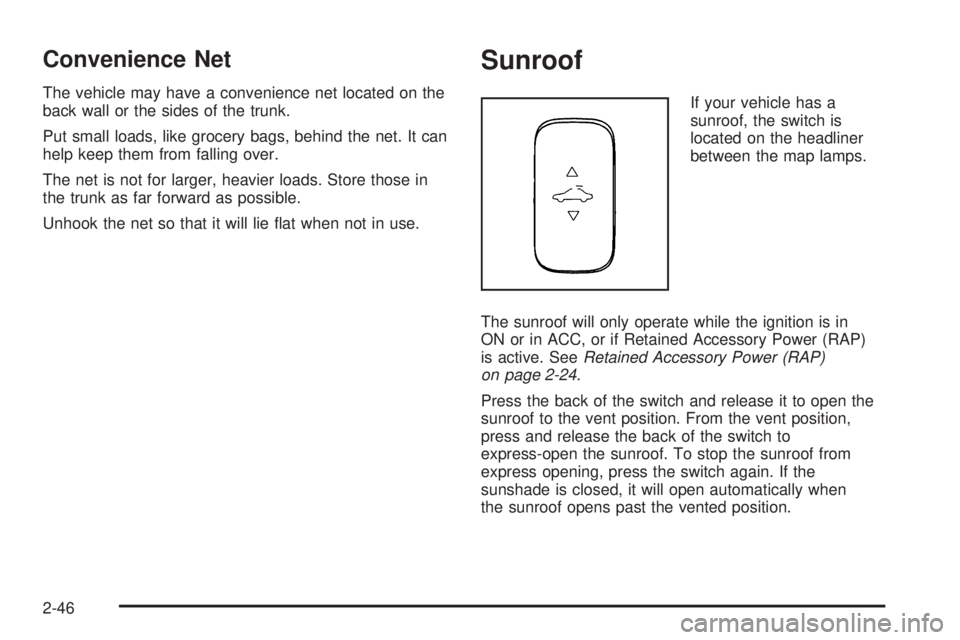
If your vehicle has a
sunroof, the switch is
located on the headliner
between the map lamps.
The sunroof will only operate while the ignition is in
ON or in ACC, or if Retained Accessory Power (RAP)
is active. SeeRetained Accessory Power (RAP)
on page 2-24.
Press the back of the switch and release it to open the
sunroof to the vent position. From the vent position,
press and release the back of the switch to
express-open the sunroof. To stop the sunroof from
express opening, press the switch again. If the
sunshade is closed, it will open automatically when
the sunroof opens past the vented position.
2-46
Page 125 of 416

To close the sunroof, press the front of the switch and
hold it until the sunroof is closed. The sunroof will stop if
the switch is released. Close the sunshade by hand.
The sunroof glass panel cannot be opened or closed if
the vehicle has an electrical failure.
Notice:If you force the sunshade forward of the
sliding glass panel, damage will occur and the
sunroof may not open or close properly. Always
close the glass panel before closing the sunshade.
Sunroof - Panoramic
If the vehicle has a panoramic sunroof, it has four glass
panels that tilt or stack upon each other, when the
sunroof control is turned to the vent or one of three
opened positions. There is a separate control for
the automatic sunshade.
The sunroof will only operate while the ignition is ON
or in ACC, or if Retained Accessory Power (RAP)
is active. SeeRetained Accessory Power (RAP)
on page 2-24.The panoramic sunroof control is located on the
headliner. From the closed position, turn the control
clockwise to vent the sunroof or open it to three different
positions.
0 (Closed Position):Turn the control to this position to
close the panoramic sunroof.
1 (Vent Position):Turn the control to this position to
vent the panoramic sunroof. The front glass panel of
the sunroof will tilt forward and the sunshade will
automatically retract to the vent position.
2-47
Page 135 of 416
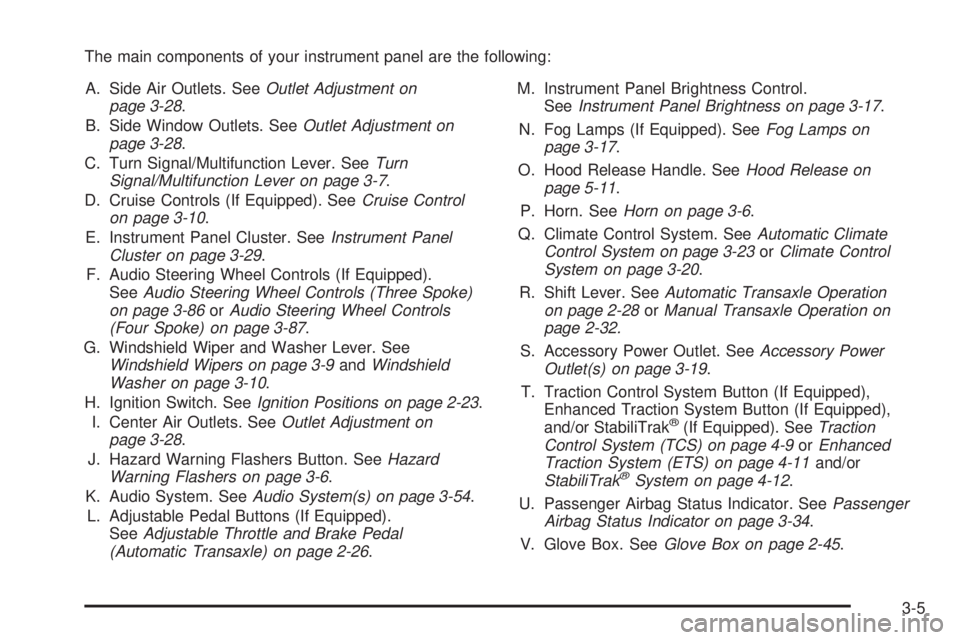
The main components of your instrument panel are the following:
A. Side Air Outlets. SeeOutlet Adjustment on
page 3-28.
B. Side Window Outlets. SeeOutlet Adjustment on
page 3-28.
C. Turn Signal/Multifunction Lever. SeeTurn
Signal/Multifunction Lever on page 3-7.
D. Cruise Controls (If Equipped). SeeCruise Control
on page 3-10.
E. Instrument Panel Cluster. SeeInstrument Panel
Cluster on page 3-29.
F. Audio Steering Wheel Controls (If Equipped).
SeeAudio Steering Wheel Controls (Three Spoke)
on page 3-86orAudio Steering Wheel Controls
(Four Spoke) on page 3-87.
G. Windshield Wiper and Washer Lever. See
Windshield Wipers on page 3-9andWindshield
Washer on page 3-10.
H. Ignition Switch. SeeIgnition Positions on page 2-23.
I. Center Air Outlets. SeeOutlet Adjustment on
page 3-28.
J. Hazard Warning Flashers Button. SeeHazard
Warning Flashers on page 3-6.
K. Audio System. SeeAudio System(s) on page 3-54.
L. Adjustable Pedal Buttons (If Equipped).
SeeAdjustable Throttle and Brake Pedal
(Automatic Transaxle) on page 2-26.M. Instrument Panel Brightness Control.
SeeInstrument Panel Brightness on page 3-17.
N. Fog Lamps (If Equipped). SeeFog Lamps on
page 3-17.
O. Hood Release Handle. SeeHood Release on
page 5-11.
P. Horn. SeeHorn on page 3-6.
Q. Climate Control System. SeeAutomatic Climate
Control System on page 3-23orClimate Control
System on page 3-20.
R. Shift Lever. SeeAutomatic Transaxle Operation
on page 2-28orManual Transaxle Operation on
page 2-32.
S. Accessory Power Outlet. SeeAccessory Power
Outlet(s) on page 3-19.
T. Traction Control System Button (If Equipped),
Enhanced Traction System Button (If Equipped),
and/or StabiliTrak
®(If Equipped). SeeTraction
Control System (TCS) on page 4-9orEnhanced
Traction System (ETS) on page 4-11and/or
StabiliTrak
®System on page 4-12.
U. Passenger Airbag Status Indicator. SeePassenger
Airbag Status Indicator on page 3-34.
V. Glove Box. SeeGlove Box on page 2-45.
3-5
Page 138 of 416
Turn and Lane-Change Signals
The turn signal has two upward (for right) and
two downward (for left) positions. These positions
allow you to signal a turn or a lane change.
To signal a turn, move the lever all the way up or down.
When the turn is nished, the lever will return
automatically.
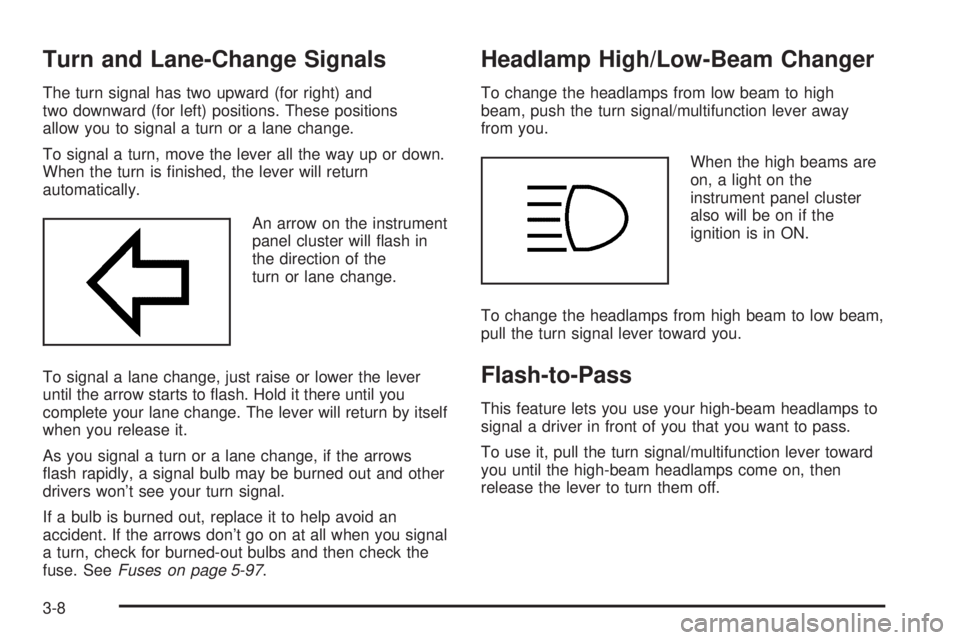
An arrow on the instrument
panel cluster will ash in
the direction of the
turn or lane change.
To signal a lane change, just raise or lower the lever
until the arrow starts to ash. Hold it there until you
complete your lane change. The lever will return by itself
when you release it.
As you signal a turn or a lane change, if the arrows
ash rapidly, a signal bulb may be burned out and other
drivers won’t see your turn signal.
If a bulb is burned out, replace it to help avoid an
accident. If the arrows don’t go on at all when you signal
a turn, check for burned-out bulbs and then check the
fuse. SeeFuses on page 5-97.
Headlamp High/Low-Beam Changer
To change the headlamps from low beam to high
beam, push the turn signal/multifunction lever away
from you.
When the high beams are
on, a light on the
instrument panel cluster
also will be on if the
ignition is in ON.
To change the headlamps from high beam to low beam,
pull the turn signal lever toward you.
Flash-to-Pass
This feature lets you use your high-beam headlamps to
signal a driver in front of you that you want to pass.
To use it, pull the turn signal/multifunction lever toward
you until the high-beam headlamps come on, then
release the lever to turn them off.
3-8
Page 143 of 416
Reducing Speed While Using Cruise
Control
If the cruise control system is already engaged,
Push and hold the SET−symbol until you reach the
lower speed you want, then release it.
To slow down in very small amounts, push the
SET−symbol briey. Each time you do this, you will
go about 1 mph (1.6 km/h) slower.
Passing Another Vehicle While Using
Cruise Control
Use the accelerator pedal to increase your speed.
When you take your foot off the pedal, your vehicle will
slow down to the cruise control speed you set earlier.
Using Cruise Control on Hills
How well your cruise control will work on hills depends
upon your speed, load, and the steepness of the
hills. When going up steep hills, you may have to step
on the accelerator pedal to maintain your vehicle’s
speed. When going downhill, you may have to brake or
shift to a lower gear to keep your vehicle’s speed
down. Of course, applying the brakes ends cruise
control. Many drivers nd this to be too much trouble
and do not use cruise control on steep hills.
Ending Cruise Control
There are four ways to disengage the cruise control:
Step lightly on the brake pedal; when cruise control
disengages, the cruise symbol in the instrument
panel cluster will go out.
Press the on/off button, this will turn off the cruise
control system.
Press the cancel button (3–spoke wheel only).
When cruise control disengages, the cruise symbol
in the instrument panel cluster will go out.
Step on the clutch pedal; when the cruise control
disengages, the cruise symbol in the instrument
panel cluster will go out.
Erasing Speed Memory
When you turn off the cruise control or the ignition, your
cruise control set speed memory is erased.
3-13